Repository navigation
QwenPad 1.10.0: sticky notes that stay on your desktop

QwenPad 1.10.0
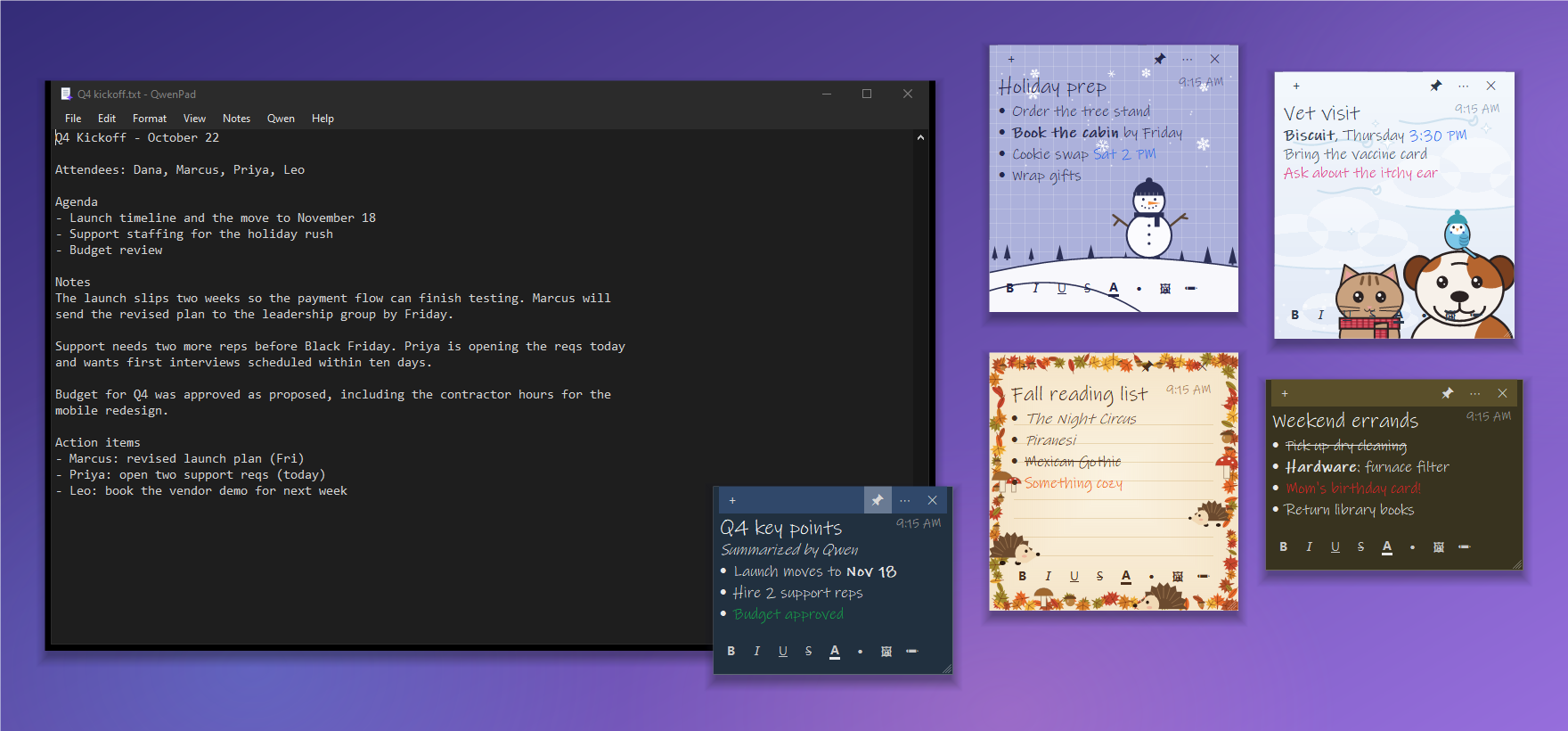
Added
- Sticky notes stay open when you close QwenPad. If notes are on screen, closing the editor (X, Alt+F4 or File > Exit) leaves them open, and QwenPad waits in the tray with the AI model unloaded to free memory. Launch QwenPad again (or click the tray icon) and the editor comes right back. QwenPad exits when you hide the last note or choose Quit QwenPad from the tray. Turn this off with Notes > Keep Notes Open When QwenPad Closes.
- Notes > Open Notes When Windows Starts (also in the tray menu): reopens your sticky notes at sign-in, without the editor or the model. It uses the new
--notescommand-line switch. - A tray icon while notes stay open: Open QwenPad, New Sticky Note, Notes List, Show All Notes, Open Notes When Windows Starts, and Quit QwenPad.
Changed
- Notes created today show just the time (
9:15 AM) instead ofToday, 9:15 AM, leaving more room for the title. Hover for the full dates. - Doodle Pumpkins keeps text clear of the pumpkins, and Hedgehog Hollow's hedgehogs sit lower, away from the first lines of text.
- New README and website: a sticky notes showcase, new screenshots of every design and feature, and a complete command reference.
Download QwenPad-v1.10.0-win-x64.zip, extract, and run QwenPad.exe. Moving from an older copy? Use Notes > Import Notes and pick the old folder.