Repository navigation
Releases
QwenPad 2.0.3: Image Studio stops refusing ordinary prompts

QwenPad 2.0.3
Fixed
- Image Studio no longer refuses ordinary prompts by mistake. The content check now matches whole words, so prompts like "girlfriend in lingerie", "babydoll" or "a nude study" go through. The only prompts refused are ones that combine a child/minor reference with sexual content.
Download QwenPad-v2.0.3-win-x64.zip, extract, and run QwenPad.exe.
QwenPad 2.0.2: Ctrl+H toggle, fade-in, minimize fix
QwenPad 2.0.2
Added
- Ctrl+H toggles hide/show for all sticky notes, from the editor or a note.
- Notes fade in smoothly when they return from being hidden.
Changed
- Find & Replace moved from Ctrl+H to Ctrl+R so Ctrl+H can toggle notes. Replace is still on the Edit menu and in the Find dialog.
Fixed
- A note's size/position no longer shifts after minimizing and restoring from the taskbar.
Download QwenPad-v2.0.2-win-x64.zip, extract, and run QwenPad.exe. Includes local image generation (2.0.0).
QwenPad 2.0.1: notes stay on their own monitor
QwenPad 2.0.1
Fixed
- Sticky notes return to their own monitor after it's turned off and back on. When a monitor powers off, Windows throws every window onto a surviving monitor; QwenPad used to save those piled-up positions, so you had to drag them all back. Now each note remembers where you put it, ignores the forced shuffle, and moves back to its spot once its monitor is available again.
Download QwenPad-v2.0.1-win-x64.zip, extract, and run QwenPad.exe. Includes everything in 2.0.0 (local image generation).
QwenPad 2.0.0: local image generation + editing
QwenPad 2.0.0 — local image generation
Added
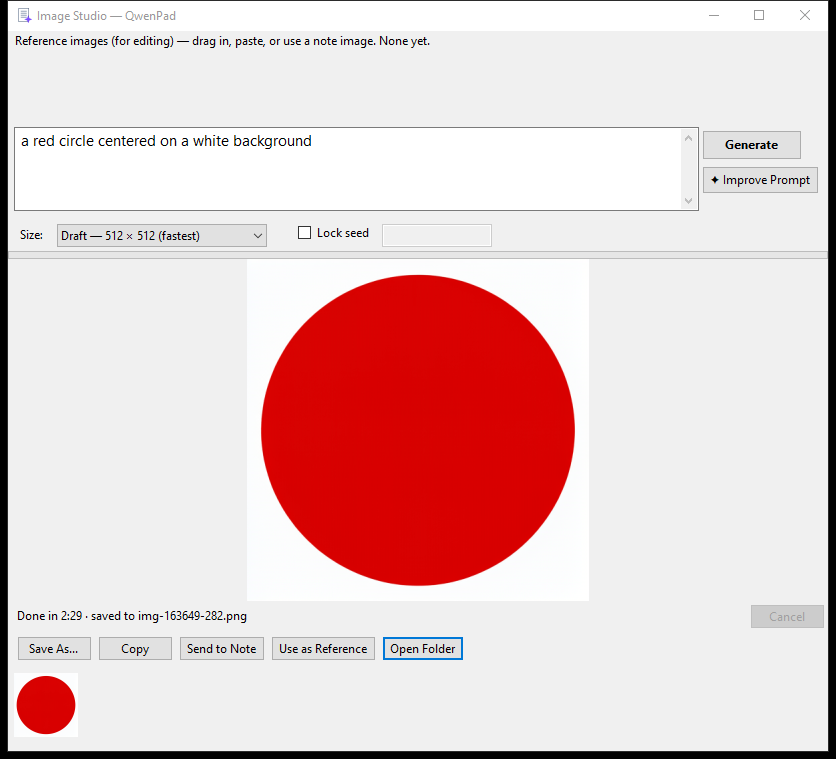
- Local image generation and editing (Qwen > Image Studio, Ctrl+Shift+J). Create images from a text prompt, or edit images you drag in, paste, or pick from a note, using Qwen-Image-2.1 running on your own PC through stable-diffusion.cpp. Nothing is uploaded.
- Live step previews, a progress bar and elapsed time while it works; Cancel any time.
- Up to 10 reference images for editing; the prompt becomes an edit instruction when references are present.
- ✦ Improve Prompt expands a short idea into a detailed prompt with the text model.
- Also reachable from a note's ⋯ > 🖼 Generate Image, a note image's right-click ✦ Edit with Qwen, and the editor's 🖼 Generate Image from Selection.
- Results are saved to
images\<date>\with their prompt; Save As, Copy, Send to Note, Use as Reference, and a history strip.
- Automatic GPU sharing. Since the text and image models don't both fit on a typical GPU, starting an image pauses the text model and loads the image model; after a few idle minutes it unloads and the text model returns. The status bar shows which is loaded.
- Qwen > Image Model menu: download the image model, stop the image engine, show its log. The image model (~11 GB) is fetched from Hugging Face on first use.
Notes
- The default image setup uses an uncensored text encoder (refusal behavior removed); a standard encoder is also offered. The only prompts refused are ones that sexualize minors.
- The Qwen-Image-2.1 weights are under the Qwen Research License: research and evaluation use only. Commercial use requires a separate license from Alibaba. QwenPad downloads the weights at your request; it does not redistribute them.
- Bundles stable-diffusion.cpp (
runtime\sd, MIT), which reuses the CUDA runtime already shipped inruntime\llama.
The image model (~11 GB) downloads on first use of the Image Studio. On a 4 GB GPU, expect a few minutes per image; a stronger GPU is much faster. Download QwenPad-v2.0.0-win-x64.zip, extract, and run QwenPad.exe.
QwenPad 1.11.1: fix text smearing when typing with low Background Art
QwenPad 1.11.1
Fixed
- Typing in a themed sticky note no longer smears or ghosts the text, especially with Background Art turned down low (or on a plain-paper design). Note windows now composite their children, so the area behind the transparent text box repaints cleanly as you type.
A small fix on top of 1.11.0 (14 new themes + Background Art). Download QwenPad-v1.11.1-win-x64.zip, extract, and run QwenPad.exe.
QwenPad 1.11.0: 14 new note themes + adjustable background art
QwenPad 1.11.0
Added
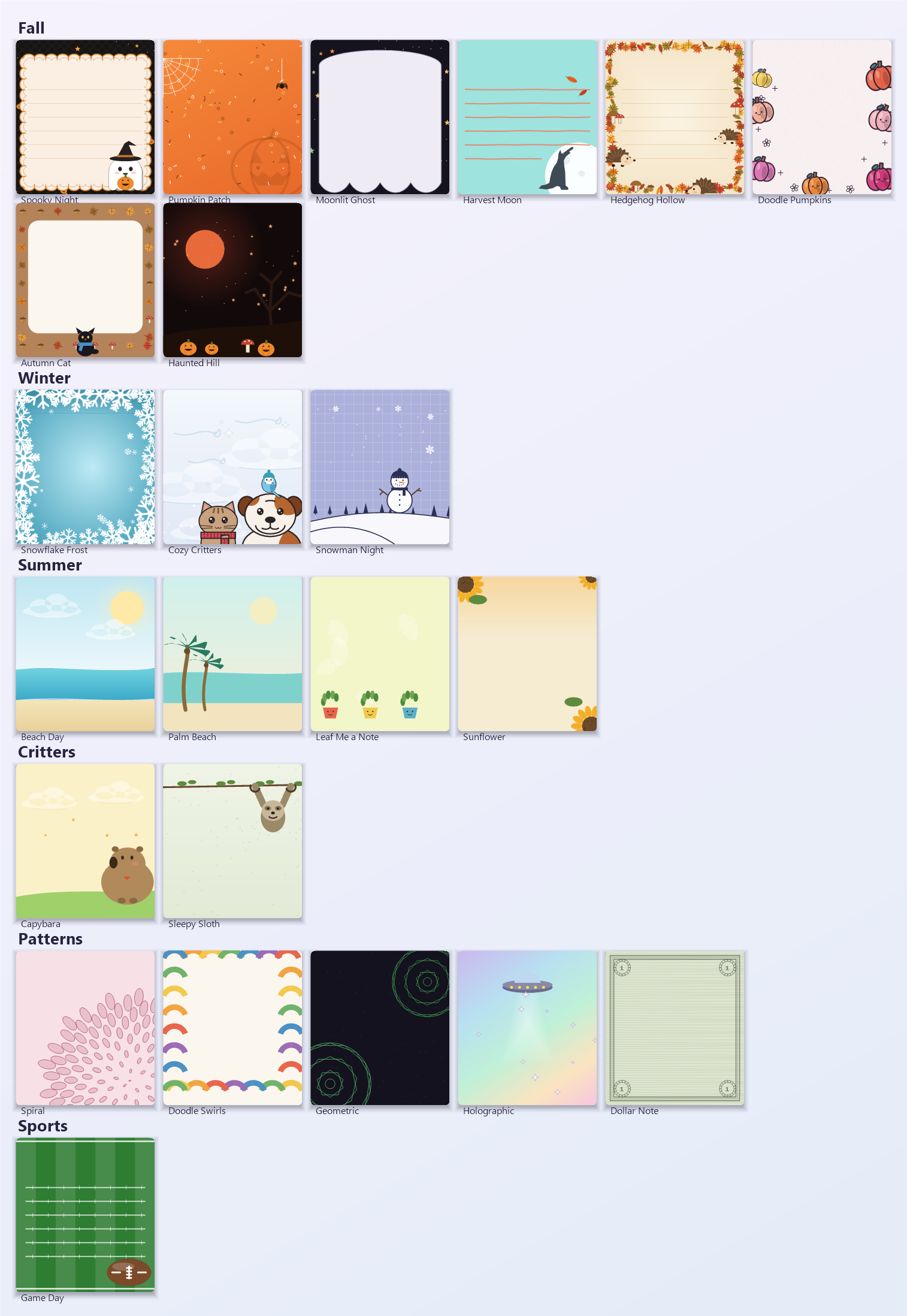
- 14 new sticky note themes, bringing the total to 23. They're grouped by category in each note's ⋯ > 🎨 Themes menu:
- 🍂 Fall: Autumn Cat, Haunted Hill
- 🏖 Summer: Beach Day, Palm Beach, Leaf Me a Note, Sunflower
- 🐾 Critters: Capybara, Sleepy Sloth
- 🌀 Patterns: Spiral, Doodle Swirls, Geometric, Holographic, Dollar Note
- 🏈 Sports: Game Day
- Background Art setting (⋯ menu): fade a theme's artwork from full down to a faint watermark over plain paper, independently of the note's overall opacity. The text, title and buttons stay fully solid.
Changed
- The ⋯ menu now lists themes in per-category submenus (with thumbnails) instead of one long list.
Download QwenPad-v1.11.0-win-x64.zip, extract, and run QwenPad.exe.
QwenPad 1.10.0: sticky notes that stay on your desktop
QwenPad 1.10.0
Added
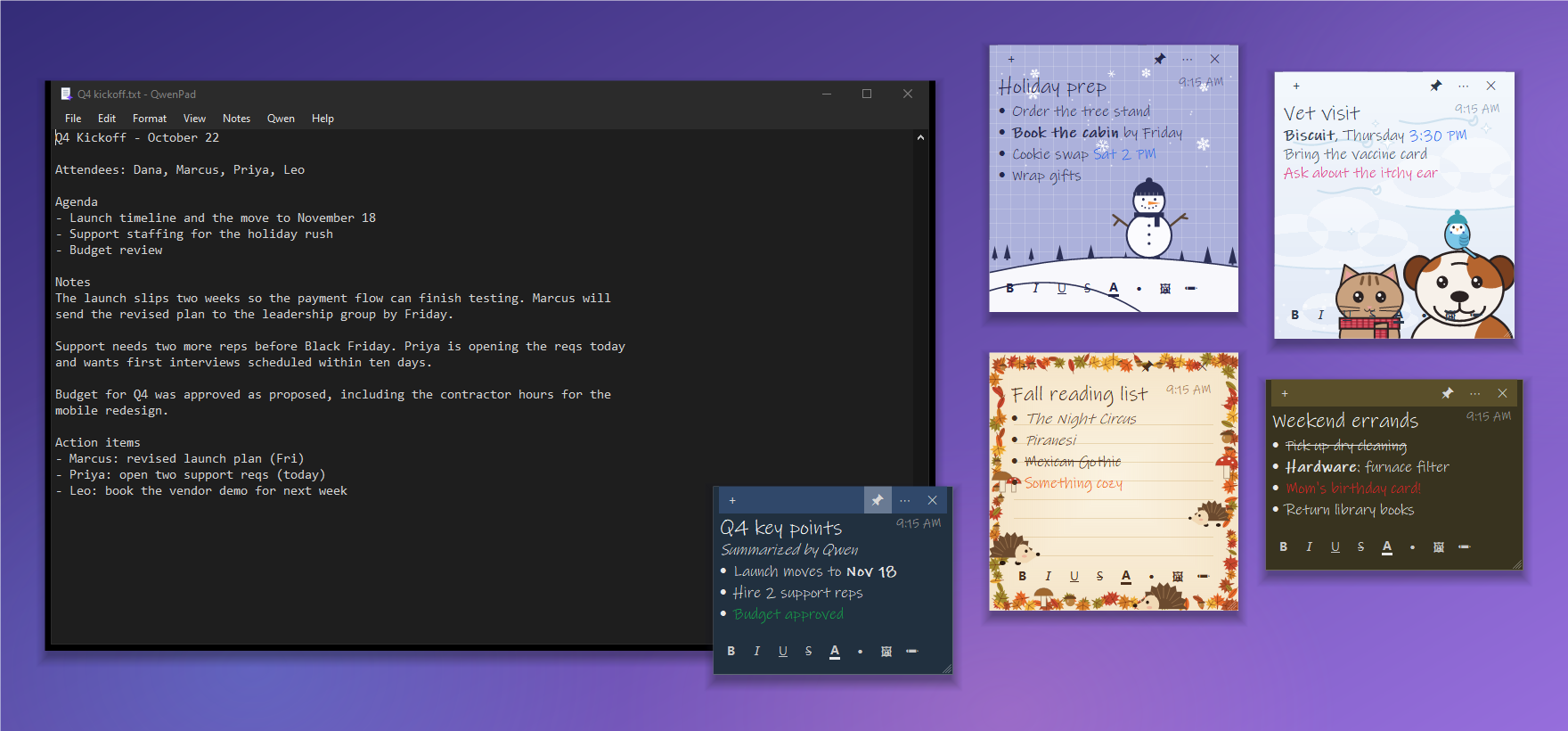
- Sticky notes stay open when you close QwenPad. If notes are on screen, closing the editor (X, Alt+F4 or File > Exit) leaves them open, and QwenPad waits in the tray with the AI model unloaded to free memory. Launch QwenPad again (or click the tray icon) and the editor comes right back. QwenPad exits when you hide the last note or choose Quit QwenPad from the tray. Turn this off with Notes > Keep Notes Open When QwenPad Closes.
- Notes > Open Notes When Windows Starts (also in the tray menu): reopens your sticky notes at sign-in, without the editor or the model. It uses the new
--notescommand-line switch. - A tray icon while notes stay open: Open QwenPad, New Sticky Note, Notes List, Show All Notes, Open Notes When Windows Starts, and Quit QwenPad.
Changed
- Notes created today show just the time (
9:15 AM) instead ofToday, 9:15 AM, leaving more room for the title. Hover for the full dates. - Doodle Pumpkins keeps text clear of the pumpkins, and Hedgehog Hollow's hedgehogs sit lower, away from the first lines of text.
- New README and website: a sticky notes showcase, new screenshots of every design and feature, and a complete command reference.
Download QwenPad-v1.10.0-win-x64.zip, extract, and run QwenPad.exe. Moving from an older copy? Use Notes > Import Notes and pick the old folder.
QwenPad 1.9.0: five new seasonal note designs
QwenPad 1.9.0
Added
- Five new sticky note designs in each note's ⋯ menu, now grouped by season:
- 🍂 Hedgehog Hollow: cream paper with dotted lines inside a wreath of autumn leaves, acorns, mushrooms and hedgehogs.
- 🍂 Doodle Pumpkins: soft pink paper with hand-drawn pumpkins with faces, doodle flowers and sparkles.
- ❄ Snowflake Frost: an icy blue glow framed by big paper-cut snowflakes.
- ❄ Cozy Critters: a pale winter sky with clouds and wind swirls, and a tabby in a plaid scarf, a bulldog and a budgie in a bobble hat.
- ❄ Snowman Night: periwinkle grid paper with falling snow, pine trees, snowy hills and a snowman in a beanie.
- Like the fall designs, they're drawn in code (sharp at any size, no image files), keep your text colors readable, and show in the Notes List.
Download QwenPad-v1.9.0-win-x64.zip, extract, and run QwenPad.exe.
QwenPad 1.8.1: notes stay visible when closed from outside
QwenPad 1.8.1
Fixed
- Notes no longer go missing when QwenPad is closed from outside. If Windows or another program closes the note windows as part of closing QwenPad (for example the taskbar's Close all windows, or an updater), those notes used to be saved as hidden and seemed to disappear on the next launch. They now stay visible. A note you hide yourself still stays hidden.
- A bare close message sent to a note window now hides the note instead of destroying the window while QwenPad keeps running.
Also includes everything in 1.8.0: sticky note font colors, a 30-day trash, crash-safe saves, automatic note backups, and Import Notes.
Download QwenPad-v1.8.1-win-x64.zip, extract, and run QwenPad.exe.
QwenPad 1.8.0: font colors and safer notes
QwenPad 1.8.0
Added
- Font color for sticky notes: the new A button on a note's format bar opens a palette with Automatic, Red, Orange, Green, Teal, Blue, Purple, Pink, Brown, Gray, and More Colors. The bar under the A shows the selection's color. Picked colors are saved, and they stay put when you switch light/dark mode, note colors or fall designs. Automatic text still follows the theme and design.
- Notes > Restore Deleted Notes: deleting a note now moves it (with its images and drawing) to a trash (
notes\.trash) for 30 days instead of erasing it. - Automatic note backups: the notes folder is copied to
backups\notes-<date>-v<version>once a day and whenever QwenPad is updated, keeping the newest 15. Notes > Open Notes Backups Folder opens them. - Notes > Import Notes: brings in notes from another QwenPad folder (such as an older portable copy) or a backup. Notes you already have are skipped.
- On startup, the status bar says how many notes are hidden and how to bring them back.
Changed
- Crash-safe saving: notes are written to a temp file and swapped in, and the previous save is kept as
<id>.bak. If a note file is ever empty or damaged, the backup copy is loaded instead. - Deleting asks for confirmation whenever the note has a title, images or a drawing, not just text.
- Notes saved by a newer QwenPad (with extra header lines) still open in this version.
Download QwenPad-v1.8.0-win-x64.zip, extract, and run QwenPad.exe. To keep notes from an older copy, use Notes > Import Notes and pick the old QwenPad folder.