Repository navigation
SIT 0.2.0

SIT is a Git workstation built around worktrees and remote machines. Open a repository on your laptop or on a server over SSH and get the same graph, the same staging area and the same terminal.
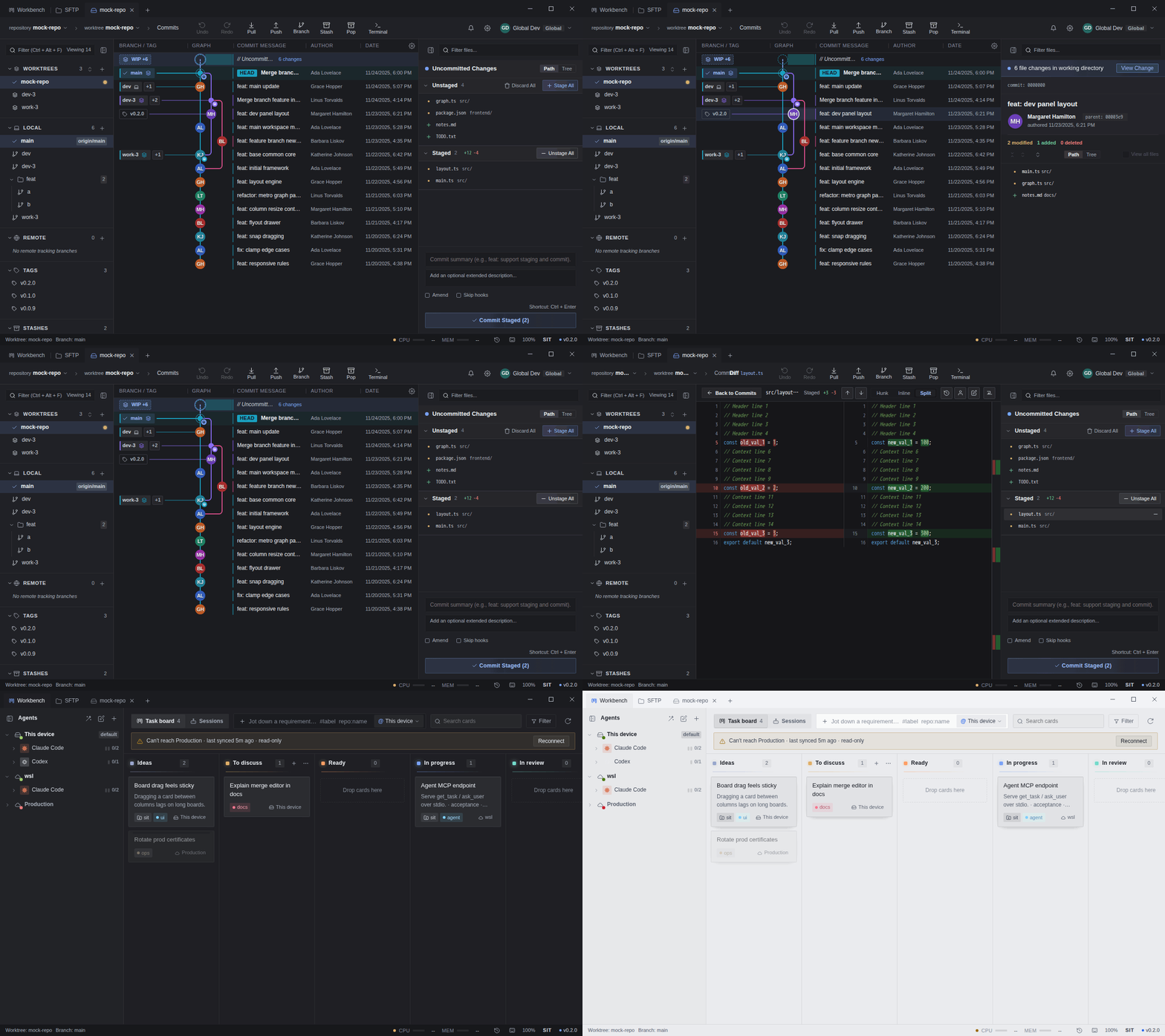
What it does
- Worktree first: worktrees at the top of the sidebar, a double-click to switch, every worktree's HEAD marked on the graph.
- Remote native: open a repository where it lives. SIT connects over SSH, places a small agent in
~/.sitwithout root and runs git on that machine. Nothing to clone or sync. - Everyday Git: a fast metro-style commit graph for repositories of any size, staging by file, hunk or line, a three-way merge editor, file history, blame and line history.
- Terminal: a terminal per worktree, backed by tmux, so sessions survive disconnects and restarts. Split panes, notifications, and pasting screenshots.
- Task board for coding agents: turn requirement cards into prompts and dispatch them to Claude Code or Codex, each in its own worktree. Agents report back through MCP.
- Server monitor and SFTP: live and historical CPU, memory, disk and process stats, and drag-and-drop file transfer between machines.
- Light and dark themes. Six languages: English, 简体中文, 繁體中文, 日本語, Français, Español.
Download
| Platform | File |
|---|---|
| Windows 10/11 | SIT-0.2.0-windows-amd64-setup.exe, or the portable .zip |
| macOS, Apple silicon | SIT-0.2.0-darwin-arm64.dmg |
| macOS, Intel | SIT-0.2.0-darwin-amd64.dmg |
The sit-agent-* packages are for remote machines. SIT downloads them on its own when it needs to, so you don't have to.
The builds aren't code-signed yet. On Windows, choose More info → Run anyway. On macOS, see How to open SIT.txt in the dmg. Checksums are in SHA256SUMS.