Repository navigation
Perfora 1.0.0 · First stable release

Perfora 1.0.0 — First stable release
Perforate the region you choose. Place the pattern where you need it. Keep it parametric.
Perfora 1.0 is the first stable release from 4FusionLab. It combines the existing thirteen hole shapes and parametric timeline Feature with circular patterns, point-based placement, bounded spread, direct sketch-profile regions, and faster previews.
Download Perfora-1.0.0.zip · SHA-256 · English guide · Русская инструкция
What is new
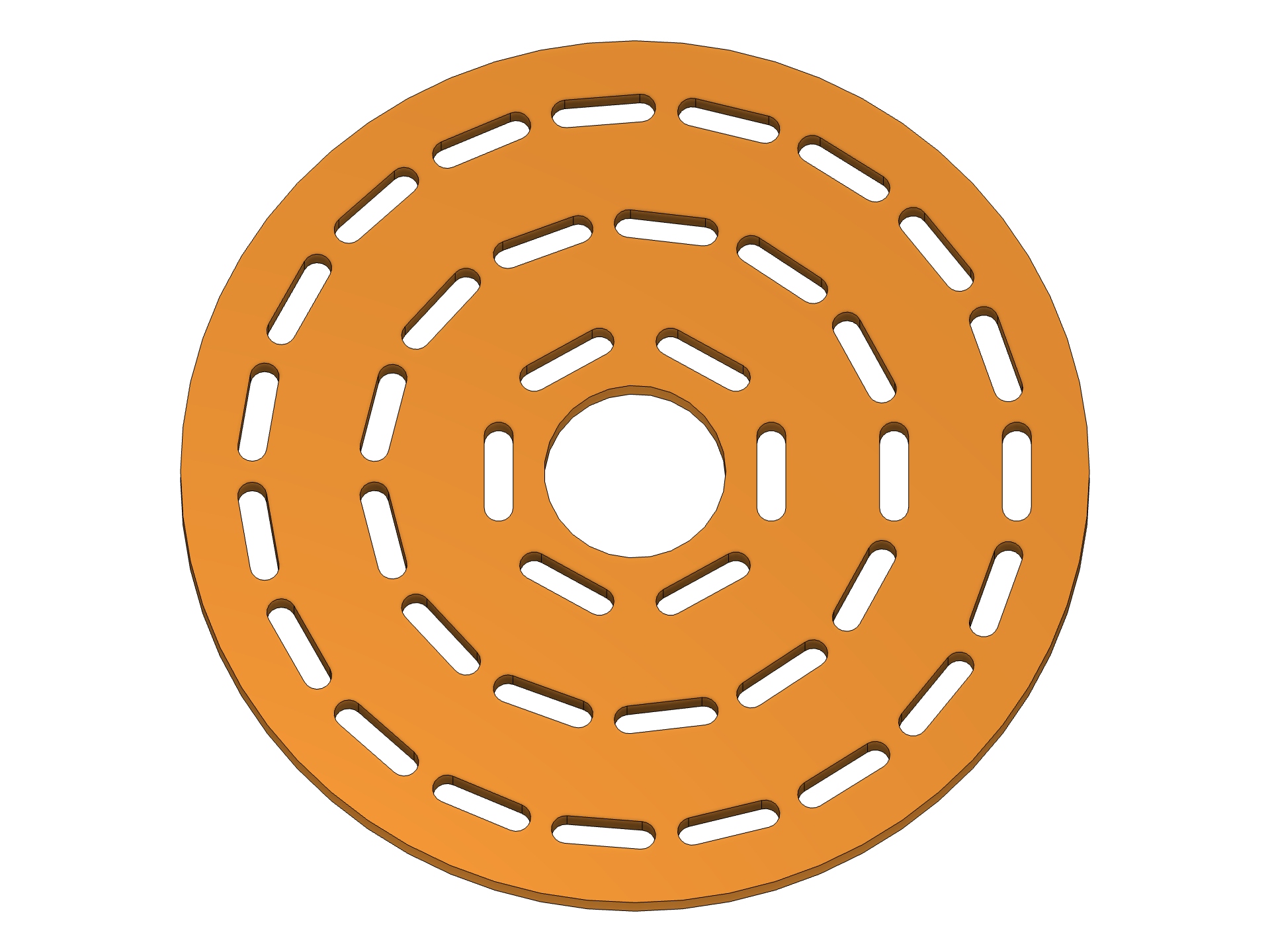
- Circular distribution: concentric rings for all twelve repeating shapes. Choose Fixed, Radial, or Tangential orientation, set the first ring's Start Radius, and add a Hole Angle. Web Thickness is preserved across each ring's closing seam.
- Start Point for every distribution: pick a sketch point, vertex, or construction point with Fusion's native Select control. Points outside the source plane are projected onto it. X/Y Offset moves the pattern from that point.
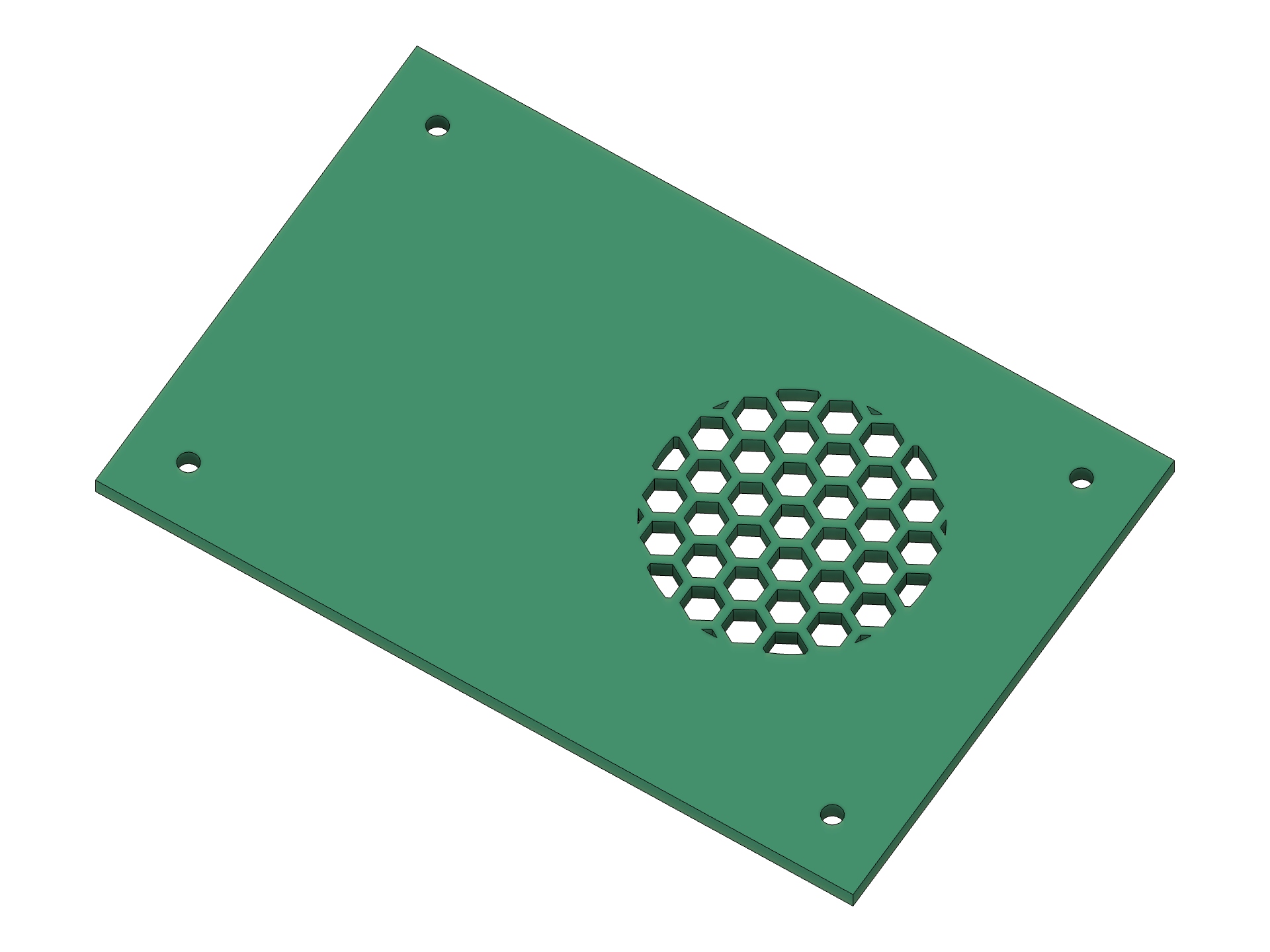
- Spread Radius: limit holes to a circular zone around the chosen origin. Zero fills the selected boundary. No extra profile is needed for a simple local perforation. Edge Offset and exact Trim to Boundary still apply.
- Profiles directly on solid faces: finish your boundary sketch and select its shaded profile in Profiles. The pattern stays inside that region, and the supporting body is selected for Cut/Intersect. No Split Face.
- Feature by default: new commands start with the parametric Perfora timeline node. Change a native parameter, upstream boundary, or Start Point and recompute the pattern. Sketch and native Extrude remain available.
- Defaults that recover: leaving any of the 36 numeric fields empty restores its default. Explicit zero, document parameters, units, and nonempty validation errors retain their meaning.
- Preview Color: Gold by default, plus Cyan, Magenta, Green, White, and Black. Fast Preview contours are thicker, and changing color reuses the prepared layout. Full Preview retains Fusion's model appearance.
Made in Fusion
These are real CAD results captured in Fusion, using the same white background and colored parts as the existing gallery.
| Circular patterns | Radial and Tangential |
|---|---|
 |
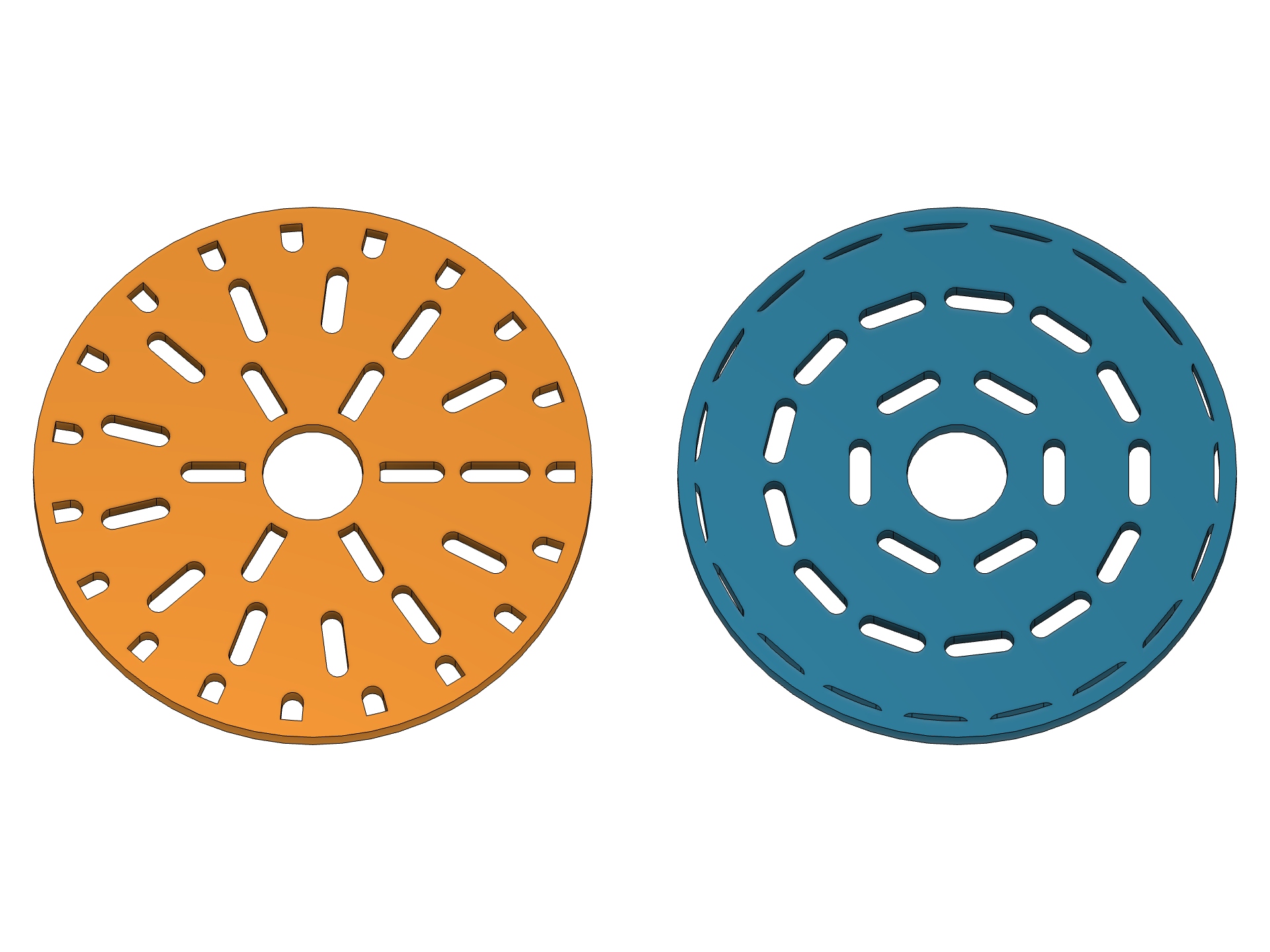 |
| Slots follow concentric rings around a center opening. | The orientation changes; the circular distribution remains. |
| Point and radius | Your sketch is the boundary |
|---|---|
 |
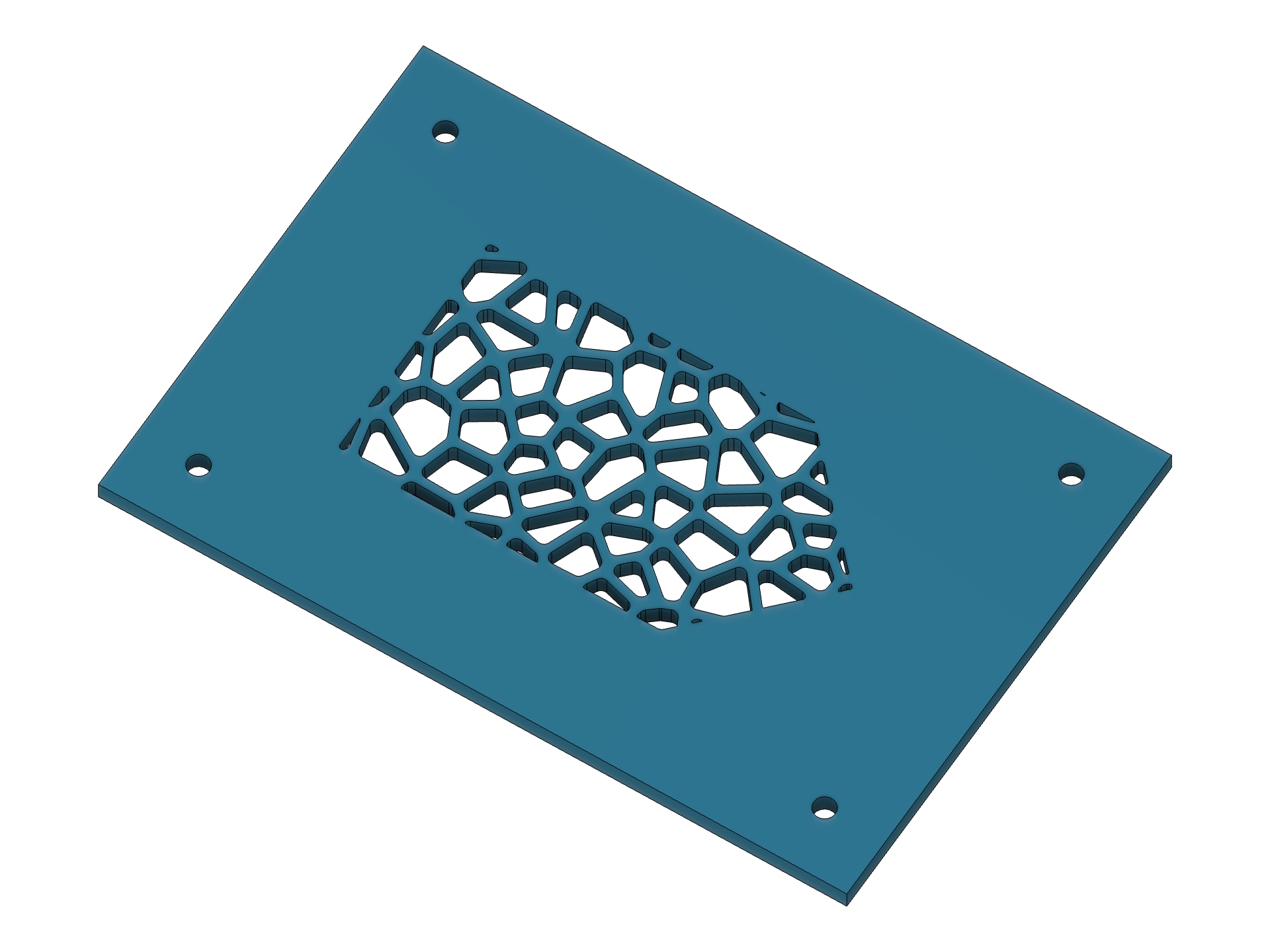 |
| An off-center circular zone on an existing plate, with its outer material intact. | Rounded Voronoi holes inside an arbitrary profile drawn on the face. |
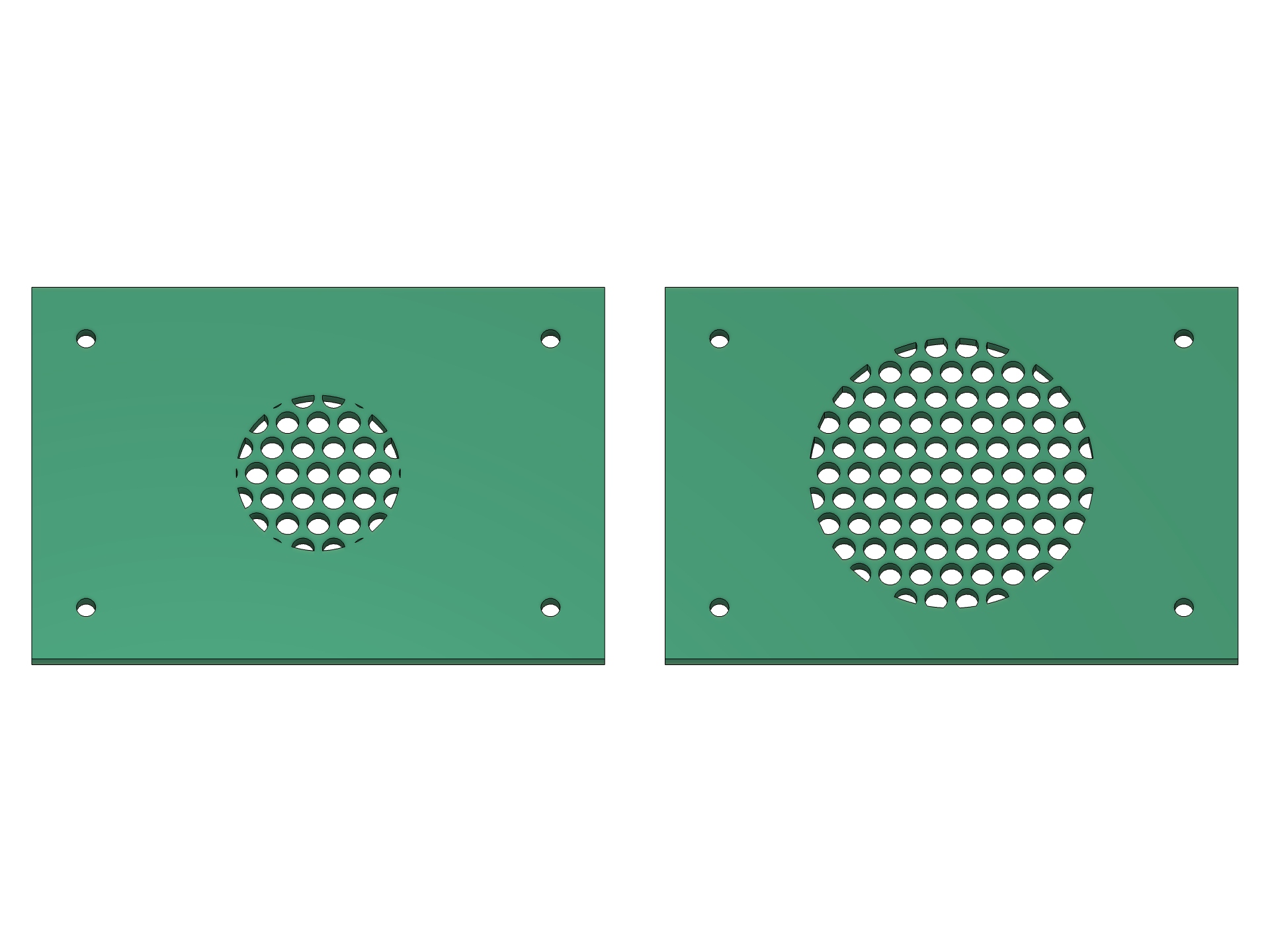
Change the radius. Rebuild the pattern. Both panels start from the same settings. The right-hand Feature is recomputed by changing its Spread Radius model parameter from 16 to 26 mm.
Benchmarks: where the time went
Measurements were taken on 24 October 2026, macOS arm64, Fusion 2706.1.14. Before/after compares a frozen pre-optimization development snapshot with the same layout features, not the published 0.2.0 package. The algorithms preserve the generated cells and contours: a 511-case differential matrix found no mismatches.
Pure Python layout generation
Median of three interleaved measurements, including index preparation; excludes native rendering, sketch construction, BRep clipping, and Extrude.
| Scenario | Holes | Before | After | Speedup |
|---|---|---|---|---|
| Hexagons, rectangular boundary | 709 | 34.005 ms | 10.588 ms | 3.21× |
| Hexagons, circular boundary | 253 | 1,282.353 ms | 96.812 ms | 13.25× |
| Ellipses, circular boundary | 45 | 4,027.185 ms | 263.233 ms | 15.30× |
| Voronoi, rectangular boundary | 1,041 | 269.651 ms | 125.366 ms | 2.15× |
Native Fusion: Fast Preview followed by build
Single paired measurements in one Fusion session. Build follows Fast Preview, so the optimized version can reuse cells while still reading the current source and constructing native geometry.
| Scenario | Holes | Fast Preview before → after | Build before → after |
|---|---|---|---|
| Hexagons inside a circle | 253 | 1.148 → 0.104 s | 2.453 → 2.193 s |
| Ellipses inside a circle | 45 | 3.424 → 0.262 s | 3.683 → 0.263 s |
| Small scoped tangential layout | 7 | 0.058 → 0.054 s | 0.105 → 0.107 s |
The small scoped case shows no meaningful build improvement. Native sketch creation can still dominate a dense pattern. These results are workload-specific; 15.30× is a measured geometry-generation result, not a universal command speedup.
The changes filter nearby boundary edges before exact checks, skip no-op Voronoi clipping, share immutable prepared cells between Fast Preview and creation, defer unused Panel Booleans, and cache source/inset/spread preparation independently. Current extrusion settings always apply, and source changes invalidate the cache.
Full methodology and scenarios · Raw samples and source fingerprints · Rerun the geometry benchmark
Install or update
- Download and extract the ZIP to a permanent folder.
- In Fusion, open Utilities → Scripts and Add-Ins → + → Script or add-in from device.
- Select the inner Perfora folder containing
Perfora.pyandPerfora.manifest, then click Run. Run on Startup is optional. - Open Design → Solid → Create → Perfora, or press S and search for Perfora.
No separate Python installation or third-party runtime packages are needed. The optional install.py installer keeps backups of prior installations.
When updating a folder already linked in Fusion, stop and reload the add-in. When linking a different folder, stop/unlink the old copy and restart Fusion before using Feature, because Fusion can retain the previous Custom Feature owner in the same session. Do not run both copies. The manifest UUID, command ID, and document attribute namespace remain unchanged.
Existing 0.2 Feature nodes remain editable. New native Start Radius and Spread Radius parameters are present on newly created nodes; older nodes retain editable values through stored settings but cannot gain those extra native parameters with the current API. Recreate a node if those new fields must appear in Fusion's Parameters dialog.
Validation and practical limits
- 67 Python tests, compile checks, reproducible ZIP construction, and installation with backups. GitHub Actions runs the Python and packaging checks on Linux, macOS, and Windows before publishing this exact commit.
- 179 native CAD scenarios covering shapes, clipping, Voronoi, circular distribution, points, Feature operations/recompute, face-backed profiles, optimization behavior, and preview performance.
- Real command acceptance on Fusion 2706.1.14 / macOS 27.0.1: defaults and color choices, Fast/Full Preview, OK/Cancel, native Undo/Redo, Feature and Extrude parameter editing, local F3D reopen, and subsequent recompute. All test documents are disposable; no user document is saved.
- Native Windows Fusion CAD, cloud save/reopen, and complex assemblies are not claimed as tested. Windows CI is not native CAD acceptance.
- Sources must be planar; curved faces and meshes are unsupported. Edge Offset must produce a valid inset; touching/intersecting offset loops can be rejected by Fusion.
- Feature supports straight Distance extents and Join, Cut, Intersect, New Body. Use native Extrude for All, To Object, taper, or New Component. Keep Perfora running for Feature edit/recompute. Autodesk's Custom Feature API itself remains Preview API; this release does not change Autodesk's API status.
- Fusion's blue selection highlighting can tint or cover custom graphics even when a different preview color is selected. Thicker contours improve contrast; Preview Color does not override Fusion's selection colors.
- Start Radius measures hole centers, not a guaranteed solid hub. Noncircular rings use conservative spacing; actual webs can be wider than requested.
По-русски
Perfora 1.0.0 — первый стабильный релиз, без отметки prerelease. В нём появились круговая раскладка с касательными и радиальными отверстиями, общая Start Point, ограничение Spread Radius, работа по профилю на грани без Split Face, восстановление пустых числовых полей и выбор цвета Fast Preview. Feature теперь выбирается по умолчанию.
Бенчмарки выше разделяют генерацию геометрии и настоящее построение Fusion: например, Fast Preview для 45 эллиптических отверстий сократился с 3,424 до 0,262 с. Это конкретные парные замеры на macOS, а не обещание такого ускорения для любой модели. Нативная работа Windows отдельно не проверялась.
Perfora is GPL-3.0-only, independent, and free. Made by 4FusionLab, with a soft spot for clean edges and a strong dislike of placing holes one by one.