Repository navigation
Version 2.0.0

The switch answers the keyboard, carries a header, and follows the accent colour while the program runs.
This is not a drop-in replacement for 1.6. The unit and the package are renamed, the package is split in two, and two events mean something different. The upgrade steps are at the end of the changelog entry.
Breaking
- The unit is
Fluent.ToggleSwitch, the enumerations areTFluentTextPositionandTFluentHeaderPosition, and the palette page is Fluent. The class keeps its name. - One package became two:
FluentToggleSwitchRholds the component and builds for Win32 and Win64,FluentToggleSwitchDis what you install into the IDE. A program using the component no longer dragsdesignidebehind it. OnChangereports the value and fires for an assignment in code as well as for the user.OnClickreports the action: only on a real toggle, and after the value has moved.- The colour properties default to
clDefaultrather thanclNone. TextSpacingdefaults to 12 and is measured from the track outline.- The switch measures 42 by 22 rather than 44 by 24.
TabStopdefaults toTrue.
Added
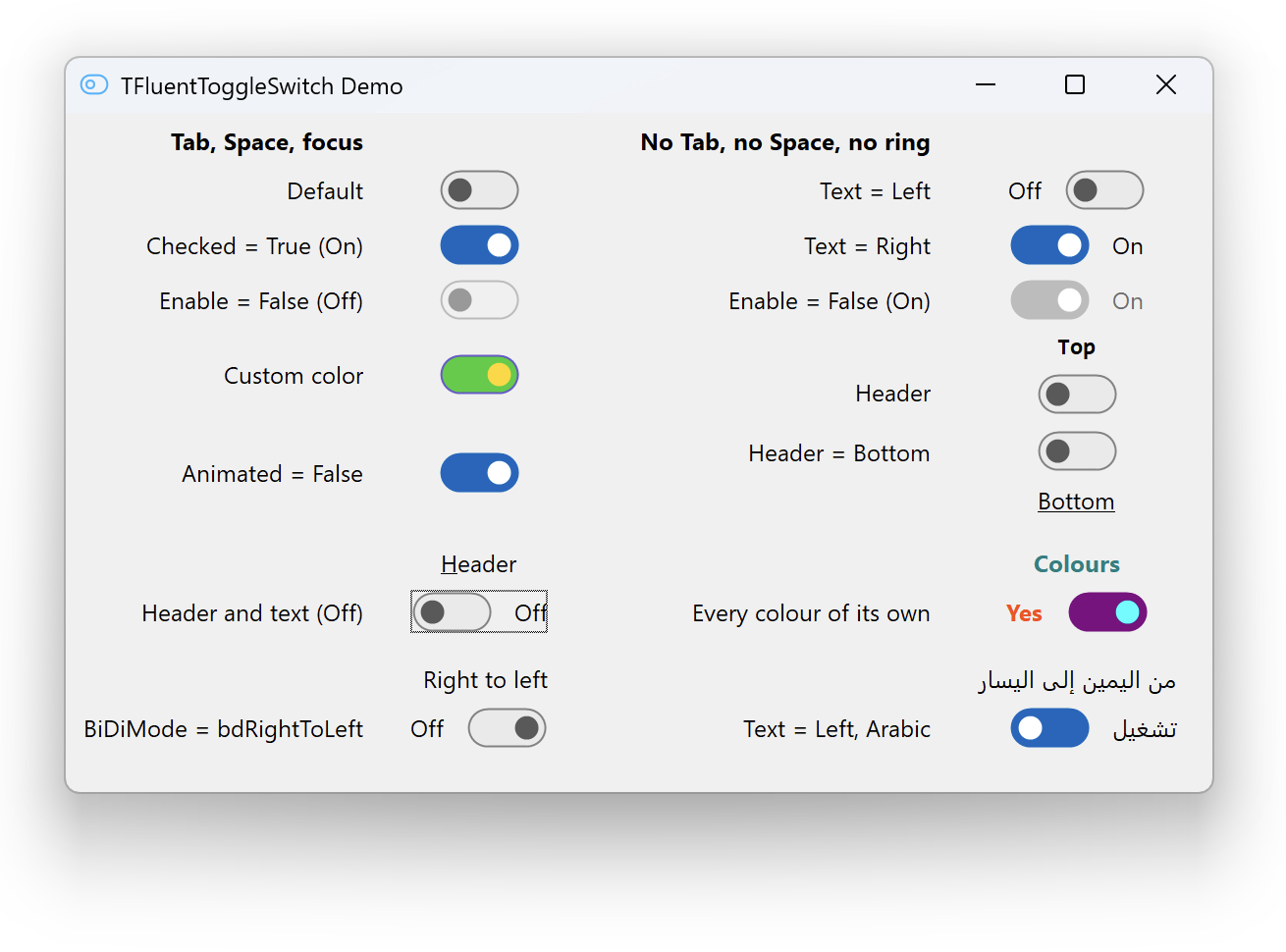
The space bar toggles the switch, with KeyboardToggle to turn that off. A focus ring that follows the Windows convention, hidden until someone navigates by keyboard, with ShowFocus to opt out. A header above or below the switch with six properties of its own, described by ShowHeader, HeaderText, HeaderPosition, HeaderAlignment, HeaderSpacing and HeaderFont. A baseline handed to the form designer, published even with the caption hidden. The Windows accent colour followed while the program runs. A palette icon, a public TextTop, and a full API reference.
Fixed
TextSpacing was not scaled for the display. A gesture the system takes back, whether a modal dialog, the switch being disabled, or another window taking the capture, is now dropped rather than carried through. A drag begun while the thumb was still travelling counted from the wrong place. Freeing the switch from its own handler is safe.
Performance
The animation timer sits on the window the switch already has. It used to be a TTimer, which allocates a hidden window, and a passing pointer was enough to create one per switch. The layout is worked out once per event rather than once per property.
Installing
Build FluentToggleSwitchR, then build and install FluentToggleSwitchD. The component appears on the Fluent palette page.
Known limitations
Dark surfaces and VCL styles (#10), TAction (#11), right-to-left layout (#12), accessibility (#13), a header outside the control's window (#14), and four smaller API gaps (#15).