Repository navigation
MuhOS 0.1.0-pre.4: the macOS look
Pre-release
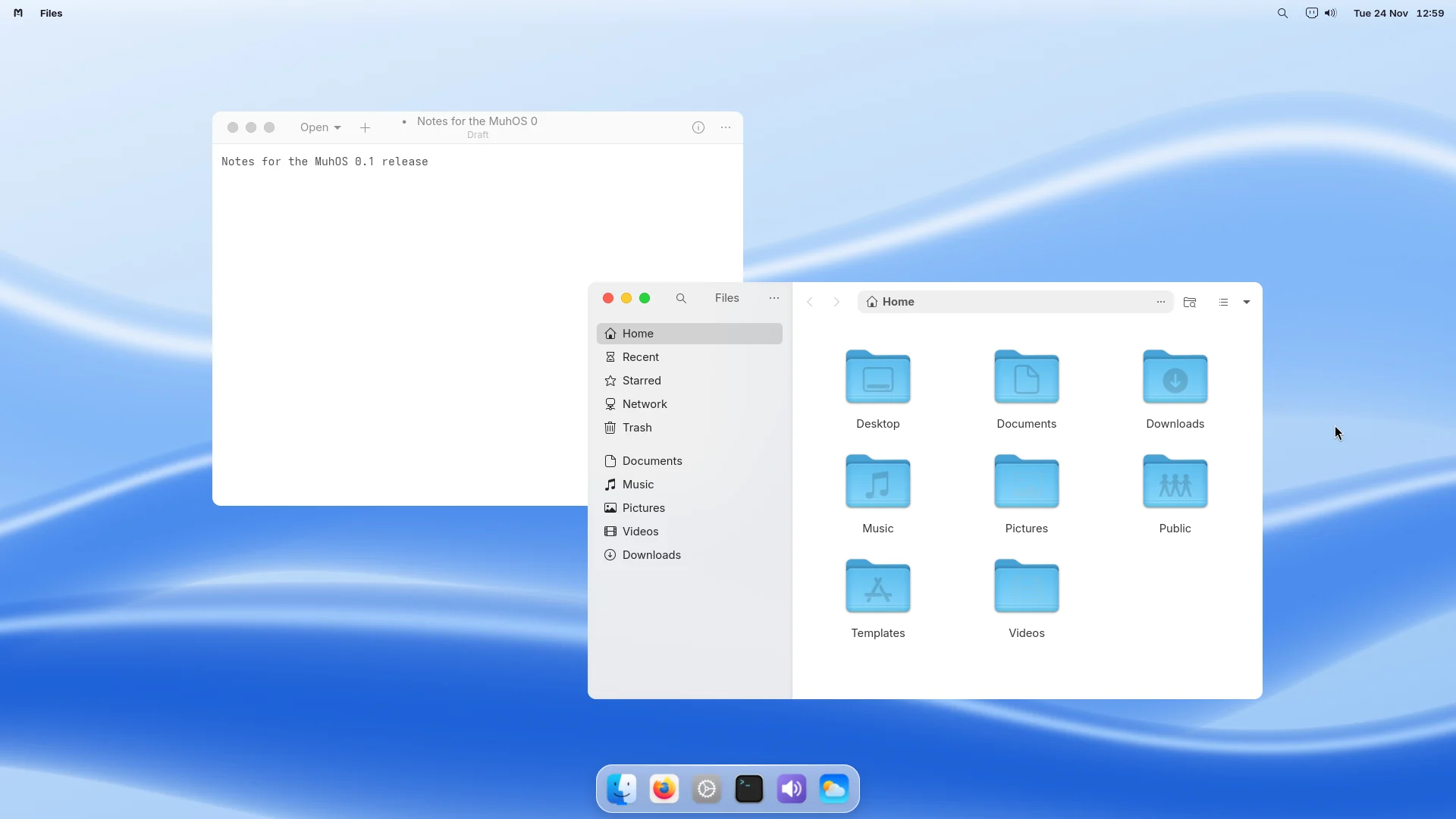
Fourth MuhOS pre-release, for testing on Fedora 44 x86_64 with Hyprland. MuhOS now looks and behaves like macOS: a macOS menu bar, floating windows, and apps with macOS-style window buttons, icons and font.
Install
sha256sum --check --ignore-missing SHA256SUMS
sudo dnf copr enable lionheartp/Hyprland
sudo dnf install ./muhos-0.1.0-0.14.fc44.noarch.rpm ./quickshell-0.3.2-1.muhos1.fc44.x86_64.rpm ./matugen-4.2.0-1.muhos1.fc44.x86_64.rpm ./whitesur-gtk-theme-20260910-1.muhos1.fc44.noarch.rpm ./whitesur-icon-theme-20260910-1.muhos1.fc44.noarch.rpm
Then log out and choose MuhOS (Hyprland) on the GDM login screen. The packages are not signed yet; verify them with SHA256SUMS. New in this release: the two WhiteSur packages are required. Quickshell and Matugen are unchanged since pre.2. Source RPMs for all five are attached. Full instructions: README.
What's new since 0.1.0-pre.3
macOS look
- Menu bar. On the left, the MuhOS logo opens a menu (About, System Settings, Search, Sleep, Restart, Shut Down, Lock Screen, Log Out), followed by the focused app's name in bold (Full Screen, Quit). On the right are search, the status icons, and the date and time, which open the notification centre beneath them.
"bar": { "layout": "hybrid" }brings back the previous layout. - Apps. In the MuhOS session, apps use the WhiteSur GTK theme and icons, the Inter font, and red/yellow/green window buttons on the left. The dock and shell use WhiteSur icons too. These settings live in a dconf profile used only by MuhOS, so your GNOME session keeps its own theme. MuhOS clears that profile when you log out.
- Windows float and open centred, as on macOS. Super+T tiles the focused window or floats it again.
- Themes. New macOS and macOS Dark presets, two original macOS-style wallpapers (light and dark), soft window shadows and new animations.
- Accent colour. Settings → Theme offers ten accent colours, as in macOS (Theme, Blue, Purple, Pink, Red, Orange, Yellow, Green, Teal, Graphite), on top of any preset.
Fixes
- Settings is readable on light themes: each section has a coloured icon, as in macOS System Settings, and each row's icon follows the accent colour.
- Windows fit small screens. Settings, the calendar and other fixed-size windows shrink to fit instead of overflowing.
- New users get pinned dock apps: Files, Terminal, MuhOS Settings and Sound.
WhiteSur is packaged by MuhOS: the GTK theme is MIT and the icons are GPL-3.0. The Apple logo icons are removed, because Apple's logo is a trademark.
Tested
- The package builds and passes its install tests (now including the dconf profile, floating windows, pinned dock apps and wallpapers). CI (build, tests, asset-licence and lint checks) passes.
- In a Fedora 44 Workstation VM, with real logins through GDM:
- the menu bar, logo menu, accent colours, notification centre, lock screen and unlocking;
- floating and Super+T tiling;
- light and dark mode across a login;
- after a forced logout, the MuhOS theme settings are gone from the user's systemd environment.
Benchmarks: not re-measured for this release. The figures for pre.3 are in the README and bench/results/; WhiteSur, floating windows and the new bar have not been benchmarked yet.
Known issues
- Dark mode uses GNOME's dark style for apps, not WhiteSur's. WhiteSur's dark variant does not render GNOME 50 apps correctly. If you switch Dark Style while apps are using WhiteSur, apps change at the next login.
- Firefox keeps its own look; GTK themes don't style it.
- Hyprland uses about 28 MiB more memory than in pre.1. Unchanged; the cause is not found yet.
- Blur cost on a real GPU is unmeasured.
- Some windows keep Serpantinum's design: the music, network, wallpaper and settings windows (Settings is only recoloured).
- Side bars and an auto-hiding bar still use Serpantinum's bar.
- Not yet tested on real hardware, including NVIDIA graphics.