
A powerful ESPHome component that enables integration of Meshtastic-compatible LoRa devices with ESPHome, allowing you to create mesh networking IoT devices with text messaging, packet routing, and mesh coordination capabilities.
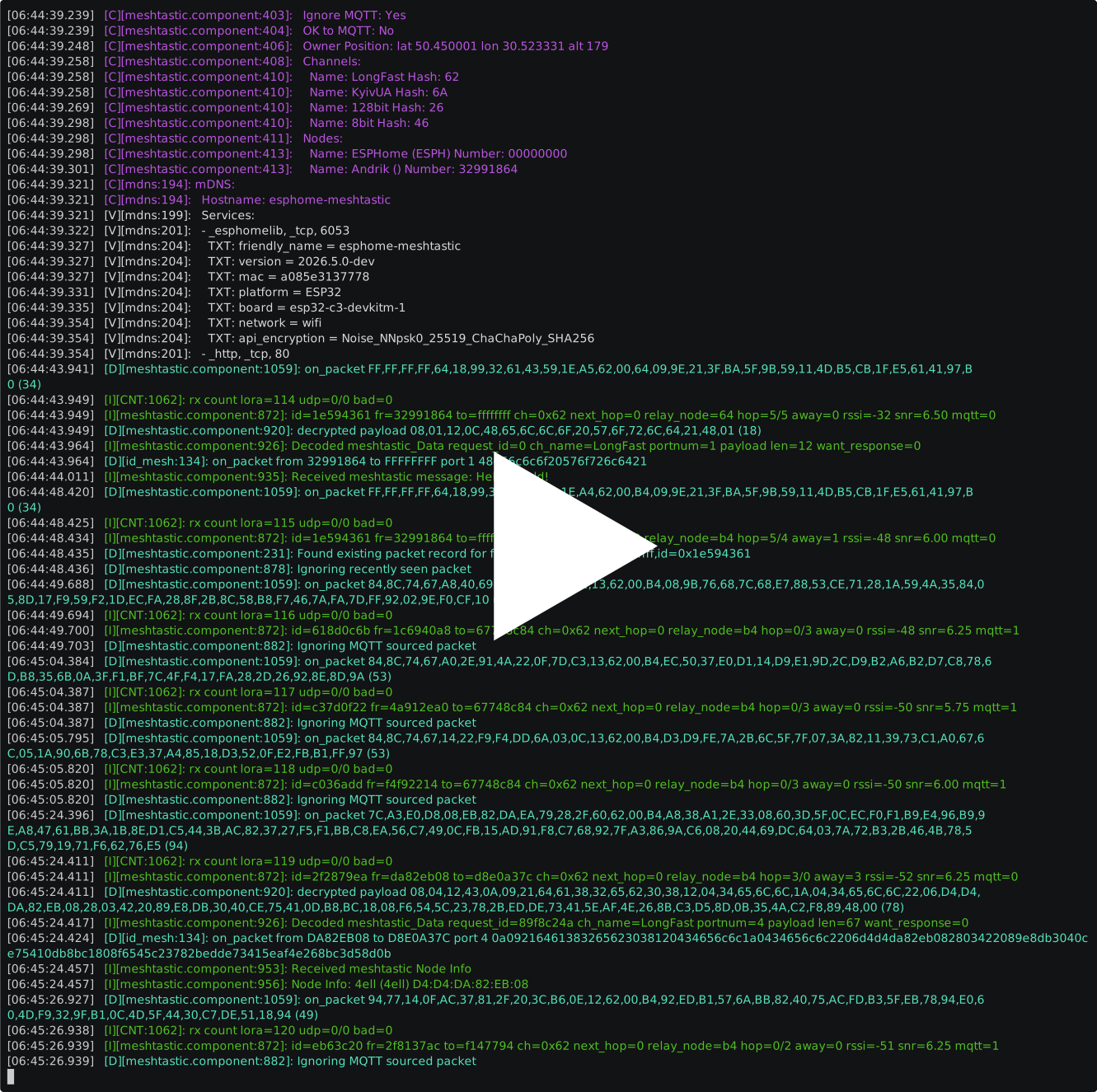


This component transforms your ESP32 microcontroller into a full-featured Meshtastic mesh node. It provides:
- LoRa Mesh Networking: Direct integration with SX126x and SX127x LoRa radios for long-range mesh communication
- Packet Routing: Automatic routing and relay of packets through multiple nodes to extend network range
- Text Messaging: Send and receive text messages over the mesh network to specific nodes or channels
- UDP Bridge Mode: Optional bridge between LoRa mesh and UDP network for seamless integration
- Position Broadcasting: Share GPS location data across the mesh network
- Multi-Channel Support: Configure multiple channels with different Pre-Shared Keys (PSKs) for channel-based communication
- Public Key Infrastructure (PKI): Support for encrypted communications with public/private key pairs
- Packet Transport Protocol: Integration with ESPHome's packet_transport component for advanced IoT applications
✨ Meshtastic Protocol Support
- Compatible with official Meshtastic clients and nodes
- Support for all Meshtastic port numbers and message types
- Automatic packet encryption, decryption, and authentication
- Most Meshtastic features easily implementable through simple YAML configuration
🌐 Multiple Radio Options
- Support for SX126x radios (SX1262, SX1268)
- Support for SX127x radios
- Configurable LoRa parameters (frequency, spreading factor, bandwidth, etc.)
📡 Flexible Connectivity
- Native LoRa mesh networking
- UDP multicast and unicast support for local network integration
- Bridging between LoRa mesh and UDP networks
🔐 Security Features
- Channel encryption with Pre-Shared Keys (PSK) for secure group communication
- Private message encryption using Public Key Infrastructure (PKI)
- Per-node public/private key management
🎛️ ESPHome Integration
- Full automation and trigger support
- On-packet received triggers with lambda expression support
- Send packet and text message actions
- Complete configuration via YAML
- ESP32 microcontroller with LoRa radio (SX126x or SX127x)
- ESPHome 2026.4 or later
- Meshtastic mesh network (or create a new one)
Add to your ESPHome configuration:
external_components:
  - source: github://Andrik45719/esphome-meshtastic@main
    components: [meshtastic]
refresh: 24hClone this repository into your ESPHome components directory:
git clone https://github.com/Andrik45719/esphome-meshtastic.git \
~/.esphome/components/esphome-meshtasticesphome:
name: my-meshtastic-node
esp32:
board: esp32-c3-devkitm-1
framework:
type: esp-idf
# Configure SPI for LoRa radio
spi:
clk_pin: GPIO10
mosi_pin: GPIO7
miso_pin: GPIO6
# Configure LoRa radio (SX1262 example)
sx126x:
id: lora_radio
cs_pin: GPIO8
busy_pin: GPIO4
dio1_pin: GPIO3
rst_pin: GPIO5
frequency: 433125000
spreading_factor: 11
bandwidth: 250_0kHz
coding_rate: CR_4_5
# Configure Meshtastic component
meshtastic:
- id: mesh_node
lora: lora_radio
hw_model: 39 # DIY_V1
hop_limit: 3
# Configure channels
channels:
- name: LongFast
psk: "XOLPZHTWzHgykJxZ3pnj10mMJdr8glgblsNGLUIvd1w="
- name: Admin
psk: "cmF4UzVWbnZWQ0xxZlFyZXBSb2xhaHRNSkI1bFhabzU="
# Configure this node
nodes:
- node_number: 0
name: "My ESPHome Node"
short_name: "ESPH"
private_key: !secret node_private_key
public_key: !secret node_public_key
# Handle received packets
on_packet:
then:
- lambda: |-
ESP_LOGD("mesh", "Packet from %08X to %08X, port %d", from, to, portnum);
# Send text messages via button press
button:
- platform: template
name: "Send Mesh Message"
on_press:
then:
- meshtastic.send_text_message:
id: mesh_node
channel: LongFast
text: "Hello from ESPHome!"Connect your mesh to a local network:
meshtastic:
  - id: mesh_node
    lora: lora_radio

    udp:
      addresses:
        - 192.168.1.100  # UDP server address
      multicast_address: 224.0.0.69
bridge_mode: true # Forward LoRa <-> UDP packetsShare GPS coordinates with the mesh:
meshtastic:
  - id: mesh_node
    lora: lora_radio

    position:
      latitude: 50.45
      longitude: 30.52
      altitude: 179
broadcast_interval: 3hUse with ESPHome's packet_transport for sensor data relay:
packet_transport:
  - platform: meshtastic
    meshtastic_id: mesh_node
    binary_sensors:
      - my_sensor_id
    hop_limit: 2
update_interval: 30minSend messages directly to specific nodes:
button:
  - platform: template
    name: "Send Direct Message"
    on_press:
      then:
        - meshtastic.send_text_message:
            id: mesh_node
            to: 848894052  # Node ID
text: "Direct message"For additional configuration examples and a complete working setup, see meshtastic.yaml in this repository. It provides a real-world example with:
- SX1262 LoRa radio configuration
- Multiple channel setup
- Node configuration with encryption keys
- Button actions for sending messages
- Packet event handling with lambda expressions
- UDP bridge setup
- Position broadcasting configuration
| Option | Type | Default | Description |
|---|---|---|---|
id |
string | required | Component ID |
lora |
string | required | SX126x or SX127x radio component ID |
hw_model |
integer | 39 | Hardware model number (39 = DIY_V1) |
hop_limit |
integer | 7 | Default hop limit for packets (0-7) |
ignore_mqtt |
boolean | true | Ignore MQTT-forwarded packets |
ok_to_mqtt |
boolean | false | Allow forwarding to MQTT |
exclude_pki |
boolean | false | Disable private key infrastructure |
broadcast_interval |
time | 3h | Node info broadcast interval |
channels:
  - name: "Channel Name"
psk: "Base64EncodedPSK" # Pre-shared key for encryptionnodes:
- node_number: 0 # 0 = this node
name: "Full Name"
short_name: "SHORT"
private_key: !secret my_private_key
public_key: !secret my_public_keyTriggered when a packet is received:
on_packet:
  then:
    - lambda: |-
        uint32_t from_addr = from;
        uint32_t to_addr = to;
        uint32_t port = portnum;
        const std::vector<uint8_t>& payload = data;
Available variables:
from: Source node ID (uint32)to: Destination node ID (uint32)portnum: Port number (uint32)data: Payload data (vector)
Send a text message to a channel or node:
- meshtastic.send_text_message:
    id: mesh_node
    channel: "LongFast"  # Send to channel
    text: "Hello"

- meshtastic.send_text_message:
    id: mesh_node
    to: 848894052  # Send to specific node
text: "Direct message"Send raw binary data:
- meshtastic.send_packet:
    id: mesh_node
    data: [0x01, 0x02, 0x03]
hop_limit: 3- SX1262 - LoRaWAN module (US, EU, JP frequencies)
- SX1268 - LoRaWAN module
- SX1276 - Legacy LoRa module
- SX1277 - Legacy LoRa module
- SX1278 - Legacy LoRa module
- SX1279 - Legacy LoRa module
- ESP32-C3-DevKitM-1 with SX1262
- Generic ESP32 with SX1276
ESP32-C3       SX1262
GPIO10   ----> CLK
GPIO7    ----> MOSI
GPIO6    ----> MISO
GPIO8    ----> CS
GPIO3    ----> DIO1
GPIO4    ----> BUSY
GPIO5    ----> RESET
- Ensure you've added the external_components section correctly
- Check the ESPHome logs for compilation errors
- Verify your SX126x/SX127x component is properly configured
- Verify LoRa radio parameters match your mesh (frequency, SF, BW, etc.)
- Check that PSKs match the channel configuration in your mesh
- Ensure proper antenna connection and LoRa radio wiring
- Check node_number and channel hash configuration
- Verify the destination node exists in your mesh
- Check hop_limit is not set to 0
- Ensure the channel PSK matches the target network
- Check ESP32 heap memory availability
- Verify public/private keys are correctly configured
- Ensure PKI is not disabled (
exclude_pki: false) - Check that key format is correct (32-byte keys in base64)
Contributions are welcome! To contribute:
- Fork the repository
- Create a feature branch (
git checkout -b feature/your-feature) - Commit your changes (
git commit -am 'Add feature') - Push to the branch (
git push origin feature/your-feature) - Open a Pull Request
- Meshtastic Official Site: https://meshtastic.org/
- ESPHome Documentation: https://esphome.io/
- GitHub Issues: Report bugs or request features on GitHub
- Meshtastic Discord: Join the community at https://discord.gg/g9Hgv9KX (Meshtastic community)
Andrik45719 - @Andrik45719
- Meshtastic Project for the mesh networking protocol
- ESPHome Project for the framework
- NanoPB for Protocol Buffer support