Repository navigation
Songate 2.0.0 BETA 2
Pre-release
Songate 2.0.0 BETA 2: your devices, together. A Switch and a PC listen as one, hand the music over, play from an iPhone with AirPlay, and scrobble to Last.fm.
Warning
Beta versions can be unstable and have bugs. Please report them: open an issue, or use Settings › Support in the app.
songate-beta2.mp4
On the Switch, tests were only made on HOS 22.5.0 and 23.0.0, with the latest HATS pack from sthetix. On Windows, tests were only made on Windows 11. Only MP3, M4A and FLAC are supported; other formats are untested.
🎮 Install or update on the Switch
From 2.0.0 BETA 1: Settings › Updates, with Beta versions on, installs it, your settings backed up first. Then restart the console, so the new background player starts.
By hand, or from Gatefold NX 1.x:
- Download SongateNX-2.0.0-beta.2.zip below and unzip it onto the root of the SD card, replacing the old files.
- Restart the console, so the new background player starts. Songate, the background player and the overlay must all be this version.
- Launch Songate by holding R while starting a game (applet mode, from the Album, has too little memory).
Your settings move. At its first start, Songate moves your settings, playlists, Liked and edits from sdmc:/config/gatefold-nx/ to sdmc:/config/songate-nx/, and your backups beside them. Nothing is copied or lost: it is one rename on the card. If you go back to an earlier version from Settings › Updates, they move back.
| In the zip | What |
|---|---|
switch/Songate/Songate.nro |
🎵 the app |
atmosphere/contents/4200000047464E58/ |
🎧 the background player (sysmodule, starts at boot) |
switch/.overlays/Songate.ovl |
🧩 the Ultrahand overlay |
🙈 Can't find the overlay? switch/.overlays is a hidden folder (its name starts with a dot): macOS and many phone file and zip apps hide it, and some leave it out when copying. Copy the whole switch and atmosphere folders from the zip, and on a Mac press ⌘ ⇧ . in Finder to see hidden folders. The overlay needs Ultrahand: open it with L + D-pad down + R3, a click of the right stick, unless you changed it.
💻 Install or update on Windows
From 2.0.0 BETA 1: Settings › Updates, with Beta versions on, installs it.
Or by hand: download SongateWIN-2.0.0-beta.2.exe below and run it. It needs no administrator rights: choose a folder and your shortcuts, and tick Open Songate at the end if you like. Your settings stay in %APPDATA%\Songate.
🛡️ "Windows protected your PC"? The installer isn't signed, so Windows doesn't know it yet. Click More info, then Run anyway. If you'd rather check the file first, compare its SHA-256 with the one at the bottom of this page.
🔗 Devices and AirPlay use your network: the first time they are on, Windows asks once to let Songate through its firewall. Allow it, on private networks, or other devices and iPhones can't reach it.
🔗 Your devices, together
- 🔄 Devices. Pair a Switch and a PC once, in Settings › Devices: one shows a code, the other types it. Liked, your playlists, tag edits and play counts then stay the same on both, over your own network, encrypted, with no account.
- 📁 Music files. A device can copy the songs the other has and it lacks, into the same folders. It never replaces anything, and Follow deletions removes a song from both. Each device has its own switch.
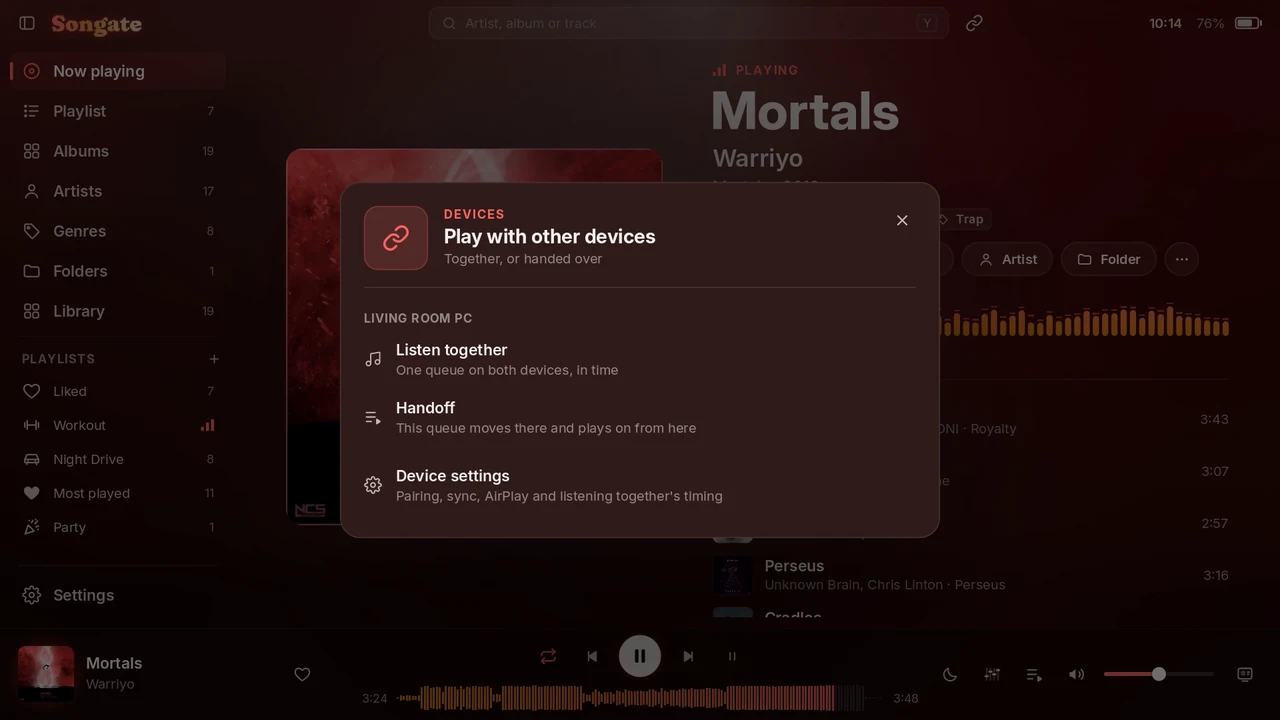
- 🎧 Listen together. One queue on two devices, playing in time. The device that starts decides who changes what plays: both, or only itself, and then the other's controls are greyed out. Even two different files of one song are lined up.
- 🎚️ Timing for speakers, headphones and Bluetooth, set once for each pair, so the two sound as one.
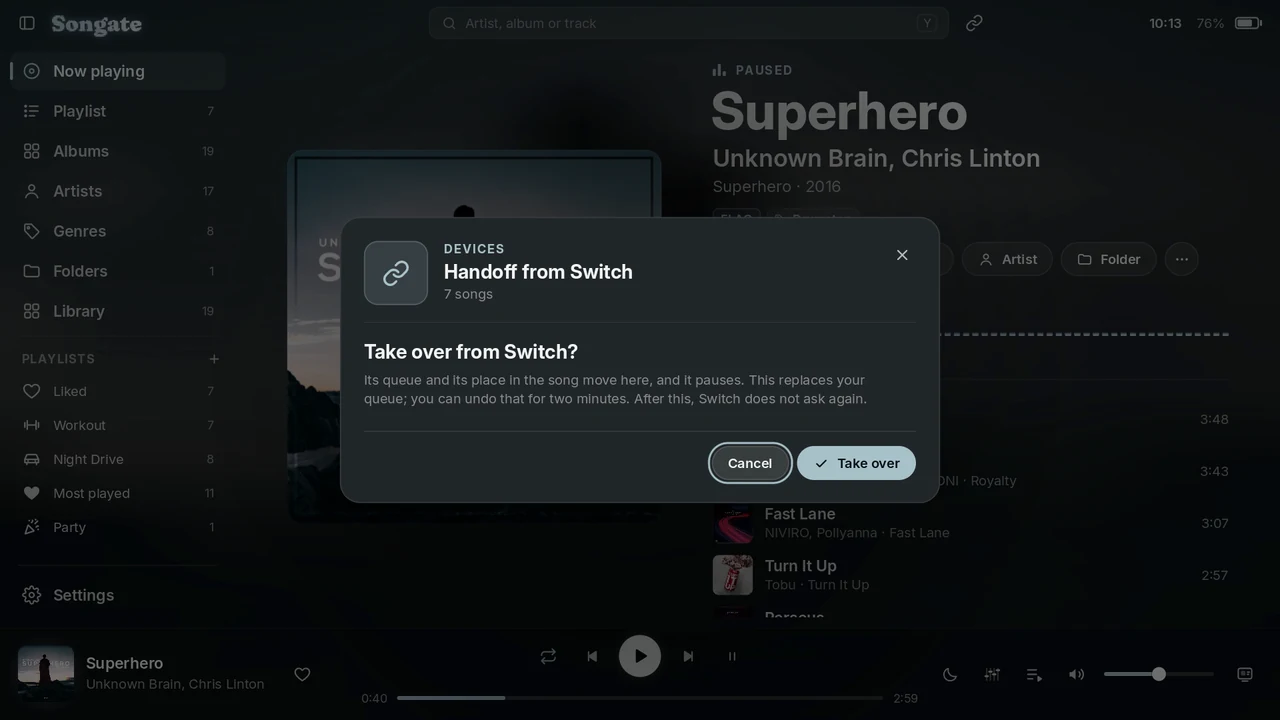
- ⏩ Handoff. Your queue and your place in the song move to the other device, and this one pauses. Undo the handoff brings your own queue back for two minutes.
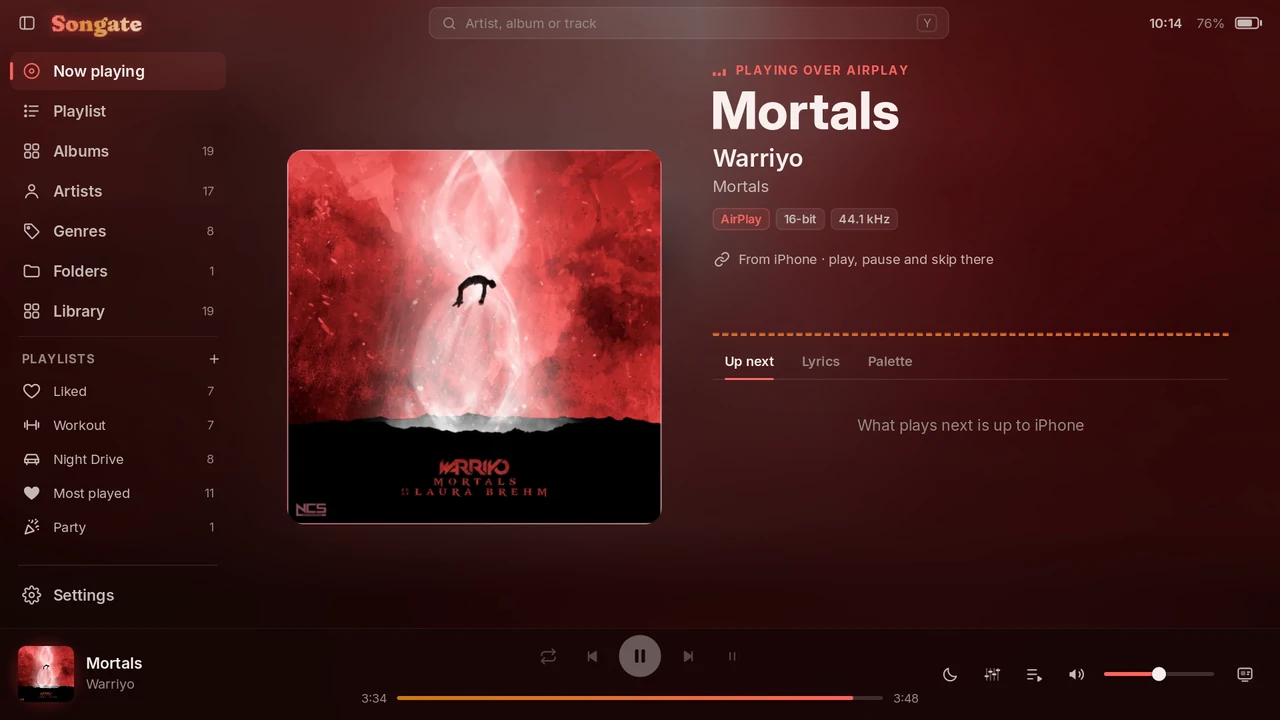
- 🔗 The Devices button at the top of the screen: Listen together, Handoff and AirPlay from anywhere. Little arrows at the top left turn while a sync runs.
✨ What's new
- 📲 AirPlay, on the Switch and the PC: pick Songate in an iPhone's AirPlay list. The song, its cover and its progress show in Songate, with levelling and the equalizer. A new iPhone is asked about once. Settings › Devices › Receive AirPlay.
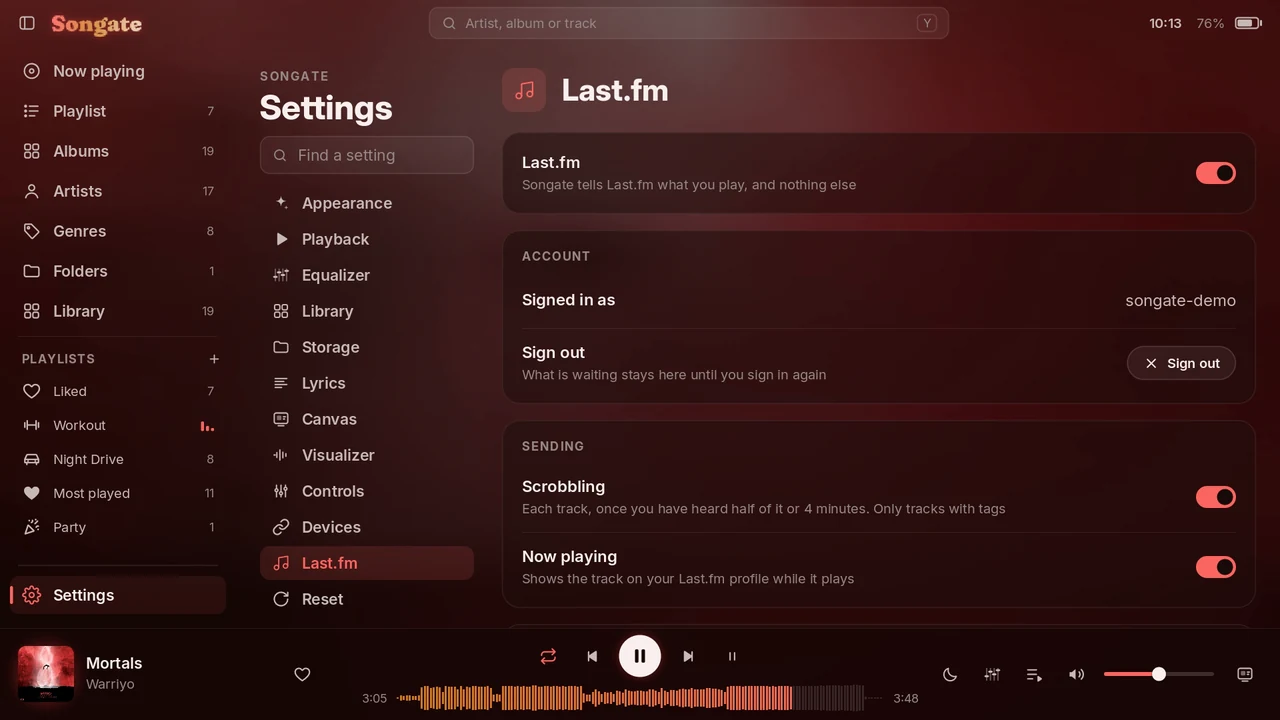
- 📻 Last.fm. Scrobbles, and what is playing on your profile. Sign in on Last.fm's own page: with a QR code on the Switch, in your browser on the PC. What can't be sent waits until it can. Off until you turn it on, in Settings › Last.fm.
- 🎚️ Automix V1.2.0 comes with Songate, and plans every join from the start: on drops and on joins by the songs' structure, the next song comes in stabs on every beat, and joins on the beat blend for longer. No download needed; Settings › Updates can still go back to V1.1.0.
- ✨ An opening as Songate starts, with a chime, never over music the background player is already playing. Both can be turned off in Settings › Appearance.
- 📚 The tour has a Devices chapter.
🔧 Fixes
- 🛡️ The HOME menu crash (2021-0003 in am) that some consoles had with the background player. It held two system services from boot; it now opens them only while it uses them. This fix went quietly into BETA 1 on 30 October, and is now official: thanks to everyone who reported and tested it.
- 🖱️ On the PC, Move in the sidebar and in lists no longer stops when the mouse moves a little.
| Listen together | Handoff | AirPlay | Last.fm |
|---|---|---|---|
 |
 |
 |
 |
See the README for everything else.
SHA-256
SongateNX-2.0.0-beta.2.zip:f62943bdacd2782b88cc9a7c1937e05d1e0293b9d8a0721c911d9ca94338ea50SongateWIN-2.0.0-beta.2.exe:0fd9bfcc422729c62b51df6a1e73ee38b0f642e5de03fc147a7fce6aff1d7d28