Repository navigation
AnyPS5-ARM 0.2.2 — Trophies, controls and advanced settings

AnyPS5-ARM 0.2.2 adds trophies, per-game controls and advanced settings to the launcher, and brings the engine up to date with upstream AnyPS5 (856 commits).
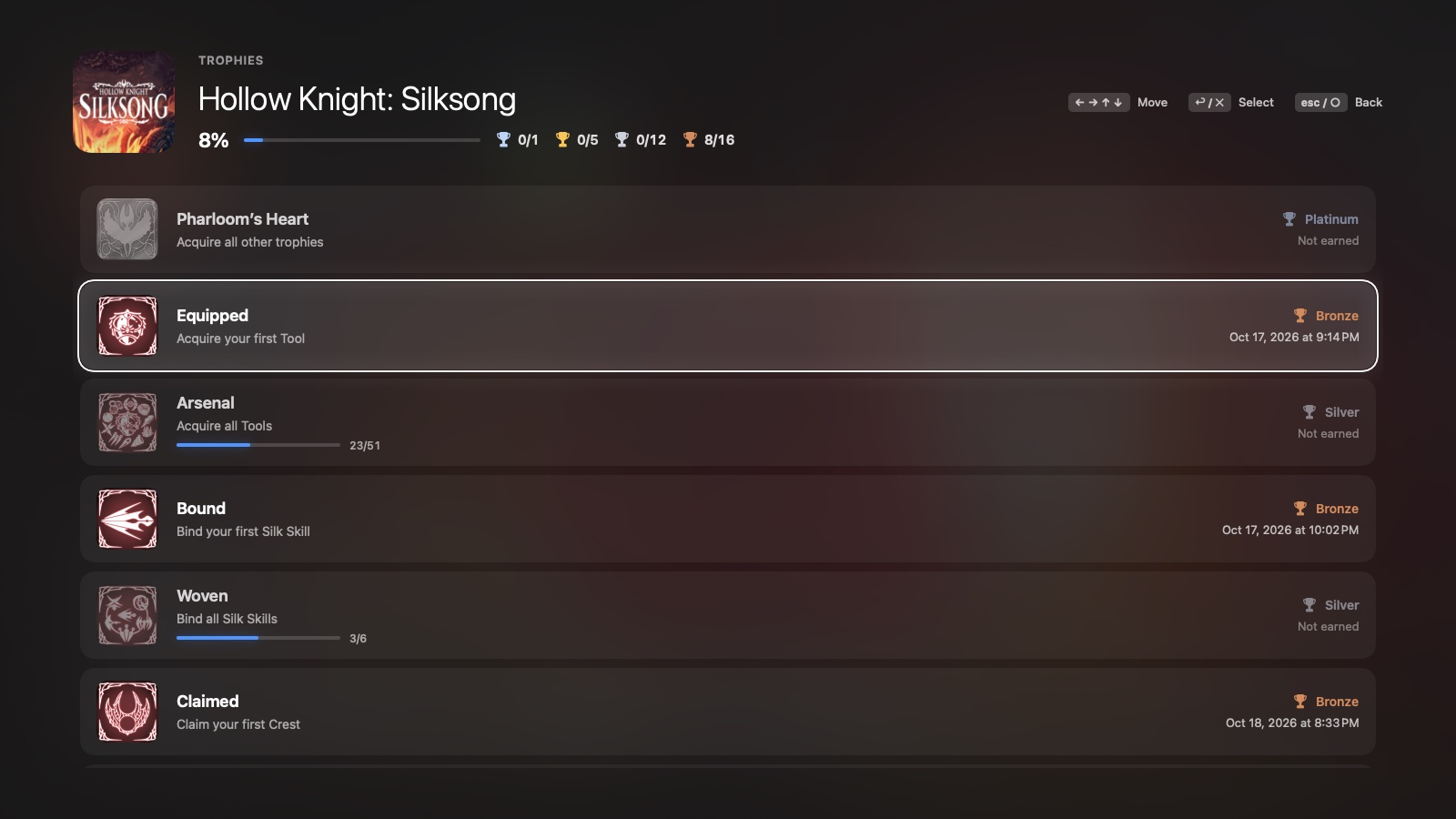
What's new
- Trophies. A 🏆 button beside Play opens the game's trophy list as the console shows it: the percentage, the count per grade, and every trophy with its icon, description and the day you earned it. Hidden trophies stay hidden, and trophies that count something show how far you are. When a game earns a trophy while you play, a card drops in at the top of the screen, over the game and in full screen too, without taking the keyboard or the mouse from it. The engine records trophies starting with this release.
- Controls. Every pad button and stick direction can be set per game by pressing the key you want. The default layout is WASD for the left stick and J / K / L / I for □ / ✕ / ○ / △, and a new Slow Movement key can be bound for walking.
- Advanced settings (⋯ → Advanced):
- stick deadzones;
- the mouse as the camera: sensitivity, vertical speed, curve, minimum tilt, maximum speed, smoothing, decay;
- keyboard stick and trigger ramps;
- the shader cache;
- Export / Import Settings, to share a game's keys and settings as one file.
- Why a game stopped. When a game ends on an error, the launcher says why in plain words: a missing module, an unsupported system function, the GPU, memory, an engine error or a crash. Make a Report saves a text file to attach on Discord or GitHub.
- Saves and trophies survive Unlock Again. Before, unlocking a game again deleted the saves stored in its app.
- Screenshots taken with F12 now go to
~/Pictures/AnyPS5(changeable in Settings → Advanced).
Games unlocked with 0.2.1 show Update available: ⋯ → Unlock Again updates them and keeps their saves.
Install
curl -fsSL https://github.com/utkuhalis/AnyPS5-ARM/releases/latest/download/install.sh | shIt puts AnyPS5.app in Applications (replacing the older version) and installs Rosetta 2 if it is missing. With AnyPS5-macOS.zip instead: unzip it and open the app; the first time, open System Settings → Privacy & Security and click Open Anyway.
Requirements: an Apple silicon Mac, macOS 14 or newer, Rosetta 2, and decrypted dumps of games you own.