Repository navigation
imgui-modern-kit v2.0.0

ImKit 2.0.0
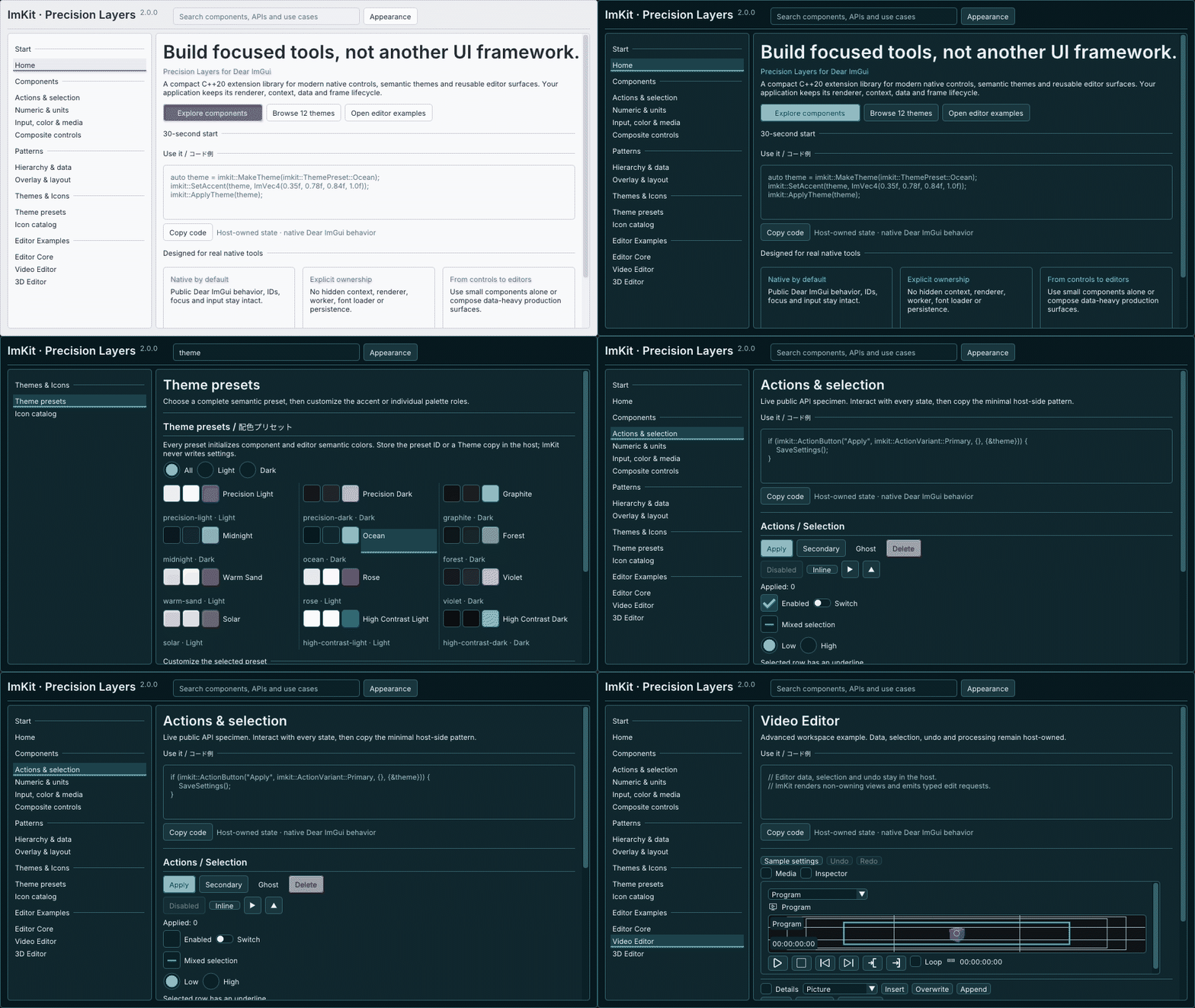
Version 2.0 combines a host-owned application shell with a broader Editor Suite and a refreshed native Gallery.
Added
- Reusable shell components: AppBar, WorkspaceHeader, InspectorSection, BottomActionBar, AdvancedSection, DiagnosticsDrawer, and ThemePicker.
- Expanded Editor Suite surfaces for timeline overview, source placement, host-owned undo/redo, waveform and pixel-envelope providers, property curves, and batch reservations.
- Twelve named themes with stable IDs, plus ThemePresetFromId for restoring a host-persisted preset. Gallery now opens on Components and offers searchable examples.
- Versioned Inter and Noto Sans JP assets with OFL notices, hashes, and a CMake copy helper. The host still owns the font atlas and GPU resource lifetime.
- Expanded source and Windows SDK packaging with installed-consumer verification.
Fixed
- Multi-clip Timeline edits validate the full selection before commit, preventing partial application when limits are reached.
- Clip and transition hit regions follow Dear ImGui layout and scale. Editing a deselected keyframe is rejected, and Inspector reset behavior is corrected.
Try it
The SDK is specifically built for Windows x64 / MSVC v145. Use the source archive when your platform or toolchain differs.
日本語
v2.0では、ホスト側で構成するアプリシェルとEditor Suiteを拡張し、ネイティブGalleryを刷新しました。
追加機能
- AppBar、WorkspaceHeader、InspectorSection、BottomActionBar、AdvancedSection、DiagnosticsDrawer、ThemePickerを追加しました。
- Timeline overview、素材配置、ホスト所有のUndo/Redo、waveformとpixel envelopeのprovider、property curve、batch reservationを追加しました。
- 安定ID付きの名前付きThemeを12種類用意し、ホスト側に保存したpresetを復元するThemePresetFromIdを追加しました。GalleryはComponents画面から開き、実例を検索できます。
- InterとNoto Sans JPのversion固定font資産に、OFL notice、hash、CMake配置helperを追加しました。font atlasとGPU資源の寿命は引き続きホストが管理します。
- 拡張したlibraryに合わせてsource/Windows SDK packageと、install後のconsumer確認を整えました。
修正
- 複数clipのTimeline編集はcommit前に選択範囲全体を検証し、上限に達した場合の部分適用を防ぐようにしました。
- clipとtransitionの入力領域をDear ImGuiのlayoutと倍率に合わせました。選択解除済みkeyframeの編集開始を拒否し、Inspectorのreset動作も修正しました。
試す・ダウンロード
SDKはWindows x64/MSVC v145向けです。異なるOSやcompilerではsource archiveを使用してください。