Repository navigation
BlackwellUI v2.8.0-azs

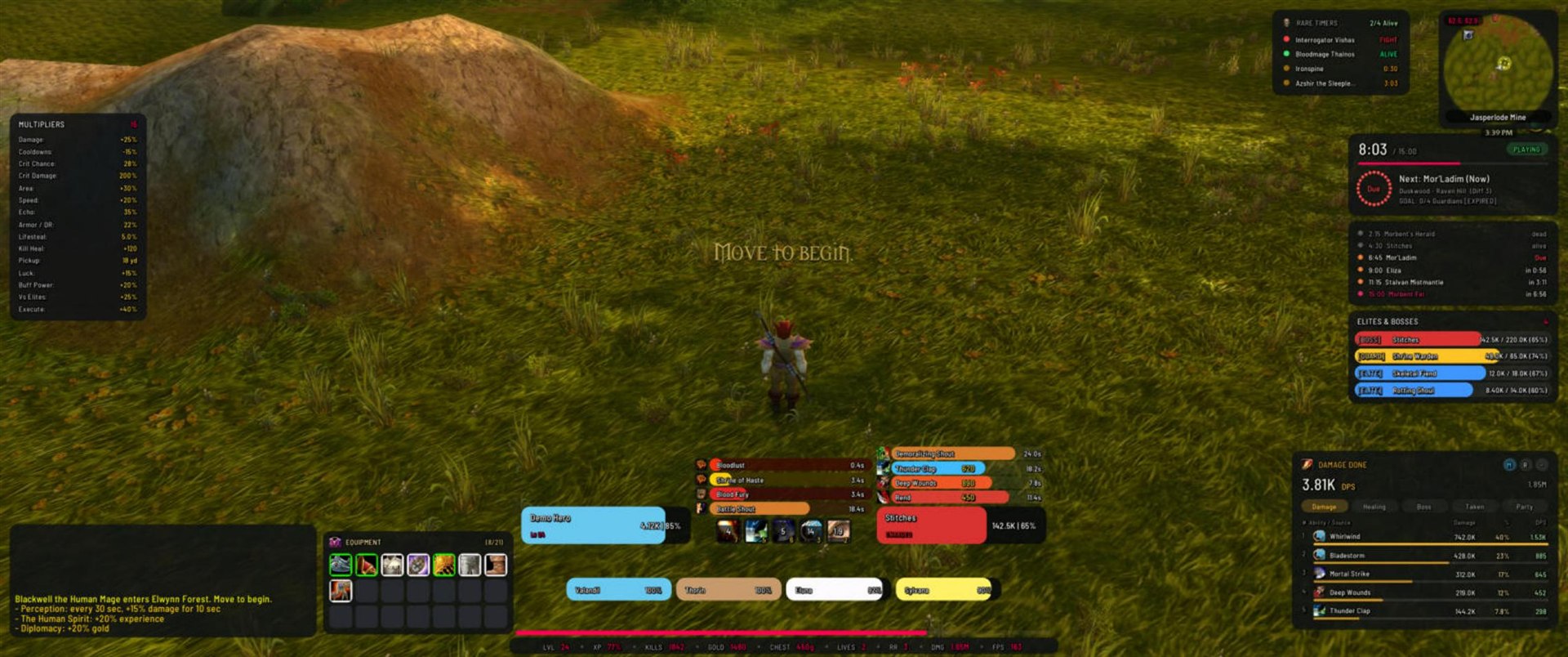
The new round look
Every frame is redrawn: panels, bars, buttons, tooltips, the character window and the control center now have rounded corners and a calmer, modern layout. Prefer the old look? /bw → Appearance → Interface style → Sharp (classic). Both styles share every setting.
Highlights
- Unit frames: one full health bar per frame, in the classic proportions, with name, level or status and health text inside.
- Enemy colours: bosses red, rare guardians yellow, elites blue, normal enemies violet, the final boss crimson, the same on target frame, elites & bosses list and nameplates. All adjustable.
- 200+ settings: every module has its own page with size, opacity and visibility (always, in combat, out of combat, faded until mouse-over) and its own options.
- 14 languages, detected from the game automatically.
- Thicker XP line above the data bar (2 to 12 px).
- Welcome line in your language at login (can be switched off).
/bw selftestand/bw layoutcheckfor bug reports.
Fixes
- The global UI scale applies to all frames again.
- Bars reach the full width at 100 %.
- Hover highlights only show under the mouse.
- Preview mode fills the damage meter.
- The unused ammo slot no longer shows in the character window.
Install
Download BlackwellUI.zip below and extract it to AzerothSurvivors\benilla-config\AddOns\ (replace the old BlackwellUI folder). Your settings are kept.