June release 0.95 - Build responsive SQL CRUD apps in seconds (Beta) #1804

Replies: 3 comments 5 replies

-
|
Great work Guys! |
Beta Was this translation helpful? Give feedback.

-
|
let us know what you think of the SQL improvements! |
Beta Was this translation helpful? Give feedback.

-
|
@joebudi can you pls. release sample training video to quickly understand following improvement mentioned into your post. You have mentioned MySQL or PostgreSQL database but i understood that improvement is applicable for SQL Server also. Pls. confirm. Build SQL CRUD apps in seconds Auto-generate ‘list’, ‘detail’, and ‘new’ screens |
Beta Was this translation helpful? Give feedback.

-
|
@Manishkparmar80 this feature is not yeat available for MS SQL Server, but will be in the coming weeks. Training video: https://docs.budibase.com/data/data-sources/plus-datasources |
Beta Was this translation helpful? Give feedback.
-
|
@shogunpurple ok. pls. try to bring the same for MS SQL Server at the earliest. |
Beta Was this translation helpful? Give feedback.

-
|
When is the next release? |
Beta Was this translation helpful? Give feedback.

-
|
@joebudi is MS SQL included under CRUD app DB in July release. |
Beta Was this translation helpful? Give feedback.
-
|
@Manishkparmar80 no, it has not been added. Please refer to the release notes discussion: |
Beta Was this translation helpful? Give feedback.


Uh oh!
There was an error while loading. Please reload this page.
Uh oh!
There was an error while loading. Please reload this page.
-
The June release significantly improves the developer experience when; building CRUD apps with an SQL database, laying out components, and delivering responsive apps.
TL; DR
To learn how to update Budibase to get the new features, scroll to the bottom of this discussion.
Build SQL CRUD apps in seconds
Previous to this release, SQL was supported but the experience was tedious. We talked with our community, we listened hard and went back to first principles, and the outcome is an entirely new and improved SQL experience. With this release, connecting your MySQL or PostgreSQL database to Budibase will pull your information about your tables so you can benefit from the same functionality as internal tables. Expanding on this, you will now be able to:
A new layout settings bar
You can now customize the layout of your user interface (UI) using the new layout settings bar. The settings bar is activated by clicking on a container within the design screen, and it makes designing UIs easier, faster, and in our opinion, greatly improves user experience.
Layout presets
Many of the apps created with Budibase follow similar design patterns. With this knowledge, we’ve released a new Section component that contains layout presets. These presets mirror the common design patterns, helping users layout new sections in seconds.
Responsive navigation layout
The new Navigation Layout replaces the existing Top Navigation Layout, and now comes with two presets; top navigation and side navigation. The side navigation is a welcomed addition and common request from the community, and with this release, it’s just 2 clicks away - and it looks awesome. I’m also happy to announce the new navigation layout is responsive and works seamlessly across mobile, tablet, and desktop. To top it off, the navigation layout now comes with a new portal icon that, when clicked, allows users to return to their portal and log out.
Improved design experience
A lot of work has gone into improving the interactivity of the design screen, including component labels, improved highlighting, and component stabilization. Hopefully, you’ll agree, the design experience is smoother, more informative and enjoyable.
Confirmation modal for actions
With 1 click, add a confirmation modal to critical actions within your apps. This will improve the end-user experience around deleting records and completing other irreversible actions.
How to update
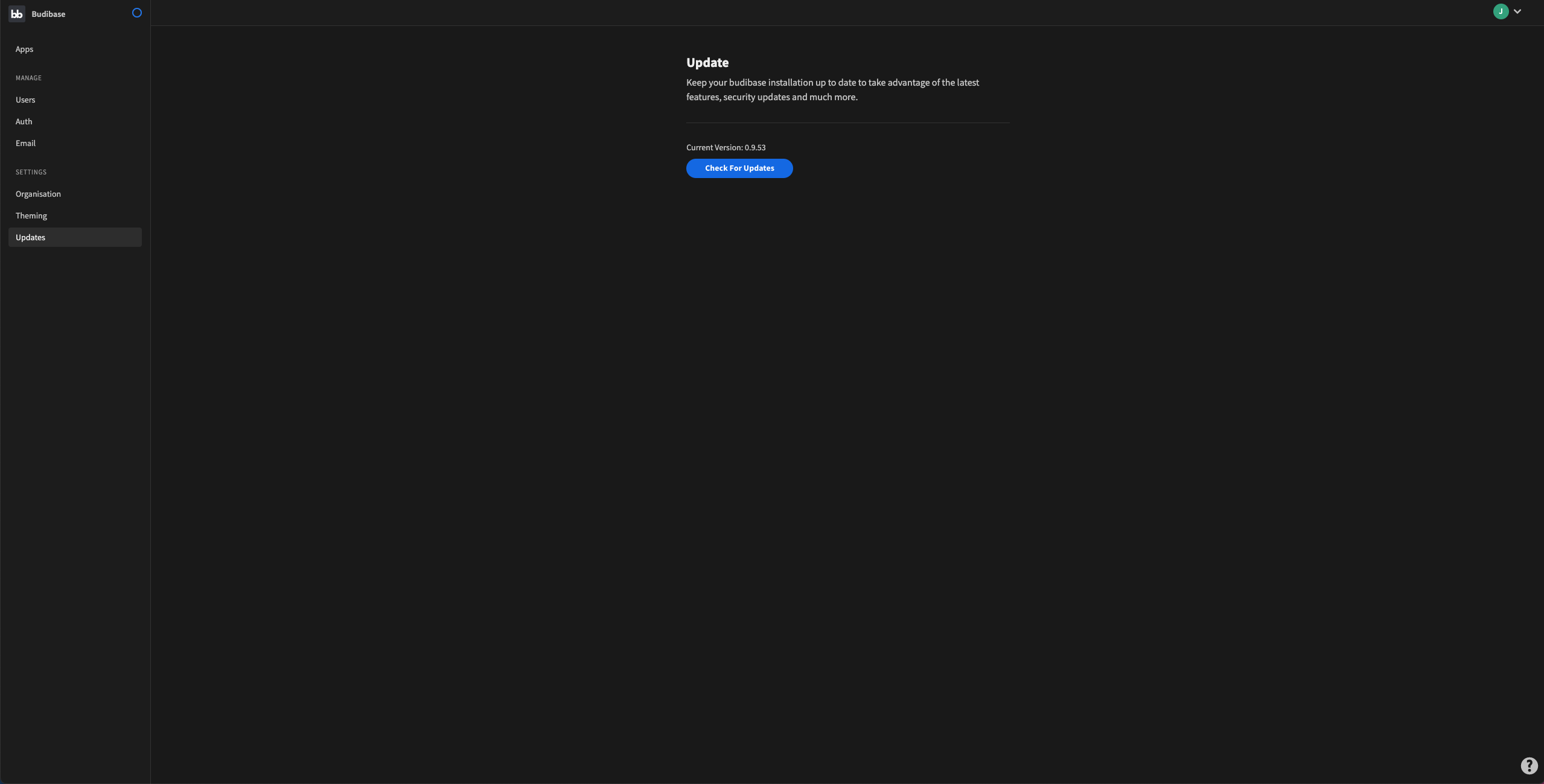
To update Budibase, navigate to the Budibase Home section, and click the Updates link on the side panel. Then, click check for updates.
Thank you to everyone who helped with this release. We will push wider communications out next week. Please, try the new release and share your feedback, right here, in Budibase Discussions.
Beta Was this translation helpful? Give feedback.
All reactions