This repository was archived by the owner on May 3, 2020. It is now read-only.
Inserting Screenshots
Step 1:
Upload the screenshot to the Attachment tab

Warning:
- The file must be a png or jpg
- The description must end in .png or .jpg. This is done so that MS can understand how to interpret the file.
- Keep the description simple; letters and numbers only. No -,_,%,etc.
Step 2:
Go into the finding and insert the screenshot name (description) surrounded by [!! !!]
[!! sqli.png !!]
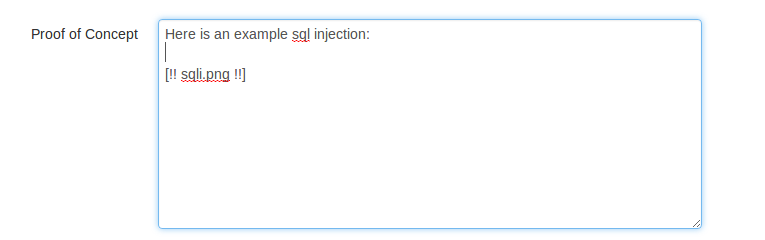
Step 3:
Click Preview Finding to view the image or generate the report

- Screenshots only work in Microsoft Word; LibreOffice is not supported
- The description must end in .png or .jpg. This is done so that MS can understand how to interpret the file.
- Keep the description simple; letters and numbers only. No -,_,%,etc.