Repository navigation
Elite AI Bridge 2.0.5

Elite AI Bridge v2.0.5
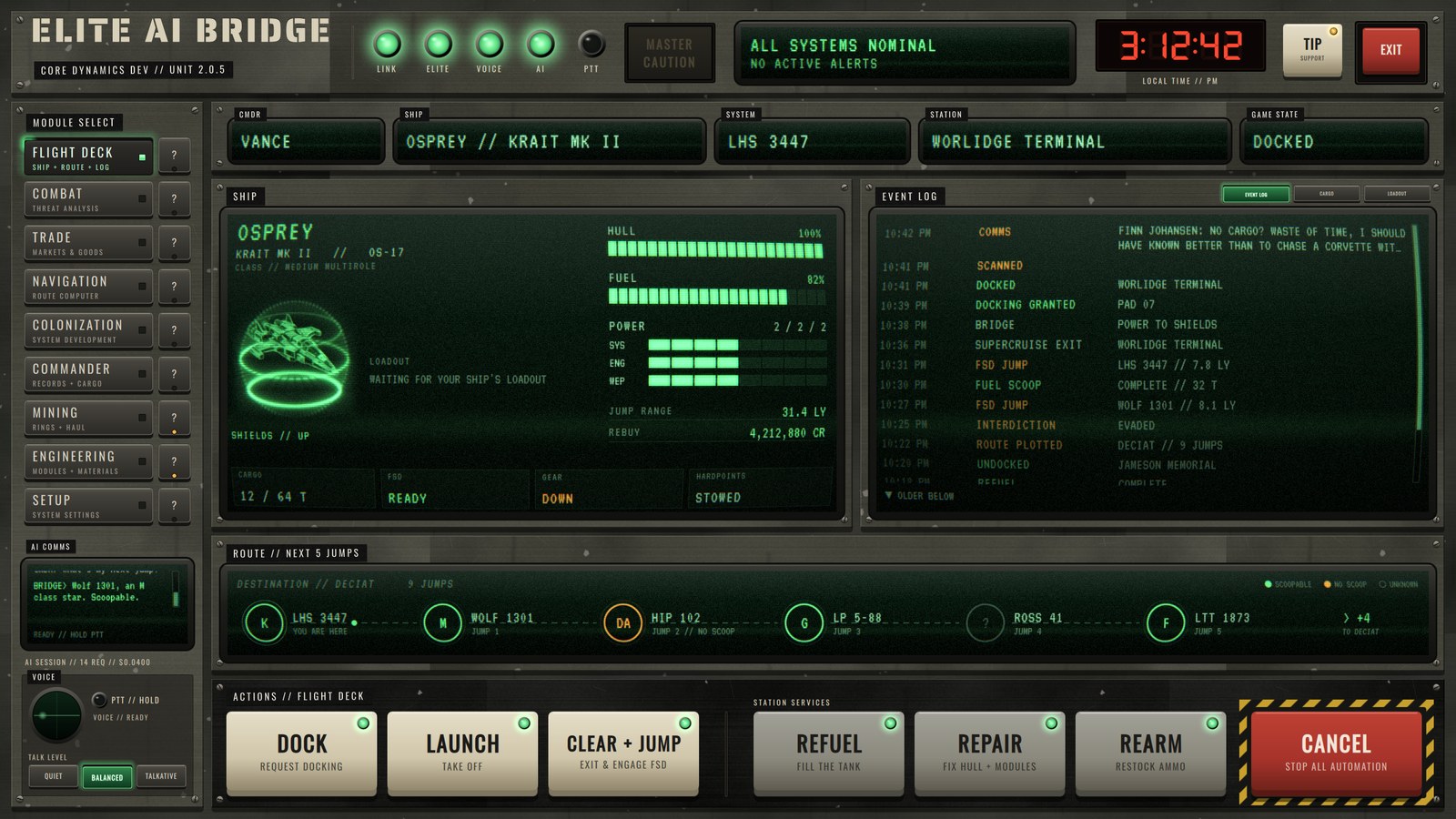
Screens shown use demo data.
What's new
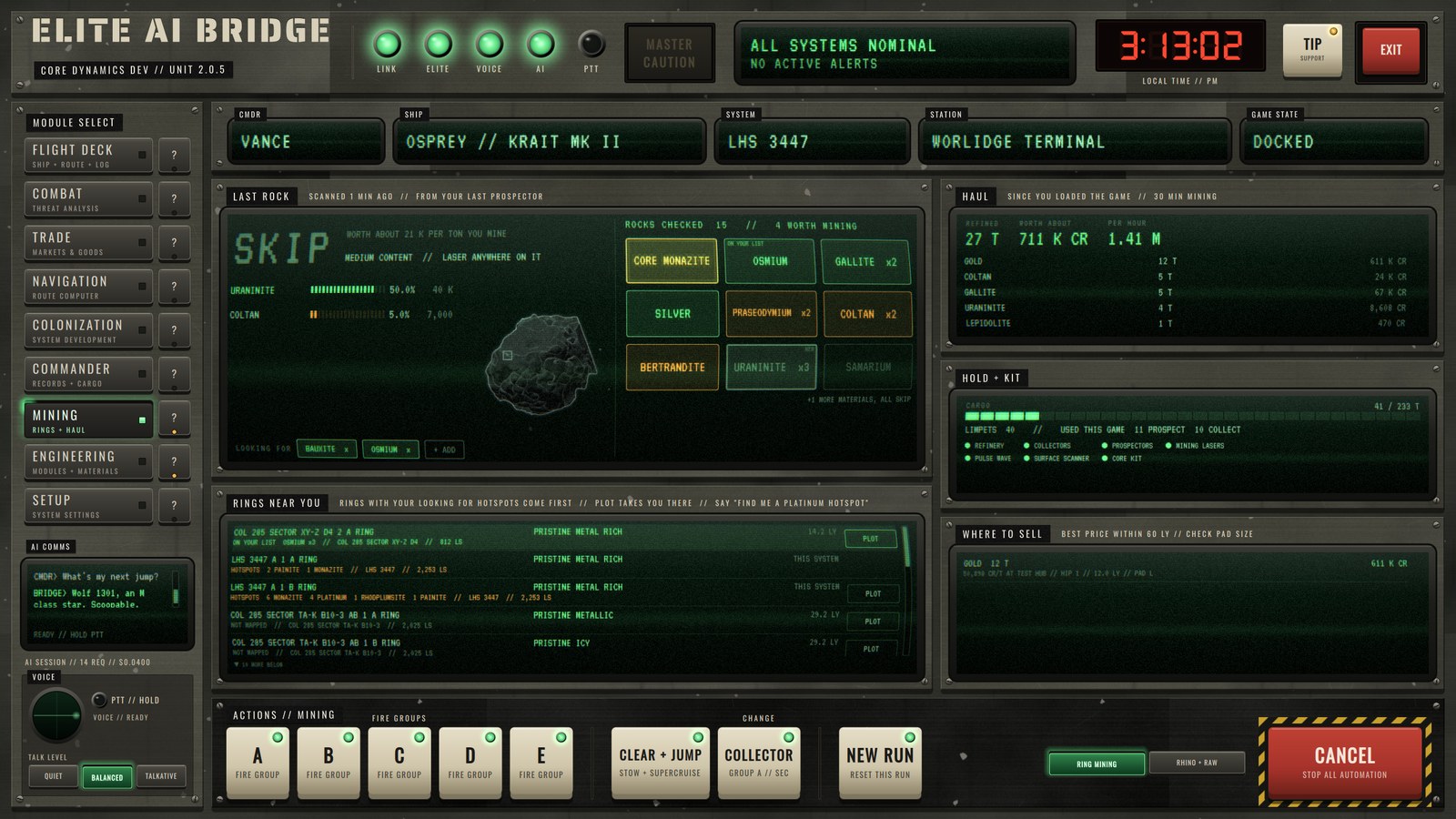
- MINING page: a new module between COMMANDER and SETUP.
- Last rock: every rock you prospect gets a verdict (MINE, MAYBE, SKIP, or CORE for a motherlode) with what it's worth per ton, and a live asteroid beside it. The ship voice calls out the material and the verdict.
- Rocks checked: one tile per material, best first. Tap a tile to see its best rock.
- Looking for: pick up to 3 materials. Any rock with one of them at 5% or more is a MINE, and the ship tells you.
- Haul, Hold + Kit, Where to sell: tons refined, worth and per hour; cargo, limpets and a kit check; the best place to sell what's in your hold within 60 LY.
- Rings near you: rings from your scans with reserve level and hotspots, and a key to plot to them.
- Rhino + raw: surface mining in the SRV (hold, rig collections, mining locations on the body) and all 28 raw materials against their caps. Tap a raw material to set a target, and the ship tells you when you reach it.
- Keys for fire groups A to E, a COLLECTOR key, CLEAR + JUMP and NEW RUN, plus a spoken tour on the ? key.
- ENGINEERING page: the engineered modules on your ship and in storage (blueprint, grade, experimental, engineer), your engineers by rank, and your manufactured and encoded materials.
- Commander page: DELIVERIES (modules and ships on their way, with a countdown) and a SESSION DEBRIEF of what you did last time, which the ship can read out at startup. ODD STATS is one scrolling list.
- Fire groups A to H: Bridge shortcut keys and voice ("fire group C").
- Emergency Escape talks you through each step, and the overlay and header turn red while it runs. Pirate callouts from the game's own pirate messages.
- Find Best Target says when it starts, scans the winner and tells you if it's wanted.
- Ship voice: more varied wording for common lines; on TALKATIVE it also tells you about the star after each jump, jumps left, and cargo scans. What the ship says shows in the overlay's chat panel.
- Startup sound: new keyboard clicks and an original logo sting.
Fixes
- Auto dock: waits longer for the station's reply before moving to the next panel tab, and counts a late reply. It no longer cycles past the right tab and reports a fail when the request actually went through.
- Route plot: if your UI keys are the same as your galaxy map camera keys (for example W/A/S/D on both), the Bridge now uses your other key for that control, or tells you which key is shared instead of trying and failing. Plotting also keeps going if you switch to the Bridge window while it confirms the route.
- Clear + Jump closes the cargo scoop and retracts hardpoints first, and goes to supercruise when you're away from a station.
- Window not opening on some PCs: the Bridge loads Qt's display files itself before the window opens, and the installer no longer builds the runtime on the Microsoft Store copy of Python (that copy can't open the window). If your runtime was built on it, run this installer and it rebuilds it.
- Launcher: the Start menu and desktop shortcuts now check that the Bridge's runtime is in place before starting, and open a repair window if it isn't. There's also a "Repair Elite AI Bridge" shortcut in the Start menu.
- A Bridge key press now waits for Ctrl, Alt, Shift and Windows to be let go, so a Stream Deck still holding a key can't turn it into a different shortcut.
Installing
Download Elite_AI_Bridge_Setup_2.0.5.exe below and run it. It upgrades 2.0.x in place and keeps your settings. Windows may show a SmartScreen warning because the installer isn't code-signed: choose More info, then Run anyway.
Verify your download
SHA-256 of Elite_AI_Bridge_Setup_2.0.5.exe:
9ca9c9e4072d15319af8239ec17a6a067b0ade1bded35e637b47f2e0d571df3d
In PowerShell: Get-FileHash .\Elite_AI_Bridge_Setup_2.0.5.exe -Algorithm SHA256