Repository navigation
KenzanPatches 3.0

KenzanPatches 3.0
KenzanPatches is a set of RPCS3 patches for Ryu ga Gotoku Kenzan!: the whole game at 60 FPS or 120 FPS at its original speed, full ultrawide support, save anywhere from the pause menu (Experimental), easier substory tracking, and a wide variety of patches for visuals and game functionality, with optional cheats.
It works with the English fan translation (patch 13, the current version and the default; also patches 6 to 12 and the initial release) and the Japanese original.
Everything is one file, imported_patch.yml, with entries you tick in RPCS3. No game file is changed.
Highlights
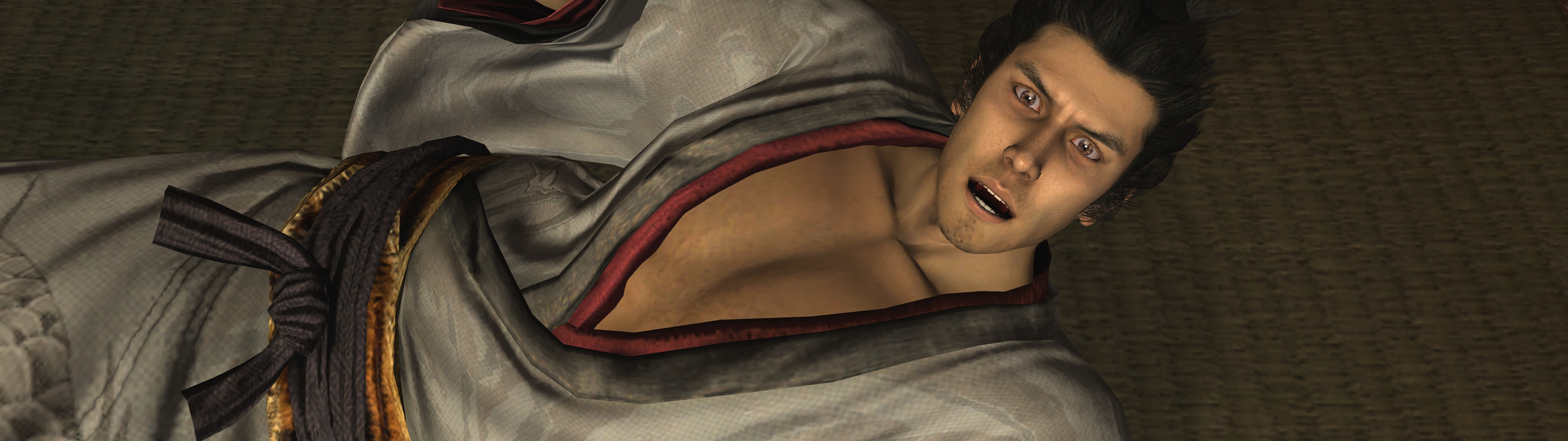
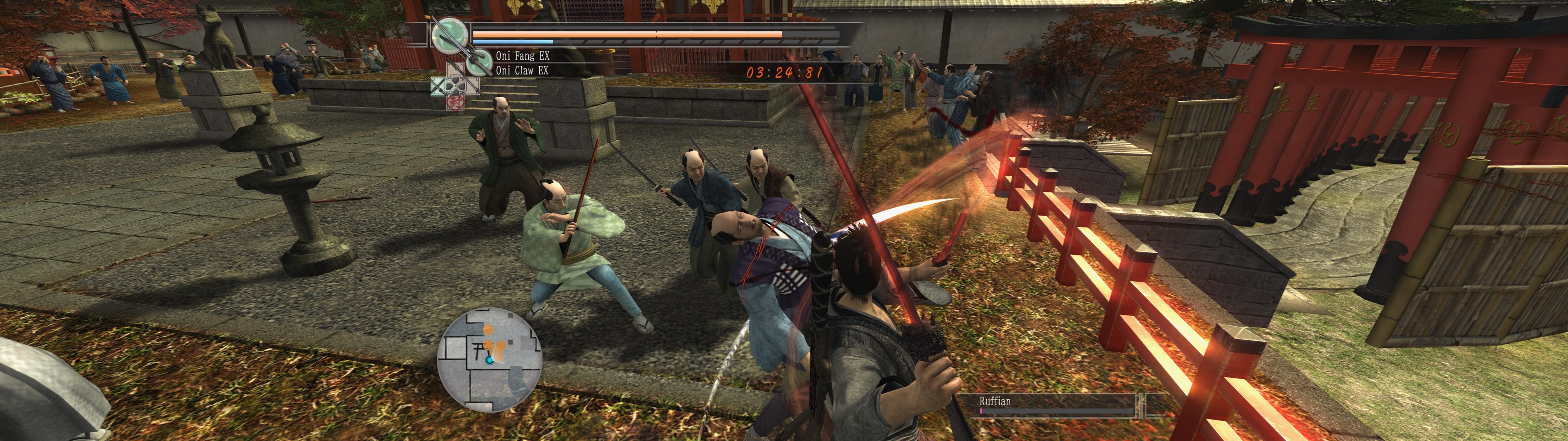
The game at 3840x1080 with Ultrawide (32:9), 120 FPS, Clean picture and the shadow and stage detail entries.
- 60 FPS and 120 FPS. The frame-rate entries and all 14 minigame entries work as in 2.2. The minigame entries now use the English translation's names (for example Tokkuri Toppling, "Bowling" in 2.2).
- Full ultrawide support. Ultrawide for 21:9 and 32:9 screens: a wider 3D view, with the HUD, menus and text at their true shape. Two spots stay stretched: the Ultimate Match quit dialog and some menu backdrops.
- Save anywhere (Experimental). Triangle in the pause menu opens the save list. It is greyed out where a save is not safe; do not save during the Oyo chase or on the walk to a yujo date.
- Easier substory tracking. The Notebook lists every substory and what to do first, and the row of Request 100 counts your progress toward the secret boss (English builds only). Marks on the map show where a substory can start now.
- A wide variety of patches for visuals and game functionality, with optional cheats. Clean picture, Photo mode, Hide HUD, field of view and camera options, shadows, bloom, depth of field, stage detail, time of day, weather, a volume balance, text speed, shorter fades and skip holds, stick and lock-on options, vibration strength; fifteen minigame assists and cheats for health, damage, Heat, money, experience, items, weapons, prices, street thugs and the Coliseum prizes; and
Bug fix: Turtle title race freeze, which ends a hang of the original game in two Turtle Racing title races.
The README lists every entry with its values and its default. Six entries are marked Experimental: Save from the pause menu, Retry on Legend, Side missions at any hour, Money multiplier, Free spending and Assist - Scarecrow Formations.
Game versions
Game Patches lists the game four times, one title per executable hash. Open the one for your version:
Ryu ga Gotoku Kenzan! (English translation): translation patch 13, the current version and the defaultRyu ga Gotoku Kenzan! (English translation, patches 6 to 12)Ryu ga Gotoku Kenzan! (English translation, initial release)Ryu ga Gotoku Kenzan! (Japanese original)
If you come from 2.2
- Tick your entries again, once. 3.0 lists the game once per version and renames every entry, so RPCS3 no longer finds your old ticks. Open the title for your version and tick again. The README has a table of old and new names.
- Untick the old entries under the plain title
Ryu ga Gotoku Kenzan!in RPCS3's own patch list. Entries ticked in both lists can apply twice. - Moving to translation patch 13? It has its own executable hash, and RPCS3 keeps each tick under the hash, the entry name and the title. Tick your entries again once under
Ryu ga Gotoku Kenzan! (English translation)(the minigame entries keep their ticks). - The repository is now called KenzanPatches. Old links still open, except the old address of the picture slider: the README has the new one.
Install
Download imported_patch.yml, put it in RPCS3's patches folder, open Manage → Game Patches, open the title for your version and tick the entries you want. For 120 FPS, set Advanced > Vblank Rate 120 in a custom configuration for the game. For an ultrawide screen, turn on GPU > Stretch To Display Area in that custom configuration and pick the Ultrawide Aspect ratio value that names your screen. The README has every step.
Known limits
- Cheats change what is written to your save. Keep a copy.
Thanks
To the English translation team, the RPCS3 team, and everyone who reported a problem with 2.x.
Found a problem? Open an issue with your game version, 60 or 120 FPS, the ticked entries and their values, and what happened.