-
Notifications
You must be signed in to change notification settings - Fork 63
FAQ
- (Why) Can I get the plugin for free?
- Support for 1.8 and lower versions
- Why players can't pickup turret and structure items?
- Why aren't my turrets shooting?
- Duplicated Chat
- When breaking the block underneath turrets, they still work.
- Cannot translate placeholders for null player
- Players are getting kicked because of turrets
- Bank services are currently unavailable
- What links can I use for Dynmap flag?
- Changing relation attributes has no effects
- I'm getting warnings about missing config options on server startup?
- How can I change max claims a kingdom can have?
- Where can I change the items and prices in the Outpost structure?
- How to disable a command?
Please refer to this section.
Please DO NOT ask me to support 1.8 ever. This version is extremely outdated, it's click here old.
Almost 40% of the plugin features will stop working on this version and it's incredibly hard to maintain.
The only reason 1.9 and versions above are supported is because they're just easier to maintain. I always recommend using the latest Spigot version. The plugin doesn't guarantee that the old versions will always be supported.
If your reason for not using 1.9+ is the PvP mechanics, use OldCombatMechanics.
Another excuse I usually get is that, "1.8 is more stable". 1.12 is better than 1.8-1.11 in both performance and stability aspects. The only reason it uses a little more resource is because of the newly added features which is completely normal.
They're probably in creative mode. Players cannot do that because they'll be able to duplicate the item in creative and use it everywhere.
If you like an admin to bypass this, give them kingdoms.creative.pickup permission.
Make sure your turrets have enough ammo. You can buy ammo for your turret by right-clicking them and pressing the ammo button.
If you want to use another chat plugin other than kingdom's built-in system, you have to go to chat.yml -> global-channel -> format -> false
Another thing you can do is to parse kingdom chat formats as placeholders to use in other chat plugins (if they support the use of normal chat channel AsyncPlayerChatEvent) by going to chat.yml -> parse-as-placeholder -> true
Most people use another plugin because the support hovering on messages. Kingdoms also support that too if you want to use it.
This is not a bug. The block is not required for the turret to continue working. It's just a practice to encourage players to put their turrets on specific blocks. You cannot force the turrets to stop working after the block is broken, because it can lead to server lag when used excessively. This is a planned feature for future updates.
Related errors: /k disband and clicking on a turret
This is a 1.15/1.16 Spigot bug and I can't fix it, Spigot is supposed to do it which they already did. This happens to any GUI that has a hopper (and a few other special types) inventory. You'll have to update your server either by running BuildTools (Spigot) or getting a direct download from Paper. Please avoid any other websites (even your host's provided Jars) or forks. They're mostly outdated as well and won't fix the issue.
Only Inferno turrets can cause this. Unfortunately, due to these turrets using a beam, BungeeCord networks can't handle this, so this only happens if you're using BungeeCord. To fix this, simply go to the inferno turret's config and change the turret mechanic type to something else. You can delete the turret entirely, however if you do, all the placed inferno turrets will be bugged.
This issue currently has no proper fix yet as it's something between a BungeeCord bug and an advanced code that isn't used directly from the Spigot API.
This means you either don't have Vault or an economy plugin installed.
You can use any plugin if it supports Vault. Plugins like EssentialsX or CMI (CMI provides their own Vault version) support Vault.
If you have another economy plugin installed with Essentials, it should usually take priority and enable, but if that didn't happen and your server is still using Vault as your economy plugin (this can happen in a plugin such as Ultra Economy, you'll have to look for an option in the other economy plugin to fix that as there is no option to change the economy plugin in Essentials or Vault.
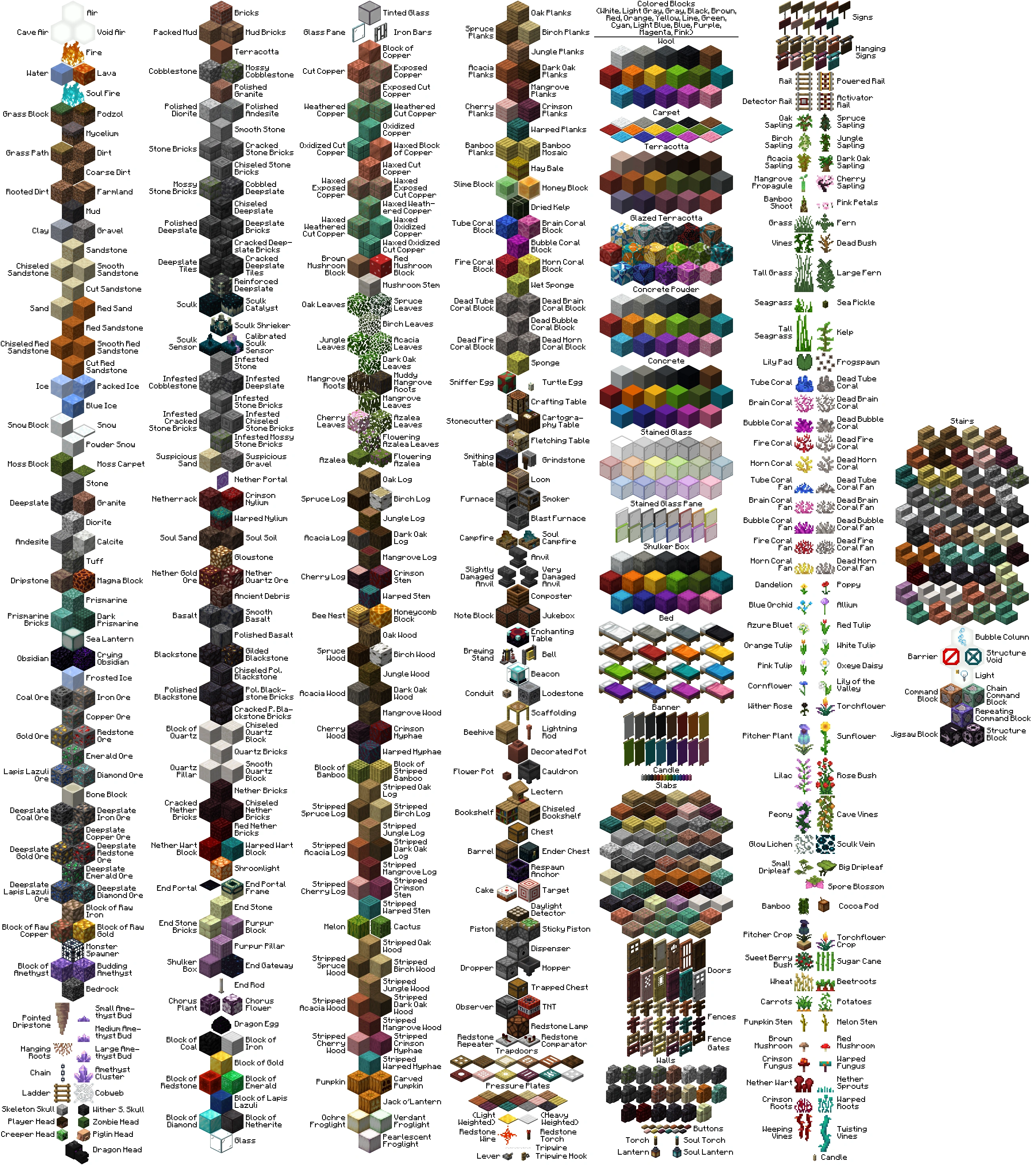
You need to use a link that points directly to an image file. This can be a png, jpg and etc.
By a direct link, it means that when you open the link in your browser, it must only open an image and nothing else. Almost 90% of them end with the image's file extension.
Here are some examples:
Direct Links
- https://i.imgur.com/Mz7cbAV.png
- https://www.google.com/images/branding/googlelogo/2x/googlelogo_color_160x56dp.png
- https://static.wikia.nocookie.net/minecraft_gamepedia/images/1/19/Block_overview.png


Invalid
- https://imgur.com/a/ABiBvPj
- https://static.wikia.nocookie.net/minecraft_gamepedia/images/1/19/Block_overview.png/revision/latest?cb=20200821110146
If you've changed the default relation attributes in relations.yml, the previously created kingdoms will not inherit the new settings by default. They'll keep their old settings. To prevent this, you could disable custom-attributes option in relations.yml config, and maybe even remove the relation attributes from nexus settings GUI entirely.
If you've changed the settings for your own kingdom in nexus settings, it'll only take effect once both kingdoms have the same attribute enabled for the same relation. You can change this by disabling agreements option in relations.yml, but it's definitely not recommended.
For example, if kingdom A has ceasefire attribute enabled, but kingdom B doesn't have that enabled, then both kingdom A and B will be able to fight each other, however this is not the case when you change the agreements option.
This is nothing to worry about, as those warnings just inform you that there have been new config additions in the Kingdoms version you're currently using.
Config files don't get updated automatically with new features due to loss of comments above options. The reason for this is because the way Bukkit handles the configuration, doesn't allow for comments.
Kingdoms will always use the default values for these missing options, but if you want to get access and control over them, you need to update your files.
The easiest and most convenient way is always deleting the file and letting Kingdoms regenerate it, containing the new features. This, however, becomes an issue if you made changes to the file and don't want to lose them. In this case only a manual update is a viable solution.
Kingdoms' default configuration files are kept up to date with latest changes and can be found here. You can either update your files using GitHub's commit history or by using a tool such as Diffchecker and comparing your files with the default ones. Simply add the missing values under correct sections and configure them to your preferences.
This can be done by going to claims.yml and modifying the max-claims option. By default it uses an equation and is set to scale depending on various factors, such as kingdoms' members, etc. You can use kingdom and nation placeholders here, as well as math operations and functions.
Here's a quick rundown of how the calculation is done, using a kingdom with two players in it and the default equation:
max-claims: "((%kingdoms_members% + %kingdoms_nation_kingdoms%) * 5) + %kingdoms_max_lands_modifier% + max_claims"-
%kingdoms_members%=2, since we only have two members in the kingdom. -
%kingdoms_nation_kingdoms%=0, as we're not in a nation. -
%kingdoms_max_land_modifier%=0, as we don't have any extra lands given by admins from the /k admin maxLandModifier command. -
max_claims=0. This is a special placeholder for themax-claimsmisc upgrade which can be found inmisc-upgrades.yml. Since we didn't purchase any additional lands inNexus->Misc Upgrades->Max Claims, it's0.
In conclusion, our claiming limit would be: ((2 + 0) * 5) + 0 + 0 = 2 * 5 = 10.
Go to guis -> <lang> -> structures -> outpost.yml. Here you'll find some predefined items, along with their prices and other standard GUI options.
If you want to keep the default items and just modify their prices, simply change the cost option for each of them.
Items being sold here must have the item key beginning with the sell prefix, otherwise it will not work. Remove (or modify) the existing items and configure your own ones and you're ready to go.
All the commands can be disabled in commands.yml
You can disable a command by simply adding disabled: true option to the command yourself.
Let's say you want to disable invade command, find it in the config and replace it with the following:
invade:
  disabled: true
  name: invade
  aliases: [ invasion ]
It's important to put the spaces before disabled: true or it won't work.
This will cause doing /k invade to show the default unknown command error message.
Terminology - Spigot - Discord - History - Other Info
- 🏠 Home
- 🔰 Features
- 📥 Installation
- 📗 Setup
- 📘 Compatibility
- ❓ FAQ
⁉️ NFAQ- ⚜️ Addons
- 🚩 Outposts
- ☮️ Peace Treaties
- 🗺️ Map Viewers
- 🏬 EngineHub
- 🛠 Admin Tools
- ❇️ Introduction
- ⌨️ Commands
- 🔓 Permissions
- 🔣 Placeholders
- 📁 Config
- 🔒 Protection Signs
- ✉️ Mails
- 📚 Mechanics
- 🧰 Troubleshooting
- 💻 API
🔹 Basics
🔹 Turrets & Structures
🔹 Metadata
🔹 Events
🔹 Examples
🔹 Addons