2. Git & GitHub
In this section, you'll install git, a software for version control (managing changes in software code). Then, you'll create a repository in GitHub, a git-based platform to store your project.
- Download & install git.
- Create a github.com user.
- As a student, you are entitled to GitHub pro. Go to your user's settings, upload the required documents and get it :)
- When collaborating, one member of the pair should create a new repository, named, for example,
matam-hw1. - That person should invite their partner to collaborate, by going to the repository's settings -> collaborators -> add people.
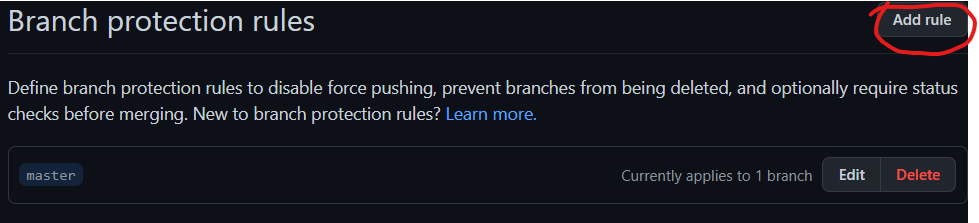
- In order to avoid making changes directly to your project's main branch (which could lead to mistakes, and is generally considered a bad practice), go to settings -> branches -> branch protection rules -> "add rule" -> require a pull request before merging. Give this rule a name and save it.
[TODO: Add explanation of pull requests].
In order to avoid pushing to master/main by mistake it is recommended to add a branch protection rule to this branch like so:
The common protection to enable is Require a pull request before merging