Repository navigation
Brother QL Web v2.0.0

Highlights
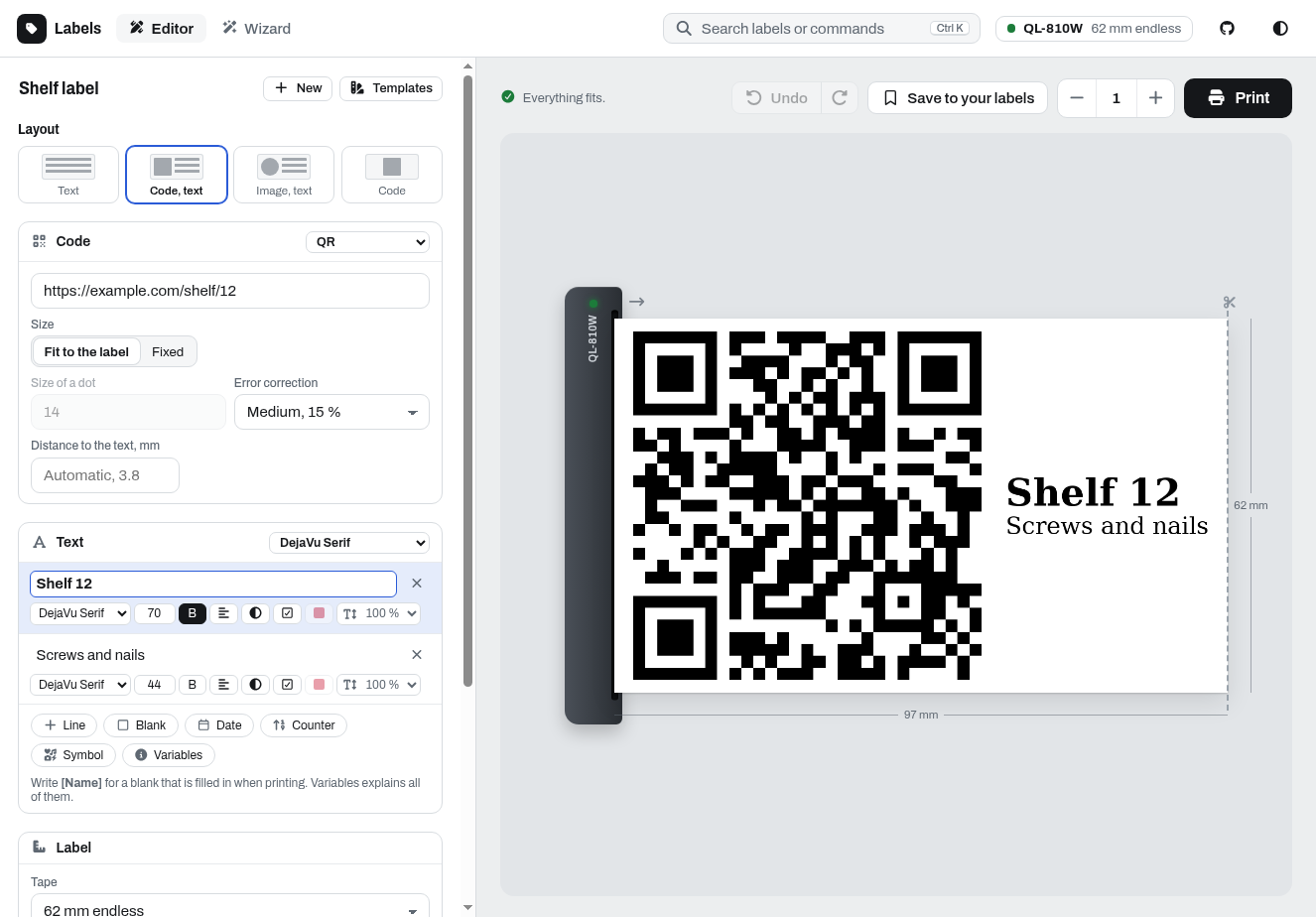
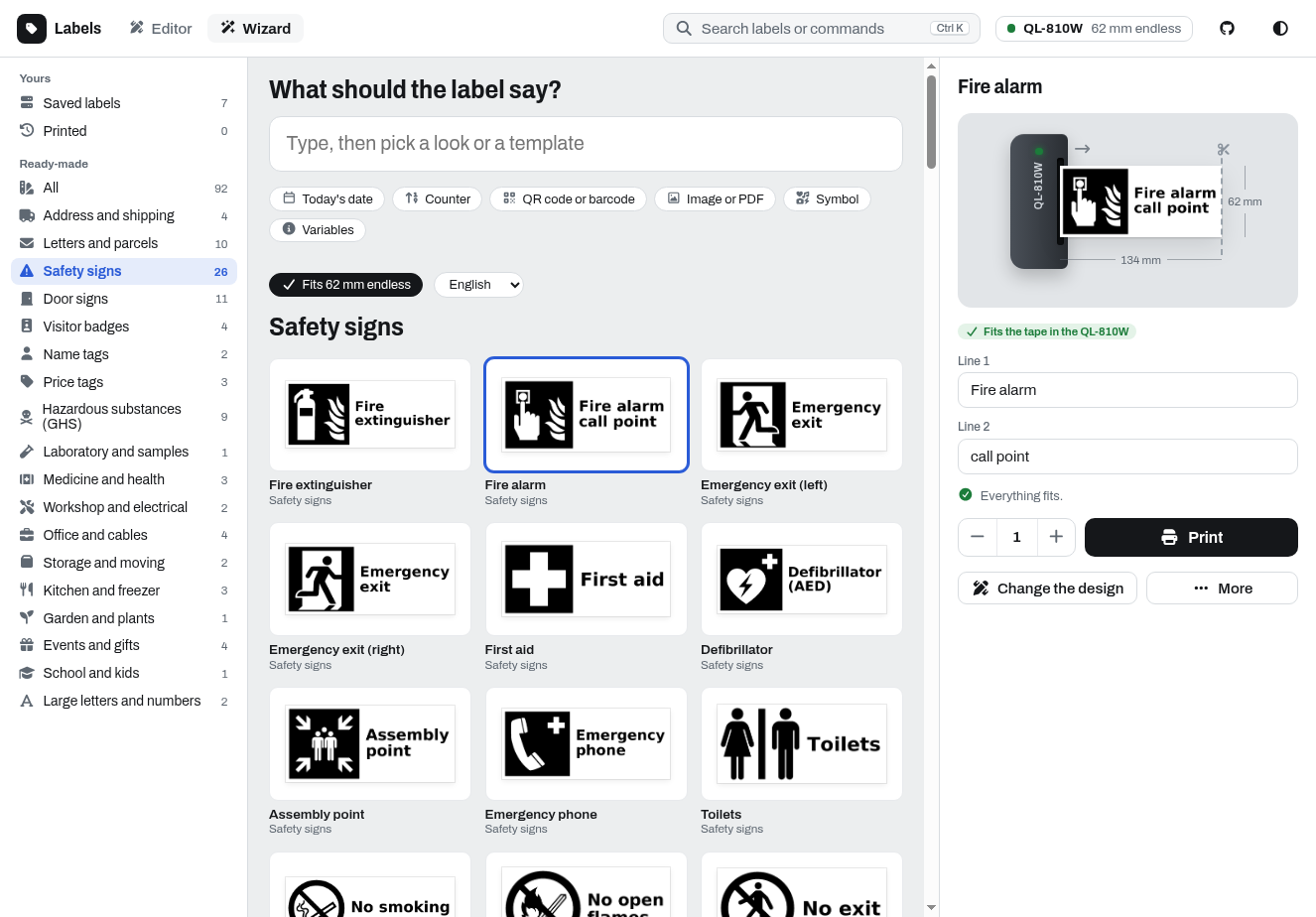
- A new label designer: rebuilt around the label itself. An editor with its own font, size, alignment and color for every line, symbols and Material Design Icons, undo and redo, several images or PDFs per label, and a preview that shows the label leaving the printer. A wizard turns typed text into six ready looks and finds fitting templates next to your saved and printed labels. Search with Ctrl K, dark mode, and phones with the tabs at the bottom. Previews are faster, as the server measures each text size once and keeps codes and images.
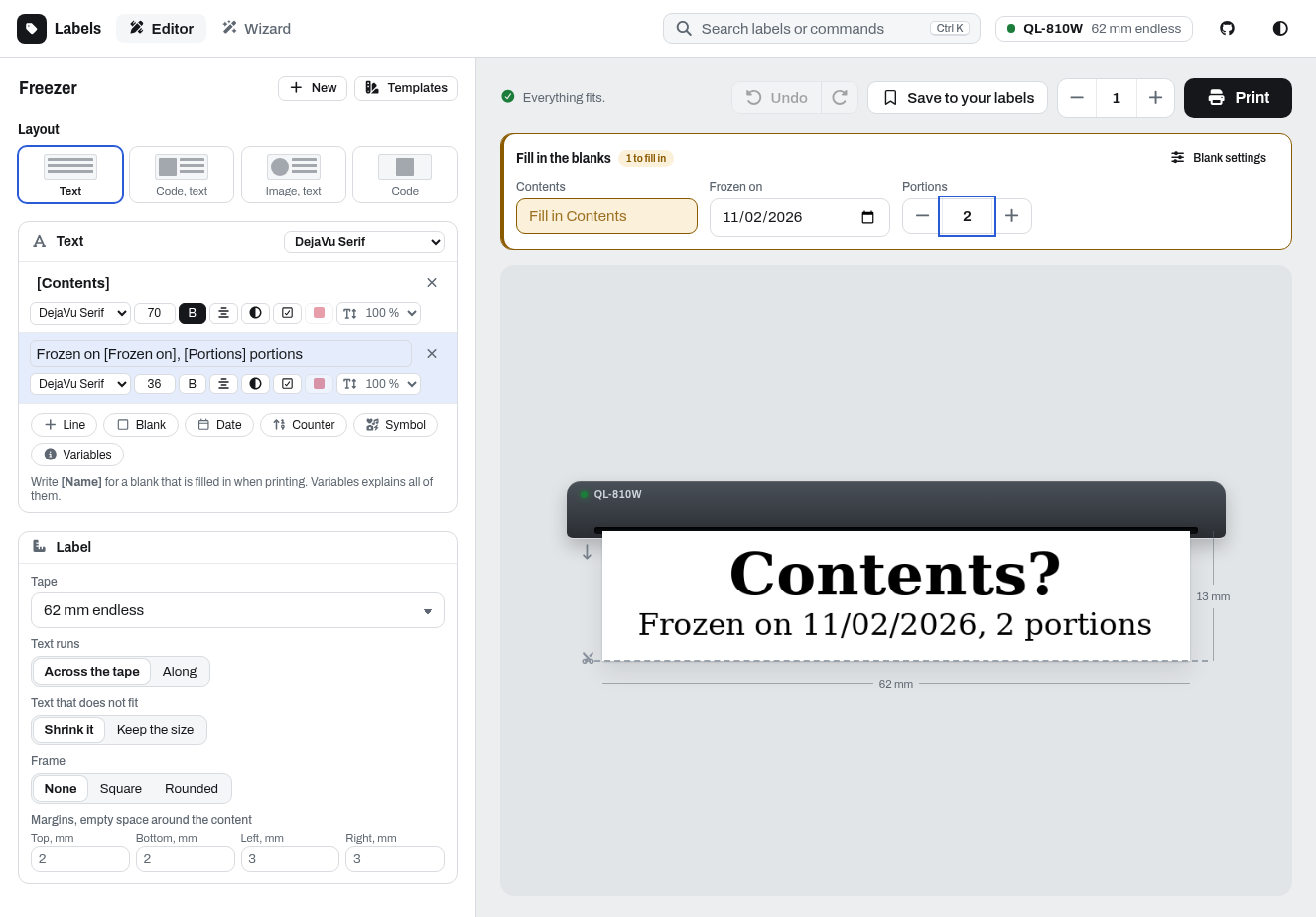
- Blanks:
[Name]in a line becomes a field that is filled in when printing, as text, number or date, with a default if you like. The server fills them in, so a saved label prints the same from the designer and through the API (blanks). - P-touch printers: the PT-E550W, PT-P700 and PT-P750W print on TZe tapes of 6 to 24 mm, laminated, non-laminated, fabric and heat-shrink tubes.
- Cutting for each printer: after each label, after the last one or never, on P-touch printers also half cuts and chain printing. A label can keep its own cutting, and the preview shows the strip as it leaves the printer.
- Material Design Icons in any text with
{{mdi:<name>}}, e.g.{{mdi:lightbulb}} Light, also from the API and the webhook. - Printing is more reliable: all labels of a request are one job, long labels on USB printers are waited for, and every label of a job over USB is confirmed, also on the QL-700, QL-800 and QL-1100. When a printer does not answer, the designer says why in plain words, and with several printers in
PRINTERSone that is switched off no longer holds up the others. SYSTEM_FONTS=falseoffers only the fonts ofFONT_FOLDER.
| Saved and ready-made labels | Blanks, filled in when printing |
|---|---|
 |
 |
Upgrading
The images are tagged :2.0.0, :2.0, :2 and :latest. :1 stays on v1.3.0, so if you pinned it, switch to :2 or :latest. Bookmarks of /labeldesigner/classic open the new designer.
Changes that clients of the API may notice:
- A print the printer did not do, because it reports an error, does not answer or is busy, is answered with 503 instead of 400. Refused requests stay 400.
- Refused requests get fixed messages, the details are in the log of the server.
- The distance between a code or image and the text is now two fifths of the largest text, at least two modules of a QR code. Labels with both come out slightly different.
image_text_gapsets it in dots. /api/repository/loadgivesimage_fitandimage_cropas1or0, and thetext_fitof labels saved withshrink_textonly./api/repository/listreturns the title a label was saved under./api/repository/savewithreplacefalse keeps a label saved under the name and answers 409. Saving and deleting answer 503 after waiting 10 seconds for another save.- Unknown label sizes, unknown image modes and barcodes with a wrong check digit are refused.
PRINT_BATCH_SIZEis gone, a request is printed as one job.- New parameters:
cut(each,lastornone,cut_oncestill works),half_cut,chain,blanks,fields,mark_blanks,text_fitandimage_position./labeldesigner/api/openapi.jsondescribes them.
What's Changed
Changes
- Print P-touch tapes as endless labels by @randybb in #156
- Offer 6 and 9 mm TZe tapes by @randybb in #158
- Offer only the fonts of FONT_FOLDER with SYSTEM_FONTS=false by @randybb in #160
- Insert Material Design Icons with {{mdi:}} by @randybb in #161
- Print on P-touch printers: compressed lines, no "no tape" media type by @randybb in #157
- List the P-touch printers among the supported printers by @randybb in #159
- Redesign the label designer by @DL6ER in #162
- Refuse unknown image modes by @DL6ER in #163
- Organize the tests by topic by @DL6ER in #164
- Keep the letters of white on black lines inside their box by @DL6ER in #165
- Refuse barcodes with a wrong check digit by @DL6ER in #166
- Tell the PT-E550W from the PT-P750W by @DL6ER in #168
- Answer 503 when the printer could not print by @DL6ER in #170
- Wait for long labels on USB printers to be printed by @DL6ER in #171
- Keep the browser data of instances below one host apart by @DL6ER in #172
- Read label sizes saved as numbers and refuse unknown ones by @DL6ER in #173
- Tell in plain words why a printer does not answer by @DL6ER in #174
- Print line breaks in a text line as lines of their own by @DL6ER in #167
- Offer the 12, 18 and 24 mm TZe tapes only to printers they fit by @DL6ER in #169
- Answer refused requests with fixed messages, log the details by @DL6ER in #175
- Fix jobs of several labels reported as failed over USB by @DL6ER in #187
- Print all labels of a request as one job by @DL6ER in #190
- Offer cut options for each printer and label, show them in the preview by @randybb in #188
- Read the status of a USB printer while the job is written by @DL6ER in #192
- Do not wait for printers that do not answer the status query by @randybb in #193
Full Changelog: v1.3.0...v2.0.0
Contributors


randybb and DL6ER