

DataGrip is the industry-standard integrated development environment (IDE) specifically tailored for database administrators, data analysts, and software developers. Built by JetBrains, it provides a comprehensive, unified interface to connect, manage, and query a wide variety of relational and NoSQL databases, including PostgreSQL, MySQL, Oracle, SQL Server, and MongoDB. It is engineered to handle complex database schemas and large-scale data environments with precision and efficiency.
The platform's primary strength lies in its intelligent SQL editor. By leveraging context-aware code completion and on-the-fly analysis, DataGrip helps developers write accurate SQL queries faster. It is aware of your database structure, foreign keys, and even objects defined within your DDL scripts, ensuring that syntax errors are caught before execution and repetitive tasks are automated through smart code generation.
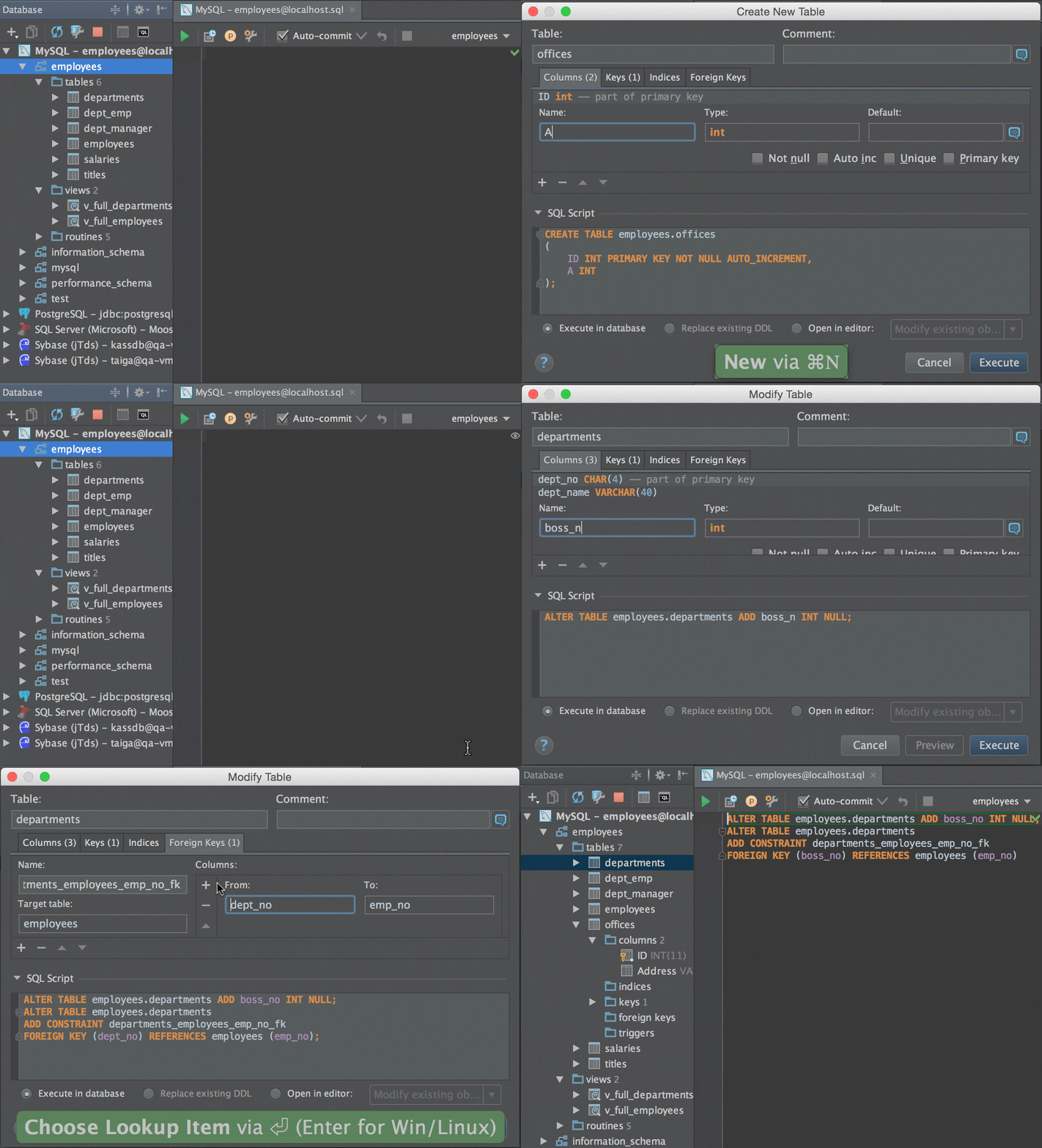
Database management is made intuitive through a robust Database Explorer. This tool allows users to navigate schemas, visualize table relationships via insightful diagrams, and manage database objects effortlessly. Whether you are performing simple data entry or executing complex migration scripts, the integrated data editor provides a smooth, spreadsheet-like experience for adding, modifying, or cloning rows directly within the application.
Collaboration and workflow integration are core components of the DataGrip experience. With native support for version control systems like Git and SVN, you can manage schema changes as part of your application’s source code. The platform also includes powerful schema comparison tools that allow you to identify differences between database environments and generate migration scripts automatically, streamlining CI/CD pipelines.
Engineered for high-performance data operations, DataGrip also excels in data visualization and reporting. Its ability to export data into multiple formats—including CSV, JSON, HTML, Markdown, and Excel—makes it an essential tool for data-driven decision-making. For professionals seeking a powerful, secure, and highly extensible database environment on Windows, DataGrip remains the definitive choice for maintaining data integrity and optimizing system performance.
| Feature | Description |
|---|---|
| Multi-DB Support | Unified IDE for PostgreSQL, MySQL, Oracle, SQL Server, and more. |
| Intelligent SQL Editor | Context-aware completion, refactoring, and real-time analysis. |
| Schema Navigation | Powerful tools for exploring tables, views, and object relationships. |
| Data Editor | Advanced spreadsheet-like interface for managing database rows. |
| Schema Diff | Compare schemas and generate migration scripts automatically. |
| VCS Integration | Seamless version control for database schema scripts and code. |
- Download DataGrip using the button above.
- Install DataGrip on your Windows system.
- Launch DataGrip and configure your database connections (JDBC/SSH).
- Use the Query Console to begin executing SQL and exploring your data.
- Integrate your project with version control for professional schema management.
| Component | Minimum | Recommended |
|---|---|---|
| OS | Windows 10/11 (64-bit) | Windows 10/11 (64-bit) |
| Processor | Dual-core 2.0 GHz | Quad-core 2.5 GHz or better |
| RAM | 4 GB | 16 GB+ for large datasets |
| Storage | 2 GB free space | SSD with ample space for local history |
| Display | 1280×800 | 1920×1080 or higher |
datagrip • database ide • sql development • professional sql editor • database management tool • postgresql ide • mysql management • jetbrains datagrip • database schema explorer • sql query builder • data analysis software • database administration tool • database refactoring • schema migration tools • enterprise database software • cross-platform database client • sql code completion • windows database management • version control for databases • query execution history • database visualization • mongodb management • sql developer productivity • data import export • database diagram tool