
Click on the image below to see a demo of YouTube to docs:
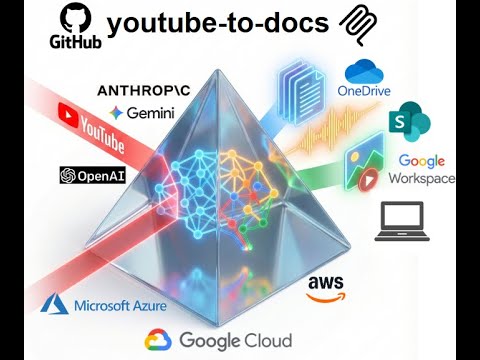
Convert YouTube videos into structured docs, summaries, audio, and visual assets for easier discovery.
View all available CLI options:
uvx youtube-to-docs --helpTo keep the installation light, some features are optional. You can enable them by specifying "extras":
audio: Required for TTS and audio processing (usesyt-dlp).video: Required for video generation (usesstatic-ffmpeg).workspace: Required for Google Drive integration.m365: Required for Microsoft SharePoint/OneDrive integration.huggingface: Required for storing artifacts to a Hugging Face dataset (useshuggingface_hub).aws: AWS Bedrock support.azure: Required for Azure OpenAI models.gcp: Required for Google Gemini, Vertex AI models, and GCP Cloud TTS (usesgoogle-genaiand google-cloud libs).app: Web app with browser-based UI (usesfastapi,uvicorn).all: Installs everything.
Example: Run with audio and video support
uvx --with "youtube-to-docs[audio,video]" youtube-to-docs ...Example: Run with everything
uvx --with "youtube-to-docs[all]" youtube-to-docs ...Note: The commands above require uv. You can install it via:
- macOS/Linux:
curl -LsSf https://astral.sh/uv/install.sh | sh - Windows:
powershell -ExecutionPolicy ByPass -c "irm https://astral.sh/uv/install.ps1 | iex"
Install as a Gemini CLI extension:
gemini extensions install https://github.com/DoIT-Artificial-Intelligence/youtube-to-docs.gitInstall as a Claude Code plugin:
/plugin marketplace add DoIT-Artificial-Intelligence/youtube-to-docs
/plugin install youtube-to-docs@youtube-to-docs
Run as a web app:
uvx --from "youtube-to-docs[all]" youtube-to-docs-appThen open http://localhost:8000 in your browser. See the Web App docs for details.
Install as an MCP server for Claude Code:
claude mcp add youtube-to-docs -- uvx --with "youtube-to-docs[all]" python -m youtube_to_docs.mcp_serverCreated with the help of AI. All artifacts have been checked and work as expected.