Repository navigation
OOXML Toolkit 0.1.0

·
65 commits
to main
since this release
6587f7e
This commit was signed with the committer’s verified signature.
 DominikPalo
Dominik Paľo
Warning
macOS users: the 0.1.0 macOS builds have an invalid code signature, so after a browser download macOS
reports the app as “damaged” and offers no way to open it. Please use 0.1.1,
or remove the quarantine flag once: xattr -dr com.apple.quarantine "/Applications/OOXML Toolkit.app".
Windows and Linux builds are not affected.
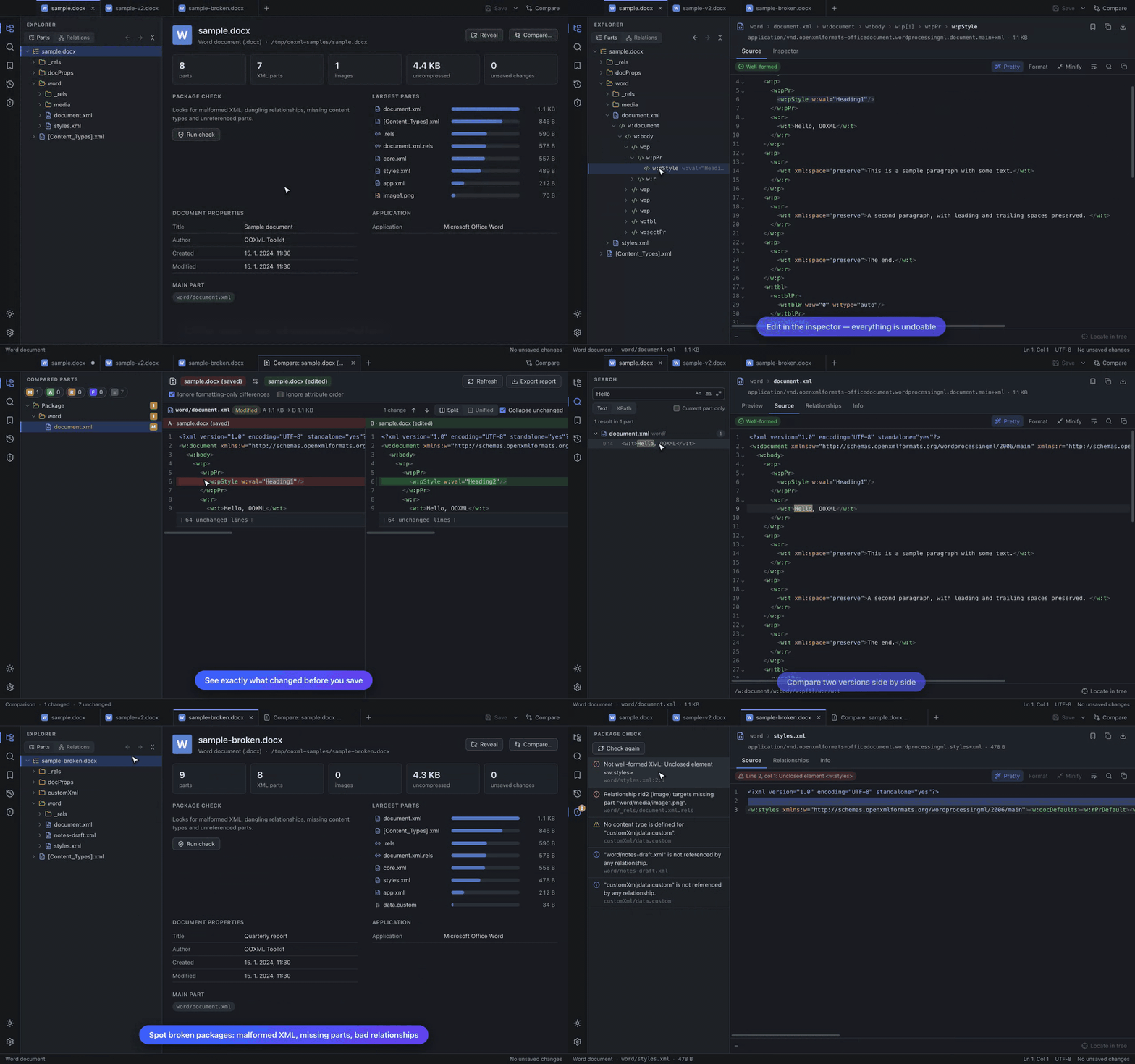
First public release of OOXML Toolkit — a desktop app to view, edit and compare Office Open XML packages (.docx, .xlsx, .pptx and friends) right down to the XML.
Downloads
| Platform | File |
|---|---|
| macOS — Apple Silicon (M1 and later) | OOXML-Toolkit-0.1.0-mac-arm64.dmg |
| macOS — Intel | OOXML-Toolkit-0.1.0-mac-x64.dmg |
| Windows 10/11 (64-bit) — installer | OOXML-Toolkit-0.1.0-win-x64-setup.exe |
| Windows 10/11 (64-bit) — portable, no install | OOXML-Toolkit-0.1.0-win-x64-portable.exe |
| Linux (64-bit) — any distribution | OOXML-Toolkit-0.1.0-linux-x86_64.AppImage |
SHA256SUMS.txt lists the checksum of every file.
First launch — the builds are not code-signed yet
- macOS: see the warning above — use 0.1.1.
- Windows: SmartScreen may warn about an unrecognised app — choose More info → Run anyway.
- Linux:
chmod +x OOXML-Toolkit-0.1.0-linux-x86_64.AppImage && ./OOXML-Toolkit-0.1.0-linux-x86_64.AppImage.
If it does not start, install FUSE 2 (libfuse2/fuse2).
What's in 0.1.0
- Tree + details — every part of a package and every XML element in a lazily-loaded tree, or the
relationship graph; source editor, element inspector, hex and image views. - Previews — worksheet grid with formula bar, Word text outline, slides with shapes, pictures and notes.
- Editing — edit XML in the editor or the inspector, duplicate / move / insert / delete elements,
add / replace / rename / delete parts, with undo/redo across all of it. Saving only rewrites what you changed;
everything else is copied byte-for-byte. - Comparing — two files, or your unsaved edits against the saved file, as a part-level report and a
split or unified XML diff; export a Markdown report. - Finding things — text / regex / XPath search across all parts, go to part (
⌘P/Ctrl+P),
bookmarks with notes, recent files with pinning, session restore. - Package check — malformed XML, dangling relationships, missing content types, unreferenced parts.
- Light / dark theme, drag & drop, file associations, command-line open.
See the README for worked examples with
screenshots and the user guide
for the full reference.
Known limitations
- Password-protected Office files and legacy binary formats (
.doc,.xls,.ppt) cannot be opened. - The package check verifies structure, not ECMA-376 schema validity.
- The slide and worksheet previews are simplified (no fonts/fills/charts; raw cell values).
- Builds are unsigned (see above) and there is no auto-update yet.