Repository navigation
Fussel 1.1.3 · Duplicates and a roomier window


Fussel 1.1.3
Less fluff, more Mac.
A new tool for files you have twice, and a window with more room to breathe.
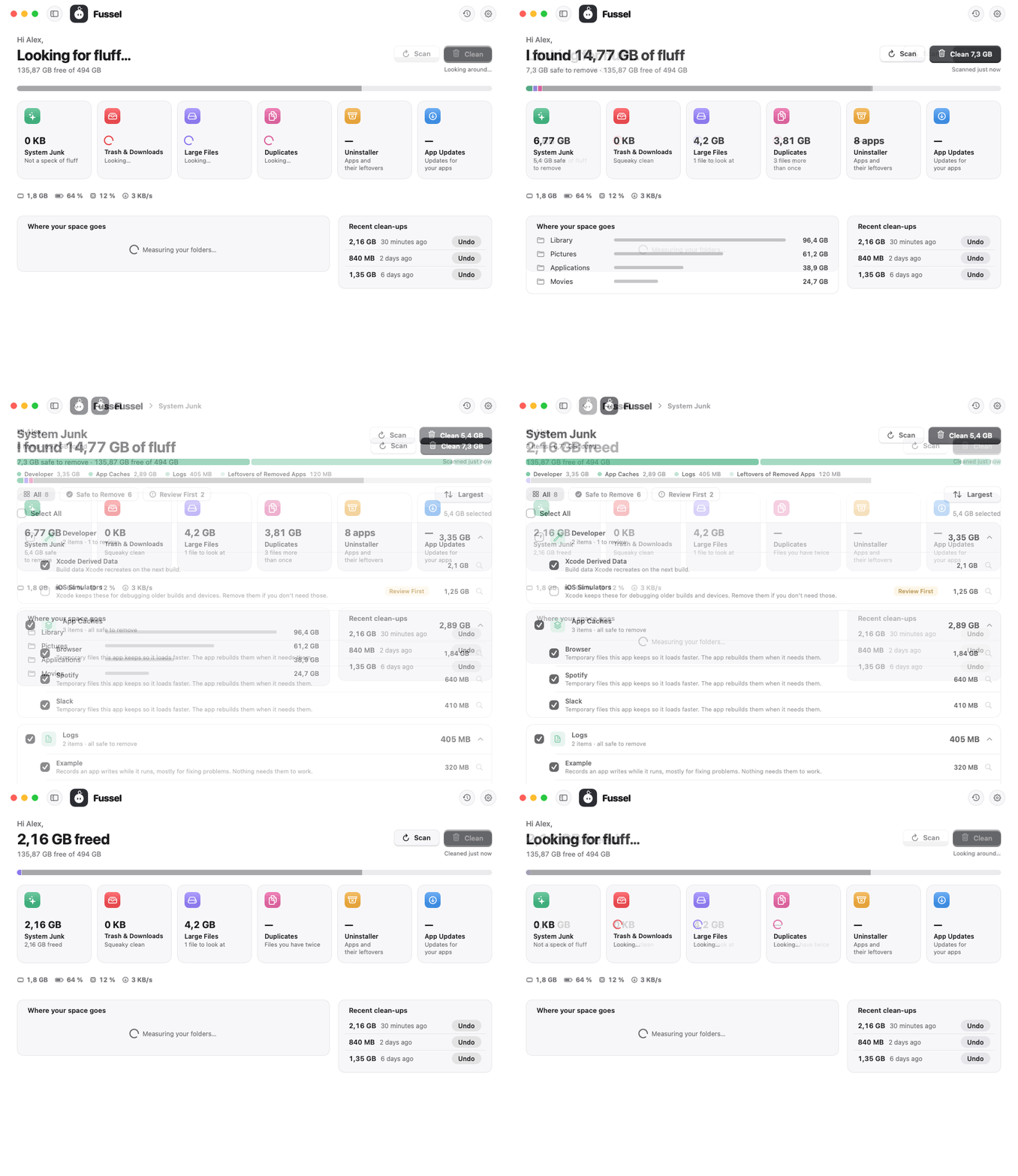
What's new
- Duplicates: Fussel now finds files you have more than once in your Desktop, Documents, Downloads, Pictures, Movies and Music folders. Only files with exactly the same content count, not just the same name. The oldest copy always stays and isn't even listed. Copies in your Downloads are picked for you; every other copy is marked Review First
- More room: the sidebar is now hidden at first, so the overview gets the whole window. A bar at the top holds Fussel, History and Settings, and a back arrow when you're in a tool. Prefer the sidebar? Click the sidebar button next to the window buttons, or press ⌃⌘S. Fussel remembers your choice
- Tools in groups: System Junk, Large Files and the others now sort what they found into cards like "App Caches" or "Logs", each with its own checkbox and total, and a bar on top shows what the finds are made of. Point at an item to see where it lives
- Six tiles: the overview gets a pink Duplicates tile. With the sidebar shown, the tiles move into two rows of three
- Quieter buttons you can feel: the light buttons (Scan, Sort, Cancel and friends) now sink onto a shallow base when you click, like the main buttons, just softer
- A file found by two tools, like a big video that's also a copy, now counts and gets cleaned only once
- In the Glass style, the checkmarks in the checkboxes are visible again
Safety first
Everything Fussel cleans goes to the Trash first, and Undo puts it right back. Only items that are already in the Trash are deleted for good, and Fussel asks before doing that. System files, Apple apps and your main folders are never touched, and nothing marked Review First is ever picked for you. Nothing inside your Photos, Music or iMovie library is ever touched either. 30 automatic tests guard these rules on every build.
Install
Recommended: the installer
- Download Fussel-Installer.zip below. Your Mac unpacks it to Fussel-Installer.pkg; open that.
- Fussel isn't signed with an Apple Developer ID yet, so macOS blocks it at first. Open System Settings › Privacy & Security, scroll down and click Open Anyway next to the Fussel installer.
- Click through the installer. Fussel lands in your Applications folder and appears in the menu bar, next to the clock.
- Recommended: allow Full Disk Access in System Settings › Privacy & Security, so Fussel can reach the Trash and every hidden cache.
Already using Fussel? On 0.9.8 or later, just click Update Now. Older versions: install this one by hand once with the installer.
Or: drag and drop
Open Fussel.dmg and drag Fussel onto the Applications folder. Before the first launch, run this once in Terminal:
xattr -dr com.apple.quarantine /Applications/Fussel.app
Requires macOS 14 Sonoma or later. Runs natively on Apple Silicon and Intel. The Glass cards need macOS 26; earlier versions get frosted glass.
Good to know
- Undo works as long as the items are still in the Trash.
- Found something odd? Send Feedback in Fussel's menu opens a GitHub issue, already filled in with your Fussel and macOS version. Screenshots help a lot.
Made by Dshamil Meziane, built with Claude. Free and open source under the MIT license.