Repository navigation
Frontline v1.0.8: UI and more!

Improved
A new look for the battle's interface
The battle's interface now reads like a battle management display laid onto the battlefield: no more boxes, short codes instead of sentences, every figure lined up in mono, and one colour for what's selected.
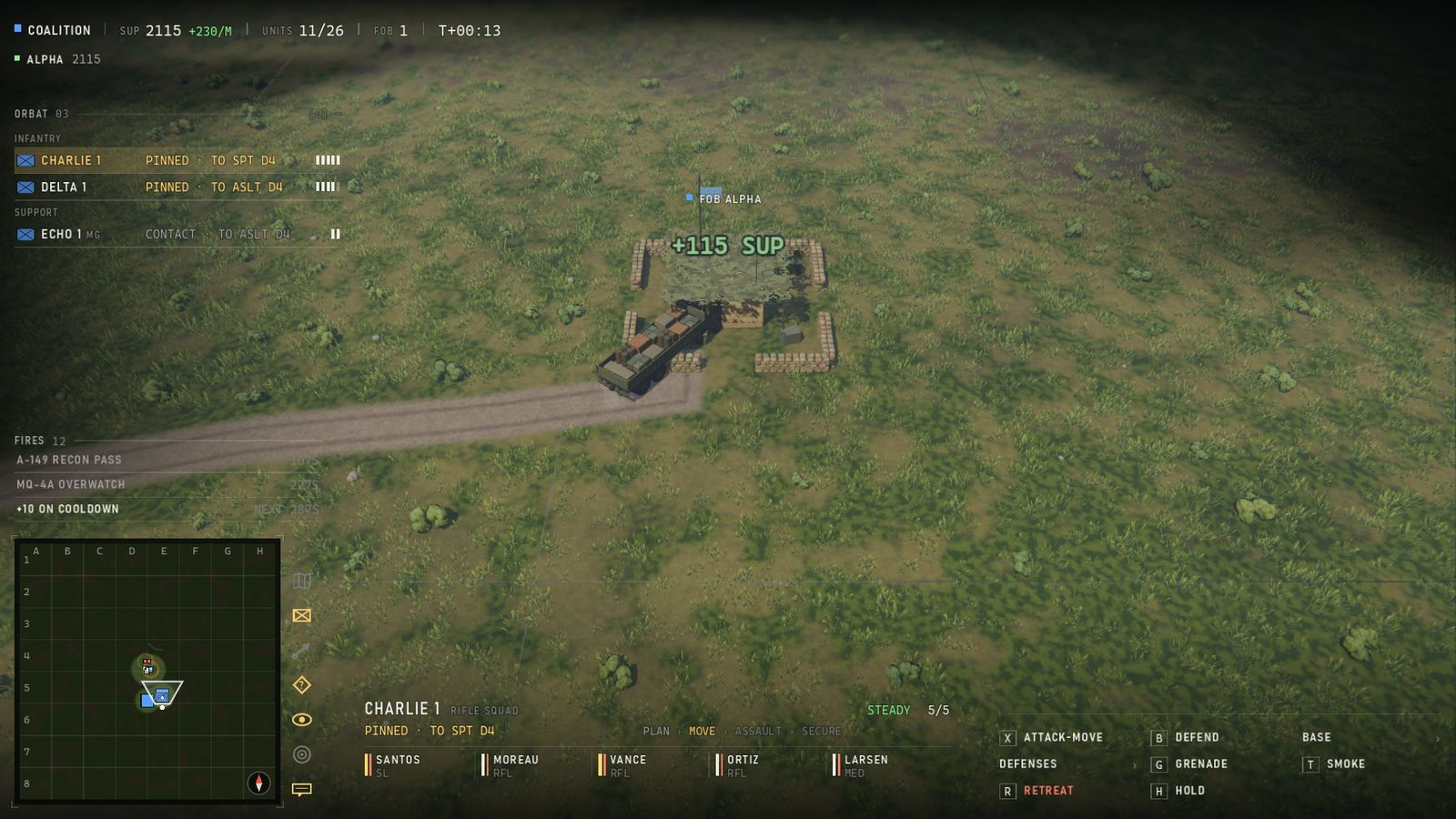
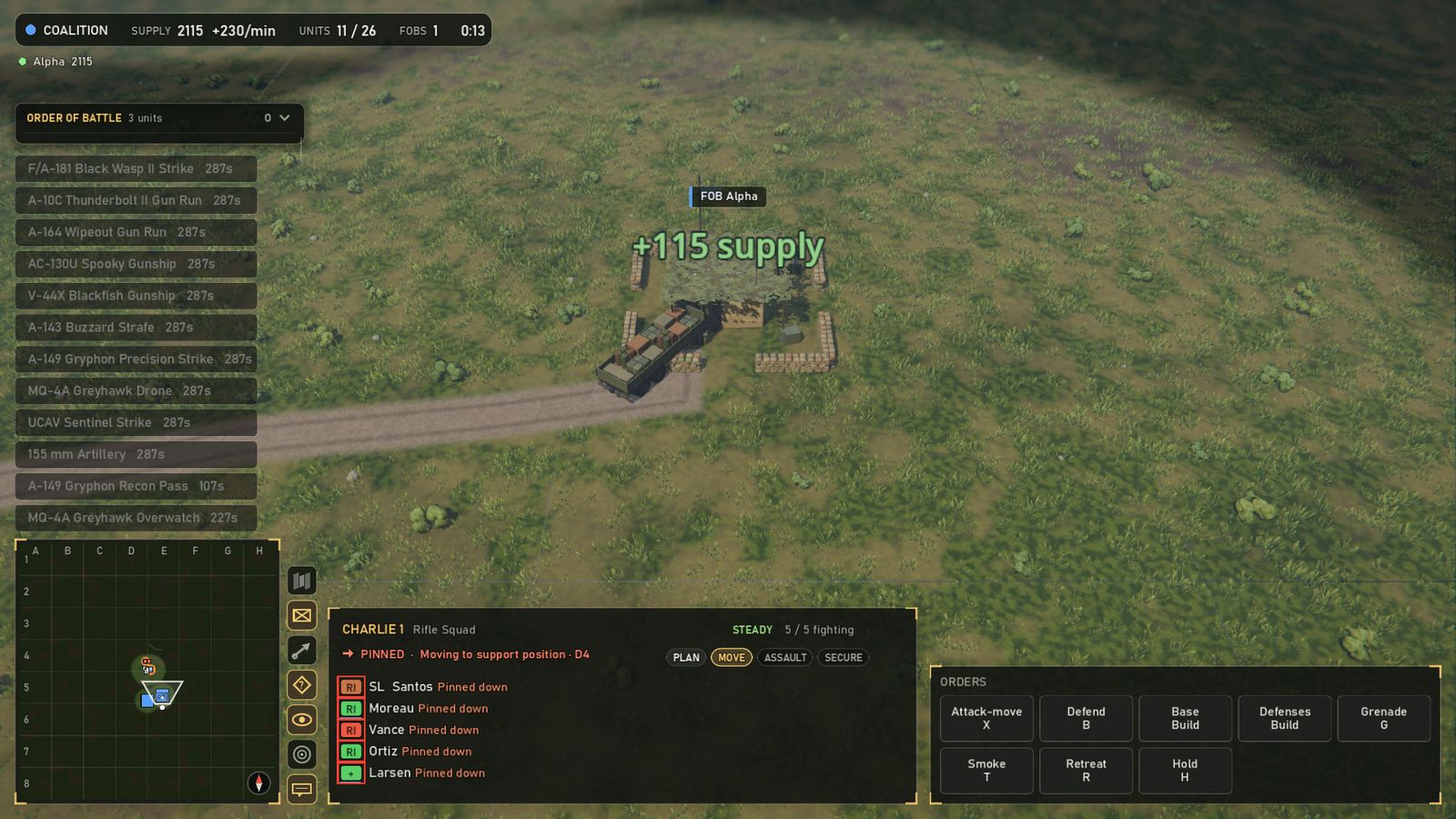
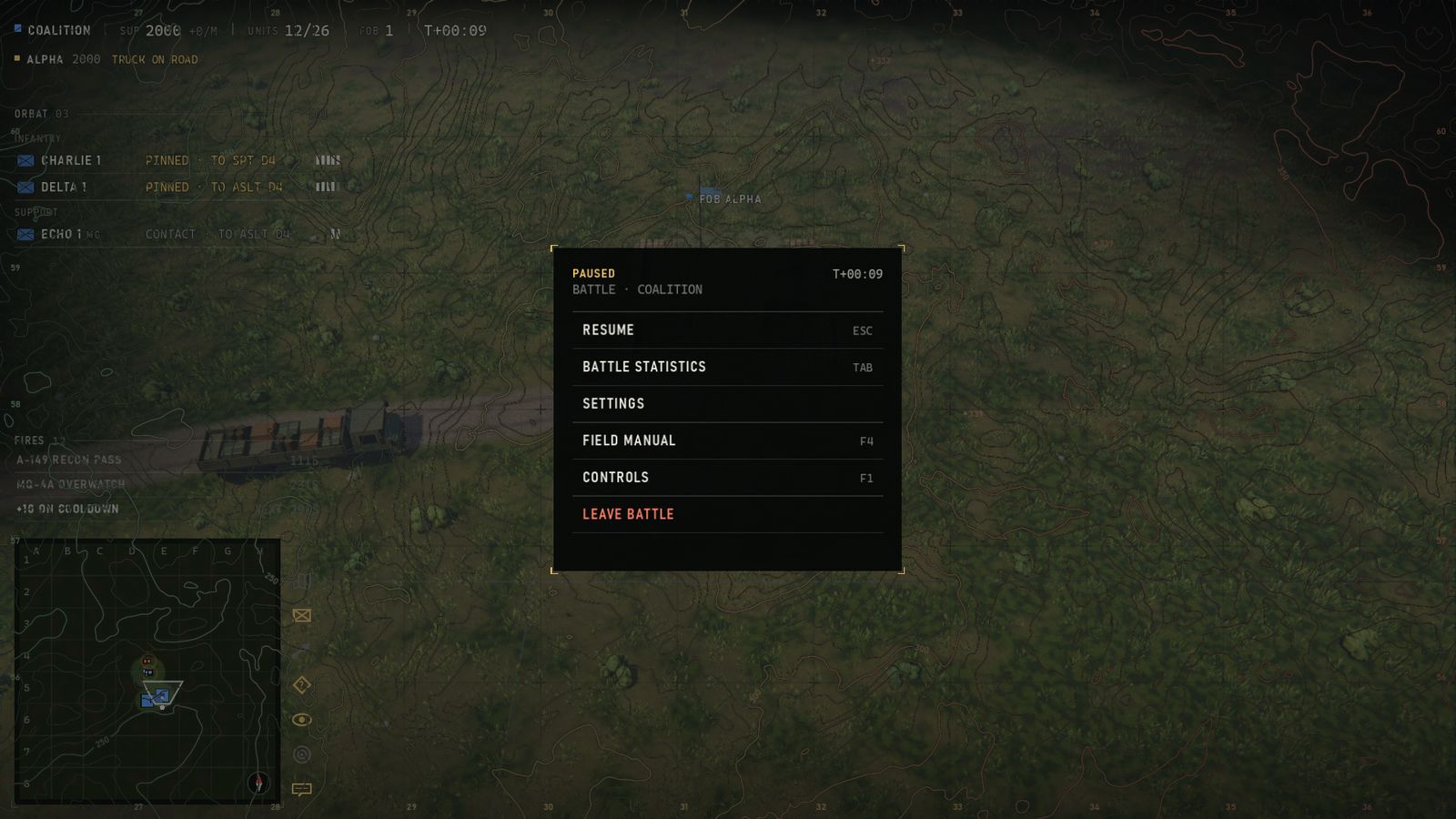
- No more boxes: the status line, the order of battle, fire support, the selection and the orders sit on the
battlefield over a soft darkening at the screen's edges, with thin rules between rows. - Short codes: each squad's line says what it's doing in a few characters (
PINNED · TO SPT D4,MOV E8),
supply readsSUP 2115 +230/M, the clockT+04:31, and a man's roleRFL,MGorMED. - Fire support lists the missions that are ready; the rest fold into one line with the next one's countdown.
- Orders are a grid of keys, the order you're giving lit up.
- The selection shows the squad's state once, its plan's stages, and a cell for each man with his role.
- Alerts come in three levels: a plain line, a yellow caution and a red warning that flickers in.
- On the battlefield base and town names, hover cards and cursor hints lose their boxes, and
+115 SUPis a
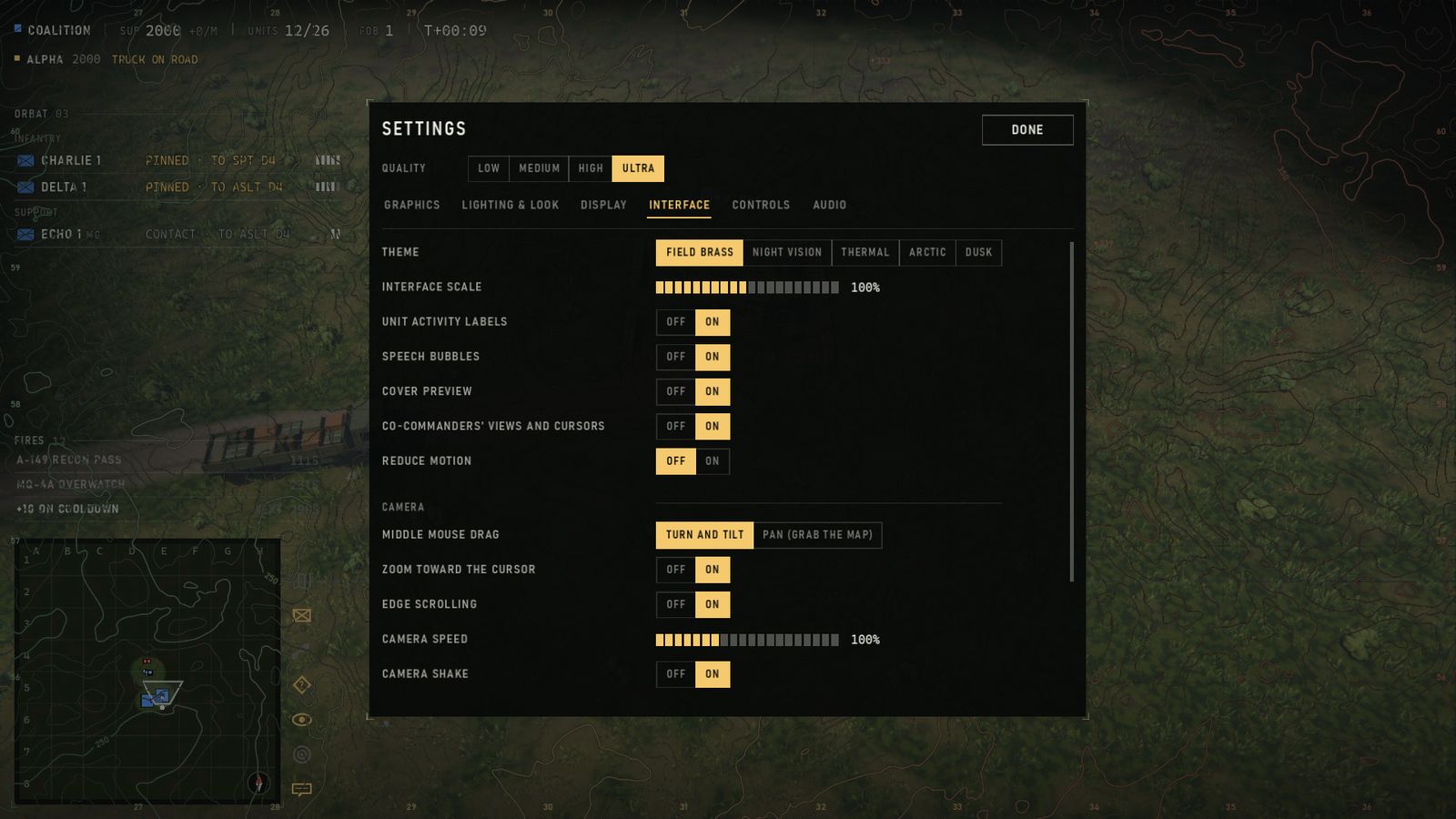
small tag rather than the biggest text on the screen. - Settings: on/off and short choices are rows of segments, amounts are counted bars, and the tabs are
underlined. New: Settings > Interface > Reduce motion makes everything appear at once instead of typing or
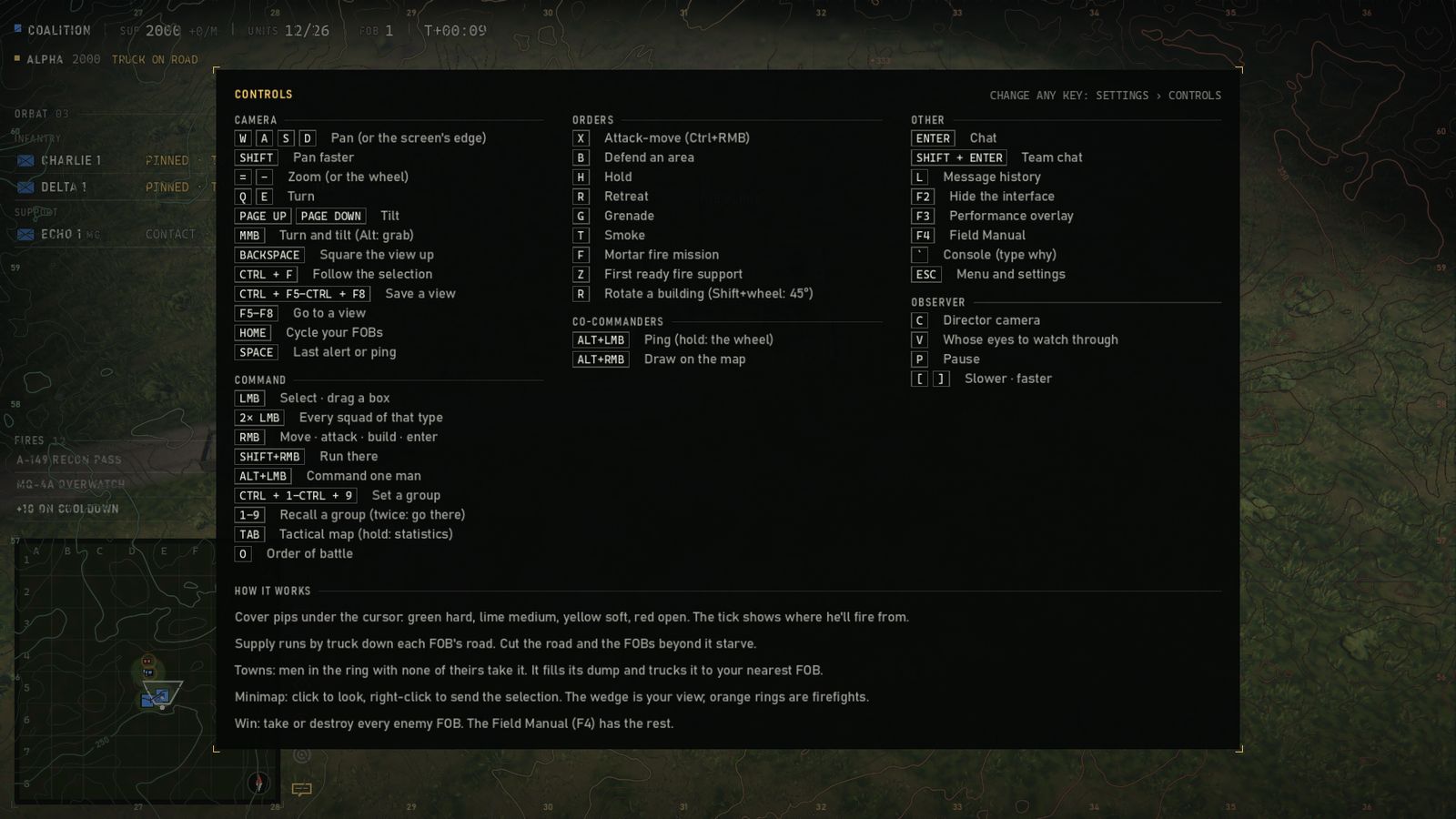
flickering in. - F1 is a key reference in three columns, using your own key bindings, instead of a page of paragraphs.
- The message history (L) opens in place of the latest messages, only as tall as what's in it.
Fixed
Website links work again after an uninstall
If the links from the website were taken away (uninstalling another copy of Frontline, or a registry cleaner), the game never claimed them back, so Join, Find Match and signing in on the website did nothing. Starting the game sets them up again now.
- Each time it starts, the game checks that your system still opens website links with it, and sets them up again
if not. - With more than one copy of the game, links open the one you started last.
Get it
The game updates itself. To install it, download Frontline-windows.zip, Frontline-macos.zip or Frontline-linux.zip below, or from the website, unzip it anywhere and run it (on a Mac, move Frontline to Applications first).
The whole history, with pictures: Changelog.