Repository navigation
Releases
Frontline v2.0.2: Rooms and narrow spaces take their skylight from the world round them

New
Rooms and narrow spaces take their skylight from the world round them
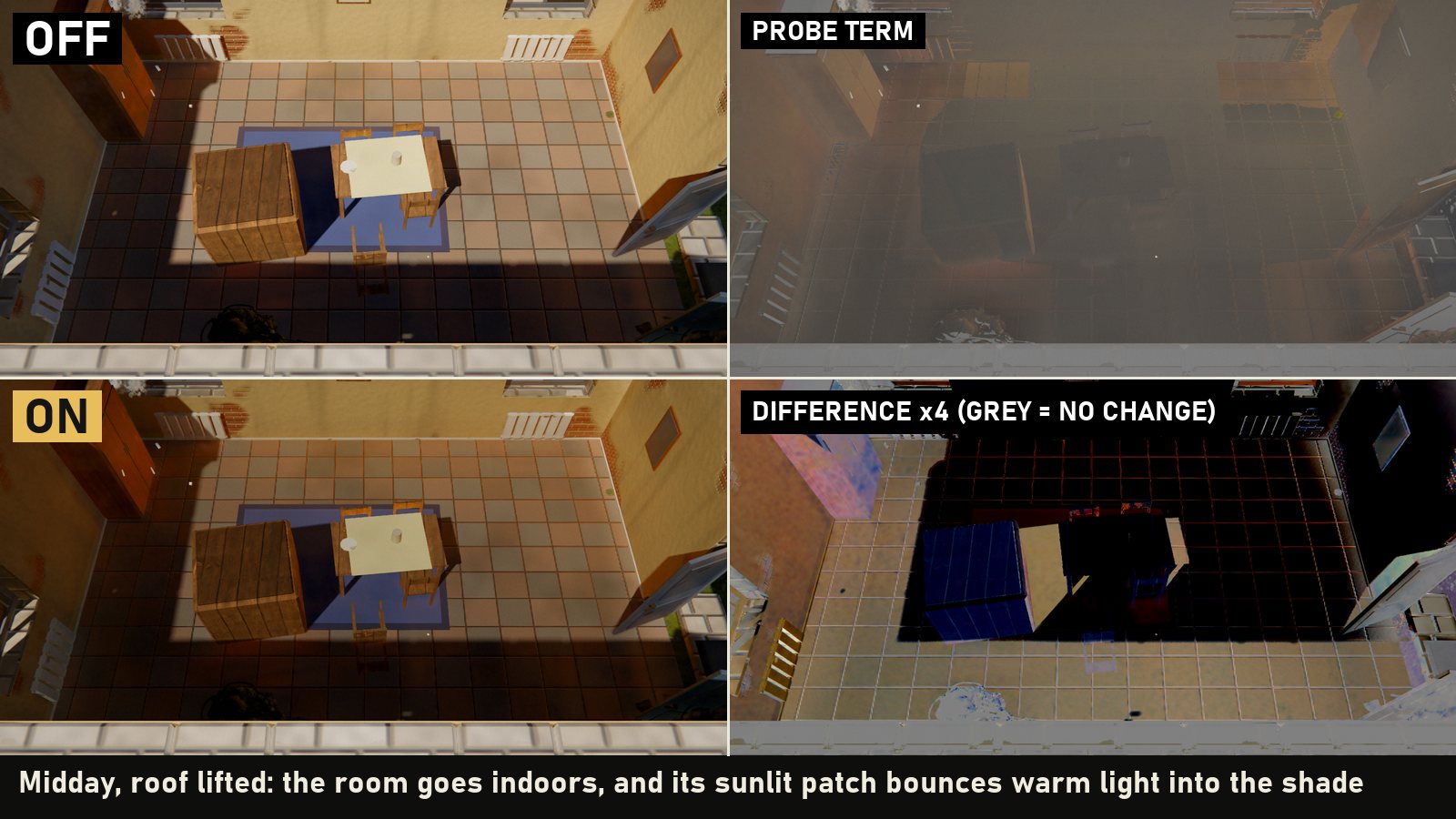
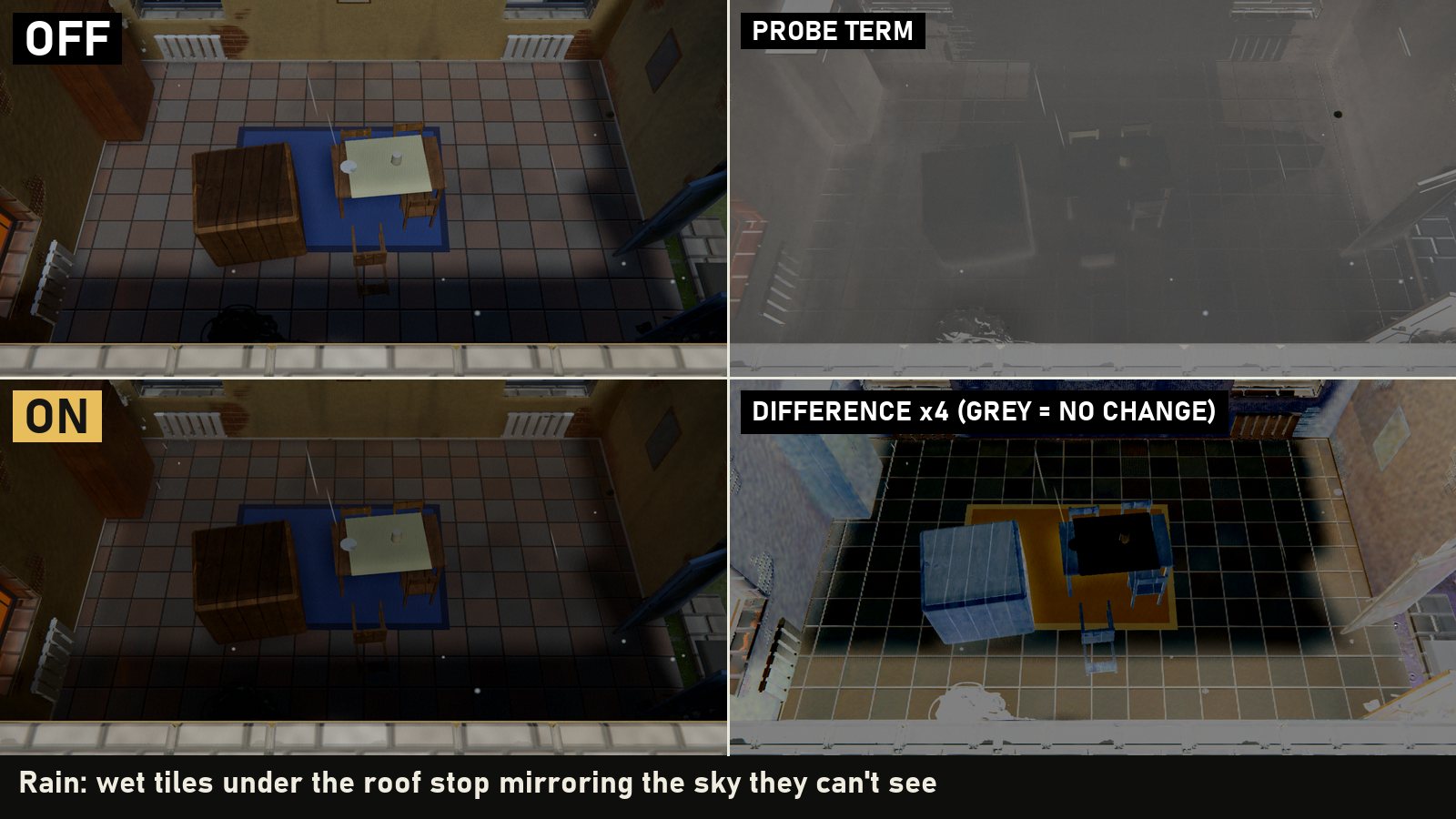
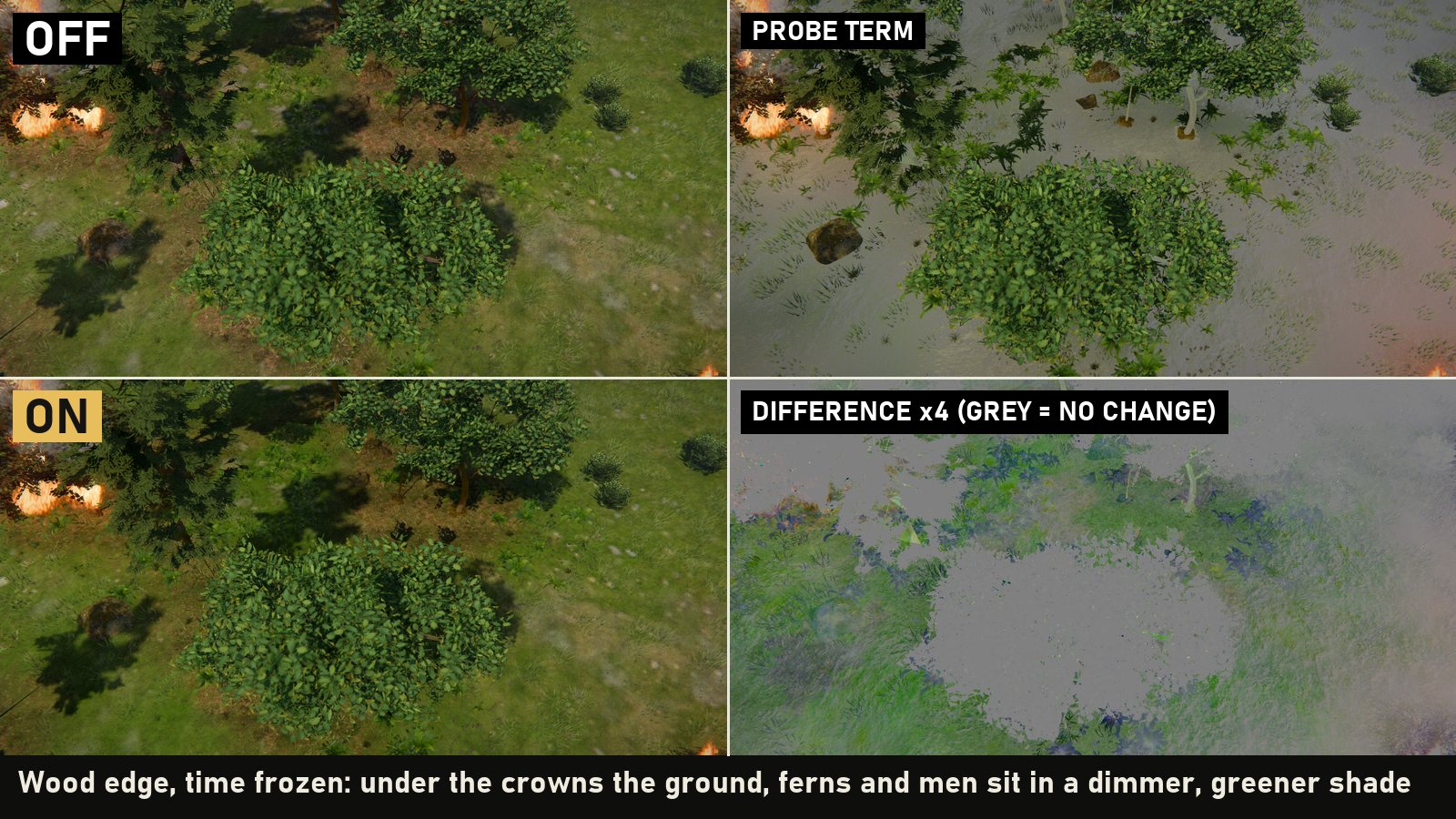
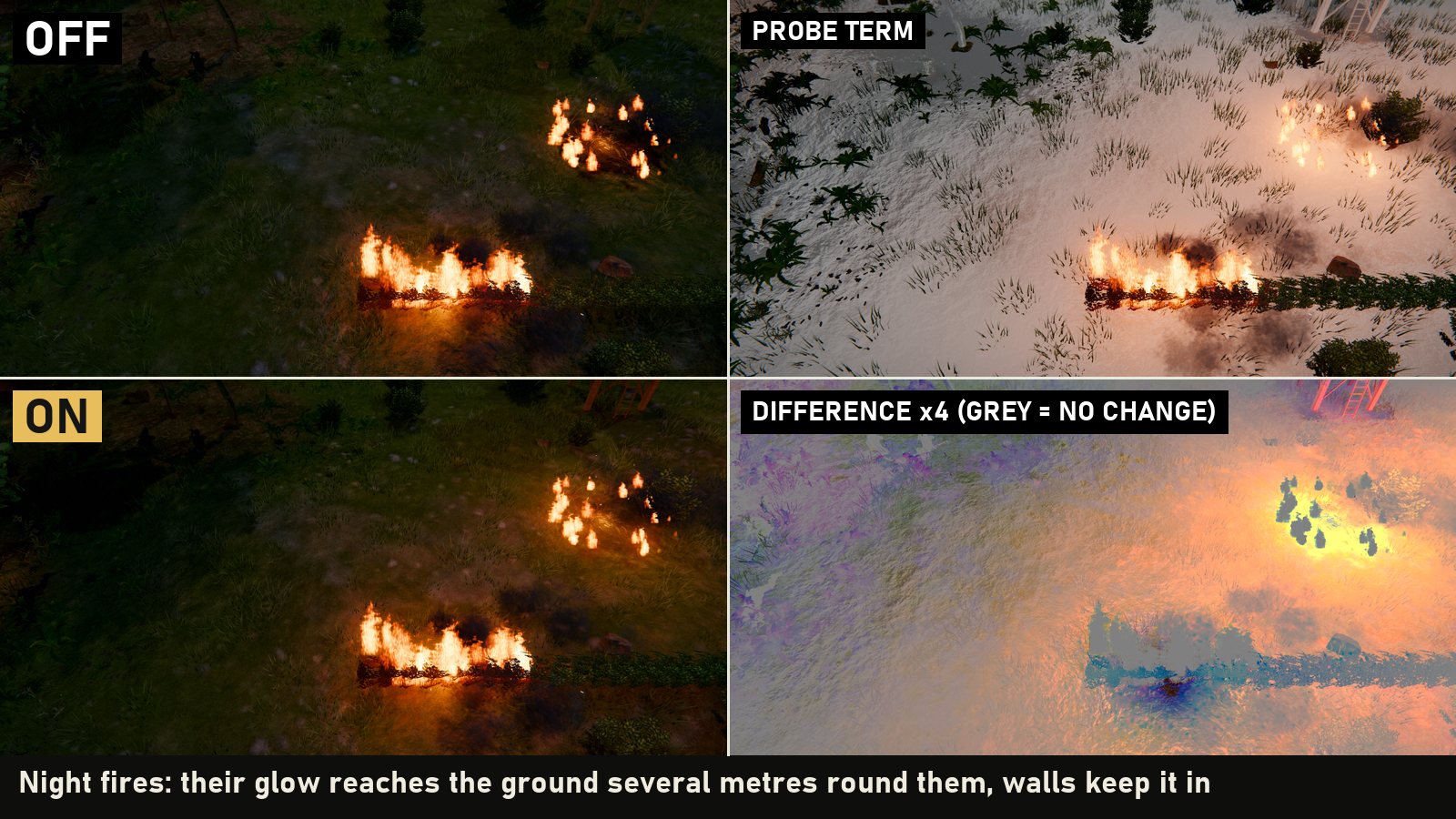
Light probes work out how much sky every room, wall foot, wood and street can see. Rooms stay dim indoors with their roof lifted, wet floors under a roof stop mirroring the sky, woods sit in a green shade, fires glow on the ground round them, and open ground looks as before.
Watch: The same frame with the probes switched off and on every second: the room goes indoors, its shade lifted by warm bounce. (Direct WEBM)
Explore this change
- Shade from the sky: the foot of walls and the ground between houses see less of the sky than open ground,
so they take less skylight and less of the cool fill light. Open fields and roof tops look as before. - Bounced light: a sunlit patch on a floor or wall throws warm light into the shade round it, so a room's
dark corners are dim, not black. - Reflections know what's overhead: wet floors indoors, under eaves and in trenches no longer mirror the bright
sky they can't see; they reflect the room round them instead. - Woods: under the trees the ground, the grass and ferns on it and the soldiers sit in a dimmer, green-tinted shade.
- Fires and street lamps throw a little warm light on the walls and ground round them, past where their own
light reaches, but not through walls. In the browser, which has no fire lights, this is the glow fires give. - No light through walls: the floor along a wall indoors and the top of a wall no longer pick up light from
the other side. - It keeps up with the battle: houses blown down, trees felled or burnt, doors flung open, trenches dug and
new craters change the probes round them within a moment. A fresh crater's bowl sits in a little shade of its own. - Follows the time of day: with Time passes on, the light bounced round rooms and streets dims and reddens with
the evening and follows the sun across the sky, smoothly, with no visible steps. Rooms at dusk stay dim, not black. - Vehicles and soldiers shade the ground: a parked tank or truck sits in a soft dark pool of its own, and a
standing soldier in a faint one. - Rooms read as indoors: when soldiers go in and the roof lifts away, the room no longer stands in full
sunlight. The probes know it's a room and keep it dim, lit by its windows, door and the light bouncing in. - Light probes in Settings › Graphics: High (from the High preset up), Low (only the shade from the
sky; the Medium preset and the browser) or Off (the Low preset).
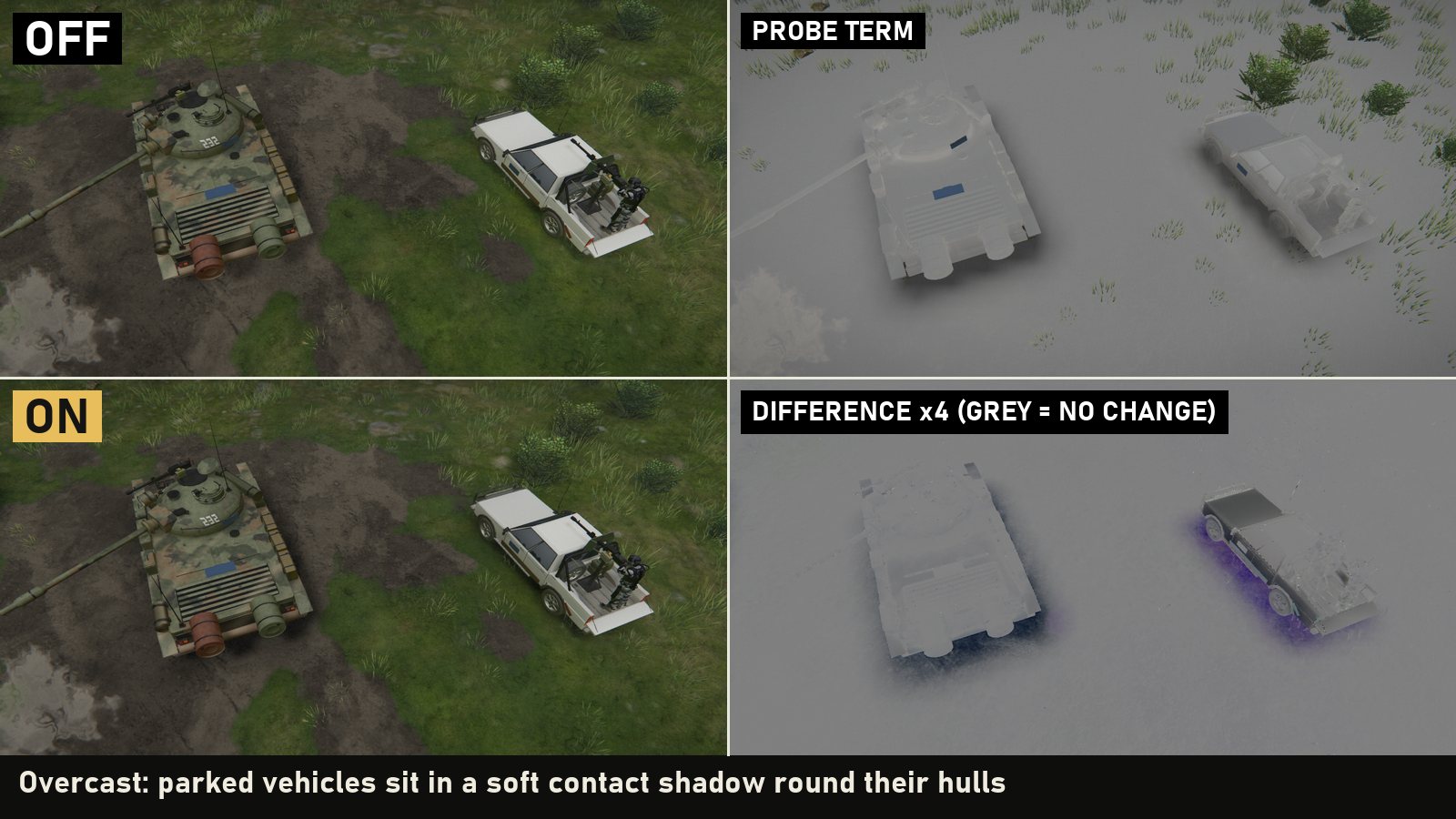
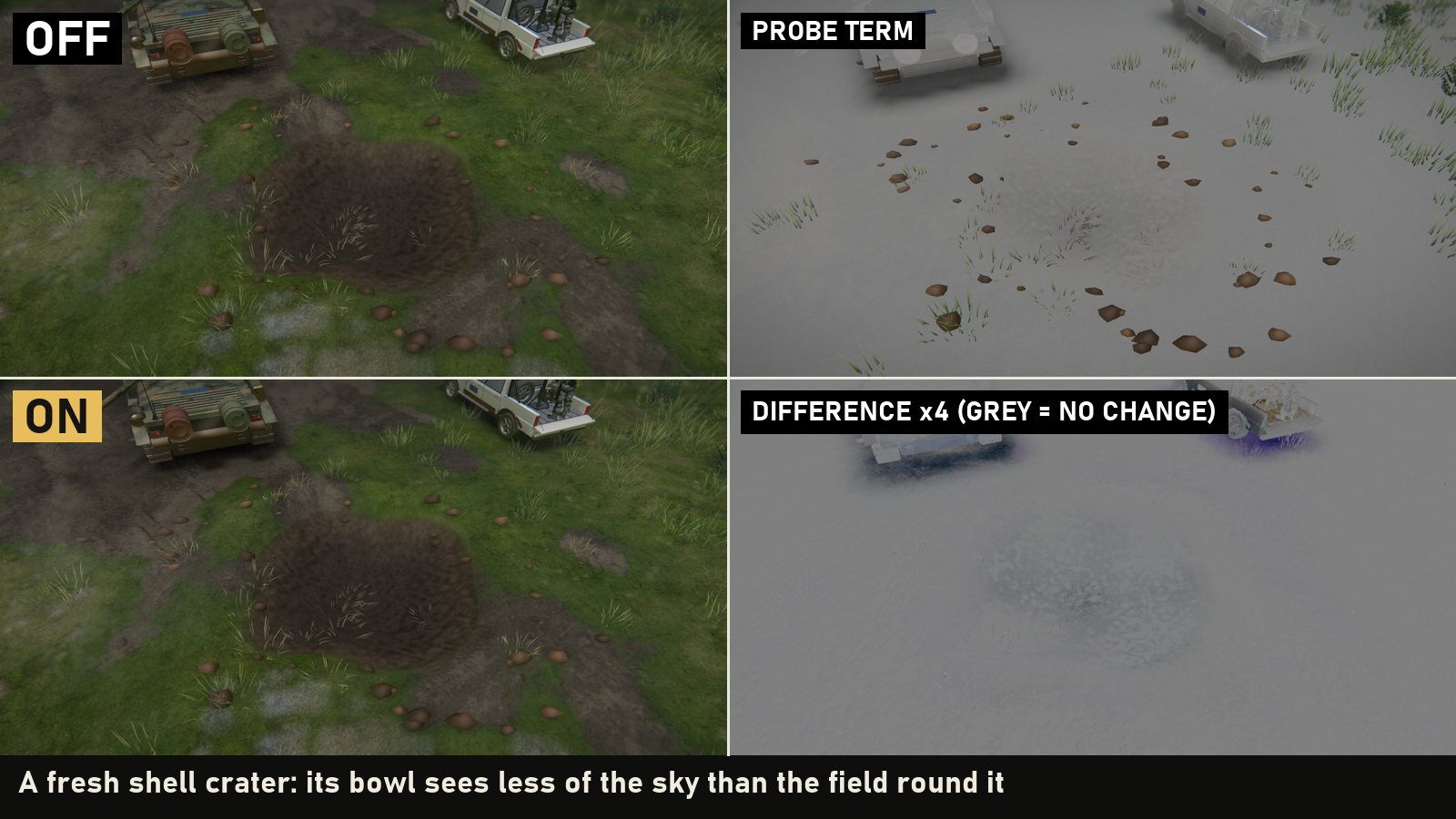
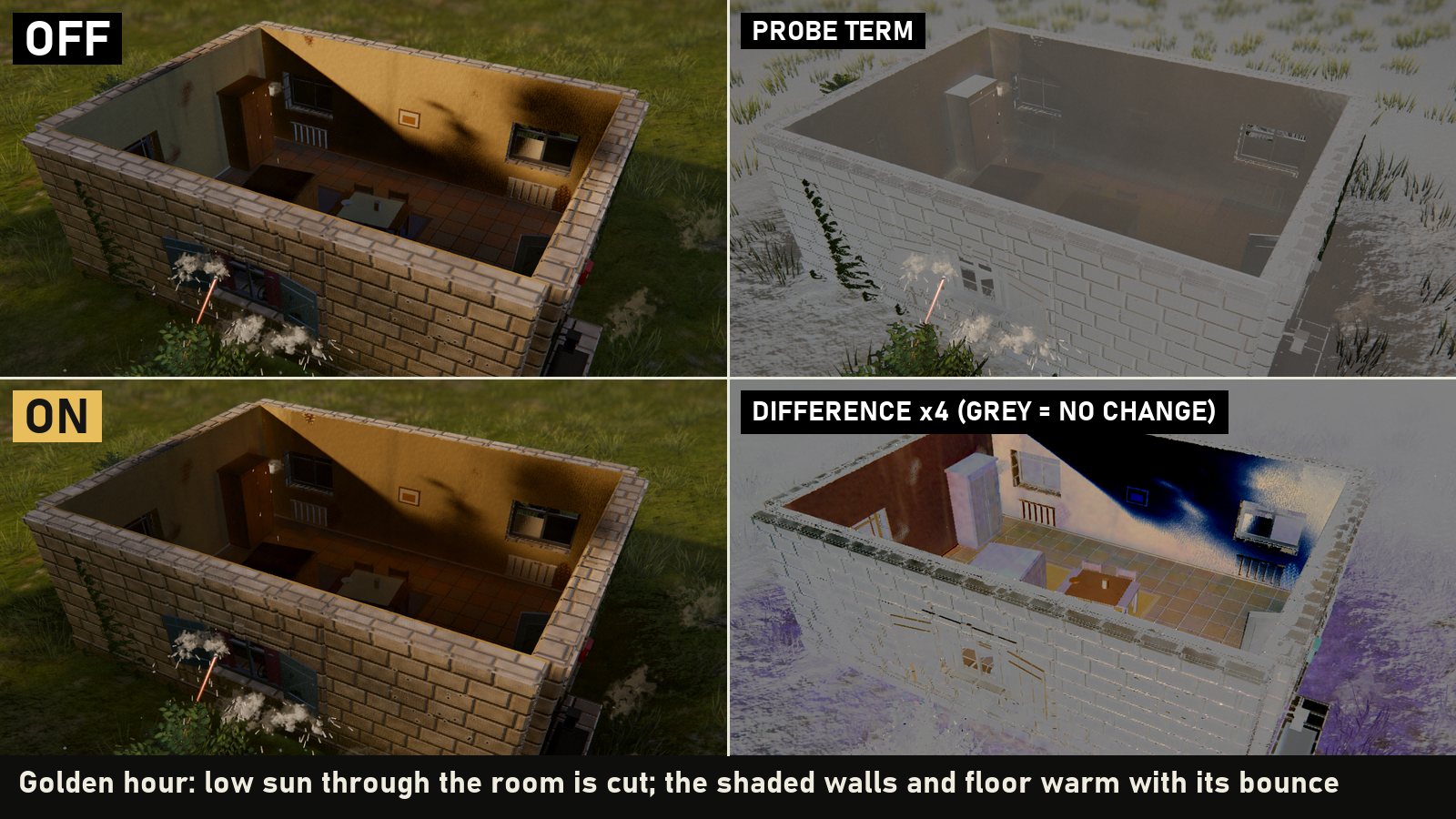
Watch: With Time passes on, a room and a street from late afternoon into dusk, the clock run sixty times over: the light bounced into the room dims and reddens with the evening, smoothly, with no steps as the probes follow the sun. (Direct WEBM)
Watch: A house blown down, the game beside the probe term: within a second the probes are traced again, and the open floor gets its sky and sun back. (Direct WEBM)
Improved
Machine guns fed from open cans
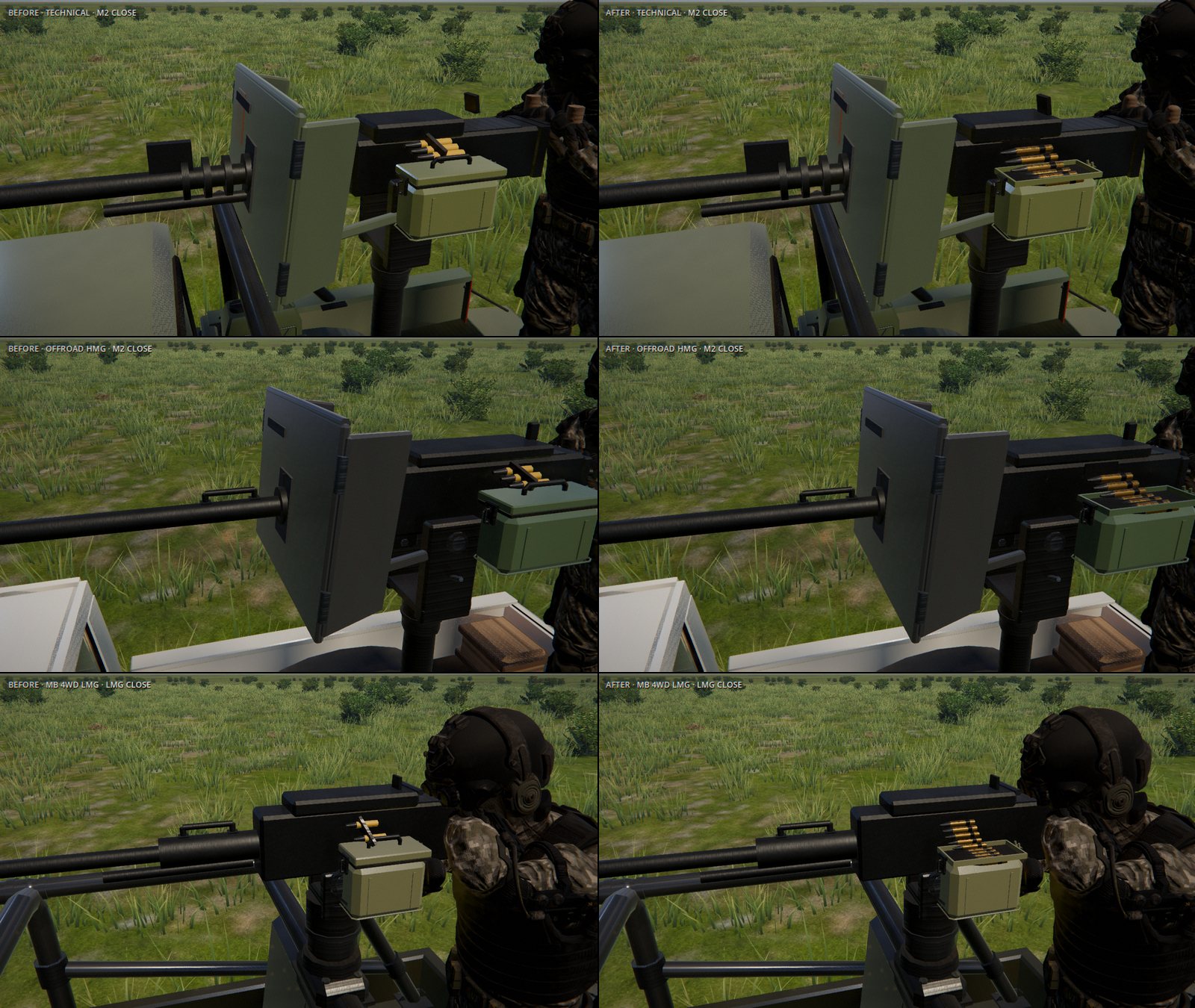
A mounted machine gun's ammunition can is open now, and its belt of brass rounds runs out of it and into the gun, instead of three rounds floating over a shut lid.
Explore this change
- Belts: every machine gun with a can beside it, from the .50s and DShKs to the 7.62s, is fed by a belt of brass rounds in blackened links. The belt lies folded in the can's mouth, then rises over the lip into the feedway in the gun's side.
- Cans: the can on a gun has its lid off, as gunners leave it so the belt runs freely. Cans stowed in a truck bed stay shut.
- DShK: its rear sight stands on the feed cover instead of floating above the gun, and its wooden spade grips are shaped to the hand rather than ending flat like pegs.
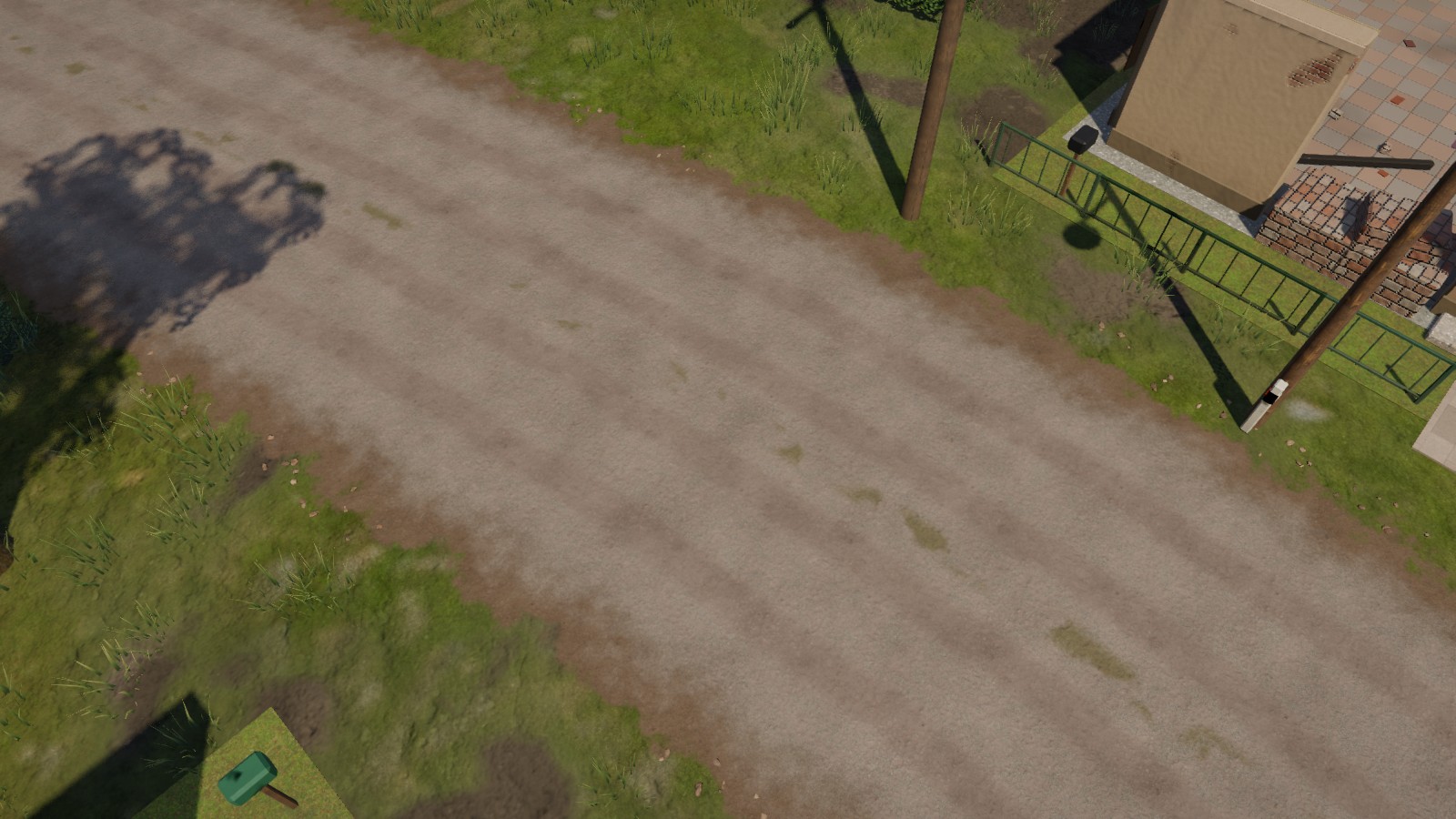
Gravel roads, dirt tracks and weathered bridge decks
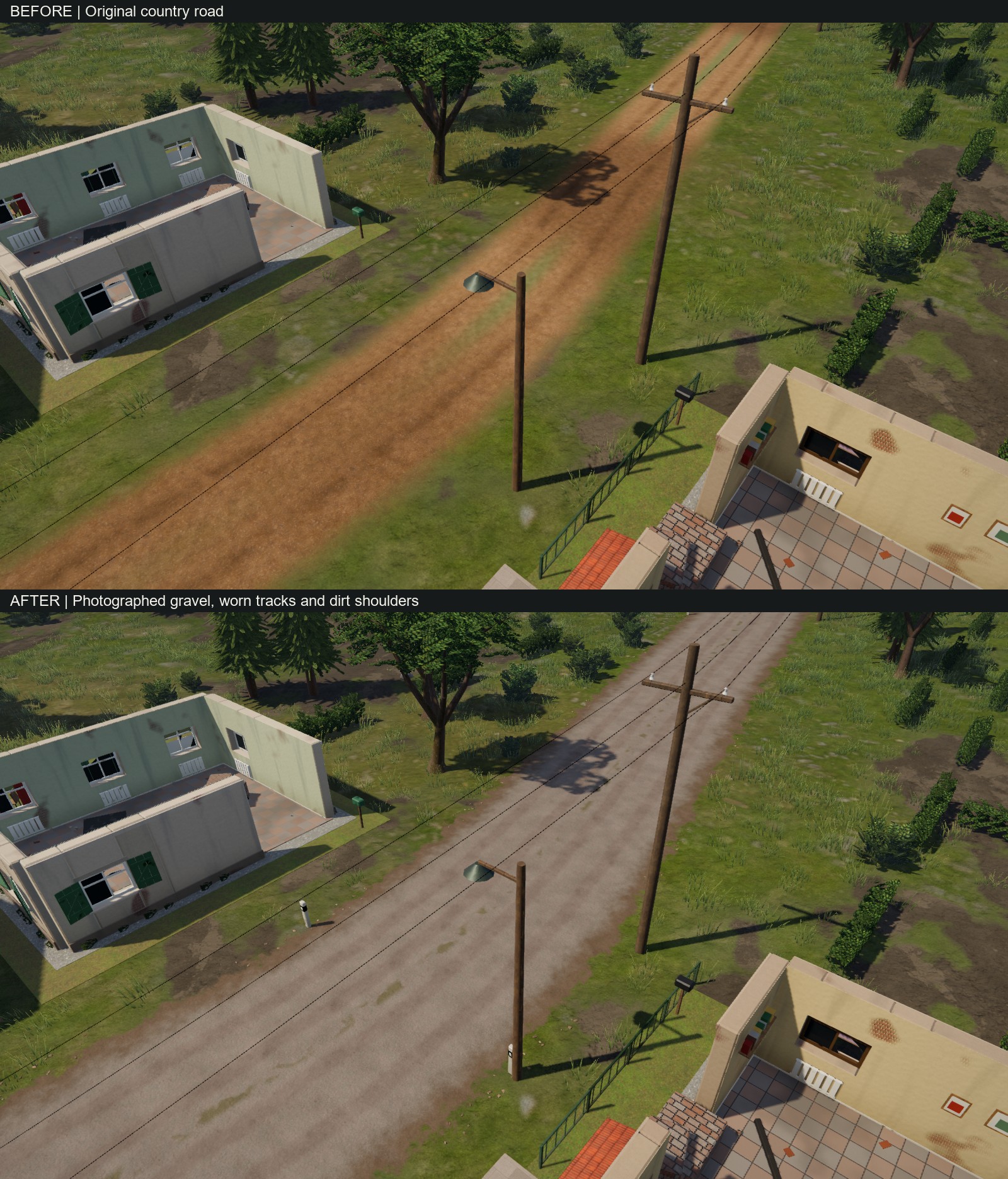
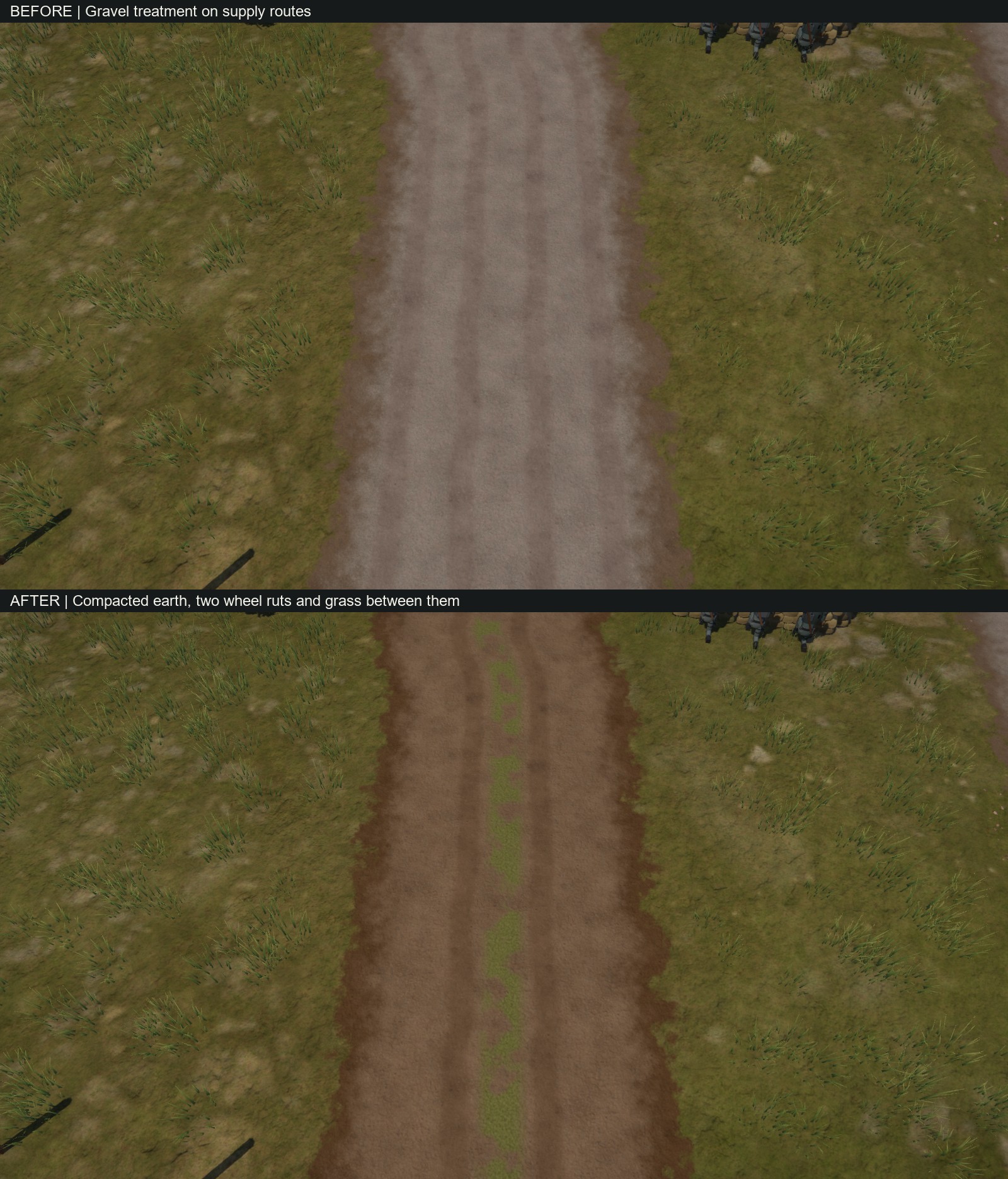
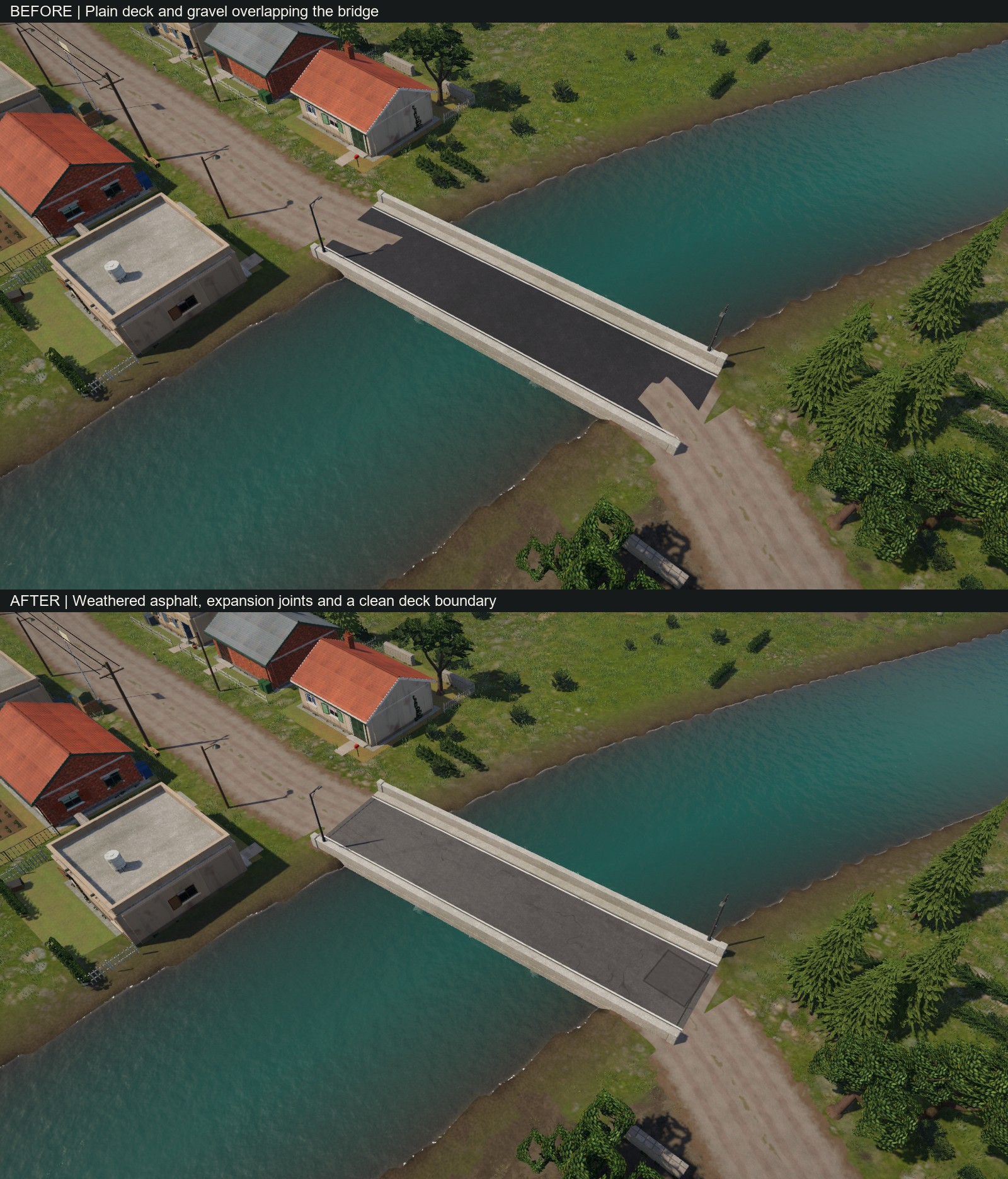
Country gravel, earth supply tracks and paved bridge decks have distinct surfaces, with worn wheel paths, natural shoulders and cleaner joins.
Explore this change
- Photographed worn road and coarse gravel surfaces replace the smooth sand strip. Compacted wheel tracks contrast with loose aggregate, while narrow patches of grass survive between them.
- Irregular road edges expose darker soil before meeting the grass. Rain darkens the fines and collects in the wheel tracks.
- Sparse reflector posts and small loose stone deposits frame country routes while keeping junctions, buildings and water clear.
- Road surfaces follow the ground in shorter panels, with a shallow crown on unpaved routes. Town kerbs and the driving width stay the same.
- Supply tracks have darker earth and two compacted wheel ruts, with a wider, broken strip of grass between them.
- Bridge decks use weathered asphalt and worn road paint, with expansion joints. Gravel no longer overlaps the deck in jagged wedges, and the bridge surface responds to rain.
- Dust trails onto town paving at gravel entrances; concrete driveways are divided by fine slab joints.
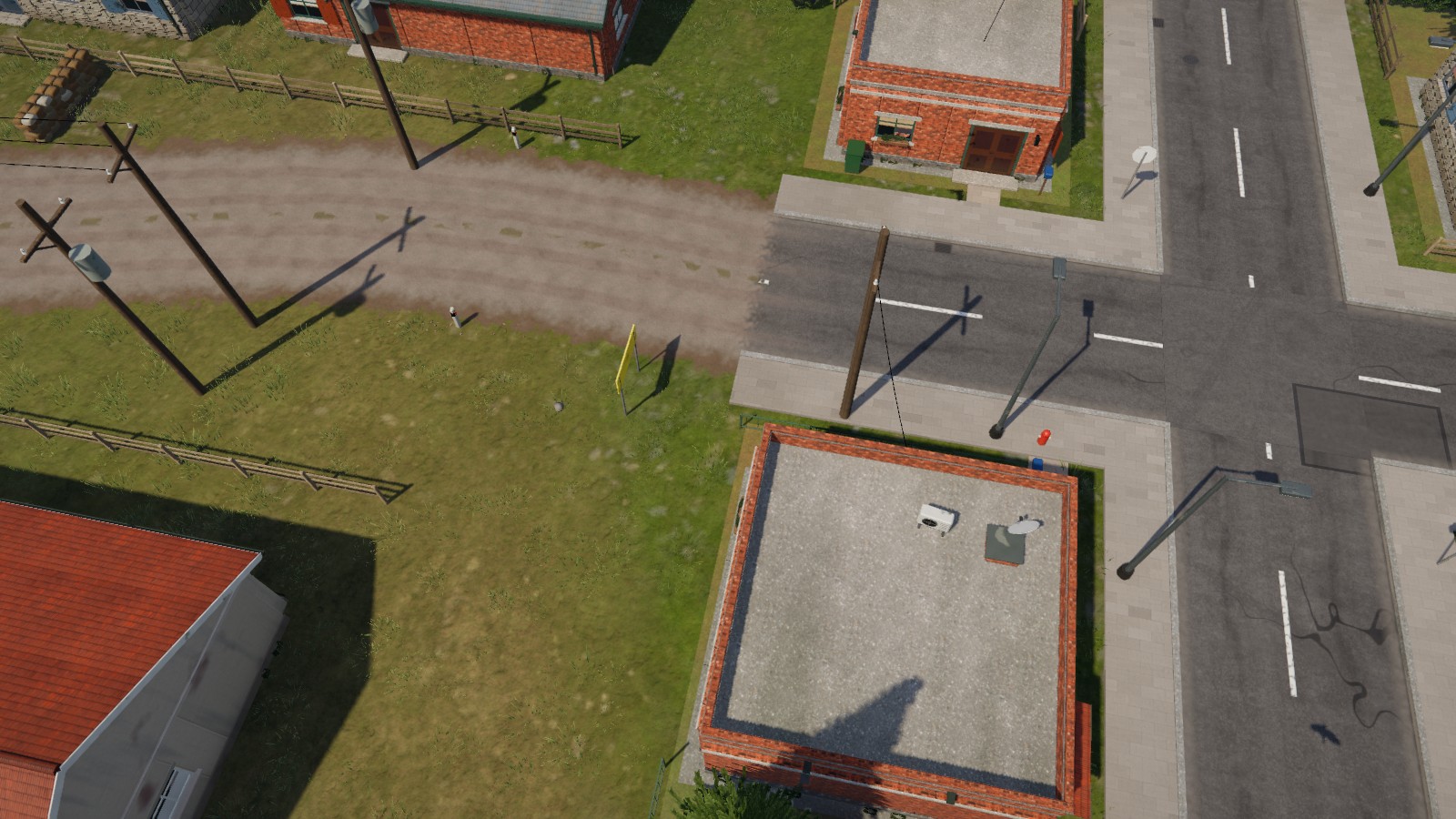
Trenches fitted out, with dugouts to shelter in
Finished trenches are sandbagged and revetted, with ladders and dugout entrances. Squads shelter in their dugouts under shellfire and stand to when it lifts.
Watch: Rebel fighters on the fire step come under mortar fire, run along the trench to their dugout leaving a sentry, then stand to when the barrage lifts. Played at 1.5x speed; the mortar barrage is a controlled demonstration. ([Direct WEBM](https://raw.githubusercontent.com/Dynasty9/Frontline/v2.0.2/ch...
Frontline v2.0.1: Choose how good the AI is
New
Choose how good the AI is
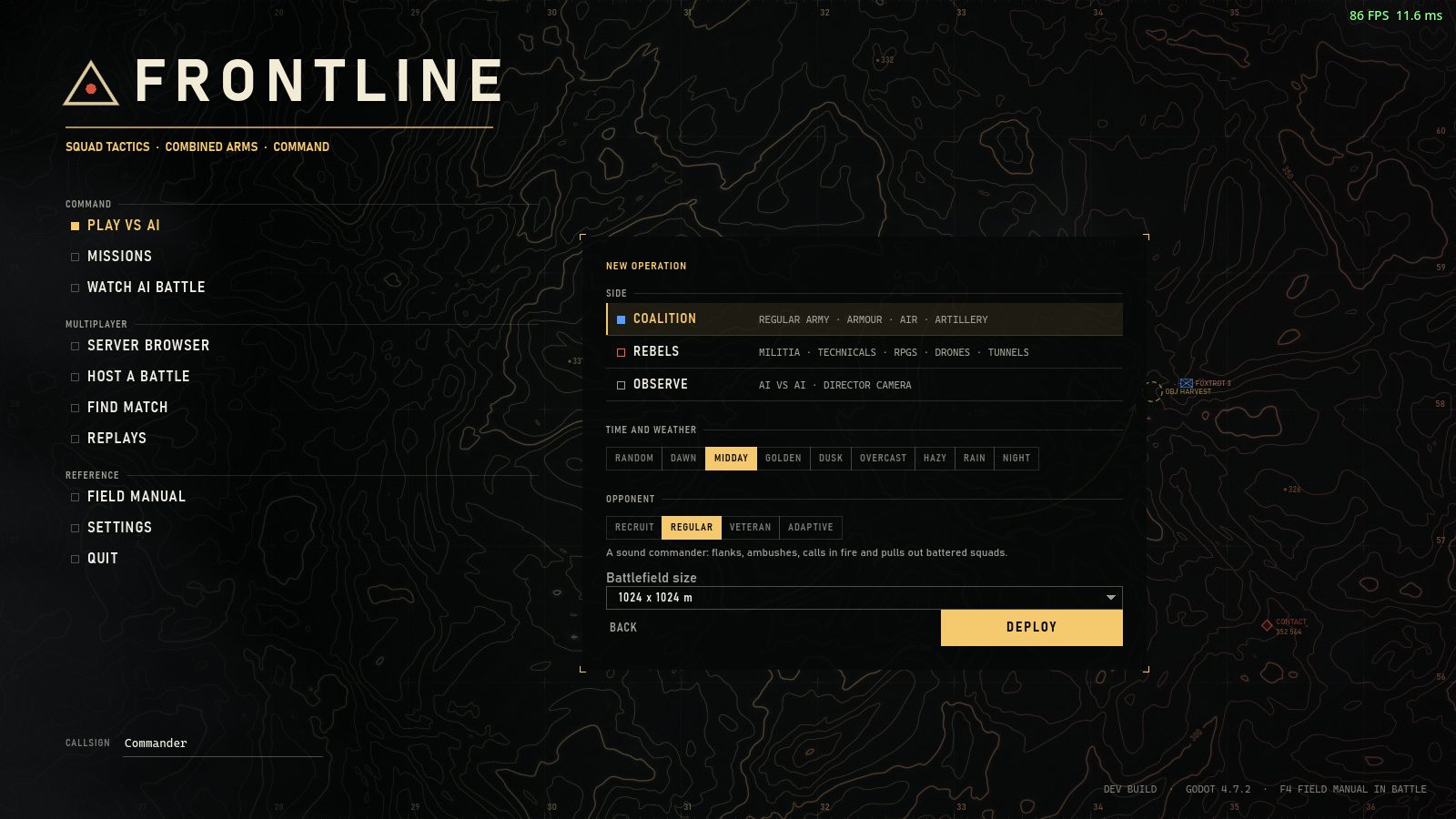
Play vs AI and the lobby now set the AI commander's level: Recruit, Regular, Veteran, or Adaptive, which eases off when you're losing badly and presses harder when you're cruising.
Explore this change
- Recruit is slow to react and slow to push out new bases, attacks piecemeal and straight at you, never lays ambushes, scouts or calls for
help, fires only on big targets and leaves battered squads in the fight. Its lorries carry 15% less. - Regular is the AI as it has been: it flanks, ambushes your roads, calls in fire and pulls out battered squads.
- Veteran reacts quickly, gathers bigger attacks, fires on smaller groups, scouts more and saves its squads
sooner. Its lorries carry 15% more. - Adaptive starts as a Regular and, every minute, weighs the battle: well ahead, it eases off; well behind,
it presses harder. - The level applies to every AI in the battle, including one fighting beside you in co-op. Supply only changes
for a side no player commands, so an AI ally never costs you anything. - The loading brief and the status line show the AI's level.
Bounce light: sunlit walls and streets light each other
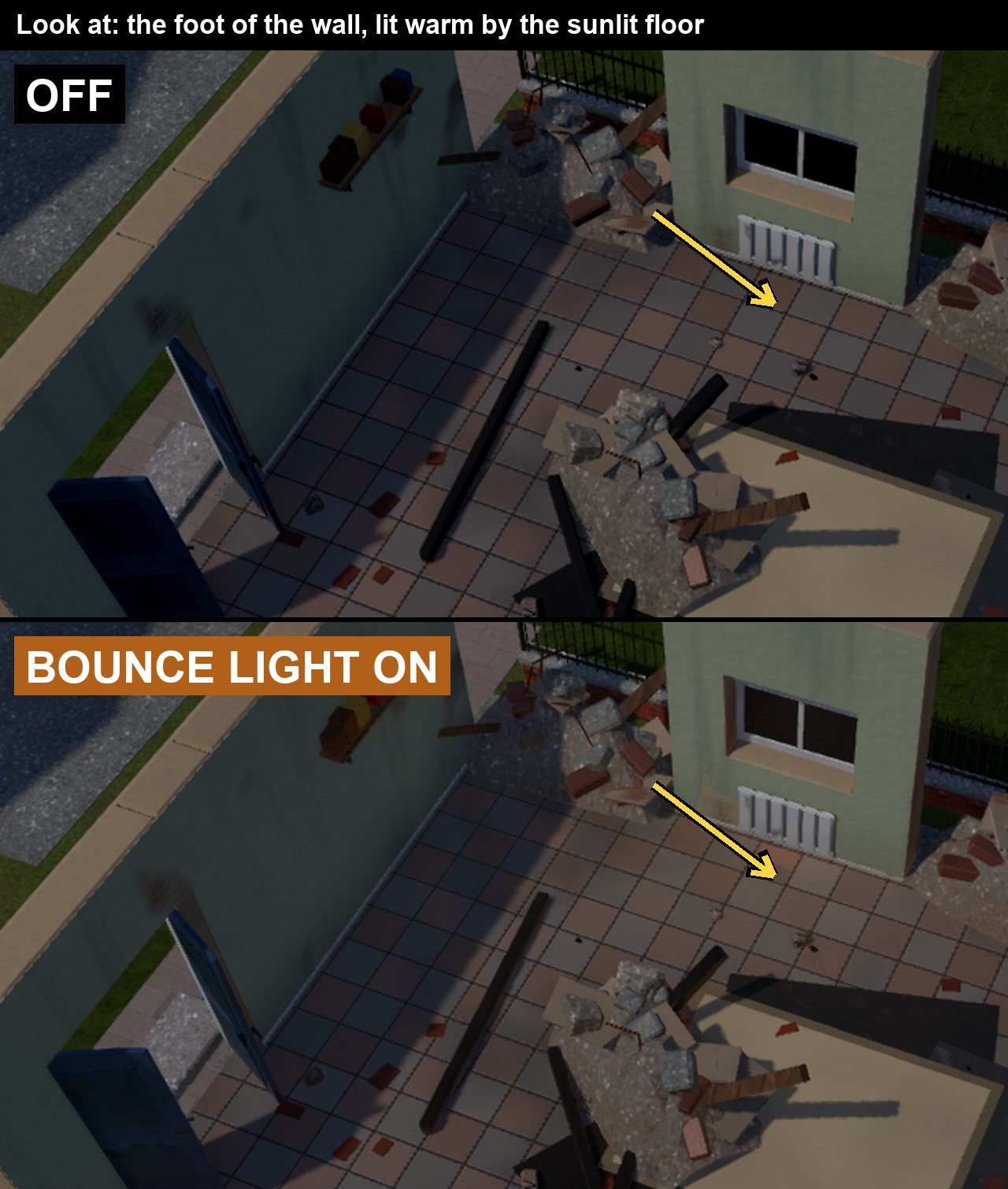
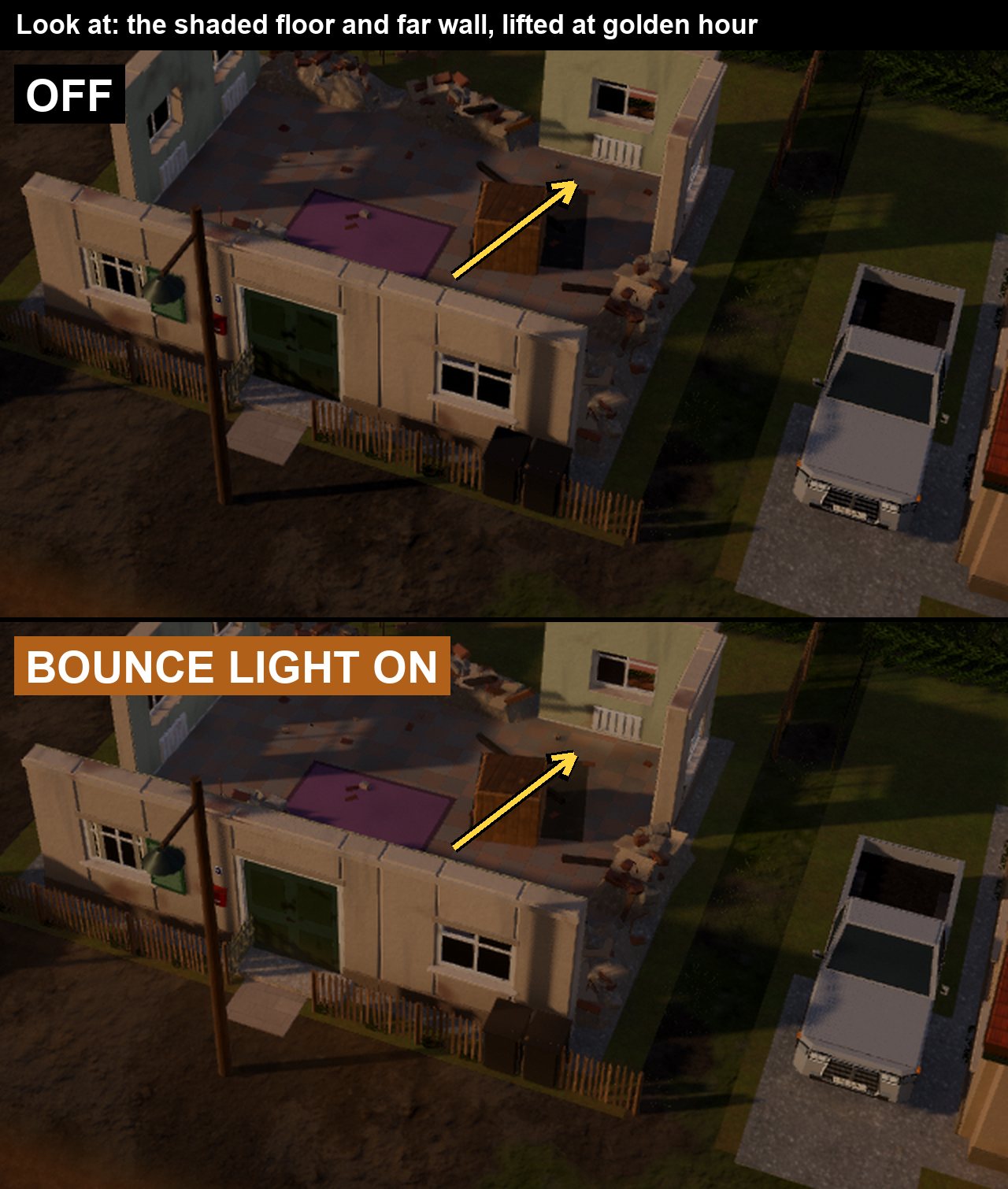
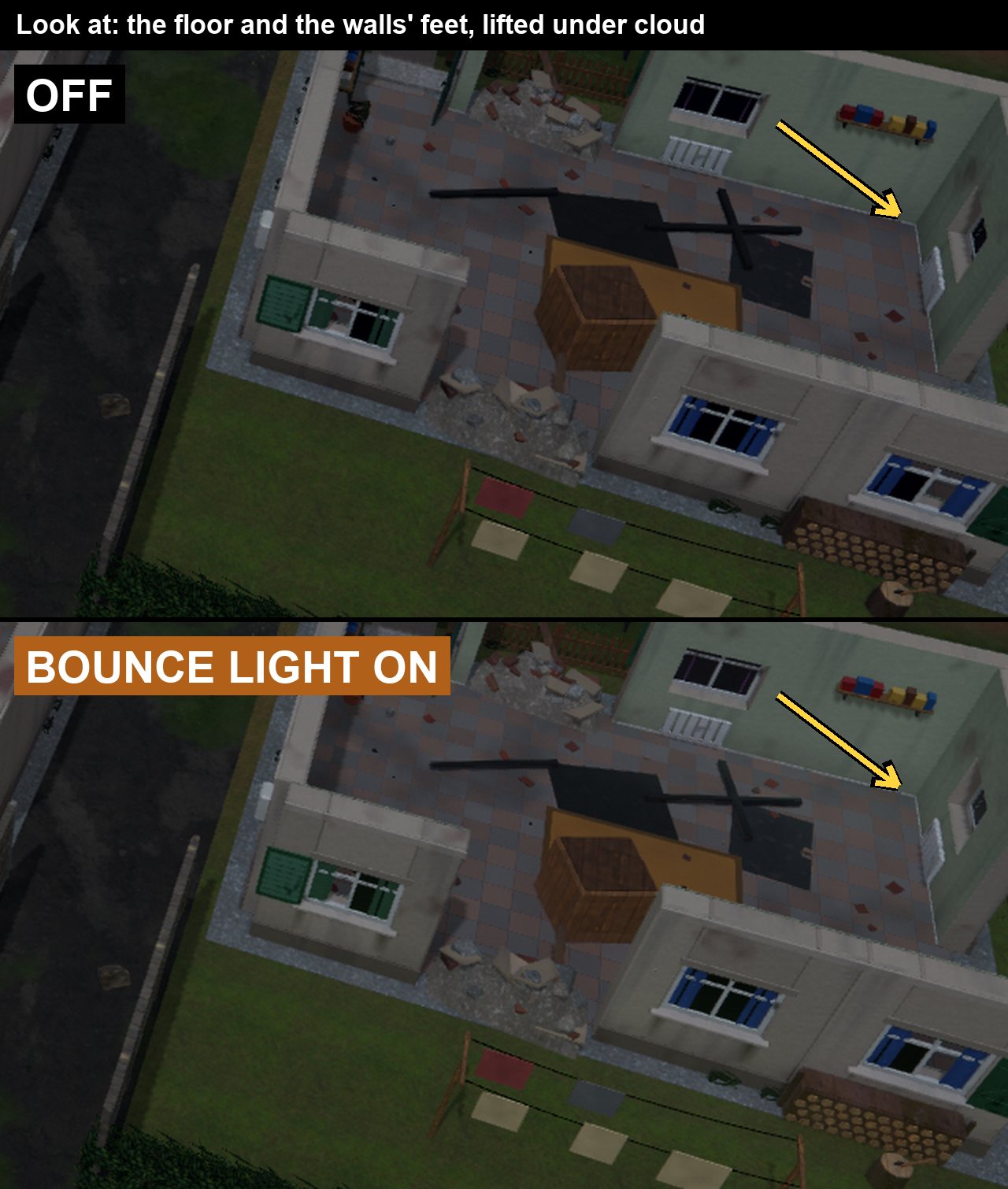
Sunlight thrown back off walls, roofs and roads now lights what faces them, in their colours: a sunlit wall warms the pavement, a plaza lights the statue in it, the floor of a roofless ruin picks up its walls. A new Bounce light setting, on from High.
Watch: Off and on in turn, a second each, on the same frozen frames: midday, golden hour and overcast (the last view, from the usual command height, shows how faint it is from up there). (Direct WEBM)
Explore this change
- What you'll see: shaded walls facing a sunlit street glow with its colour, plinths, benches and kerbs
standing on sunlit paving catch its warmth from below, and rooms open to the sky fill with light off their
own walls, and light carries on from there, so shadows beside furniture and rubble are lifted rather than
black. Sunlit floors light the foot of the walls above them, fading up the wall, and a coloured wall tints
what lies beside it. Open ground, lit by the sky alone, looks as before, and sunlit surfaces aren't veiled. - It holds still while you pan and zoom: the light is kept from frame to frame and moves with the world,
and nothing moving drags a smear behind it. - Settings > Graphics > Lighting > Bounce light: Off, Medium or High (High casts more rays, for less grain).
It's on Medium in the High preset and on High in Ultra and Cinematic, and costs well under a millisecond a frame
on a fast graphics card (at 1600x900 on an RTX 3090, about a third of a millisecond on High; Medium less). - The browser version draws without it.
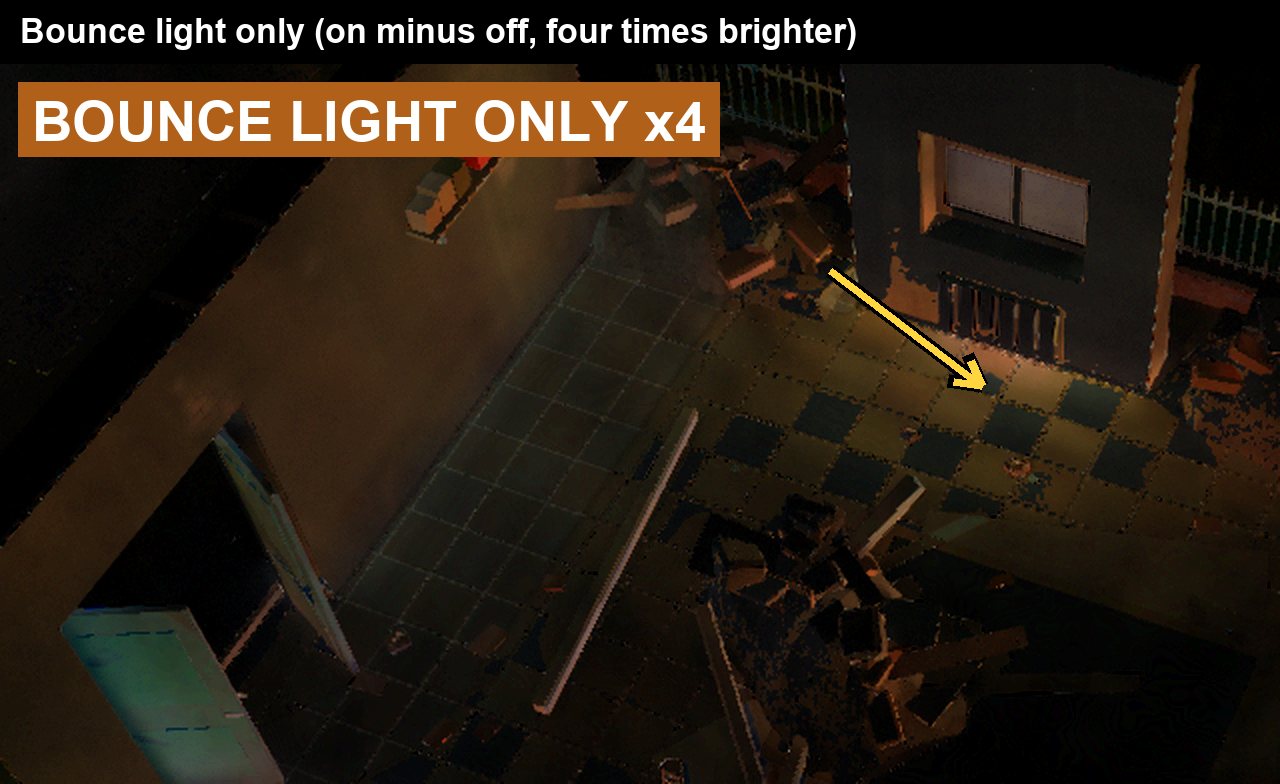
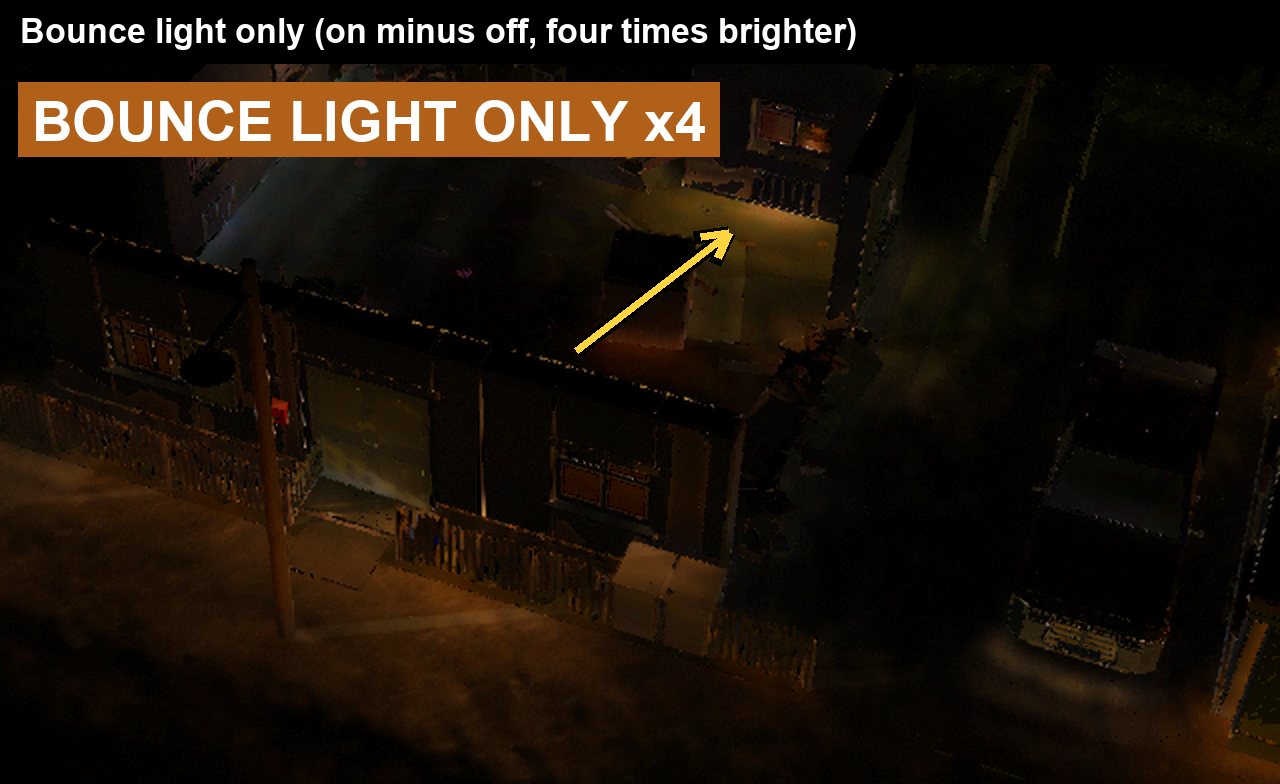
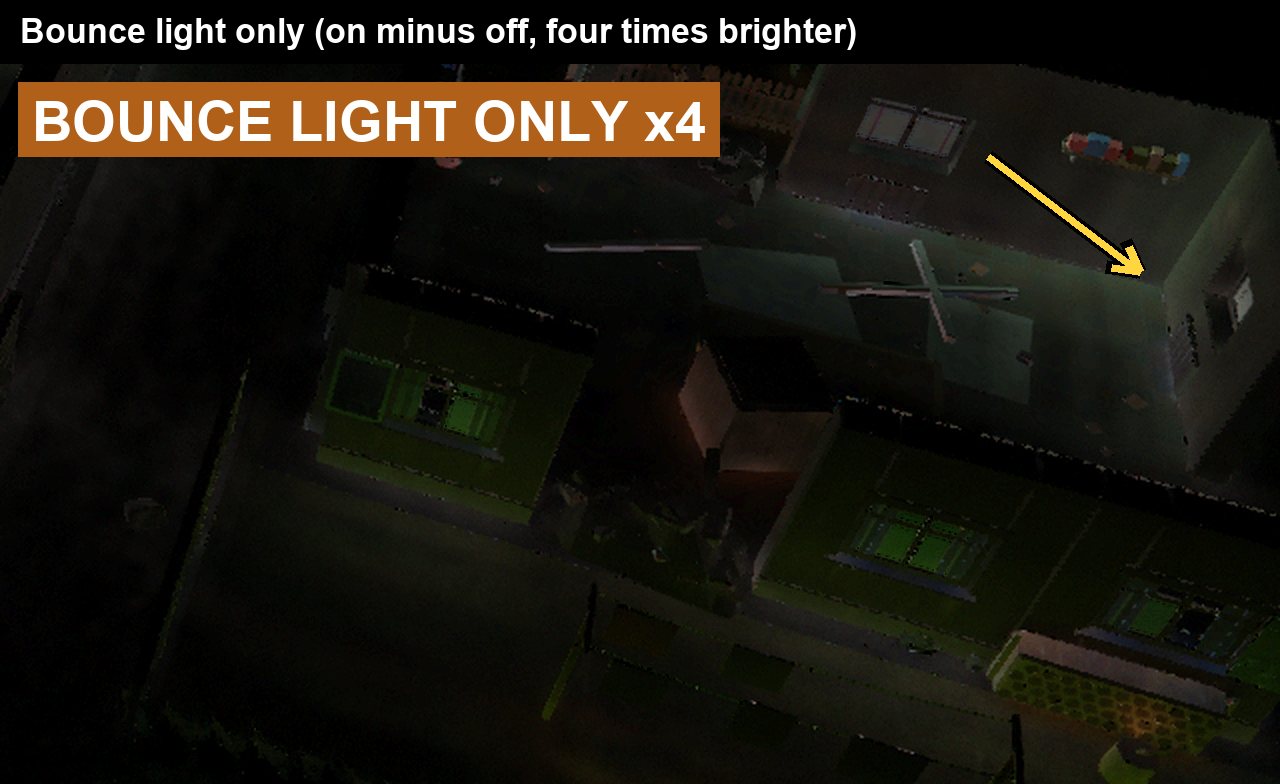
Watch: The bounce light alone (brightened) while the camera pans fast: it stays on what it lights, with no smears or trails. (Direct WEBM)
Furnished houses
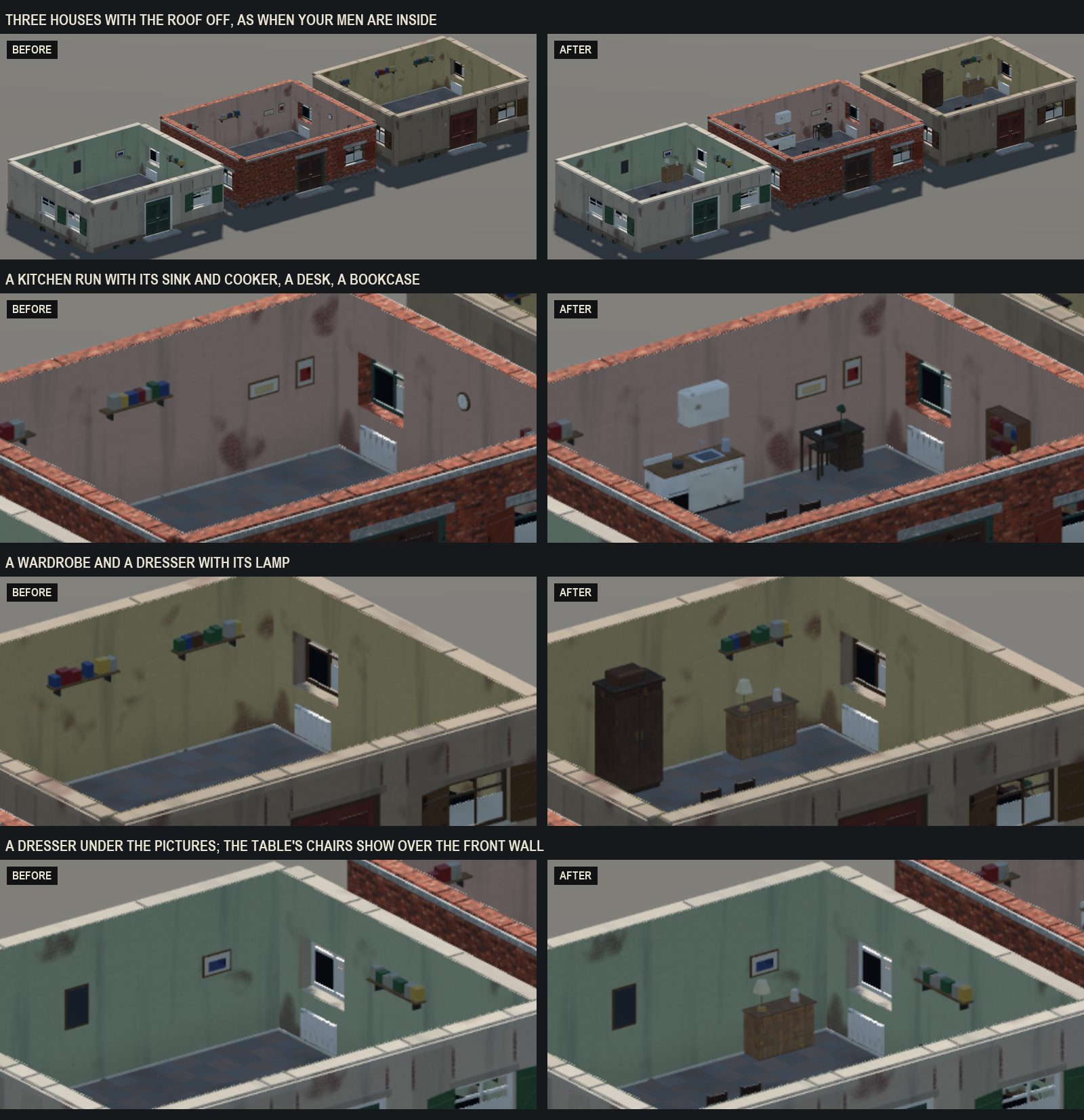
When your men go into a house and the roof lifts, the rooms are lived in: wardrobes, bookcases, kitchens, settees, desks, and a table with its chairs.
Explore this change
- Against the walls without a window or door: a wardrobe (a suitcase on top of some), a bookcase full of books, a dresser with the television or a lamp on it, a settee, a kitchen with its sink, cooker and wall cupboards, or a desk with its chair pushed in. Pictures and shelves hang over the low pieces.
- In the middle of a big enough room: a table with its chairs, a cloth and plates on some, a chair knocked over now and then.
- Furniture is scenery: it doesn't block your men or give them cover.
Bigger houses, on two floors, with wings
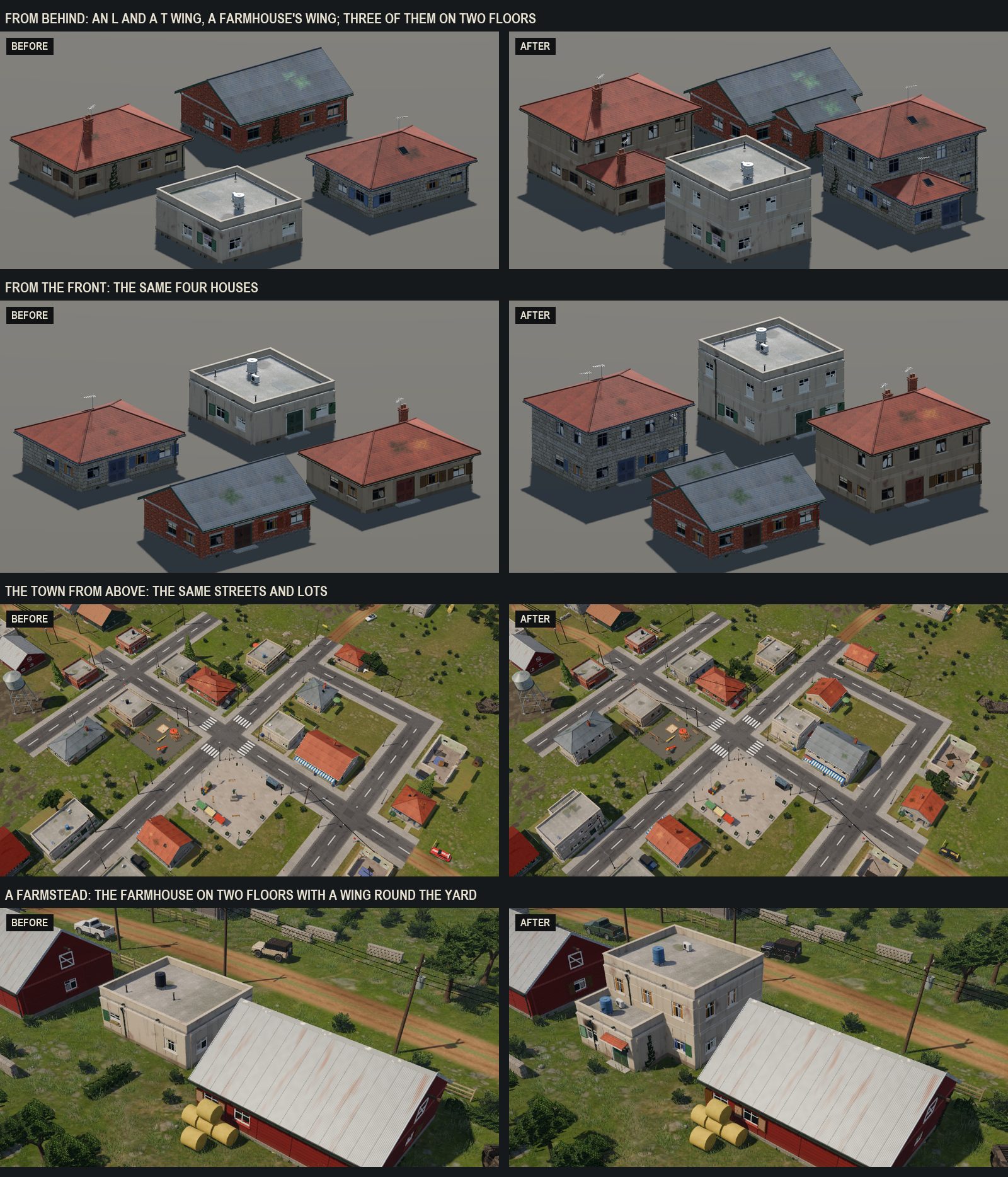
Towns and farms have houses of more shapes and sizes: many of the bigger ones and most shops near the middle are on two floors, some have a wing out of the back, and farmhouses are big again.
Explore this change
- Two floors: many of the bigger houses, most shops near the middle of town (with flats over them) and most farmhouses have a floor above, with its own windows, curtains and a lamp on in some rooms.
- Wings: a wide house with a long garden may have a wing out of the back, at one end (an L) or in the middle (a T), its roof matching the house's.
- The fighting is on the ground floor: the floor above lifts off with the roof when your men go in, and if a wall under it is blown in, the floor above comes down with its roof.
- Streets and lots are laid out as before; gardens keep clear of the wings.
Motion blur, and rain that soaks everything
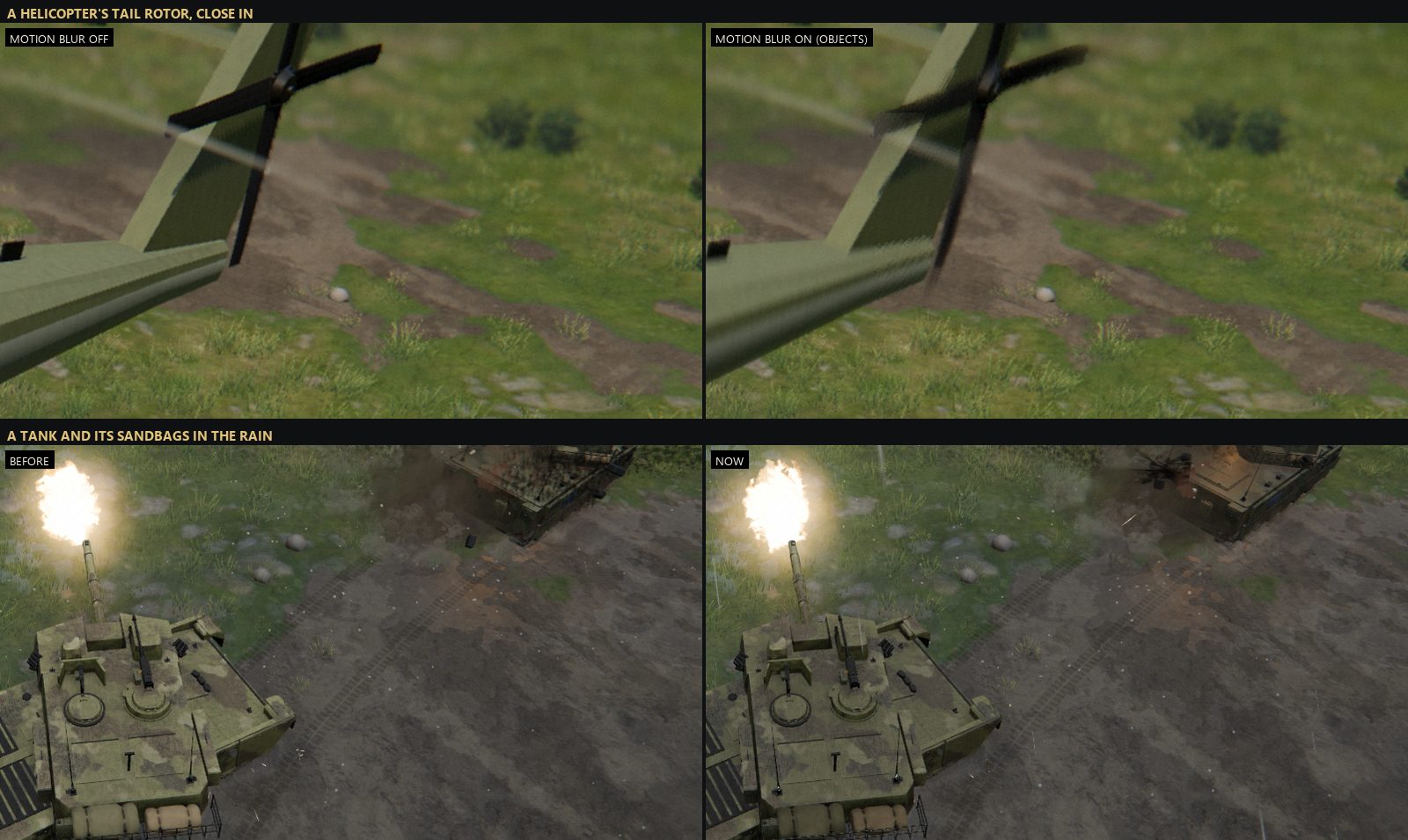
Rotor blades, flung bodies and flying debris smear as they would through a camera's shutter, while your pans stay sharp. In the rain, vehicles, buildings and gear turn dark and glossy with water.
Explore this change
- Motion blur (Settings > Lighting & Look > Camera and lens): Off, Objects, or Objects + camera. Objects blurs what moves fast but keeps the map sharp while you pan; Objects + camera blurs a quick pan too, and Reduce motion keeps pans sharp regardless. The Cinematic preset uses Objects. Not in the browser version.
- Rain on everything, on every preset: in the rain, vehicles, buildings, sandbags and kit take on water as the ground and streets already did. Cloth, timber and concrete darken as they soak; paint and metal take a glossy film; tops get wettest, undersides stay drier, and water runs down walls and hulls in streaks. Rain that starts mid-battle soaks things over half a minute, and they dry over three once it stops.
- Vehicles, cab windows, small street stones and distant explosion clouds now dissolve smoothly between their near and far versions as you zoom, instead of popping.
Streets with their furniture
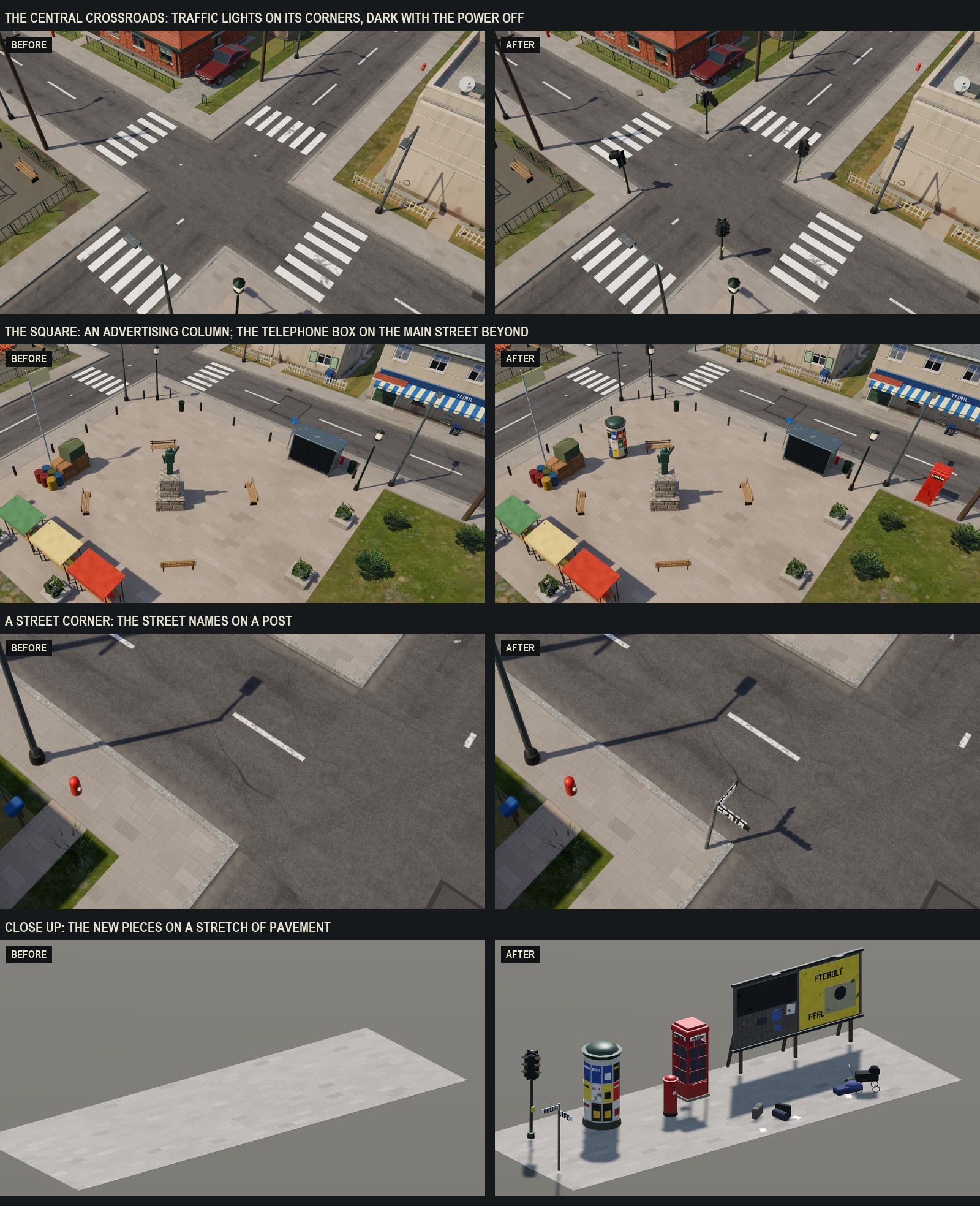
The town's streets have traffic lights (dark, with the power off), a telephone box, post boxes, an advertising column, hoardings, street names, and belongings dropped by people fleeing the fighting.
Explore this change
- The crossroads has traffic lights on all four corners, dark now the power's off; now and then one hangs askew or its pole leans where something hit it.
- The main street has a telephone box (a pane or two shot out) and pillar post boxes; the square an advertising column pasted round with posters.
- Hoardings stand over car parks and bombed-out lots, their posters half torn away on some.
- Street names stand on posts at the junctions.
- On the pavements, what people running from the fighting dropped: suitcases, a holdall, a bundle, now and then a pram or a bike on its side, papers blown about.
- Tanks and blasts knock them down like the rest of the street furniture.
Time passes: the sun moves and dusk turns to night
A new Time passes setting lets a battle's light move on as it's fought. The sun crosses the sky and golden hour fades through dusk into a moonlit night in about forty minutes. Everyone who has it on sees the same sky.
Watch: Forty minutes of battle in fifteen seconds: golden hour, sunset, a blue dusk with the street lights coming on, and moonlit night over the town. ([Direct WEBM](https://raw.githubusercontent.com/Dynasty9/Frontline/v2.0.1/changelog/v2.0.1/time-passes/time-passes.w...
Frontline v2.0.0: Cinematic lighting
New
Cinematic lighting
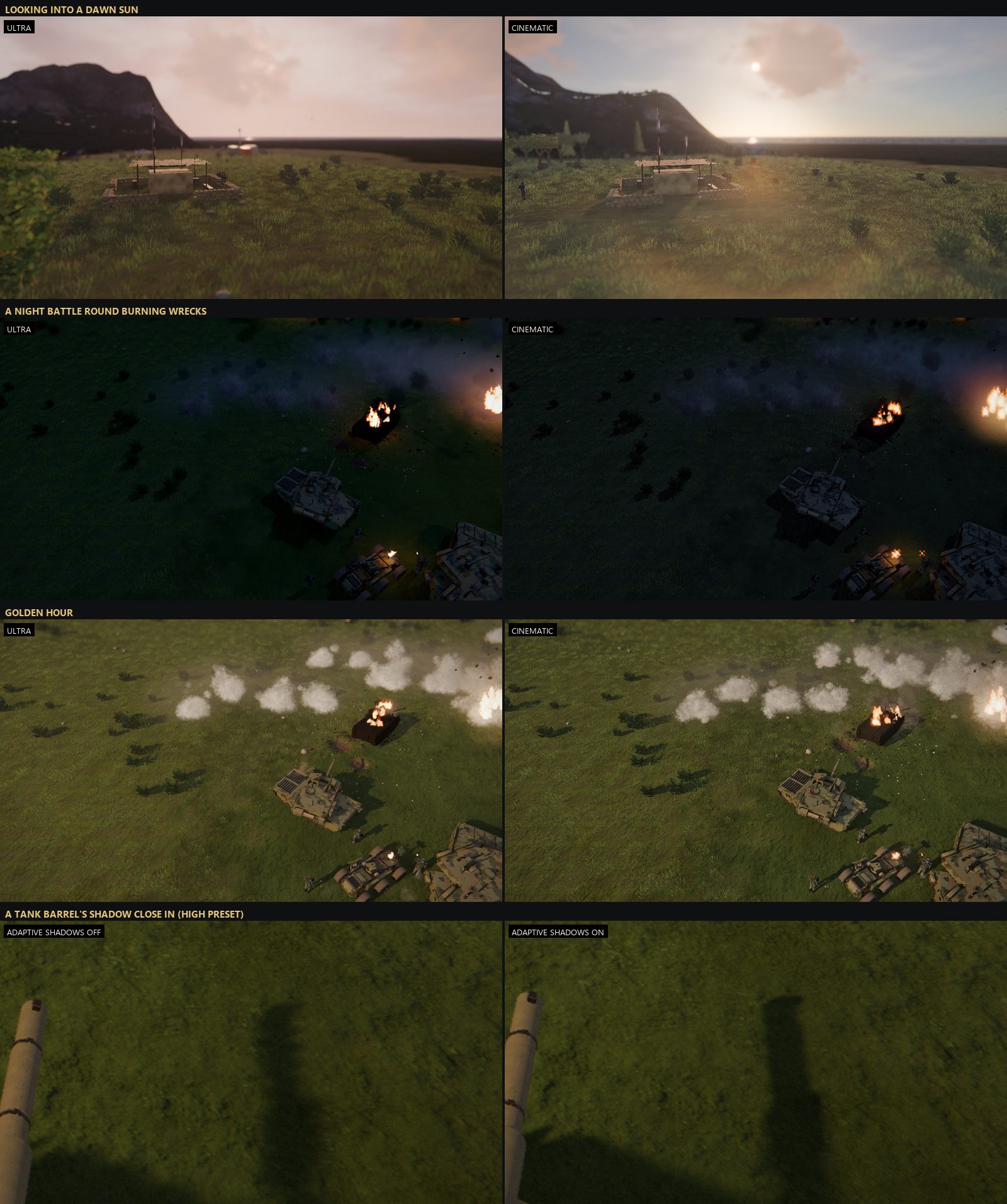
A new Cinematic graphics preset: a sky worked out from real sunlight scattering, shadows from fires and flares, sun shafts, lens flare, eye adaptation and a film look. Close-up shadows are sharper on every preset from Medium up.
Explore this change
Pick Cinematic at the top of Settings, or turn each part on by itself. Cinematic is everything Ultra has, plus all of this; it's meant for a fast graphics card, screenshots and replays. None of it changes the battle itself: spotting, cover and fire work as before.
- Adaptive shadows (Graphics, on from Medium up): the sun's shadows are fitted to the ground the camera can see instead of always reaching 800 m out, so close in they're several times sharper. Costs next to nothing.
- Shadows from fire and flares (Graphics): explosions, burning wrecks, illumination flares and street lamps throw moving shadows, the two or six nearest the camera.
- Physical sky (Graphics): at golden hour, dawn, dusk and in haze, the sky is worked out from how sunlight scatters in the air: deep blue overhead, a small reddened sun, pink-lit clouds, the earth's shadow rising at dusk. It lights the battlefield too, so shade turns sky-blue while the sunlit side glows.
- Camera and lens (Lighting & Look):
- Lens flare and glare: bright lights throw ghosts and a halo through the lens, the hottest ones a thin streak, and light up dust on the glass.
- Sun shafts: light streaming past trees, ridges and smoke that stand against a low sun.
- Local exposure: keeps the detail in deep shade and in bright fire at the same time, as the eye does.
- Eye adaptation: the view dims for a flash and recovers after it, and in the dark colour drains towards a cool grey as night vision takes over.
- Film look: highlights bleed red into the film, and fine detail is sharpened without halos.
- The camera and lens effects and the physical sky aren't in the browser version, whose graphics can't draw them.
Photo mode
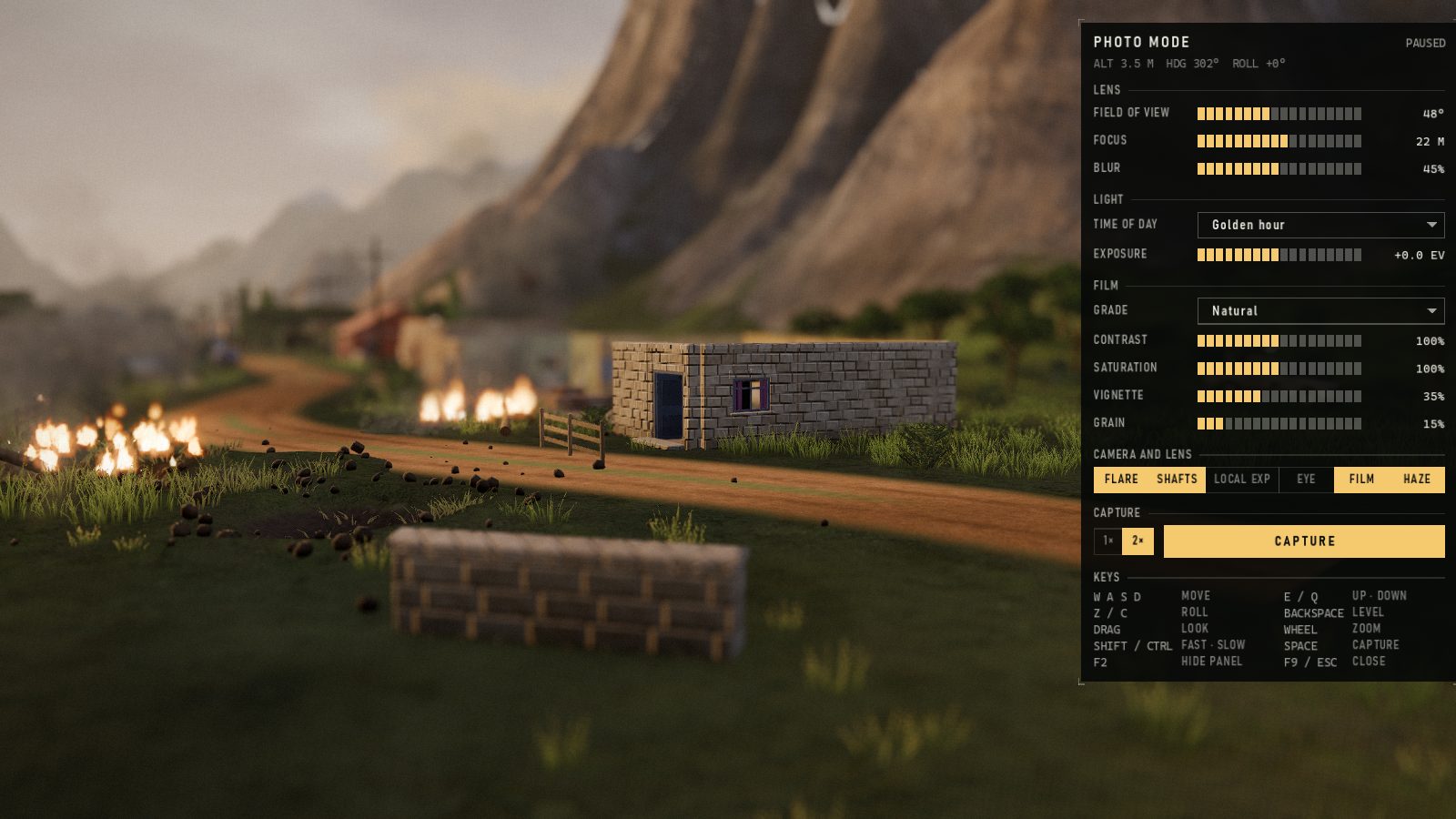
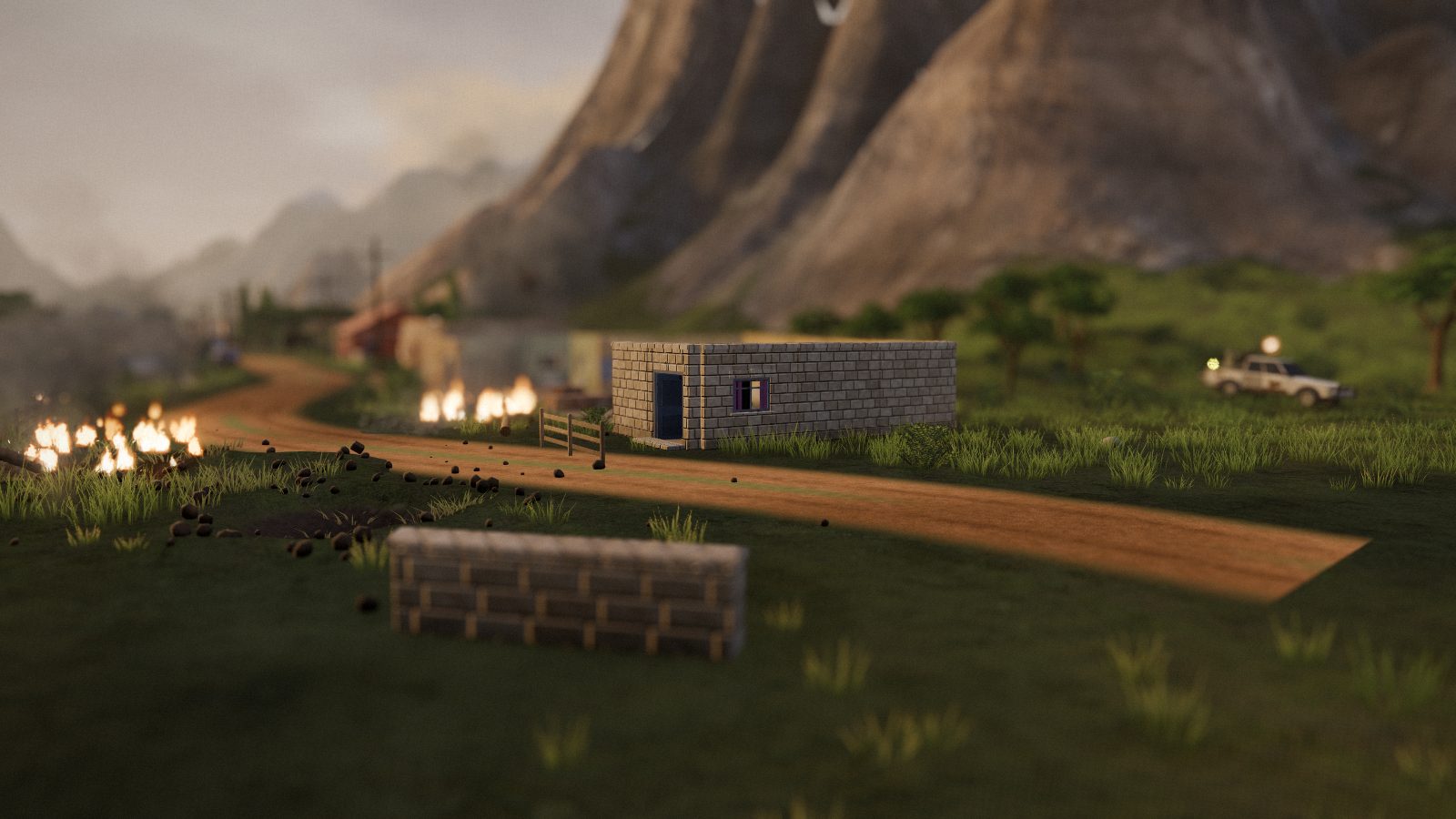
F9 holds a solo battle or a replay still, puts the interface away and frees the camera, with a real lens, the light and a film look to set before you take the picture.
Explore this change
- The action holds still in a solo battle or a replay. In multiplayer the fighting goes on: only your camera
comes off. - A free camera: WASD fly the way the lens looks, E / Q go up and down, Z / C roll (Backspace levels it), and
holding a mouse button and dragging looks round. Shift flies faster, Ctrl slower, the wheel zooms. It stays
above the ground and over the map. - The lens: field of view, where it focuses and how soft the rest falls, as real depth of field (not in the
browser, whose renderer has none). - The light and the film: exposure, the time of day, a colour grade with its contrast and saturation, vignette
and grain. The fog of war's shading can come off the ground too. - Camera and lens: lens flare, sun shafts, local exposure, eye adaptation, the film look and heat haze switch on
and off for the picture alone, whatever your graphics settings have (on the desktop). - Space takes the picture without the panel, at twice the resolution for cleaner edges, as a PNG in the
game's screenshots folder, and a note says where. In a browser it's downloaded. - F2 hides the panel. F9 or Esc puts everything back as it was, the battle's speed included. Your settings are
never touched. - Every key is in Settings → Controls, under Photo mode.
Command by intent: hand squads to your XO
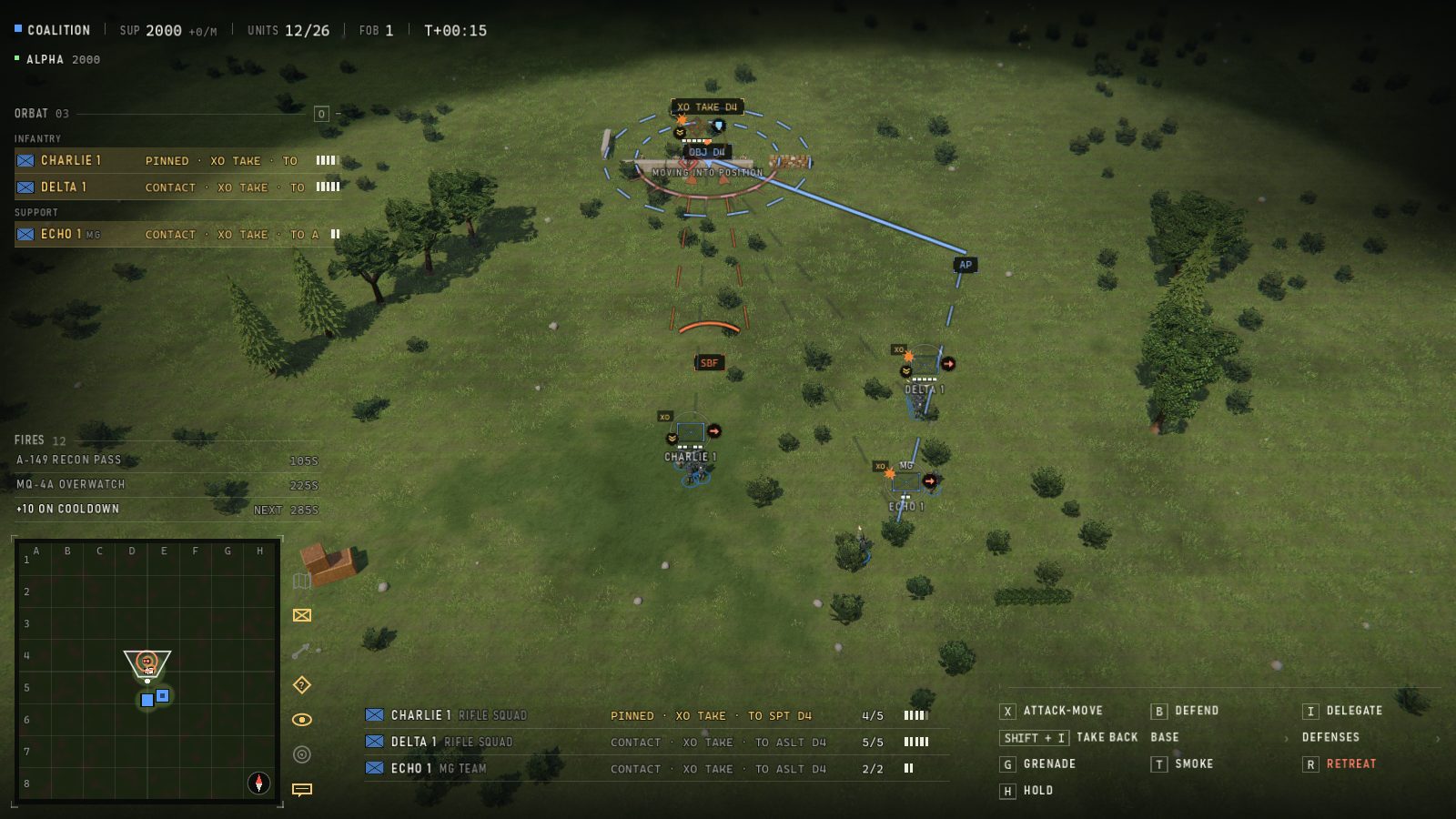
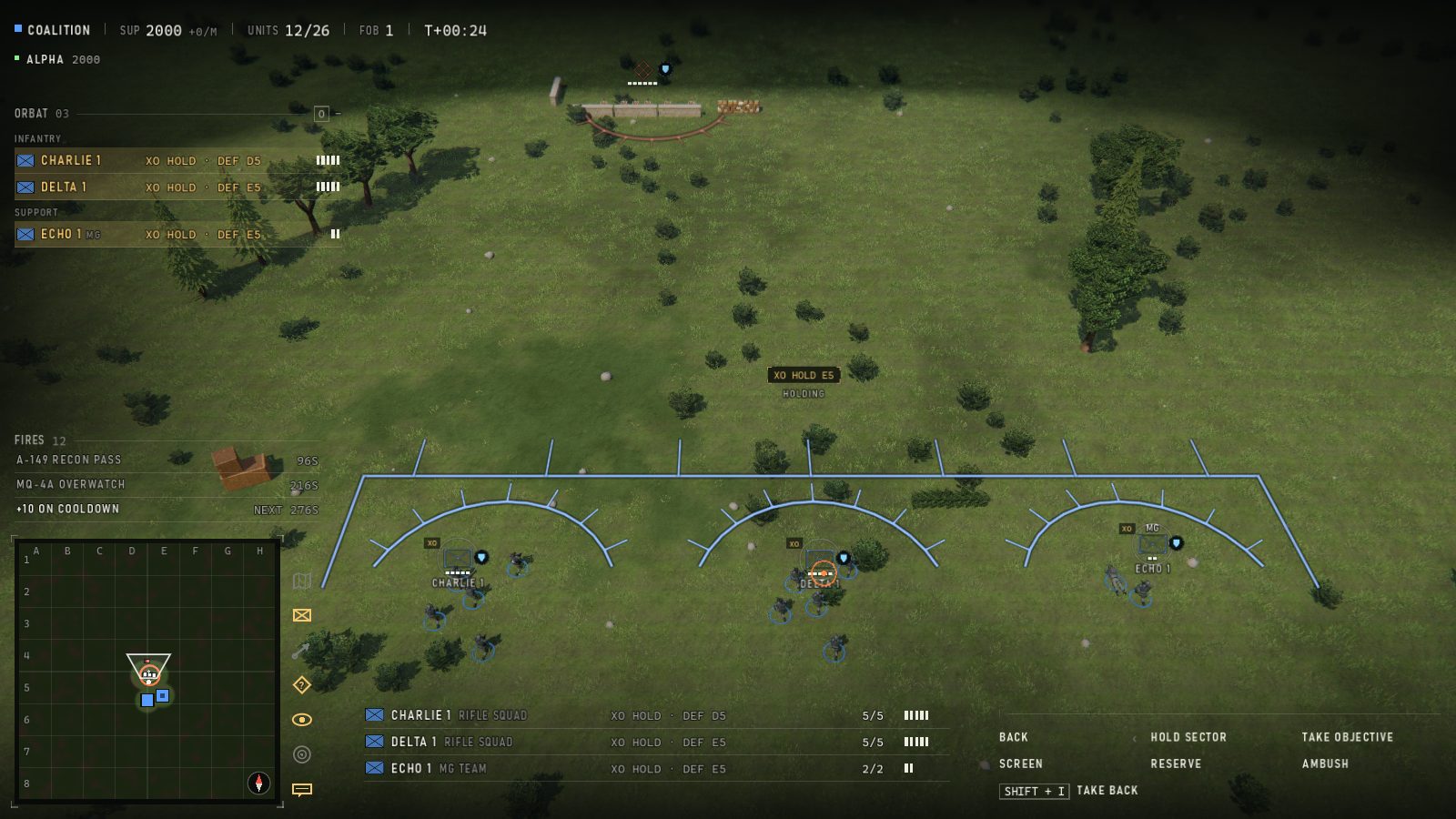
Select squads or vehicles, press I and give them an intent: hold a sector, take an objective, screen, wait in reserve or ambush a road. Your XO places them, gives their orders, sends them in again when they're knocked back, and reports over the radio.
Explore this change
You don't have to run every squad yourself any more. I opens the Delegate page of the orders; pick an intent,
click the place (drag toward the enemy to set the front), and the squads are your XO's to run.
- Hold sector: spread across it and dug in; a squad knocked off its piece of the line is put back.
- Take objective: a deliberate attack, one squad firing while the others flank, then they consolidate and hold
it. A failed attack is sent in again, a few times, before the XO reports that it has stalled. A click near a
town aims at its square. - Screen: a thin line well forward that reports what's coming and falls back a bound at a time when pressed.
- Reserve: waits out of the fight and goes to help a squad of yours nearby that's pinned or bleeding, joining
its attack, then comes back. - Ambush: each squad lays an ambush on the nearest road, springs it, slips away and lays it again.
- Taking them back: give a delegated squad any order of your own, or press Shift + I, and it's yours again.
The XO says so on the radio. A squad cut down to a third is sent back to refit and handed back to you. - On the map each intent shows with an XO tag, its grid and what it's doing; delegated squads carry an XO tab,
and the order of battle and squad card say what they've been told. - AI allies answer your pings. With an AI commander on your side, "attack here", "defend here" and "need
support" pings now get up to two of its free squads sent there, and it tells you who's coming (or that nobody is
free). - Co-commanders delegate and take back the same way, and every allied player sees the XO's tasks.
Heat haze
On the Cinematic preset the air shimmers over fires and burning wrecks, over the engines of idling tanks and helicopters, and for a moment round a blast.
Watch: A tank that has just brewed up burns behind two idling tanks: the air over the wreck and over their engine decks swims, first from the usual battle camera, then close over an engine deck. (Direct WEBM)
Explore this change
Turn it on by itself under Settings > Lighting & Look > Camera and lens > Heat haze, or pick the Cinematic preset.
- What shimmers: burning wrecks, buildings, woods and grass fires; the engine decks and exhausts of vehicles with their engines running, harder while they drive; a helicopter's turbines, the haze beaten down once its rotor is up to speed; and briefly round a blast, a tank gun's muzzle and a rocket's back-blast.
- Only what lies behind the hot air is bent: a soldier standing in front of a fire stays sharp, and the sky is left alone.
- Nearer haze bends more, and haze too small to make out from far away isn't drawn.
- With Reduce motion on, the air holds still: the view is still bent, but nothing swims.
- It's looks only: spotting, cover and fire work as before. Like the other camera and lens effects, it isn't in the browser version.
Shot-down helicopters fall out of the sky
A helicopter shot down in the air no longer vanishes into a pile of rubble below: it spins in or autorotates to a crash, and its burning wreck lies where it hit.
Watch: Two Ghost Hawks shot down at 16 m, before (top) and after (bottom), at normal speed. The near one loses its tail rotor and spins in; the far one autorotates to a heavy landing. The yellow lines trace their paths. (Direct WEBM)
Explore this change
- Spinning in: with the tail rotor or the controls shot away, the helicopter winds up into a spin, rolling and
pitching as it corkscrews down, and hits hard, still carrying its speed. - Autorotation: with only the engines gone, the pilot glides it down steeply, nose low, then flares just above
the ground for a heavy landing. More of the troops aboard walk away from this kind of crash. - The impact is a fuel explosion that hurts whoever is underneath and can set the area alight. The burnt-out
helicopter is left lying where it hit, on its side after a spin-in. Over deep water it ditches and sinks, and the
survivors swim for shore. - On the way down it burns and trails smoke, and its rotor runs down.
Houses that look lived in, and lamplight at night
Curtains, blinds and nets hang in the windows, flowers sit on sills, lanterns hang by front doors and aer...
Frontline v1.0.13: Playable character animation playground
New
Playable character animation playground
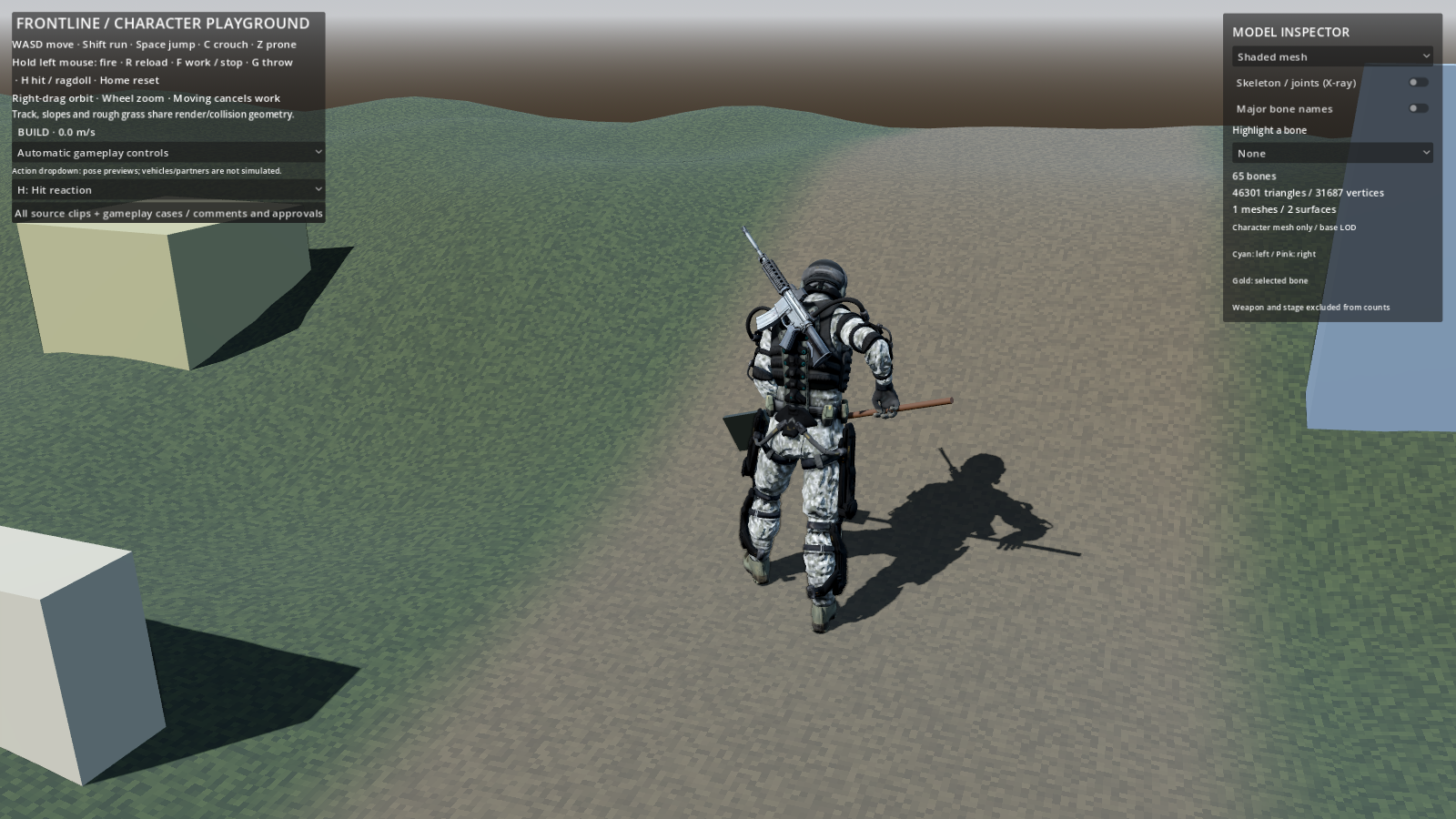
Walk the SWAT preview over varied terrain, work, reload and inspect every available animation.
Explore this change
The local character playground adds WASD movement, running, jump, crouch, prone, firing, reload, grenade throw, F-key work and hit/ragdoll controls. A dropdown previews gameplay actions. The full source-clip and gameplay review screen remains available with saved comments and approval decisions, plus a return button.
Double-click Character Playground.cmd in the checkout. This local tool requires the installed SWAT/Mixamo evaluation assets and Godot; it is not included in public game exports. Firing and work exercise animation presentation, not multiplayer combat or construction rules. Vehicle/partner actions in the dropdown are pose previews.
Improved
Animation review queue
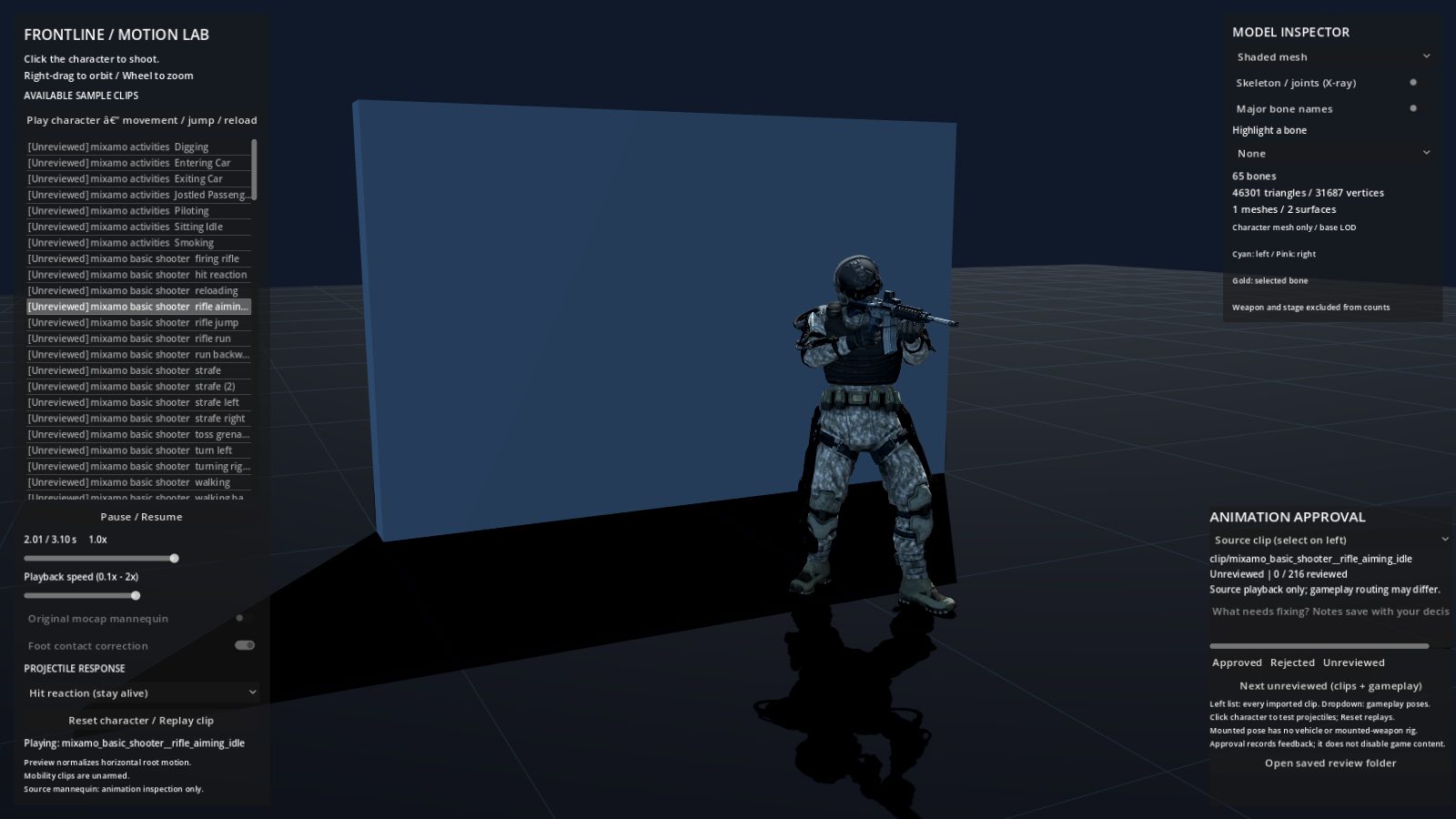
Review every locally installed character clip and the infantry gameplay pose set, with saved approval decisions and notes.
Explore this change
The motion review scene includes slow playback, bone and mesh inspection, projectile hits, and a queue of unreviewed animations. Review feedback persists between sessions; changed animation assets need a fresh review.
Comments can also be saved independently, without approving or rejecting an animation.
Sharper blasts with rolling ground dust
Explosions strike with a brief flash, a low rush of dust and a layered crack, rumble and falling grit. Grenades have a shorter report; larger blasts carry more weight.
Watch: Same gun run, camera and instant. The previous take is above and the revised take below. Listen to the gun report decay. At 2 seconds grass shows between the revised bursts. At 5 seconds the center wreck is burning low while smoke still rises from the outer vehicles. (Direct WEBM)
Explore this change
- Neighbouring impacts have different widths, heights and rolling edges. Fuel fires show brighter cores through darker soot.
- Nearby wall faces arrest low dust and leave openings at the ends and above the wall.
- A fast, low dust surge connects the rising cloud to the ground. Smoke fades into terrain and cover instead of ending at a sharp billboard edge.
- Brief flashes remain readable at 30 fps without turning HE into a sustained fireball.
- Reports combine a sharp pressure crack, an irregular low rumble, scattered ground returns and falling grit. Grenades use the shorter report instead of the shell sound.
- Sounds fade cleanly and retain headroom before mixing; the existing master limiter handles overlapping blasts. Dust uses the existing bounded particle pools, and airbursts do not throw up ground dust.
These clips contain real engine audio recorded with the picture. They are controlled effect demonstrations, not combat performance benchmarks. The original PR's other recordings remain available in its rolling-dust entry.
Watch: Rightmost A-10 target at the same game time. The lower wreck lands once and stays beside its impact mark. (Direct WEBM)
Watch: Sandbag-height view. Compare the low dust behind the middle of the wall at 2 s and 10 s. The upper cloud rises over the bags in both takes. (Direct WEBM)
Watch: A shell lands beside a sandbag position. Watch the darker soil spread at ground level and the upper dust drift with the wind. Recorded in the game at 24 fps with sound. (Direct WEBM)
Watch: After, with sound: grenade at 1 second, HE at 5 seconds and fuel at 9 seconds. Unmute to hear the actual game mix. Controlled range, 30 fps, normal speed. (Direct WEBM)
Watch: Before this refinement, with sound: the same range, camera, seed and event timing at PR revision 3fced130. Unmute to compare the original reports. (Direct WEBM)
Bundled infantry character and animations
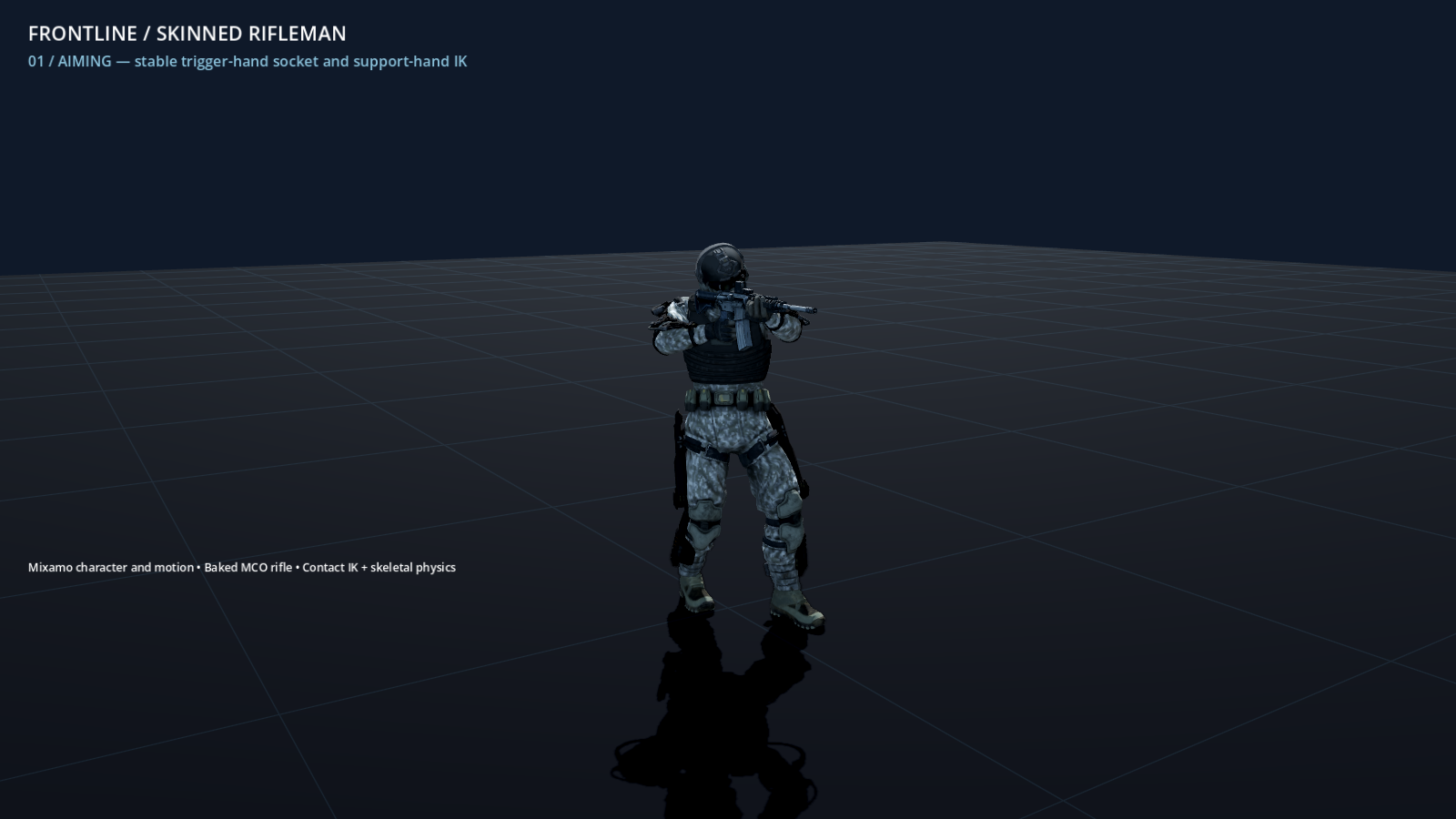
The optional SWAT character and its animations now travel with Frontline instead of requiring local asset downloads.
Explore this change
The SWAT character, 262 animation scenes, textures and rifle are bundled as compiled runtime resources. The game and character playground load the same package. Duplicate meshes have been removed from animation clips, and character textures are limited to 2K to keep the download manageable.
Captured rifle strikes and ladder climbing
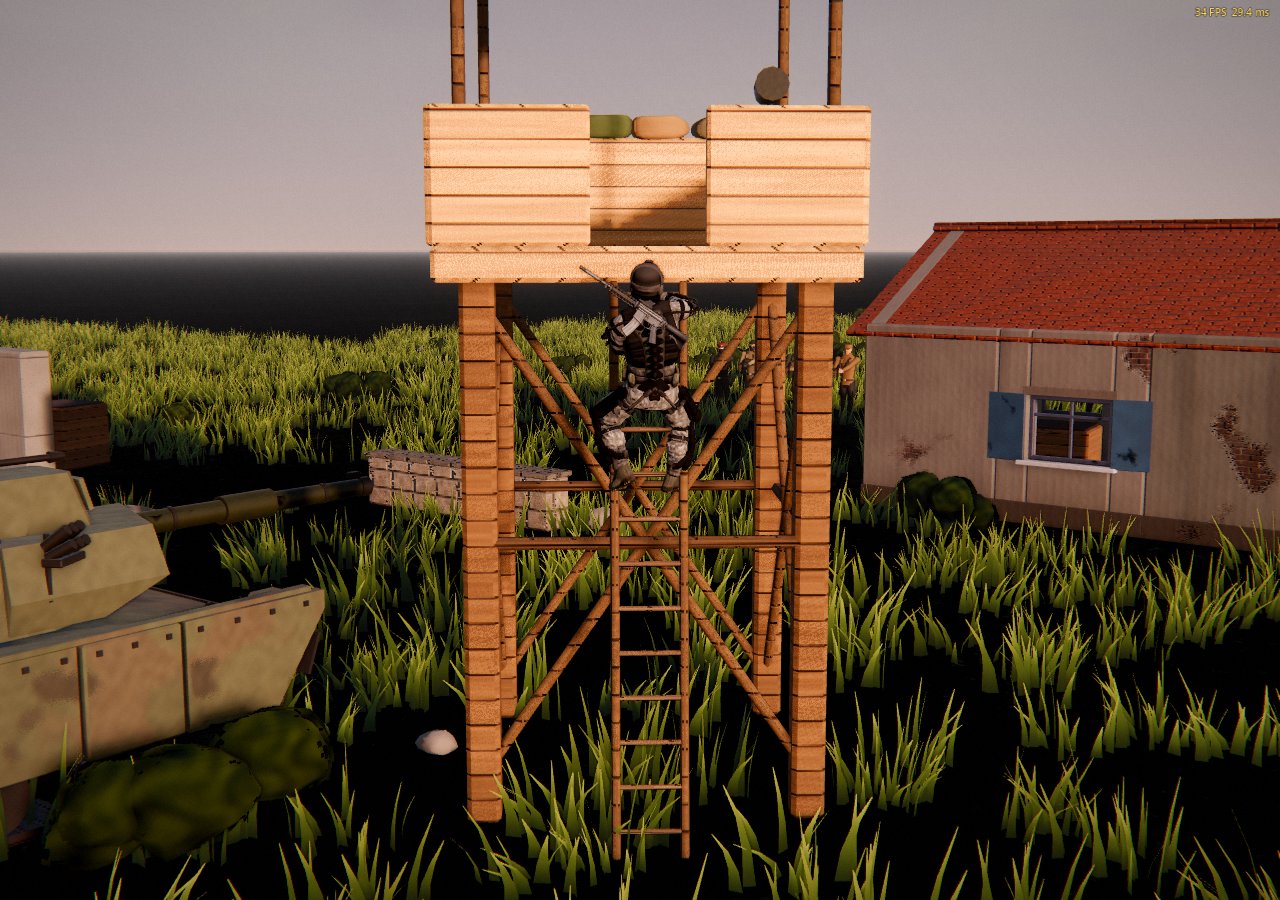
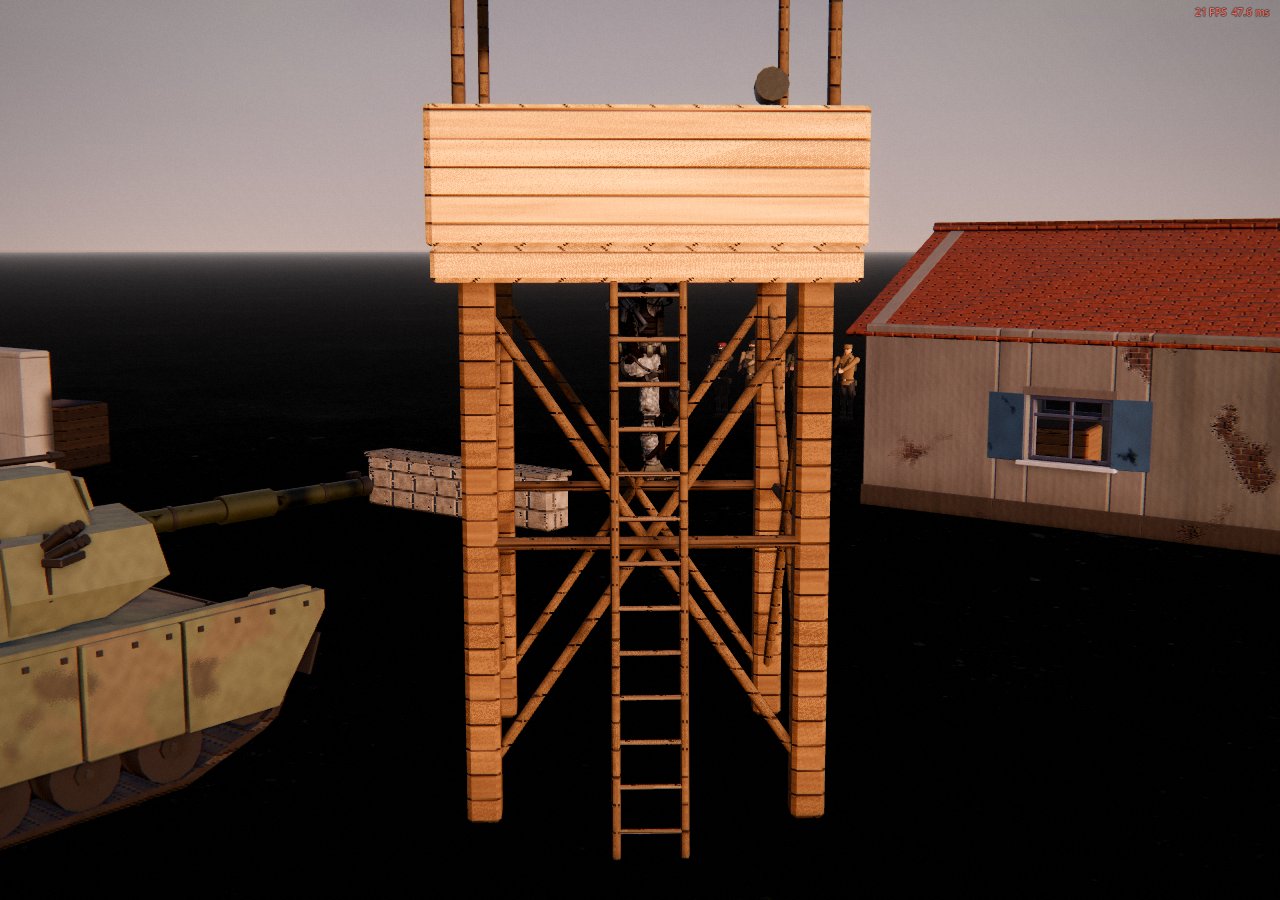
SWAT rifle strikes and watchtower climbing use captured motion, with smoother activity and weapon transitions.
Watch: Shared gameplay renderer: armed idle, captured rifle strike, recovery, ladder cycle and drawing the rifle again. (Direct MP4)
Explore this change
Rifle melee now uses a captured strike timed to the existing hit. Climbing follows the watchtower's ladder over four seconds, followed by a short step onto the platform. The rear railing has an opening for the climber.
Activities blend from the previous pose, and the support hand returns gradually as the rifle leaves its sling.
Eleven additional animation clips are bundled with the optional SWAT character. The single-person carrying family and turning door kick are available in the inspector; they do not replace the game's two-person stretcher or low grenade kicks.
Captured injury motion and safer prone practice
The optional infantry preview uses captured limping and dazed motion, and the playground makes room before lying down near a wall.
Watch: SWAT limping, dazed recovery and return to armed idle in the shared animation test scene. (Direct WEBM)
Explore this change
- With the local injured animation pack installed, wounded soldiers limp and stagger with their rifles slung, then return to an armed idle.
- Activity animations keep progressing while the rifle moves to its sling.
- The playground checks the space needed to go prone and takes a short backward step when a wall is too close. Movement cancels the pending adjustment.
- Imported animation assets remain a local preview requirement.
These archived fixture recordings predate the later foot-plant correction. The separate steadier-foot-plants entry shows that correction. They demonstrate motion and recovery, not multiplayer or frame-rate performance.
Watch: The playground backs away from a wall, settles, then lowers into prone. (Direct WEBM)
Captured kneeling and crouched grenade throws
The optional imported rifleman uses captured stationary stance changes and a crouched throw.
Watch: Controlled preview: kneeling, crouched throw, standing, crouched movement and stopping. (Direct MP4)
Explore this change
Locally installed rifle stand/kneel clips now supply stationary stance changes. Changes blend from the current pose, including when standing back up. Crouched grenade throws use the captured throwing section while preserving stance legs, the slung rifle and existing grenade visibility timing.
These optional source assets remain local. The recording uses the shared game controller in a controlled fixture; it does not demonstrate battlefi...
Frontline v1.0.12: Mountain battlefields
New
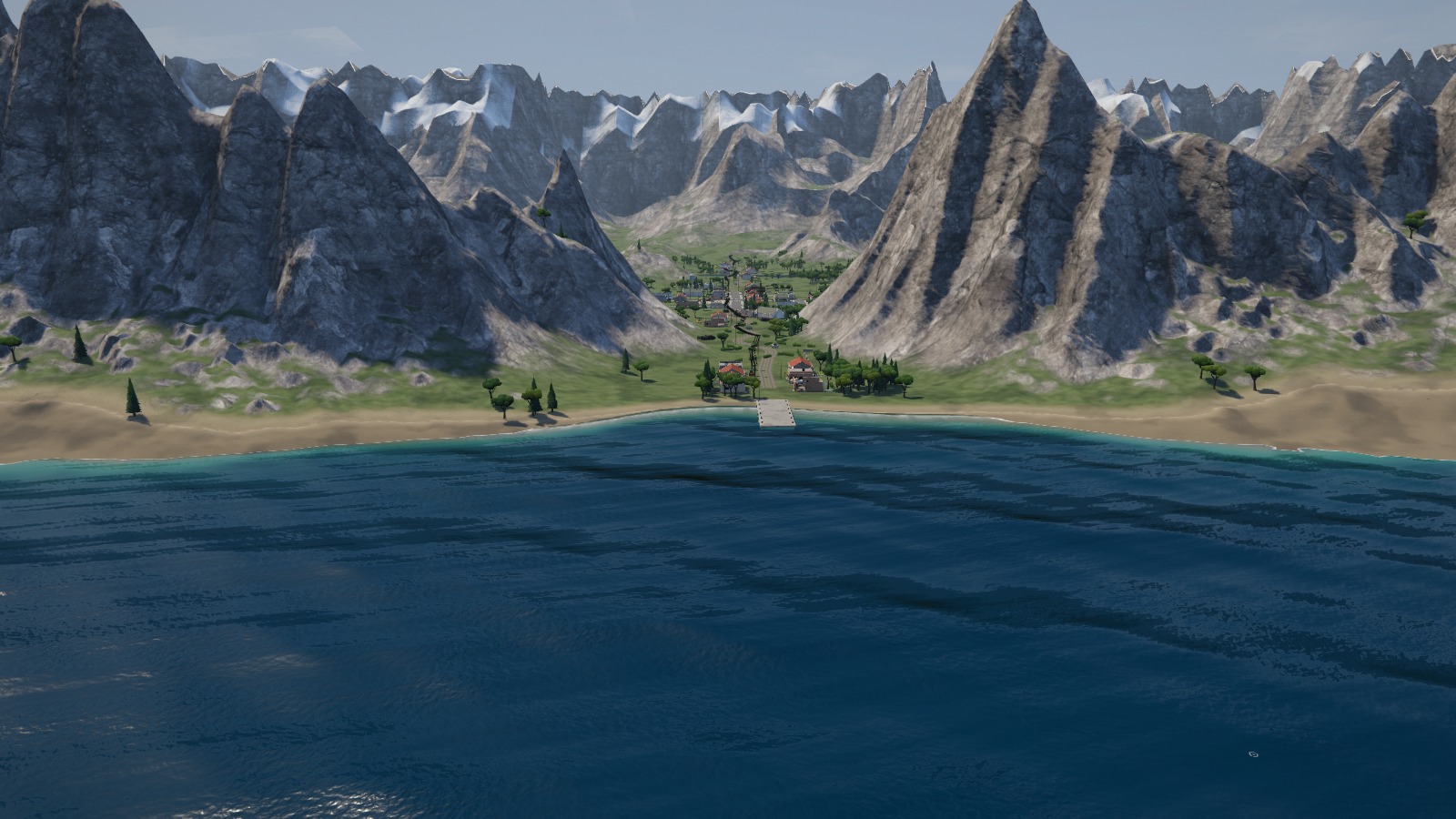
Mountain battlefields
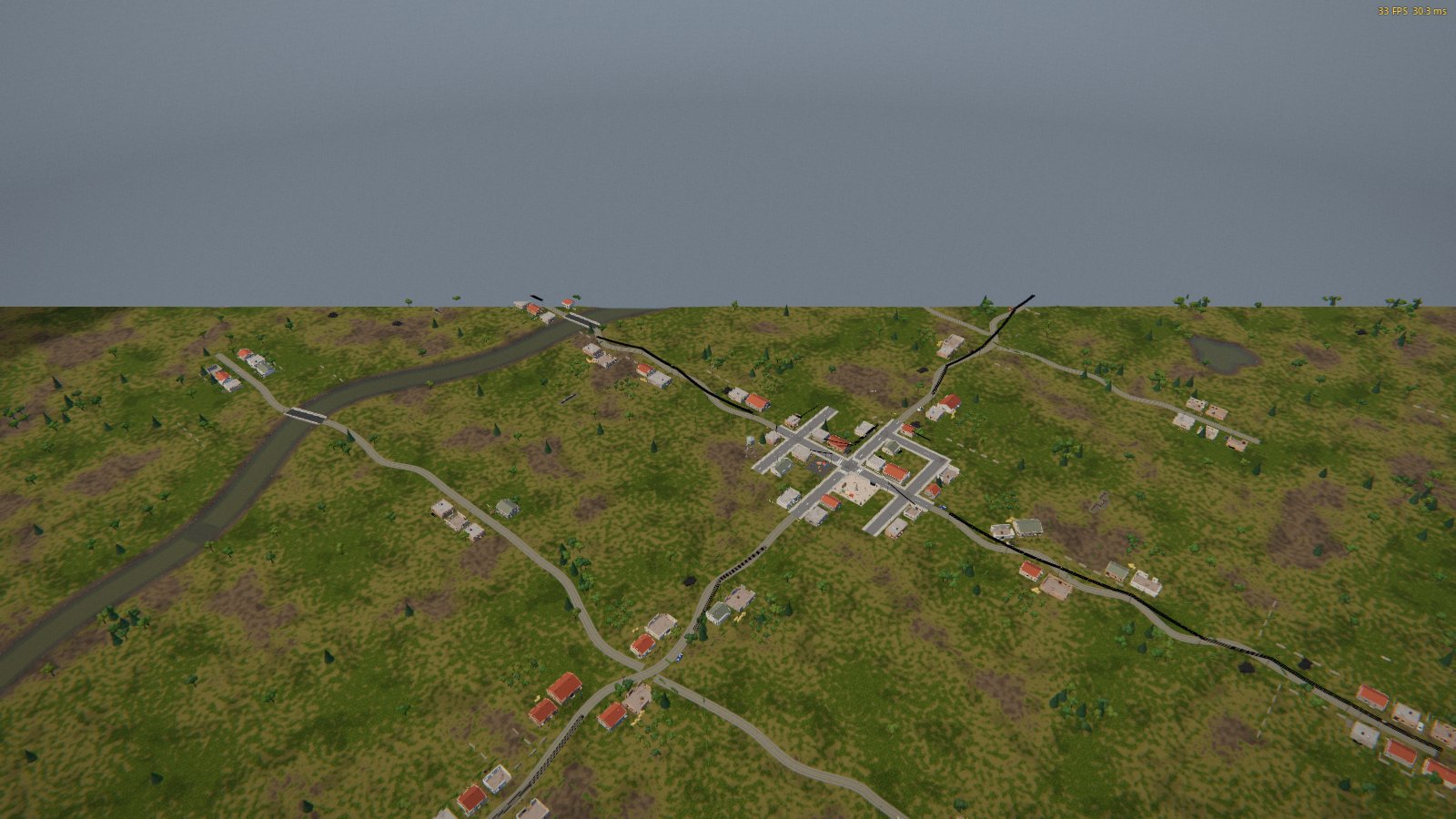
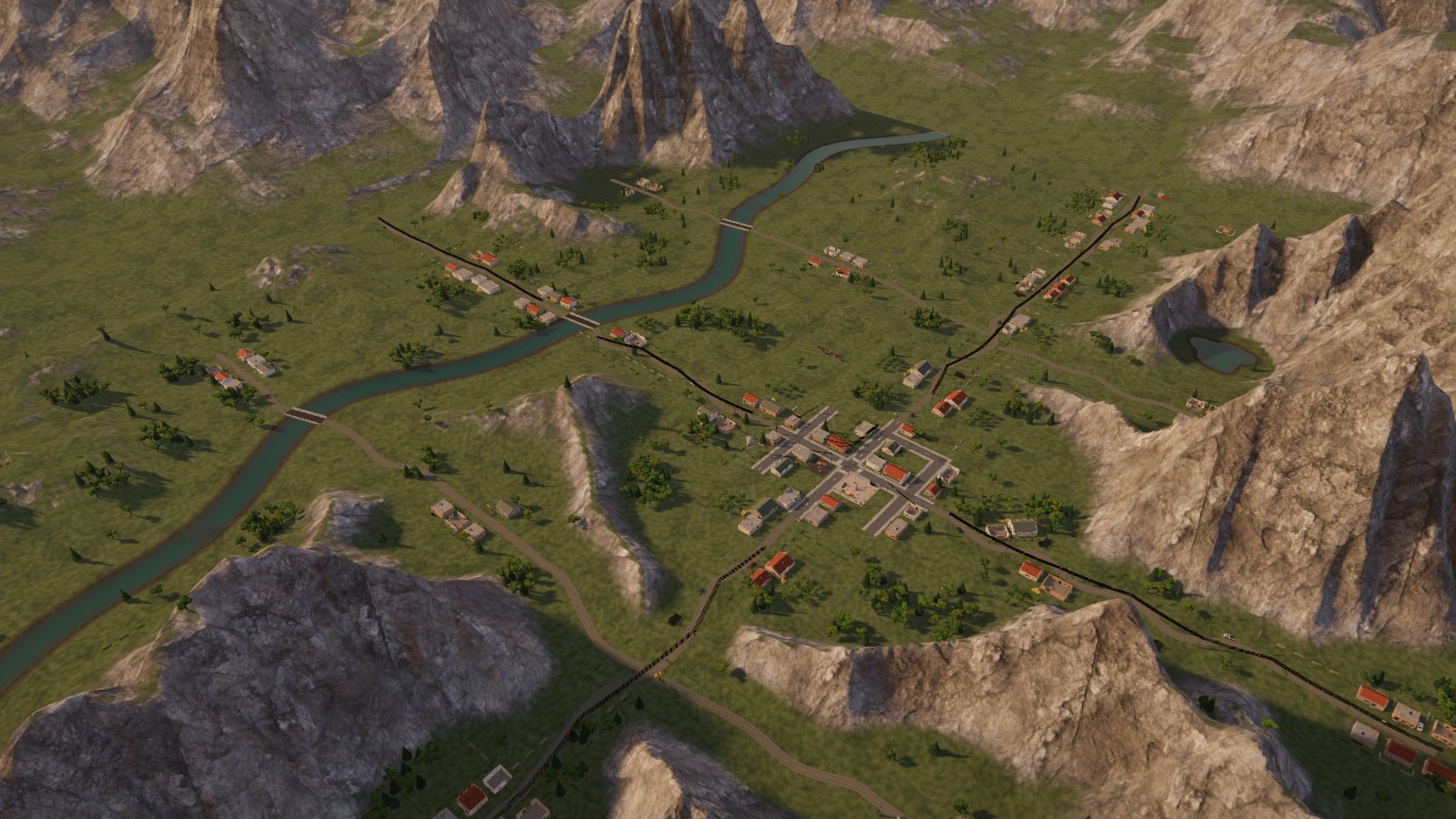
Seeded snowy mountains, mossy hills and river valleys now surround the towns and roads of standard battles.
Explore this change
- Mountains, hills and valleys generate from the battle seed. Towns, starting bases, roads and river crossings retain usable valley corridors, with forests on lower ground.
- Layered photographic rock, cool shaded gullies and connected snowfields give the mountains an Alpine appearance. Sky visibility and distant ridge shadows are baked into the terrain, updating when the lighting mood changes.
- Fractured bedrock, tilted shelves and weathered ledges break up the mountain faces. Larger photographic slabs catch the light above smaller scree, while snow settles on gentler shelves and leaves steep cliffs exposed. Finer distant silhouettes keep the horizon from looking angular.
- Standard-battle woods grow in denser clusters. Tree bark and foliage share spatial drawing batches while individual trees still burn and fall.
- Alpine rivers have blue-green water. Optional Alpine distance haze separates the mountain ranges, and optional Mountain reflections capture distant terrain in the water without rendering the whole battle twice.
- Troops and vehicles follow the terrain and avoid slopes they cannot climb. Ridges obstruct shots and observation; helicopters clear rising ground and land at the correct elevation.
- Construction checks the whole footprint. Trenches, craters, fires, targeting and the minimap follow the landscape.
- Multiplayer joiners receive the same terrain as the host, and battle recordings preserve it when seeking forward or backward.
Campaign missions retain their existing terrain layout and woodland density so their authored routes and cover remain intact.
Improved
Woodland follows the mountain slopes
Greener gullies, contour-following woods and vegetation on mountain ledges replace randomly scattered greenery.
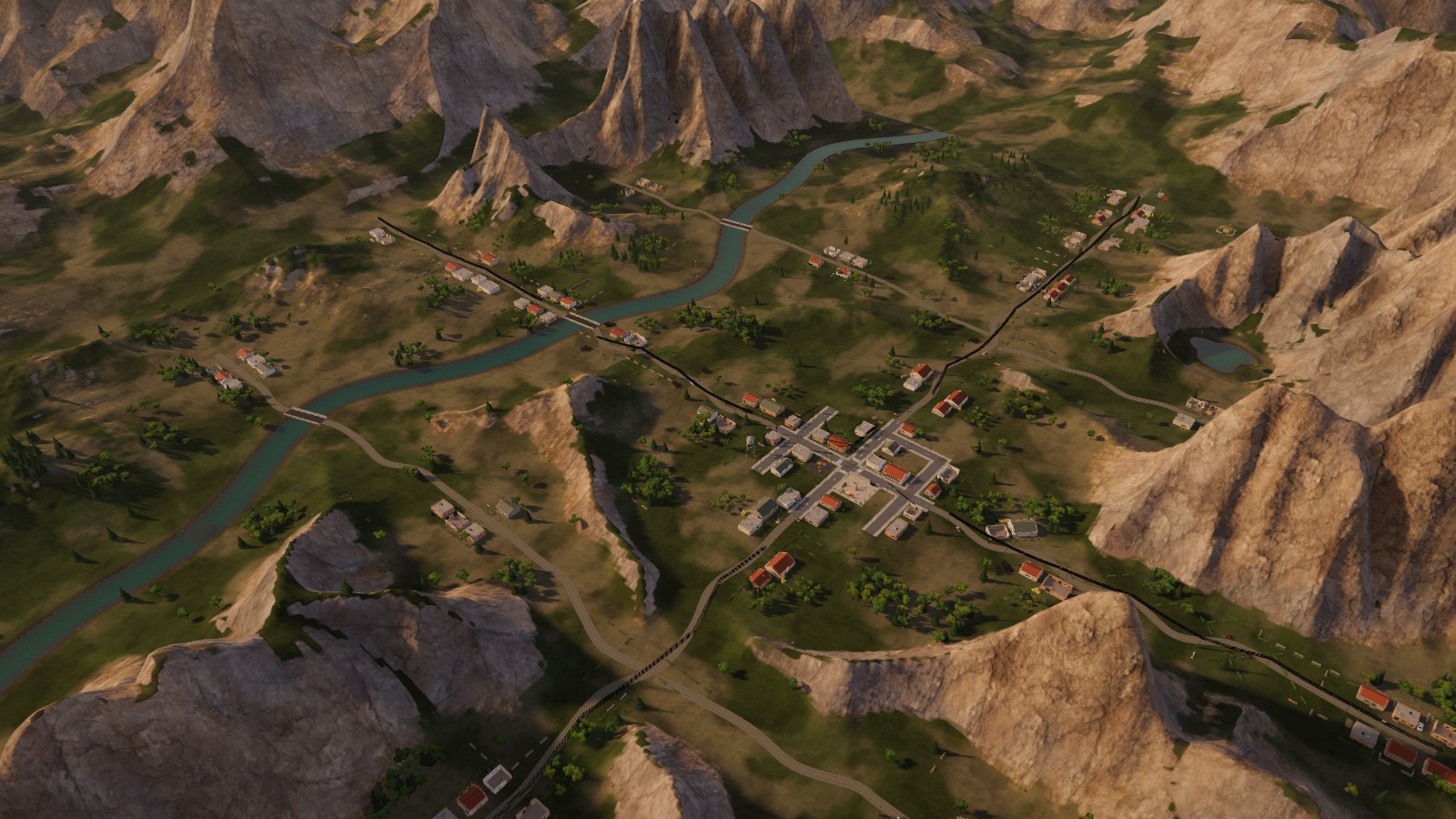
Explore this change
- Soil cover responds to shelter, slope and aspect, with less arbitrary colour variation across the valleys.
- Open valley ground has fewer isolated random trees; planting favours groves and sheltered mountain pockets.
- Woods spread along contours, and conifers can root on suitable mountain ledges. Exposed ribs and high peaks remain largely bare.
- Scrub favours sheltered bowls, while stones occupy drier and steeper ground. Tree limits do not relax building foundation checks.
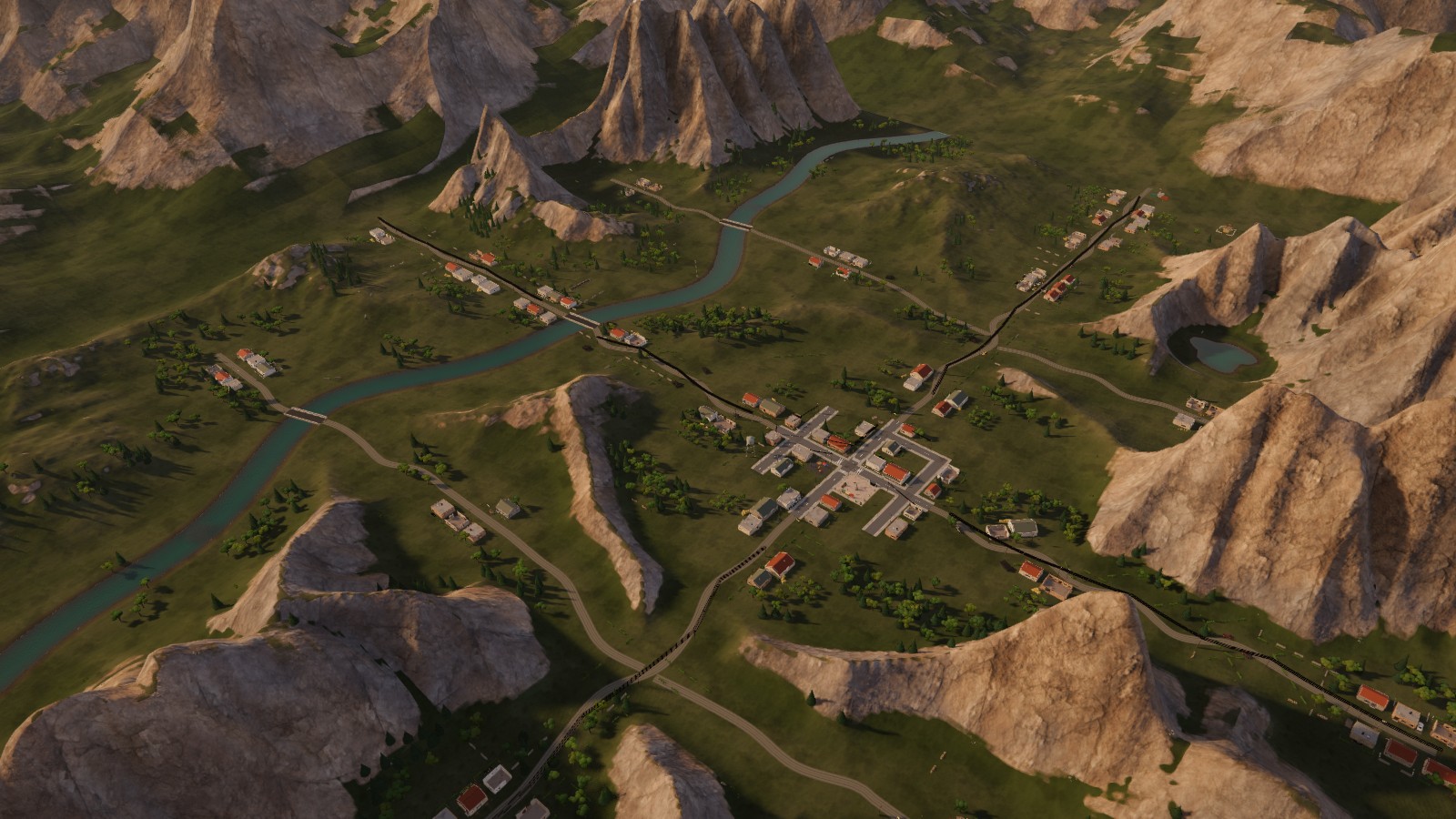
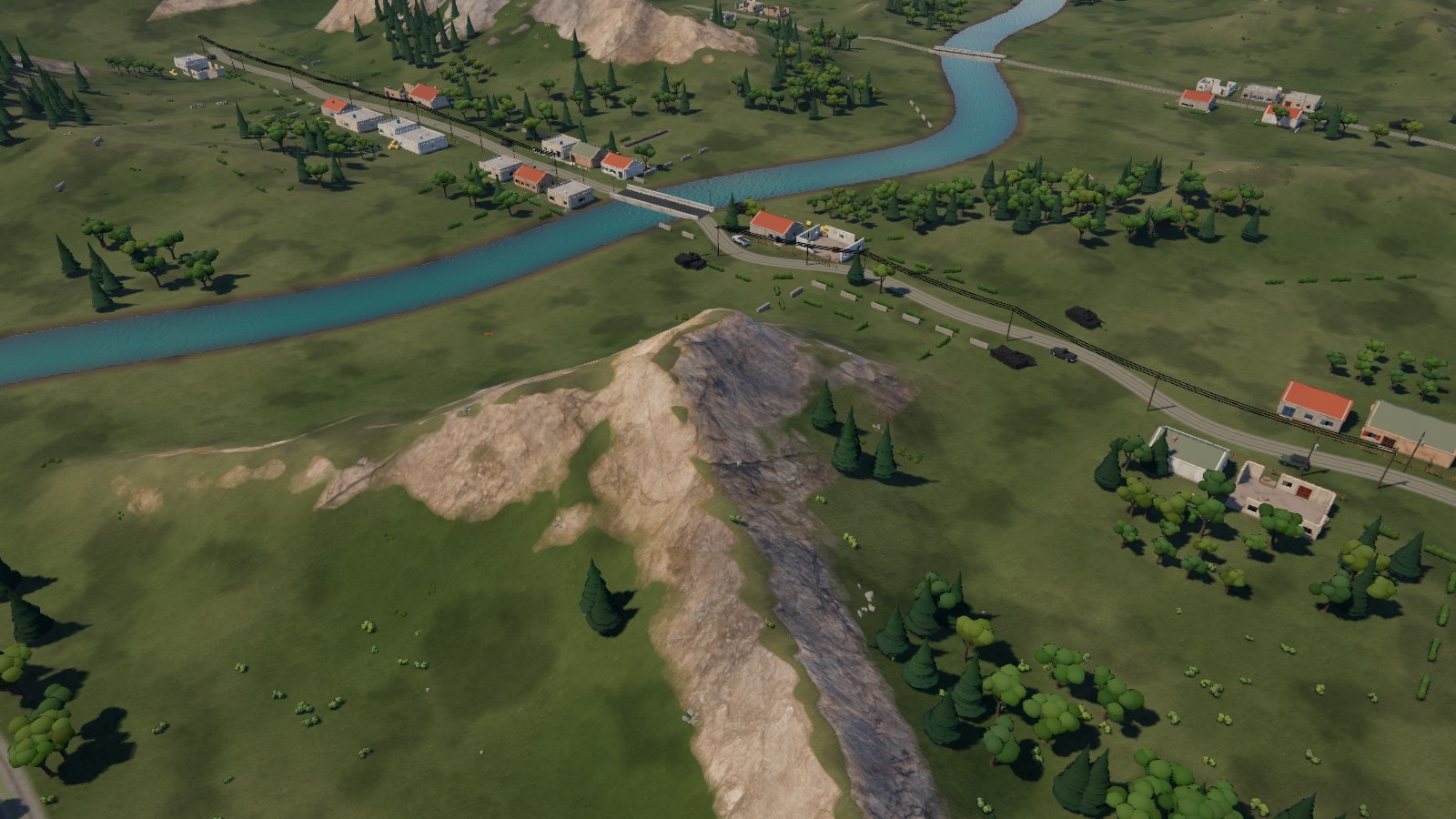
Break up mountain silhouettes
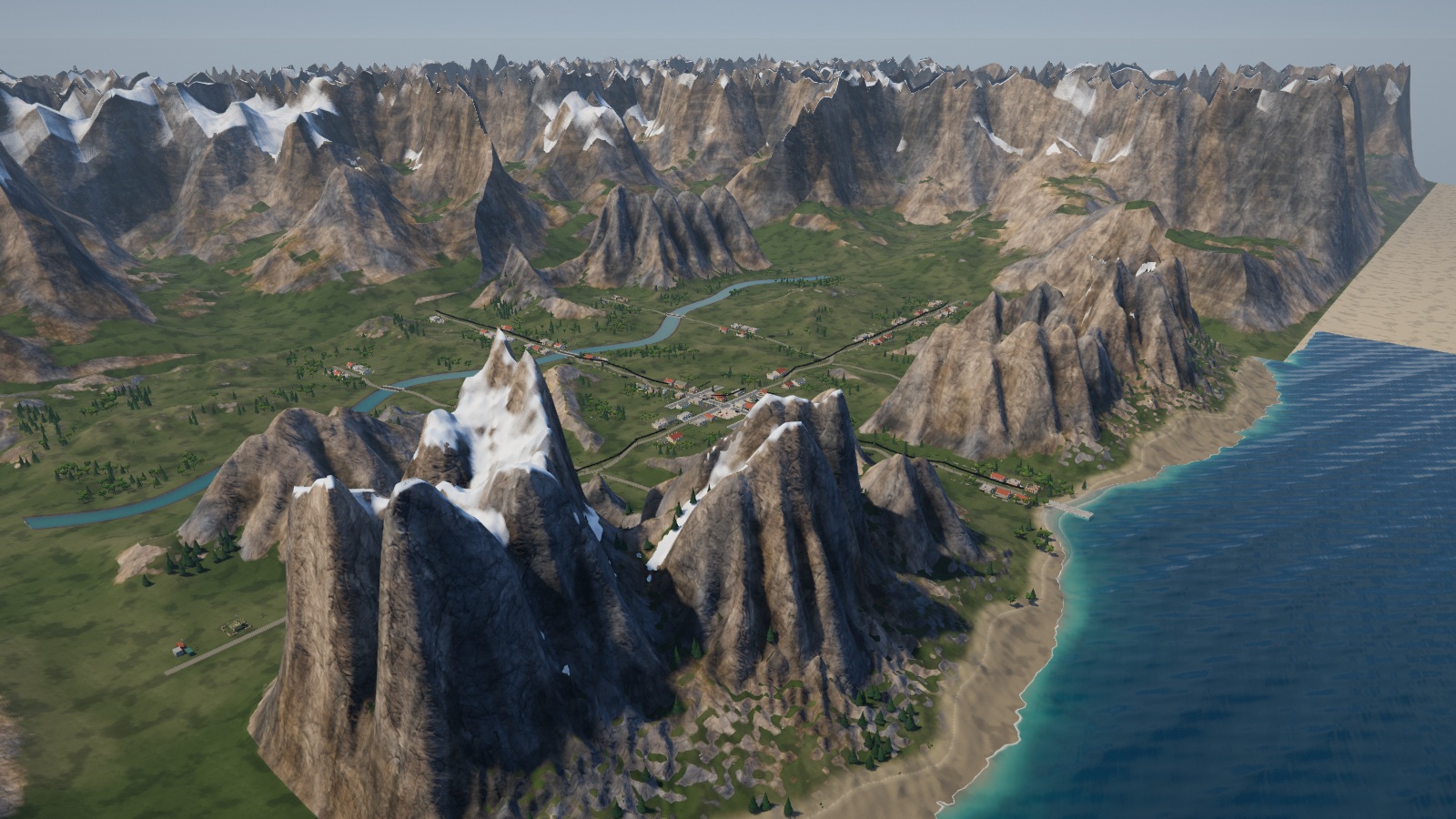
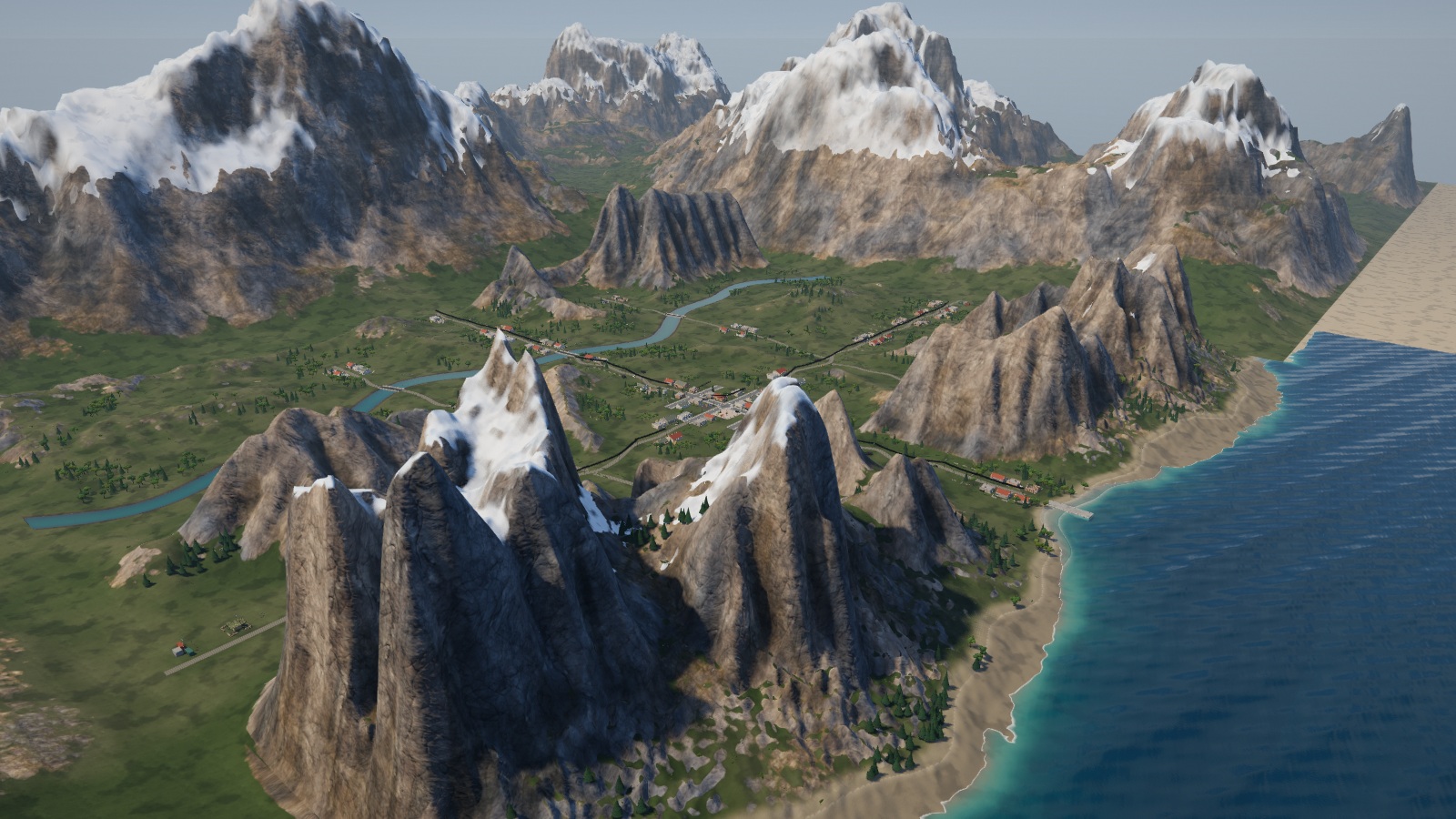
Uneven mountain groups, lower passes and reshaped cliff shoulders replace repetitive ridges, with more varied moss-to-rock transitions.
Explore this change
Distant scenery uses its own seeded height field instead of an equal-height ridge pattern. Floating-point heights and wider slope sampling avoid stepped snow shading. Medium/Far detail uses a finer indexed scenery mesh; Near retains the lighter grid.
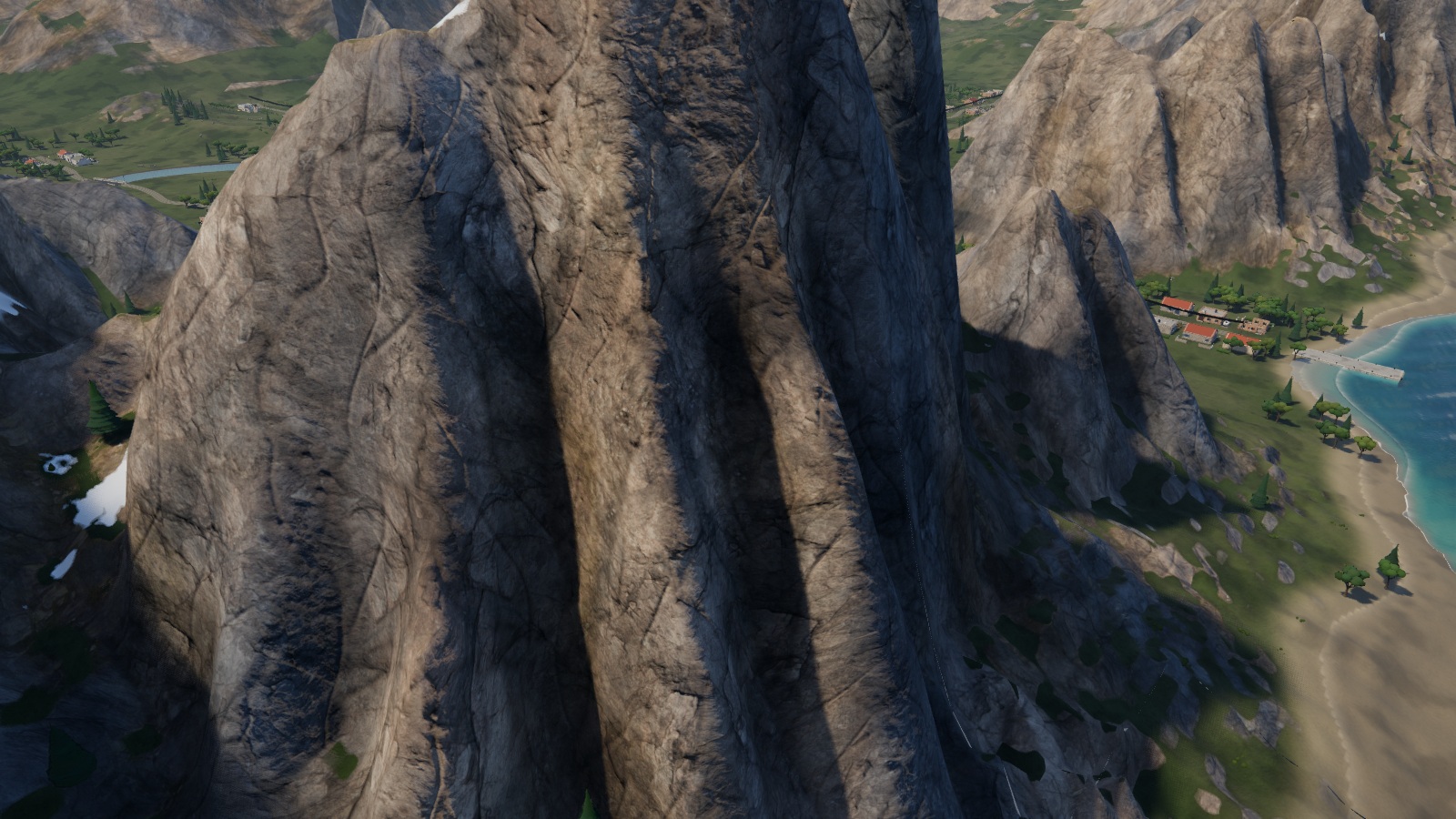
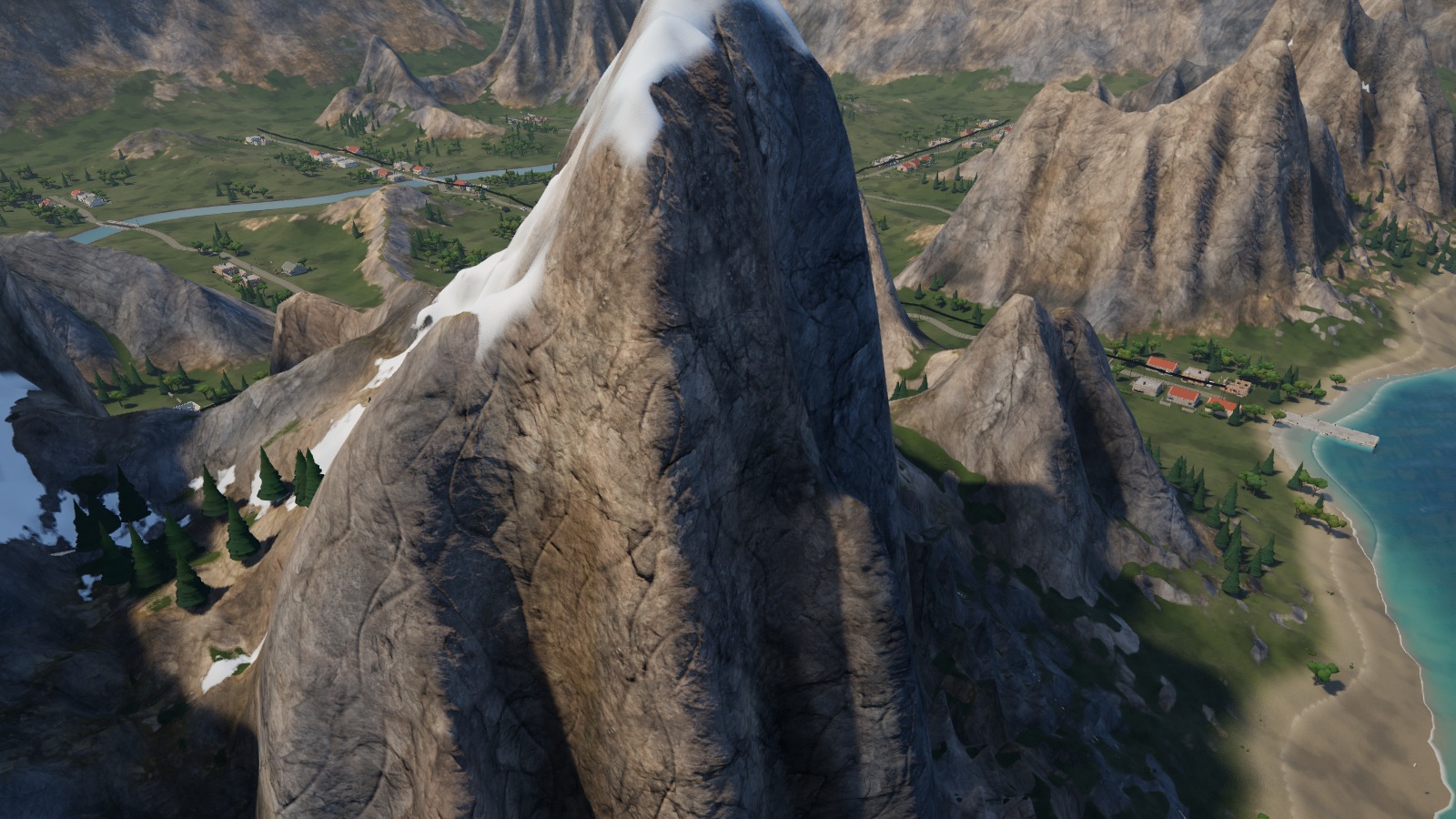
Reusable rock forms now have uneven shoulders and irregular drainage cuts before the existing terrain erosion and road grading. These enter the authoritative terrain used by movement, construction and replay. Material coverage also varies with photographic rock relief.
The comparisons use the same seed, lighting and camera controls. The camera follows local ground height, so changed geology can shift its absolute height. Procedural trees and some smooth rock forms still limit realism; these are native game captures, not photographic composites.
Approach informed by Wargaming's environment workflow: establish large landforms before surface detail.
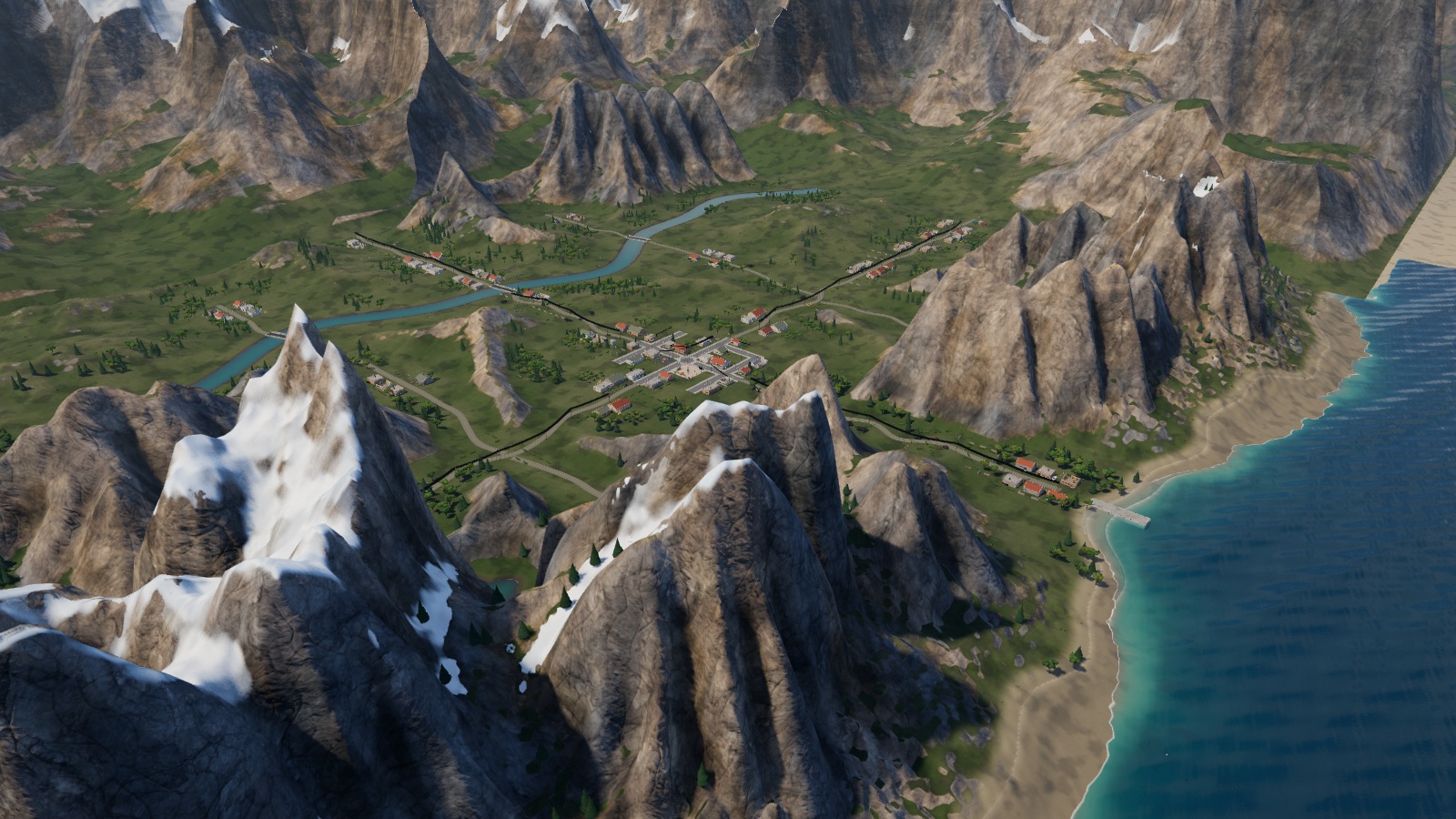
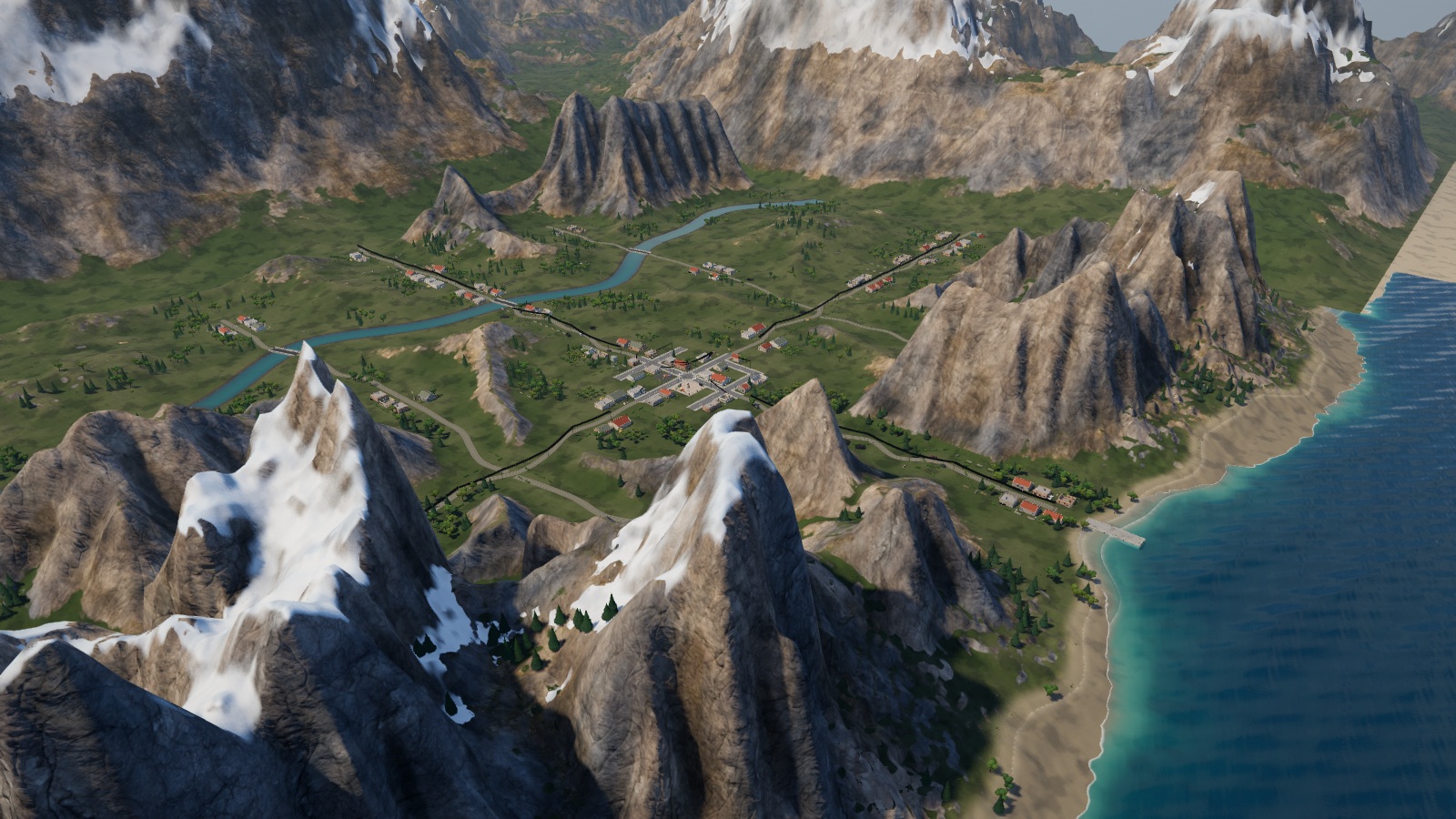
Separate distant mountain ranges with sky haze
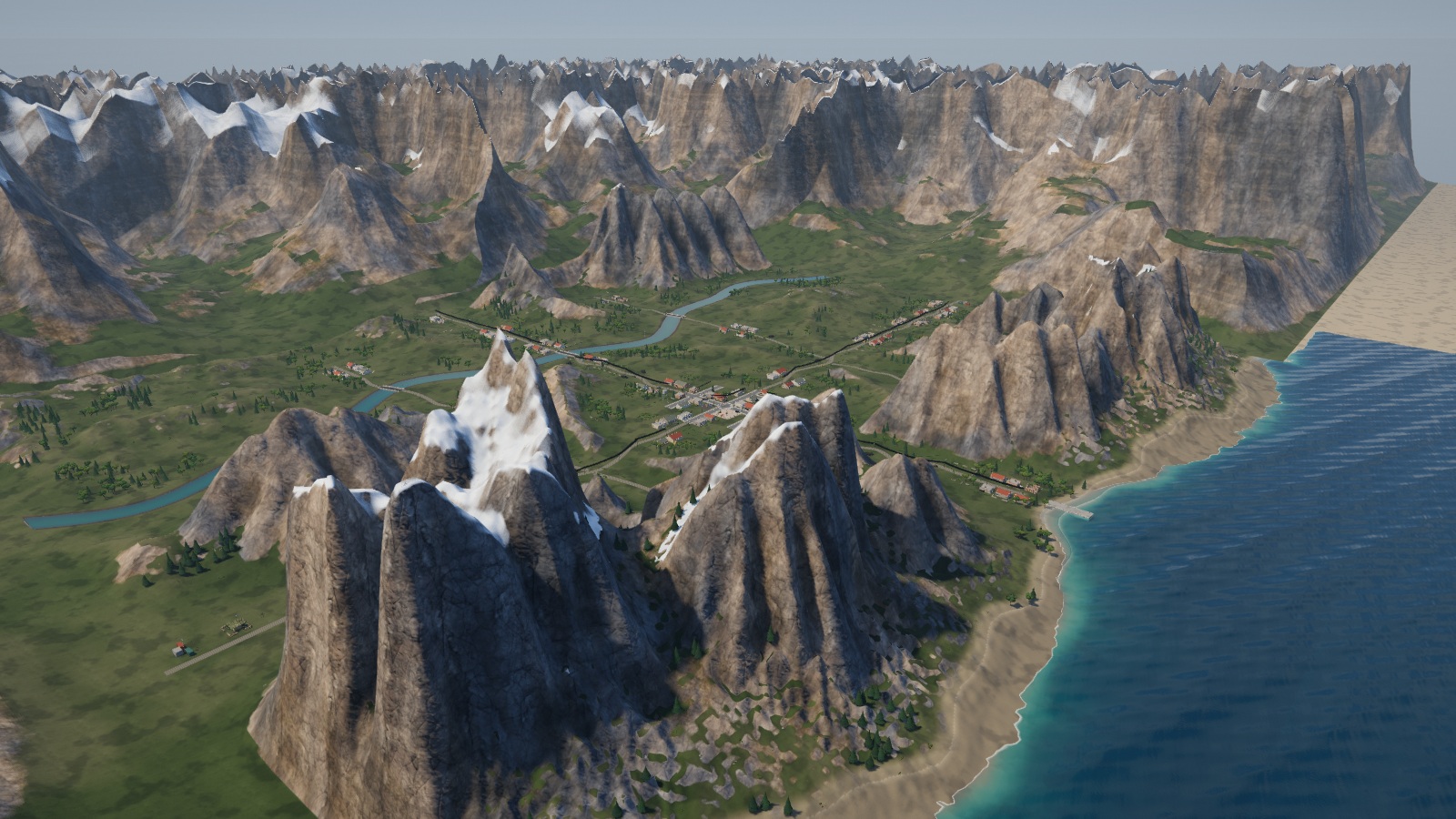
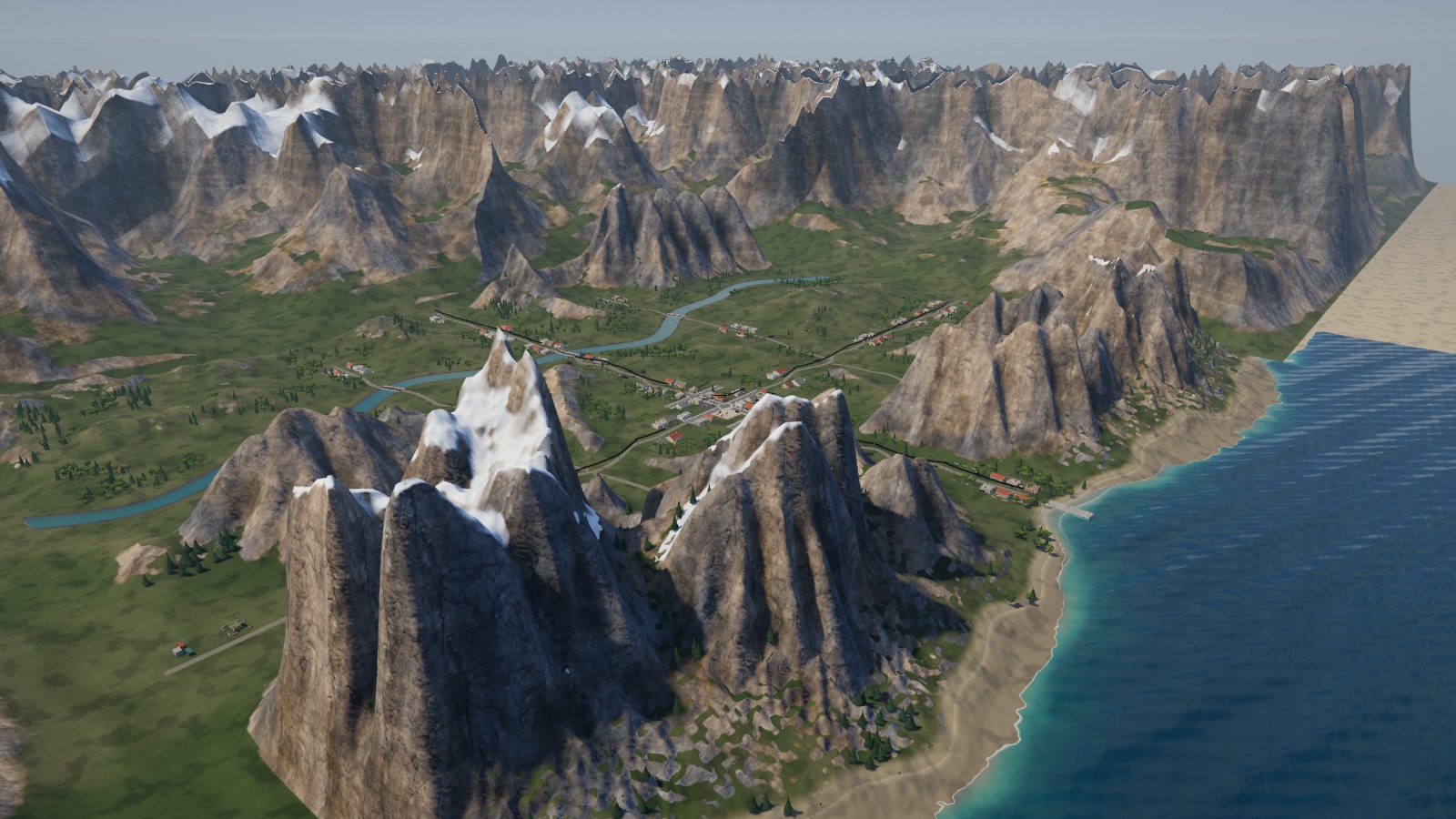
Optional alpine haze takes on the sky colour and settles lightly into lower valleys.
Explore this change
Uses existing alpine_haze option and engine fog; no new volumetric pass. Disabled/flat-map paths reset both additions. Compatibility may approximate aerial perspective differently.
Technique reference: research source.
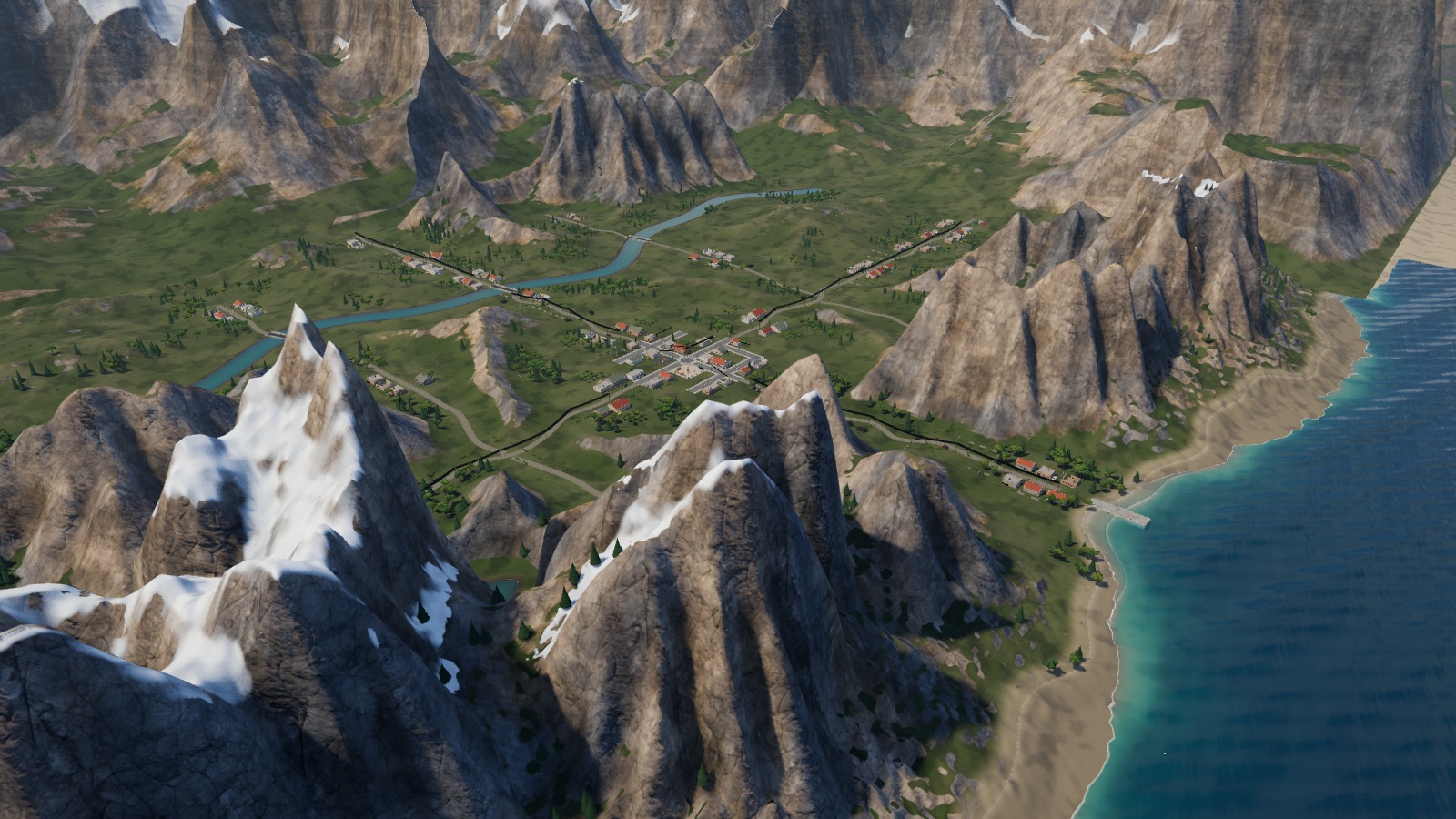
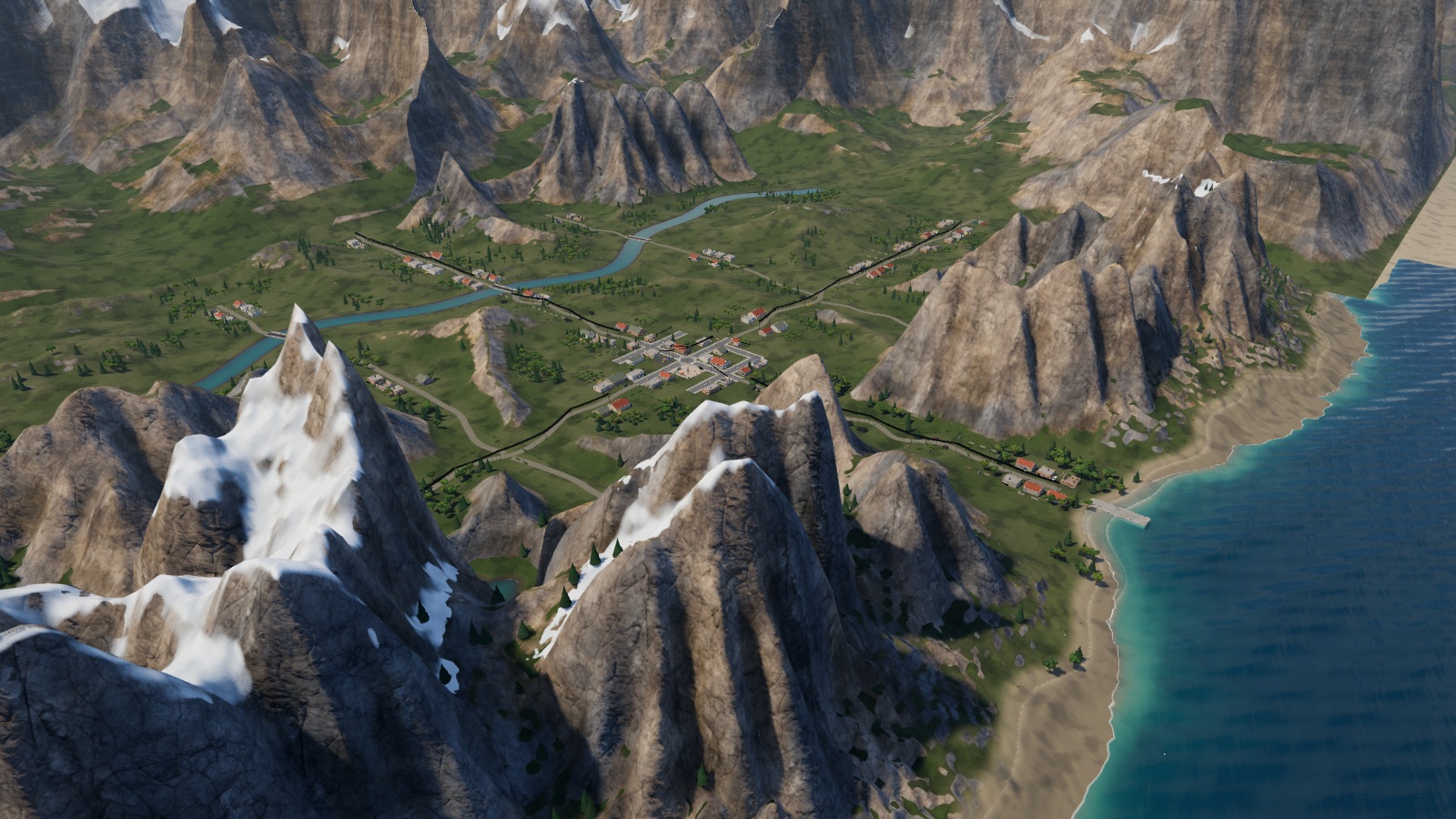
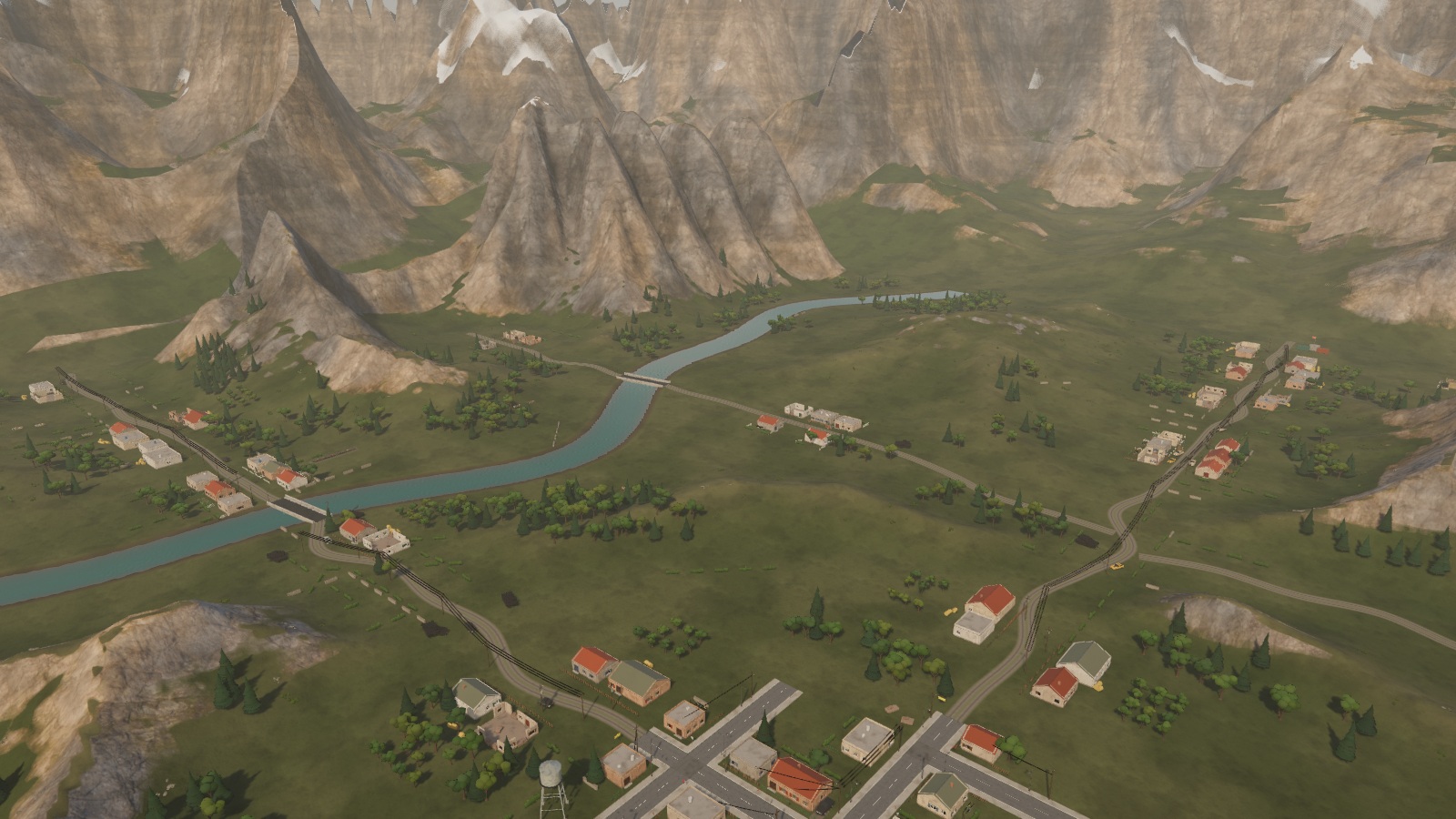
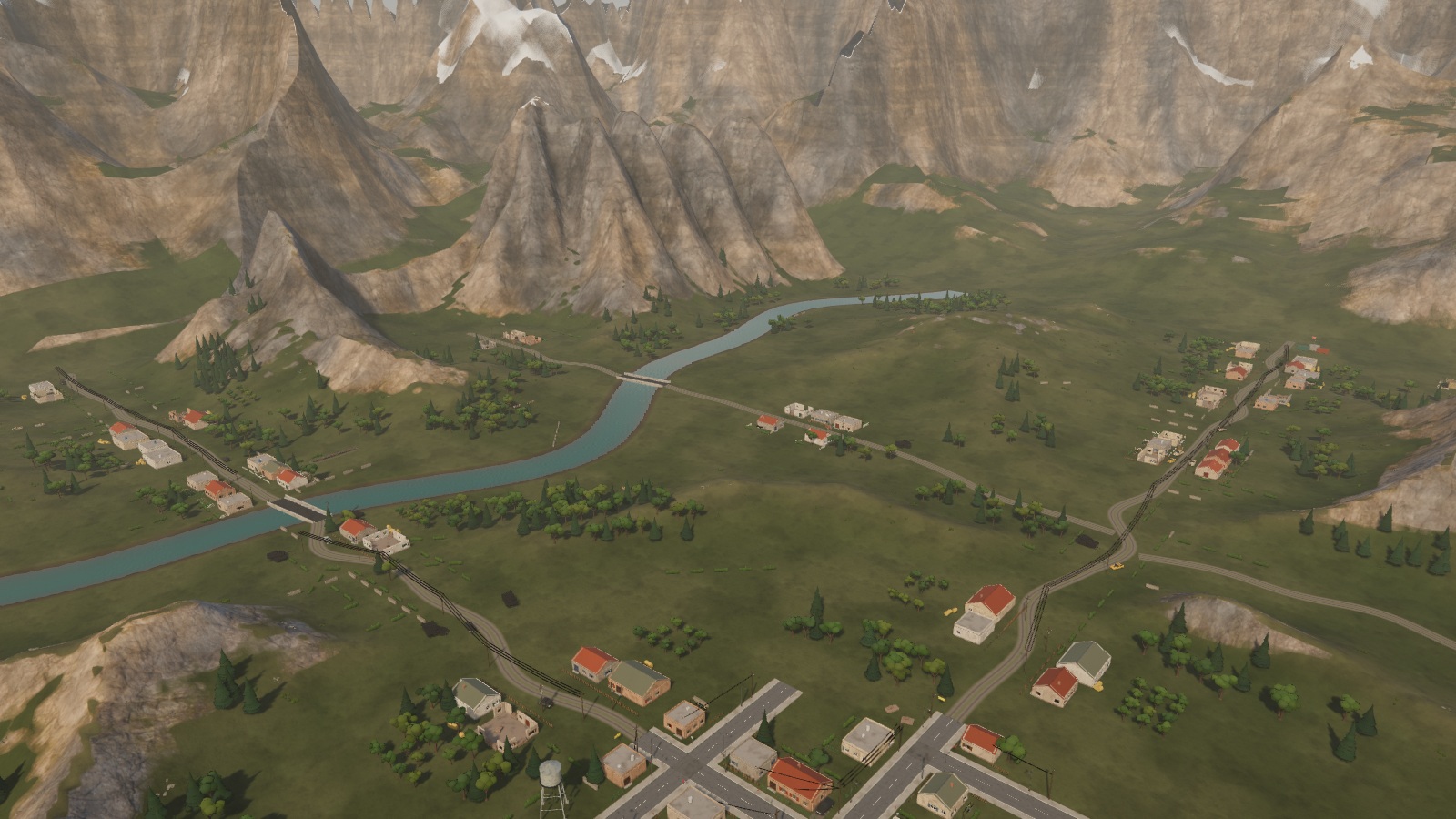
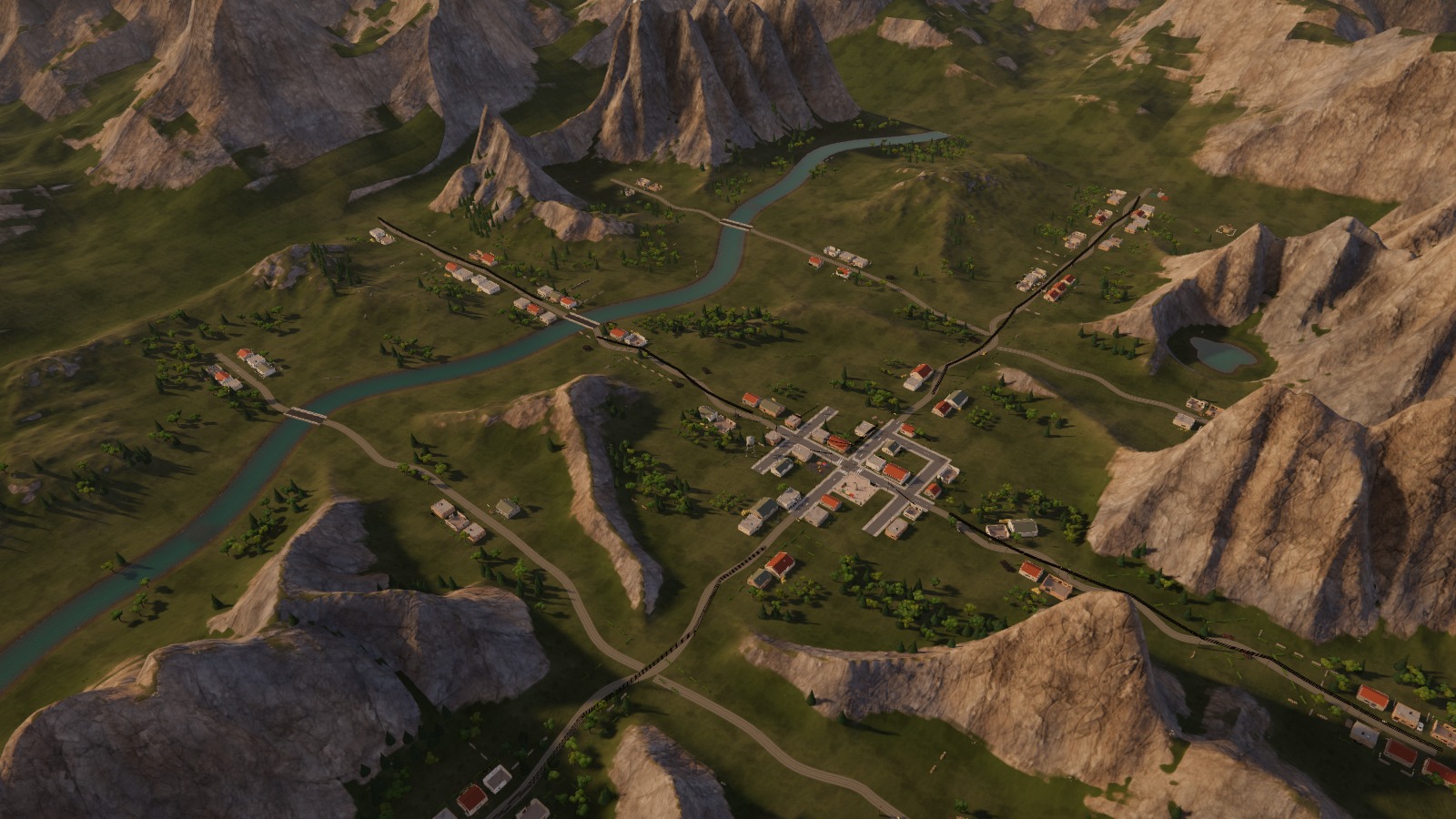
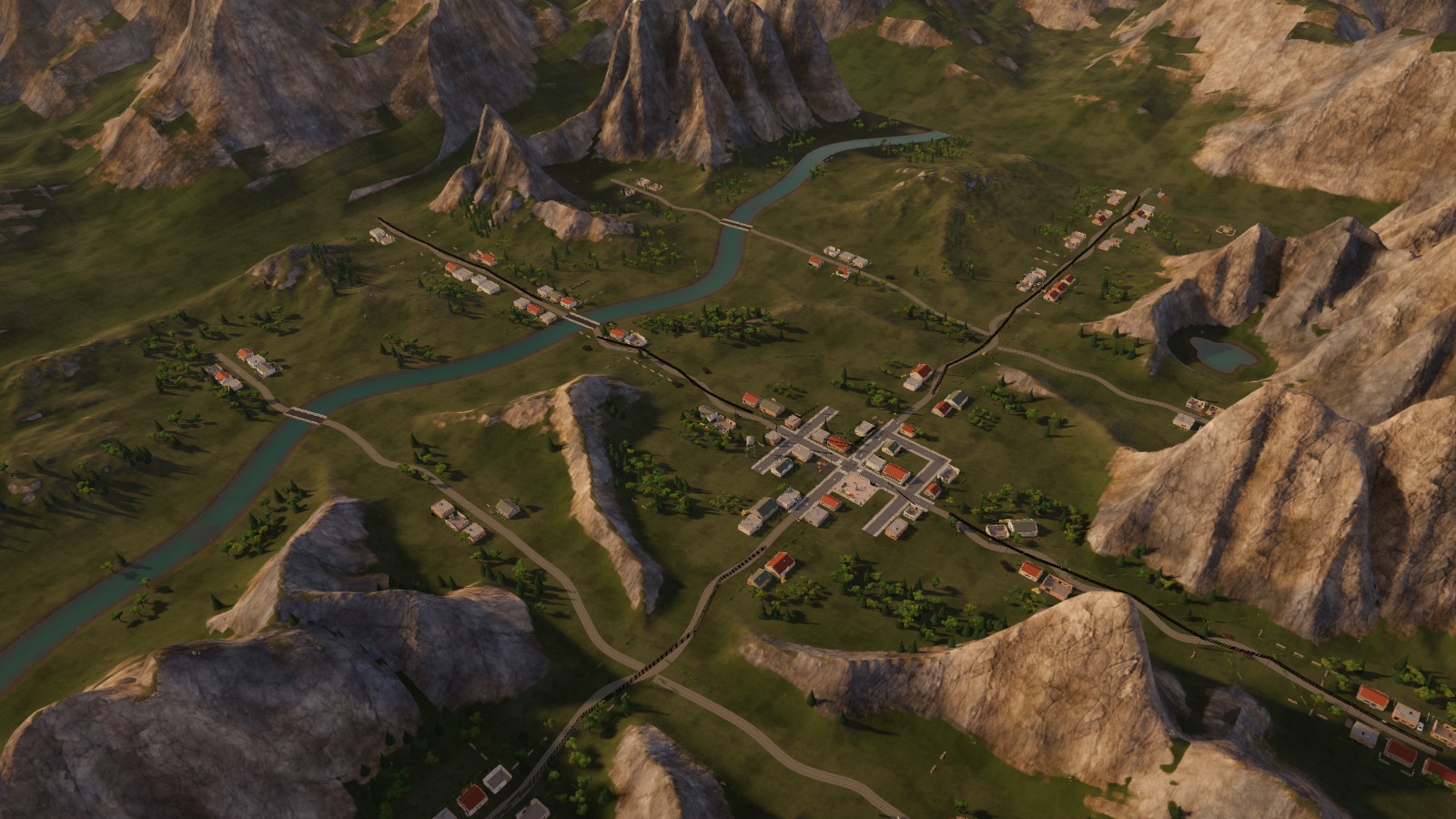
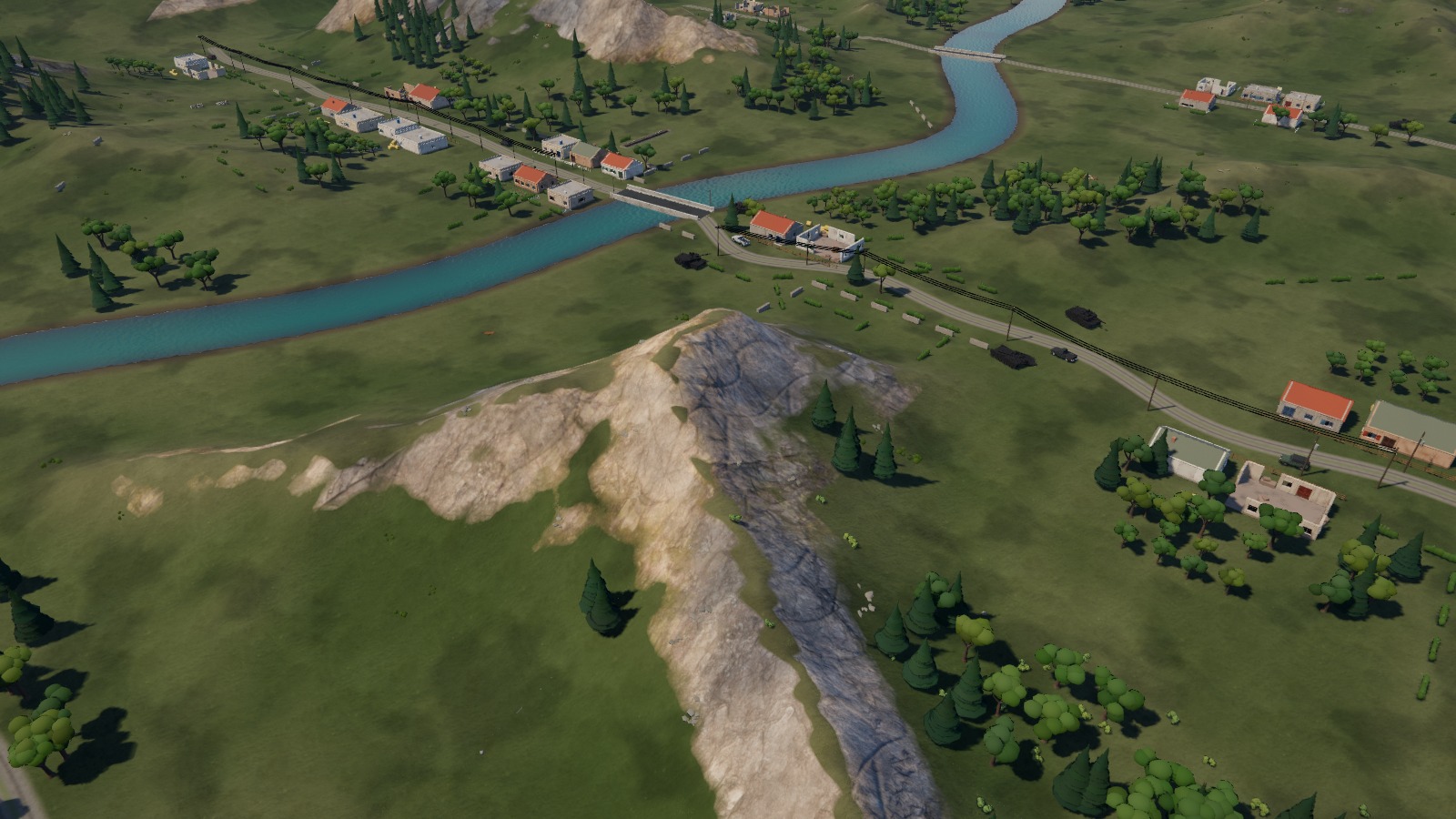
Broken stone across mountain faces
Mountain faces gain broken mineral layers, darker weathered seams and uneven pockets of loose stone.
Explore this change
Cliff materials combine larger elongated fractures with smaller photographic grain.
The detail is baked into the existing material textures, including normals and
occlusion, so it uses no additional terrain texture samples. Tilted mineral beds
break across the faces rather than forming continuous stripes.
Sheltered seams weather darker, while loose stone collects unevenly on gentler
ground and in pockets. These masks reuse existing texture reads.
This improves surface shading; mountain silhouettes and movement limits are unchanged.
Rock faces with depth and greener foothills
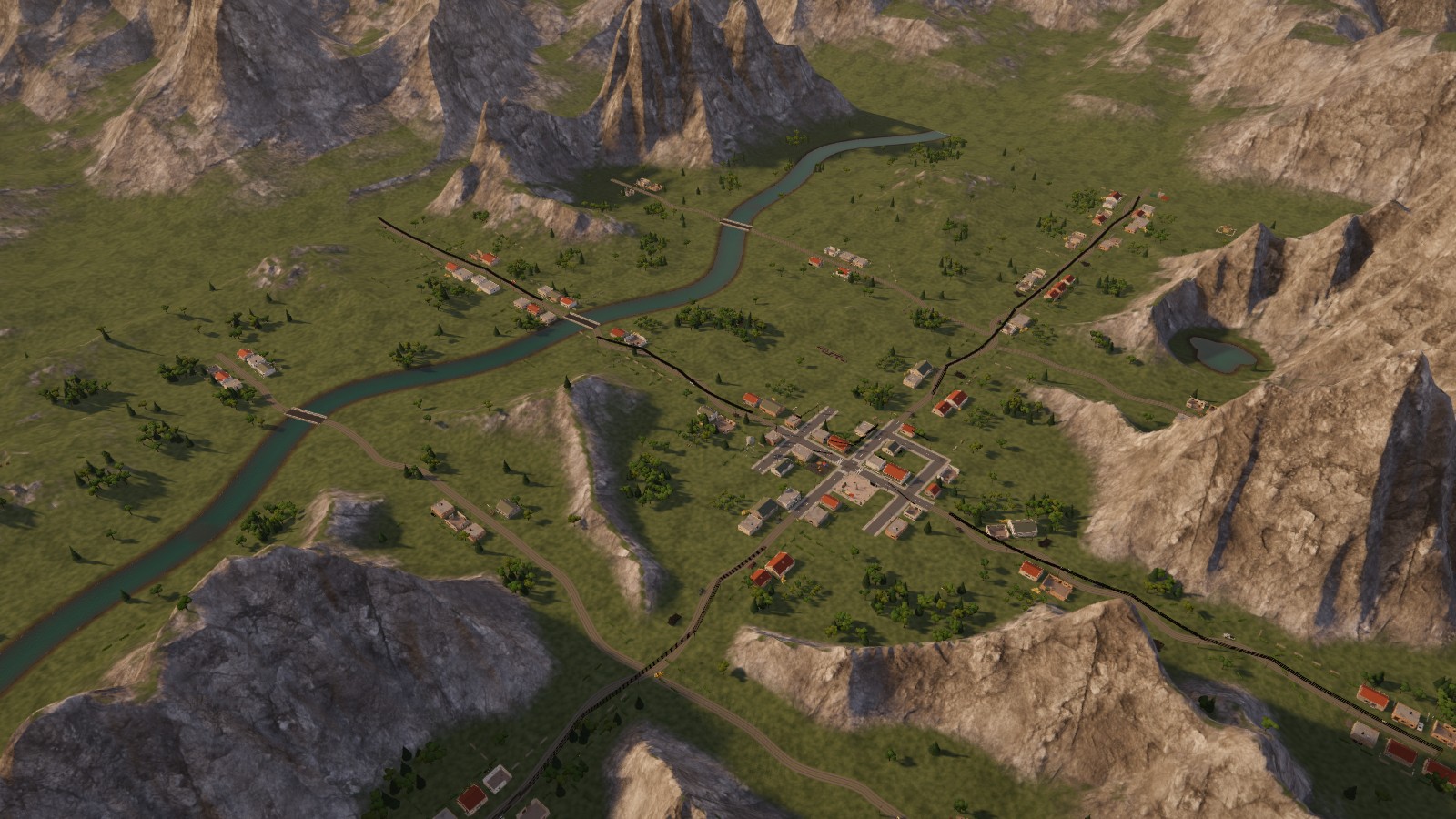
Mountain faces gain distinct rock masses, relief-aware moss and snow, and small conifer stands at their feet.
Explore this change
- Rock breaks through moss and snow according to the photographed surface relief. Crevices retain shade and each surface has its own roughness.
- Generated buttresses, bowls and saddles become part of the terrain before weathering and road grading, keeping movement and shots aligned with the landscape.
- Small conifer stands give the foothills a clearer sense of scale while retaining normal tree collision, fire and destruction.
- Offline-packed material maps retain the same texture-sample count; mip filtering reduces distant grain.
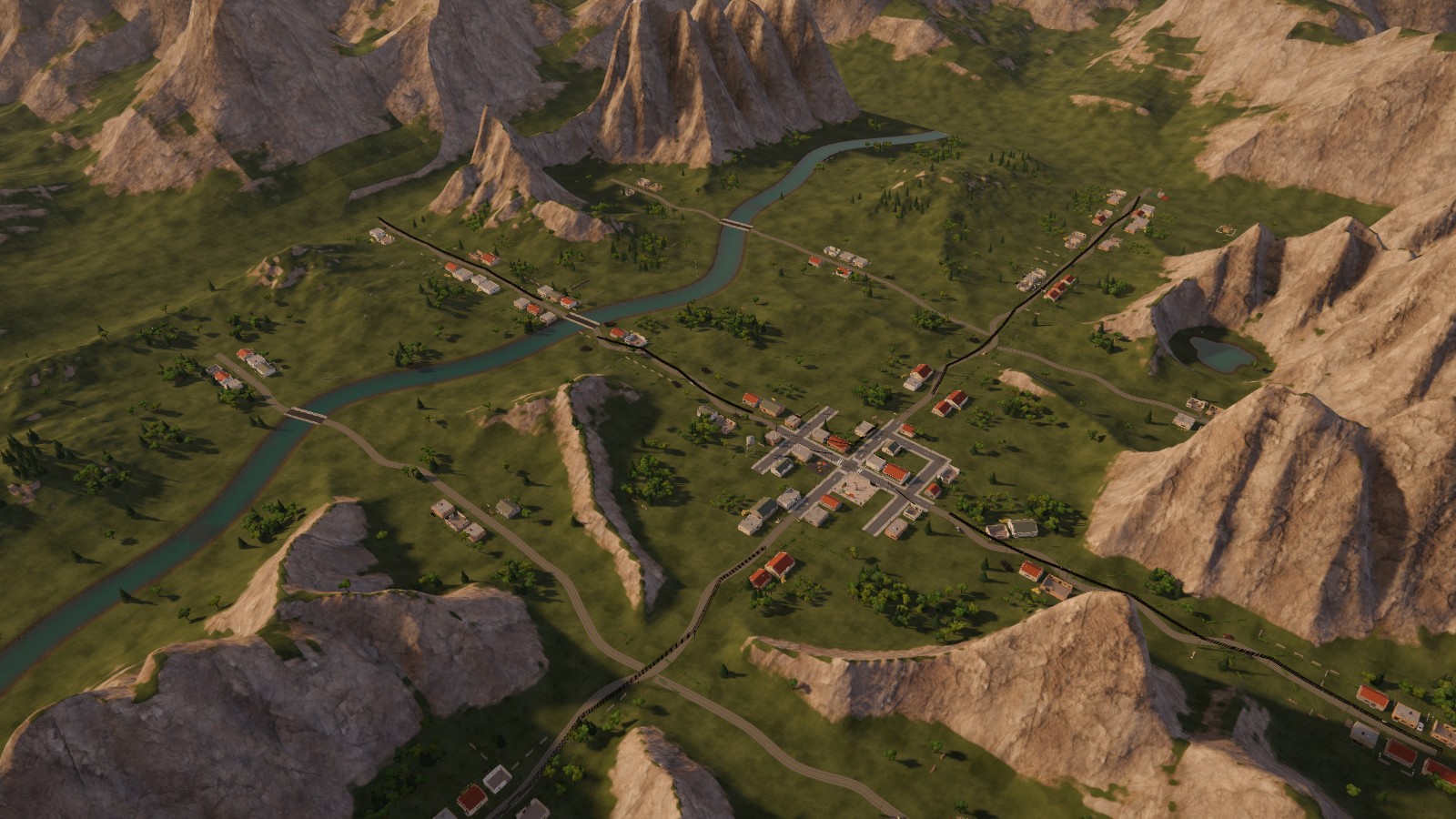
More varied mountain surfaces and vegetation
Mineral ba...
Frontline v1.0.11: Watch battles and revisit the action
New
Watch battles and revisit the action
Watch public battles in the browser, or revisit saved battles with camera controls and a seekable timeline.
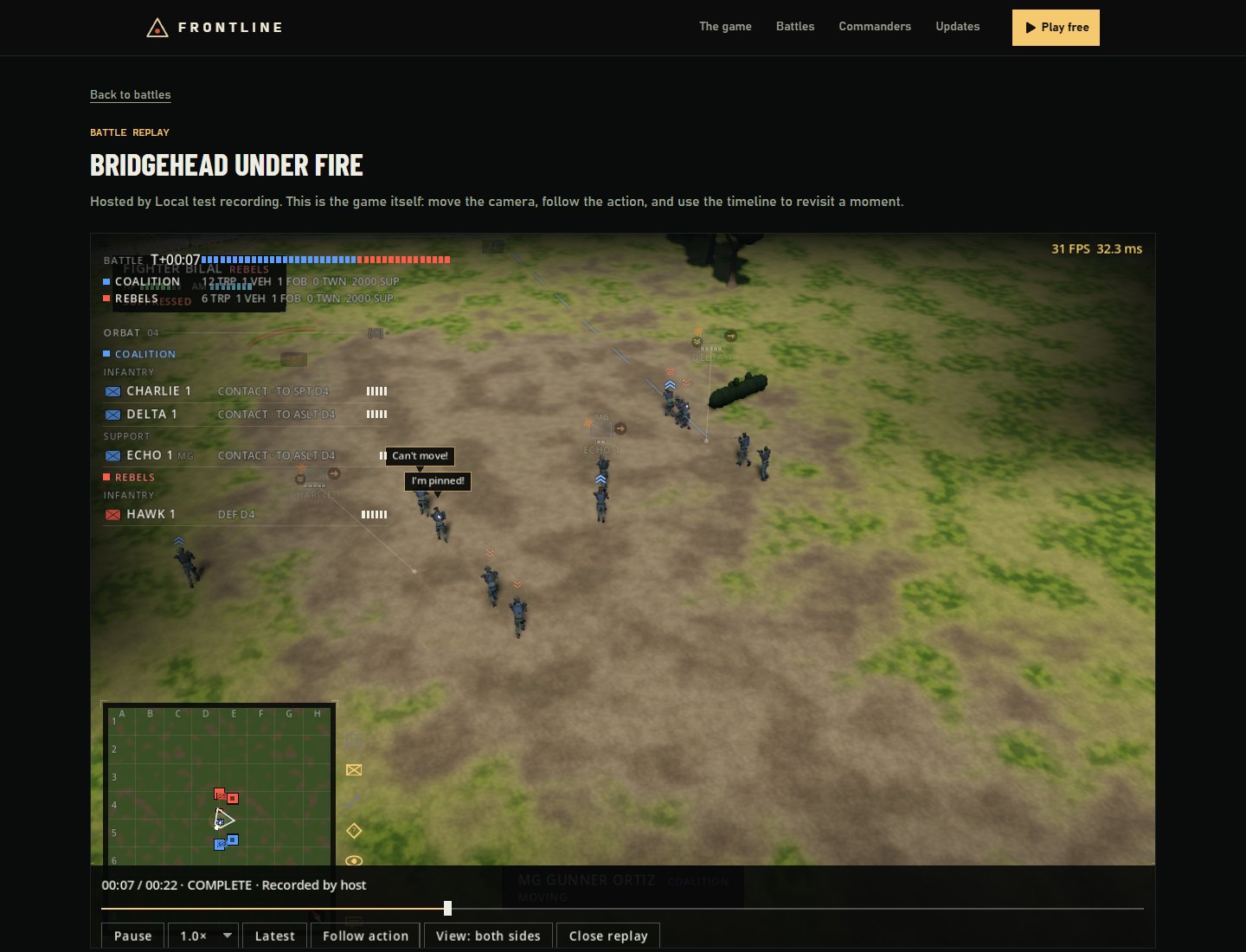
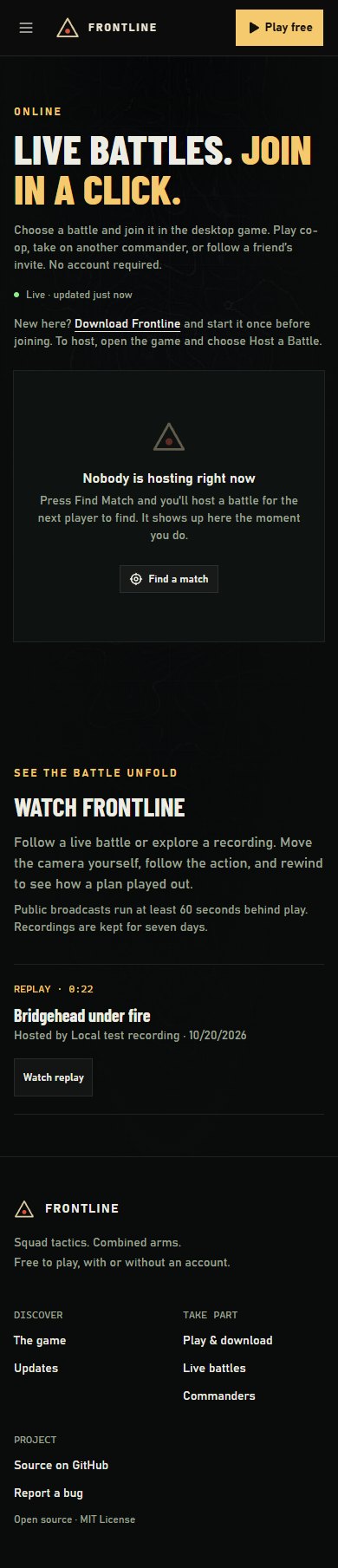
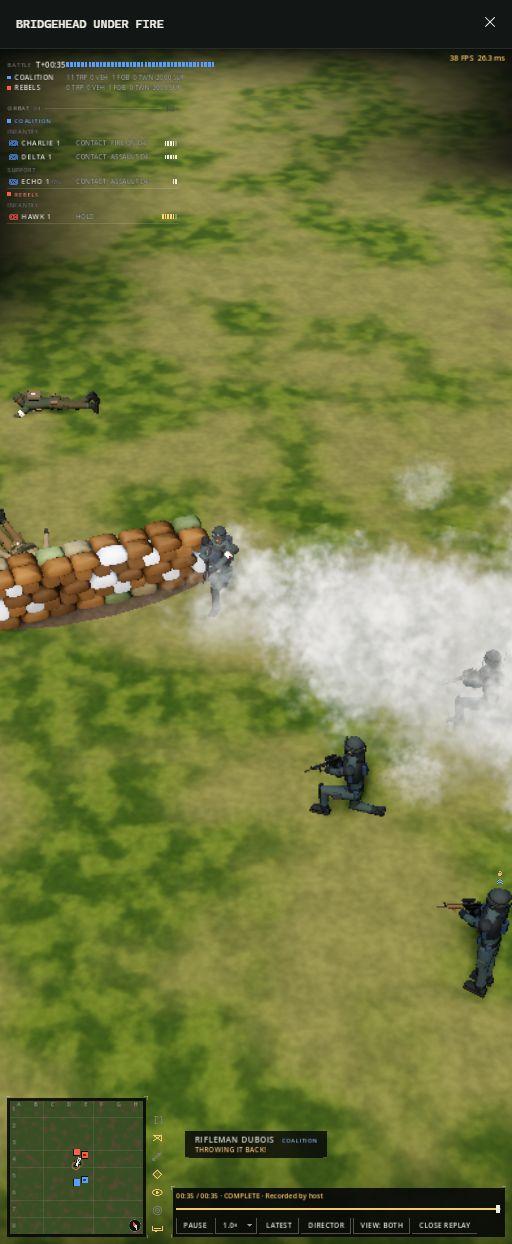
Public battles can now broadcast to a browser viewer, using Frontline's own
3D battlefield. Open Battles → Watch on the website, move the camera, or
let the observer camera follow the fighting. Public broadcasts aim to stay only a few seconds behind the players; password-protected and unlisted battles stay private.
The host also saves a replay locally. Open Replays in the desktop menu and
choose a recording folder to watch it again, pause, change speed, or drag the
timeline back to an earlier moment. Public recordings remain available on the
website for seven days when the server's recording storage is enabled.
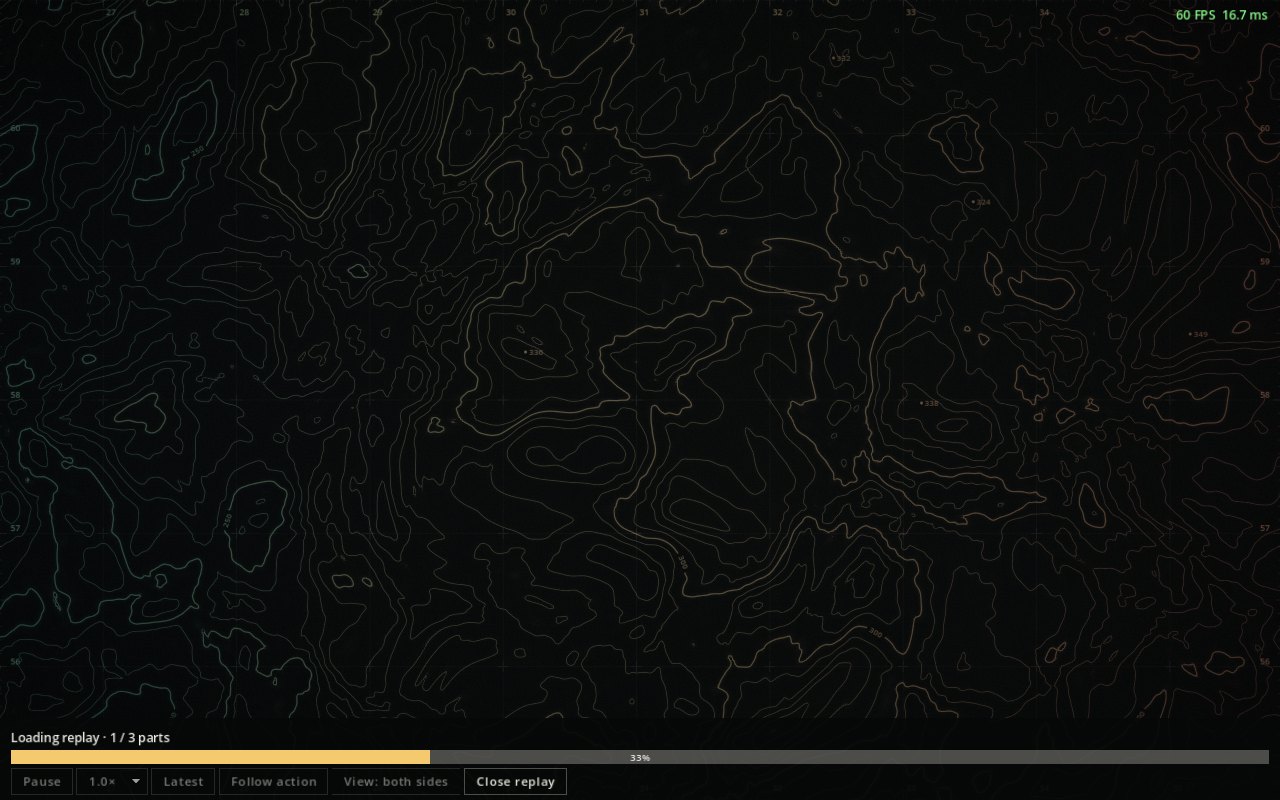
Saved replays load fully before playback starts. Loading progress and all replay
controls, including the scrubber, live inside the game itself.
These are host recordings, not independently verified results. Recordings made
before this feature cannot be reconstructed from an old after-action report.
The browser battlefield fills the available window, keeping the FPS meter clear of the site header. Replay controls use the desktop Signal interface and sit beside the minimap, with the director caption above the timeline.
Inspect vehicles on the website
Explore vehicles directly on the website, with an interactive model preview using the Field Manual's models, lighting, rotation and zoom.
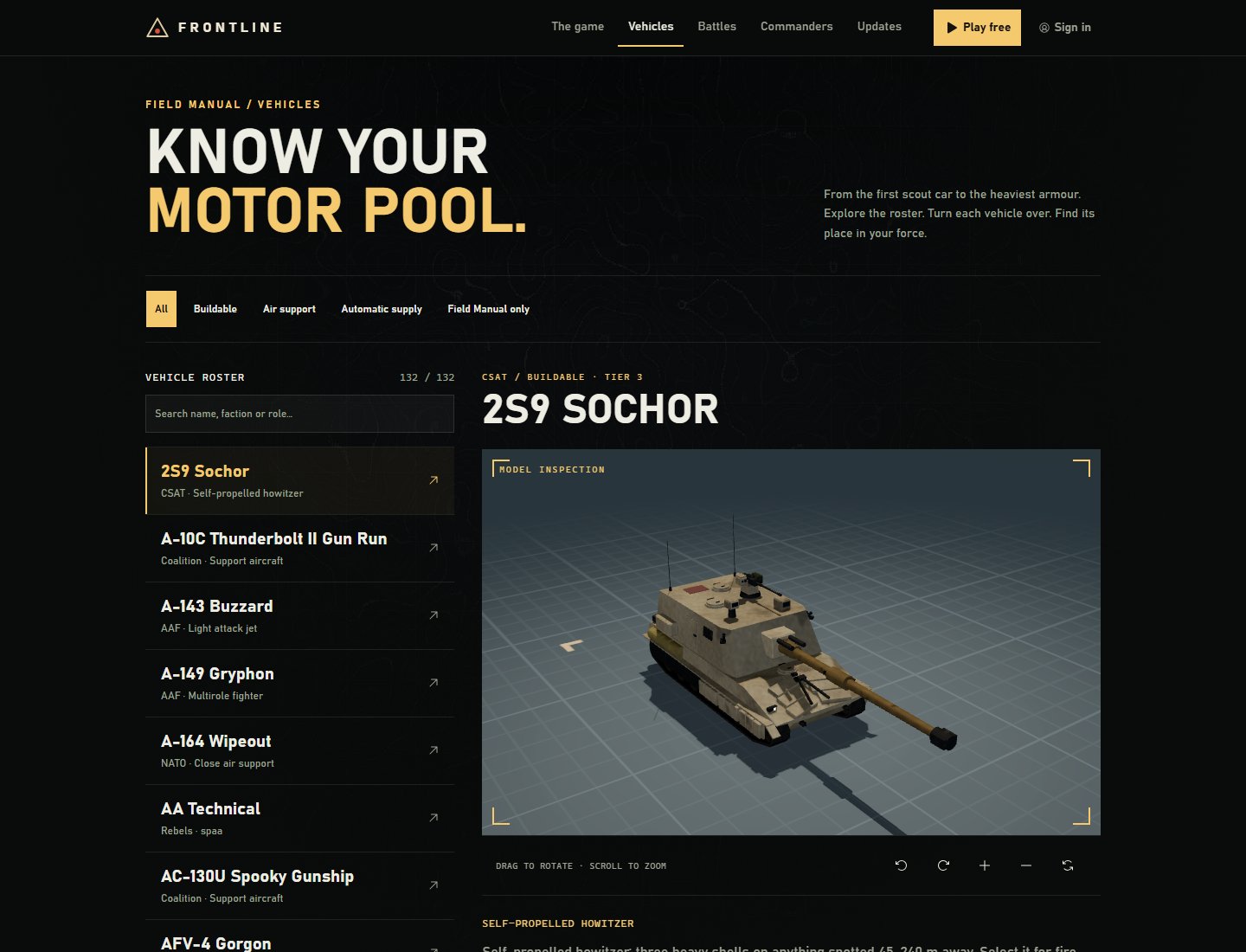
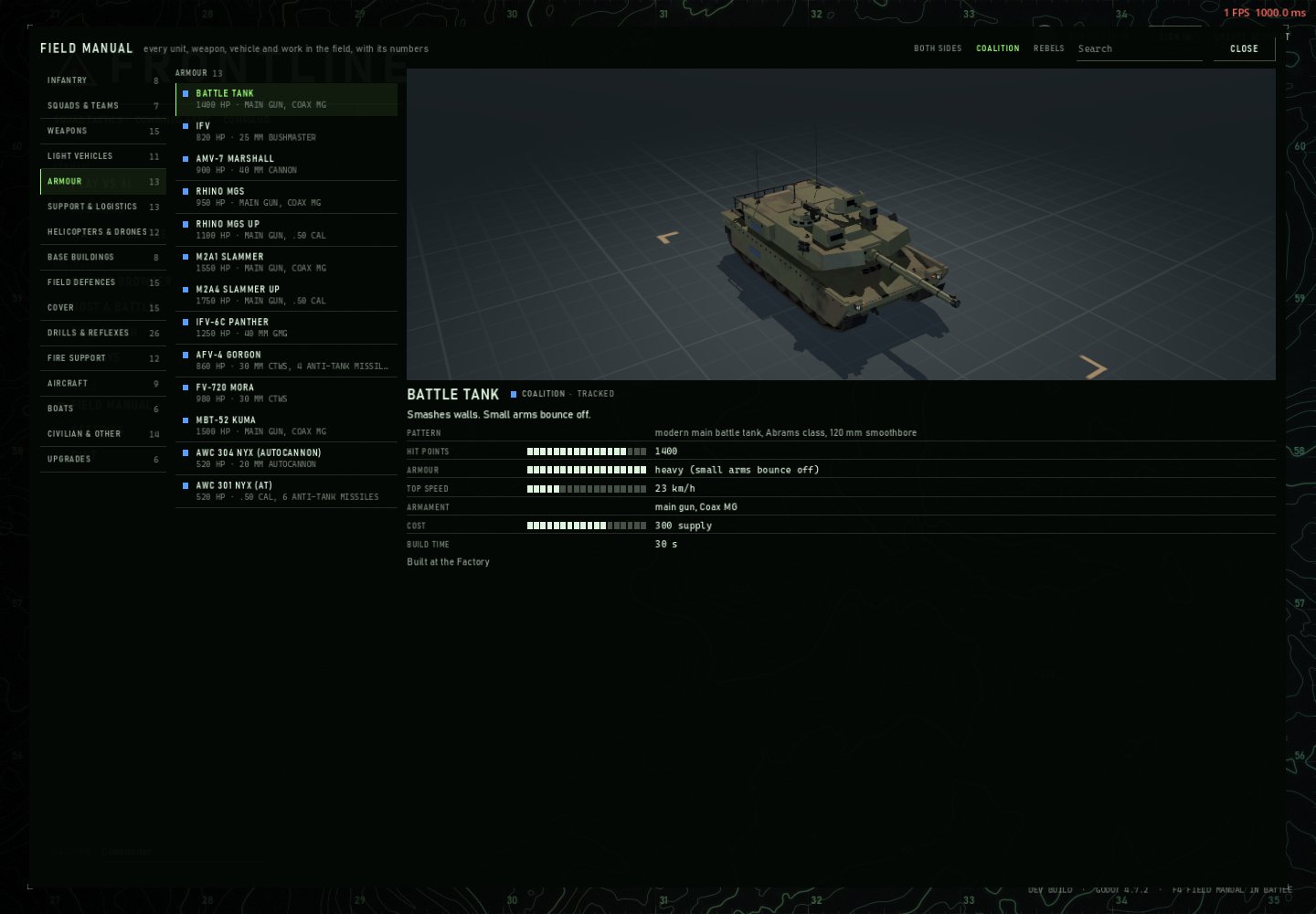
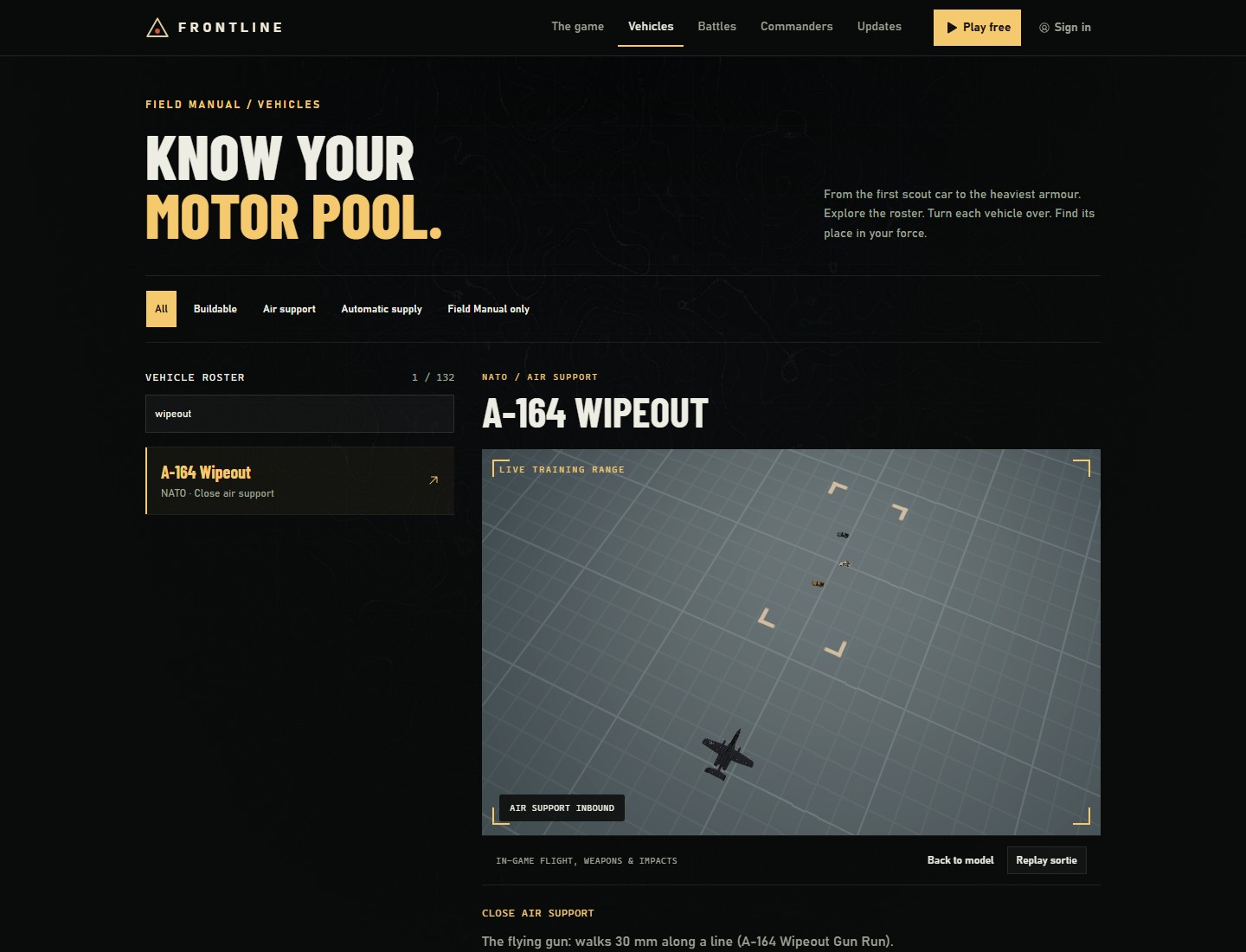
- Search vehicles by name, faction or role and filter by availability.
- Switch vehicles without restarting the 3D viewer. Compressed browser assets reduce the first download.
- Inspect models in a new slate survey bay, with a fading grid, warm corner markings and clearer lighting, shared by the website and the in-game Field Manual.
- Quiet digital interference occasionally passes through the survey grid; reduced-motion settings keep it still.
- Watch armed support aircraft perform their real gun run, bombing pass or orbit in the embedded training range. Replay resets the aircraft and targets without rebuilding the range; return to model inspection at any time.
- Select a vehicle to inspect its 3D model directly beside the roster. Drag to turn it, scroll to zoom, or use the camera buttons with a keyboard. The page uses the site's familiar styling around the game's own model stage.
Improved
Less work during busy battles
Pathfinding spends less time maintaining its cache, and animated combat markers reuse their geometry.
- Long routes no longer scan the entire local navigation cache when replacing an old entry.
- Combat markers keep the same pulsing, rotating shape with less work per frame.
These changes reduce specific costs; they do not establish 60 FPS support for 500-unit battles on large maps.
Less repeated work in large battles
Scenery follows the camera's view, and soldiers avoid repeating sight checks against unchanged walls.
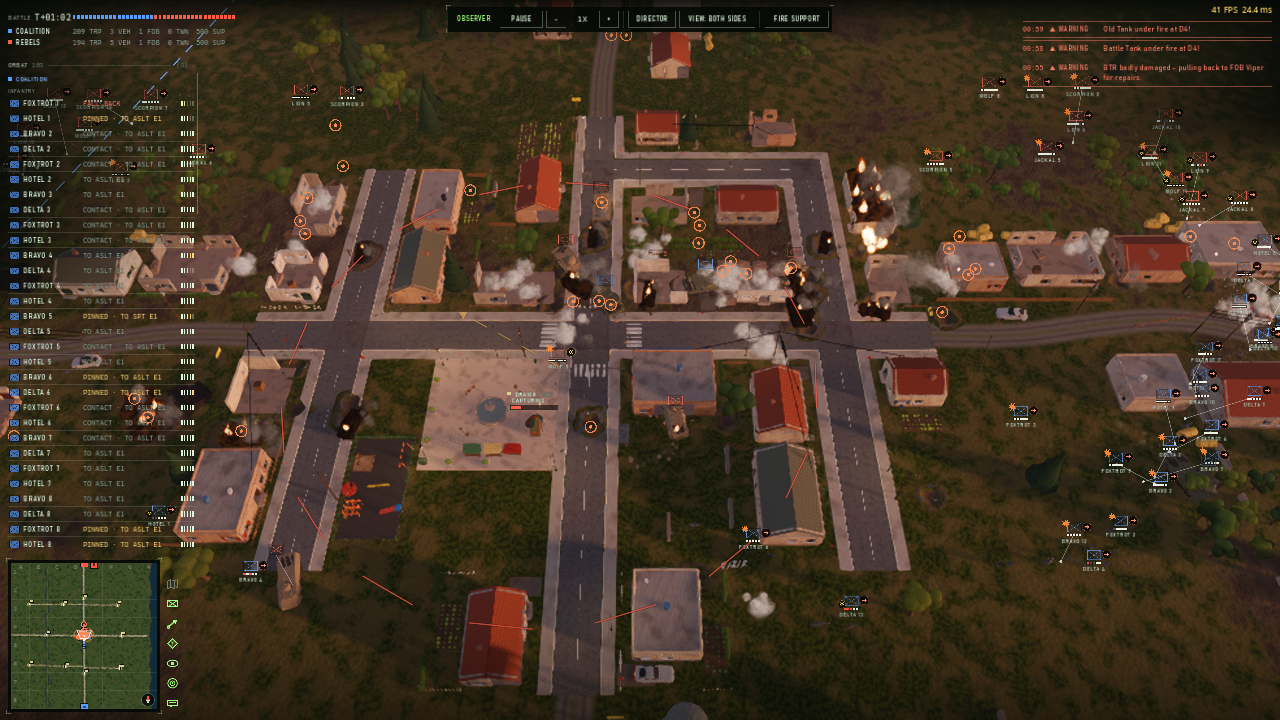
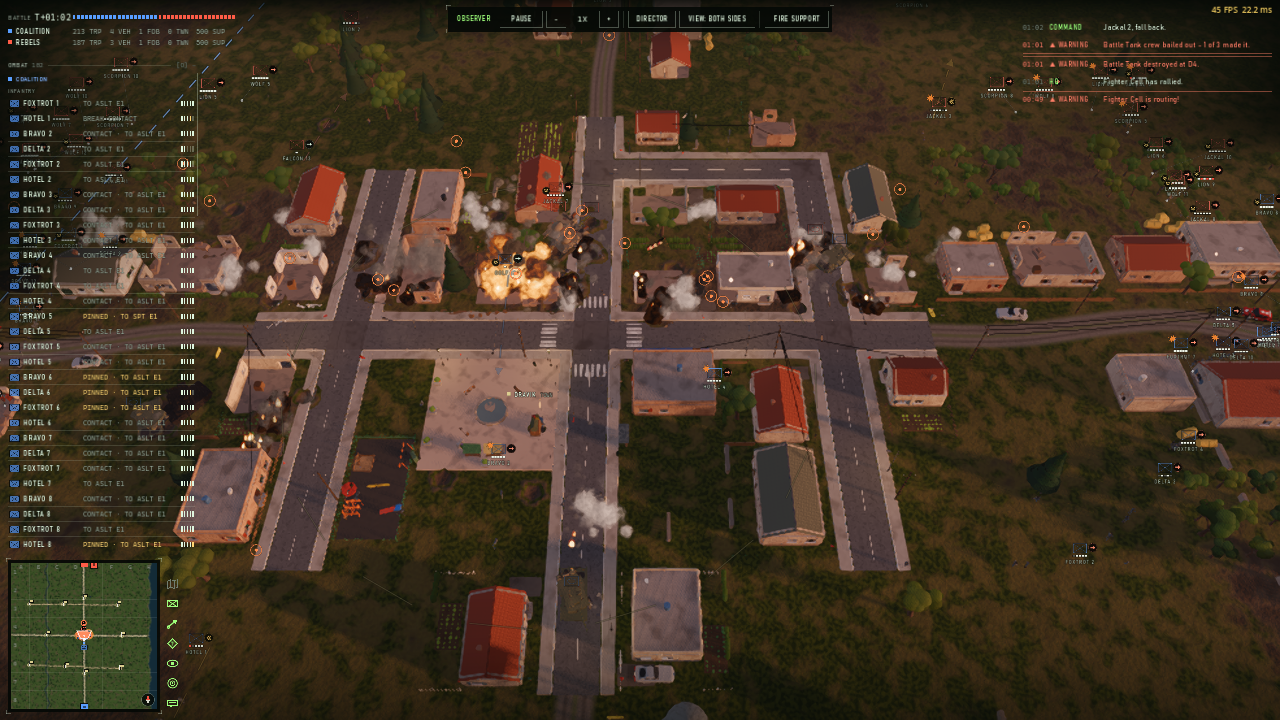
-
Scenery loads around what the camera can see, including a margin for roofs and screen edges.
-
Large maps store navigation cells compactly, saving about 1.25 GiB across the two 3 km land grids.
-
Replay recording reuses unchanged scenery and encodes completed chunks in the background to reduce battle stalls.
-
Formation planning reuses nearby cover checks while retaining the same selected positions.
-
Native path search skips intermediate cost nodes while retaining terrain and danger costs.
-
Soldiers reuse confirmed obstruction by an unchanged wall. Opening a door or changing the blocking geometry immediately requires a fresh check; smoke remains live.
-
Distant soldiers outside the camera view no longer rebuild render batches.
-
Tactical symbols retain their image between 15 Hz updates while the camera and pointer are still; camera movement and input refresh them immediately.
Large-map performance is still being measured. These changes do not establish 60 FPS support for 500-unit battles.
See the troops you command
Lighter atmospheric haze and translucent battlefield markers keep soldiers, vehicles and terrain readable, even when zoomed out.
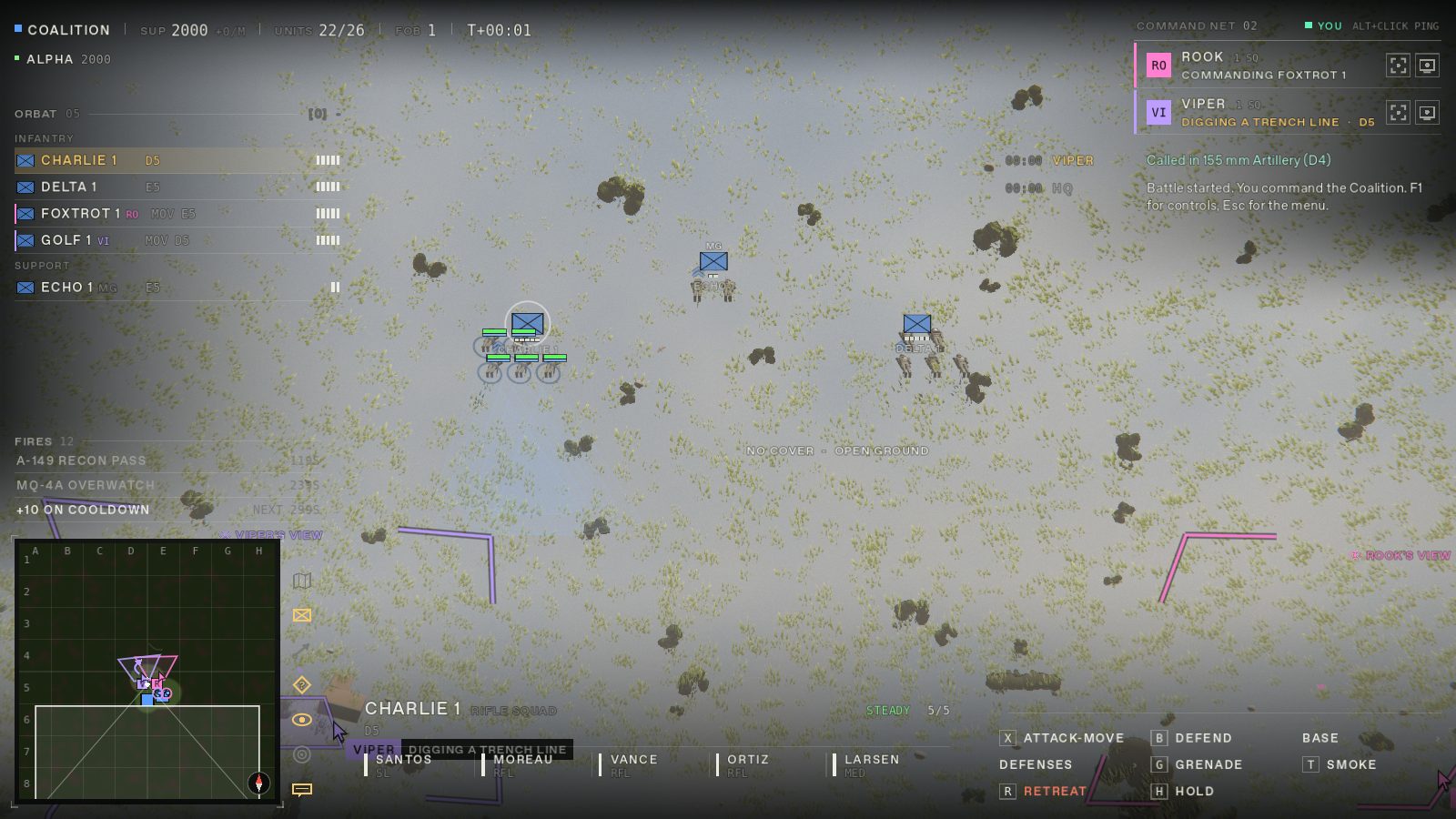
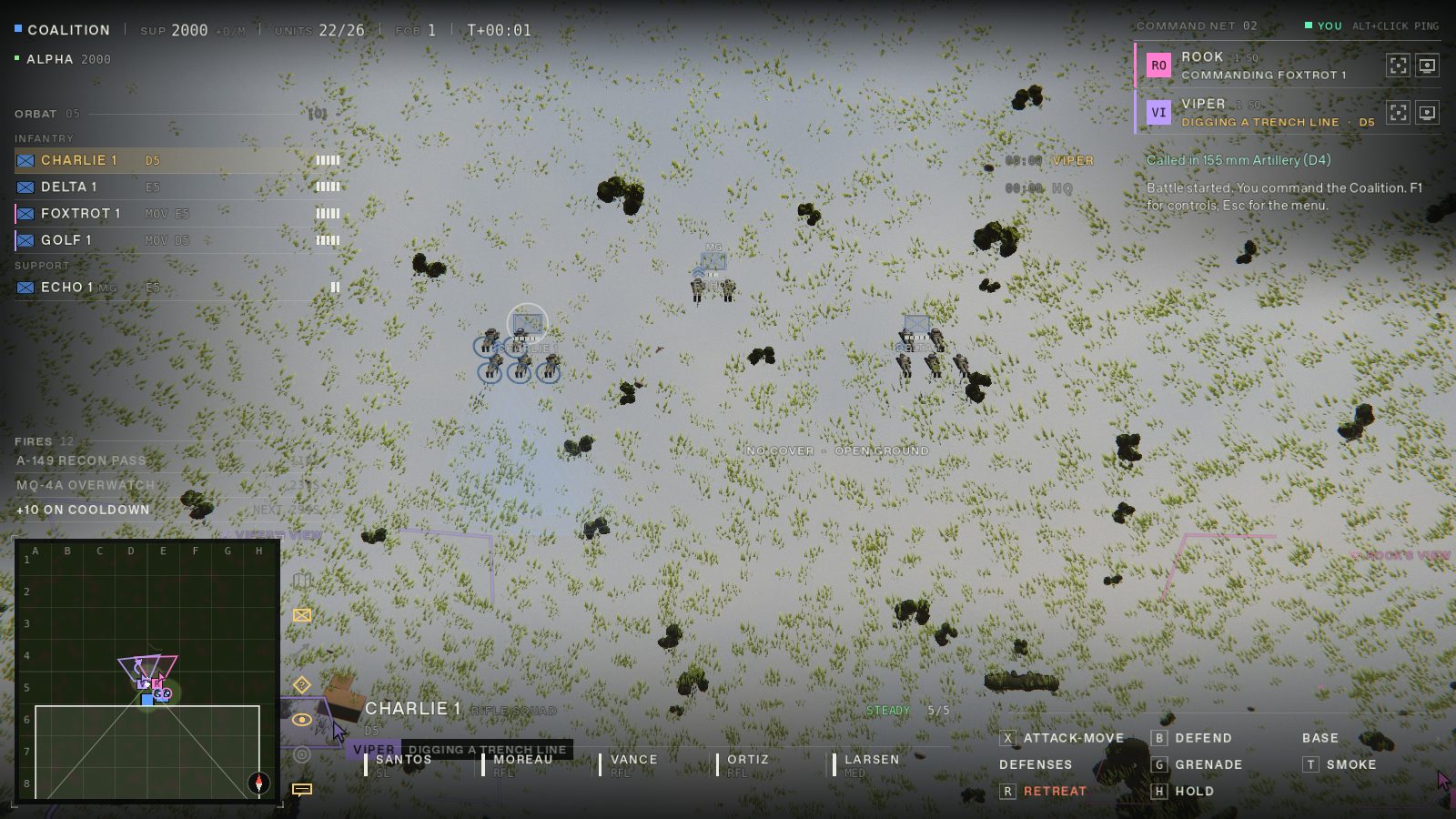
- Atmospheric haze is much lighter in every weather preset and continues thinning as the camera pulls back. Fog of war, enemy visibility and combat smoke are unchanged.
- Squad and vehicle symbols are translucent outlines over the battlefield. Solid counters remain in the tactical map, minimap and roster.
- Squad symbols fade in with distance instead of stacking over nearby soldiers. Individual status icons lose their opaque backplates, and squad-strength pips replace overlapping per-soldier bars at squad zoom.
- Teammate view frames and selection rings are thinner and quieter. A teammate's selection is a coordination hint, not an exclusive ownership badge.
Helicopters fly like helicopters
Rotorcraft carry momentum through turns, bank and pitch as they accelerate, and flare into a stable hover before landing.
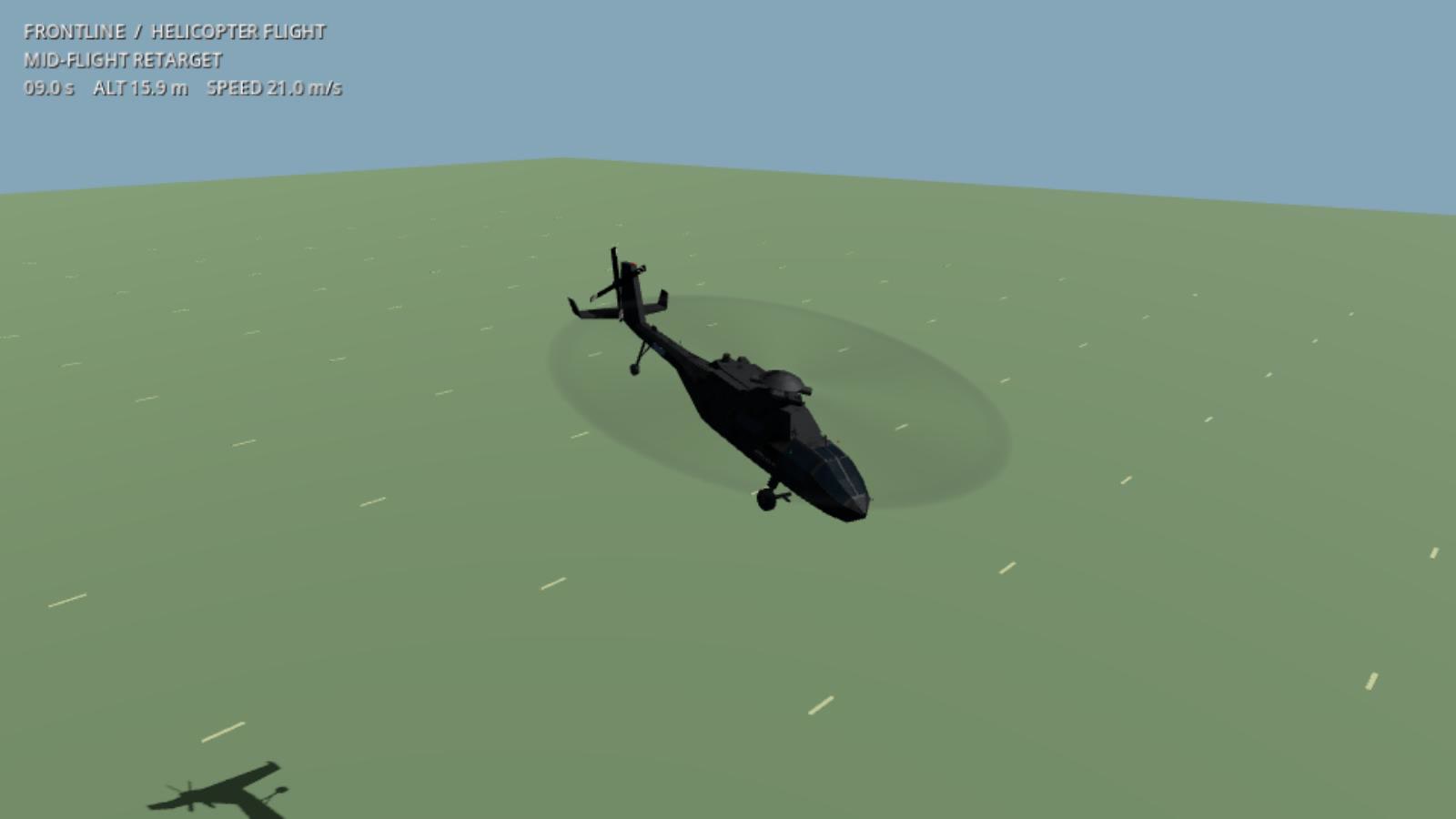
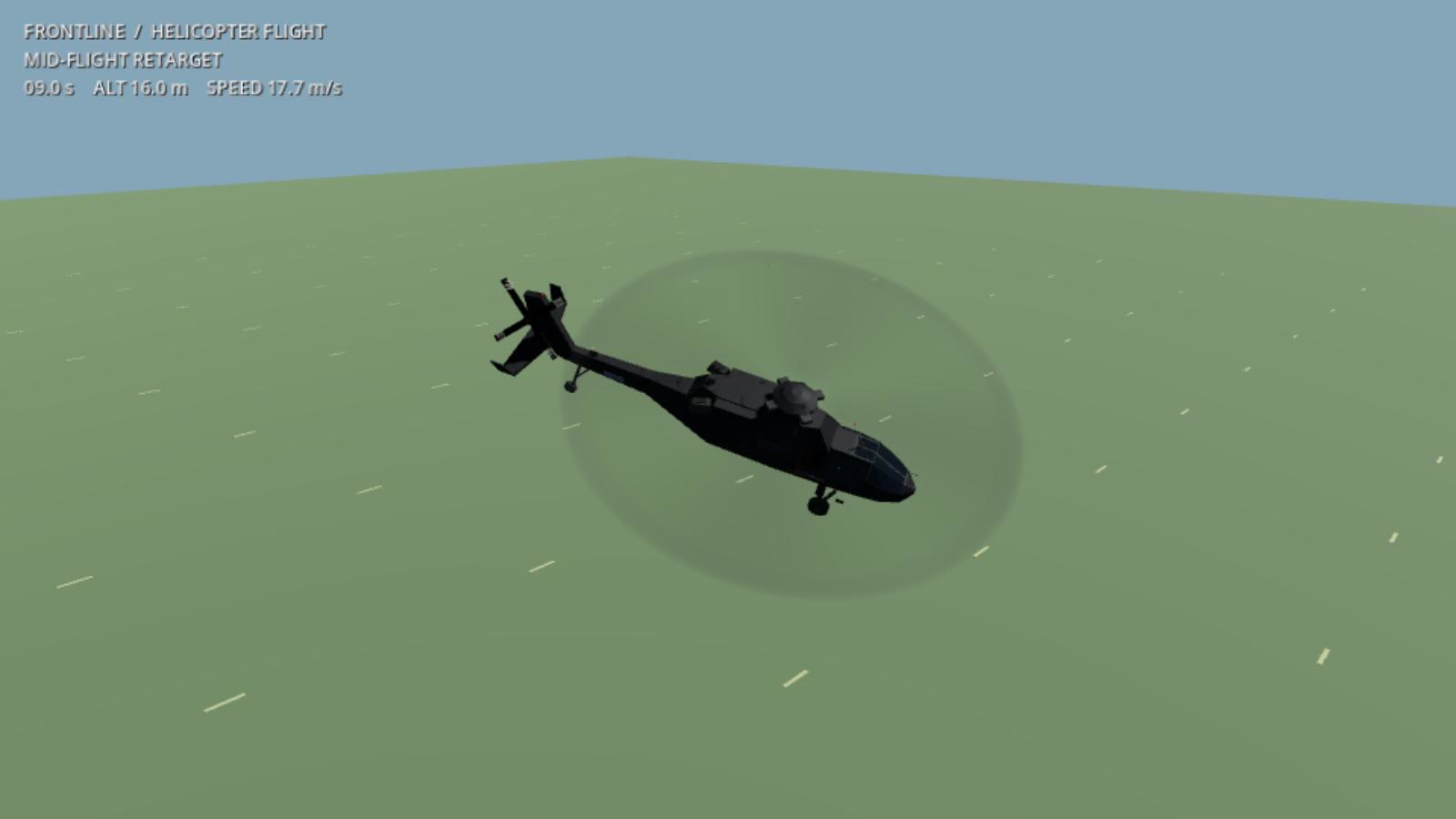
- Attack, troop and supply helicopters accelerate, brake, climb and descend smoothly instead of instantly changing direction or vertical speed.
- Aircraft lean into the force of a turn and raise their noses to brake. Gunships can move sideways while keeping their guns on target.
- Transports settle before putting down troops or picking up a sling load. Heavy loads make flight more deliberate.
- Stop holds a troop transport in the air, including with a vehicle on its sling. Give a new move order to carry on; new orders also interrupt an approach to land.
- Flight remains controlled by the host, with the same bank and pitch sent to every player. Ground vehicles and drones keep their existing movement.
A new introduction to Frontline
Discover the game through battlefield decisions, combined-arms footage and selectable operation briefings.
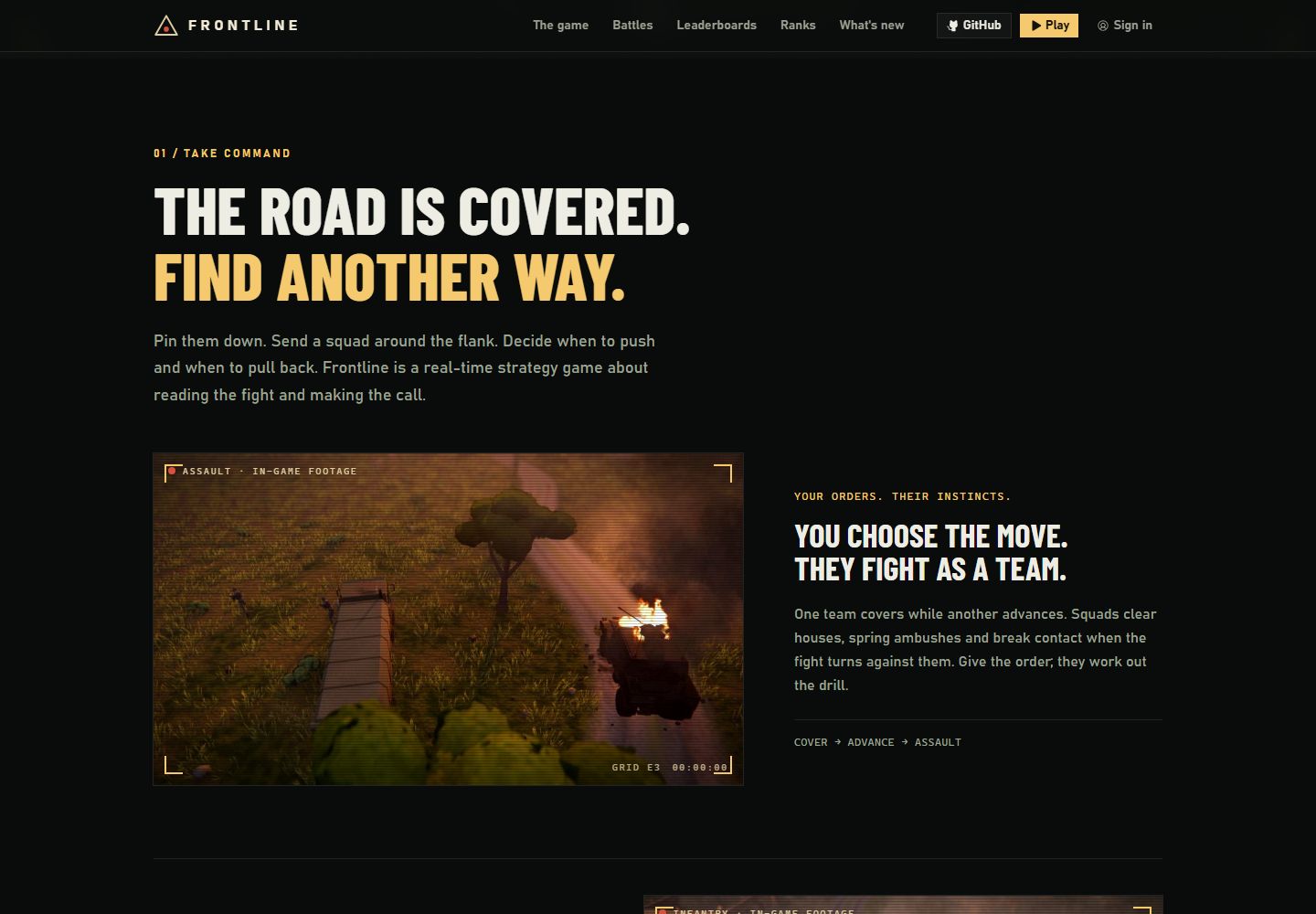
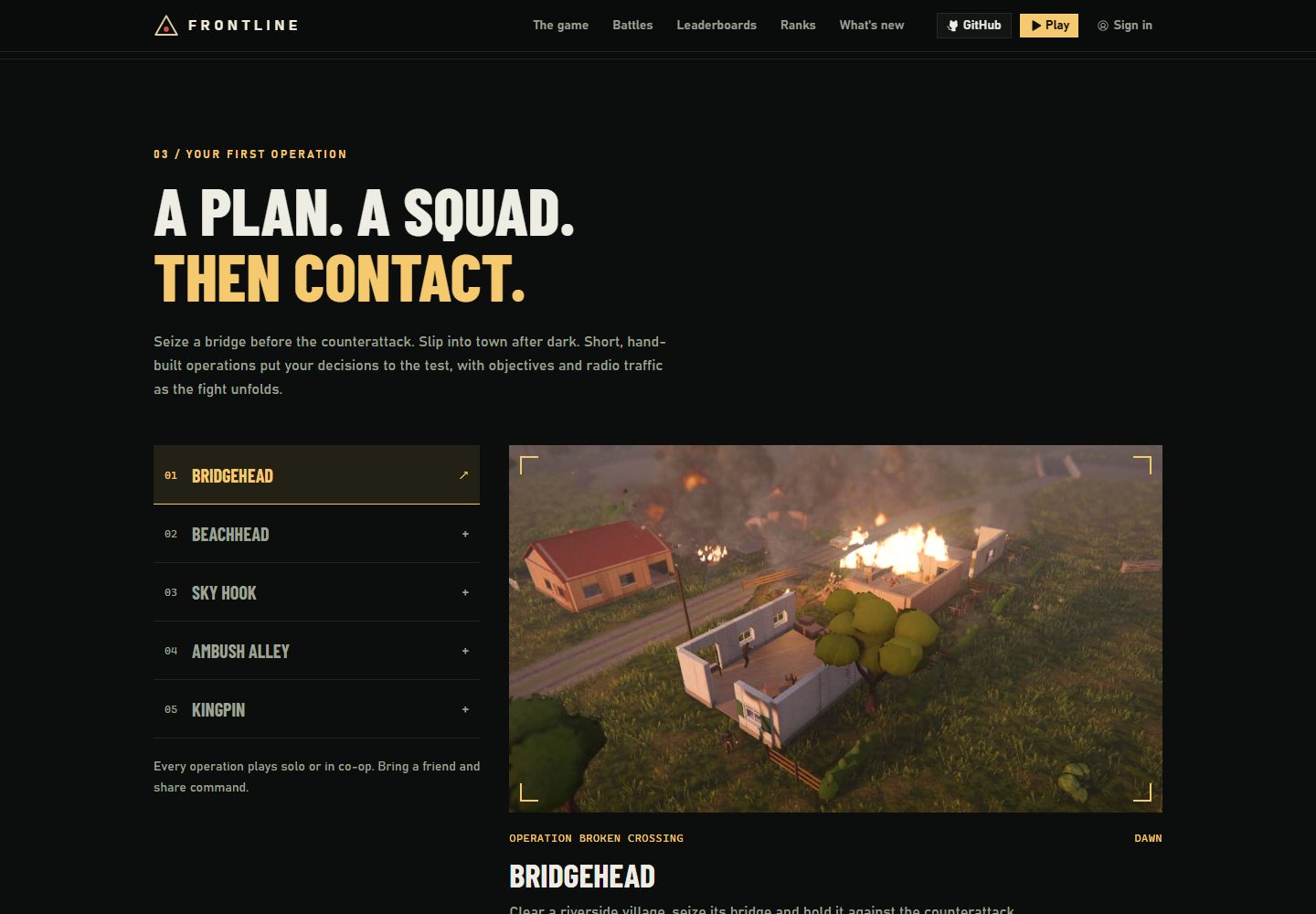
- The homepage builds from squad tactics to armour, fire support and amphibious operations, with varied layouts and quieter motion inspired by the game's Signal interface.
- Browse mission briefings one at a time, with the force details available on mobile as well as desktop.
- Gameplay comes straight after the opening footage, without the repeating tickers and statistics grid.
Smoother large battles
Large battles draw buildings and squad symbols with less repeated work, while damage, cover and individual soldiers keep their existing behavior.
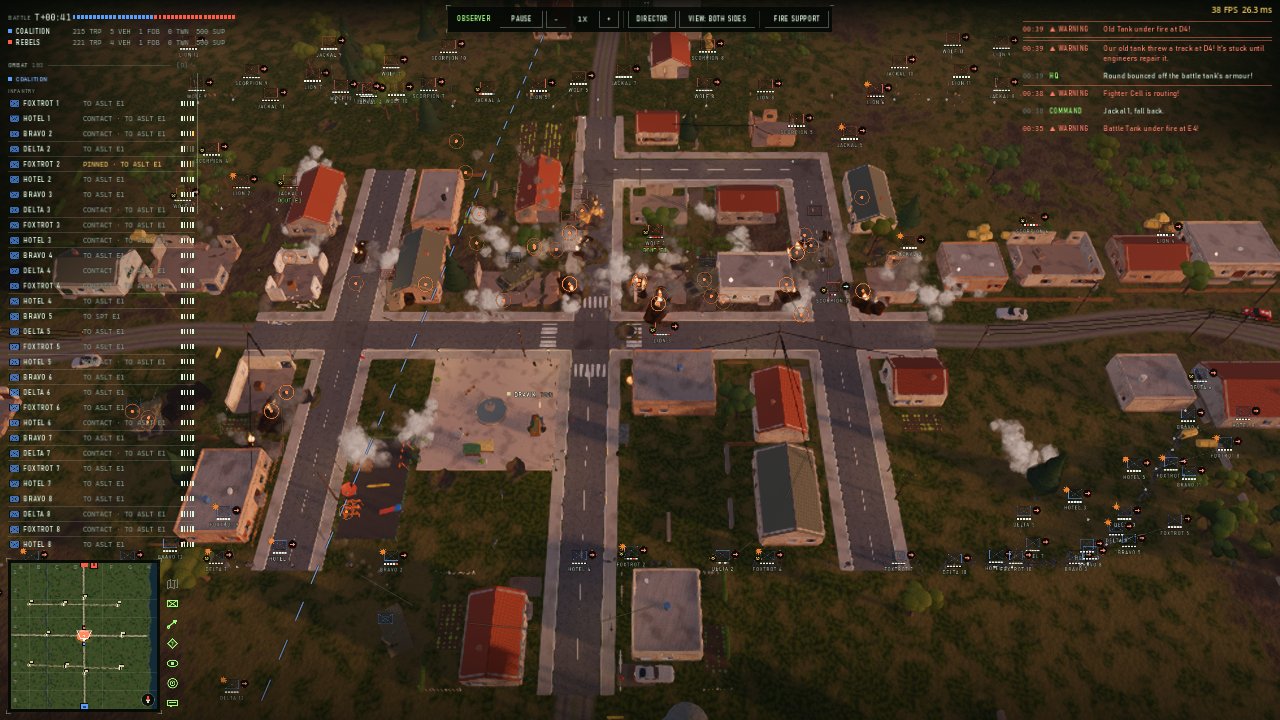
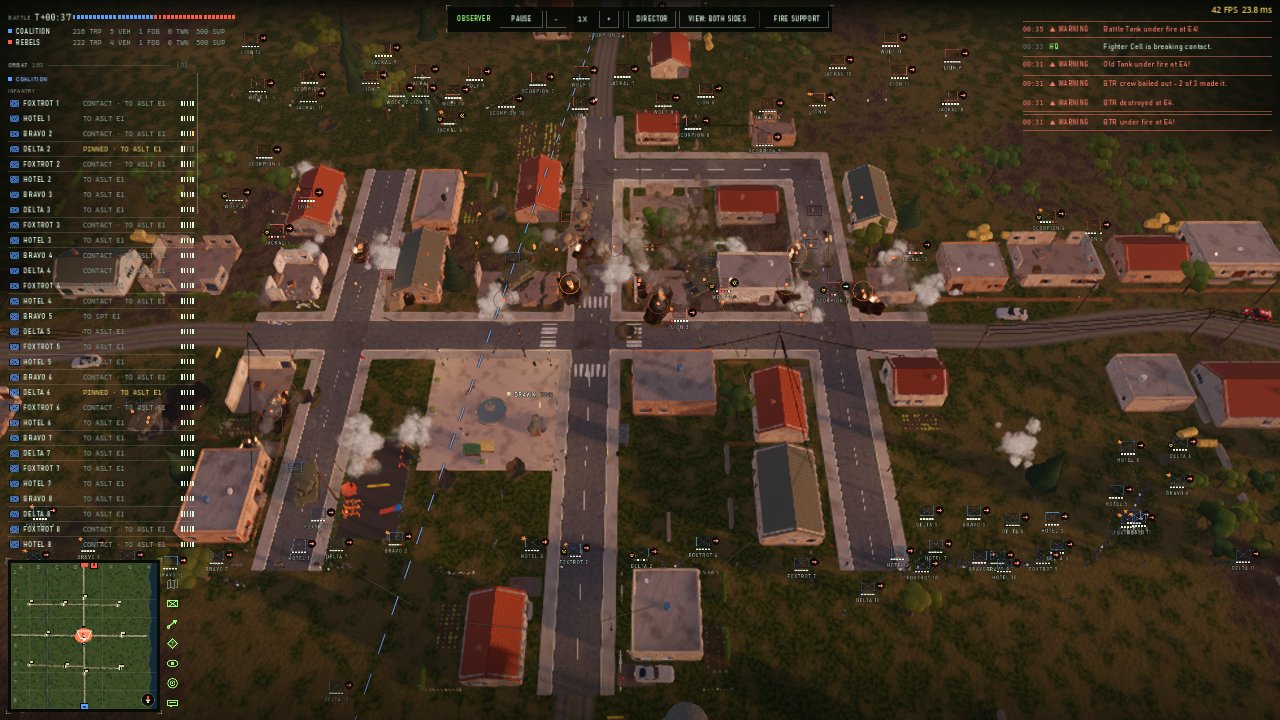
- Static buildings share drawing work. A damaged or moved structure updates immediately without rebuilding its neighbors.
- Soldiers share frame-update bookkeeping while retaining individual movement smoothing, poses and selection.
- Squad counters keep a clear screen pos...
Frontline v1.0.10: Console tools and fuzzy completion
Improved
Find console commands as you type
A scrollable command dropdown lists every command, then narrows to fuzzy matches and argument suggestions as you type.
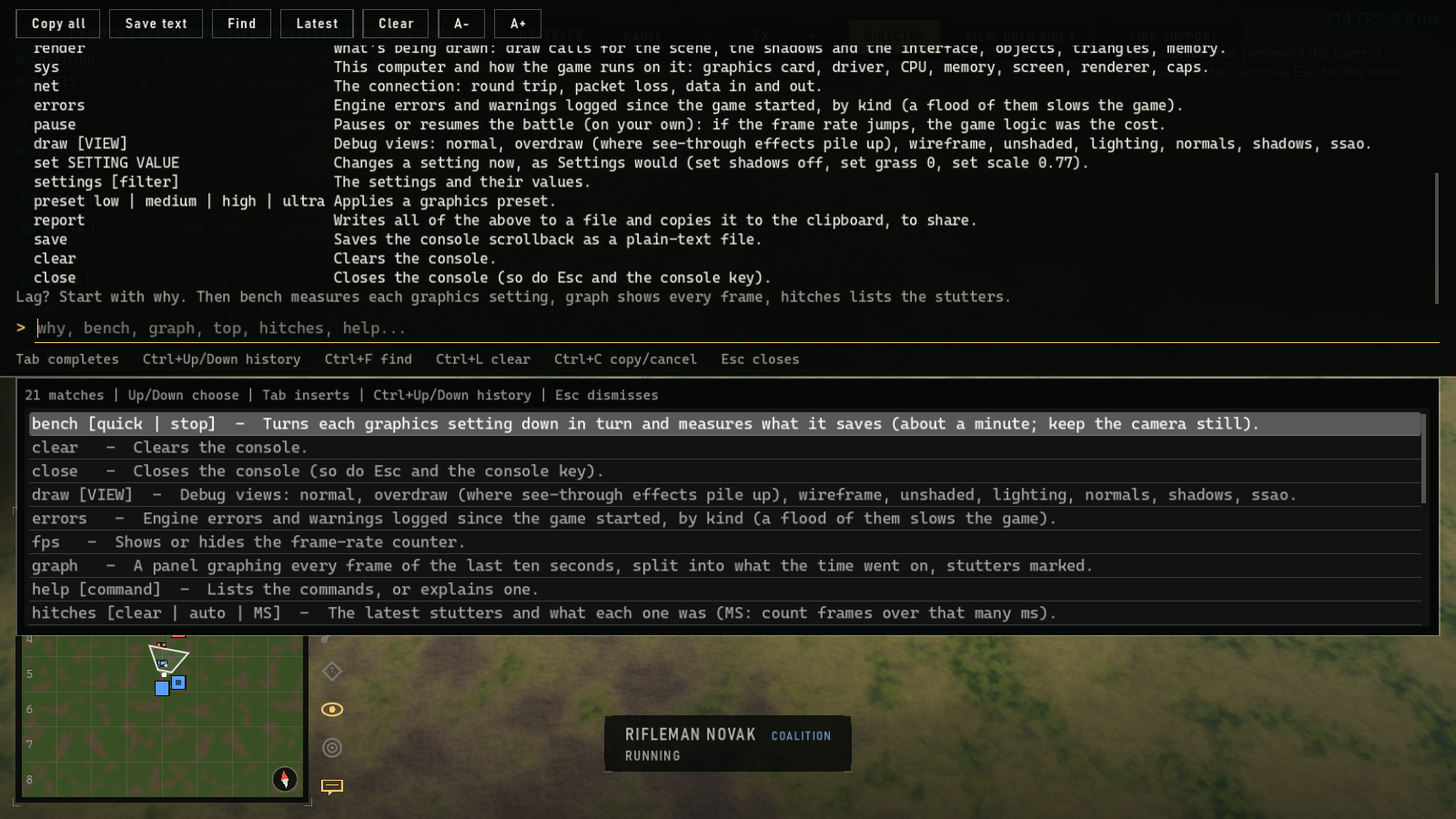
- An empty prompt shows every command with its description in a scrollable dropdown.
- Typing finds close matches, including partial spellings and small typos. Arguments get suggestions too.
- Use Up/Down to choose, then Tab or Enter to insert; you can also click a suggestion. Inserting never executes it.
- Ctrl+Up/Down browses your command history. Esc dismisses suggestions before closing the console.
- Completing in the middle of a line keeps the arguments that follow it.
A console you can copy, search and save
Select and copy console output, paste commands, search scrollback and save transcripts, with familiar terminal shortcuts.
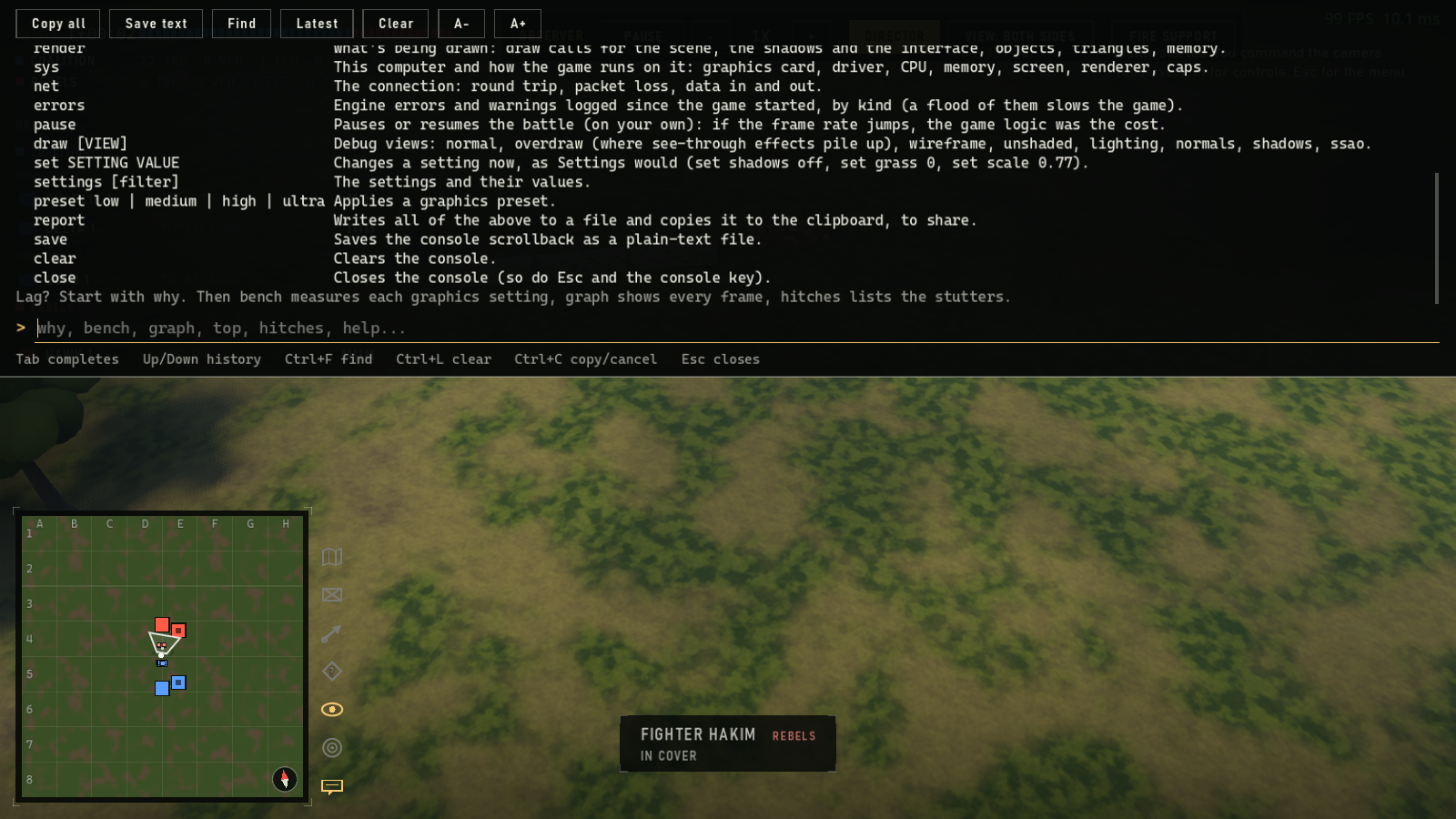
- Select text and copy it with Ctrl+C or the right-click menu. Paste into the command prompt with Ctrl+V or Ctrl+Shift+V.
- Copy all output or save a plain-text transcript with the toolbar.
- Find output with Ctrl+F; Enter and Shift+Enter move through matches.
- Clear output with Ctrl+L, jump through scrollback with Ctrl+Home/End, and adjust text size with Ctrl+plus/minus.
- Ctrl+C with nothing selected clears the prompt and safely stops a running benchmark.
- Command history, Tab completion, undo/redo and normal text editing remain available.
Fixed
Sign in to the game from your website login
Already signed into the website? Signing in from the game now uses that account and returns you to Frontline automatically.
The website no longer asks you to sign in with GitHub again when you're already signed in.
Your game and website keep separate sessions, so both stay signed in. If the browser blocks opening the game
automatically, use Open Frontline to return.
Get it
The game updates itself. To install it, download Frontline-windows.zip, Frontline-macos.zip or Frontline-linux.zip below, or from the website, unzip it anywhere and run it (on a Mac, move Frontline to Applications first).
The whole history, with pictures: Changelog.
Frontline v1.0.9: A new look for the whole interface
Improved
A new look for the whole interface
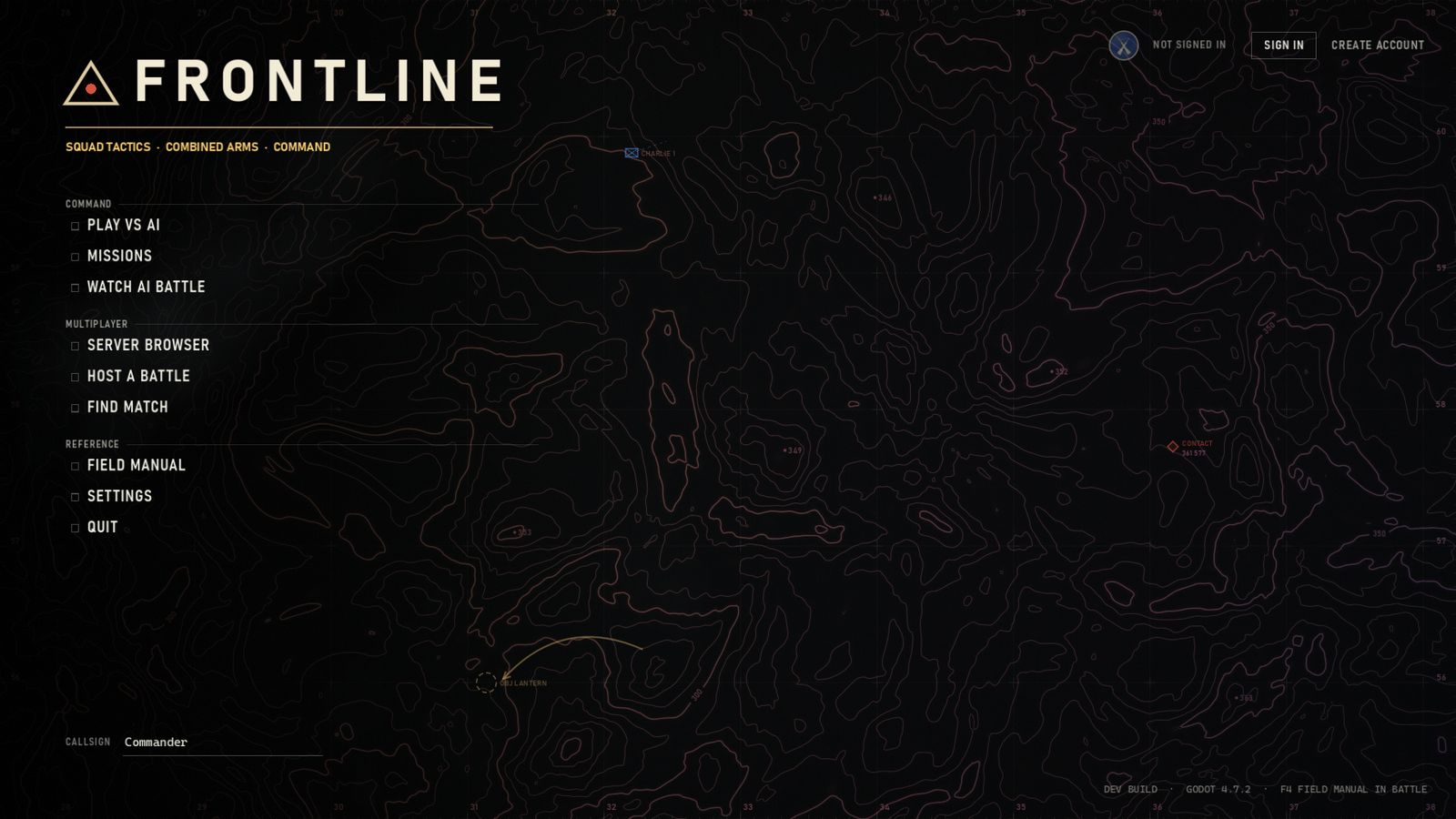
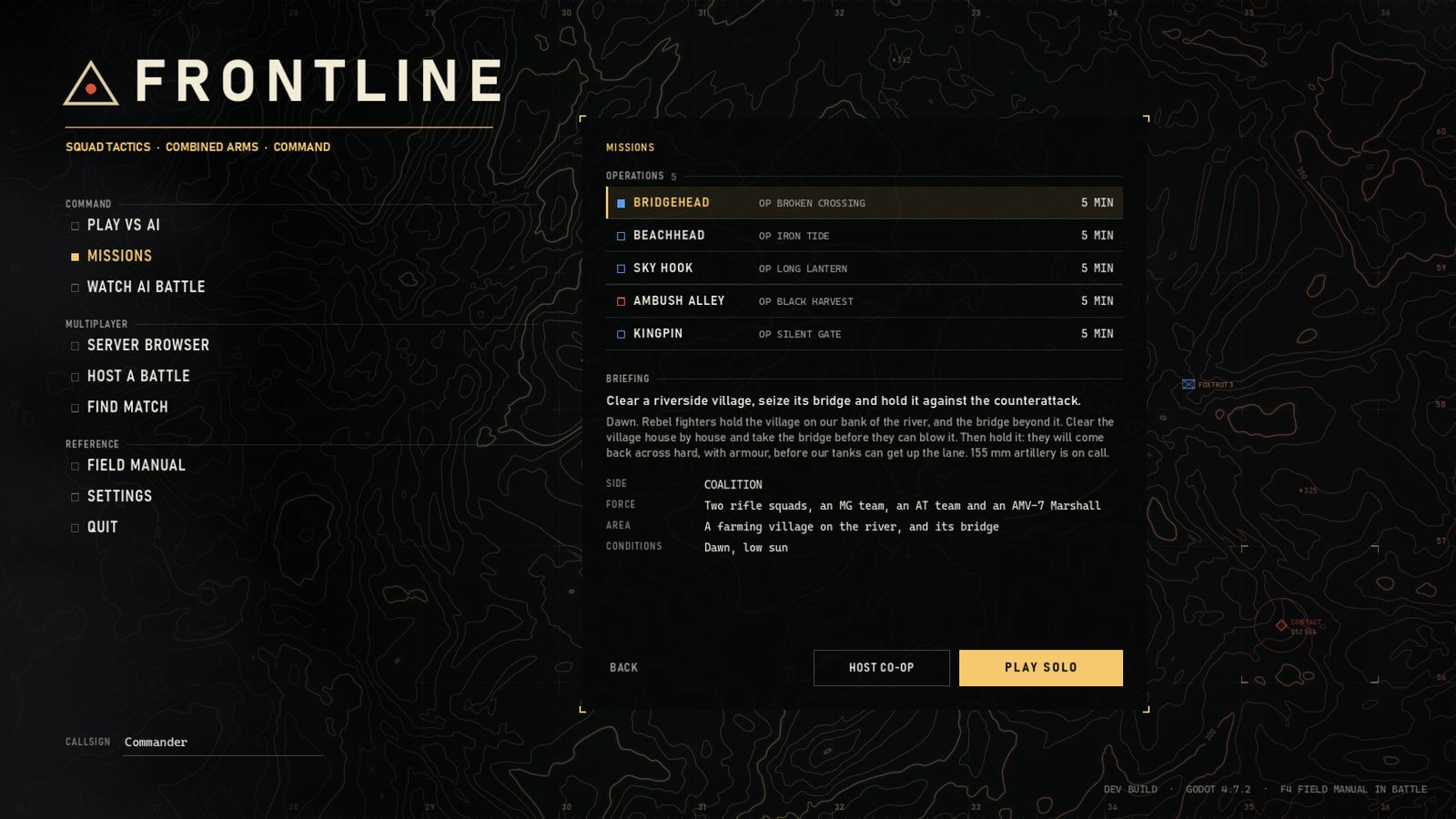
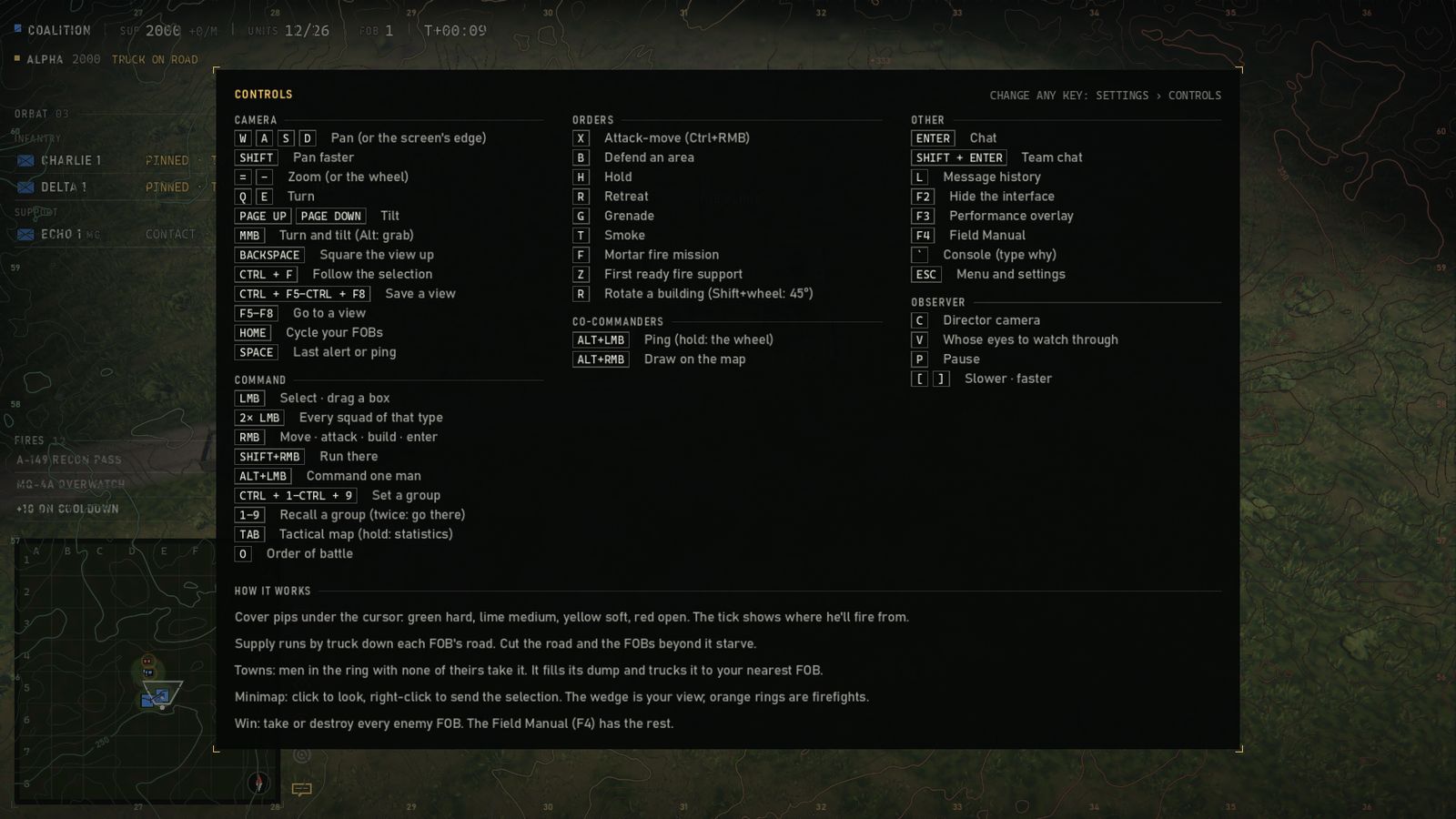
Every screen now reads like a battle management display: the battle's interface sits straight on the battlefield with no boxes, states are short codes, every figure lines up in mono, and one colour marks what's selected. The menus, the multiplayer screens, the Field Manual and the after-action report follow.
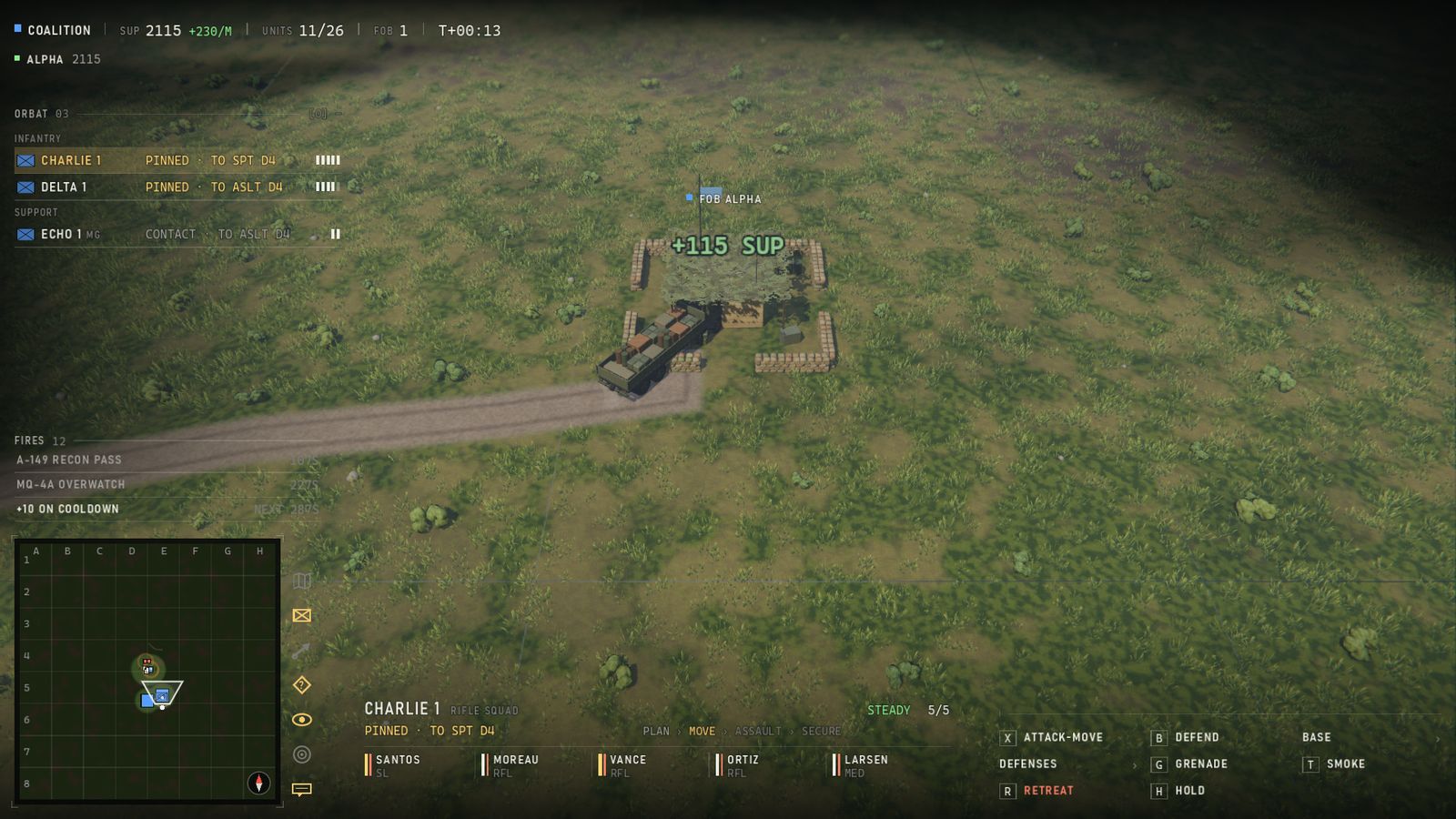
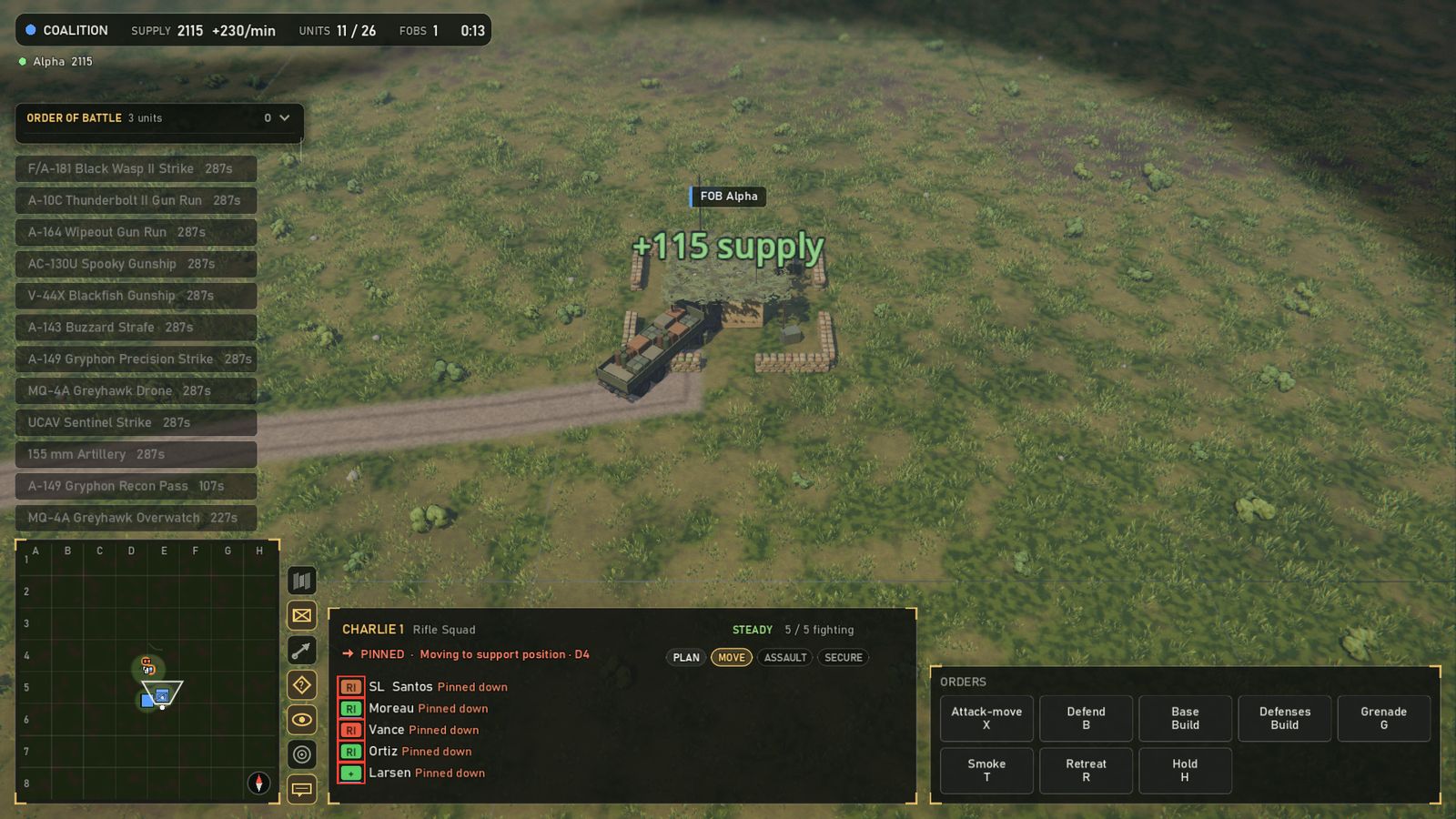
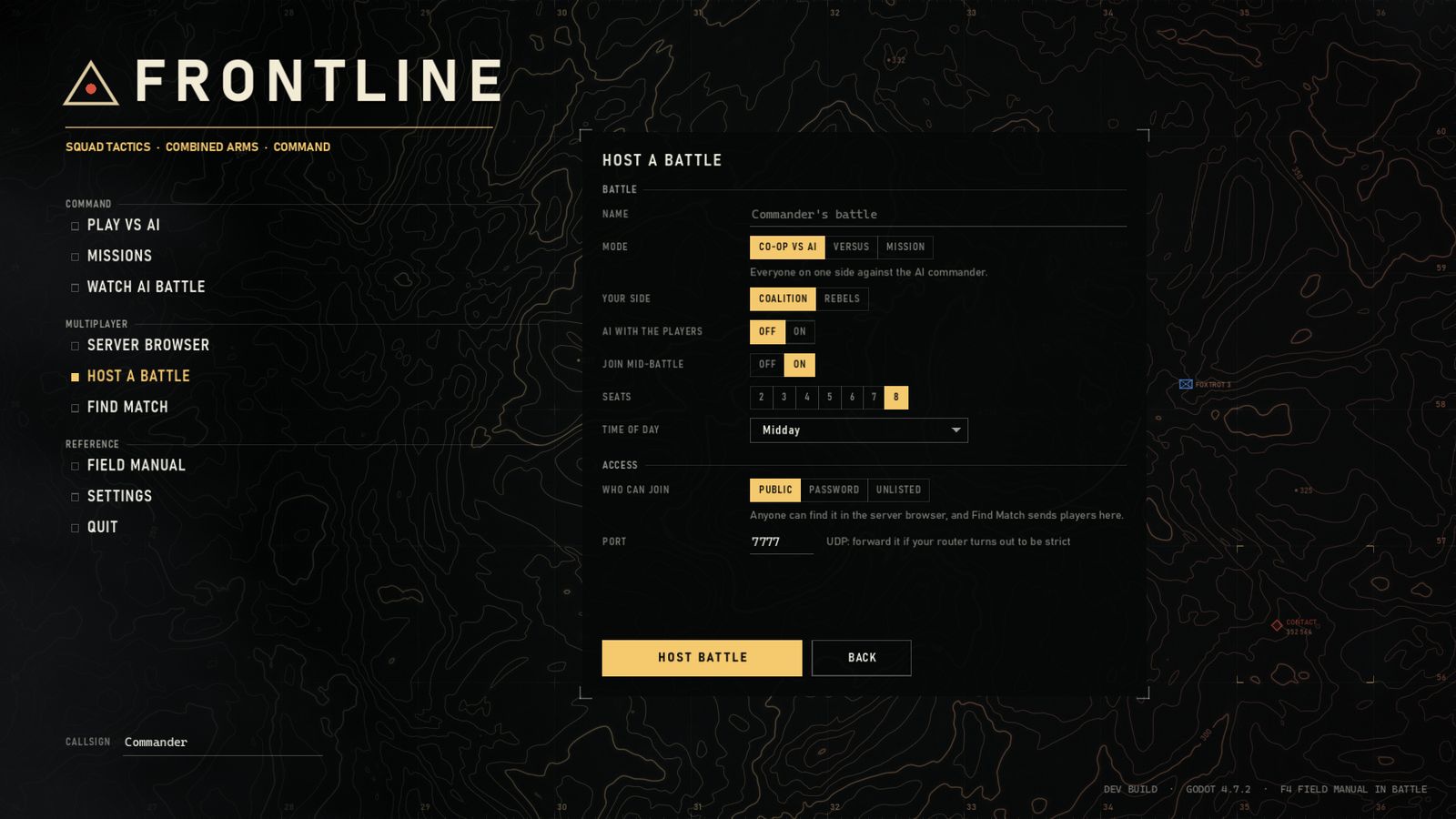
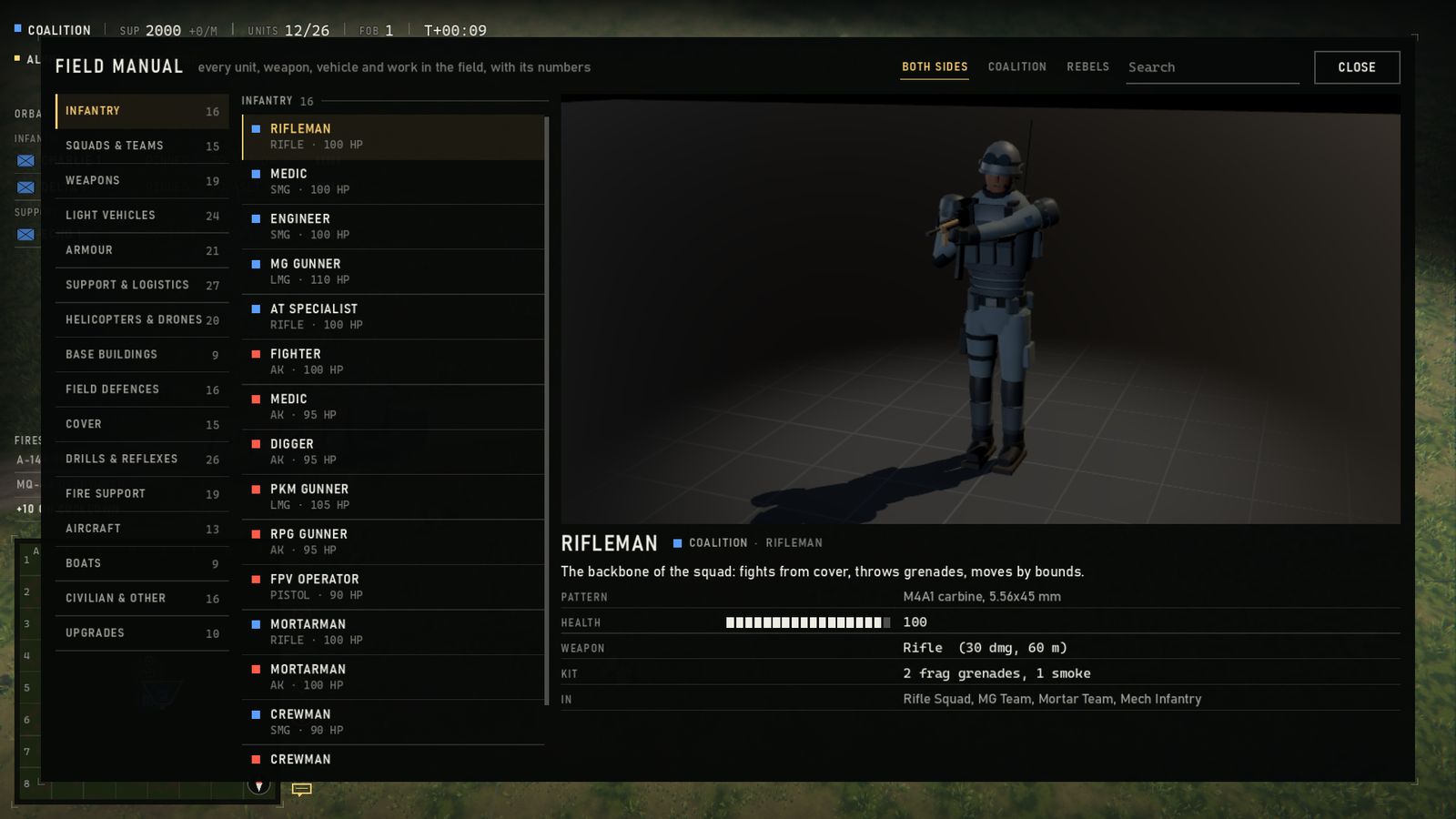
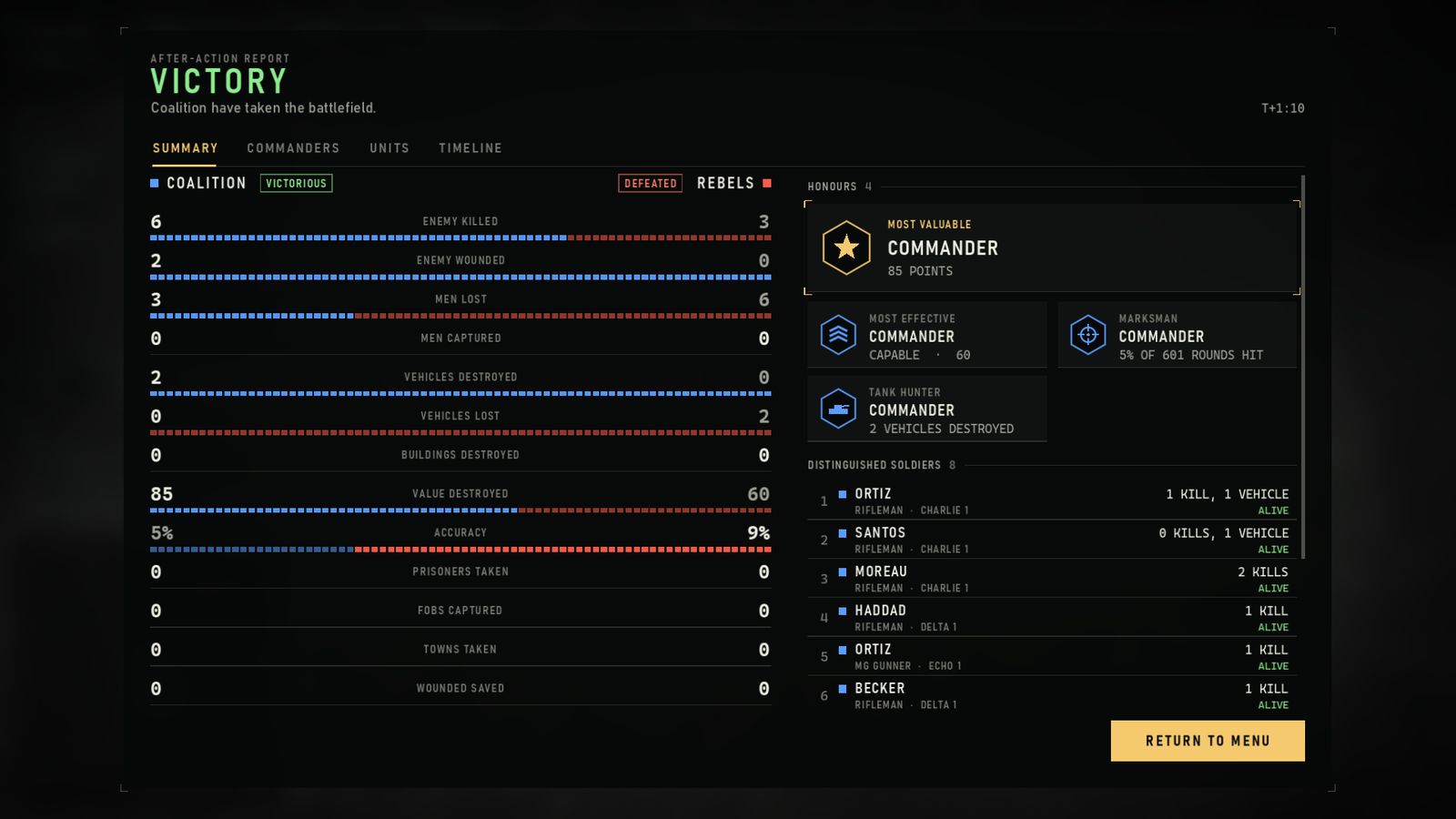
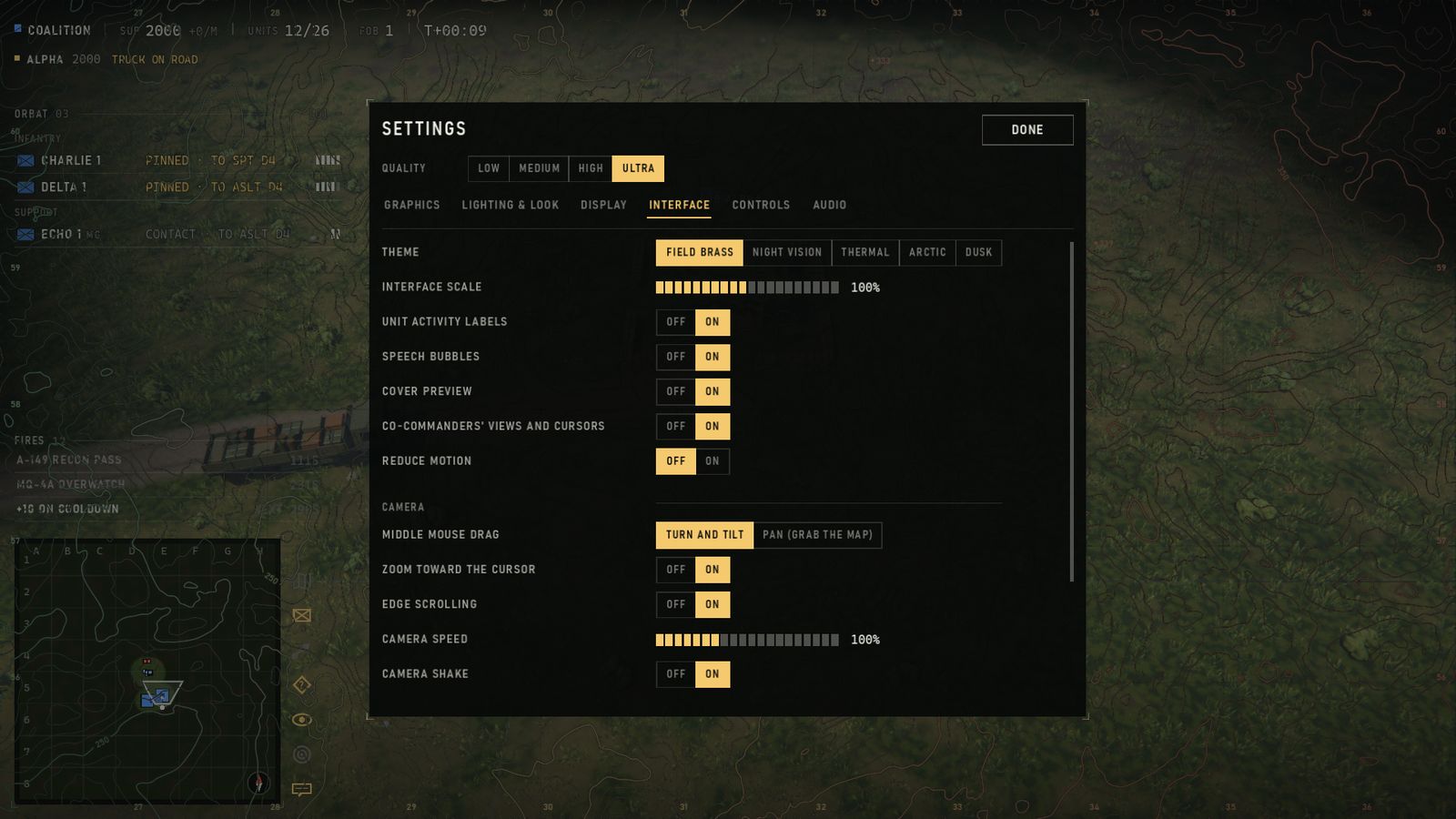
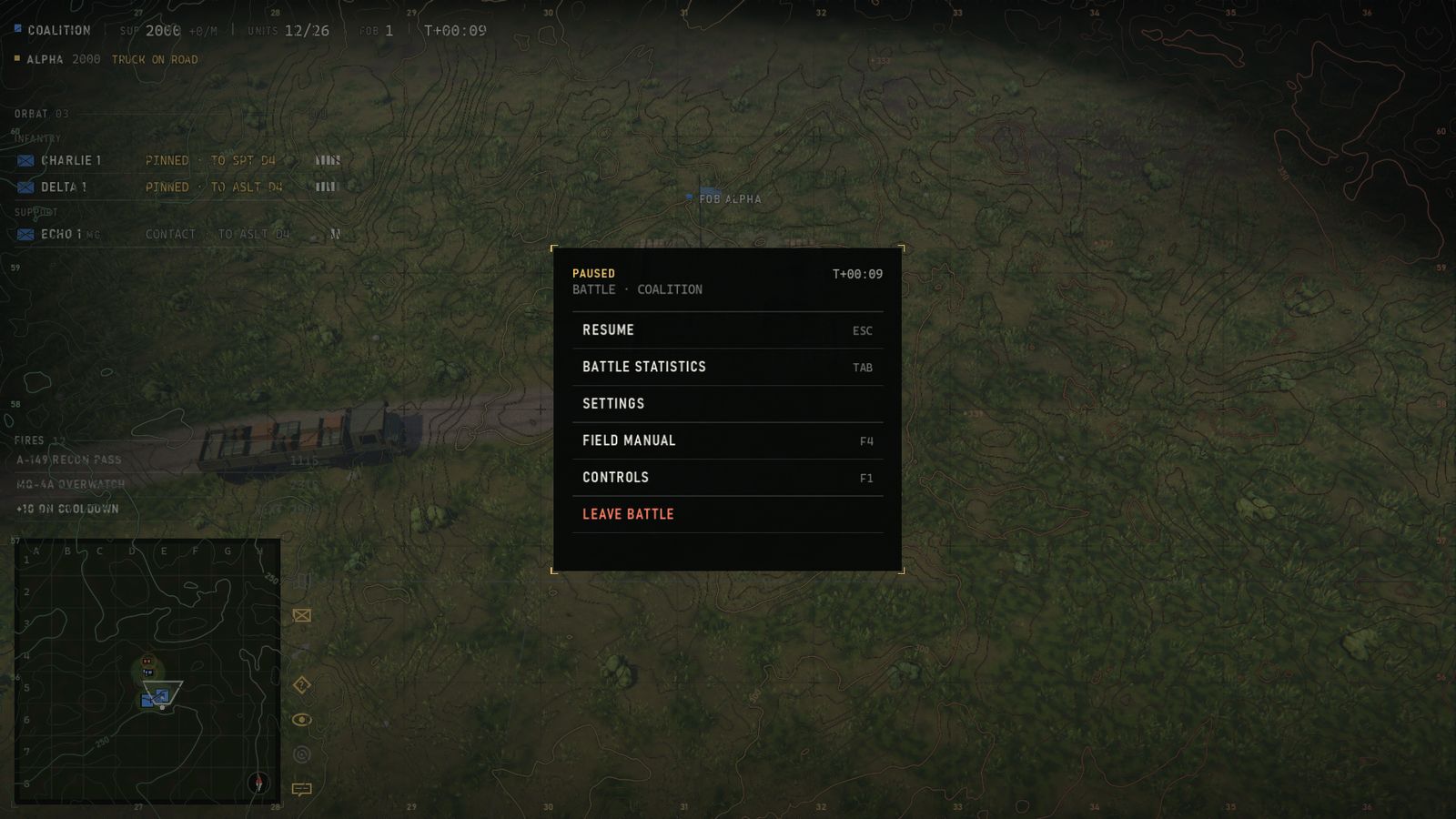
- No more boxes: the status line, the order of battle, fire support, the selection and the orders sit on the
battlefield over a soft darkening at the screen's edges, with thin rules between rows. - Short codes: each squad's line says what it's doing in a few characters (
PINNED · TO SPT D4,MOV E8),
supply readsSUP 2115 +230/M, the clockT+04:31, and a man's roleRFL,MGorMED. - Fire support lists the missions that are ready; the rest fold into one line with the next one's countdown.
- Orders are a grid of keys, the order you're giving lit up.
- Alerts come in three levels: a plain line, a yellow caution and a red warning that flickers in.
- On the battlefield base and town names, hover cards and cursor hints lose their boxes, and
+115 SUPis a
small tag rather than the biggest text on the screen. - The menus: entries in capitals that light up while they're open, the account on one line top right, a new
version or a battle to rejoin as one line each. New Operation picks a side from three rows and the time of day
from one, and each mission is a line with its briefing under it. - Multiplayer: the server browser lists battles as rows (players, status and connection as short codes) with
the details beside them; hosting puts each choice on its own row; the lobby shows each side as a list of seats
marked HOST, YOU, READY or OPEN, and its chat reads like the battle's message log. - The Field Manual lists every entry with a small square in its side's colour, and its numbers as a table with
counted bars. The statistics and the after-action report have every figure in mono, counted bars and plain
lines on the timeline. - The loading screen sets the briefing out in rows and counts its progress in steps; the end of a battle
types VICTORY or DEFEAT on through a burst of interference, with the battle's clock under it. - Settings: on/off and short choices are rows of segments, amounts are counted bars, and the tabs are
underlined. New: Settings > Interface > Reduce motion makes everything appear at once instead of typing or
flickering in. - F1 is a key reference in three columns, using your own key bindings, instead of a page of paragraphs.
- The message history (L) opens in place of the latest messages, only as tall as what's in it.
- Fixed: the sign-in panel could open as an empty strip down the screen, and the Missions and Insignia panels
could run off the bottom of it.
Battles load sooner, and without freezing
A battle no longer freezes for several seconds after it has loaded, it's ready to play sooner, and the loading bar keeps moving while the battlefield is laid out instead of sitting still.
- No freeze after loading: the long stop between the loading bar filling and the battle starting is gone.
- Ready sooner: buildings, trees, vehicles and the town's street furniture are put together much faster, so you're
playing several seconds earlier. - A window that answers: the loading bar moves stage by stage, and Windows no longer calls the game "Not
Responding" while a battle loads. - Everything looks and plays exactly as before.
Fixed
Joining a battle loads it before it starts
When you join someone else's battle, the loading screen now stays up until the whole battlefield has arrived and been built, and it arrives in a second or two, so you no longer drop into a half-built map that freezes for seconds at a time.
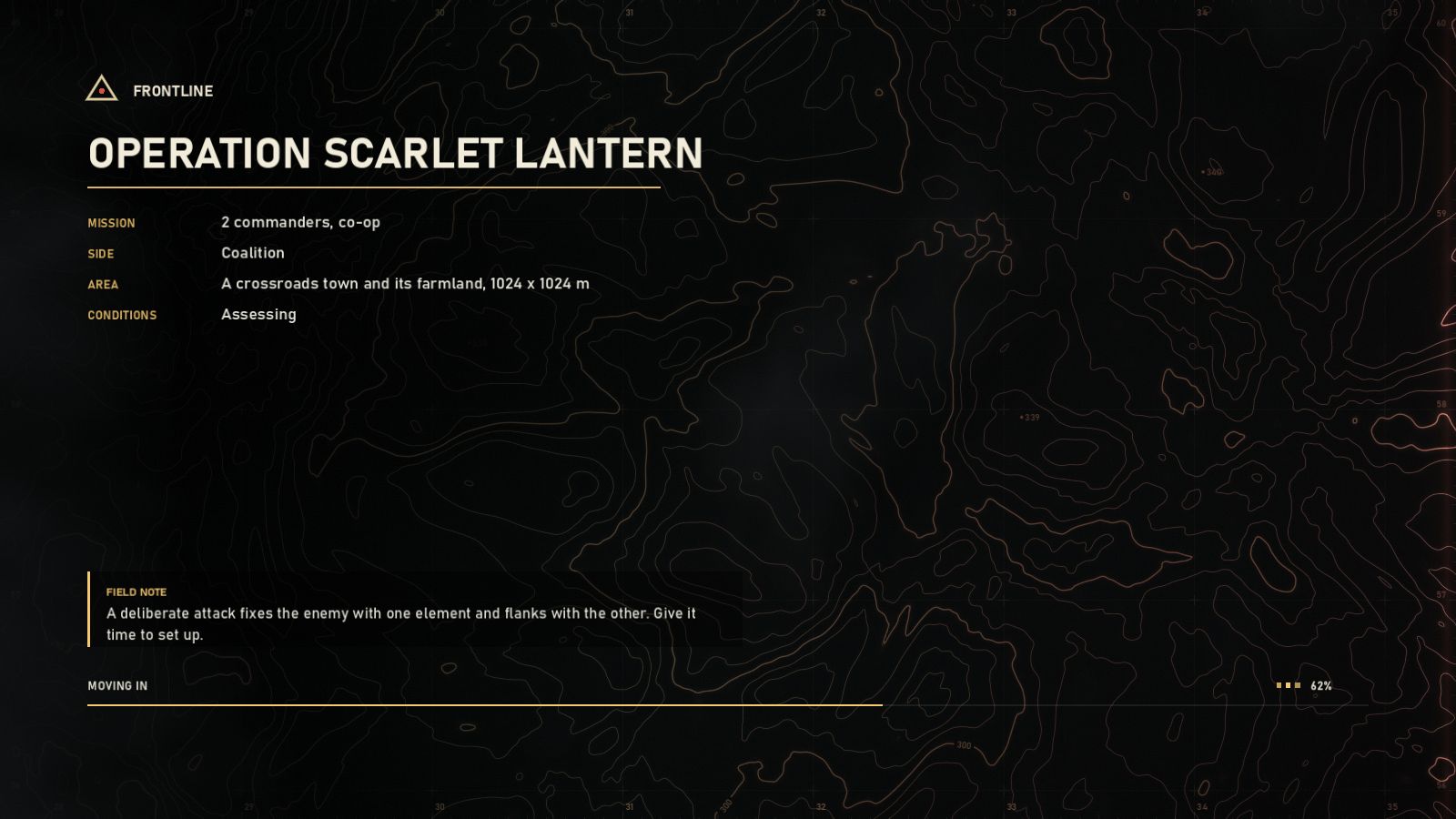
- The loading screen waits for the battle: it shows how far it has got (the water, the town, every building
and tree, the cover) and only lifts once it's all there, instead of lifting on an empty field. - Faster to arrive: the host sends the battlefield packed into about a twentieth of the space it used to take,
so all of it arrives within a second or two instead of trickling in over half a minute or more. - No more long freezes after it lifts: the buildings and trees are put up a few at a time behind the loading
screen, rather than in a handful of frames that each held the game for seconds. - The ground matches the host's: the paving in the town squares and the ground under bridges and the harbour
quay were open ground on a joining player's map, though they're road in the battle itself; they're road now. - Host and players must update together: a game with this change can't join a battle hosted by an older one.
Get it
The game updates itself. To install it, download Frontline-windows.zip, Frontline-macos.zip or Frontline-linux.zip below, or from the website, unzip it anywhere and run it (on a Mac, move Frontline to Applications first).
The whole history, with pictures: Changelog.
Frontline v1.0.8: UI and more!
Improved
A new look for the battle's interface
The battle's interface now reads like a battle management display laid onto the battlefield: no more boxes, short codes instead of sentences, every figure lined up in mono, and one colour for what's selected.
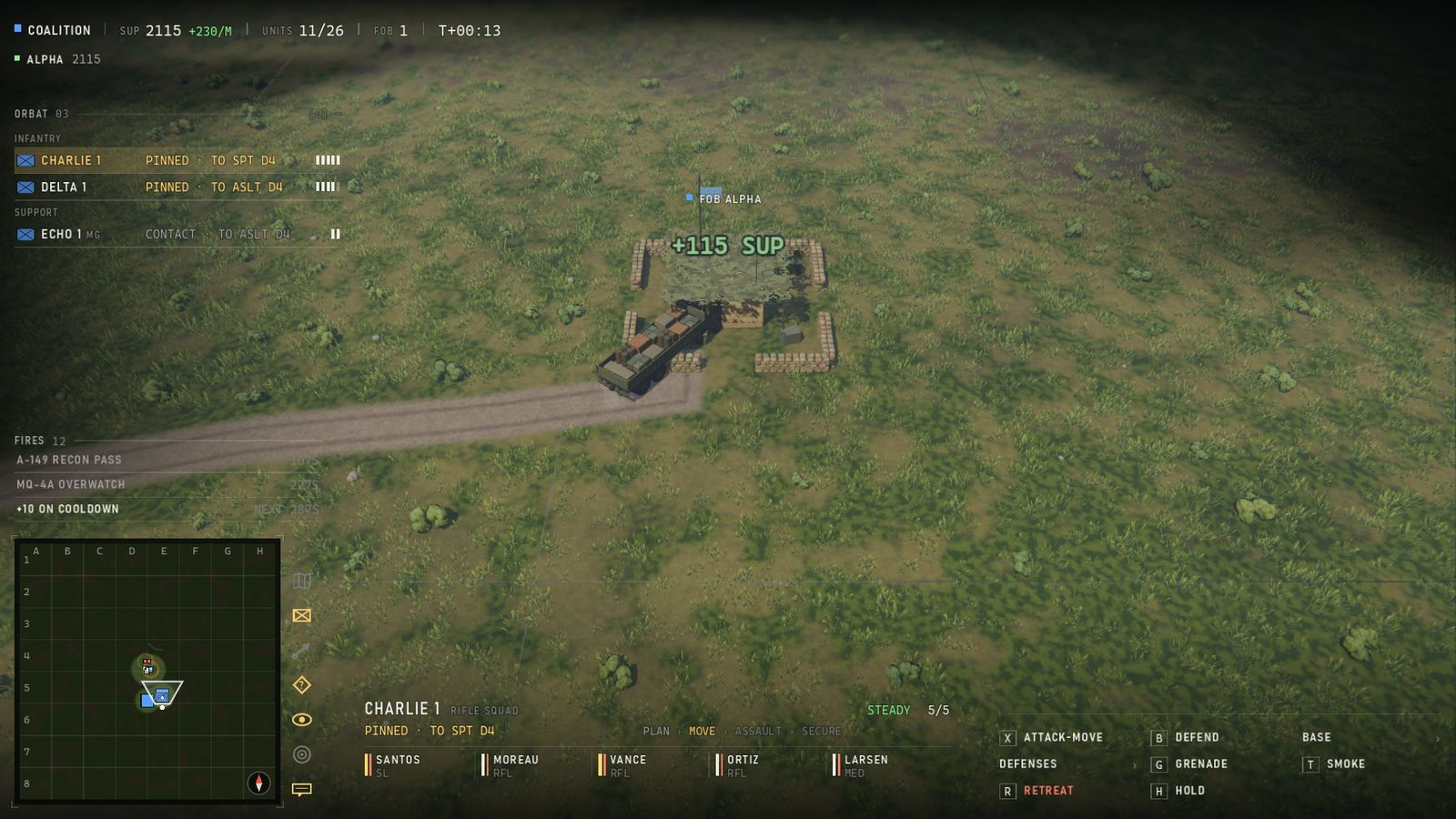
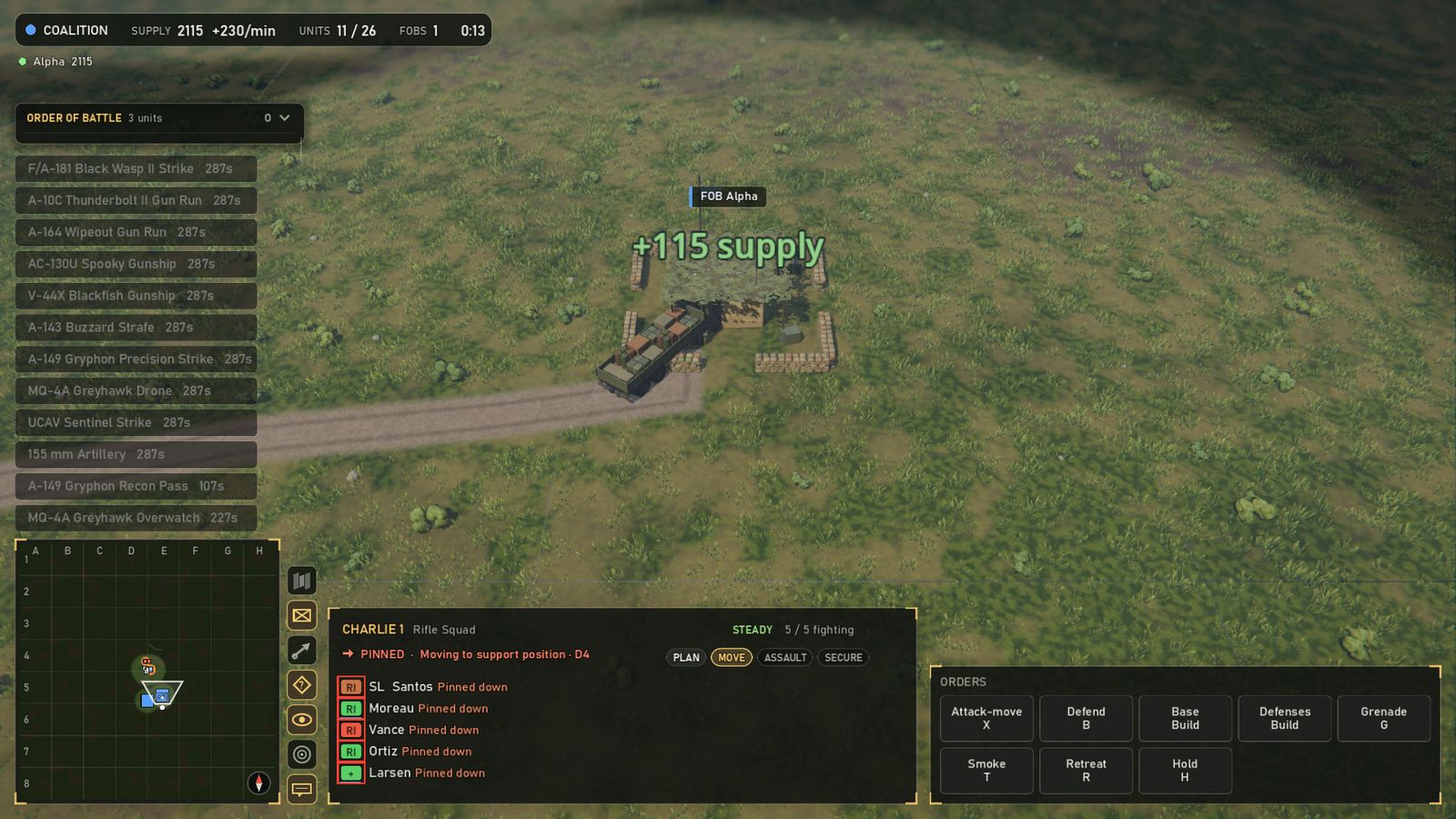
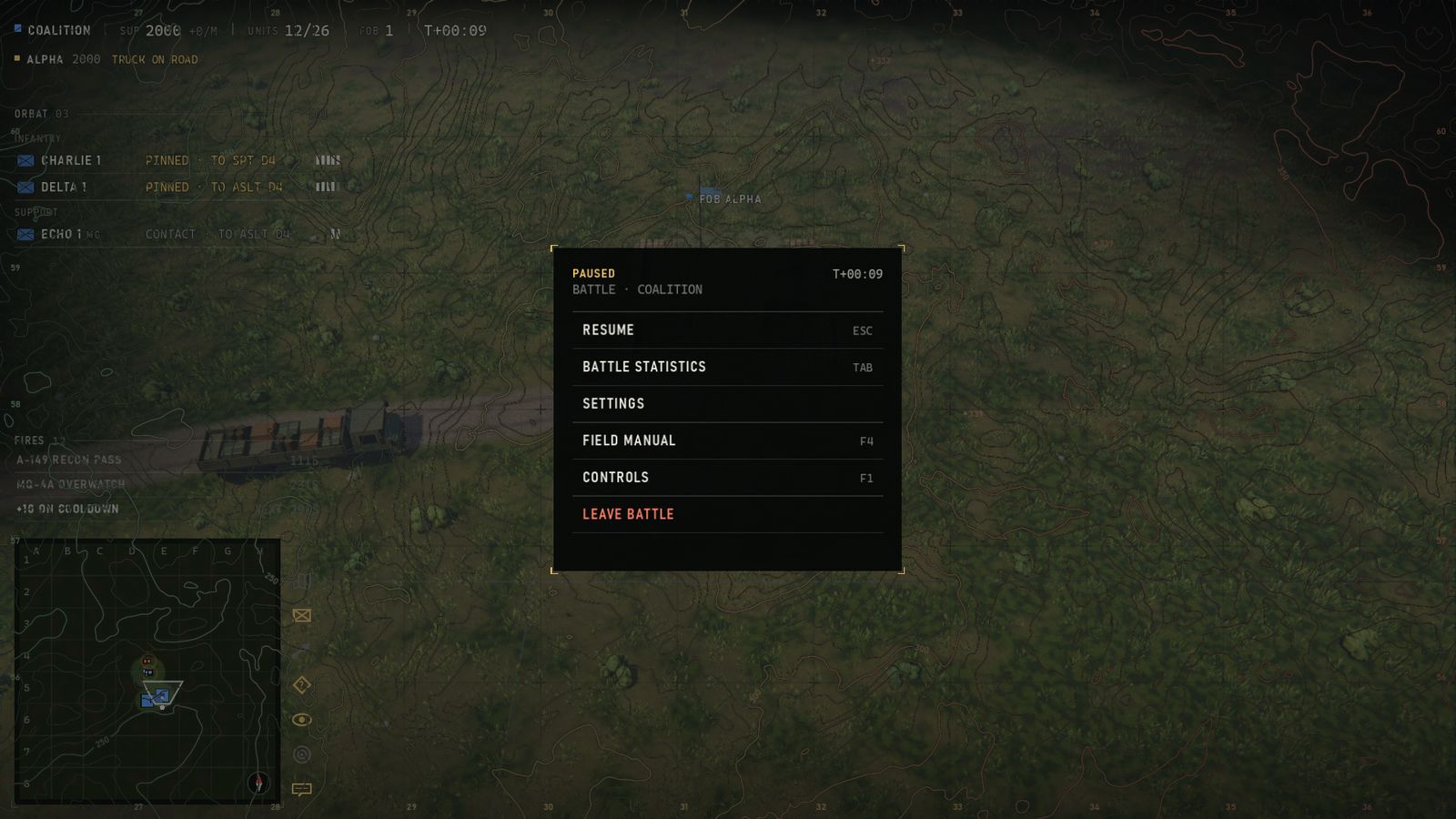
- No more boxes: the status line, the order of battle, fire support, the selection and the orders sit on the
battlefield over a soft darkening at the screen's edges, with thin rules between rows. - Short codes: each squad's line says what it's doing in a few characters (
PINNED · TO SPT D4,MOV E8),
supply readsSUP 2115 +230/M, the clockT+04:31, and a man's roleRFL,MGorMED. - Fire support lists the missions that are ready; the rest fold into one line with the next one's countdown.
- Orders are a grid of keys, the order you're giving lit up.
- The selection shows the squad's state once, its plan's stages, and a cell for each man with his role.
- Alerts come in three levels: a plain line, a yellow caution and a red warning that flickers in.
- On the battlefield base and town names, hover cards and cursor hints lose their boxes, and
+115 SUPis a
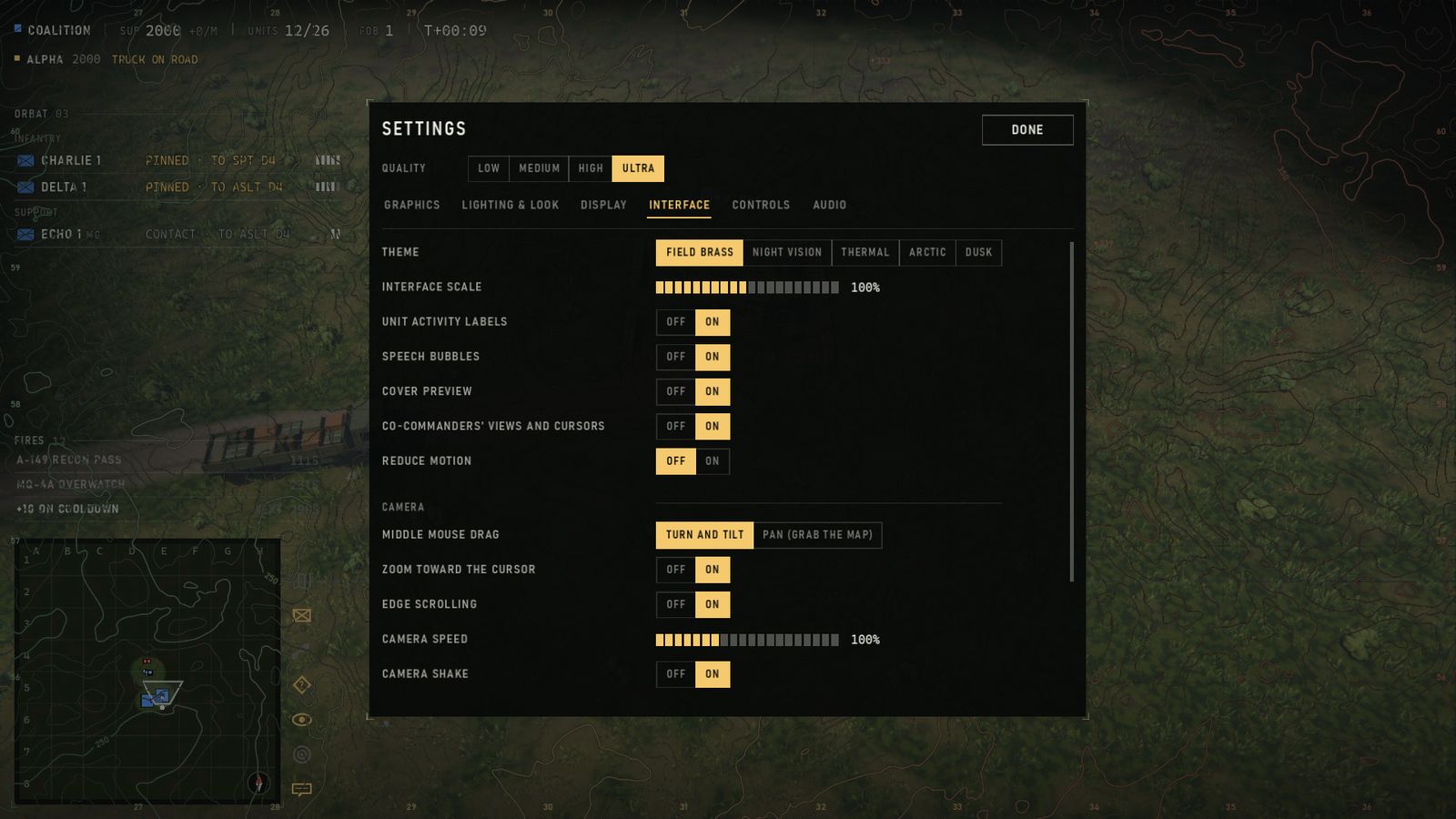
small tag rather than the biggest text on the screen. - Settings: on/off and short choices are rows of segments, amounts are counted bars, and the tabs are
underlined. New: Settings > Interface > Reduce motion makes everything appear at once instead of typing or
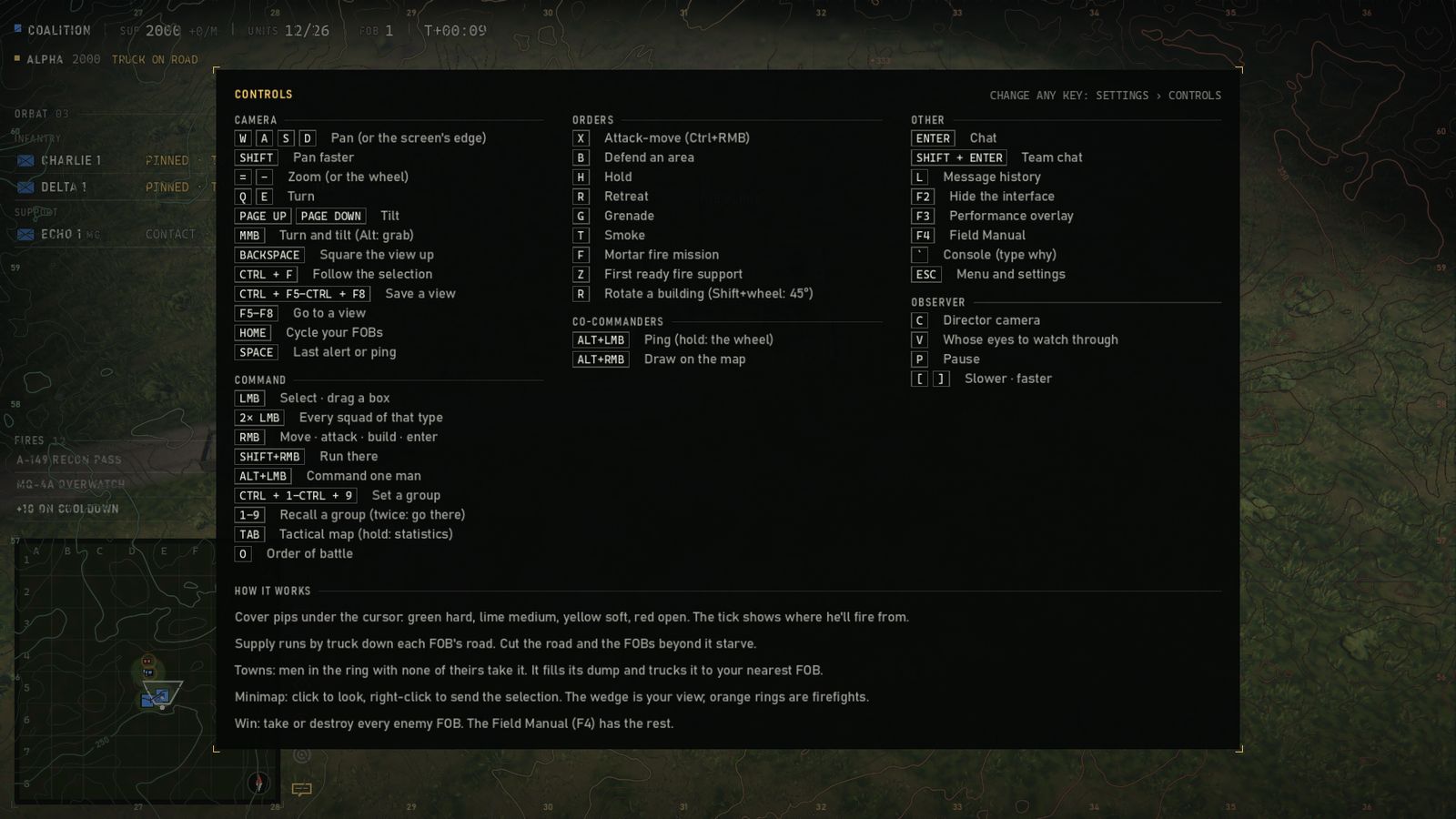
flickering in. - F1 is a key reference in three columns, using your own key bindings, instead of a page of paragraphs.
- The message history (L) opens in place of the latest messages, only as tall as what's in it.
Fixed
Website links work again after an uninstall
If the links from the website were taken away (uninstalling another copy of Frontline, or a registry cleaner), the game never claimed them back, so Join, Find Match and signing in on the website did nothing. Starting the game sets them up again now.
- Each time it starts, the game checks that your system still opens website links with it, and sets them up again
if not. - With more than one copy of the game, links open the one you started last.
Get it
The game updates itself. To install it, download Frontline-windows.zip, Frontline-macos.zip or Frontline-linux.zip below, or from the website, unzip it anywhere and run it (on a Mac, move Frontline to Applications first).
The whole history, with pictures: Changelog.
Frontline v1.0.7: Small fixes
Fixed
Website links reach the game you have open
Signing in on the website, or pressing Join or Find Match there, could start a second copy of the game instead of going to the one you had open. It happened after the game had updated itself. The link goes to the open game now.
- The same happened to a game started while another copy of it was still running, once that other copy had closed.
Get it
The game updates itself. To install it, download Frontline-windows.zip, Frontline-macos.zip or Frontline-linux.zip below, or from the website, unzip it anywhere and run it (on a Mac, move Frontline to Applications first).
The whole history, with pictures: Changelog.