Repository navigation
Frontline v1.0.9: A new look for the whole interface

Improved
A new look for the whole interface
Every screen now reads like a battle management display: the battle's interface sits straight on the battlefield with no boxes, states are short codes, every figure lines up in mono, and one colour marks what's selected. The menus, the multiplayer screens, the Field Manual and the after-action report follow.
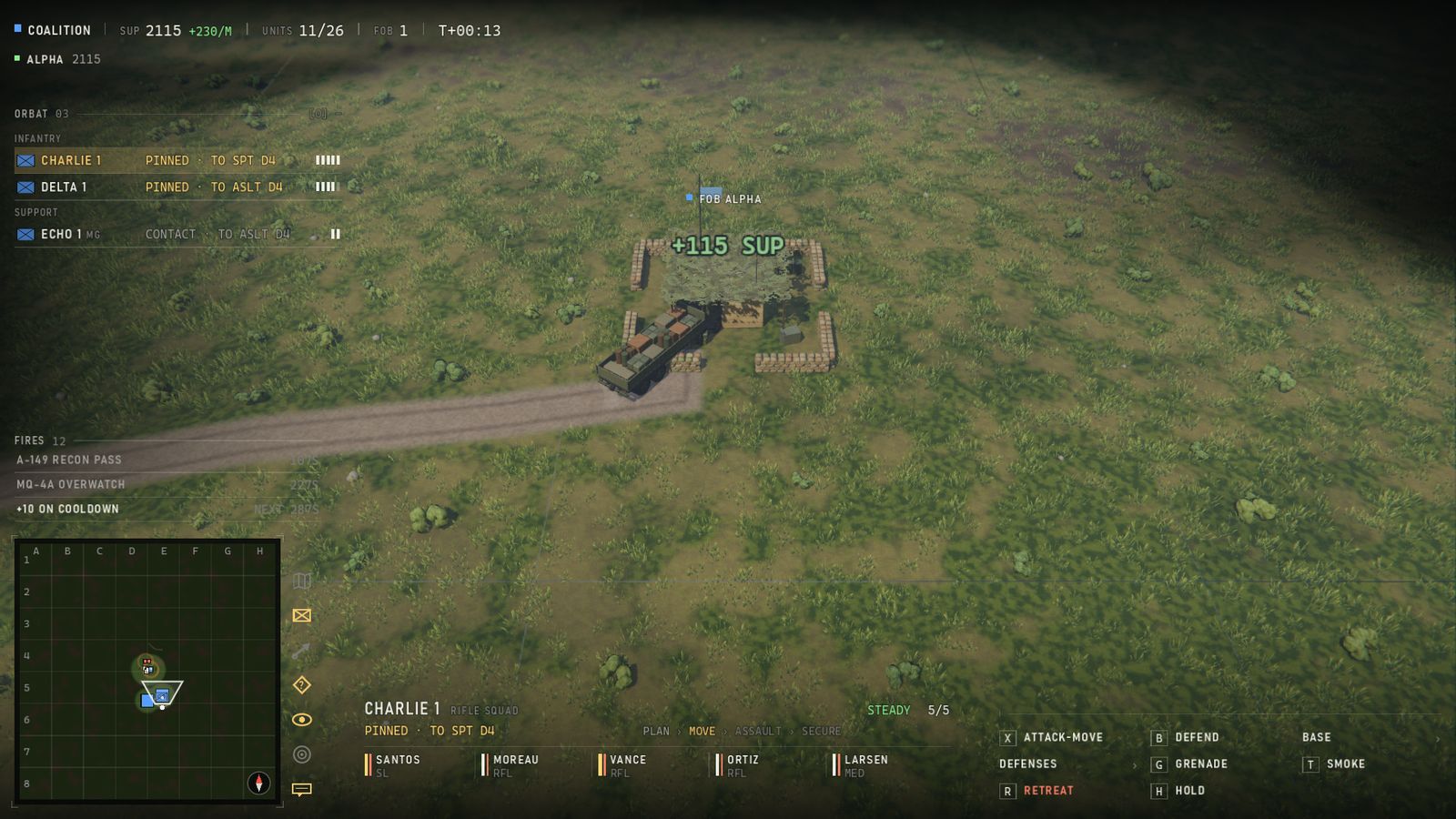
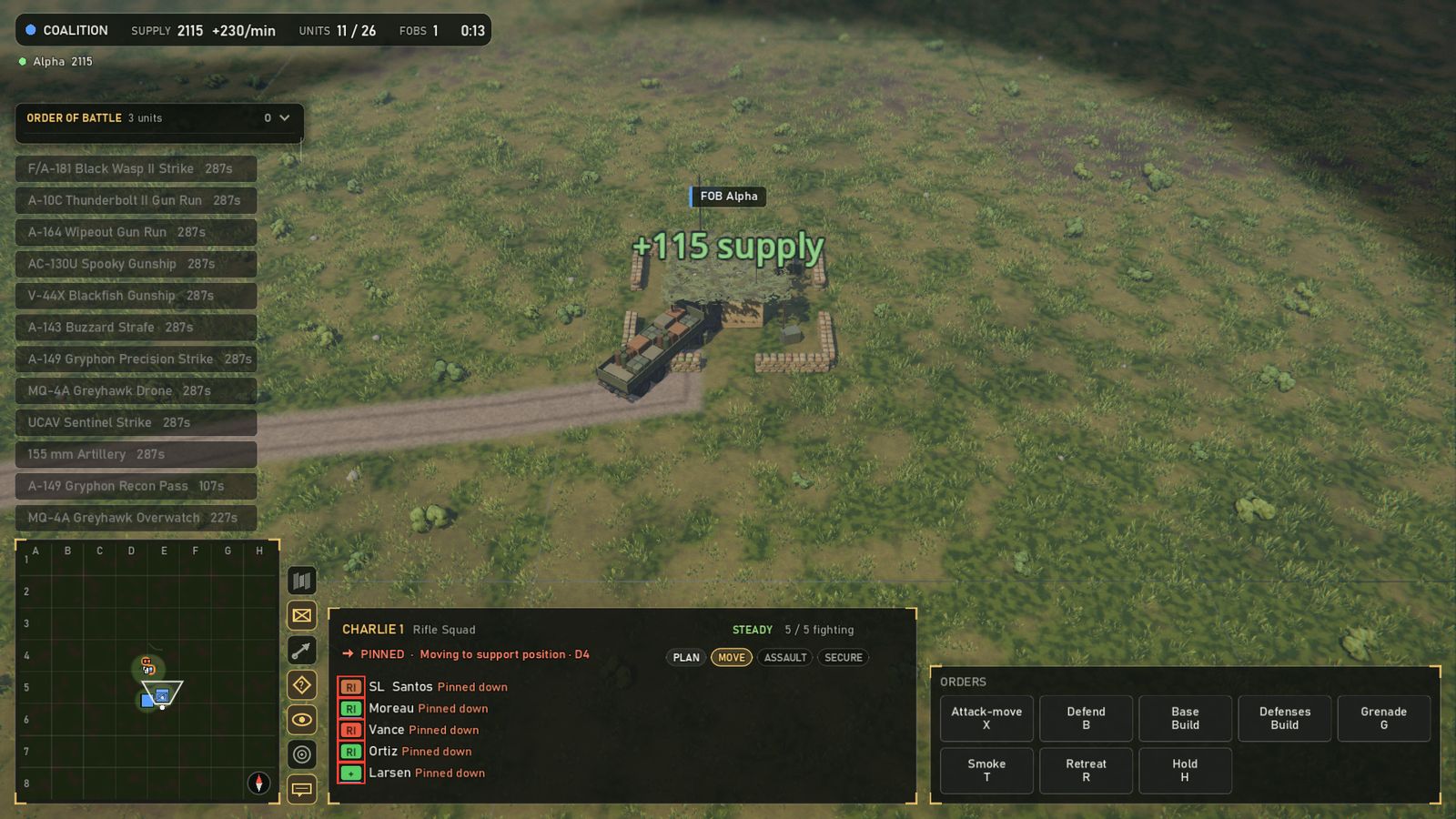
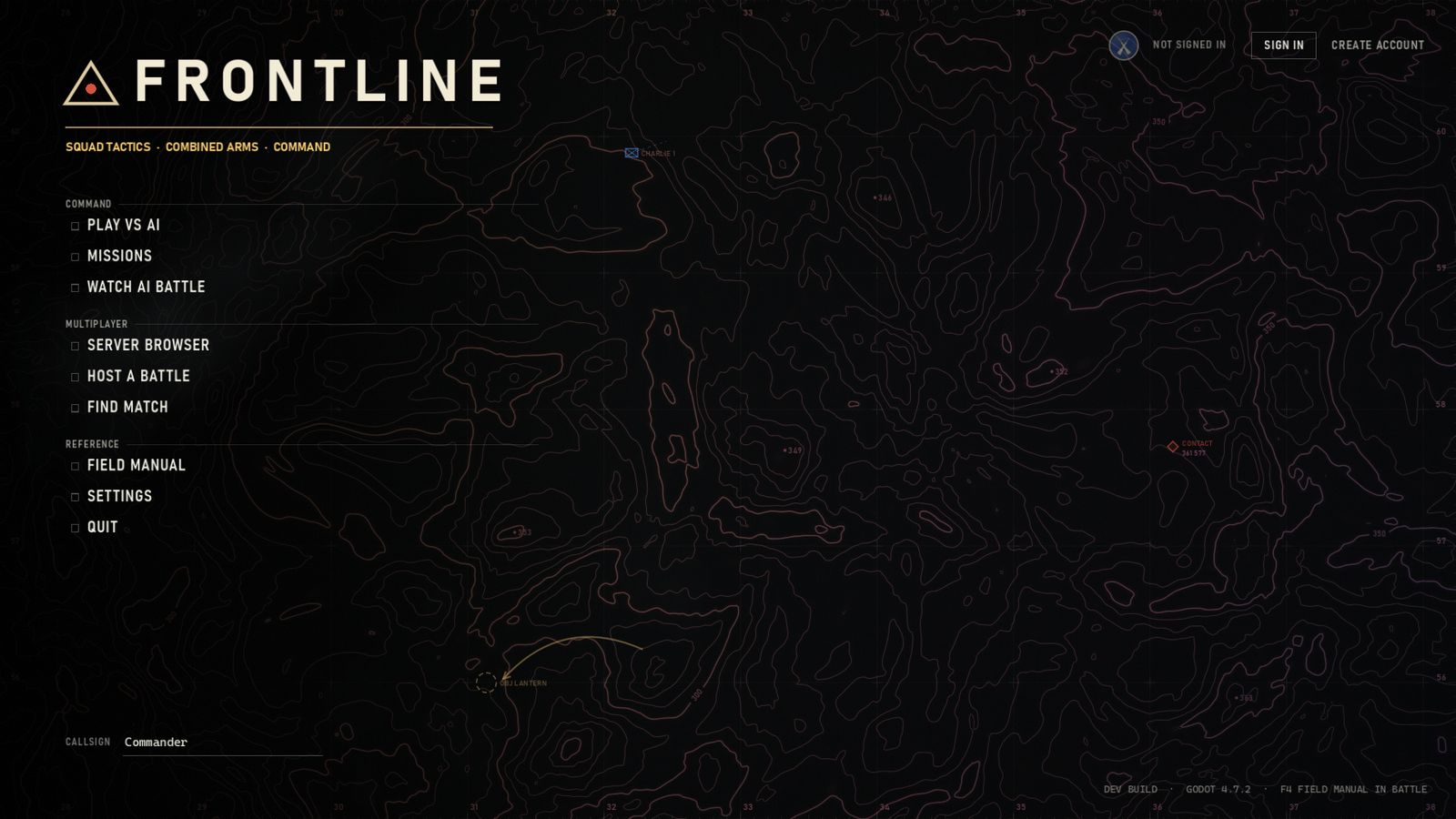
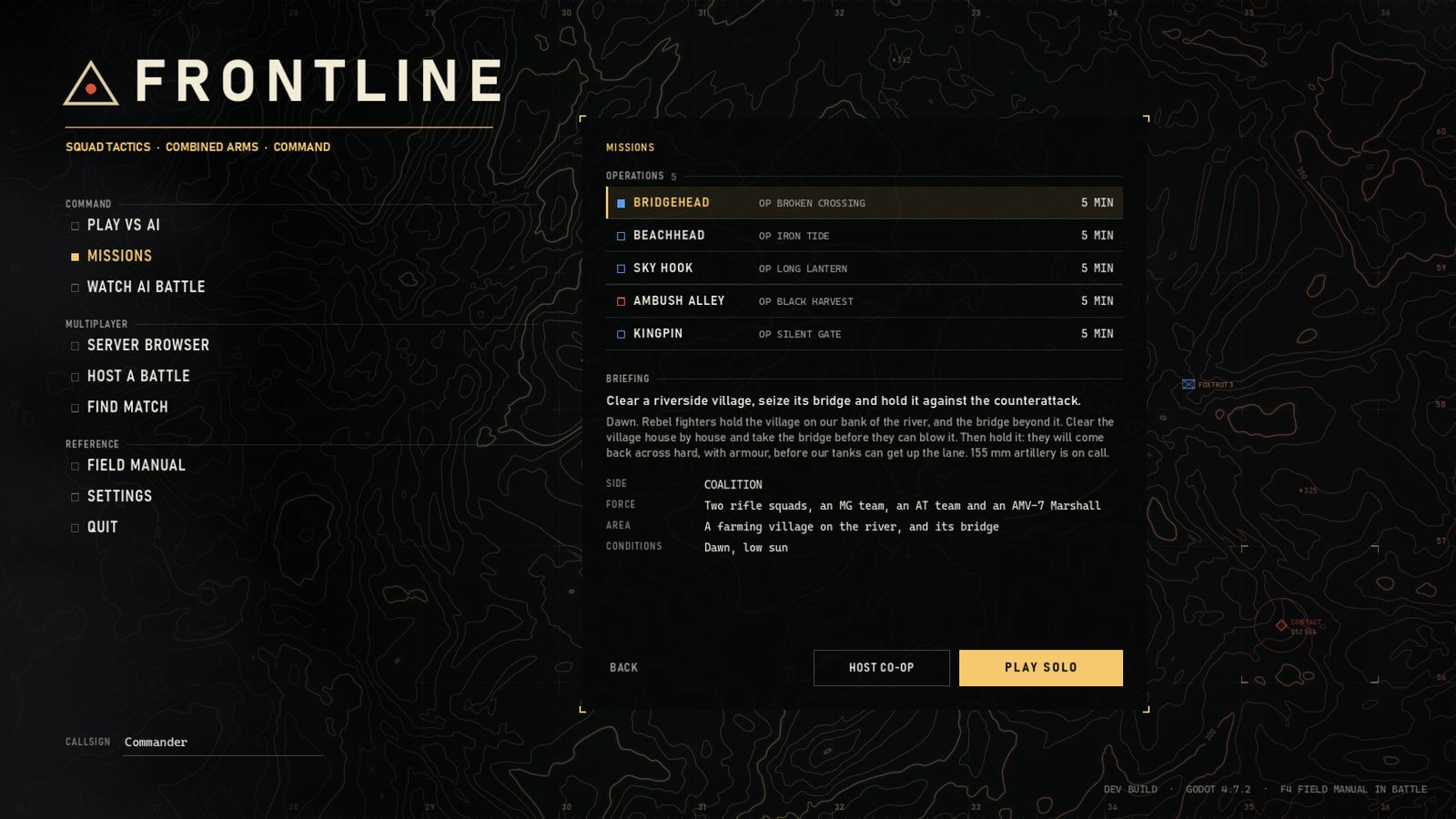
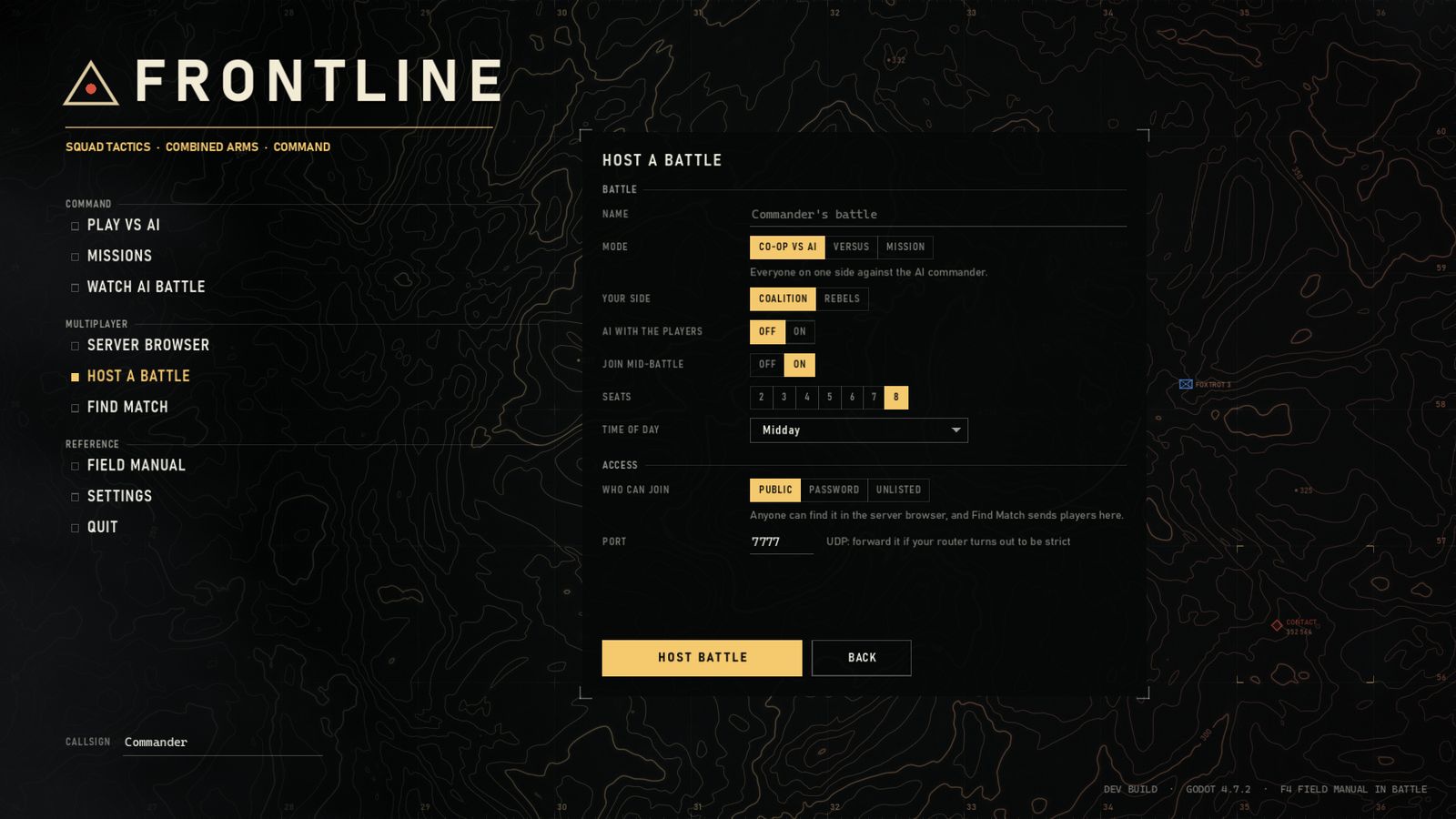
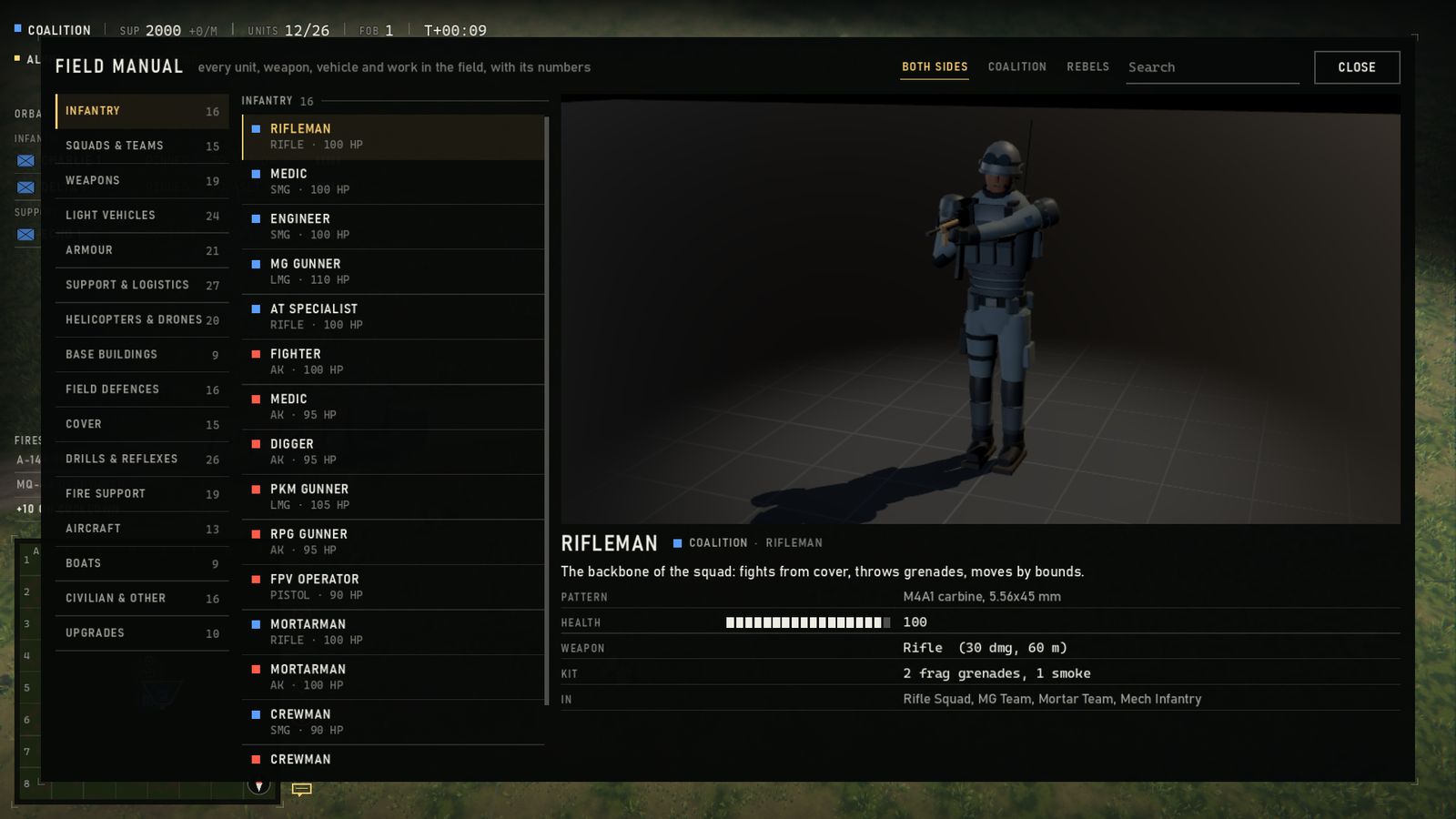
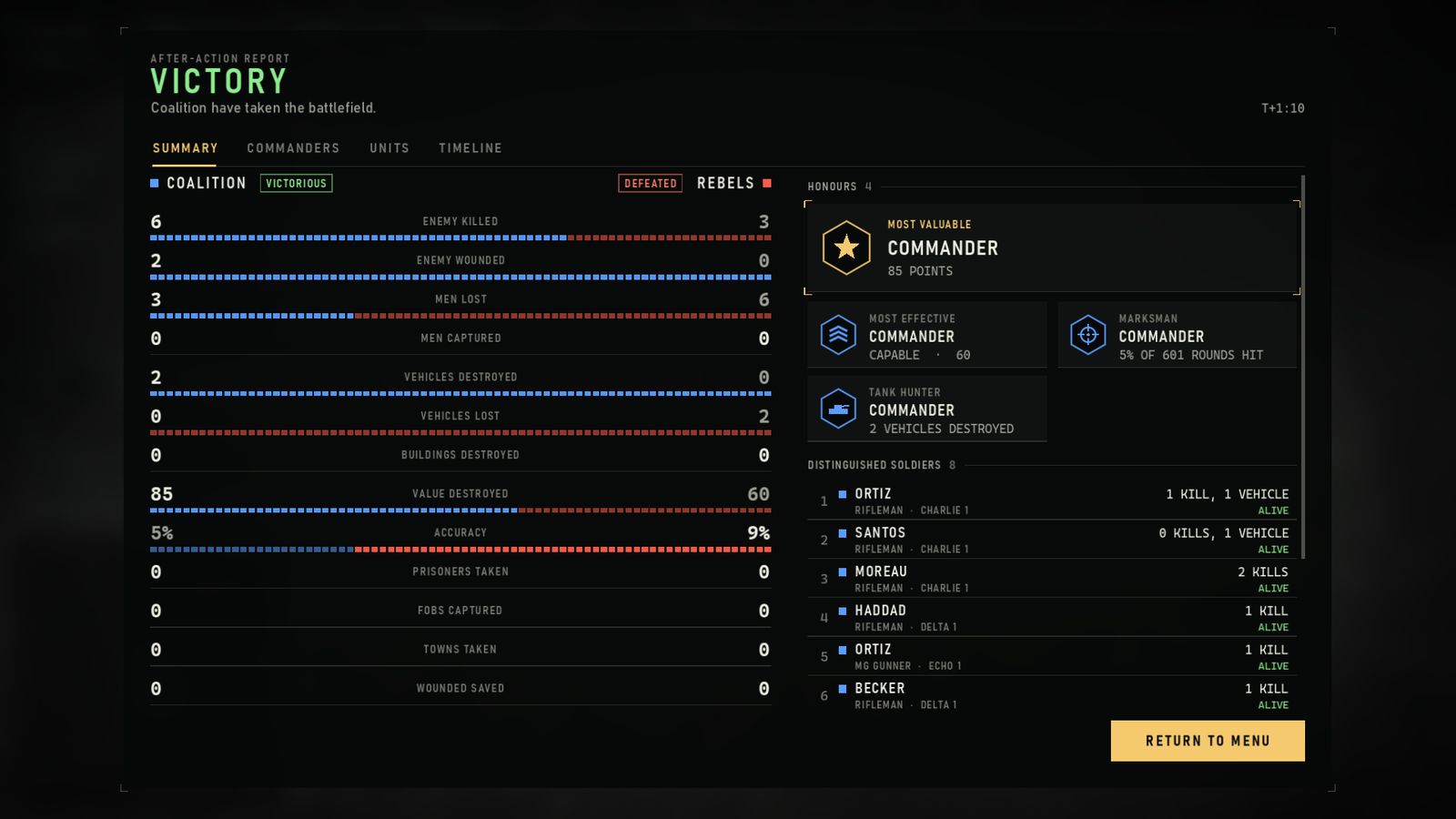
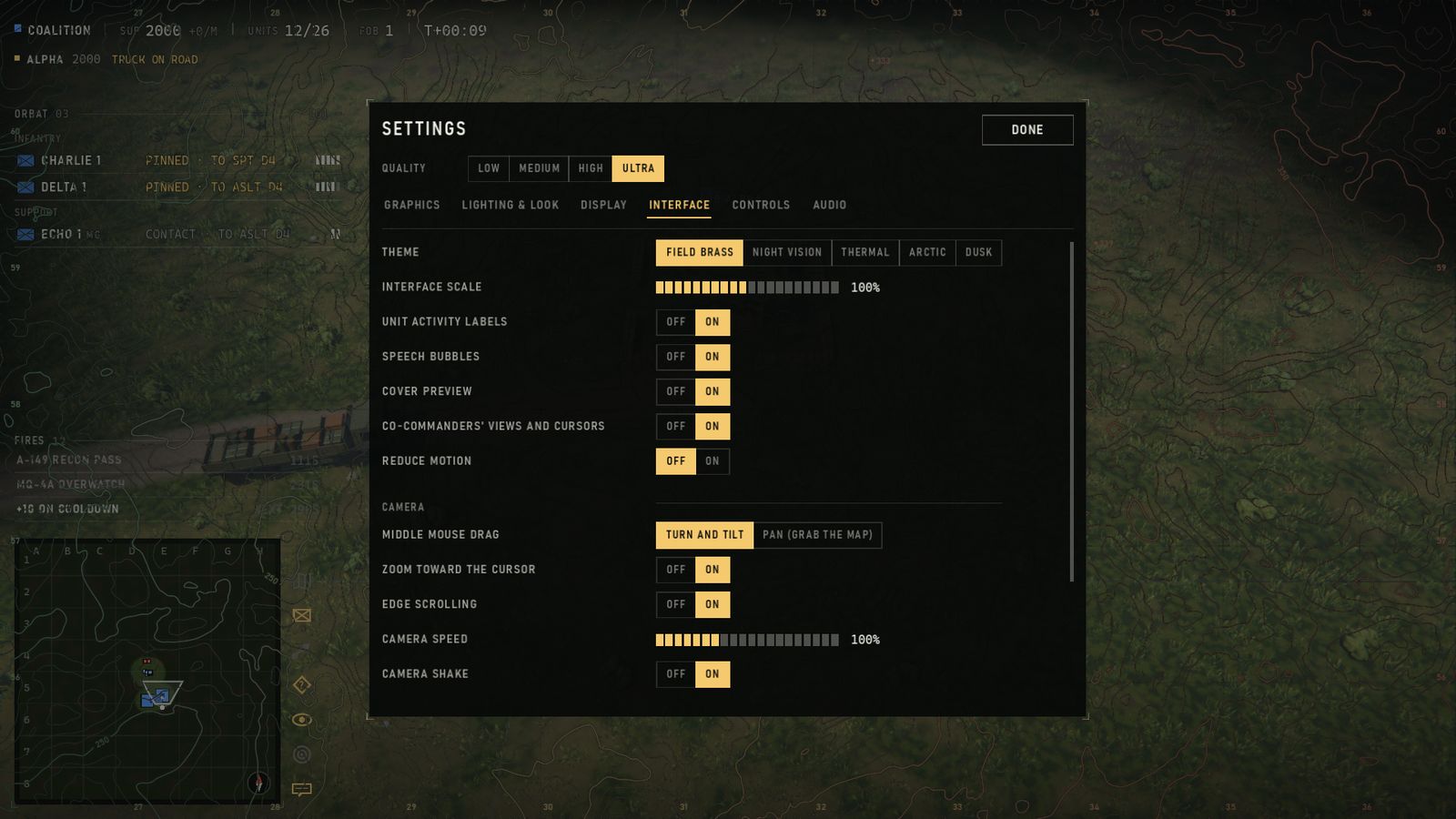
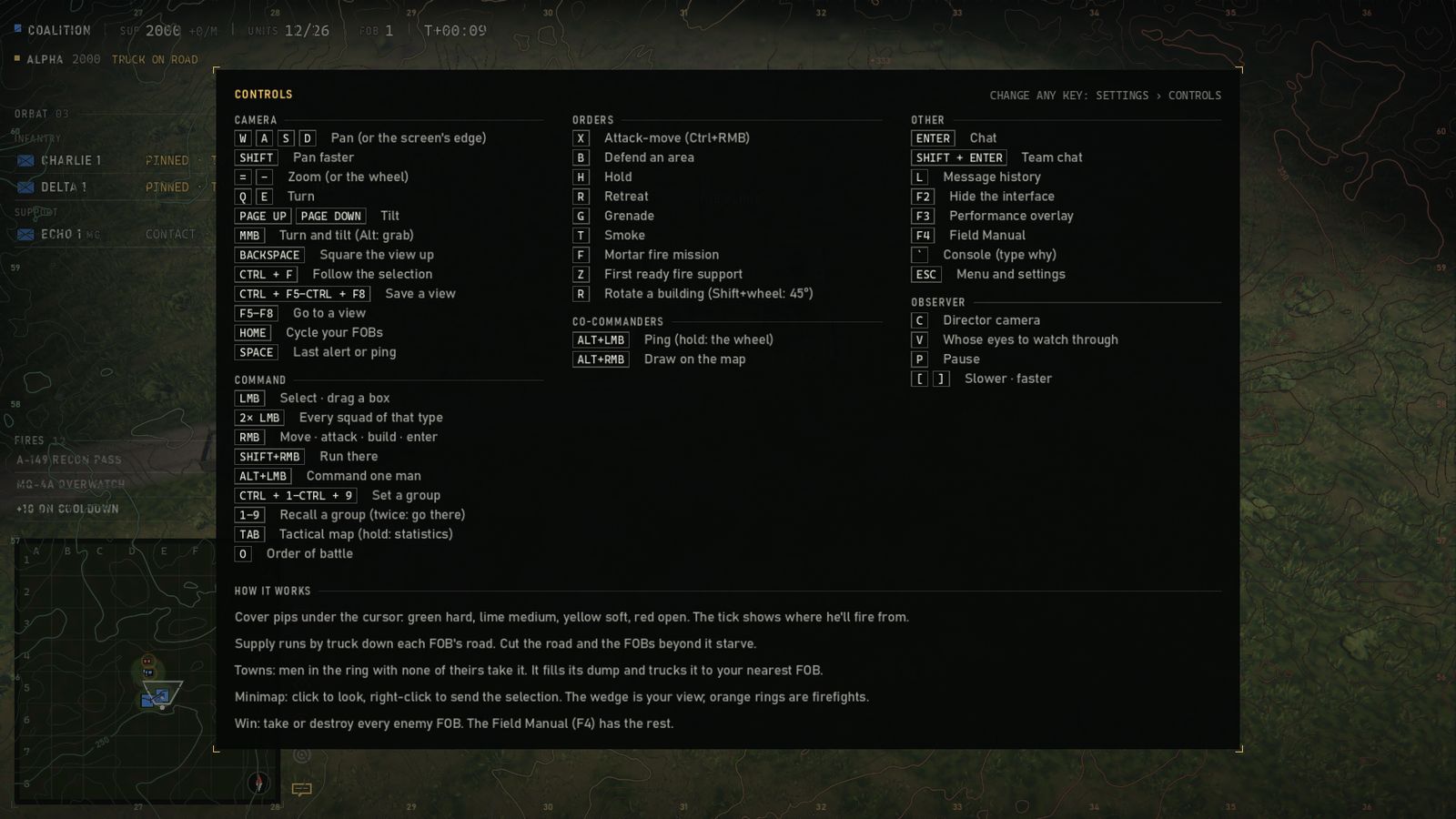
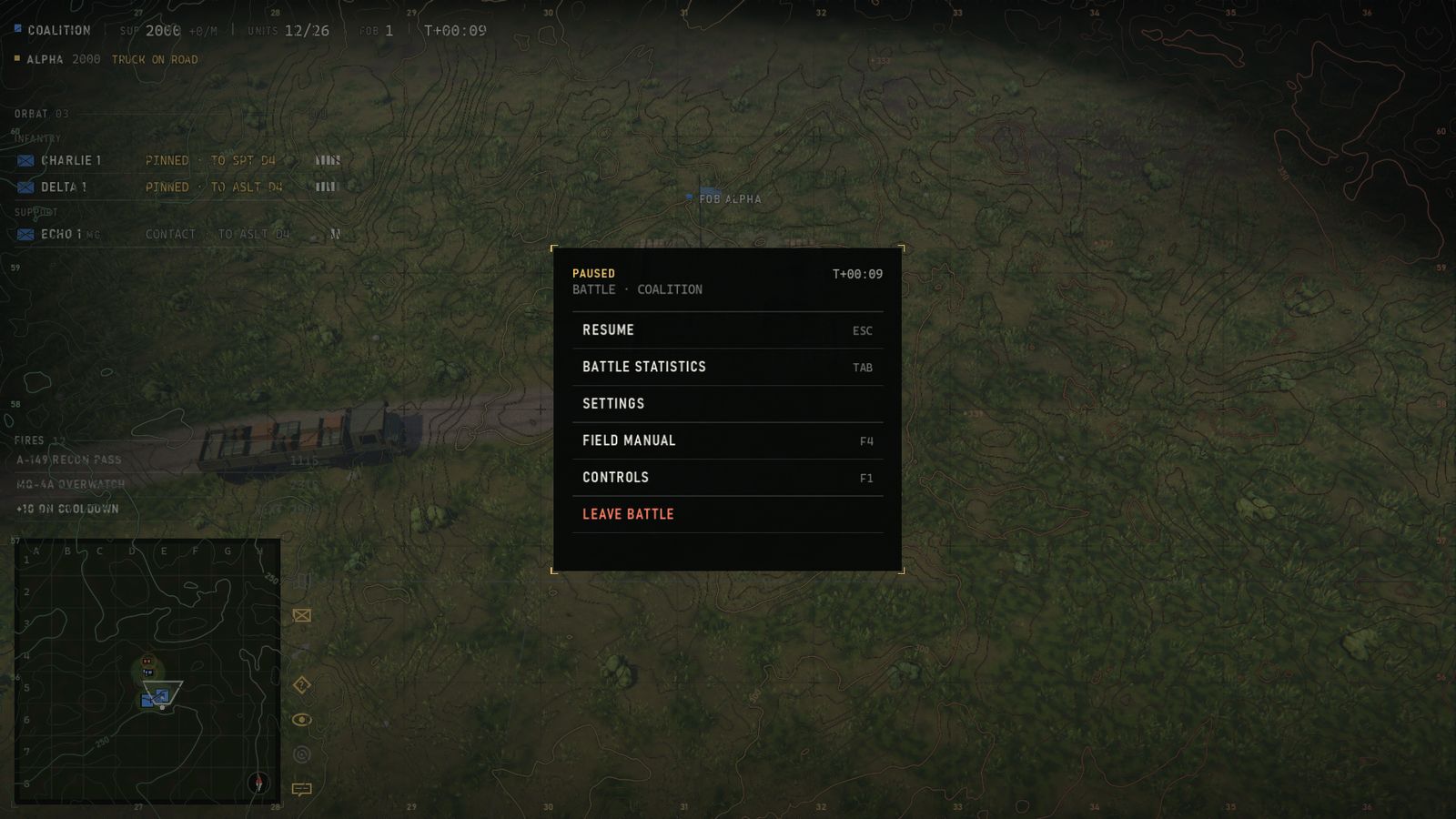
- No more boxes: the status line, the order of battle, fire support, the selection and the orders sit on the
battlefield over a soft darkening at the screen's edges, with thin rules between rows. - Short codes: each squad's line says what it's doing in a few characters (
PINNED · TO SPT D4,MOV E8),
supply readsSUP 2115 +230/M, the clockT+04:31, and a man's roleRFL,MGorMED. - Fire support lists the missions that are ready; the rest fold into one line with the next one's countdown.
- Orders are a grid of keys, the order you're giving lit up.
- Alerts come in three levels: a plain line, a yellow caution and a red warning that flickers in.
- On the battlefield base and town names, hover cards and cursor hints lose their boxes, and
+115 SUPis a
small tag rather than the biggest text on the screen. - The menus: entries in capitals that light up while they're open, the account on one line top right, a new
version or a battle to rejoin as one line each. New Operation picks a side from three rows and the time of day
from one, and each mission is a line with its briefing under it. - Multiplayer: the server browser lists battles as rows (players, status and connection as short codes) with
the details beside them; hosting puts each choice on its own row; the lobby shows each side as a list of seats
marked HOST, YOU, READY or OPEN, and its chat reads like the battle's message log. - The Field Manual lists every entry with a small square in its side's colour, and its numbers as a table with
counted bars. The statistics and the after-action report have every figure in mono, counted bars and plain
lines on the timeline. - The loading screen sets the briefing out in rows and counts its progress in steps; the end of a battle
types VICTORY or DEFEAT on through a burst of interference, with the battle's clock under it. - Settings: on/off and short choices are rows of segments, amounts are counted bars, and the tabs are
underlined. New: Settings > Interface > Reduce motion makes everything appear at once instead of typing or
flickering in. - F1 is a key reference in three columns, using your own key bindings, instead of a page of paragraphs.
- The message history (L) opens in place of the latest messages, only as tall as what's in it.
- Fixed: the sign-in panel could open as an empty strip down the screen, and the Missions and Insignia panels
could run off the bottom of it.
Battles load sooner, and without freezing
A battle no longer freezes for several seconds after it has loaded, it's ready to play sooner, and the loading bar keeps moving while the battlefield is laid out instead of sitting still.
- No freeze after loading: the long stop between the loading bar filling and the battle starting is gone.
- Ready sooner: buildings, trees, vehicles and the town's street furniture are put together much faster, so you're
playing several seconds earlier. - A window that answers: the loading bar moves stage by stage, and Windows no longer calls the game "Not
Responding" while a battle loads. - Everything looks and plays exactly as before.
Fixed
Joining a battle loads it before it starts
When you join someone else's battle, the loading screen now stays up until the whole battlefield has arrived and been built, and it arrives in a second or two, so you no longer drop into a half-built map that freezes for seconds at a time.
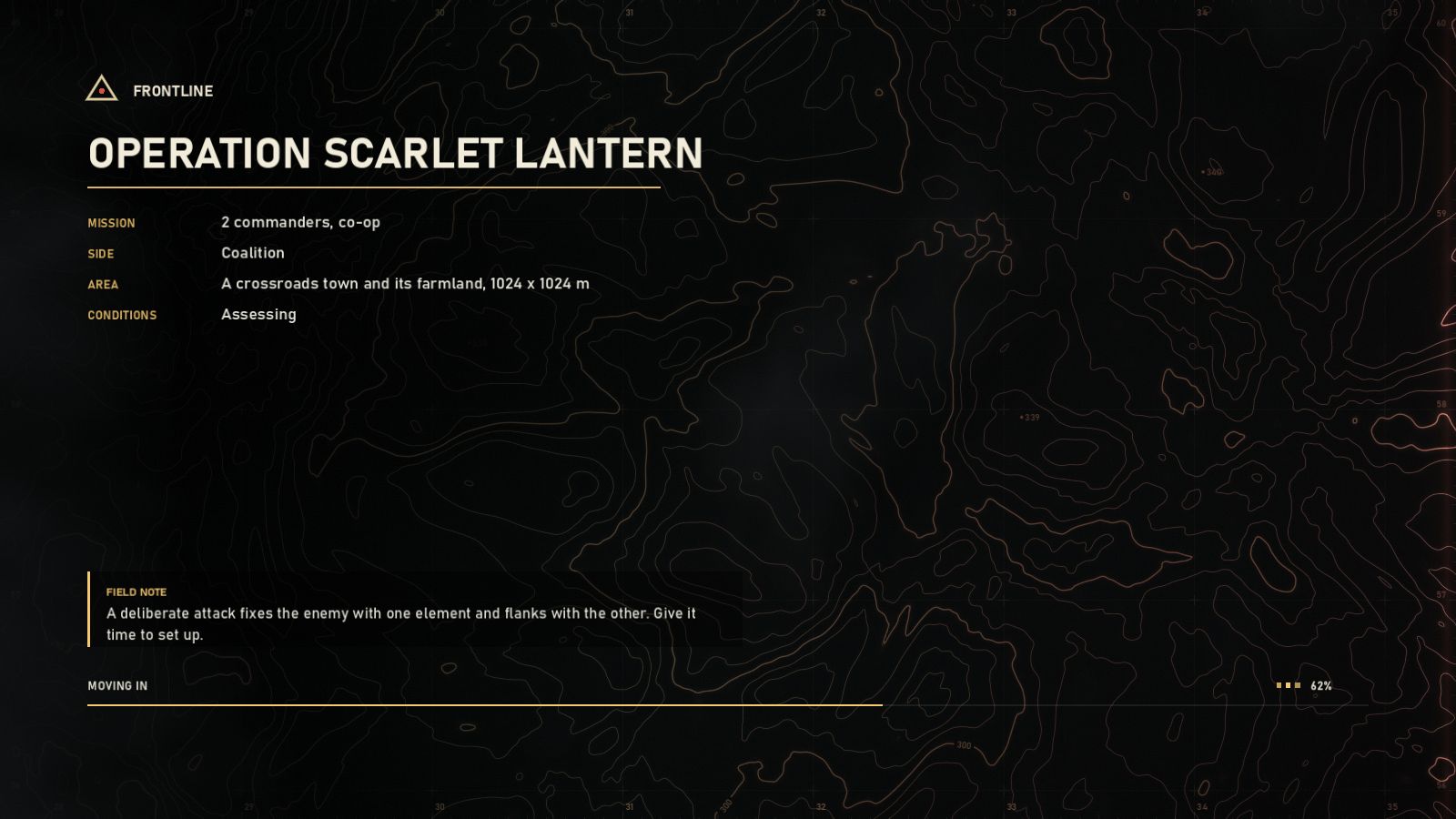
- The loading screen waits for the battle: it shows how far it has got (the water, the town, every building
and tree, the cover) and only lifts once it's all there, instead of lifting on an empty field. - Faster to arrive: the host sends the battlefield packed into about a twentieth of the space it used to take,
so all of it arrives within a second or two instead of trickling in over half a minute or more. - No more long freezes after it lifts: the buildings and trees are put up a few at a time behind the loading
screen, rather than in a handful of frames that each held the game for seconds. - The ground matches the host's: the paving in the town squares and the ground under bridges and the harbour
quay were open ground on a joining player's map, though they're road in the battle itself; they're road now. - Host and players must update together: a game with this change can't join a battle hosted by an older one.
Get it
The game updates itself. To install it, download Frontline-windows.zip, Frontline-macos.zip or Frontline-linux.zip below, or from the website, unzip it anywhere and run it (on a Mac, move Frontline to Applications first).
The whole history, with pictures: Changelog.