Repository navigation
Frontline v2.0.0: Cinematic lighting

New
Cinematic lighting
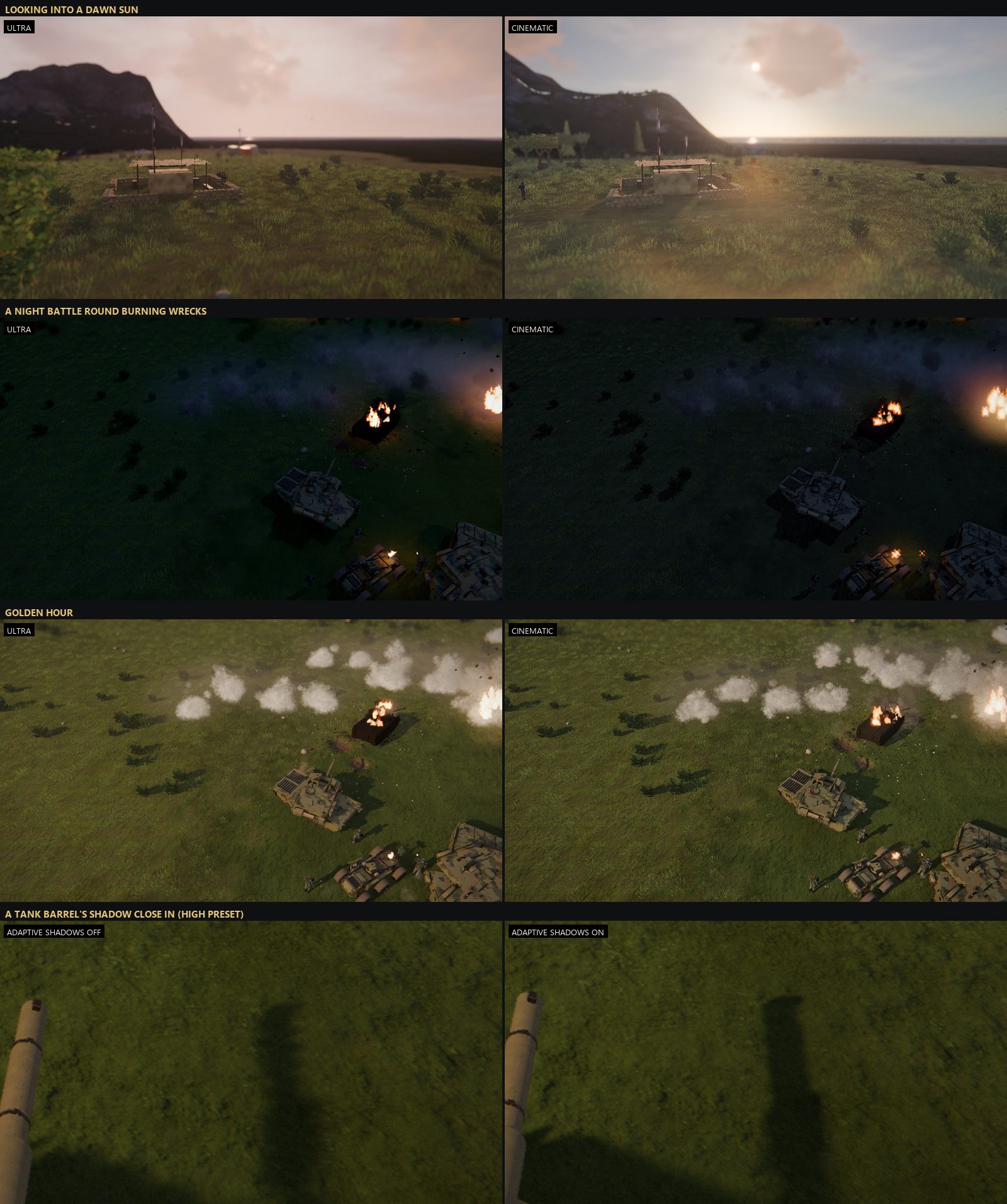
A new Cinematic graphics preset: a sky worked out from real sunlight scattering, shadows from fires and flares, sun shafts, lens flare, eye adaptation and a film look. Close-up shadows are sharper on every preset from Medium up.
Explore this change
Pick Cinematic at the top of Settings, or turn each part on by itself. Cinematic is everything Ultra has, plus all of this; it's meant for a fast graphics card, screenshots and replays. None of it changes the battle itself: spotting, cover and fire work as before.
- Adaptive shadows (Graphics, on from Medium up): the sun's shadows are fitted to the ground the camera can see instead of always reaching 800 m out, so close in they're several times sharper. Costs next to nothing.
- Shadows from fire and flares (Graphics): explosions, burning wrecks, illumination flares and street lamps throw moving shadows, the two or six nearest the camera.
- Physical sky (Graphics): at golden hour, dawn, dusk and in haze, the sky is worked out from how sunlight scatters in the air: deep blue overhead, a small reddened sun, pink-lit clouds, the earth's shadow rising at dusk. It lights the battlefield too, so shade turns sky-blue while the sunlit side glows.
- Camera and lens (Lighting & Look):
- Lens flare and glare: bright lights throw ghosts and a halo through the lens, the hottest ones a thin streak, and light up dust on the glass.
- Sun shafts: light streaming past trees, ridges and smoke that stand against a low sun.
- Local exposure: keeps the detail in deep shade and in bright fire at the same time, as the eye does.
- Eye adaptation: the view dims for a flash and recovers after it, and in the dark colour drains towards a cool grey as night vision takes over.
- Film look: highlights bleed red into the film, and fine detail is sharpened without halos.
- The camera and lens effects and the physical sky aren't in the browser version, whose graphics can't draw them.
Photo mode
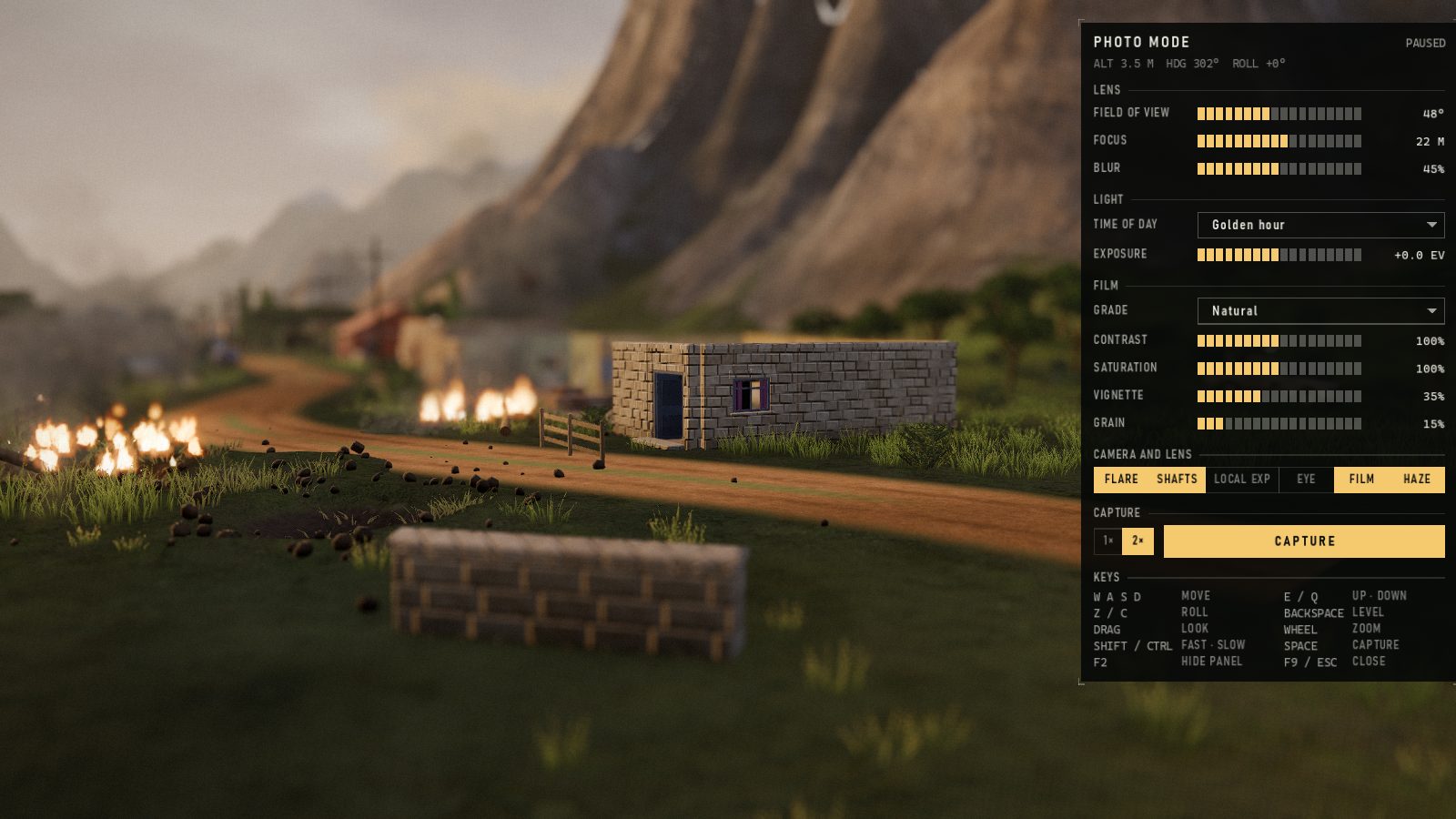
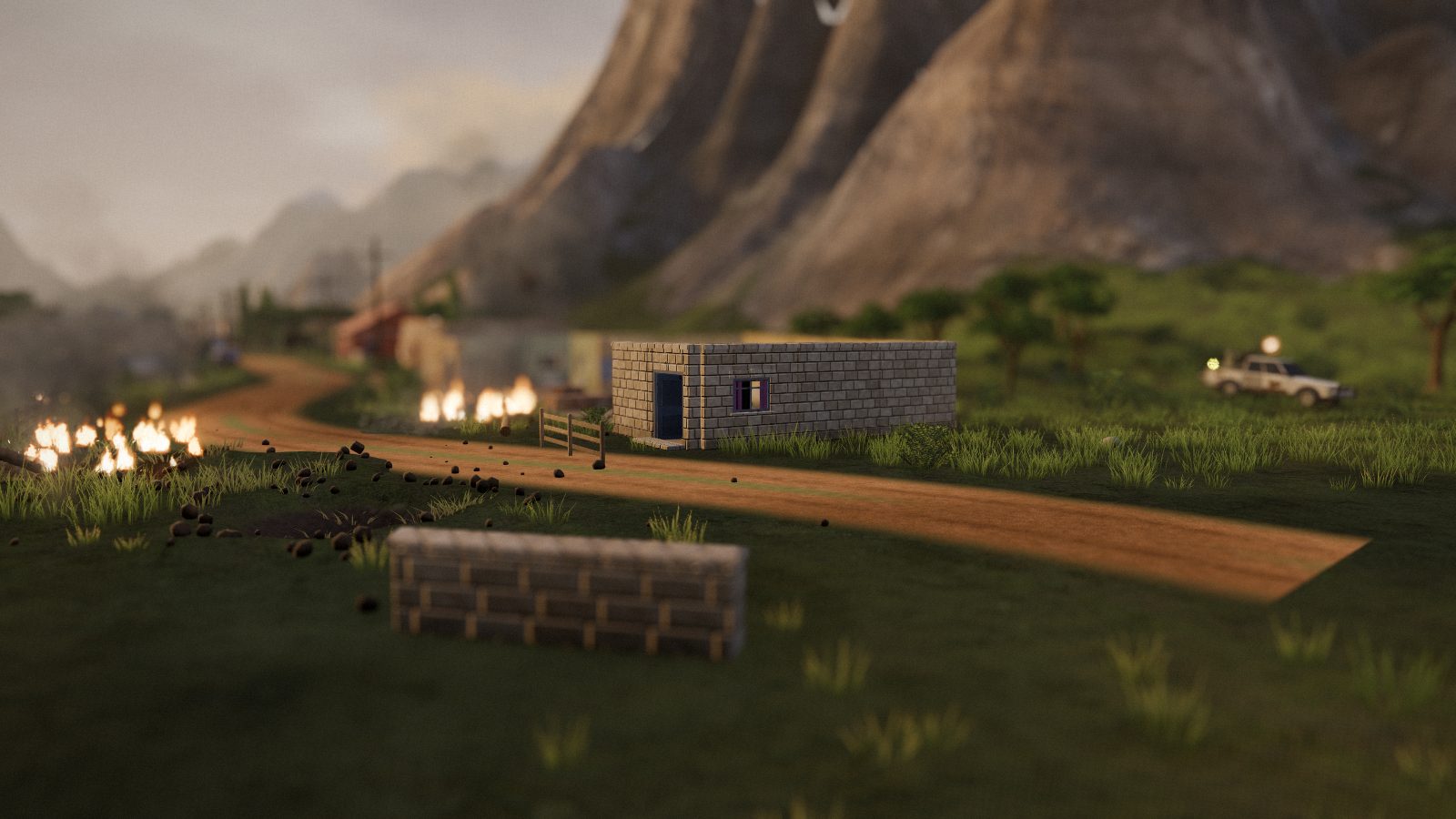
F9 holds a solo battle or a replay still, puts the interface away and frees the camera, with a real lens, the light and a film look to set before you take the picture.
Explore this change
- The action holds still in a solo battle or a replay. In multiplayer the fighting goes on: only your camera
comes off. - A free camera: WASD fly the way the lens looks, E / Q go up and down, Z / C roll (Backspace levels it), and
holding a mouse button and dragging looks round. Shift flies faster, Ctrl slower, the wheel zooms. It stays
above the ground and over the map. - The lens: field of view, where it focuses and how soft the rest falls, as real depth of field (not in the
browser, whose renderer has none). - The light and the film: exposure, the time of day, a colour grade with its contrast and saturation, vignette
and grain. The fog of war's shading can come off the ground too. - Camera and lens: lens flare, sun shafts, local exposure, eye adaptation, the film look and heat haze switch on
and off for the picture alone, whatever your graphics settings have (on the desktop). - Space takes the picture without the panel, at twice the resolution for cleaner edges, as a PNG in the
game's screenshots folder, and a note says where. In a browser it's downloaded. - F2 hides the panel. F9 or Esc puts everything back as it was, the battle's speed included. Your settings are
never touched. - Every key is in Settings → Controls, under Photo mode.
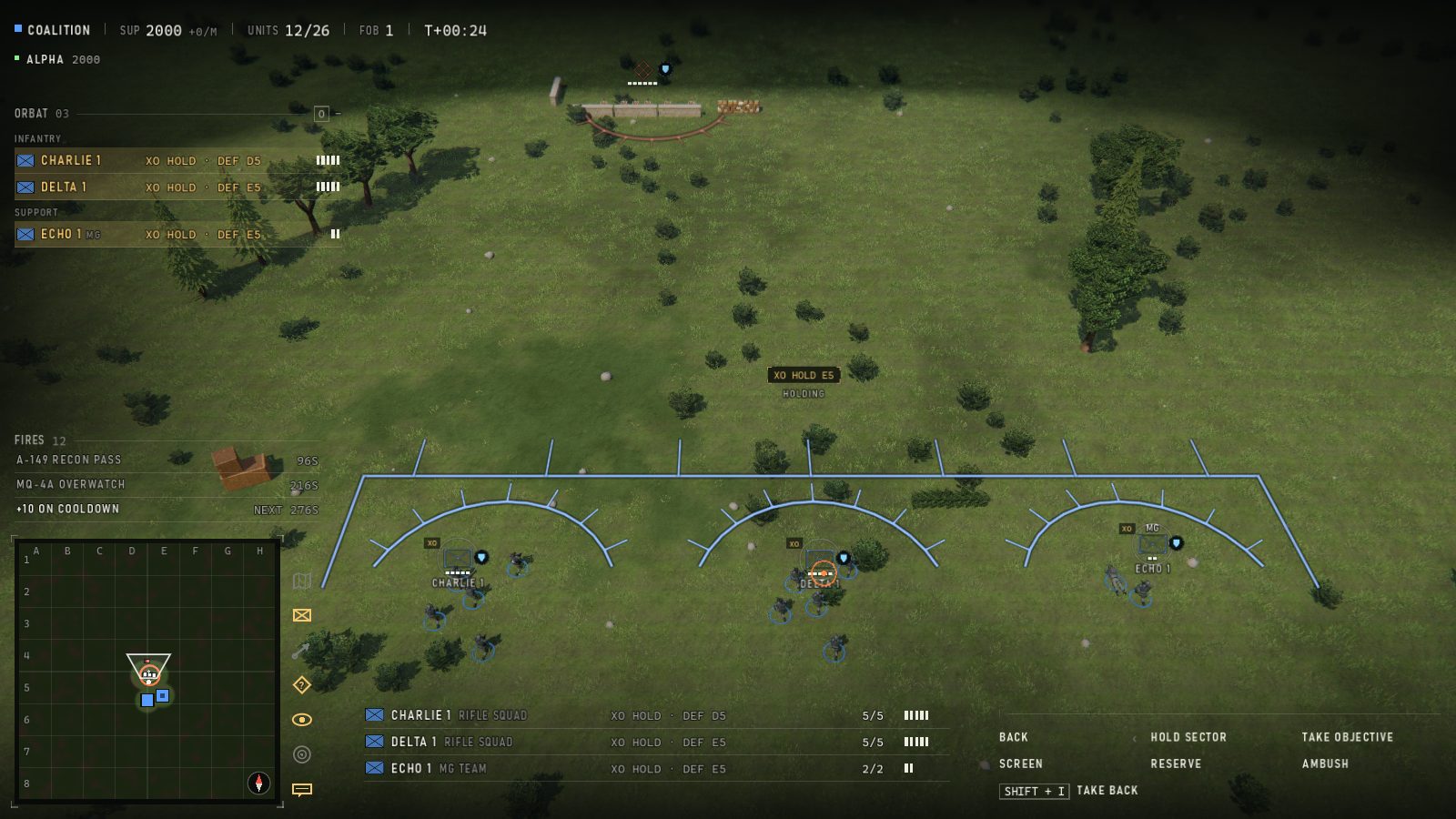
Command by intent: hand squads to your XO
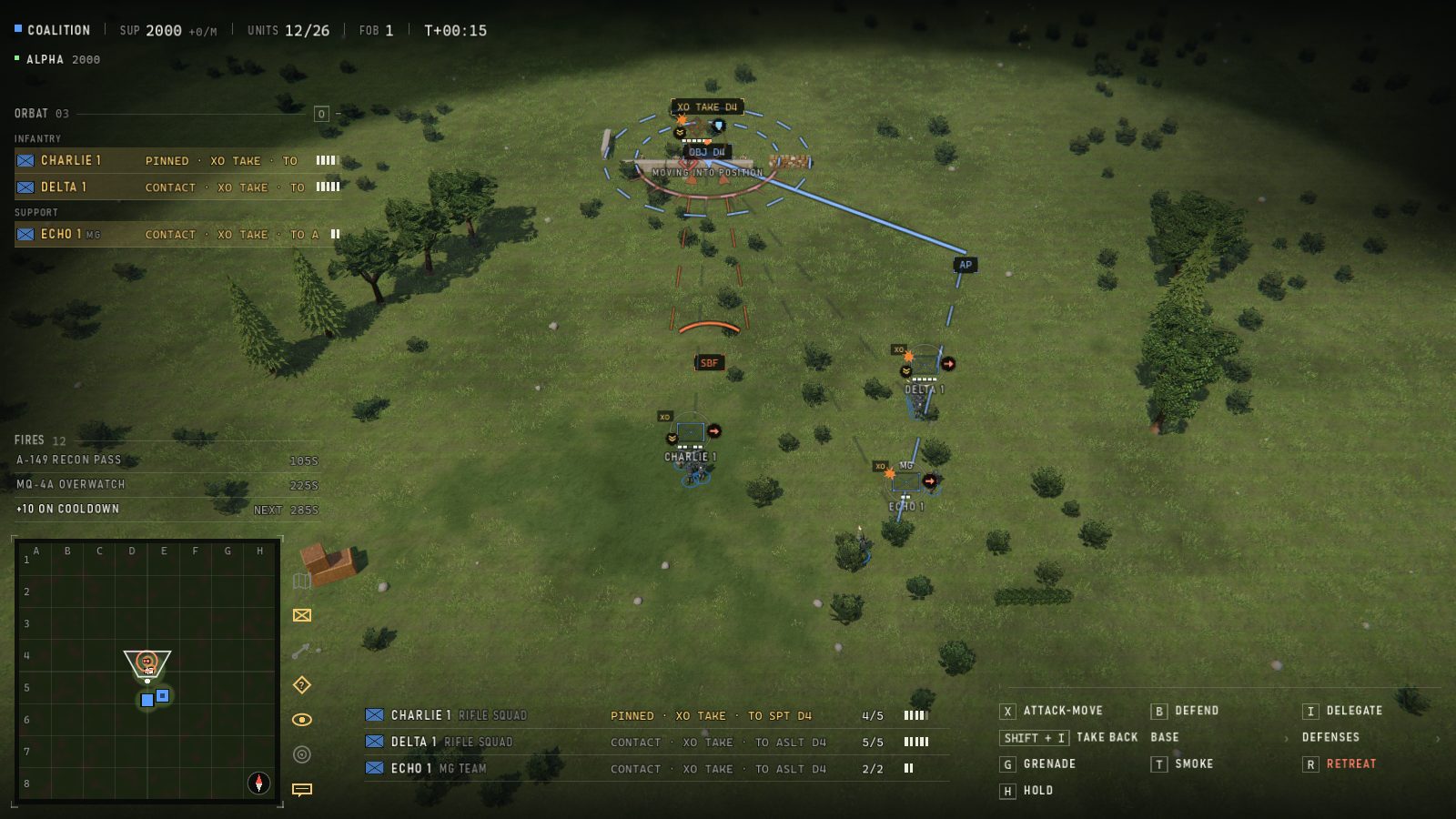
Select squads or vehicles, press I and give them an intent: hold a sector, take an objective, screen, wait in reserve or ambush a road. Your XO places them, gives their orders, sends them in again when they're knocked back, and reports over the radio.
Explore this change
You don't have to run every squad yourself any more. I opens the Delegate page of the orders; pick an intent,
click the place (drag toward the enemy to set the front), and the squads are your XO's to run.
- Hold sector: spread across it and dug in; a squad knocked off its piece of the line is put back.
- Take objective: a deliberate attack, one squad firing while the others flank, then they consolidate and hold
it. A failed attack is sent in again, a few times, before the XO reports that it has stalled. A click near a
town aims at its square. - Screen: a thin line well forward that reports what's coming and falls back a bound at a time when pressed.
- Reserve: waits out of the fight and goes to help a squad of yours nearby that's pinned or bleeding, joining
its attack, then comes back. - Ambush: each squad lays an ambush on the nearest road, springs it, slips away and lays it again.
- Taking them back: give a delegated squad any order of your own, or press Shift + I, and it's yours again.
The XO says so on the radio. A squad cut down to a third is sent back to refit and handed back to you. - On the map each intent shows with an XO tag, its grid and what it's doing; delegated squads carry an XO tab,
and the order of battle and squad card say what they've been told. - AI allies answer your pings. With an AI commander on your side, "attack here", "defend here" and "need
support" pings now get up to two of its free squads sent there, and it tells you who's coming (or that nobody is
free). - Co-commanders delegate and take back the same way, and every allied player sees the XO's tasks.
Heat haze
On the Cinematic preset the air shimmers over fires and burning wrecks, over the engines of idling tanks and helicopters, and for a moment round a blast.
Watch: A tank that has just brewed up burns behind two idling tanks: the air over the wreck and over their engine decks swims, first from the usual battle camera, then close over an engine deck. (Direct WEBM)
Explore this change
Turn it on by itself under Settings > Lighting & Look > Camera and lens > Heat haze, or pick the Cinematic preset.
- What shimmers: burning wrecks, buildings, woods and grass fires; the engine decks and exhausts of vehicles with their engines running, harder while they drive; a helicopter's turbines, the haze beaten down once its rotor is up to speed; and briefly round a blast, a tank gun's muzzle and a rocket's back-blast.
- Only what lies behind the hot air is bent: a soldier standing in front of a fire stays sharp, and the sky is left alone.
- Nearer haze bends more, and haze too small to make out from far away isn't drawn.
- With Reduce motion on, the air holds still: the view is still bent, but nothing swims.
- It's looks only: spotting, cover and fire work as before. Like the other camera and lens effects, it isn't in the browser version.
Shot-down helicopters fall out of the sky
A helicopter shot down in the air no longer vanishes into a pile of rubble below: it spins in or autorotates to a crash, and its burning wreck lies where it hit.
Watch: Two Ghost Hawks shot down at 16 m, before (top) and after (bottom), at normal speed. The near one loses its tail rotor and spins in; the far one autorotates to a heavy landing. The yellow lines trace their paths. (Direct WEBM)
Explore this change
- Spinning in: with the tail rotor or the controls shot away, the helicopter winds up into a spin, rolling and
pitching as it corkscrews down, and hits hard, still carrying its speed. - Autorotation: with only the engines gone, the pilot glides it down steeply, nose low, then flares just above
the ground for a heavy landing. More of the troops aboard walk away from this kind of crash. - The impact is a fuel explosion that hurts whoever is underneath and can set the area alight. The burnt-out
helicopter is left lying where it hit, on its side after a spin-in. Over deep water it ditches and sinks, and the
survivors swim for shore. - On the way down it burns and trails smoke, and its rotor runs down.
Houses that look lived in, and lamplight at night
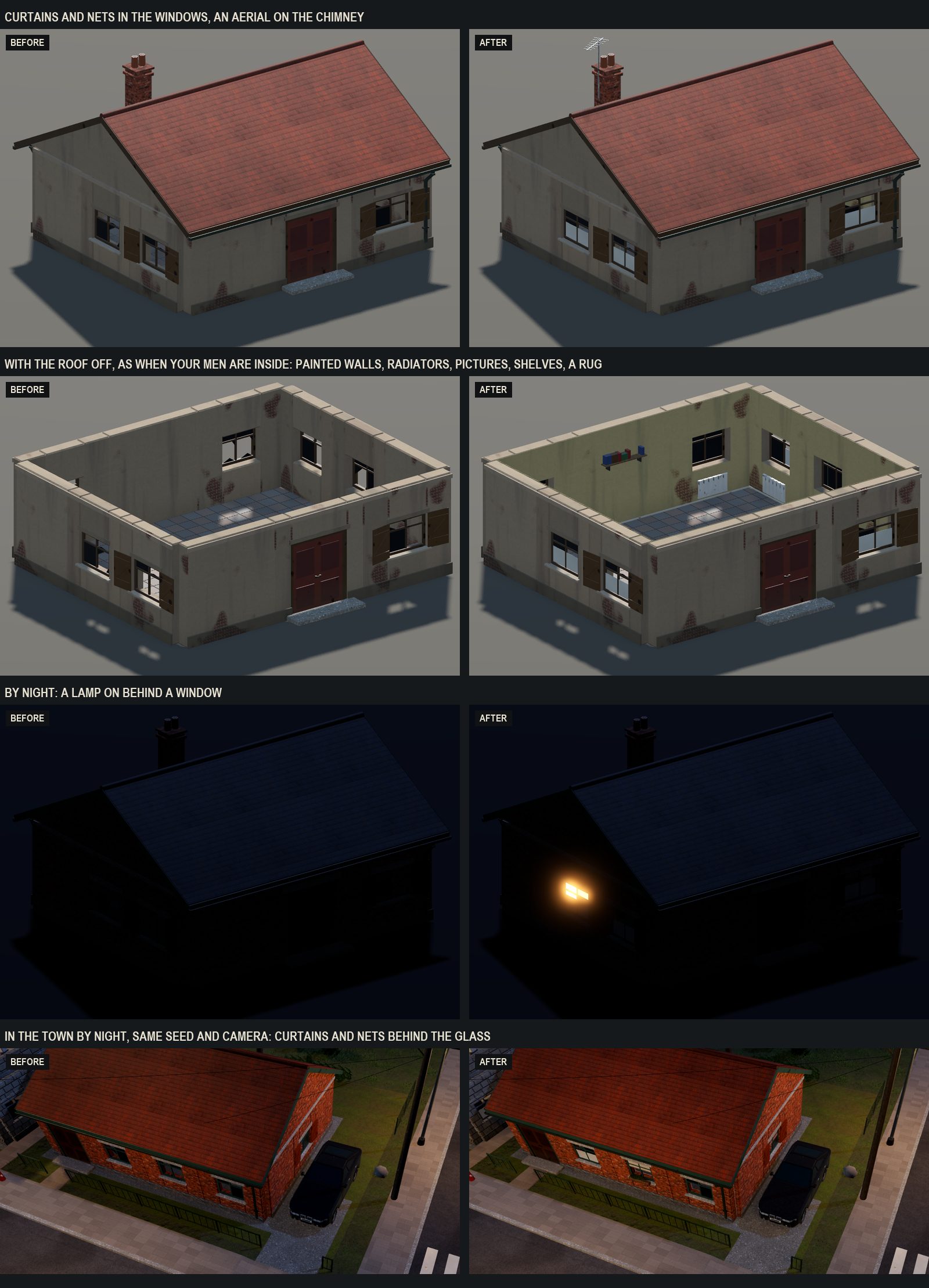
Curtains, blinds and nets hang in the windows, flowers sit on sills, lanterns hang by front doors and aerials stand on roofs. Inside are painted walls, pictures, shelves and rugs, and at dusk and at night lamps glow behind a third of the windows.
Explore this change
- Windows: drapes drawn to the sides, a blind half down, or nets across the lower panes. Some windows have
flowers in a box on the sill. Houses still lived in keep their glass. - Doors and roofs: a lantern beside about half the front doors, and a TV aerial on half the pitched roofs,
lashed to the chimney or standing on the ridge. - Inside: you see the rooms when a roof lifts for the men inside, and in every roofless ruin. They have
painted walls with a skirting, a radiator under each window, and pictures, a mirror, a clock or a shelf of
books on the plain walls. Most floors have a rug. Everything hangs flat on the walls or lies flat on the
floor, so nothing stands where your men take cover. - At dusk and at night a lamp is on behind about a third of the windows. The barracks and research post
windows glow, and so do the factory's north lights and the door lanterns. Brightest at night, a glimmer on an
overcast or rainy day, nothing in sunshine. The light changes with Settings > Time of day.
Ride along with the object cameras
Select one vehicle, building or individual soldier and press F10 to cycle through its camera positions. Escape returns to command with the selection intact.
Watch: The same lift and boat turn from both camera positions. The new views on the right show the gap below the cargo and the wake behind the stern. (Direct WEBM)
Explore this change
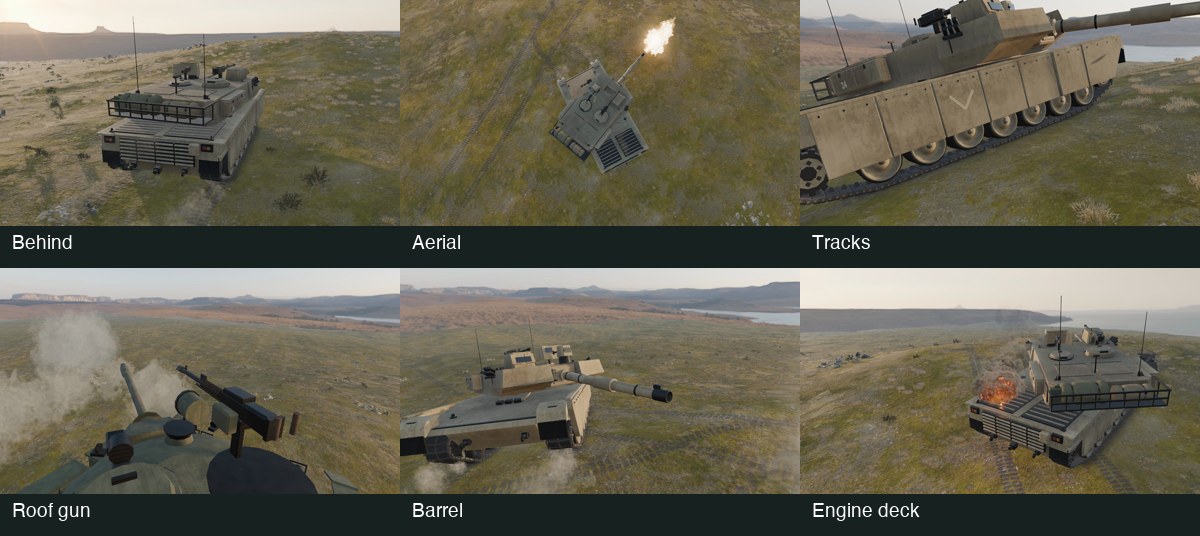
Every subject offers a rear and aerial view. Vehicles with tracks or wheels have a low running-gear view. Models can also carry cameras on the barrel, beside the roof gun and over the engine deck. Rotorcraft add a cabin-side view. On sling-capable helicopters the sling-load view keeps the aircraft and its cargo in frame. Boats have bow and waterline views. The tanks use the same mounts used in the one-minute ridge film. Change the key in Settings under Controls.
The waterline view follows the wake from the stern quarter. It keeps the horizon level as the boat turns. The sling camera frames the rotor against the sky, with the suspended vehicle and its shadow visible below.
From the cargo door, look down past the landing gear and watch the sling load separate from its shadow. Wheels stop throwing dust once clear of the ground. Spinning rotors show a soft sweep for each blade. On the RHIB, the starboard camera looks past the console toward the other boats.
Watch: The same lift in both views. On the right the rotor turns against the sky and the Humvee clears its shadow below. (Direct WEBM)
Standing orders for squads, soldiers and vehicles
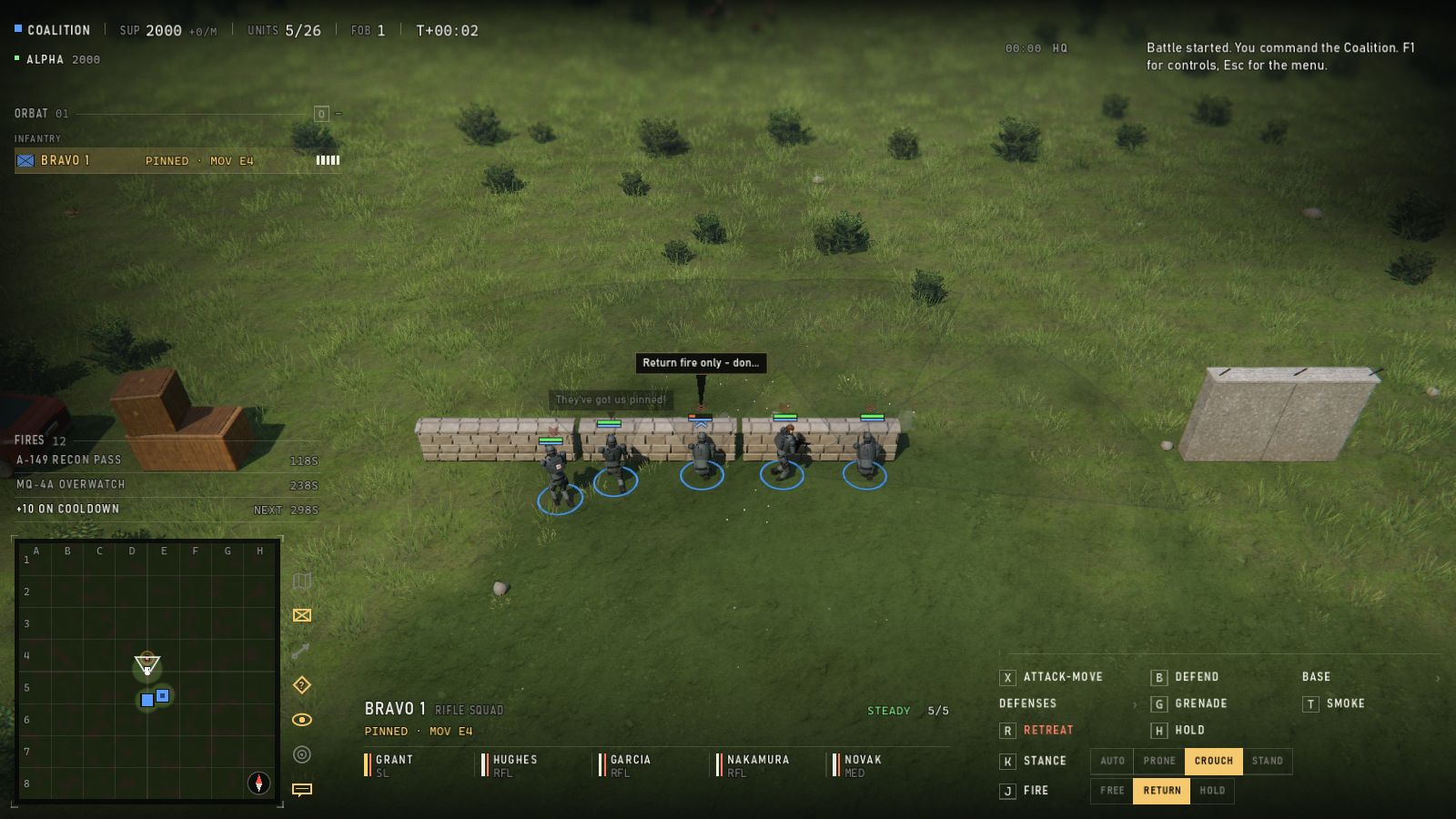
Tell a squad or one soldier to get down or hold their fire, tell a tank what to shoot first, pop a vehicle's smoke yourself, and drop only some of the men a carrier has aboard.
Explore this change
- Stance (K): auto, prone, crouch or stand, for a whole squad or one soldier you've picked out (Alt + click).
Told to stay down, men crawl when they move at a walk; a run order still gets them up. A pinned man won't stand
up whatever he's told, and diving from a grenade or hitting the dirt is still his own call. - Fire discipline (J): fire at will, return fire (only once they or their squad are shot at) or hold fire. Men
holding their fire throw no grenades and fire no rockets either, but they still fight anyone who gets within
15 m, and anything you tell them to attack. Squads under either order keep moving past enemies they only see. - Vehicles take the same fire discipline (the crew still fights anything within 22 m), and a target
priority (N): armour first saves the main gun for vehicles, infantry first puts high explosive on men in the
open. - Smoke on call (T with only vehicles selected): the dischargers fire towards the nearest threat; the card shows
the salvoes left. The crew still pops smoke by itself when a missile is launched at it. - Partial dismount: drop half the men aboard, or one squad when a carrier holds two. The rest stay in until you
dismount them (U) or the vehicle moves on and stops again; if it's badly hit, everyone bails out. - Every order sticks until you change it, through moves and attacks, and the command card shows what's in force.
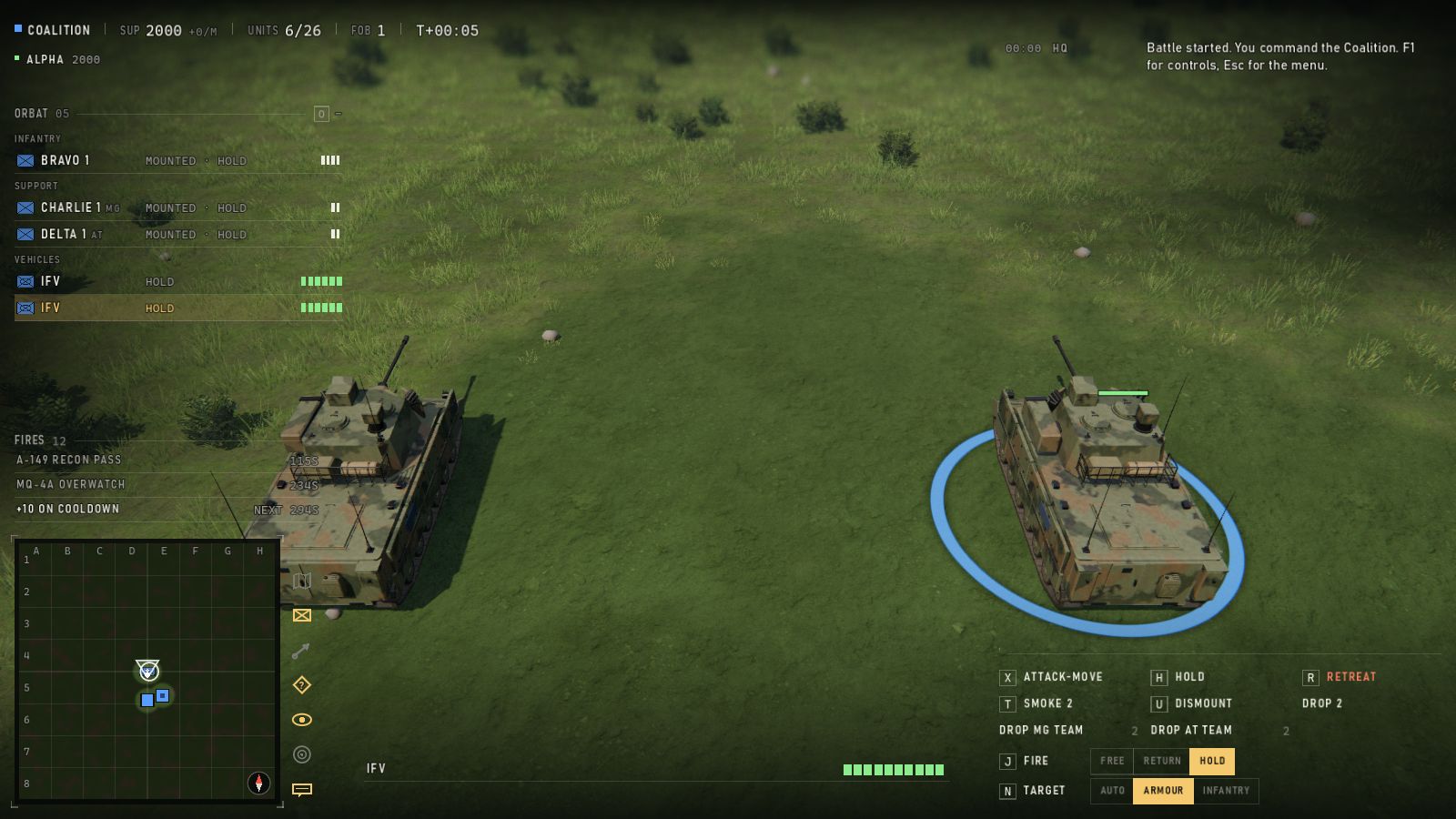
A Field Manual on the website, over the menus' living map
The website sits on the menus' topographic map now. Home always shows the game off, and the new Manual covers every soldier, squad, weapon, vehicle, building, fire mission and upgrade, with the game's figures and 3D models.
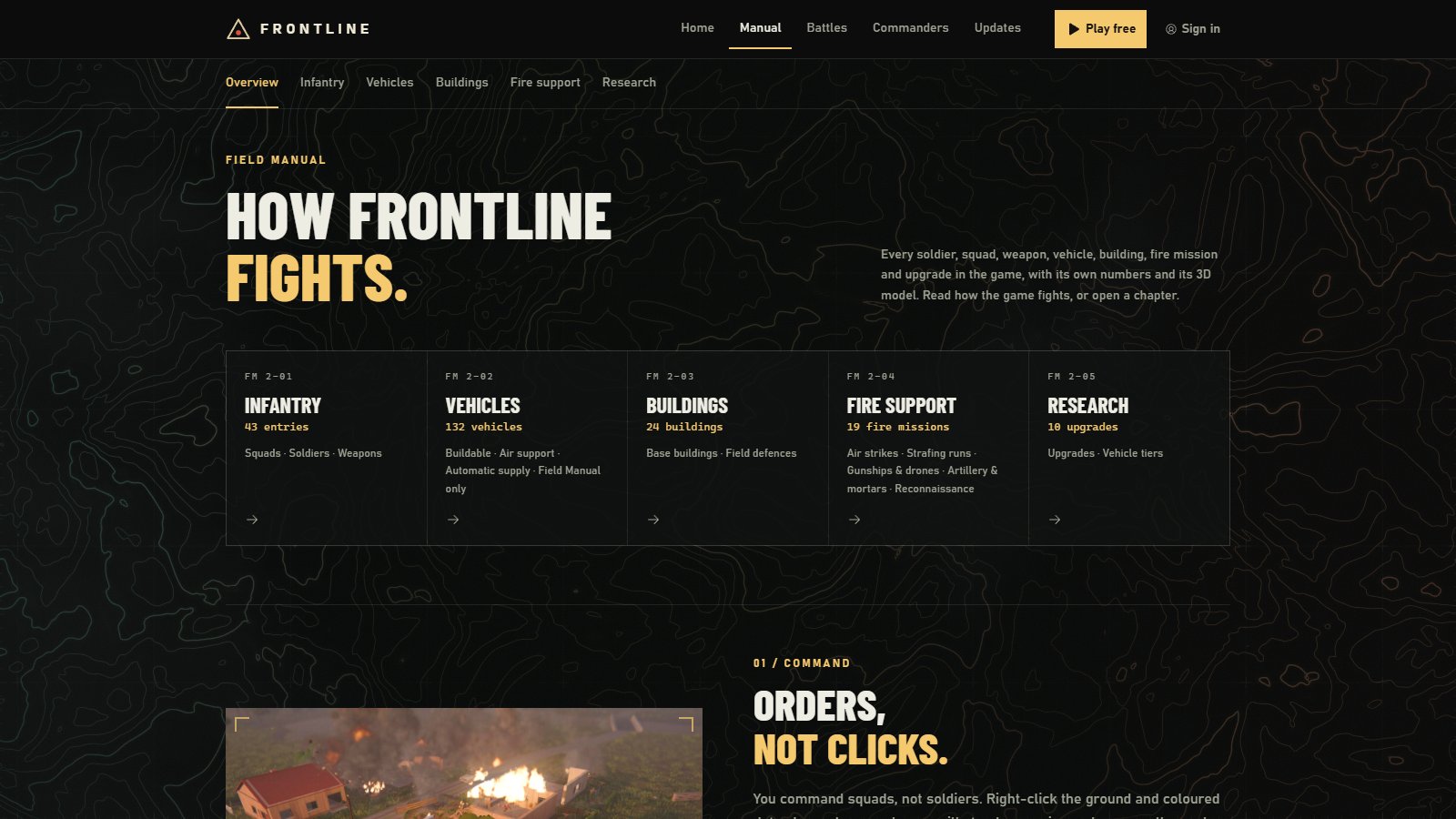
Explore this change
- Home replaces The game in the header, and its tour greets everyone. Signed in, your rank, progress and Play sit just under the footage.
- Manual replaces Vehicles. Its overview explains how the game fights: command, drills, the two sides, combined arms, building, supply, fire support and the battlefield. Infantry, Vehicles, Buildings, Fire support and Research follow.
- Filter a chapter by kind and by side, search it, and share a link to any entry. The figures are the game's own, with the in-game manual's counted bars.
- Turn over the 3D model of any building, squad, soldier, weapon or fire mission, as well as vehicles. Fire support plays an aircraft's sortie too.
- Every page sits on the menus' living topographic map. It drifts, leans a little after the cursor and ripples where you click. It holds still if you prefer reduced motion.
- Fixed: a page you hadn't opened yet, such as your profile, could fail to load in a tab left open across a website update. That tab now reloads onto the new version.
- Old Vehicles links open the Manual's Vehicles.
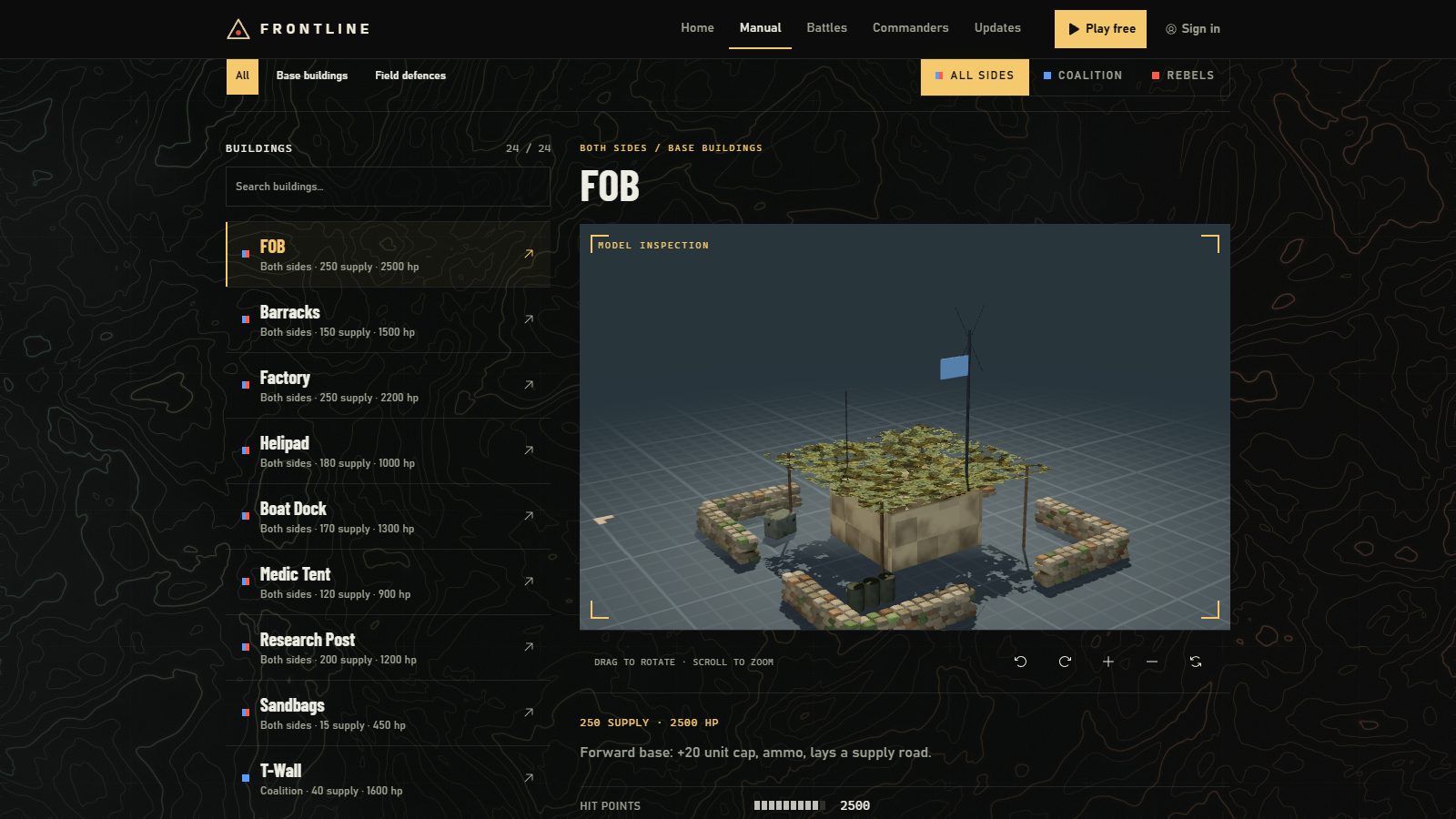
Compare changelog layouts
Website layout comparison at 1600 x 900, the rank guide. Before: the live website on 11 November 2026, on a still picture of the map. After: the same page on the living map, quieter behind the text. Viewport captures, not gameplay comparisons.


Improved
Ride with the Abrams and T-55A
Ride beside the tracks, look down the barrel or watch through the periscope in a match. Disabled tanks keep their paint and turret bearing as smoke rises from the engine deck.
Watch: The playable Abrams in an ordinary match. Three in-game F10 mounts show the tracks, periscope and barrel during the same seeded encounter. (Direct MP4)
Explore this change
A glancing round rings against the hull. The barrel recoils when the gun fires, and individual tread pads leave prints on soft ground. Select a tank and press F10 to cycle its views.
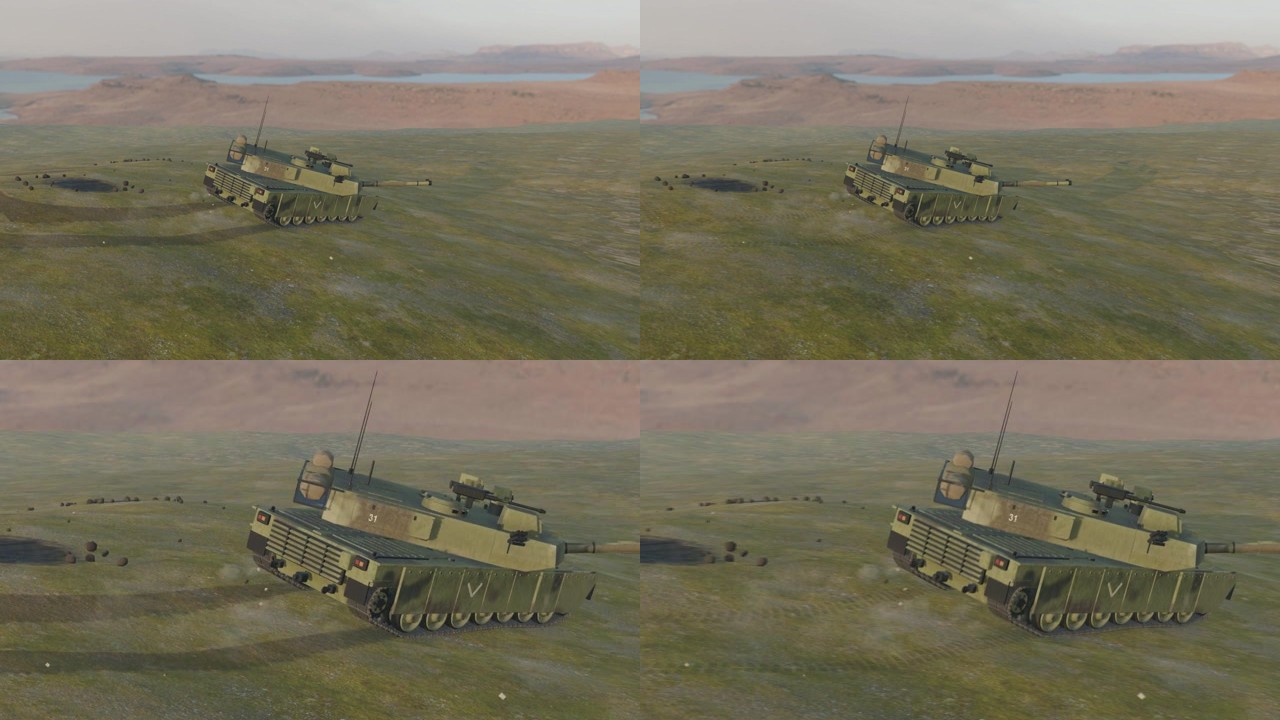
Watch: The same 2.5 seconds of the knockout in both cuts. On the right, hot folds rise through the engine grille and darken into the plume. (Direct MP4)
Broken earth at ground impacts
Larger clods of earth tumble with uneven edges as the dust rises around them.
Watch: The same round lands beyond the wreck. Watch the larger clods above the dust in the previous version on the left and the updated version on the right. (Direct WEBM)
Explore this change
The larger pieces bounce and settle back onto the ground. Their paths vary between recordings.
Hear the jet pass overhead
The engine follows the jet across the scene, and falling bombs carry a separate rush of air into the impact.
Watch: The same harbour pass plays twice. The updated audio starts at 0:05.8. Listen under the wing for the release, then from the quay for the falling air. (Direct WEBM)
Explore this change
Listen from the harbour and the engine grows louder as the aircraft passes, then fades into the distance. From a camera flying beside the jet, its engine stays with it. Close to the aircraft, a short mechanical clack marks each release. Air rushes past the falling bombs until impact.
Battle readouts that read over any ground
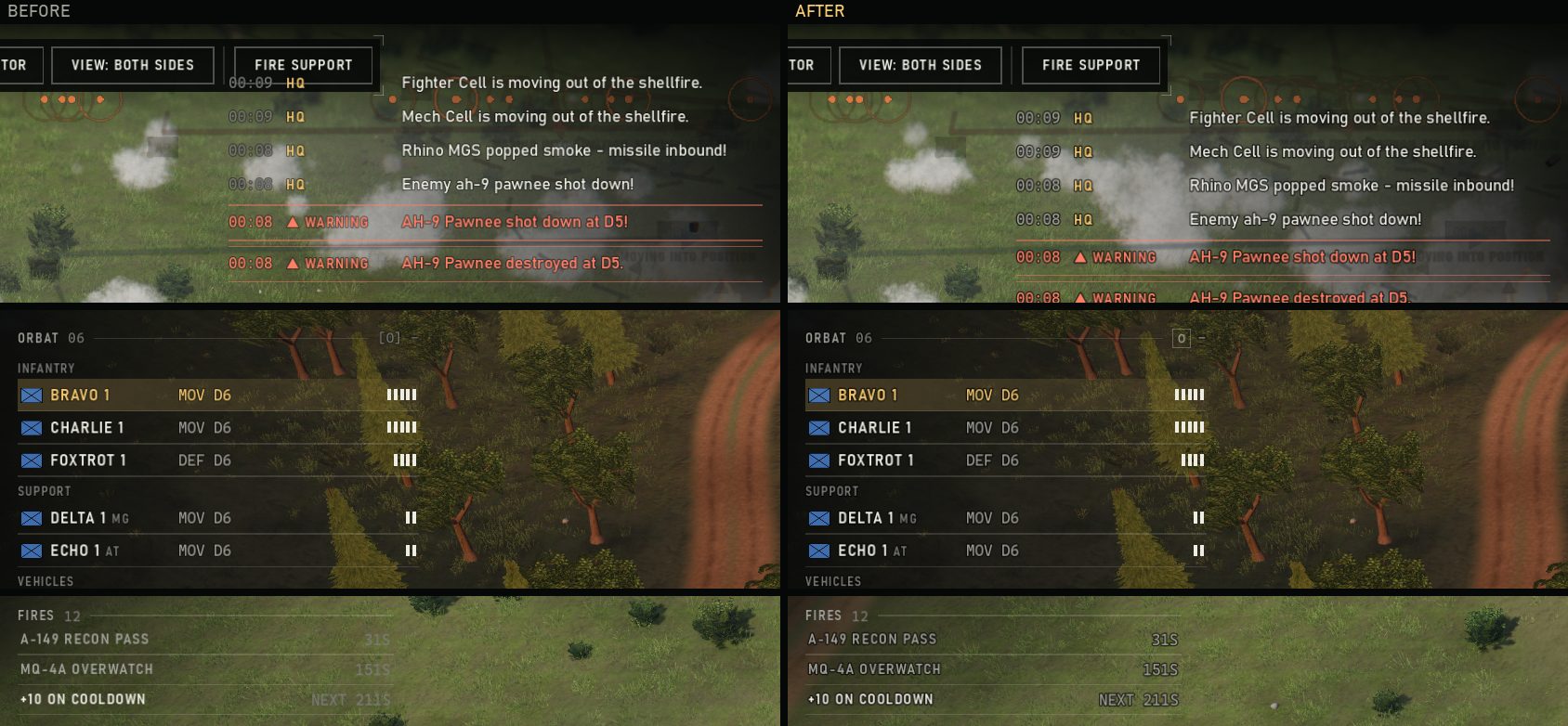
The log, fire missions and squad names on the map stay legible over sunlit grass, sand and smoke, and the log no longer slides under the observer's bar.
Explore this change
- Darker outlines round every readout on the battlefield, so small text holds up over bright terrain and smoke.
- Message times and fire mission cooldowns are drawn a step brighter; cooldowns could all but vanish on grass.
- Squad names on the map are a size larger and brighter.
- Watching a battle, the message log starts below the observer's bar instead of running underneath it.
- The order of battle's key is shown in a key box, like every other key on screen.
See into the Black Wasp cockpit
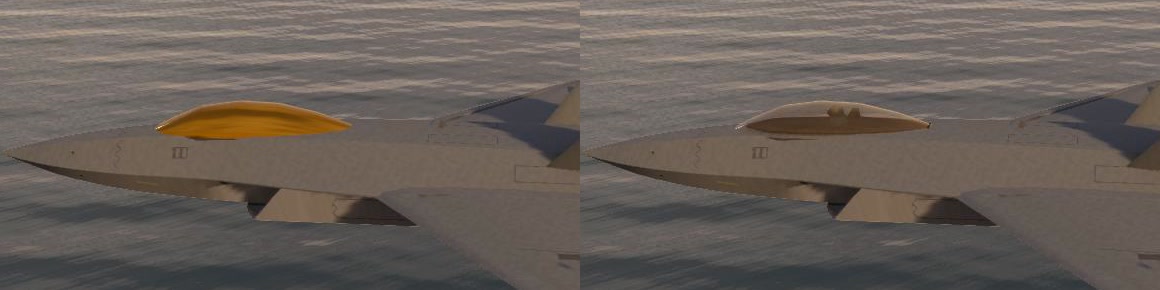
Catch the pilot’s helmet through the curved canopy as a Black Wasp flies past.
Explore this change
The bronze coating catches the light along the rim. Looking down through the canopy reveals the seat back, helmet and visor.
See the water from the stern and bridge
Select a boat and press F10 to reach Stern quarter. The horizon stays level as the hull rolls. On the patrol ship, Bridge roof looks down on boats passing the port rail.
Watch: The same harbour pass from Waterline on the left and Stern quarter on the right. Watch where the first splash breaks above the cabin. (Direct WEBM)
Explore this change
Watch: One pass at the same moment. The bow view on the left shows the patrol ship. From the bridge roof on the right, the smaller boat and its wake pass below the rail. (Direct WEBM)
Buildings built from shared parts
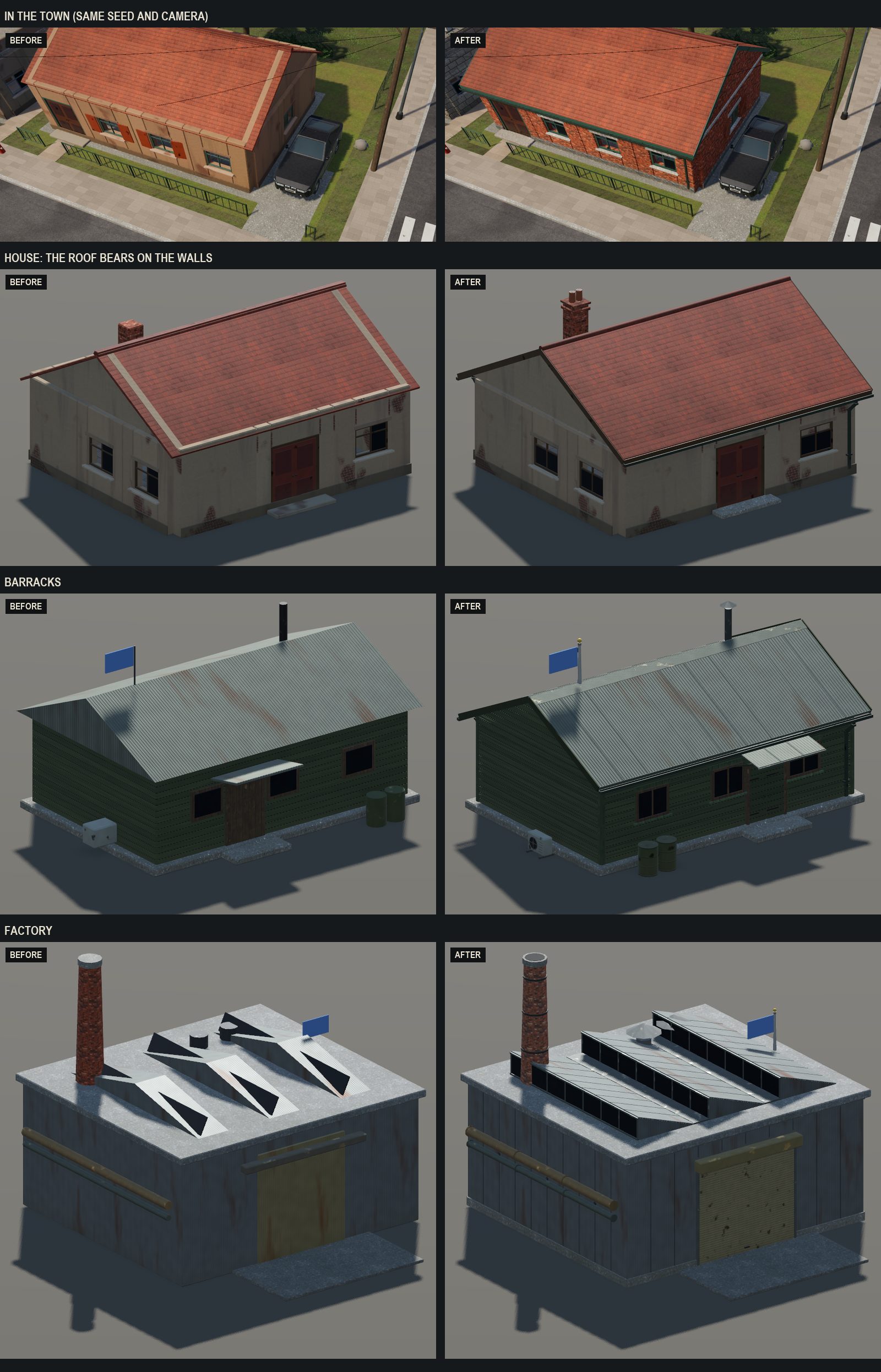
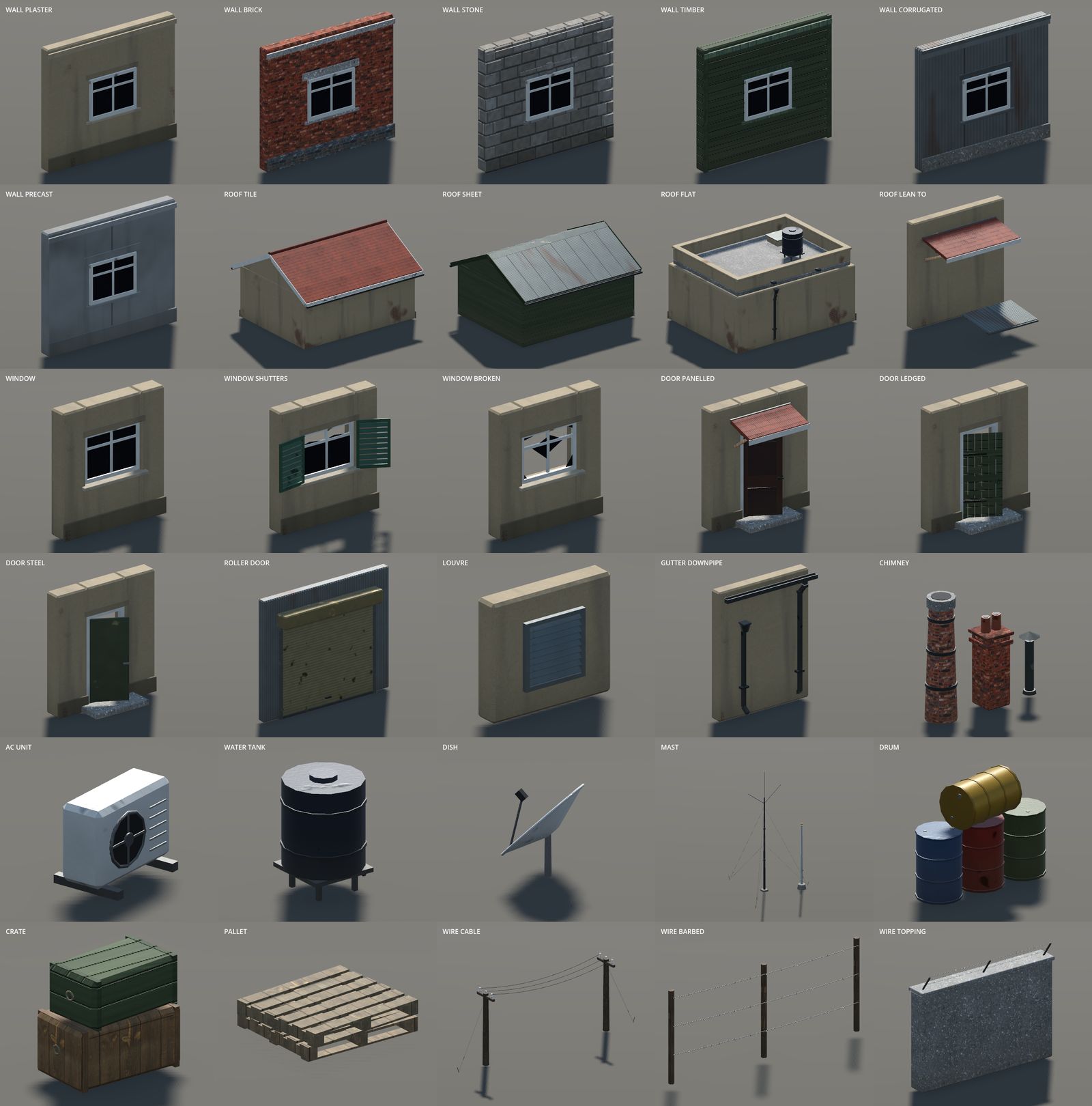
Houses, huts, sheds and defences now share one set of walls, roofs, windows, doors, fittings and wire. Roofs sit on their walls, gutters and downpipes take the rain, and the town has brick and stone houses among the rendered ones.
Explore this change
- Roofs sit on the walls. The eave walls no longer show through the tiles, and the gable ends no longer
show along the verges. Pitched roofs have fascias, barge boards, a round ridge, gutters and swan-necked
downpipes; chimneys have an oversailing course and their pots. - Brick and stone houses stand among the rendered ones. Each house is dressed in its own material:
concrete sills and lintels on brick, a keystone over stone windows, darker plinths, a band under the eaves. - Windows and doors: framed windows with panes whole, cracked to shards or gone, louvred or boarded
shutters, door steps, the odd hood over a front door, ledged doors on the barracks, steel doors on bunkers
and the research post. - Military buildings: the barracks in lapped weatherboard under lapped sheeting, the factory with real
north lights, a roller shutter and pipes on brackets, the research post in jointed panels with ribbon glazing.
Masts are guyed, and the factory's flag has a pole. - Common things are shared: flat roofs have coped parapets, scuppers and downpipes. Garden walls have
saddleback or brick-on-edge copings. The same drums, crates and pallets turn up at FOBs, dumps, barricades,
caches and the dock. Tents, tarps and nets are pegged out, utility poles carry insulators, and compound
walls carry barbed wire. - None of this changes cover, collision or sight lines. House walls build in about the same time as before
with fewer meshes.
Cloud shadows fall on everything
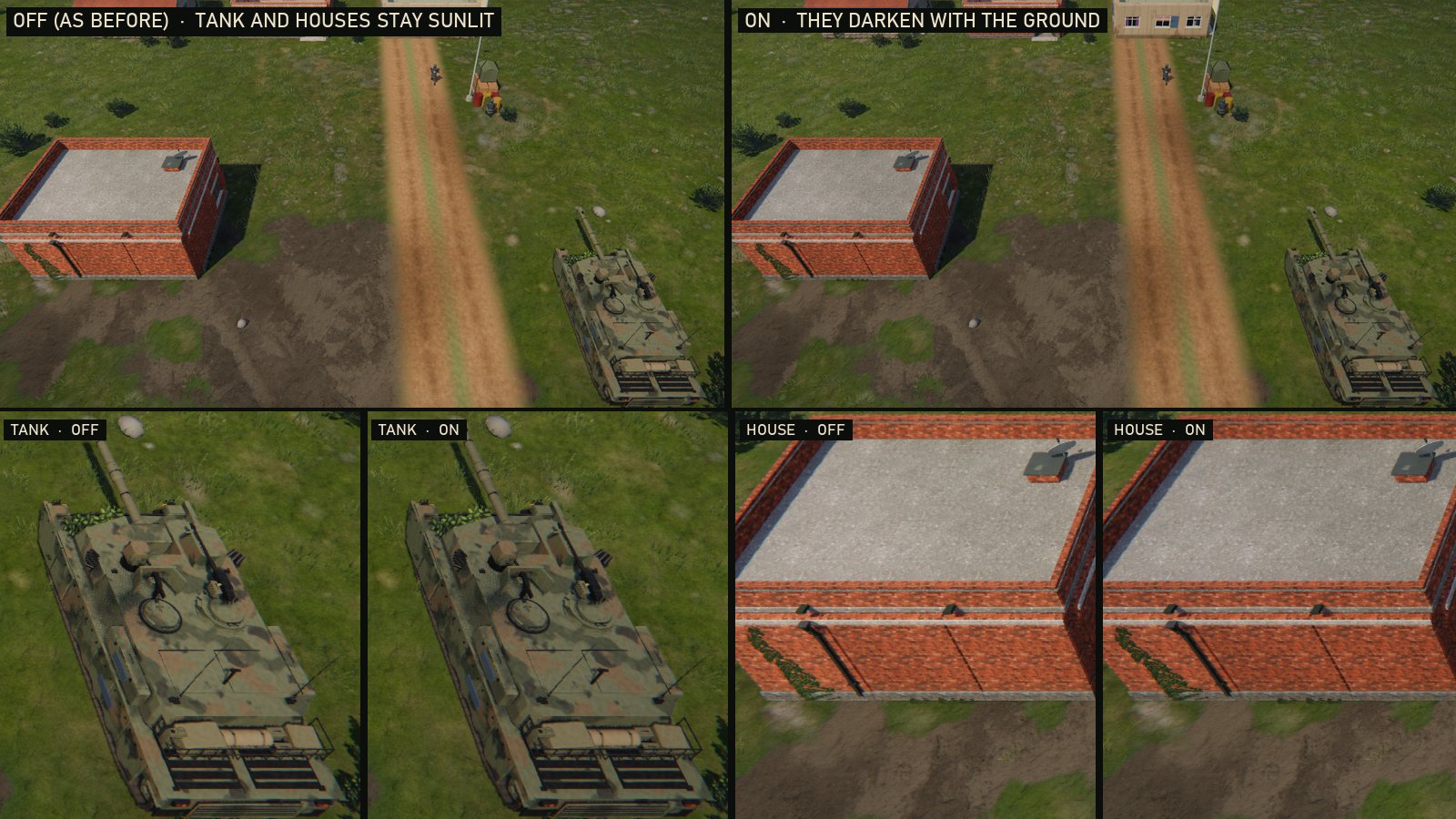
The drifting shade of the clouds now darkens soldiers, vehicles, buildings, trees and roads along with the ground, so a tank parked in it no longer stands out sunlit.
Watch: A cloud's shade drifting over a parked tank and a hamlet, at twice real speed, with the setting off (as before) and on. On, the tank and the walls go into the shade and out of it with the ground. (Direct WEBM)
Explore this change
- Everything in the shade darkens: soldiers, tanks and every other vehicle, houses and works, trees, hedges,
grass, stones, roads and trenches, by as much as the ground beneath them. - Only the sunlight goes: the sky still lights what stands in the shade, so the side of a house that was already
in its own shadow stays as it was. - It moves with the wind, the same way as the smoke.
- In the browser the clouds now shade the ground too (they never did there before), and everything on it.
- Graphics setting: Cloud shadows on everything, on from the High preset up. Off, only the ground, grass and
bushes darken, as before.
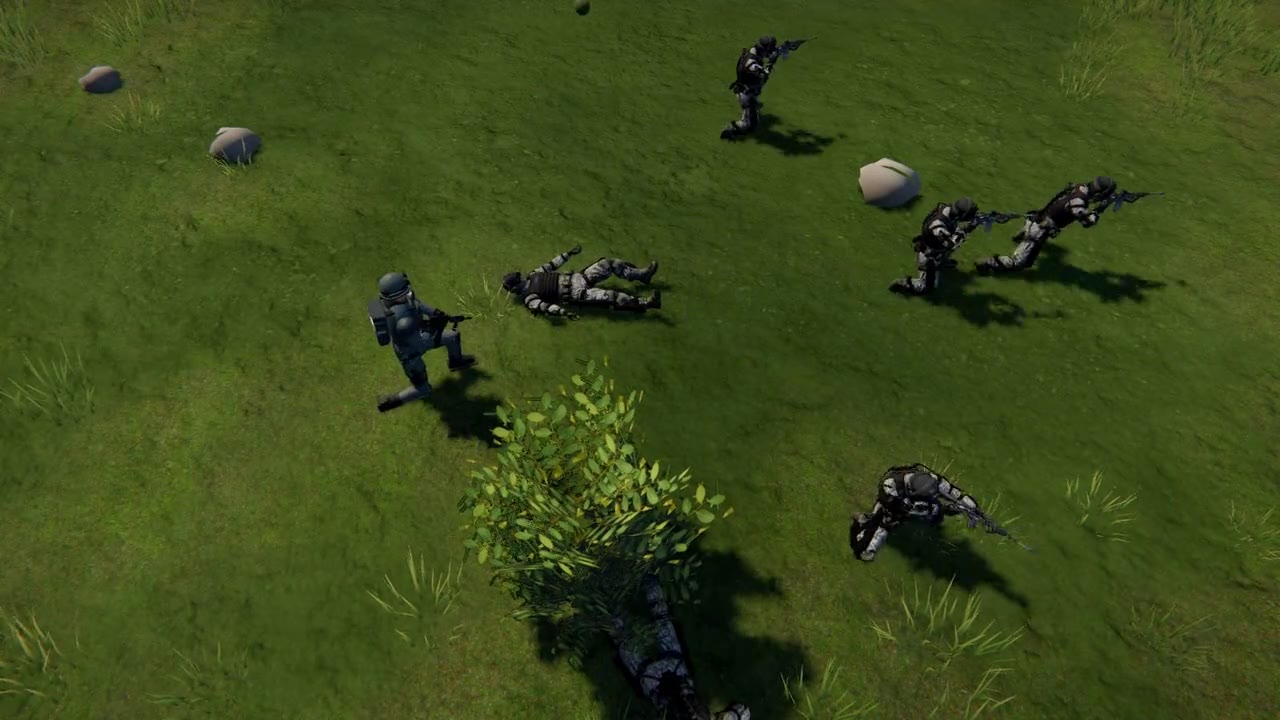
The field medic moves with the squad
The Coalition medic wears the squad’s textured uniform, with a marked sleeve and an aid pack that move with him.
Watch: The medic crosses the Sky Hook landing pad beside the squad leader. The previous model is on the left and the updated model is on the right. (Direct WEBM)
Explore this change
Look for the white band on his left arm. His pack follows his shoulders as he walks and crouches.
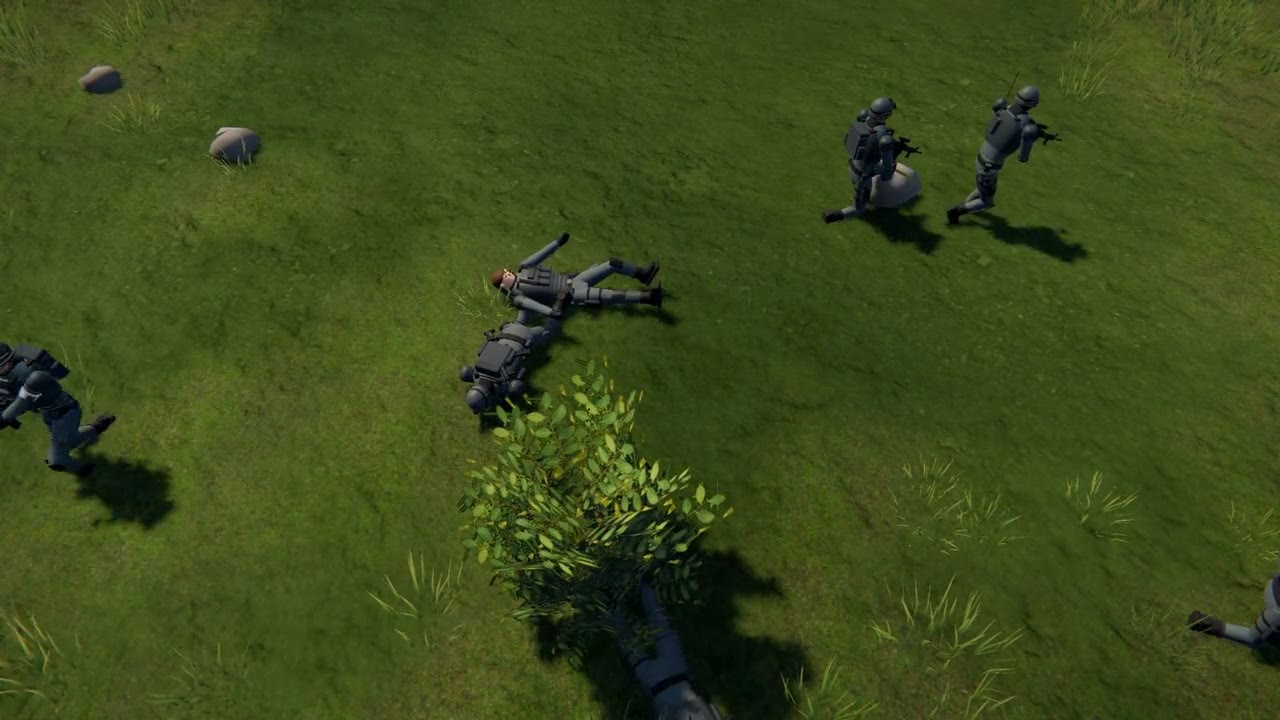
Coalition riflemen wear their SWAT kit by default
Close-up riflemen now use the character and animations included with Frontline as soon as you start a battle.
Explore this change
Water impacts fall back into the harbour
Tall sheets of spray rise beside boats and fall back into the spreading foam.
Watch: The same harbour pass in both views. On the left the plumes drift out of frame. On the right their tips break apart and fall back around the ship. (Direct WEBM)
Explore this change
The slower spray stays near the surface while the faster sheets rise above it. Watch the water around the patrol ship as the sheets come back down.
Fast boats leave a widening patch of churned water behind their motors. The bow wave starts close to the hull as the boat turns.
Watch: Watch the stern of the boat crossing the bow. The earlier wake on the left leaves two thin trails. On the right the motors turn up a broadening patch of foam. (Direct WEBM)
Watch: The same boat from the bridge roof. On the left a straight foam edge leads the bow and a brown disc flashes over the water. On the right the wake builds along the hull and the sea stays visible through the flash. (Direct WEBM)
Helicopters fly like helicopters
Helicopters tilt into every change of speed, bank round turns, climb away from the pad and come down a glide path into a low hover, throwing up dust as they land.
Watch: The same transport flight from a helipad beside a base, with a change of destination eight seconds in, before (top) and after (bottom), at normal speed. The yellow line traces the flight path, with a drop line to the ground every second. (Direct WEBM)
Explore this change
- Tilt first, then speed: the nose dips before a helicopter picks up speed and comes up into a flare before it
slows, so you can read what it is about to do. Big transports answer the controls slowly; light scouts snap round. - Banked turns: at speed the nose stays on the flight path and the helicopter banks round the turn. A sharp
change of course is flown as a tight, slowing turn, not a stop and a pivot in mid-air. - Take-off: the rotor winds up to speed first, then the helicopter lifts into a low hover, noses over and climbs
away as it gathers speed, instead of rising straight up like a lift. - Landing: it comes down a glide path, slowing all the way, into a low hover over the spot and sets down gently,
instead of stopping high over the landing zone and sinking straight down. - Hovering: a hovering helicopter hangs slightly nose-up with one side low and drifts gently as the pilot holds
it, and its downwash throws a ring of dust (or spray over water) when it is low. - Sound: the rotor's beat follows its speed as it winds up, and gets heavier in a hard flare or a steep bank.
- Sling loads swing on the cable: they lag behind as the helicopter accelerates and swing forward as it slows.
The load is lowered from a hover and let go only once it has stopped swinging. - Gunships fly to their firing position nose first, then swing round to face the target.
Military paint wear and material-aware vehicle panels
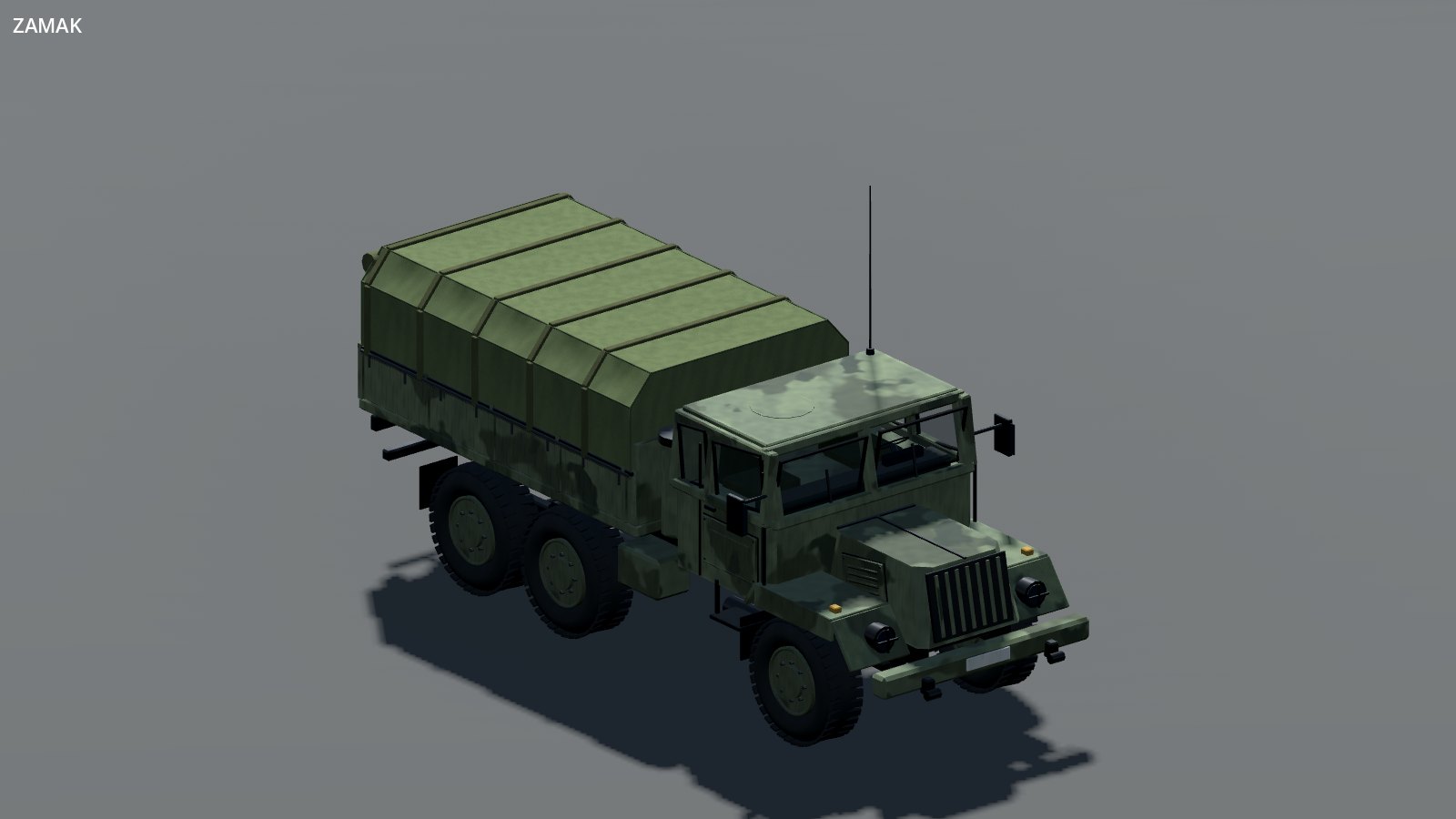
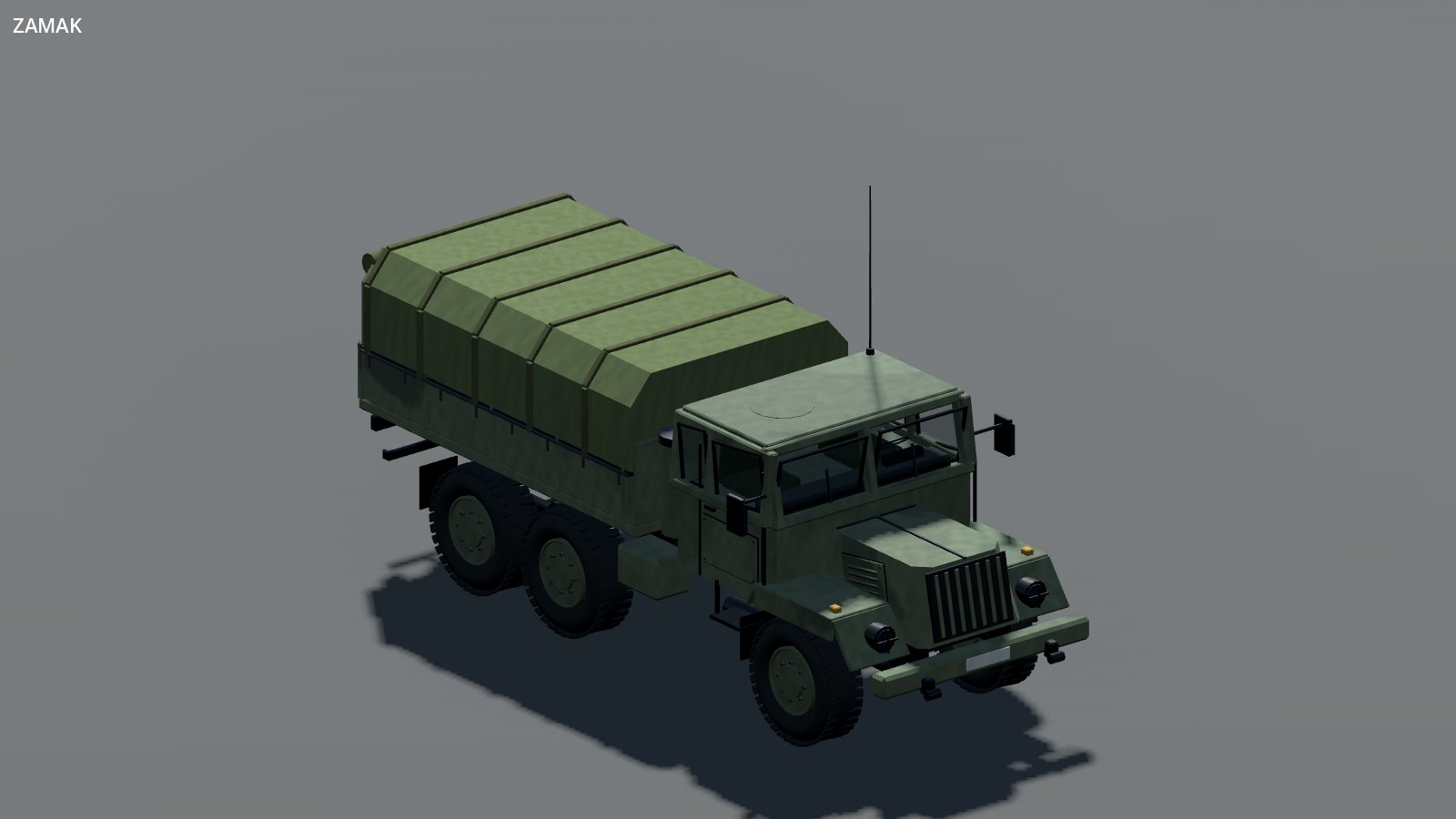
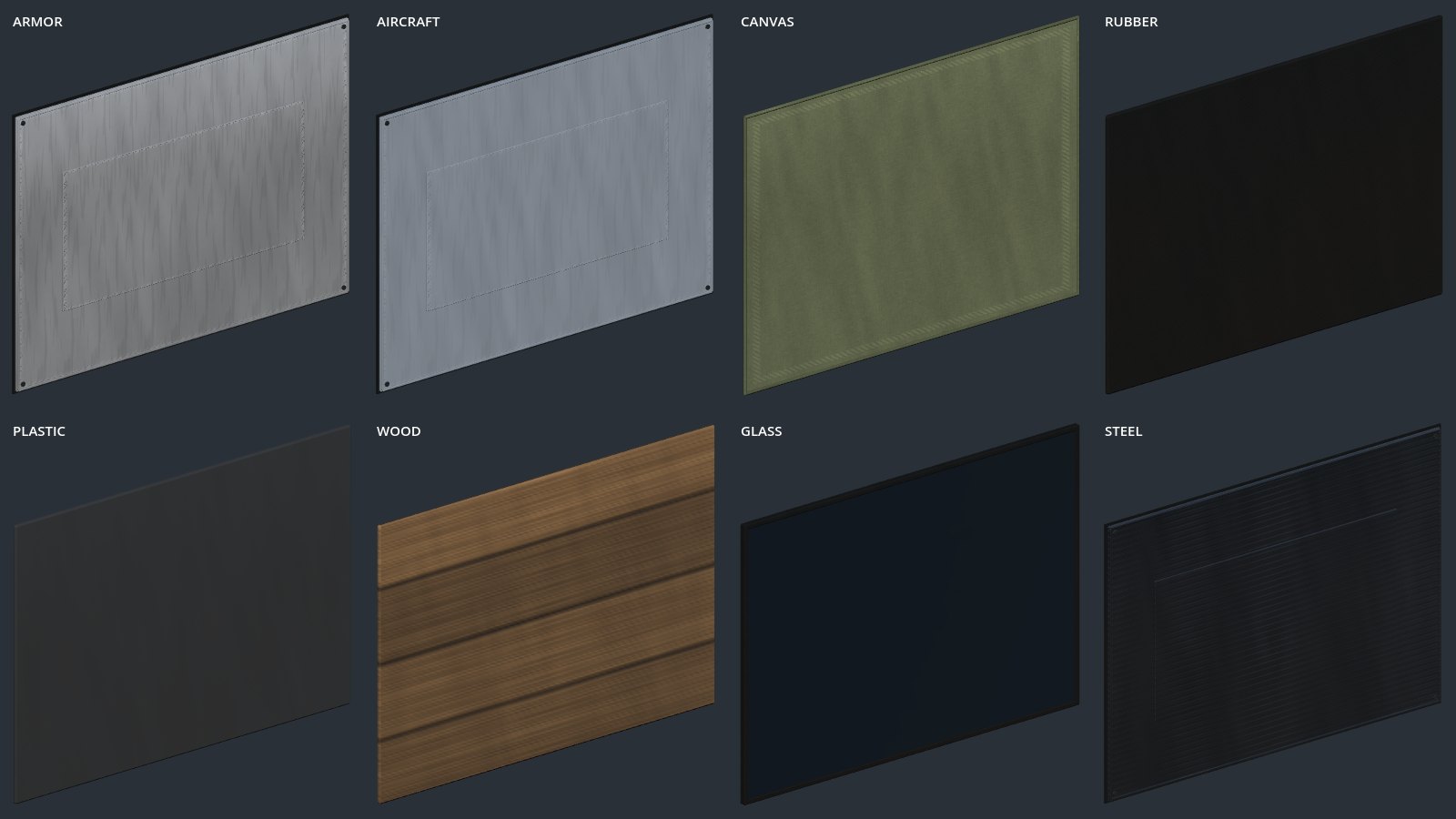
Military bodies gain clearer camouflage and worn panel edges. Truck canopies now use sewn cloth that sags between supports, with different construction for metal, fabric, rubber and glass.
Explore this change
- Military paint has broken edge rubs, small primer chips and restrained runoff streaks. Aircraft exterior paint is more matte.
- Vehicle camouflage has larger, more distinct colour patches. Civilian clearcoat and uniform camouflage retain their own treatment.
- HEMTT, Zamak and Tempest troop canopies share draped cloth bays with sewn hems. Tied cargo covers also gain perimeter hems.
- Panel construction follows the material: folded edges and fasteners for metal, hems and stitching for fabric, moulded edges for rubber and plastic, and seals for glass.
- These are shared construction and finish improvements; unique vehicle silhouettes remain authored separately.
Mortar crews work the emplacement with both hands
The gunner kneels at the fixed mortar and puts away his carried tube while he works.
Watch: The same round from the same camera. On the left the carried tube stays on the gunner’s back. On the right he works the single mortar in the pit. (Direct WEBM)
Explore this change
Leaving the pit brings the gunner’s carried kit back into view.
A closer look at the mortar crew
The Coalition mortar specialist wears the squad’s textured kit and keeps his carried equipment on his back as he moves.
Watch: The same specialist crosses the same sandbags from the same camera. The previous model is on the left and the updated one is on the right. (Direct WEBM)
Explore this change
The carried kit follows the spine through the vault and crouch. On Macs using native OpenGL, squads use the articulated character models so bodies remain visible alongside their equipment.
Clouds and coastal horizons
Open valleys and lower playable hills lead through coastal water to towering distant ranges, cloud banks and ridge mist.
Watch: A fixed wide view across the valley in daylight, golden hour, rain and night. Native captures joined with short dissolves; these compare existing lighting moods. (Direct WEBM)
Explore this change
Cloud banks sit beyond the playable boundary, adding depth around distant peaks without changing spotting or movement. Their shaded billows and trailing mist follow the scene lighting, including rain and night. Mountains correctly hide clouds behind them, while stronger distant haze leaves the playable foreground clear.
Generated skirmish maps now occupy lower foothills, keeping the valley, roads and settlements visible instead of hiding them behind giant nearby peaks. The really tall mountain range stays in the distance. Mission terrain keeps its existing heights.
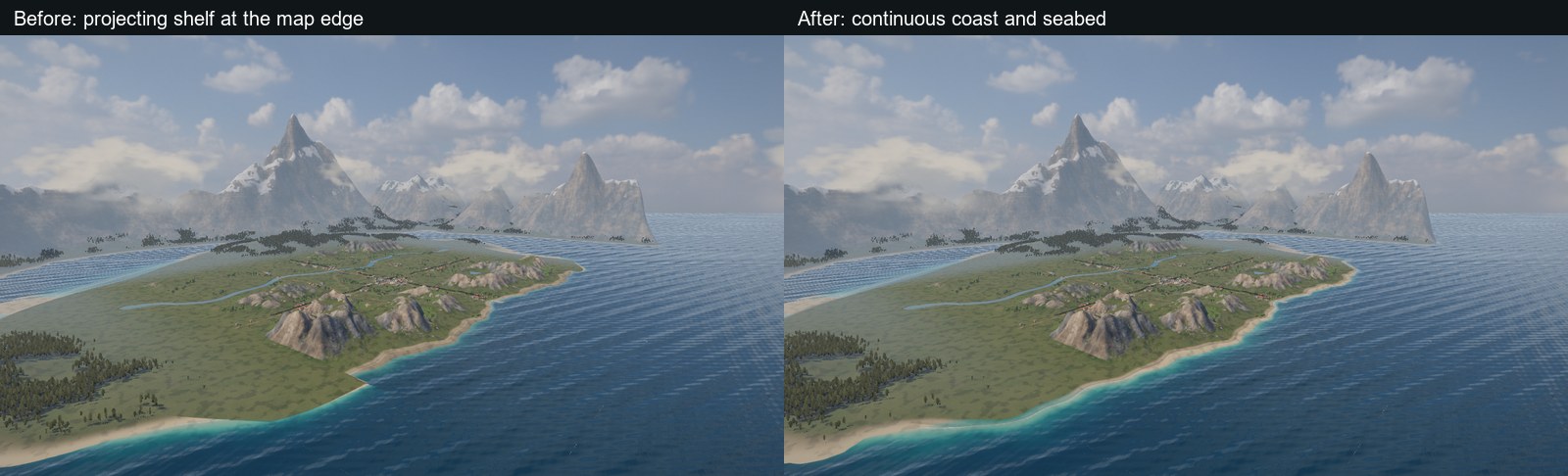
Coastal maps continue through a broad water channel to the distant ranges. The seeded shoreline and shallow seabed continue across the map edge without a projecting shelf or straight colour seam, and the ocean continues beyond the terrain backdrop. Inland maps retain their land backdrop.
Choose Mountain clouds in Graphics: Off, Low, Medium, High or Ultra. Standard presets select matching detail levels; browsers start at Low. Reduced motion stops the clouds drifting. Higher settings take more samples through each cloud; performance depends on the view and graphics card.
Burning pickups keep their paint beyond the bonnet
When a technical overturns, soot spreads from the engine across the original bodywork.
Watch: The same pickup and strike from the harbour side. The previous wreck finish is on the left, and the spreading engine soot is on the right. (Direct WEBM)
Explore this change
The cab, wheels and bed remain visible around the fire as the wreck settles.
Browse updates one change at a time
Scan a compact release overview, open a change for its lead image or clip, then use Previous and Next to explore the release.
Explore this change
- Choose a release from the archive, then scan its compact titles and one-line summaries.
- Open any change to see its lead image or clip. Thumbnail galleries keep the remaining evidence close without playing every clip at once.
- Previous and Next move through the changes, with keyboard focus following the selection. Open the full details when you want the deeper explanation.
- Existing release and change links continue to work, including links opened from the game.
- Vehicle previews now explain startup failures, including unavailable WebGL, instead of hiding the error behind a loading message. Retry is available without leaving the roster.
- Release download instructions point to the Windows installer and Mac disk image and explain automatic updates.
Compare changelog layouts
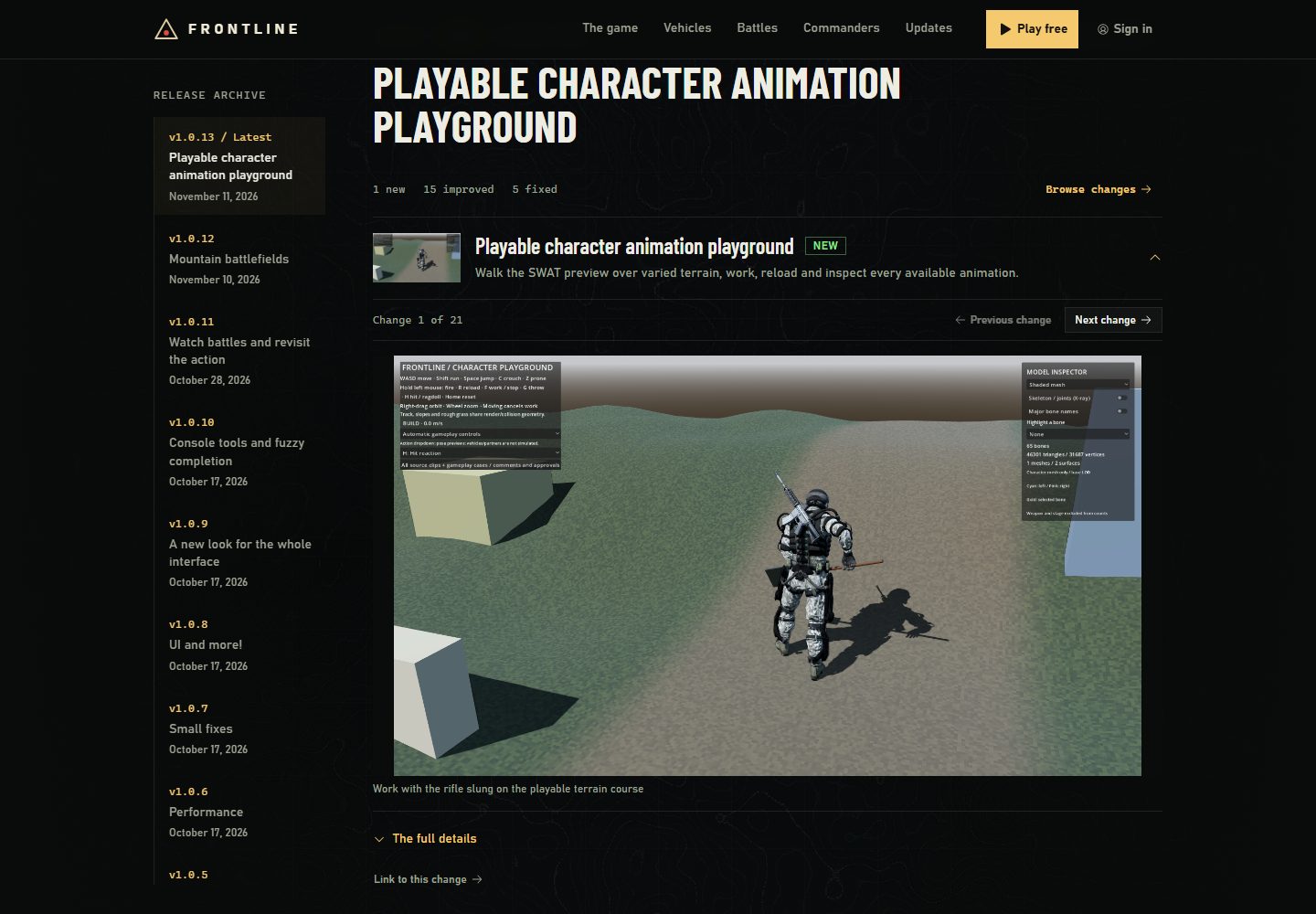
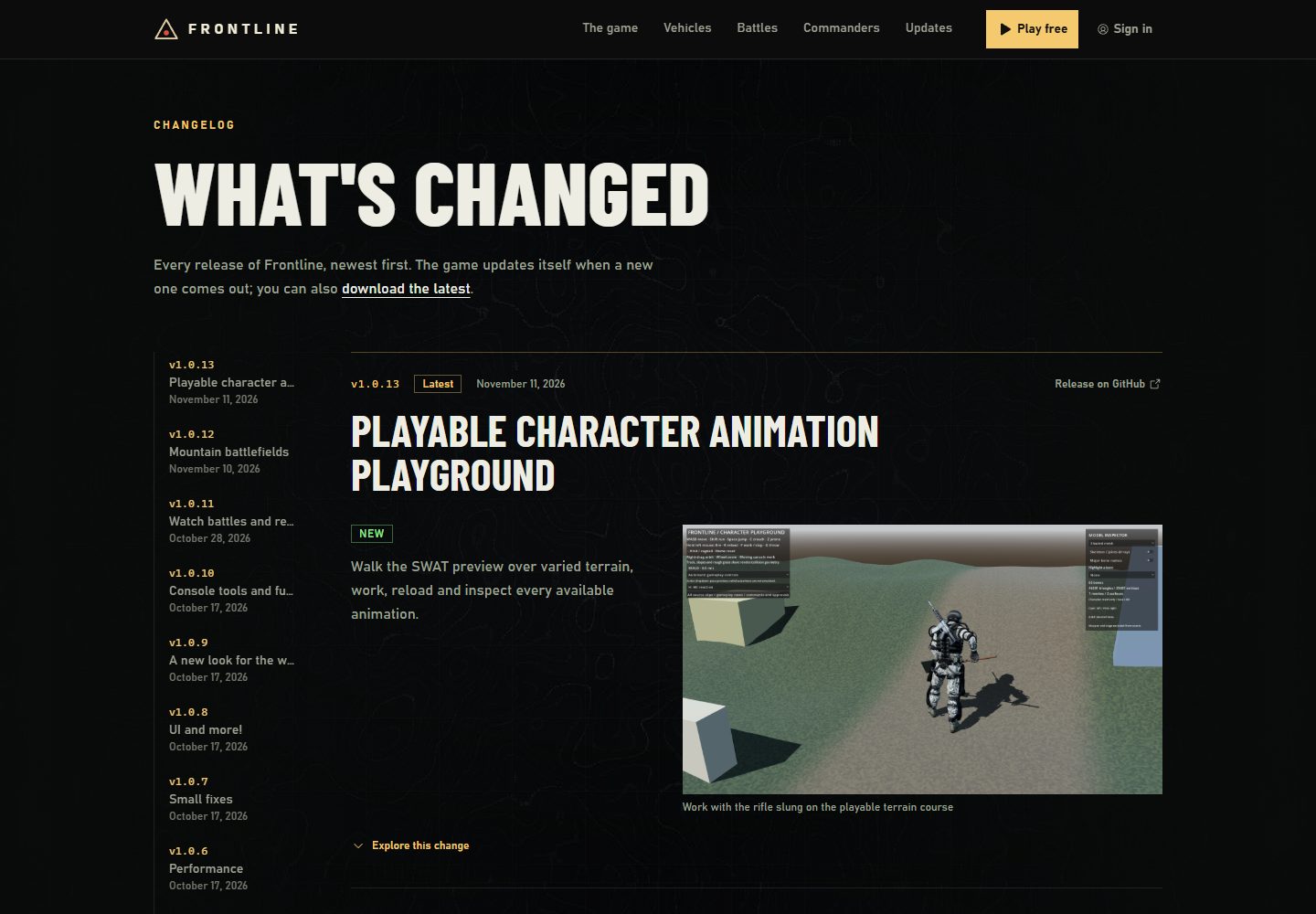
Website layout comparison at 1440 x 1000. Before: the live website on 11 November 2026. After: the revised local page using the same v1.0.13 release content. Viewport captures, not gameplay comparisons.

Ride behind the RHIB’s helmsman
Both launches have a driver at the controls. Press F10 on a selected RHIB to look over the helmsman’s right shoulder.
Watch: The same boats making the same turn. The earlier starboard view is on the left. The new Helm view on the right keeps the driver and the crossing launch in sight. (Direct WEBM)
Explore this change
The driver sits at the starboard console. From the Helm view you can follow the other boat across your bow and pick up its wake as it turns for shore.
Tank tracks follow the crest
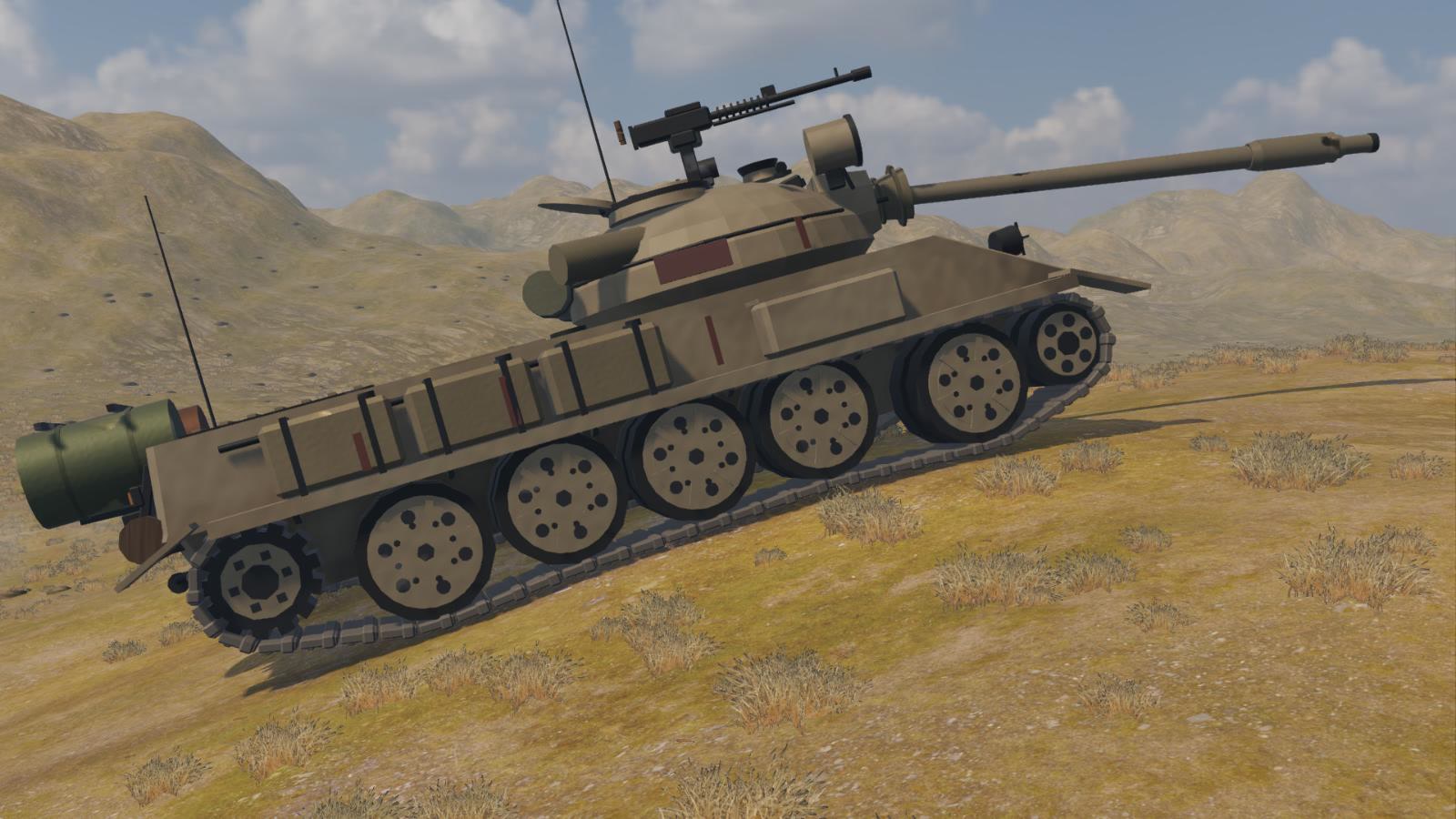
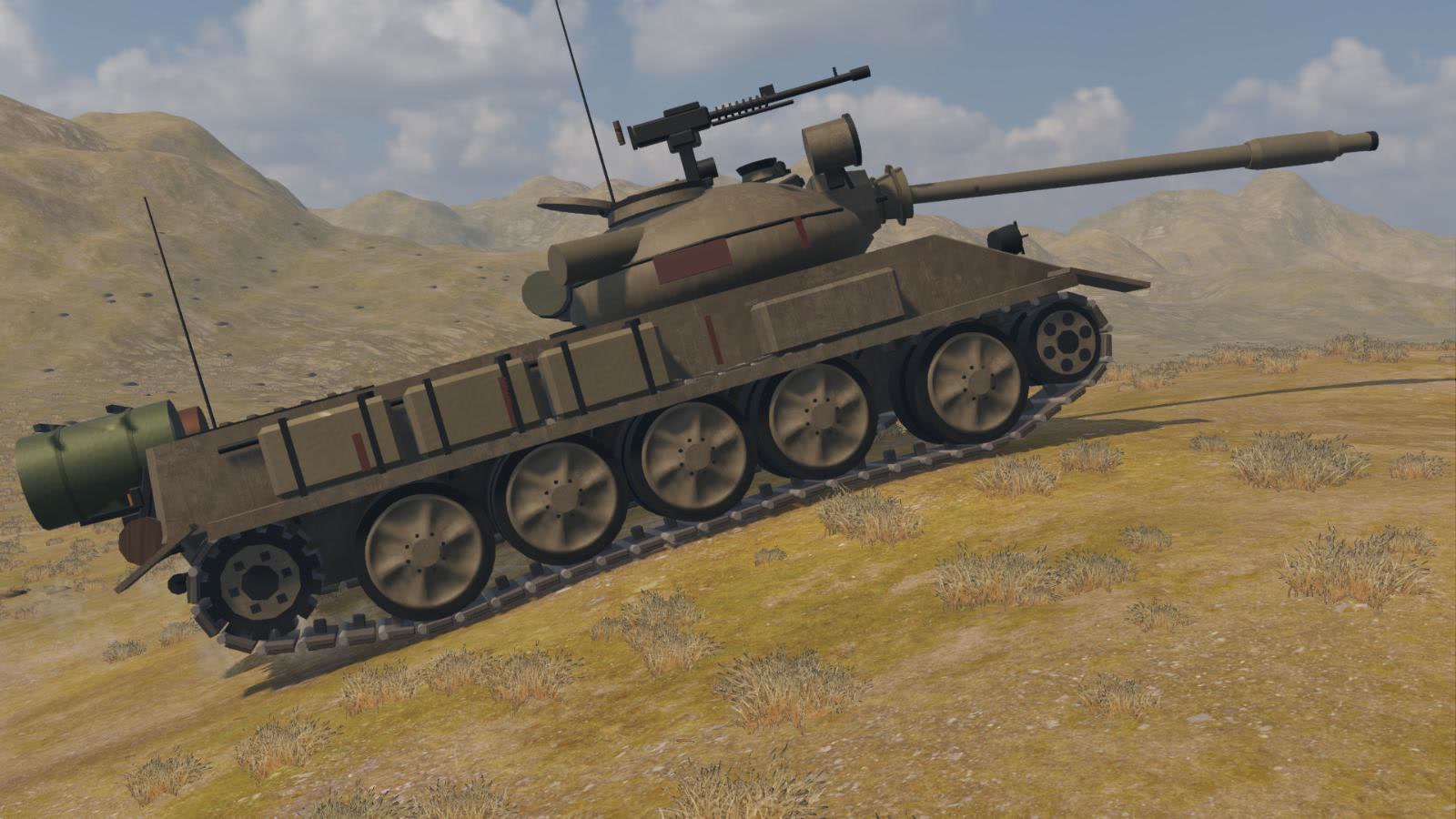
Individual shoes wrap around the road wheels as the Abrams, T-55 and Bradley cross uneven ground. Their engines stay audible at idle and the running gear grows louder as the tracks pick up speed.
Watch: Follow the second Abrams on the same village road. On the right the dust spreads behind both treads and the impressions stay visible through it. (Direct WEBM)
Explore this change
The inner and outer tracks travel different distances through a turn. On both tanks, the main barrel slides back into its mount when it fires, while the suspension absorbs the kick. The T-55’s upper run sags between the wheels, and the two tanks have distinct engine notes.
Tracked vehicles stir a low trail of dust as the shoes lift off the road.
Jagged crags on the hills
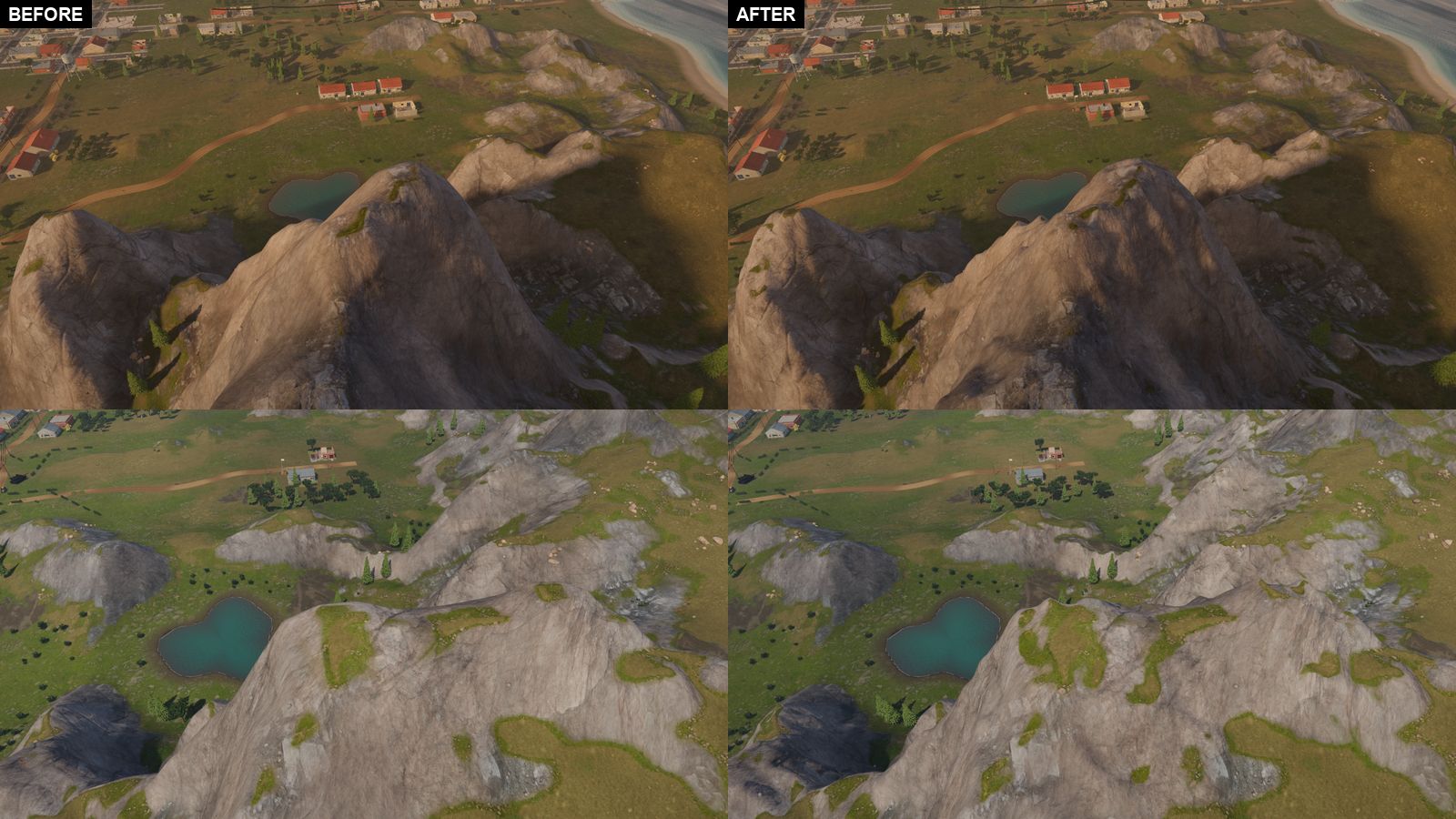
Bare rock on the hills breaks into knobs, ledges and clefts a few metres deep, so crests are jagged and rock faces have real relief up close.
Explore this change
- Steep bare rock now has knobs, ledges and clefts up to a few metres deep, finer than the hills' own shape, so crests break into a jagged line instead of a smooth dome.
- The distant mountains break into crags, ribs and gullies too, and their snowfields lie broken along them instead of in smooth sheets.
- Alpine haze (High and above) is lighter, so the far crags, snowfields and woods keep their detail while the ranges still stand apart from the sky. Pale scree gathers below the far crags too.
- Everything uses the same rock: men stand on it, it blocks sight and fire, and shells dig into it where they land.
- Routes over the hills are unchanged: the crags roughen the rock without making new paths impassable.
- Mission maps keep their terrain exactly as before.
Rain-cut gullies on the rock
Steep rock faces, on the hills and the distant mountains, are cut by gullies that run downhill and branch as they gather.
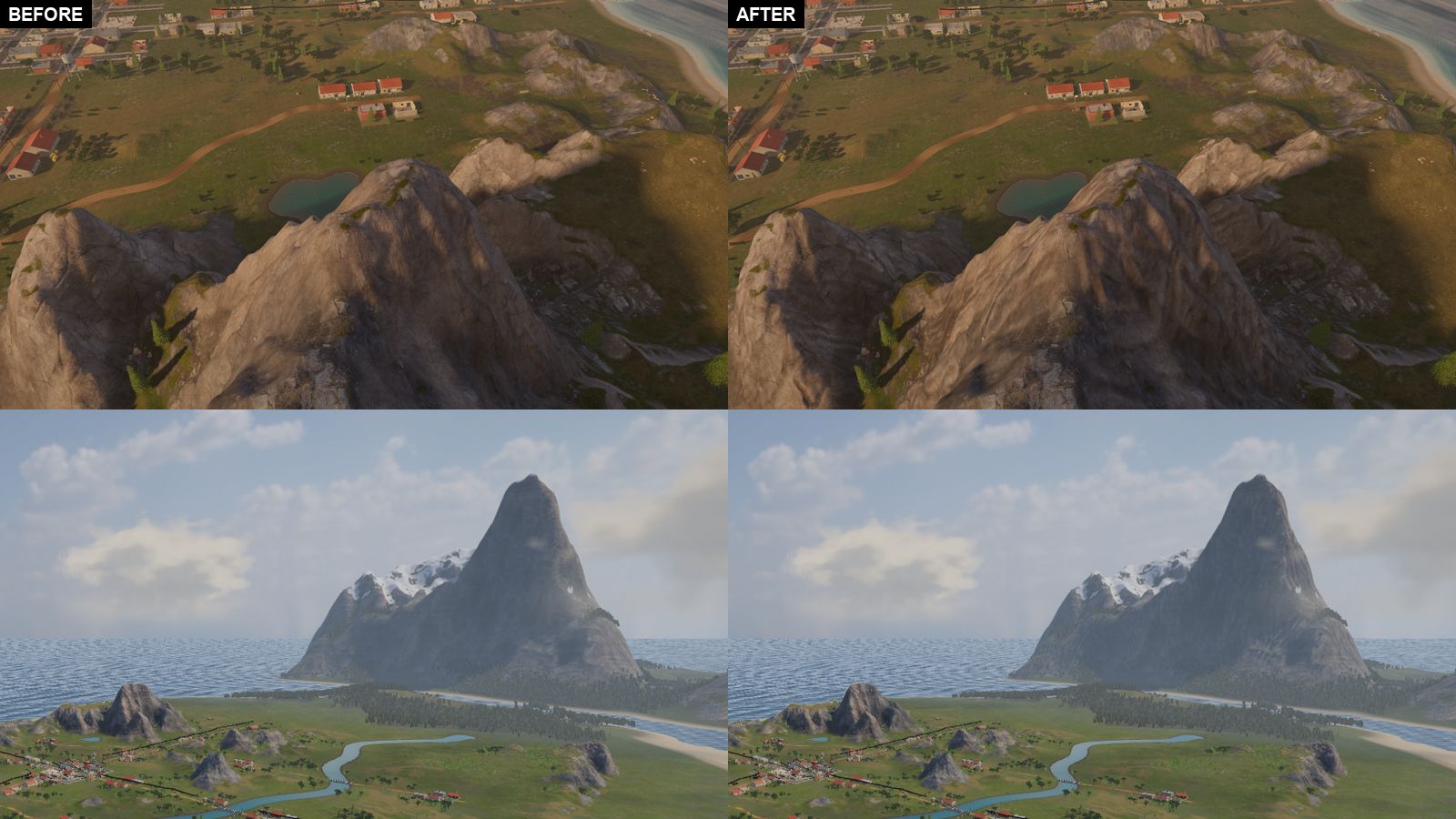
Explore this change
- Steep rock is scored by rain gullies, as real weathered faces are: they run straight downhill on every face and branch where they gather.
- Close up they are a few metres apart; on the distant mountains they are spaced like real ravines and soften with distance.
- This is a change of look only: the ground units stand and fight on is unchanged.
Rolling valleys, carved hills and living meadows
Battlefield valleys roll instead of lying flat, hills climb out of the ground through stony shoulders and branching gullies, and meadows change with the land: lush in hollows and by the water, dry on crests.
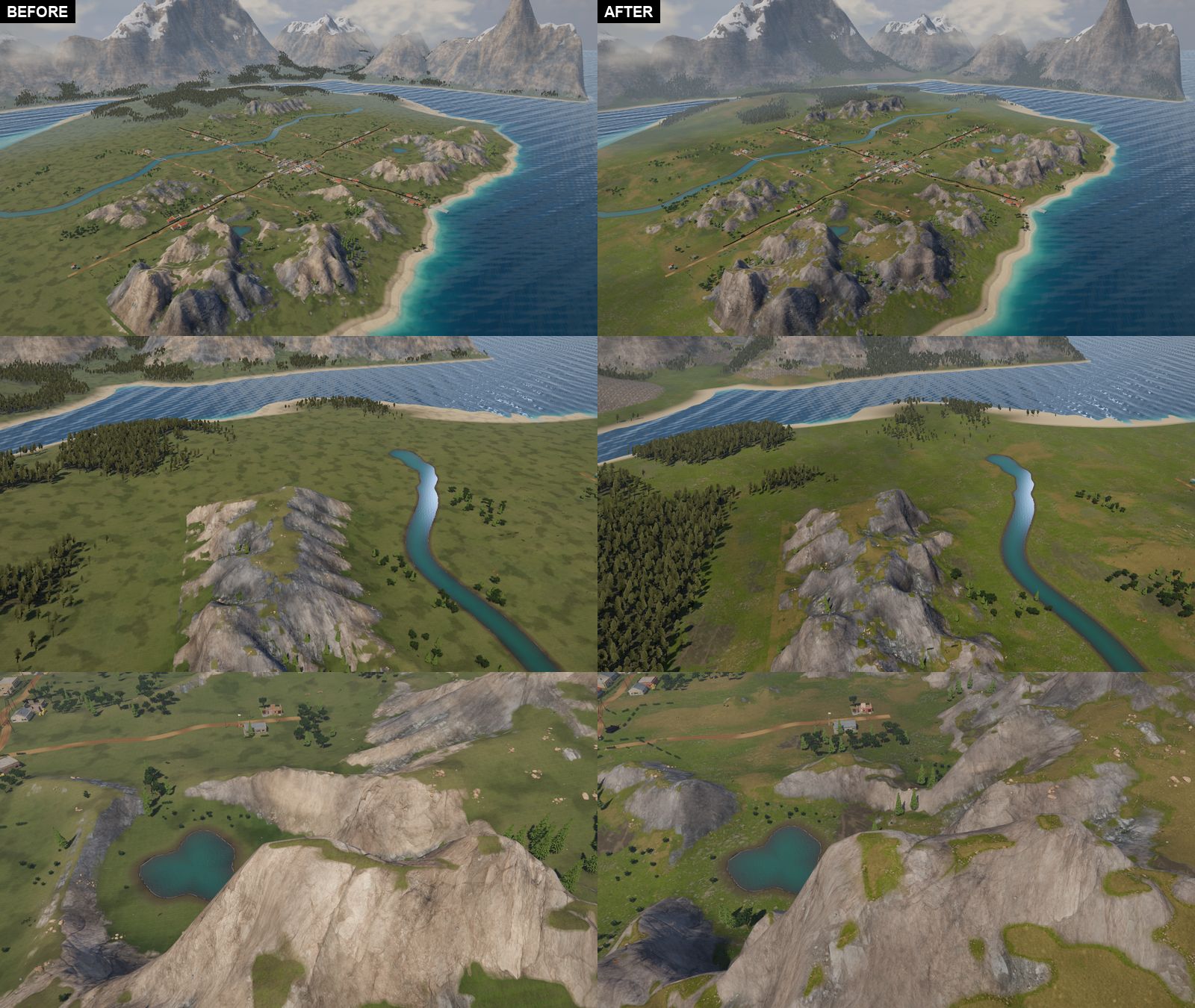
Explore this change
- The valley floor rolls. Gentle rises and dips a few metres high run across the open ground, enough to hide a squad from a distant gun. Roads ride over them; towns, bases, rivers and ponds keep their level ground.
- Hills look carved, not stamped. They rise out of the plain on soft aprons, break into spurs and gullies where they meet a road or the shore, and lose the evenly combed flanks they used to have. Rock near and far now shares the same grey stone.
- Meadows follow the land. Grass stays lush in hollows, along drainage lines and beside rivers and ponds, and dries to straw on crests and slopes facing the sun. Pastures differ from one field to the next, and the grass tufts grow thicker and greener on damp ground.
- Stony ground lies between meadow and crag on hill shoulders, pale talus gathers at the foot of the crags, and rock seen close up keeps its cracks and grain. The muddy patches that slow men down now look like dark rutted soil.
- Cloud shadows are cloud-sized now, drifting slowly over the ground, grass and bushes, instead of small dark blotches that spotted every field.
- Distant woods grow in broad, ragged stands that climb the mountain gullies and fade into the haze with the slopes they stand on, instead of dark stripes along the far shore.
- Mission maps keep their terrain exactly as before.
Better-built guns, sights, hatches and lights across the roster
Machine guns, cannon, sights, cupolas, hatches, reactive armour, rotor masts, exhausts and lights now share one detailed design per part, used by every vehicle that carries them.
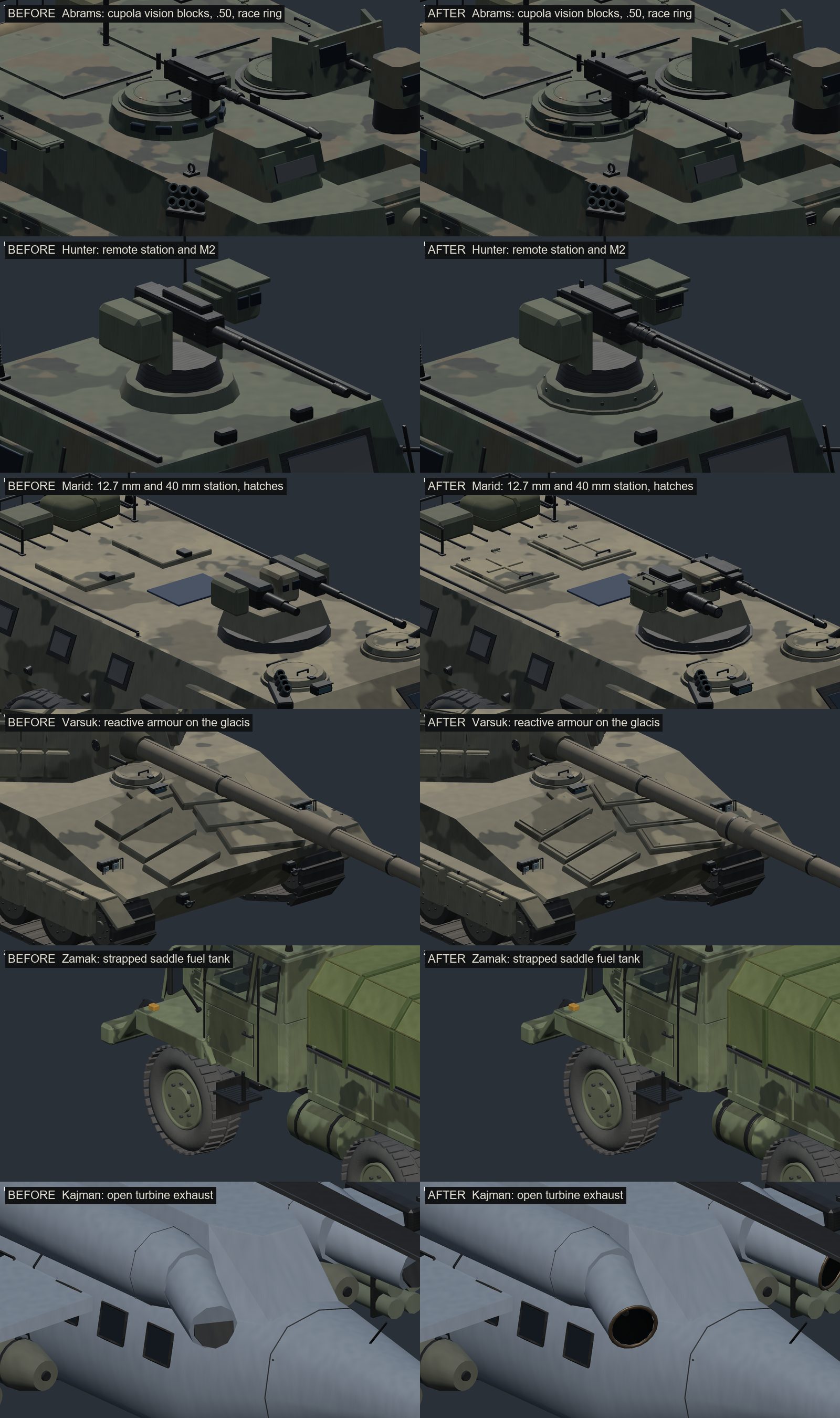
Explore this change
- Machine guns have proper receivers, perforated barrel jackets, carrying handles, spade grips and sealed
ammunition cans with their belts; cannon have ported muzzle brakes, and miniguns and the A-10's GAU-8
clamped barrel clusters. Missile tubes have end collars and covers. - Turret rings are bolted, sight heads have framed windows under armoured visors, commander's cupolas have
hooded vision blocks, and roof hatches sit on seals with hinges and handles. Reactive armour bricks have
bolted covers, and tank guns' fume extractors taper onto the barrel. - Helicopter rotor masts have bolted collars and their turbine exhausts are open, sooty pipes. Aircraft and
boats show red to port and green to starboard in proper sidelights, with glossy beacons and masthead lights. - Trucks have beaded, bolted fenders and strapped fuel tanks with filler caps; rolled tarps are strapped.
- Every gun still fires from exactly the same point. Twenty parts are now shared across more than a hundred
vehicle models, so future improvements to any of them reach the whole roster at once.
More convincing vehicle construction
Truck cabins, tanker bodies, windows, steps and recovery equipment have more fitted detail, with shared construction carrying improvements across related vehicles.
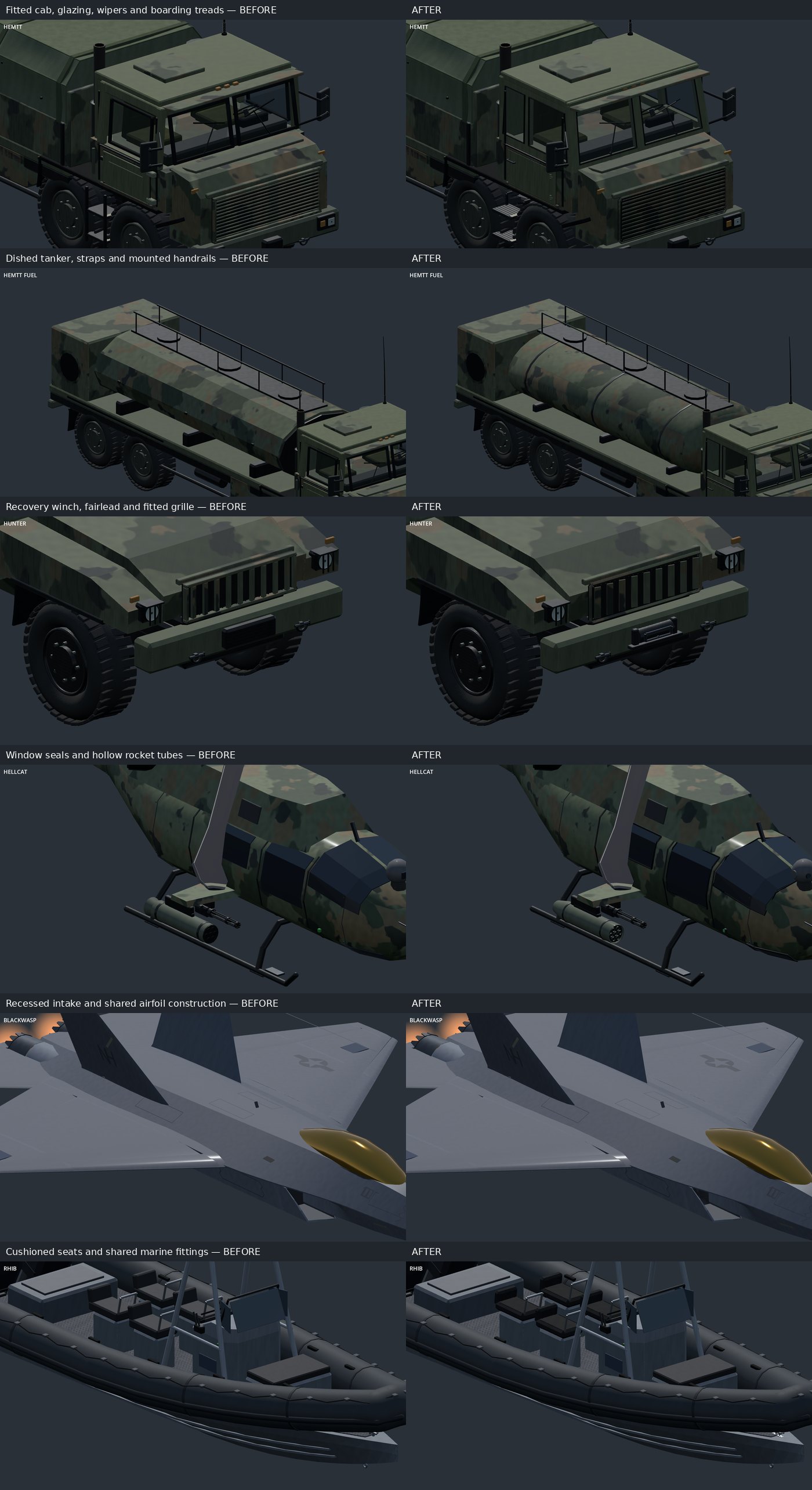
Explore this change
- Truck cabs gain fitted window surrounds, joined door hardware, raised wipers and gripped boarding treads. Tankers have rounded dished ends, straps and mounting saddles.
- Storage lids, armour skirt attachments, cargo restraints and recovery winches have more distinct construction. Aircraft gain recessed duct faces, hollow rocket tubes and detailed landing struts; boats share improved seats and mooring fittings.
- Thirty construction techniques now share builders across multiple vehicle designs. Some changes are subtle at normal camera distances; shared loft and profile code preserves the existing silhouettes while making later improvements easier.
See the straps holding a sling load
Look down from a helicopter’s cargo door and follow all four straps to the vehicle below.
Watch: The same Sky Hook crossing, before on the left and after on the right. Watch the gap above the tracked vehicle as it passes over the bridge camera. (Direct WEBM)
Explore this change
The cable moves with the helicopter’s belly as it banks. The straps have width and catch the light on the way down to the vehicle body. The suspended vehicle keeps its wheels and tracks still, and its suspension settles as it crosses a bank or bridge.
The cargo-door view follows the vehicle through the helicopter’s turns. When the straps come off, the camera looks back along its original sightline.
Watch: Watch the Nyx as it swings across the bridge. The older door camera is on the left. The new view follows the hull on the right. (Direct WEBM)
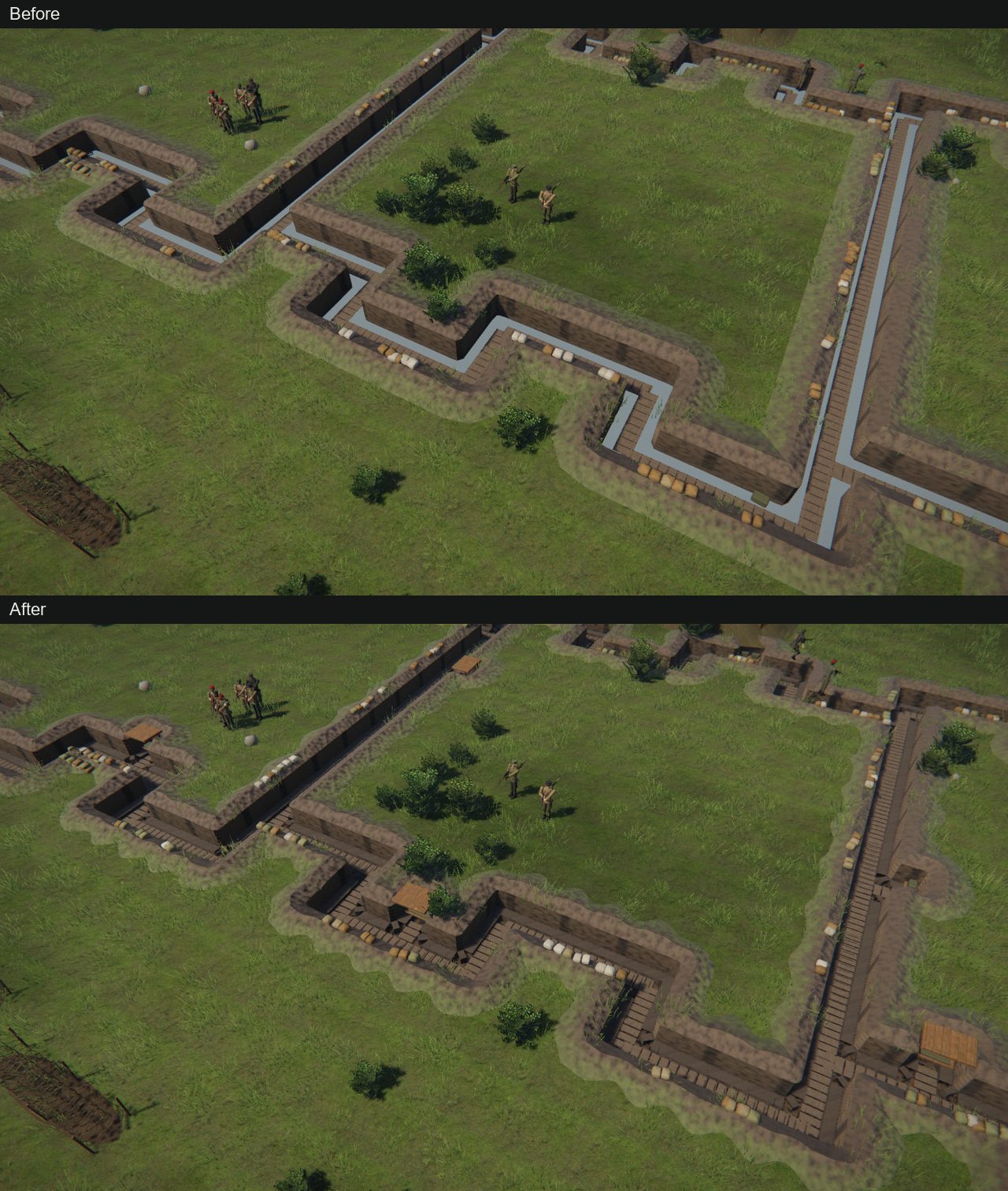
Trenches dug, used and repaired
Crews dig usable trenches in stages, with sloped entrances, fire steps and rear bays. Bombardment collapses individual sections that engineers can clear again.
Watch: Engineers excavate a trench, then clear a damaged section. Controlled demonstration at normal simulation speed; damage is applied at 18 seconds. (Direct WEBM)
Explore this change
- Construction leaves a shallow, usable ditch before the finished trench. Work remains when crews are interrupted; more workers help only while there is space to dig.
- Open ends slope to the surface, junctions stay connected, and duckboards follow the terrain. Fire steps and occasional supply or resting bays keep the passage clear.
- Uneven spoil, exposed soil and roots, muddy boot marks, supplies and broken timber give the works a lived-in appearance. Shovels lift and throw soil.
- Troops step aside in narrow passages and slow down to climb a high lip. Trench protection also works on elevated terrain.
- Shell damage fills individual sections with earth instead of deleting the trench. Engineers clear them using the existing repair order.
- Digging takes longer than before, scales with length, and is slower through compacted roads. Timber shelters offer modest physical cover, not bunker protection.
The defensive-battle scenario now carries its trench line across both flank emplacements.
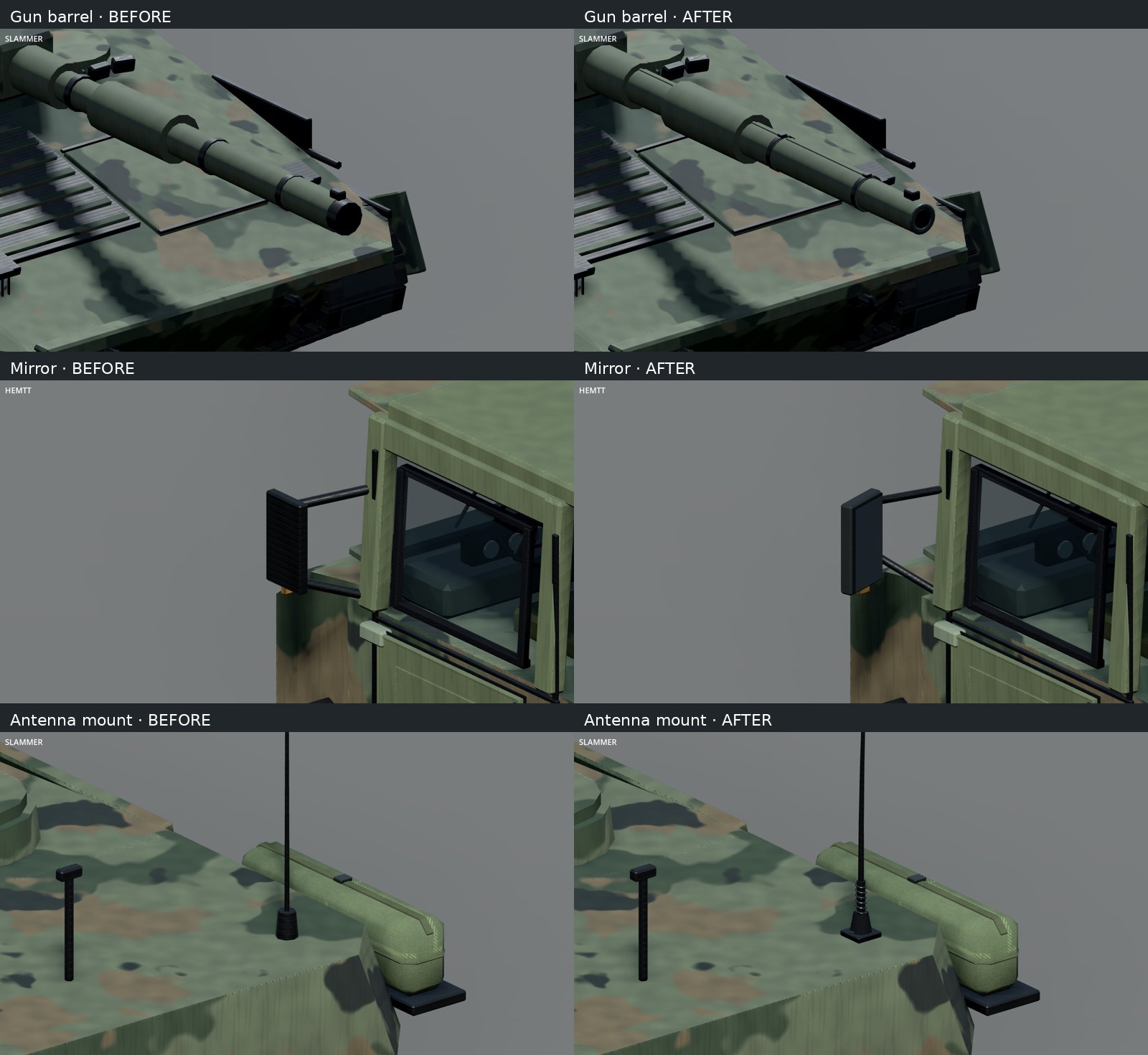
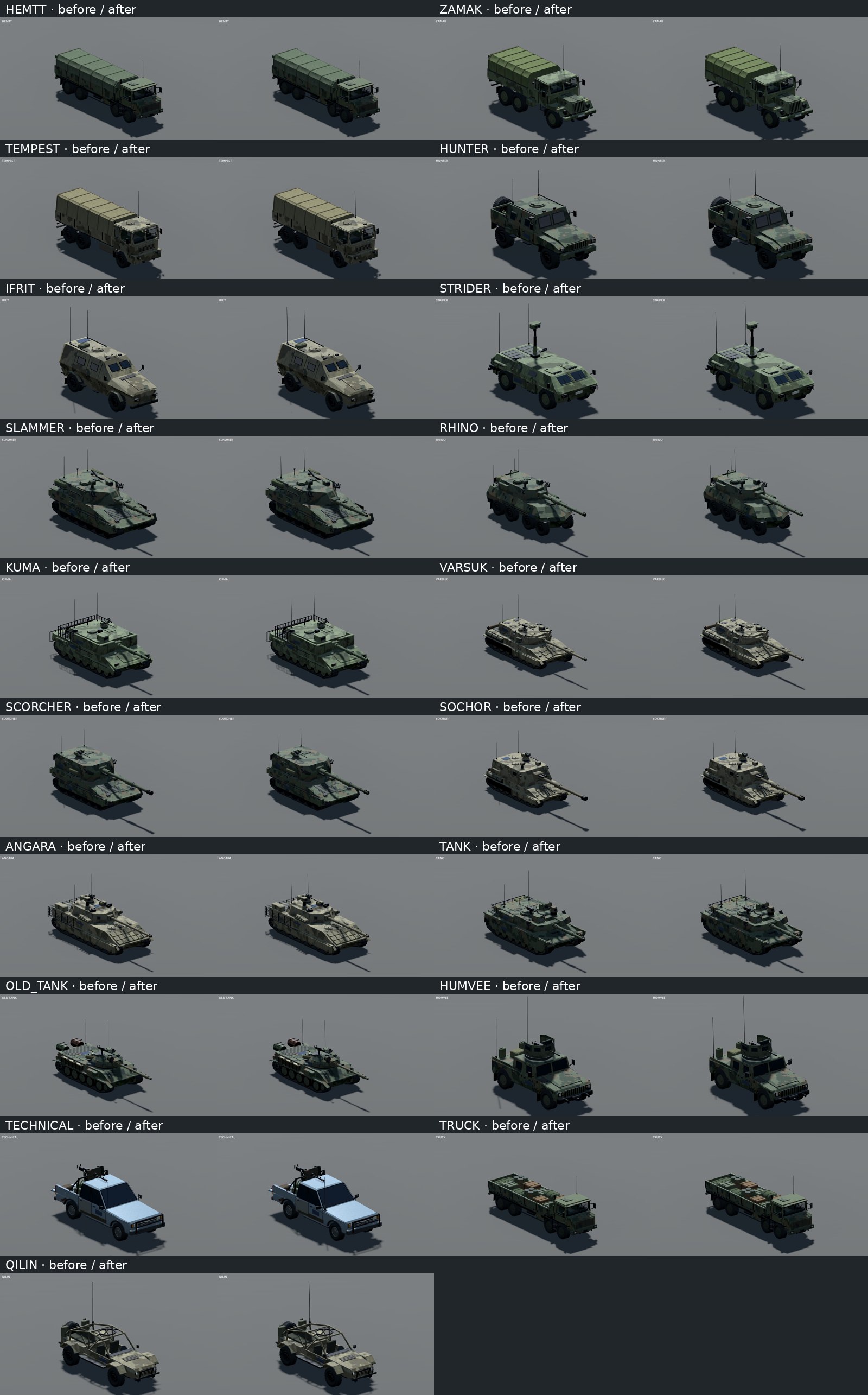
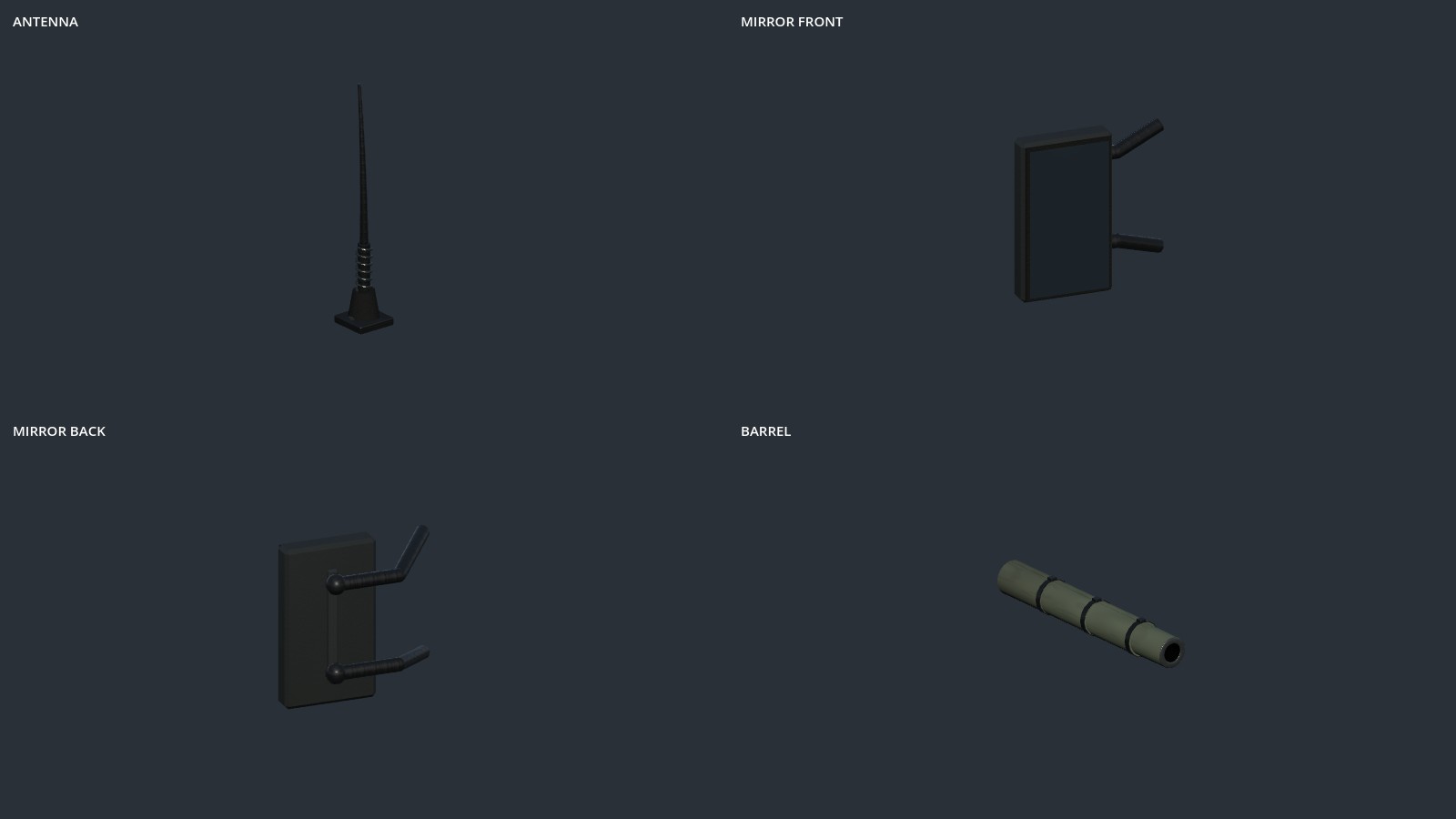
Shared antennas, mirrors and hollow gun barrels
Vehicle radio whips gain spring mounts, mirrors gain housings and reflective faces, and major tank and artillery guns gain open muzzles and segmented thermal sleeves.
Watch: Controlled motion comparison: rigid reference on the left, movement-responsive antenna on the right. Forward, lateral and reverse inputs are followed by settling. (Direct WEBM)
Explore this change
-
The core, NATO, CSAT and independent vehicle builders share tapered radio whips with bolted bases, rubber boots and helical springs.
-
Ten vehicle families share rear-view mirror construction, including trucks, MRAPs, Humvees and technicals. Mirror glass uses its own reflective finish.
-
Nine tank and artillery families share open gun tubes. Family-specific extractors, muzzle sensors and animation pivots remain authored separately; the T-55 retains its unsleeved barrel.
-
Small attachments are most visible close up. Fixed fittings reuse the existing material batches. Each moving whip uses one pivot and one material batch, driven by one spring per vehicle; no physics bodies or mirror camera are added.
-
Nearby visible antennas trail travel and react to acceleration and braking, then settle when stopped. Distant/hidden antennas skip motion updates.
Better-built vehicle equipment
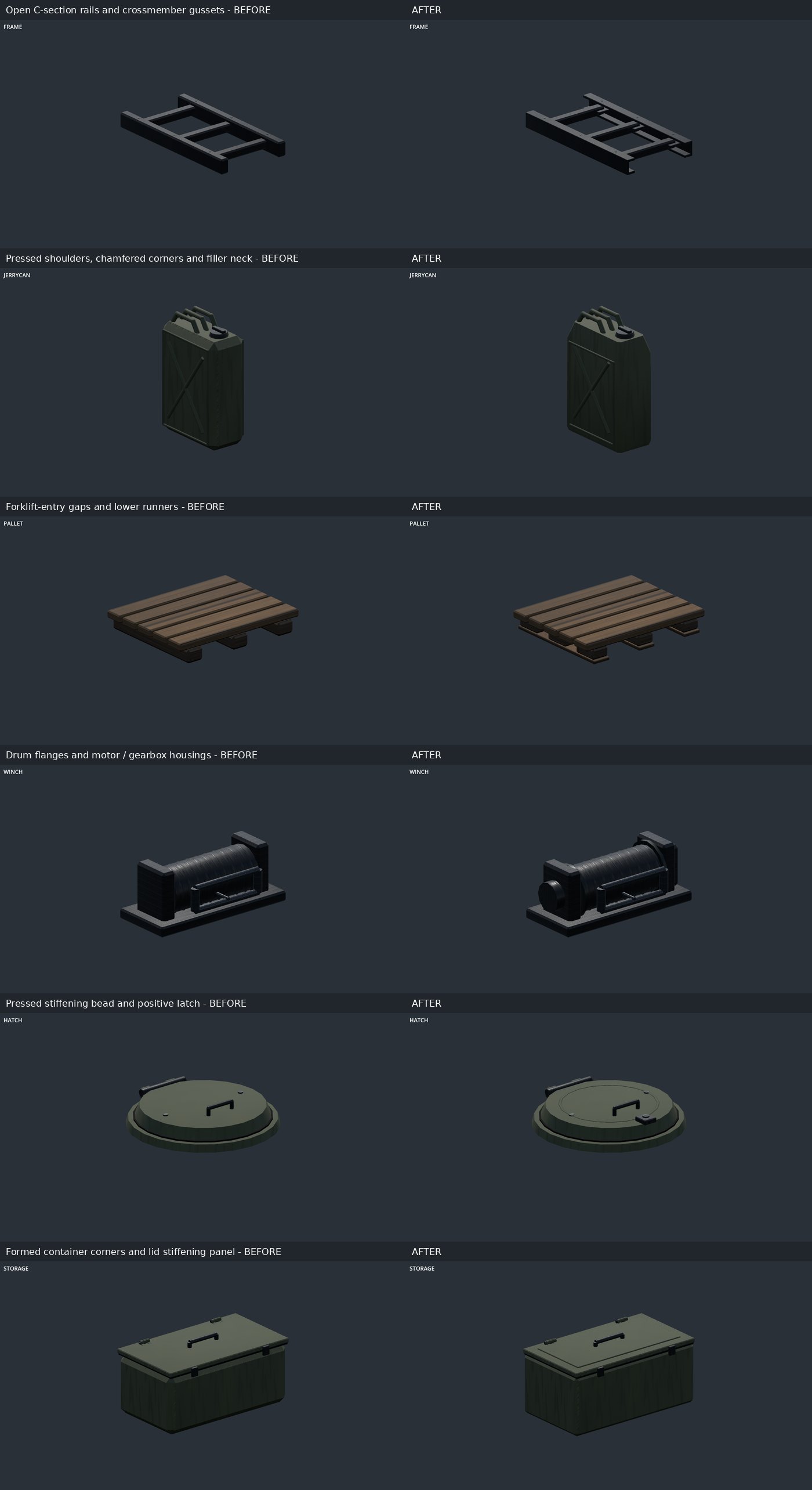
Shared vehicle equipment gains formed container shoulders, open chassis rails, forklift-ready pallets, winch housings and more convincing attachment hardware.
Explore this change
- Forty refinements improve twenty existing shared assemblies, including seats, storage, mirrors, armour skirts, aircraft gear, rocket pods and marine fittings. Most are close-up details rather than silhouette changes.
- Fuel cans support different body dimensions while keeping their caps, carrying bars and ribs together. Truck frames have open channel sections, and pallets have real gaps for lifting forks.
- Tempest ammunition loads use shared pallets with clearance beneath the folded crane. The tractor shares the hollow exhaust stack while retaining its silencer and rain cap.
Round headlights with fitted optical detail
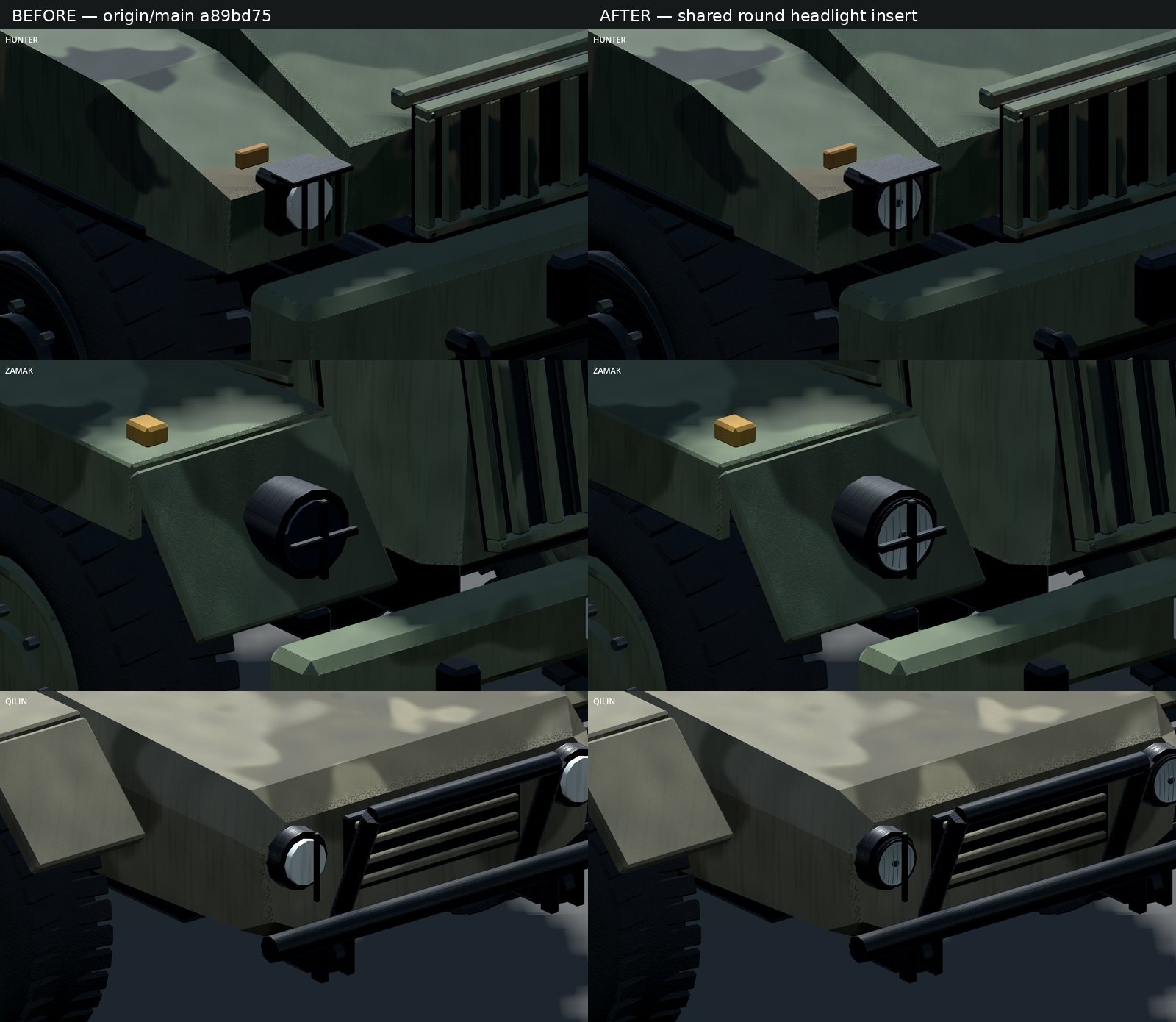
Round headlights now have a fitted rim, shallow reflector and ribbed lens detail across 19 vehicle families, while keeping their distinctive housings and guards.
Explore this change
- Extends from the Hunter to matching round lamps on trucks, light vehicles and armour, including their variants.
- Preserves protective cages, indicators and older vehicle details such as the T-55's missing infrared lens.
- Most visible up close. These are unlit lamps; this change does not add headlight beams. Wrecks lose the intact optical detail.
Recessed grilles, open exhausts and sewn vehicle stowage
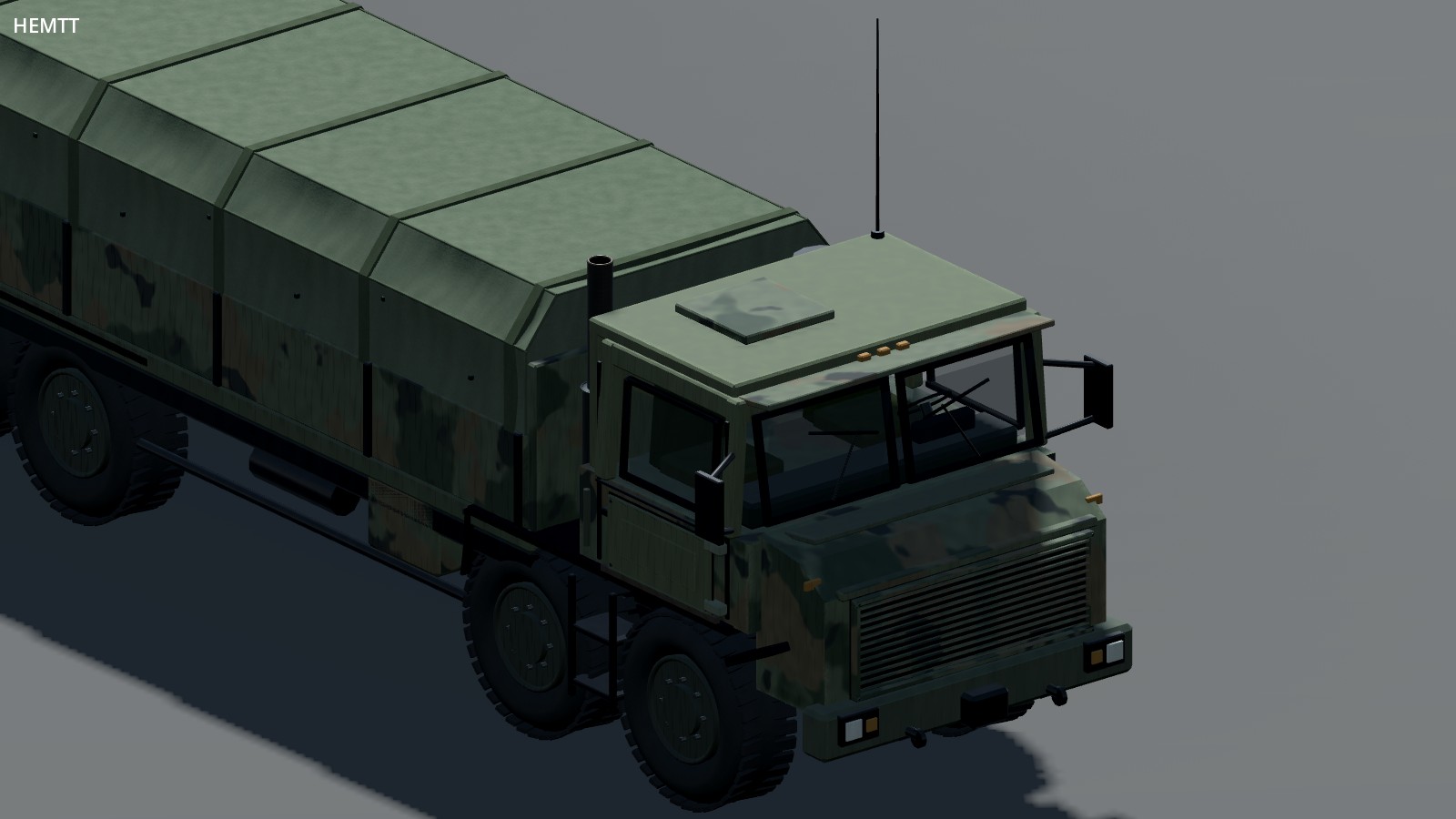
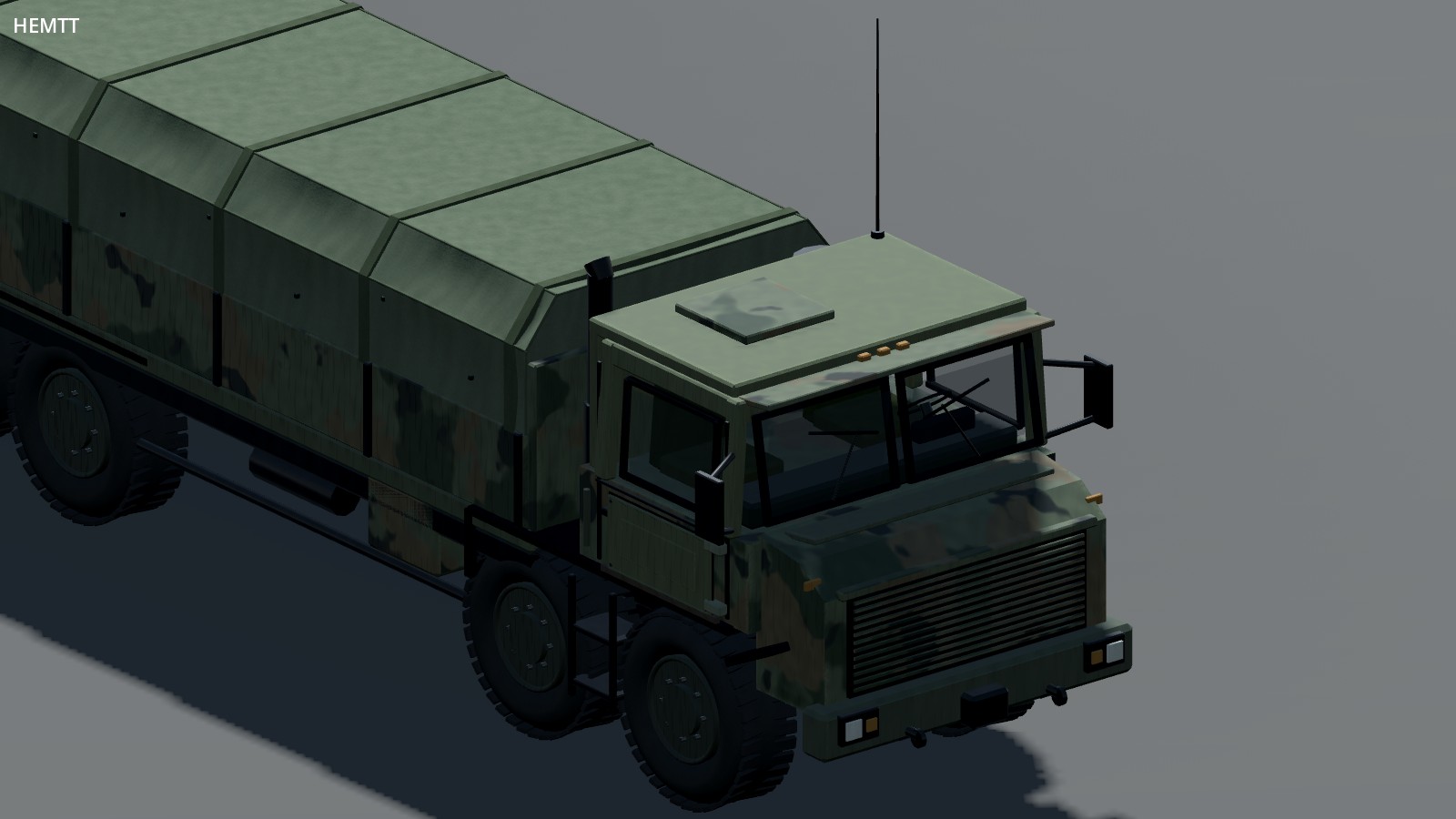
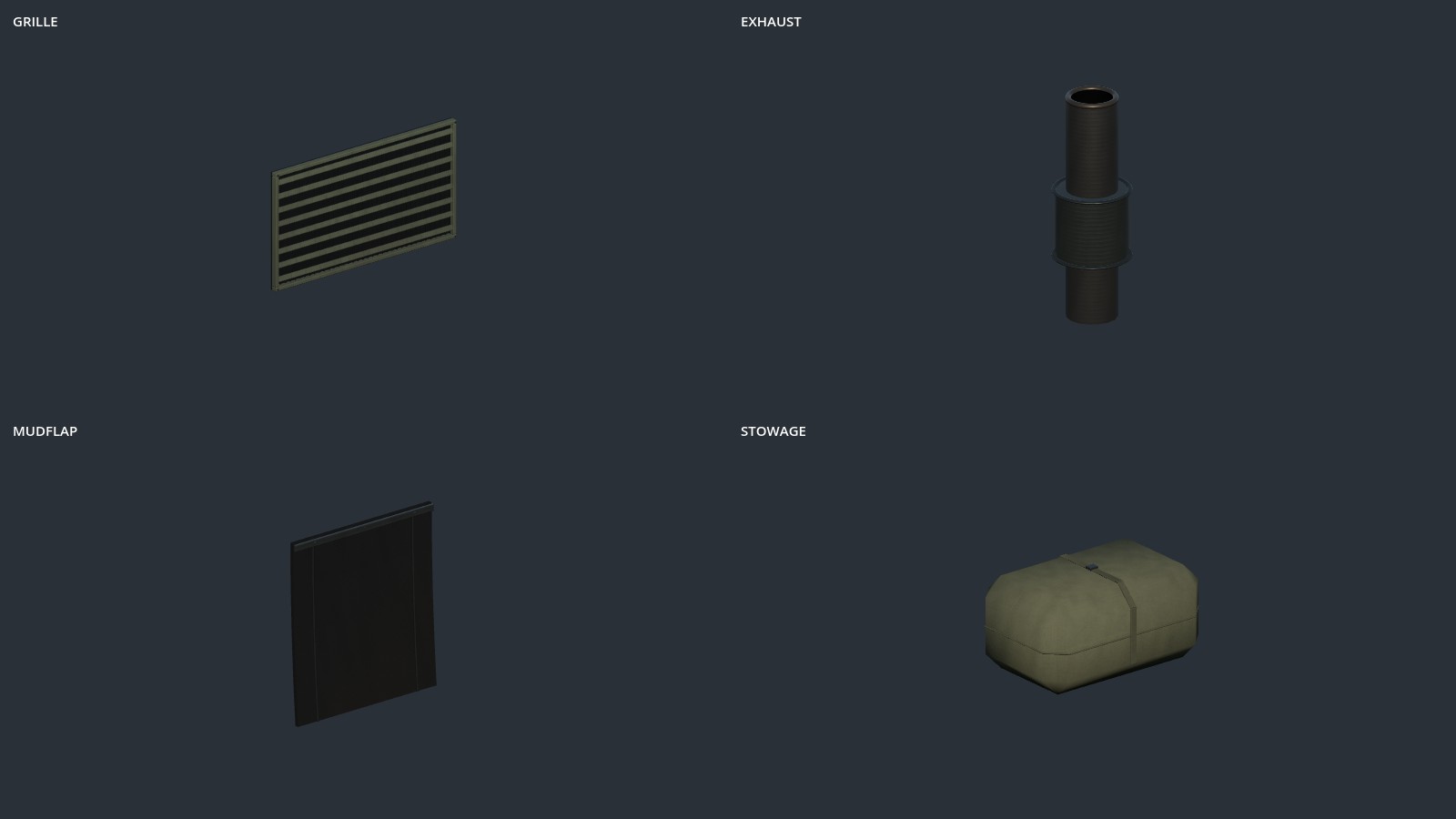
Military trucks gain deeper radiator grilles and hollow exhaust outlets. Shared rubber mudflaps and strapped canvas bags replace simple blocks across vehicle families.
Explore this change
- HEMTT, Tempest, Zamak and Hunter share radiator construction while retaining their own grille proportions and slat layout.
- HEMTT and Tempest exhausts have rolled rims, soot-lined interiors and lower heat shields.
- HEMTT, Tempest, Hunter, Ifrit and Strider mudflaps gain a curved lower edge, reinforcing ribs and mounting clamps.
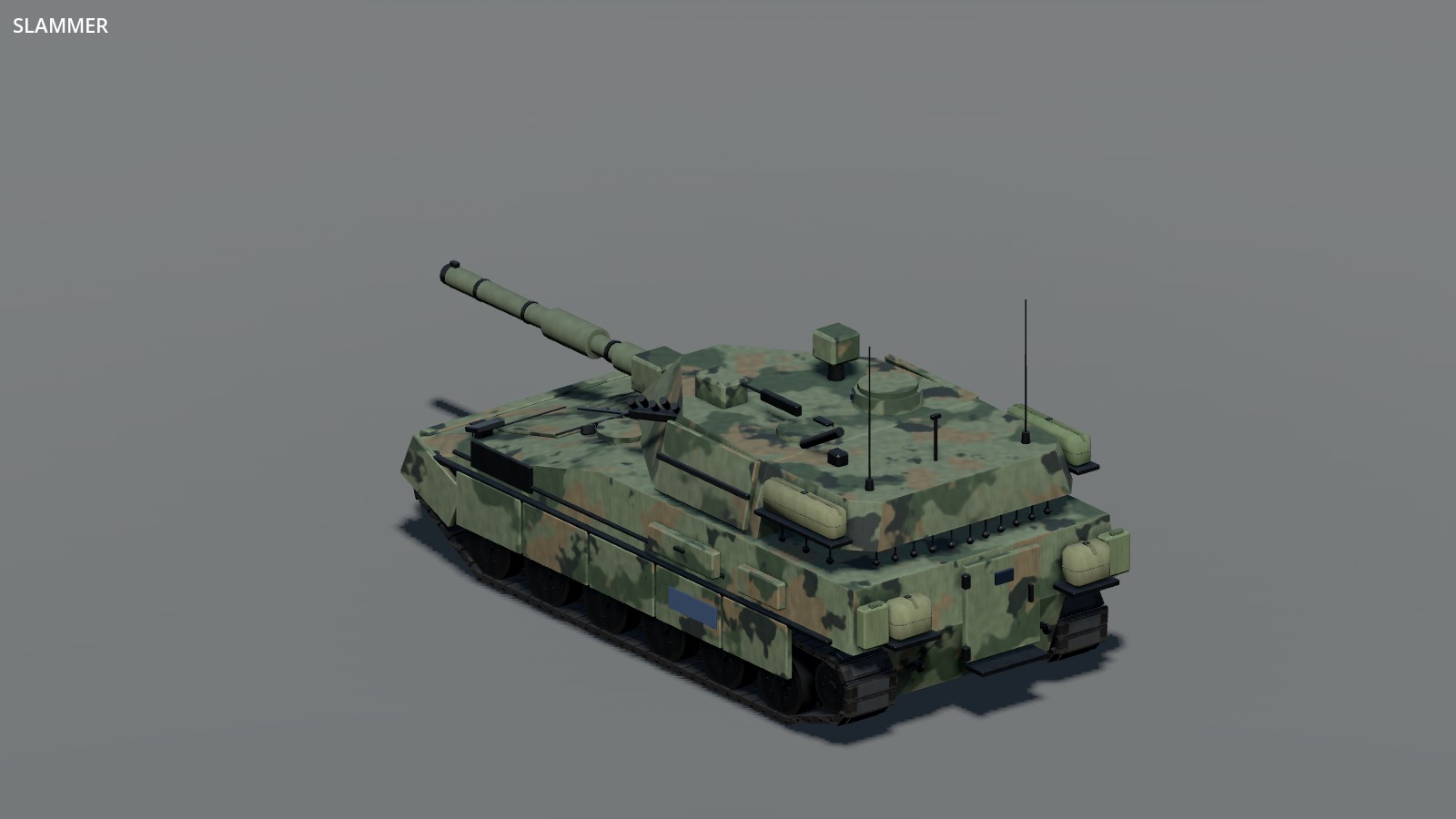
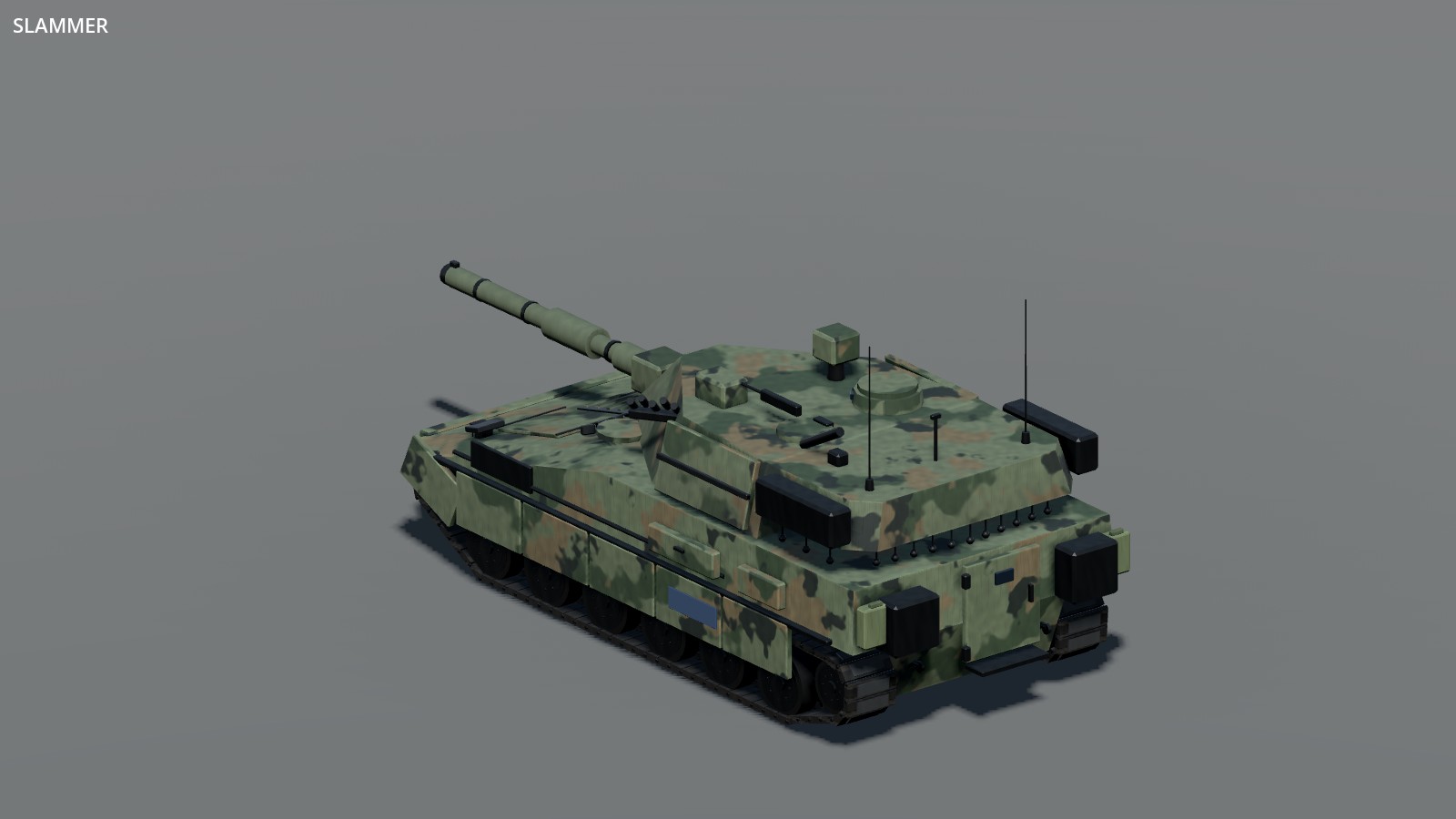
- Padded stowage across NATO, CSAT and independent vehicles shares softened canvas shells, sewn welts, straps and buckles. Slammer and Scorcher storage supports become shallow trays so the bags are visible.
- The shared parts join existing material batches and keep their vehicle's animation pivots.
Shared vehicle baskets, guards and equipment
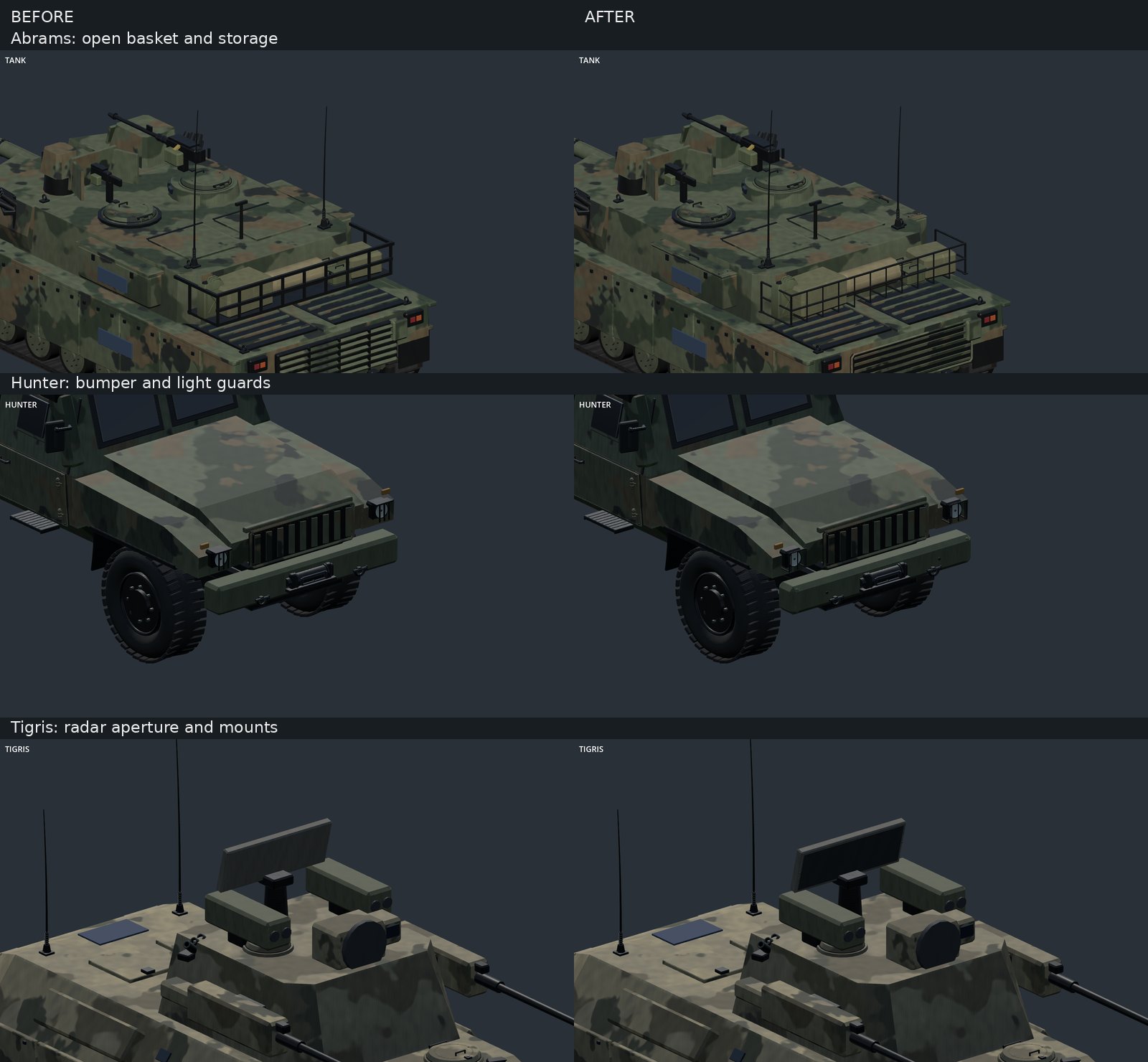
Vehicle equipment gains open stowage baskets, toothed sprockets, fitted panels and shared construction for aircraft, truck and marine fittings.
Explore this change
Open baskets replace solid walls, radar arrays gain framed apertures, and equipment receives formed edges and attachment hardware. Twenty-two shared construction groups now supply compatible parts across multiple vehicle designs, so later improvements can reach them together.
The pass also moves more doors, windows, grilles, bins, steps, seats and exhausts onto existing shared builders. Specialized shapes retain their own construction; vehicle silhouettes and animation ownership are preserved.
Shared vehicle equipment with more convincing construction
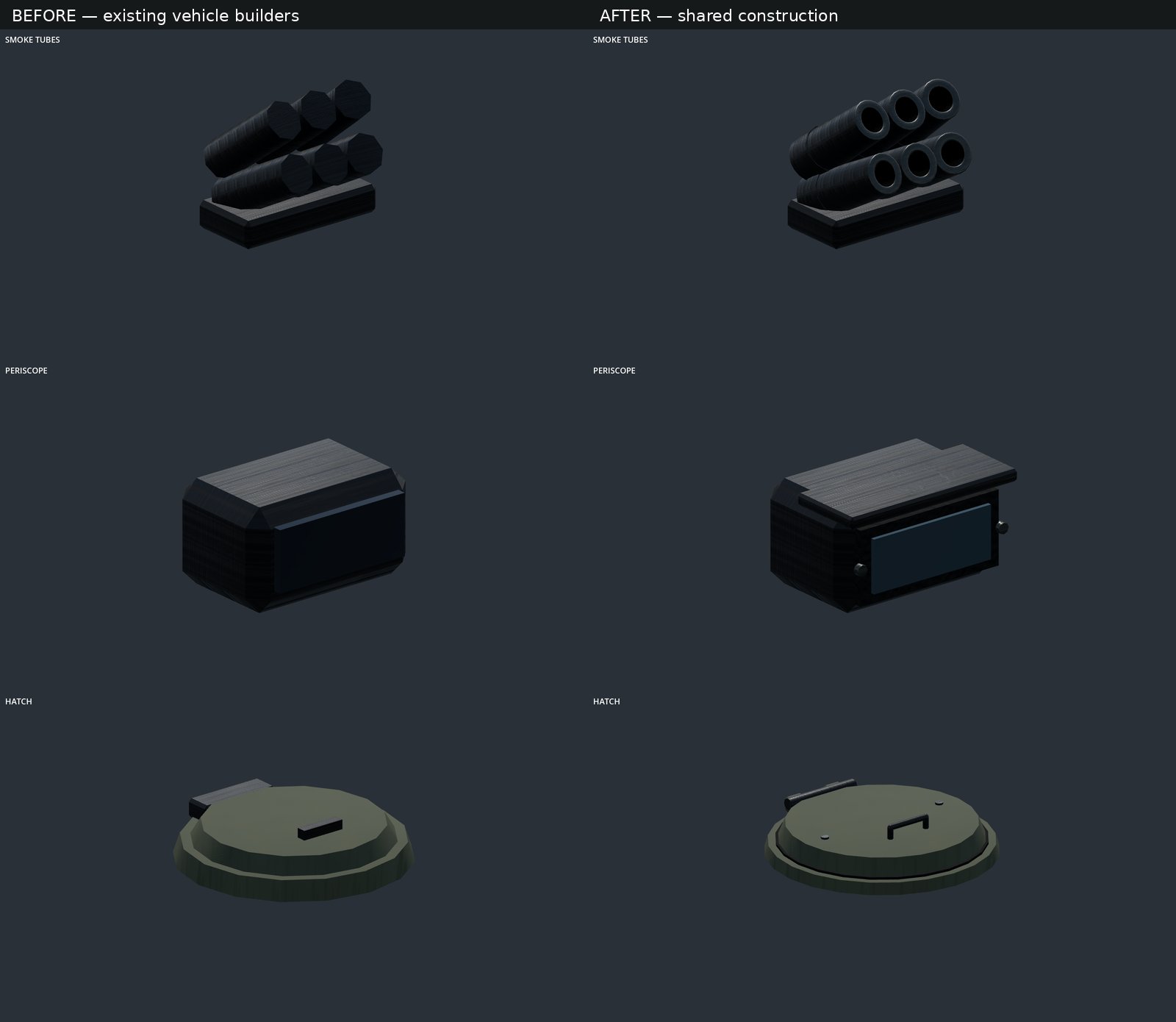
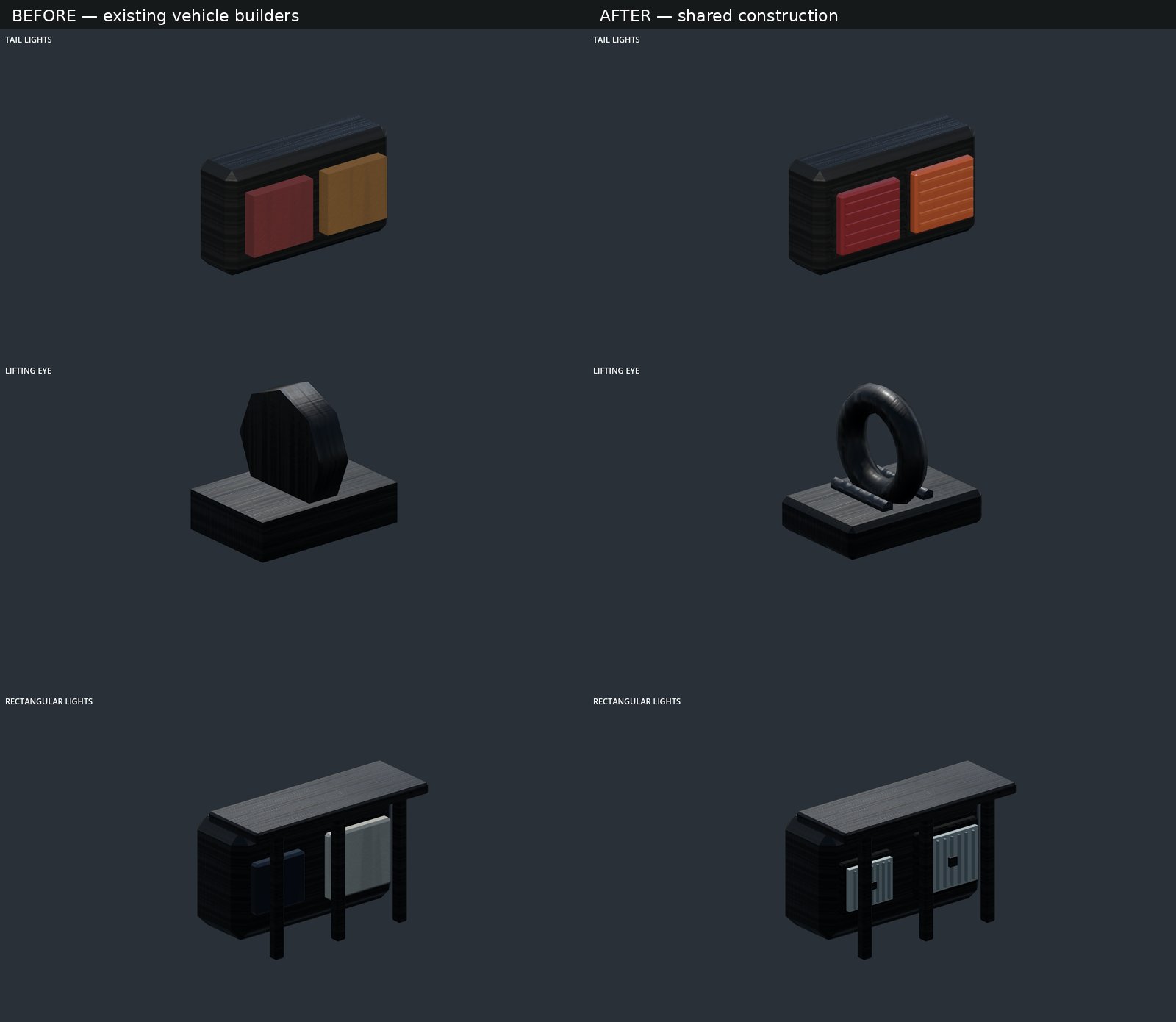
Fuel cans, ammo cans, shackles, smoke tubes, periscopes, hatches, tail lights, lifting eyes and rectangular headlights gain shared detail across the vehicles that use them.
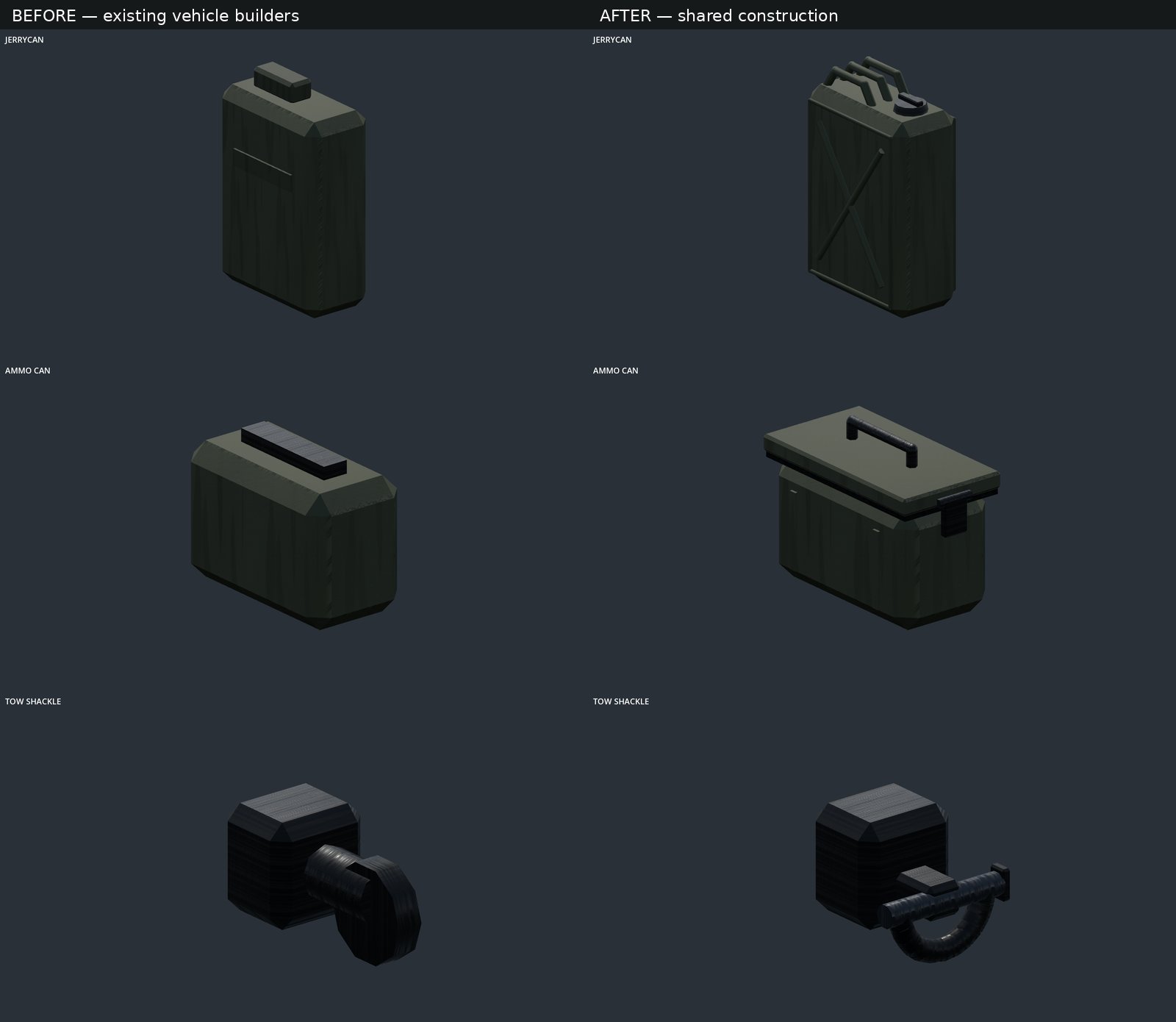
Explore this change
- Fuel cans gain pressed ribs, filler caps and open handles. Sealed ammunition cans gain fitted lids, latches and handles that stay attached when rotated.
- Tow shackles and lifting eyes now have open holes, pins and mounting feet. Smoke tubes have hollow mouths while retaining each vehicle's bank layout.
- Periscopes gain sealed glass and protective lips; closed round hatches gain gaskets, hinge pins and open handles.
- Tail lights and rectangular headlights gain ribbed optical detail. Matching civilian round and fog lamps also use the shared round-headlight construction.
- Vehicle-specific silhouettes, guards, mounts and special equipment are retained. These details are most visible up close; lamps remain unlit, and wrecks lose intact optical surfaces.
Weeds, ivy and fallen-in ruins
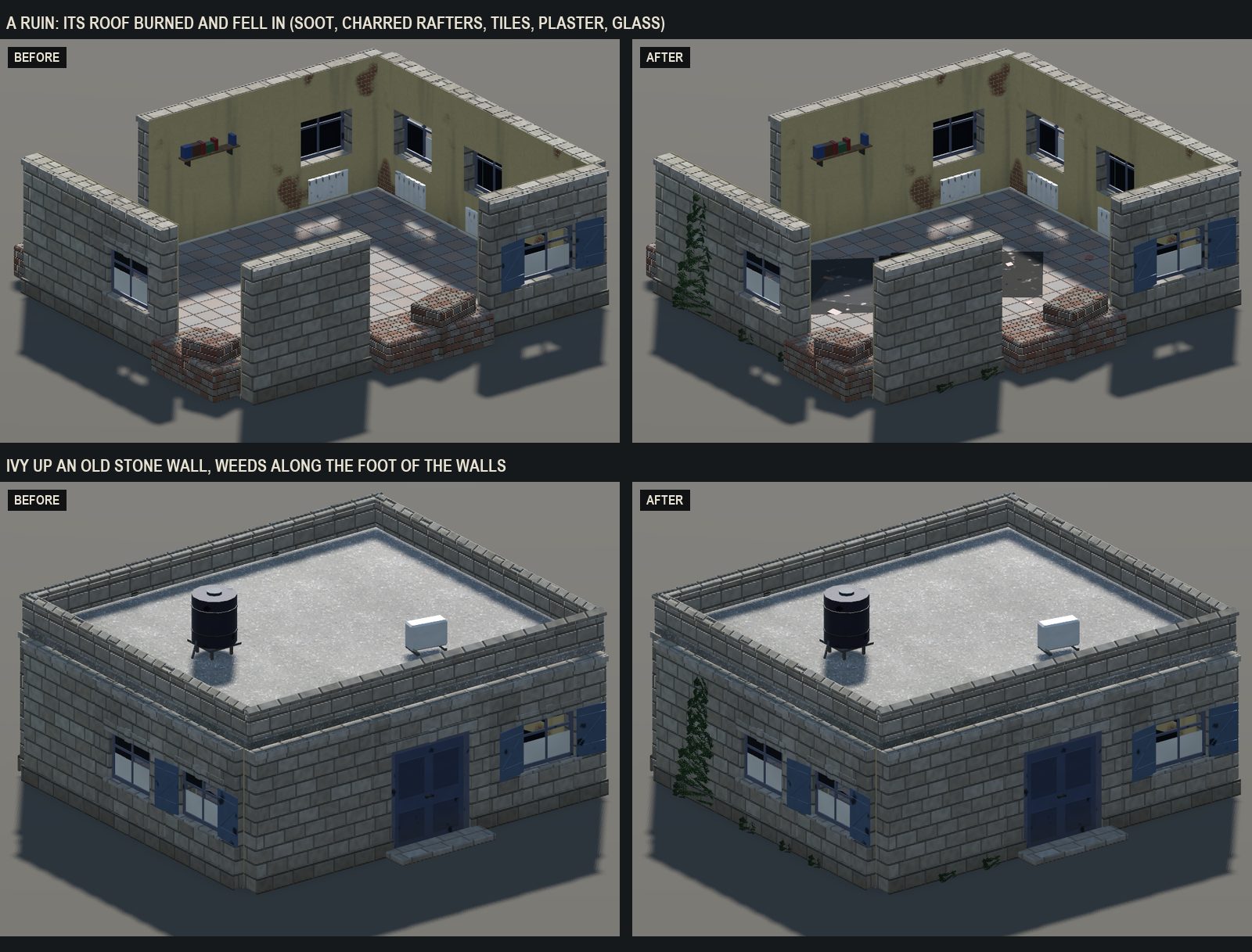
Weeds grow along the foot of walls and ivy climbs some of them, most often old stone. A ruined house's floor is strewn with its fallen roof: soot, charred rafters, broken tiles, plaster and glass.
Explore this change
- Weeds tuft along the foot of about half the house walls and garden walls. They stop at doorsteps.
- Ivy climbs about one plain house wall in eight, and nearer one in three on stone houses.
- Ruins: the roofless houses now look like the roof burned and fell in. You'll see soot where the fire was,
charred rafters across the floor, broken tiles, lumps of plaster and brick, and broken glass. - It all lies flat or hugs the walls, so it never stands where your men take cover.
A lighter website, with a link for every Field Manual entry
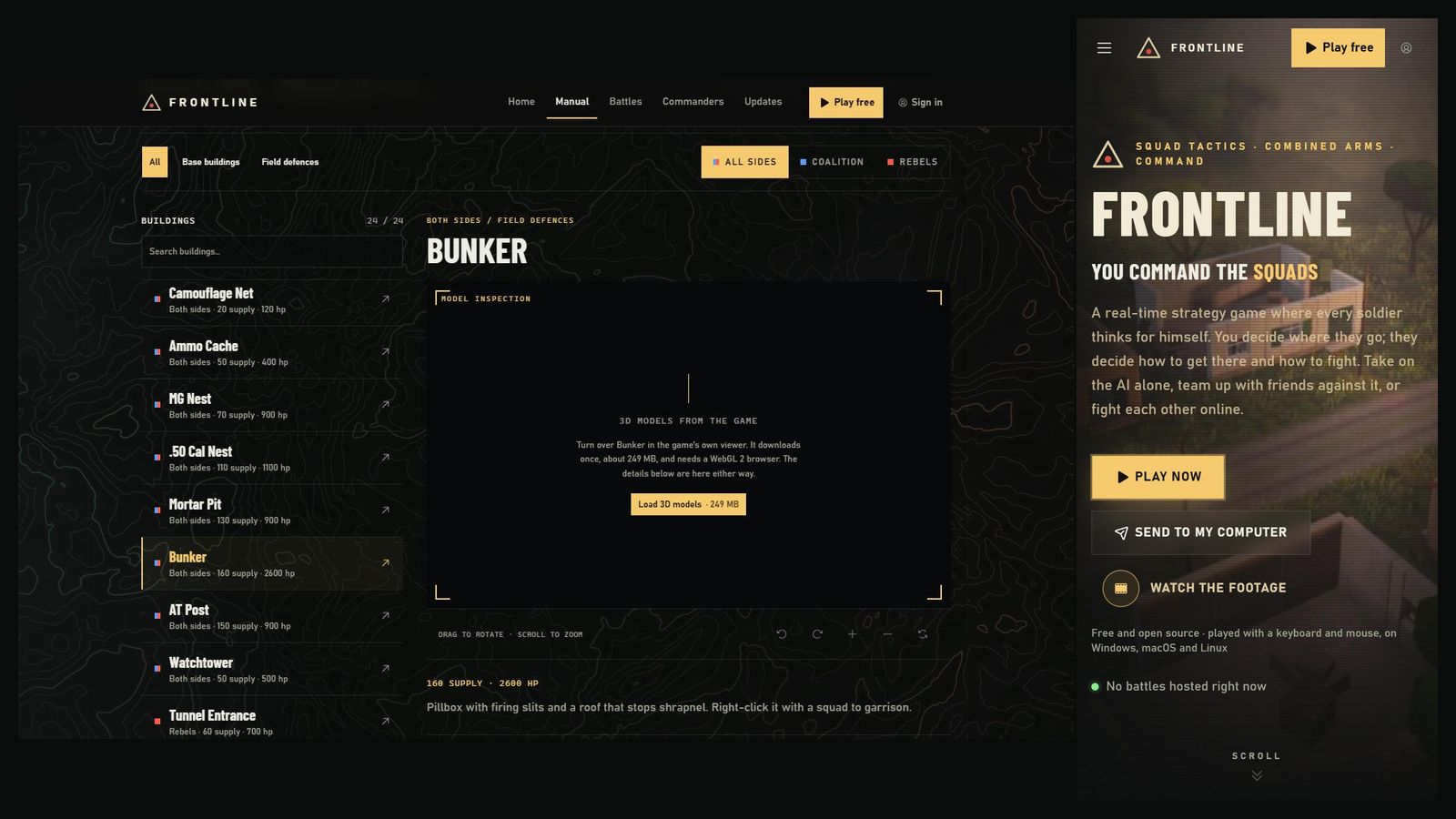
The website downloads far less: the 3D models wait to be asked for, phones skip the hero video and the Updates page shows small thumbnails. Every Field Manual entry has its own link, with its own preview when shared.
Explore this change
- 3D models wait for you. The Field Manual's model viewer is the whole game, about 250 MB the first time, so it now waits for Load and says the size. Once you've loaded it on a device, it loads by itself.
- Phones and tablets get the hero's still picture instead of 3.4 MB of video, and Send to my computer instead of a Windows download they can't use. On a computer, the page draws first and the footage starts once it has loaded.
- Every page loads about a third less code. The release notes on Home load as you scroll towards them.
- The Updates page lists changes with small thumbnails instead of full-size screenshots: about 4 MB less to open it.
- Every Field Manual entry has its own address, such as
/manual/vehicles/tank. Shared in a chat or found in a search, each page shows its own title, description and picture. The site now has a sitemap, and an address with no page is reported as missing. - Battles: with nobody hosting, you can watch the footage or go and play the AI. The recordings section no longer says it's switched off.
- The leaderboard says when it's early days. The player page no longer jumps as it loads. Headlines read as separate words to screen readers. On a phone, the Manual's chapter tabs show there are more to scroll to.
Fixed
Ground cover is ready when the camera arrives
Camera cuts and turns show nearby grass, shrubs and scenery on the first frame. The game prepares neighbouring terrain outside the view as you play.
Watch: The same helicopter pickup from the same camera. Previously (left), bushes filled in during liftoff. The updated view (right) opens with the meadow in place. (Direct WEBM)
Landing boats stay visible at the beach
Follow a landing boat all the way to the beach and watch the squad move ashore. The host and joining players see the same seabed.
Watch: The same Beachhead landing, seen from the stern. On the left the sand hides the bow and cabin. On the right the boat reaches the waterline and the squad runs up the beach. (Direct WEBM)
Explore this change
Runoff from the hills used to pile sediment into the shallows. The beach now keeps its coastal slope, and the map generator cuts the seabed after the hills are in place.
A fair start on every map, and a way back from behind
Both sides now draw the same supply from HQ whatever the map, a side that falls behind gets help from HQ, and tanks, IFVs and attack helicopters wait for their research as intended.
Explore this change
- Fair start: HQ's supply trucks now leave from the first seconds of a battle and run to every FOB once a
minute, however close it stands to HQ. Before, the first truck could wait two minutes, and on some maps a start
FOB right next to HQ was fed three times as fast as the enemy's, which often decided the battle. - Coming back from behind: a side holding fewer towns and villages than the enemy gets bigger loads from HQ (a
quarter more for each one it's behind by, up to three), and the radio tells you when. The side ahead loses
nothing. - Captured supply: a FOB or town that falls is half burnt by its holders, so taking it gives you half its stock,
not all of it. - Reserves: HQ also sends a reserve squad now and then to a side outnumbered three to one, not only one down to
its last few men. - Research: the Battle Tank, IFV and Attack Helicopter (and the Rebels' Old Tank and BTR) need Armoured
Warfare or Foreign Advisers, like every other tank, IFV and attack helicopter. The AA Technical is still there
from the start.
Mac updates only when a new version is available
Frontline on Mac no longer downloads the same release again on every launch. New releases still install automatically.
Explore this change
Mac builds use the built-in simulation and do not need the extra simulation library shipped on Windows and Linux. The updater now recognises that, while keeping automatic repair for Windows and Linux installations missing that library.
On Mac, move Frontline out of the disk image into a writable Applications folder so it can replace the app when an update arrives.
Steadier gameplay recordings
Movie recordings now hold their framing when the pointer rests at the edge of the screen. New battles also respect your edge-scrolling preference from the first frame.
See which vehicle the helicopter will lift
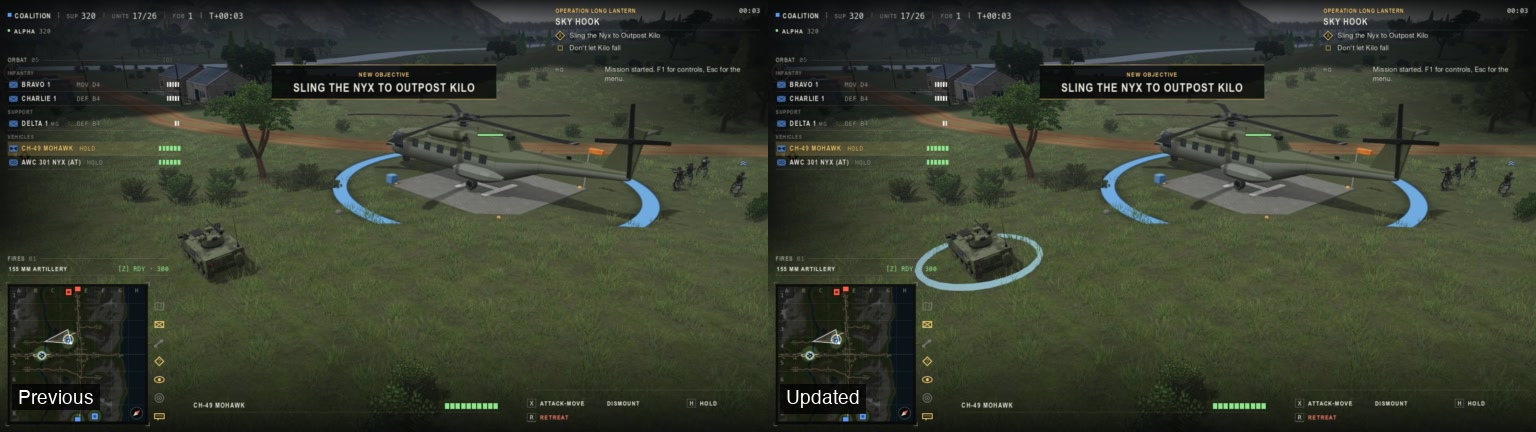
A sling order now flashes a ring around the load, including on raised landing pads.
Explore this change
The confirmation follows the ground height and clears the edges of the selected cargo.
Airstrikes follow your drag direction
Click the target, drag to choose the run-in angle, then release: bombing runs, gun runs and recon passes now follow the direction you previewed.
Watch: Press, drag to rotate the targeting preview, then release to launch the jet along that line. Scripted mouse input in a live observer battle; silent, normal-speed capture. (Direct MP4)
Explore this change
The initial click stays the centre of the strike. A click without dragging keeps the default approach. Mortars, artillery and orbiting support still target an area without a directional drag. Right-click or Escape cancels targeting.
Get it
Download the Windows installer or Mac disk image. On Mac, drag Frontline into a writable Applications folder before opening it; don't run it from the disk image.
Installed copies keep themselves up to date. The game downloads and verifies the update, then offers a restart; you don't need to run the installer again.
On Linux, download Frontline-linux.zip and unzip it. Windows and Mac ZIPs remain available below for portable installs. All downloads.
The whole history, with pictures: Changelog.