Repository navigation
GHVanHRecomp v0.1.0 (Beta)

The first beta of Guitar Hero: Van Halen, running natively on Windows: no emulator to set up, sharp graphics, wide screens, high frame rates, and your Xbox 360 guitar.
Important
You need your own copy of the game: the Xbox 360 disc, as an ISO (tested with the USA disc). This release contains none of the game's files.
Guitar Hero: Van Halen runs on Guitar Hero: Metallica's engine, so from day one it comes with everything GHMetalRecomp has up to its version 0.3.0, except downloadable content. Songs have been played from start to finish with an Xbox 360 guitar, on guitar and bass parts.
What you get
- Your guitar: an Xbox 360 guitar plays as on the console, whammy bar and Star Power included. Any other controller is a guitar too, and the keyboard can be one (experimental). Each controller's buttons can be reassigned in the launcher, and a whammy bar that reads pressed at rest (some third-party guitars) can be calibrated there.
- Auto-strum, GH2 / GH3 style: on a controller or the keyboard, each fret strums as you press it. Turn it on in the launcher's Controls tab; it only acts during a song.
- Sharp, native graphics with NativeXRenderer (Vulkan), at your screen's resolution, with antialiasing.
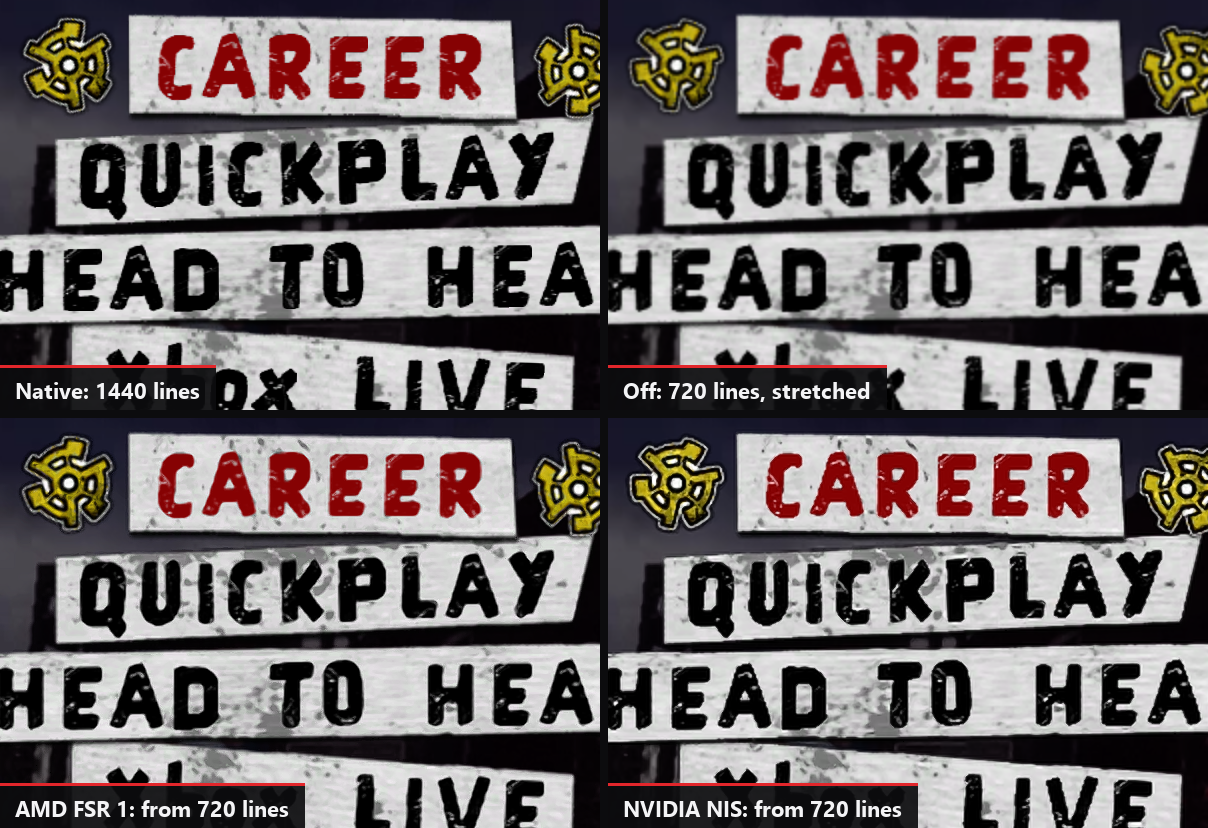
- Upscaling: AMD FSR 1 or NVIDIA NIS, on any graphics card, for 4K screens and slower graphics cards (Settings > Video), with their Quality and Sharpness.
- High frame rates: 60 FPS, or 120, 144, 160, 165 or 240 FPS (experimental). The songs keep their speed and stay in sync.
- V-Sync, on by default: no tearing, without V-Sync's usual delay. Leave it on with a G-Sync or FreeSync monitor too.
- Low latency audio (optional, Settings > Game): the game takes your audio device in exclusive mode and the sound comes sooner. Calibrate the audio again after changing it.
- Wide and ultrawide screens: the stage fills the screen, the note highway, the HUD and the menus stay 16:9 in the center.
- Better than the original: songs no longer drift out of sync, the crowd's claps follow your audio calibration, and each screen effect can be turned off.
- Sing (experimental) with any microphone on your PC. Not tested in this game yet.
- Profiles and achievements shared by all the ElGus Recomps launchers: all 46 achievements in the launcher or with F7 in the game.
- Languages: English, French, German, Italian and Spanish, in the game and in the launcher.
- Automatic updates from the launcher.
Known issues
- Drums and singing have not been tested in this game yet.
- AMD graphics cards, and Wii or PS3 instruments, have not been tested yet.
- Above 60 FPS and the keyboard are experimental.
- Downloadable content is not supported yet.
- The full list is in the README.
How to install
Download the installer (GHVanHRecomp-v0.1.0-setup.exe), or the zip (GHVanHRecomp-v0.1.0-win64.zip) and extract it into a folder you can write to (not Program Files). Open GH Van Halen Launcher, choose your ISO, create your profile (or keep the one you already have from another ElGus Recomps game), press PLAY, and calibrate the audio and video once in the game's options.
Windows may warn about an unknown publisher the first time: click More info, then Run anyway.
Something wrong? Tell us on Discord or in issues, with the latest files in the game's logs folder.