Repository navigation

- New: Connection method › Head unit server, a backup for wireless Android Auto when Bluetooth or
Wi-Fi Direct fails (#70). This screen joins the phone's hotspot; turn on "Start head unit server"
in Android Auto's developer settings first (again after every phone restart). If the server gets
stuck, Home says how to restart it. - New: music turns down while a CarPlay direction speaks, CarPlay's own music and other apps on the
screen alike (#83). Settings › Sound & voice › Lower music during directions, on by default. - New: Interface size › Extra large, and all sizes are bigger: the old Small was too small to use
(#83). On a phone or tablet held upright, Android Auto stops at the largest size that keeps its
full layout, and the floating switcher says so. - New: Ford in the car brand list (#33).
- Better: with Picture on Automatic, CarPlay uses HEVC (sharper at the same data rate) where the
screen's decoder handles it, and falls back to H.264 on a screen where HEVC shows no picture. - Better: Report a problem says when the same report was already sent, and offers the update first
when a newer CarLink is out. - Fixed: Android Auto on a phone or tablet held upright: the map could be tapped but not dragged at
the larger sizes. - Fixed: a phone or tablet set to the BYD brand kept Android Auto's music on the phone.
- Fixed: a wired Android Auto phone whose USB link blinked ended in "unplug and plug in again";
CarLink now restarts the link itself. Changing the size no longer reconnects after such a blink. - Fixed: wireless was refused on a stereo whose Bluetooth module started after CarLink, until
CarLink was restarted (thanks @pphan93). With only iPhones known, CarPlay no longer waits for
Android Auto's engine to warm up (thanks @pphan93). - Fixed: wireless Android Auto stopped listening for the phone after a Bluetooth error.
- Fixed: a stereo's wake signal no longer covers a running CarPlay or Android Auto picture with
Home; Autochips quick-boot stereos start CarLink on wake; the Android Auto exit menu no longer
crashes when the session ends (thanks @0nezar0, #84). - Security: the CarPlay engine is hardened against malformed data from the phone (upstream DiPlay
fixes), and Android Auto's message parser is updated (CVE-2024-7254, thanks @0nezar0).
Screenshots
| Ready | Connecting | Car brand |
|---|---|---|
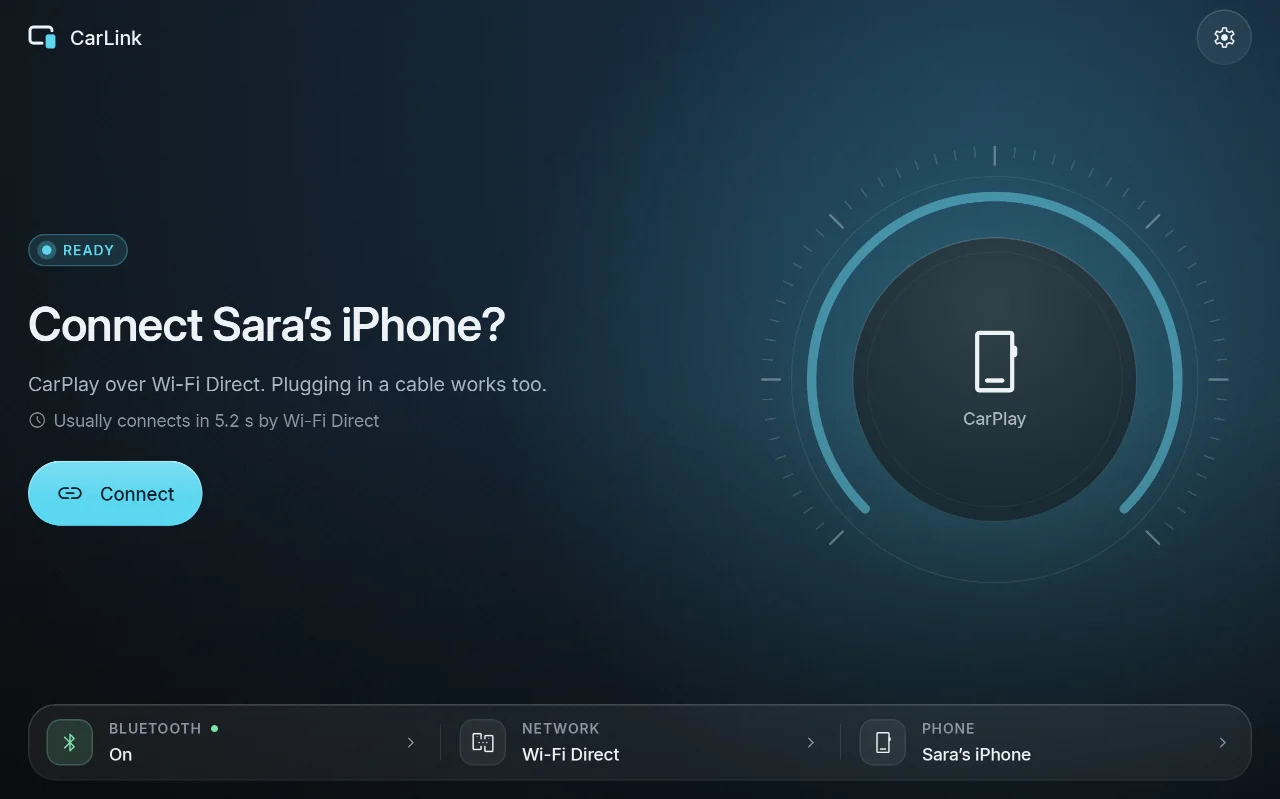 |
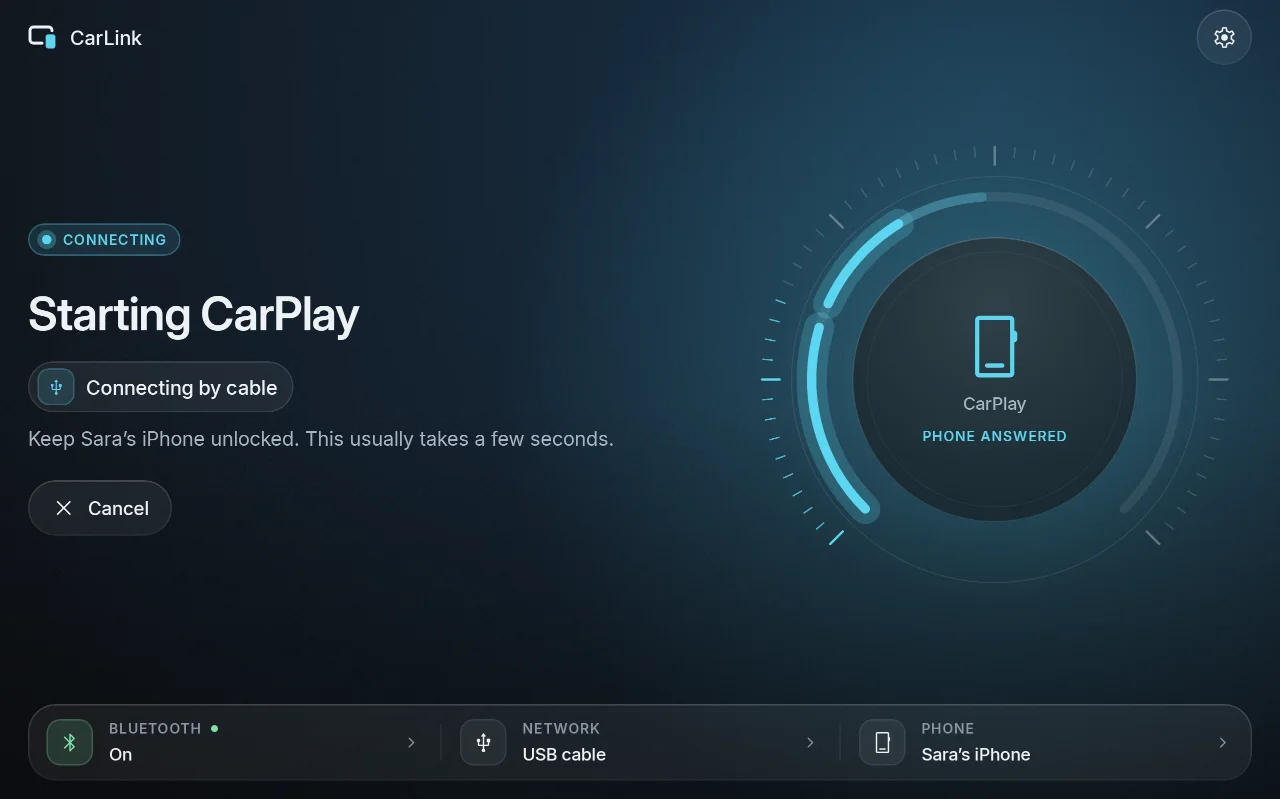 |
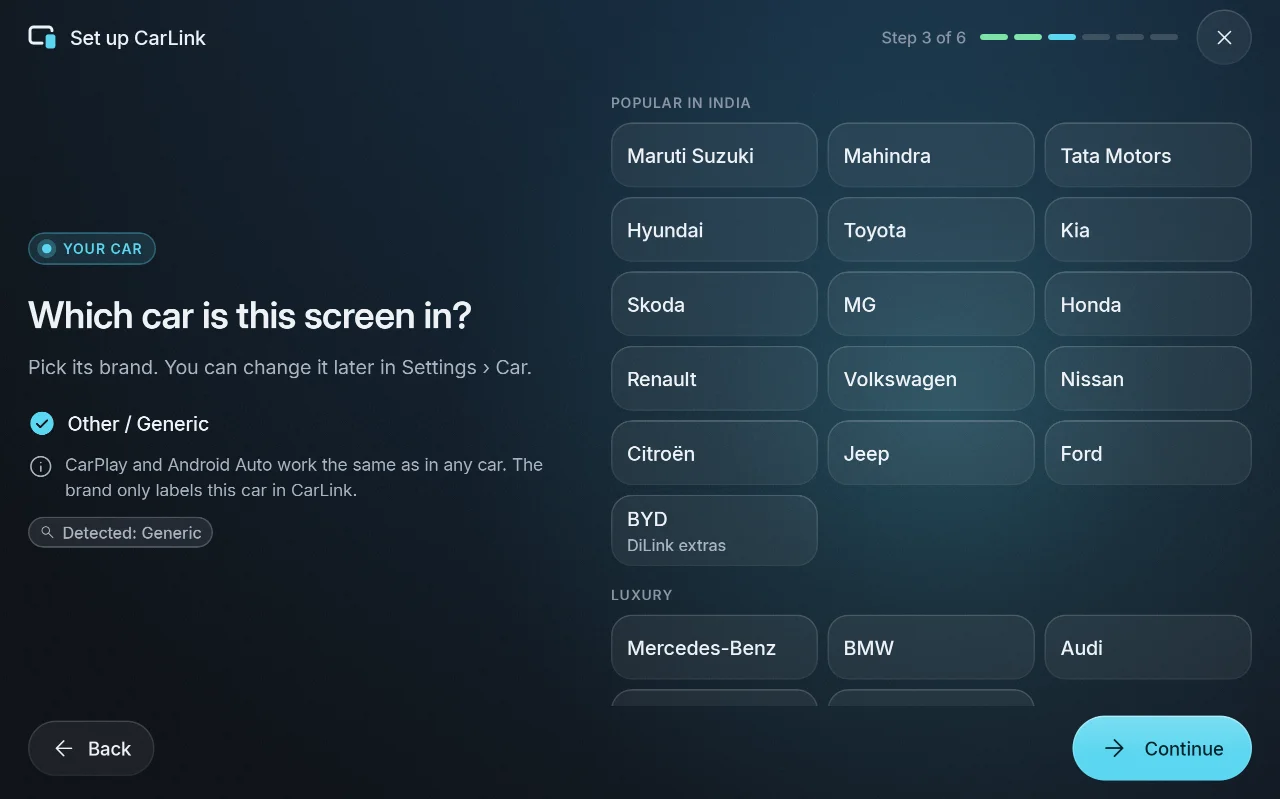 |
More in the screenshot gallery.
Download and install
- On the car stereo or tablet, download CarLink-1.0.17.apk (19 MB) from the assets below.
- Open it and allow installing apps from your browser or file manager when Android asks.
- Open CarLink and follow the first-time setup. Then plug in your phone, or pair it once over
Bluetooth for wireless.
After that, CarLink finds new releases itself and asks before installing them (Settings ›
About › Check for updates).
Needs: Android 7.1 or newer (ARM) on the stereo or tablet. An iPhone gets CarPlay, an Android
phone gets Android Auto. Wireless needs Bluetooth and Wi-Fi on both sides; USB needs only the cable.
Verify the download
- SHA-256 of CarLink-1.0.17.apk:
e457330b460048a59a719ee51d27f8cef1cb1908ca1ce69e21ad55deb162c204(also inCarLink-1.0.17.apk.sha256) - Signing certificate SHA-256:
03:74:68:CA:5B:EB:70:EA:5F:68:54:33:29:B0:33:68:24:7D:FB:39:3D:3F:62:6A:6B:47:2D:10:E5:65:7D:21
Every CarLink release is signed with this certificate, and the in-app updater installs only APKs
signed with it. Check with sha256sum CarLink-1.0.17.apk and apksigner verify --print-certs CarLink-1.0.17.apk.
CarPlay notice
CarLink is not an Apple-certified product. As in DiPlay's releases, the release APK bundles an
experimental accessory identity recovered from public Carlinkit firmware, not a newly provisioned
MFi identity for CarLink. A bundled private key is extractable. Acceptance after future iOS
updates, reliability across head units and suitability of that identity for general distribution
are unresolved: there is no guarantee that CarPlay keeps working after an iOS update. Android
Auto does not depend on it.
Source and license
Source for this release: v1.0.17.
CarLink is AGPL-3.0. It is built on DiPlay (CarPlay,
GPL-3.0) and DiAuto (Android Auto, AGPL-3.0).
CarLink is not affiliated with Apple or Google; CarPlay is a trademark of Apple Inc. and Android
Auto a trademark of Google LLC.
Found a problem? See troubleshooting,
or tap Report on GitHub in CarLink (Home or Diagnostics) to open an issue with the log and the error filled in.

