Repository navigation
Self Coverflow 1.0 Beta 1
Pre-release
Pre-release

Browse your Apple Music library as a white desktop Cover Flow shelf. Search for an album, press Return to bring its cover to the center, then double-click to play it through Music.
用白色桌面唱片架浏览本机 Apple Music 资料库。搜索专辑后按回车即可滚到封面,双击开始播放。
| System · 系统 | English | 简体中文 |
|---|---|---|
| Windows 10 22H2 / 11 · x64 | Download Setup.exe | 下载中文安装程序 |
| macOS 13+ · Intel / Apple silicon | Download .pkg | 下载中文安装包 |
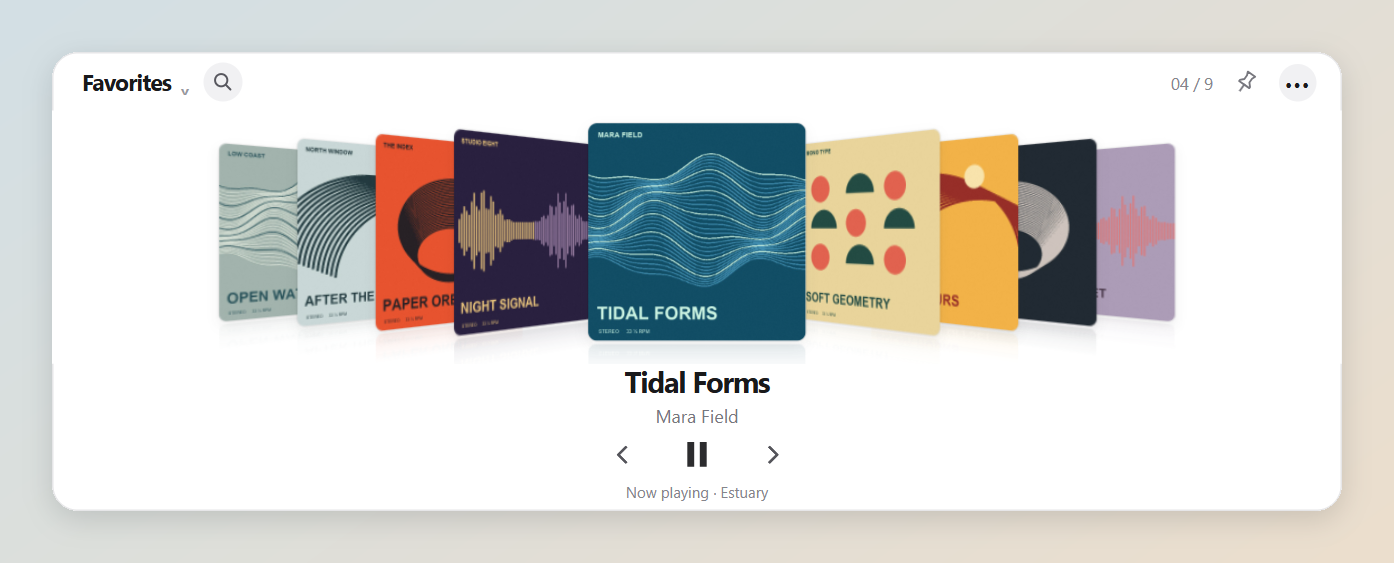
Open the installer in your preferred language and follow the steps. First confirm that Music can play an album with your account. On Mac, grant Self Coverflow permission to control Music when prompted. The Windows and Mac installers are unsigned. The Mac app is ad-hoc signed and has not been notarized by Apple.
双击对应语言的安装程序即可进入向导。首次使用前,请先在 Apple Music 登录并播放一首歌。Mac 用户首次启动时请允许唱片架控制「音乐」。此测试版的 Windows 与 Mac 安装程序均未签名,Mac 应用使用临时签名,未经 Apple 公证。