Repository navigation
Hero Meter v2.0.0

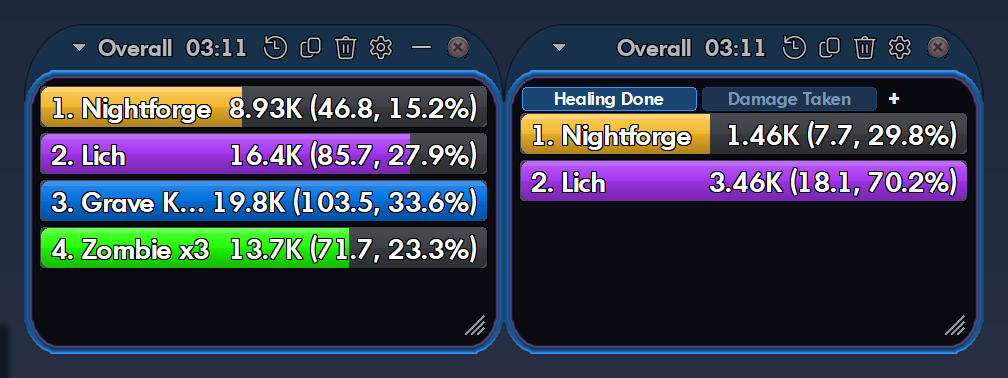
Hero Meter 2.0 is the first full release: a free, Details!-style damage meter for City of Heroes Homecoming.
Get started in three steps
- Download
HeroMeter.exebelow and double-click it. There's no installer. - In the game, turn on Log Chat for each character:
Menu → Options → Windows → Chat → Log Chat(or type/logchatonce). - Using pets, or powers like Rain of Fire or Caltrops? Right-click a chat tab → Edit Tab → add Pet Combat, Pet Damage Inflicted, Pet Damage Received, Pet Hit Rolls, Pet Healing Delivered and Pet Healing Received.
If Windows says "Windows protected your PC", click More info → Run anyway. New programs without a paid signing certificate always get that warning. This file was built by GitHub from the code in this repo, and its SHA-256 checksum is in SHA256.txt below.
What it does
- Fifteen modes: damage, DPS, healing, damage taken, kills, deaths, accuracy, absorbs, bodyguard and more, for every fight and overall.
- Masterminds welcome: every pet on its own bar, grouped by tier, or rolled into yours. Pseudo pets like Rain of Fire count as your damage.
- Breakdowns: click a bar for powers, Shift+click for hits, averages, crits and a DPS-over-time graph.
- Death recap: the last few seconds before you died, hit by hit.
- Alerts: a pop-up when you're held, stunned or slept, or a pet goes down.
- Personal records for each character.
- Your build vs. what you actually do, from Mids Reborn or CoH Sidekick builds.
- Looks like the game: the City of Heroes skin matches each character's own window color, with themes, layouts and profiles if you want something else.
- Tidy chat logs: old logs are zipped after a week, and nothing is lost.
New to it? The user guide has pictures of every page, and you can open it any time with ⚙ → User Guide. Hover any setting in Options for a short note on what it does.
Coming from a beta?
Everything from beta.1 to beta.8 is in here. Your settings carry over. The full list of changes is in the changelog.
Found a bug? Click ⚙ → About Hero Meter → Copy diagnostics and paste it into a new issue.