Repository navigation
Modpack Quick Start
- Create a separate authoring instance with Worlds Unwritten and every required provider mod.
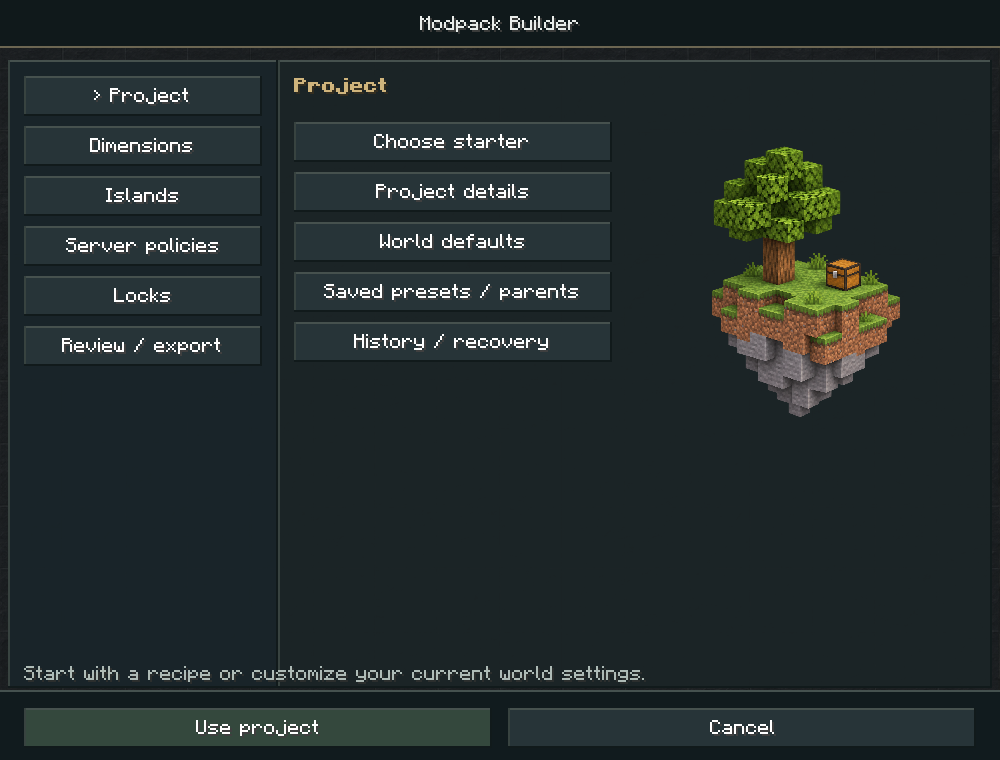
- Choose Worlds Unwritten · Dimensions → Customize → Builder when creating a world. In Review / export, choose Authoring setup and restart the instance. The interrupted project remains available through draft recovery. On a dedicated authoring server, its console can run
worldsunwritten modpack authoring_enablebefore restarting. - In Project → Choose starter, select Skyblock, void, mixed dimensions, or one of the six cell-world recipes, including Hex Continents and Expanding One Chunk. Set a unique project name, preset ID, title, author and release in Project details.
- Use Dimensions for terrain and features. In Islands, edit the catalog, open Island Studio and configure allocation. The native End remains available for ordinary dragon progression.
- Set new-world spawn, portal and protection defaults in Server policies. Use Locks to select generation permissions and the independent runtime permissions.
- In Review / export, inspect validation and dependencies, save a version, then export a client/server installation. Both sides receive the same preset archive with developer mode disabled. Keep each saved revision for future releases.
- Install matching mods in clean client and server instances. Copy the corresponding exported
configfolder into each. The exportedserver.propertiesis a new-server example. Create fresh worlds and check spawning, allowed edits, rejected edits and persistence after a restart. - Distribute the configuration, required-mod list and installation instructions. Bundle revisions are independent of the mod version. Use a new release when changing a saved revision.
The optional Worlds-Unwritten-2.0.0-test-kit.zip runs with Java 25, an installed NeoForge 26.3.0.103 server, the exported project and any required provider JARs. Extract the complete ZIP and run run.cmd --help or sh run.sh --help. It needs no source checkout, Gradle, Node or development SDK.
Choose a new output folder and accept the Minecraft EULA using the documented flag. The kit copies the selected runtime libraries into that folder and checks a disposable server's startup, islands, markers, starter contents, configured runtime locks and restart snapshots. Cell worlds also check reserved-cell activation and void gaps. Logs and results.json stay there. Follow with real multiplayer, progression and external-mod gameplay checks before distributing the pack.
Start with the supplied partial and full examples. Read Preset Studio, Preset Reference and Locks and Server Enforcement before changing a production pack.
Existing worlds keep their original embedded templates, rule order, dependency versions and bundle archive. New installed defaults apply to future worlds.