Repository navigation
Editing
How the app's editing screen works. Code: src/App.tsx, src/Timeline.tsx, src/store.ts.
- Import (Ctrl+I, or drag files in): mp4 / mov / mkv, H.264 or HEVC. Bin shows thumbnail, duration, resolution.
- Drag clips from the bin to the timeline. V1-V3 video, A1-A3 audio; higher video tracks cover lower ones.
- Shortcuts:
Vselect,Crazor,Ctrl+Kcut at playhead,Spaceplay/pause,J/K/Lreverse/stop/forward,Deletedelete (leaves a gap),Shift+Deleteripple delete,Ctrl+Zundo,Ctrl+Shift+Zredo,Ctrl+Dadd 1 s dissolve,Ctrl+Ssave,Ctrl+Oopen,Ctrl+Mexport. - Trim tools:
Bripple,Nroll,Yslip,Uslide. - Inspector: volume, fades, volume keyframes, brightness/contrast/saturation, crop/scale/position, speed, transitions; titles have text, font, size, colour, position and duration.
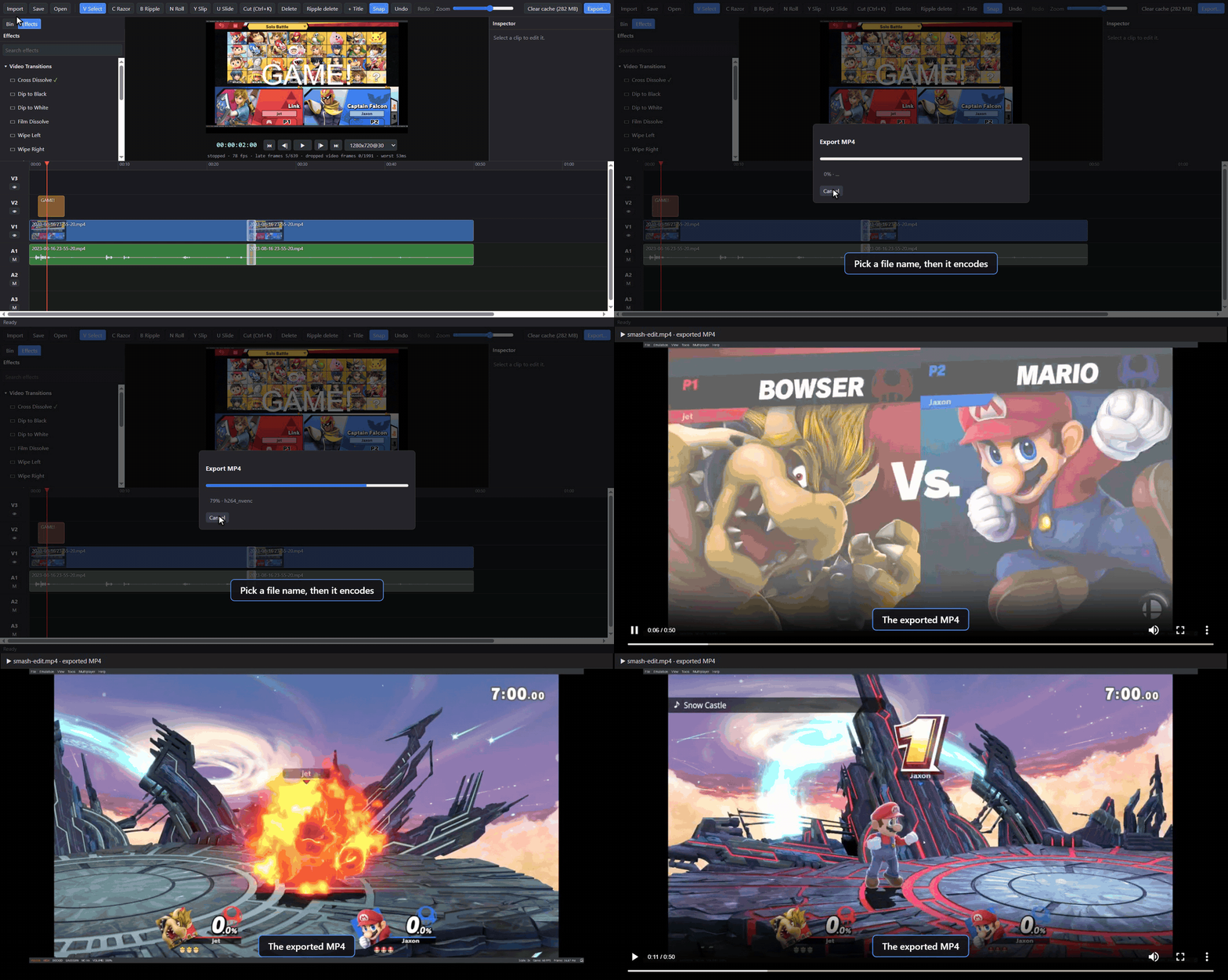
- Export MP4 (H.264 + AAC) to a path you choose, with a progress bar. Projects save as
.ovep; runregister-ovep.cmdfrom the zip to open them by double-click.
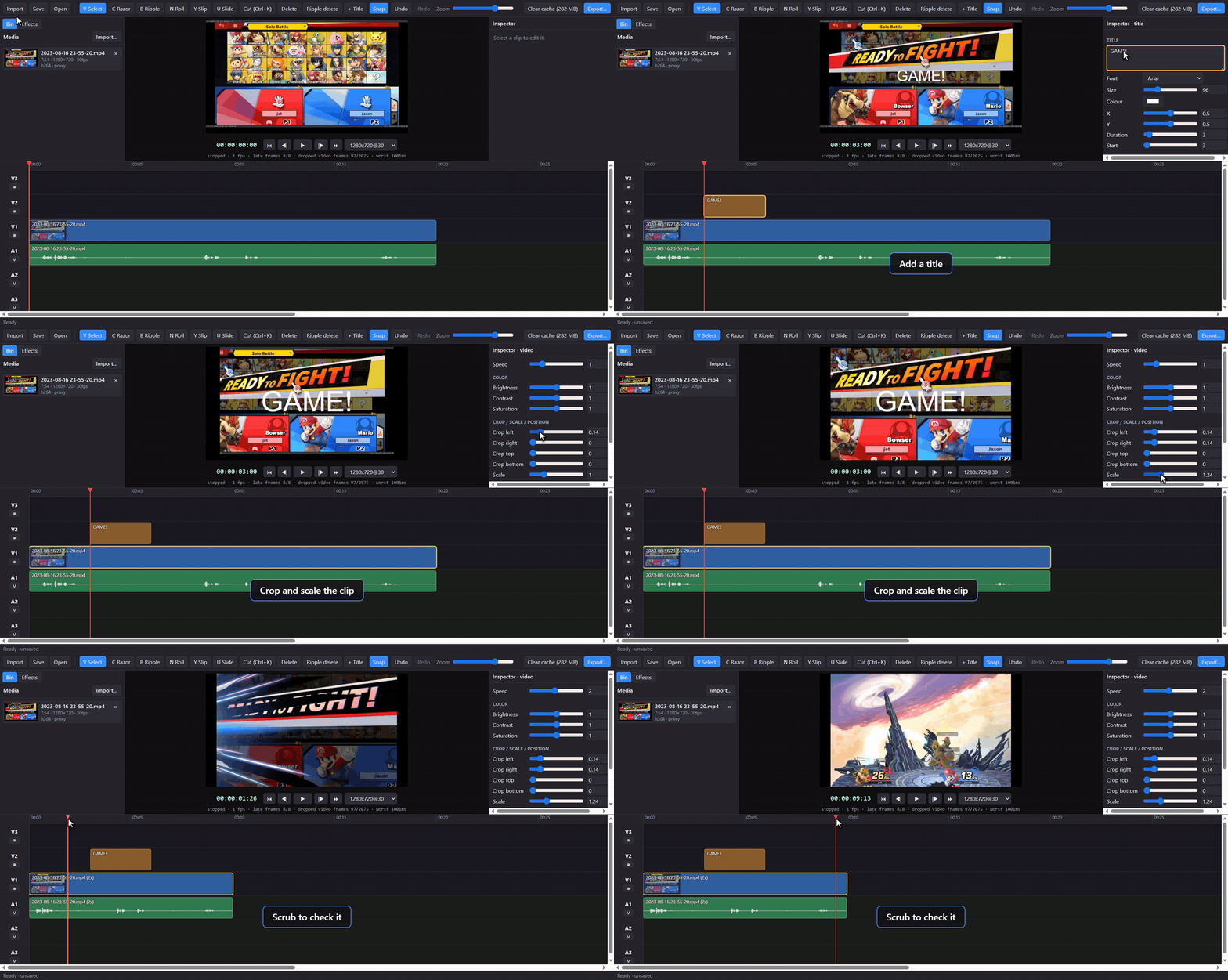
- Bin: click to select, Delete / × / right-click removes (clips using it go too; Ctrl+Z restores). Drag an item to a track; dropping over a clip overwrites it (Premiere-style).
- Ctrl+wheel zooms the timeline around the cursor. On an empty launch the bin is pre-filled with a few clips from
D:\OBS Videos(read-only).
Video: Cross Dissolve, Dip to Black, Dip to White, Film Dissolve, Wipe Left/Right/Up/Down, Push Left/Right/Up/Down, Cross Zoom, Blur Dissolve. Audio: Constant Power, Constant Gain, Exponential Fade. They are written once in shared/math.js as ffmpeg expressions; the preview evaluates them in JS and the exporter pastes them into ffmpeg filters, so both render the same picture.
The Export dialog has a Budget (fast, balanced, background) that sets ffmpeg's thread count and process priority, and an Encoder (auto, gpu, cpu). auto uses NVENC if the GPU has it, otherwise x264. The default folder is D:\Open Video Editor Videos (OVE_EXPORT_DIR overrides). Code: electron/exportrun.js, electron/exporter.js.