Repository navigation
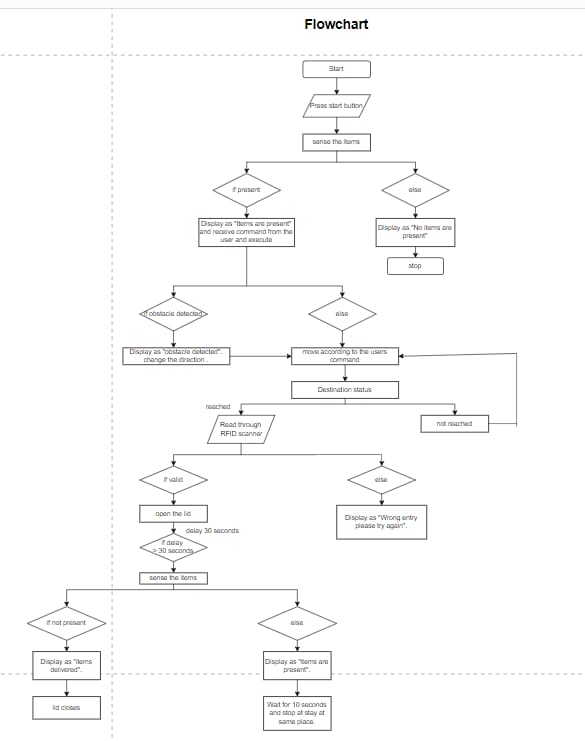
5.Virtual Implementation
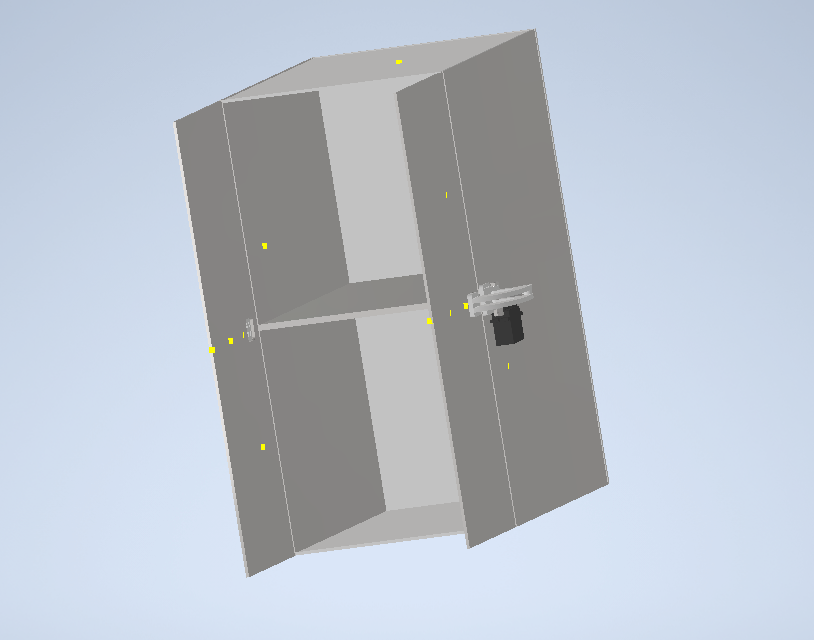
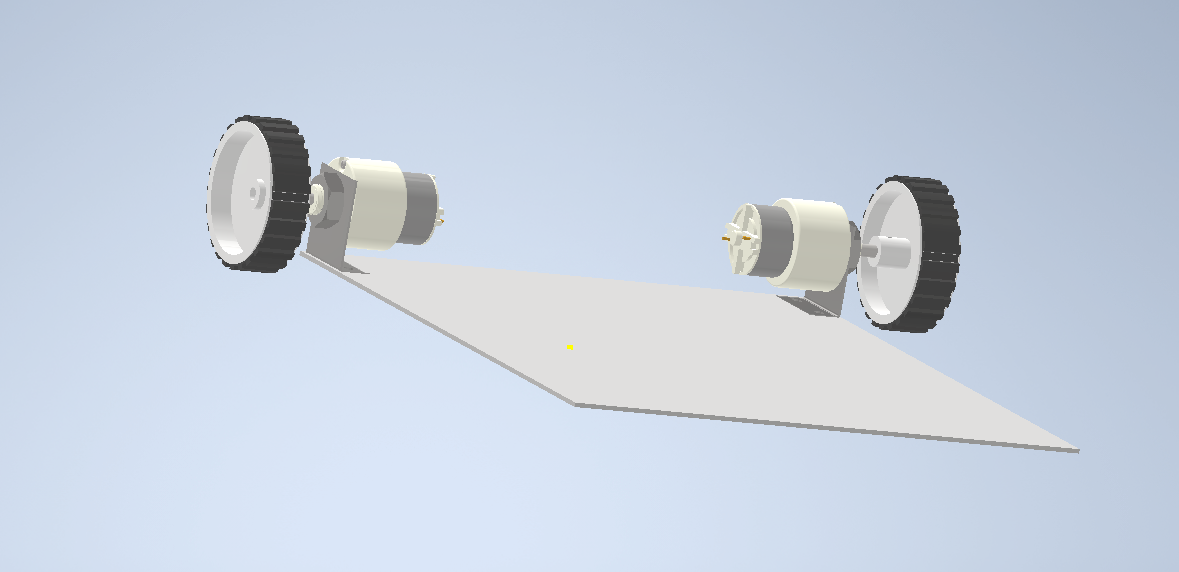
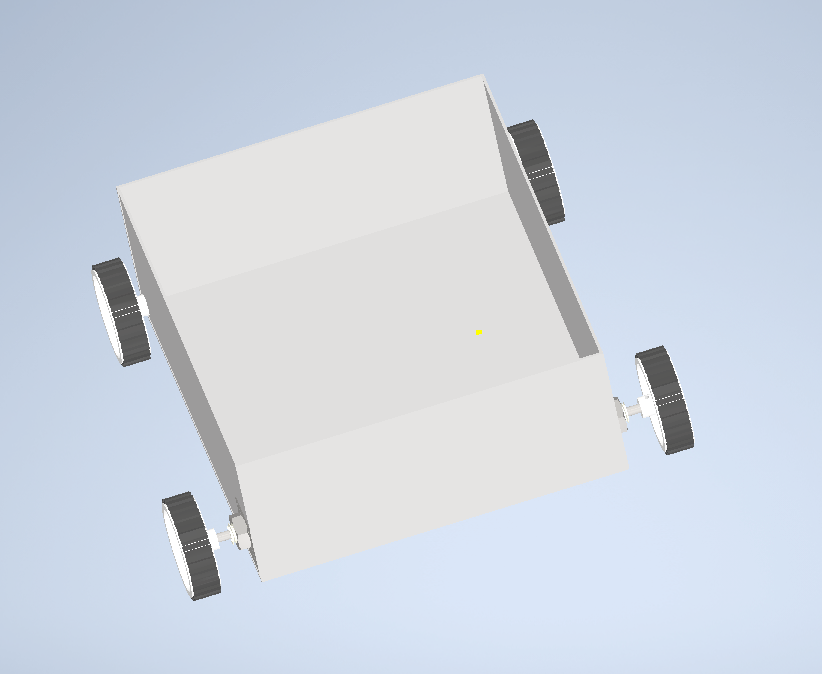
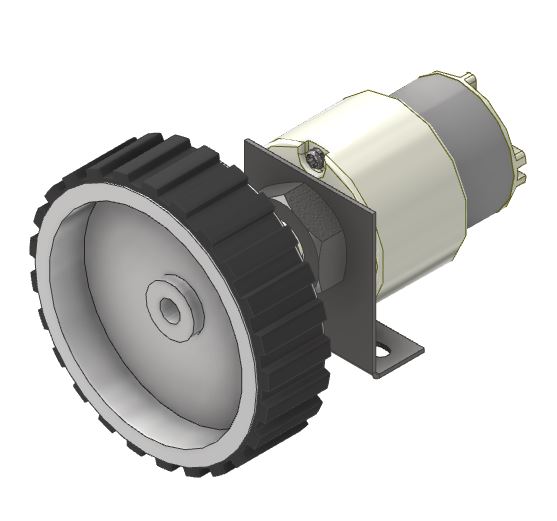
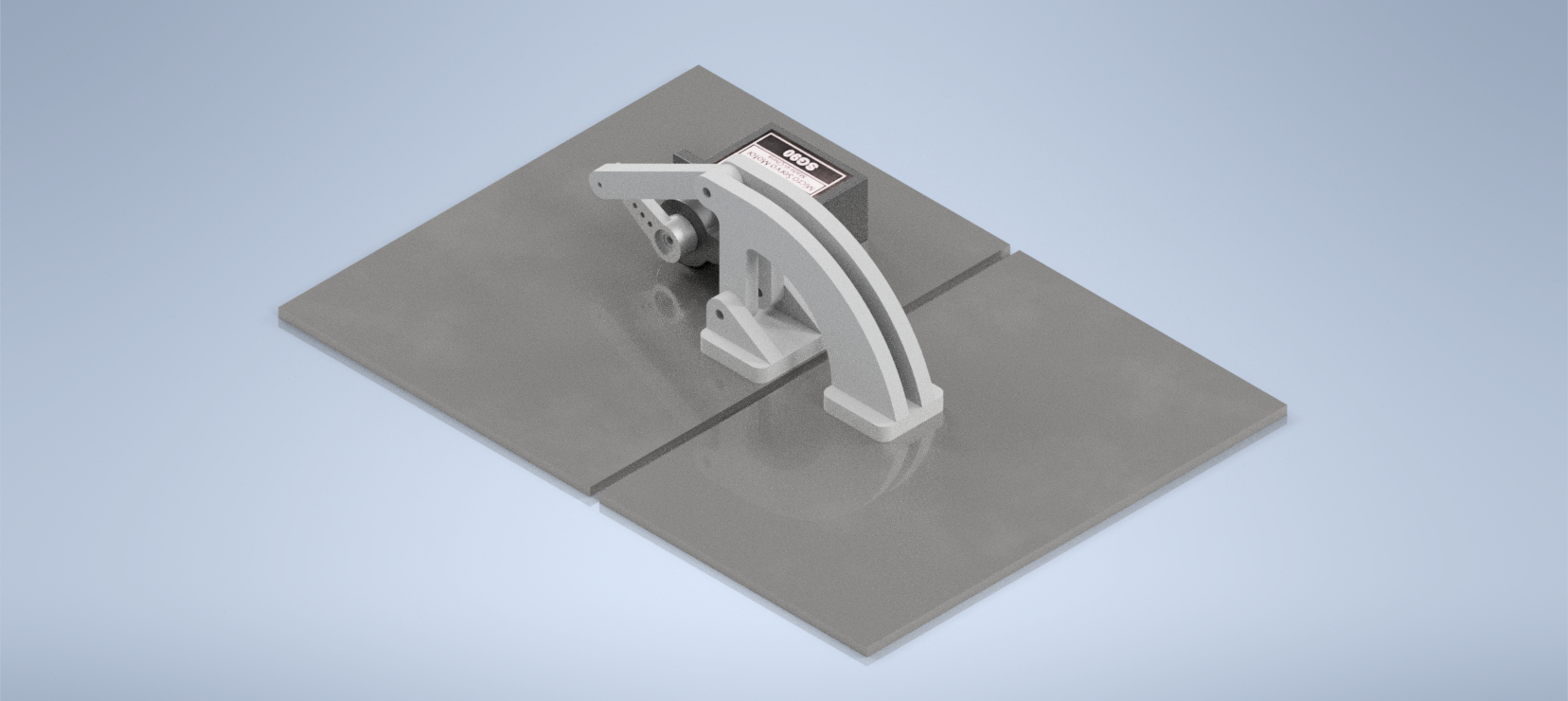
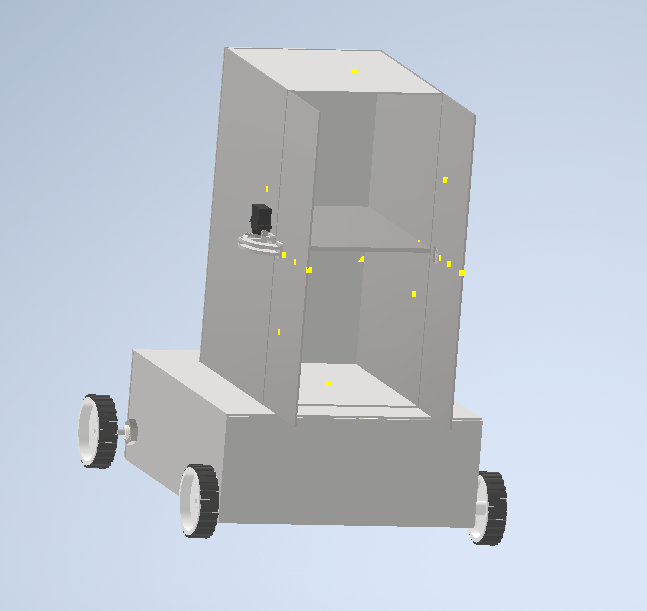
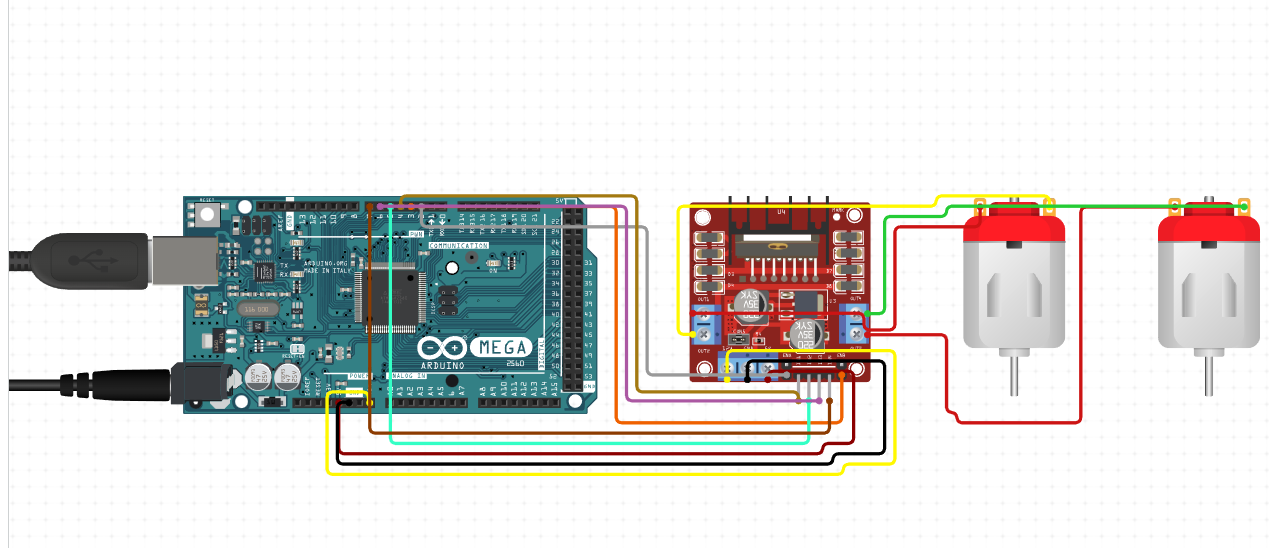
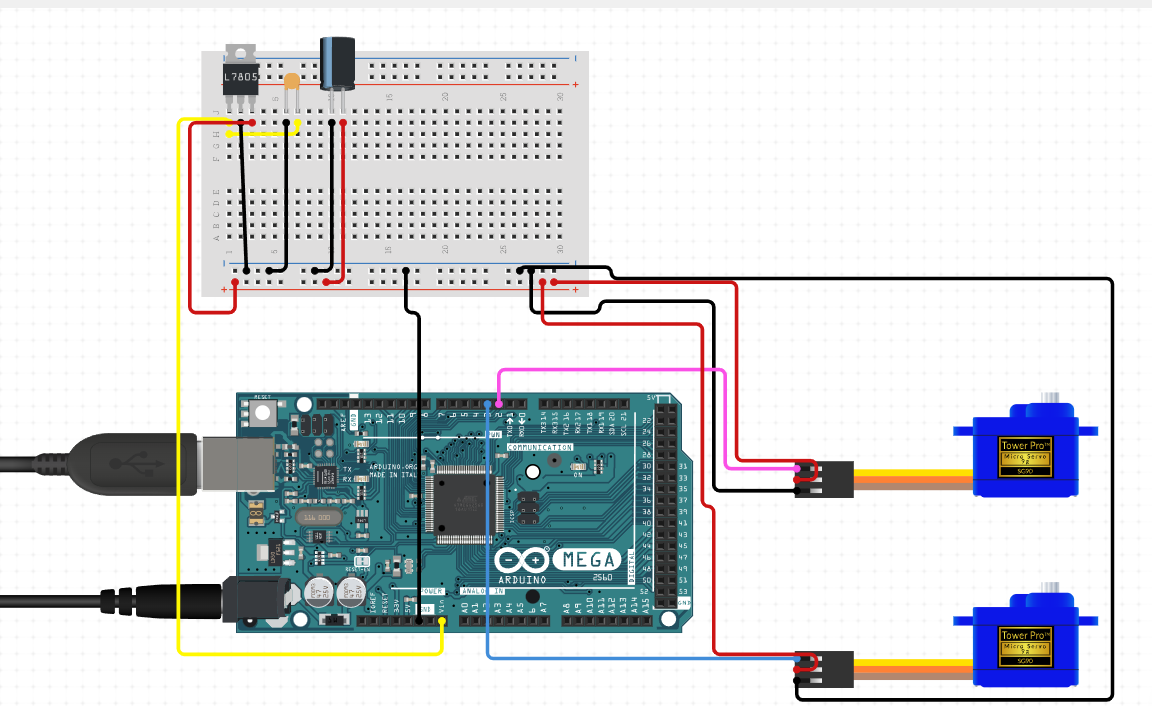
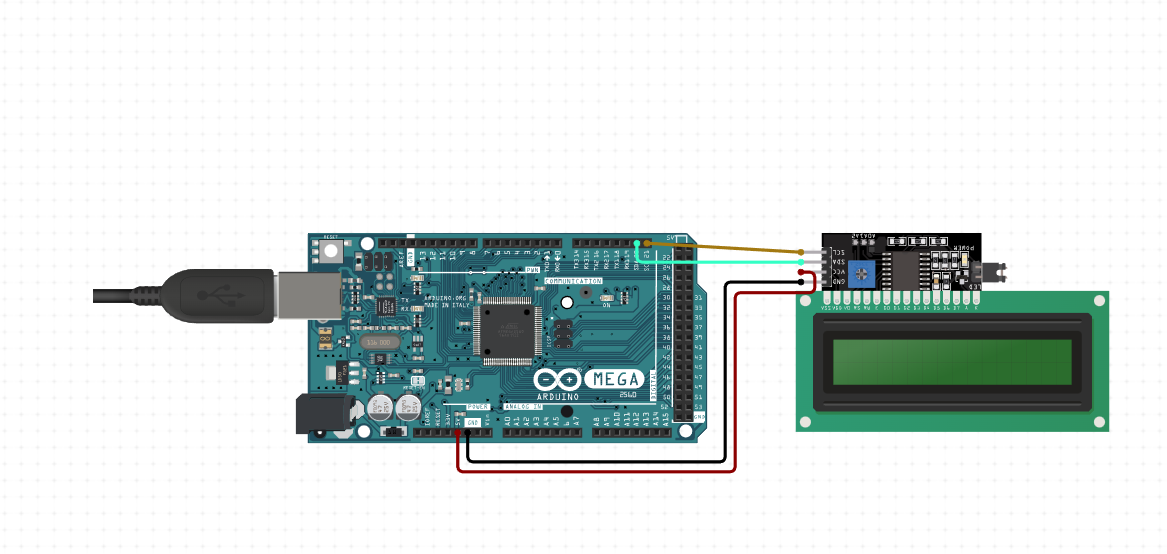
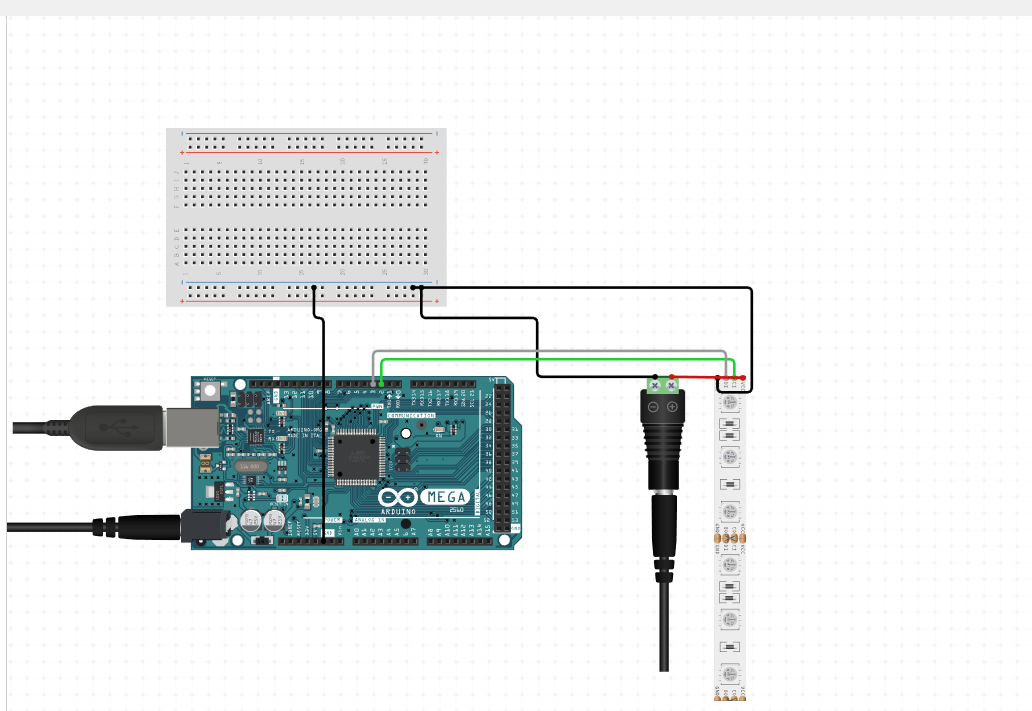
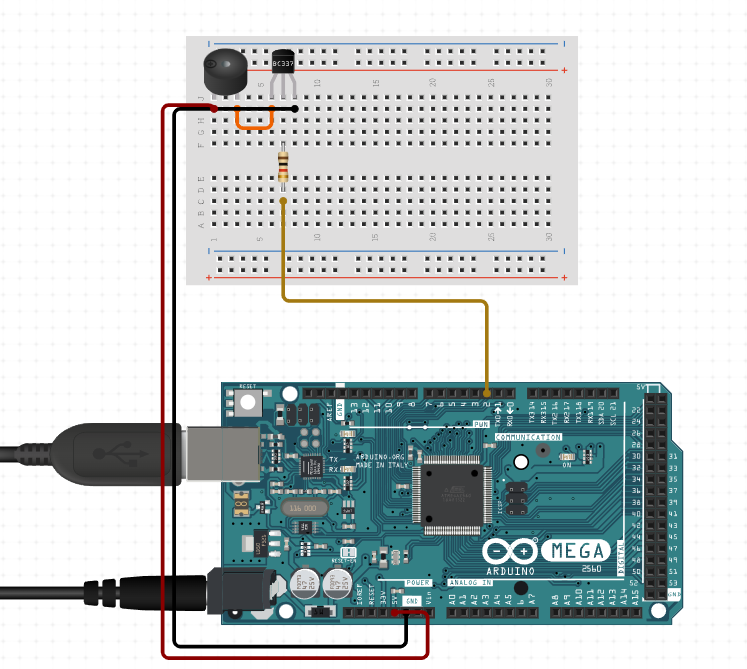
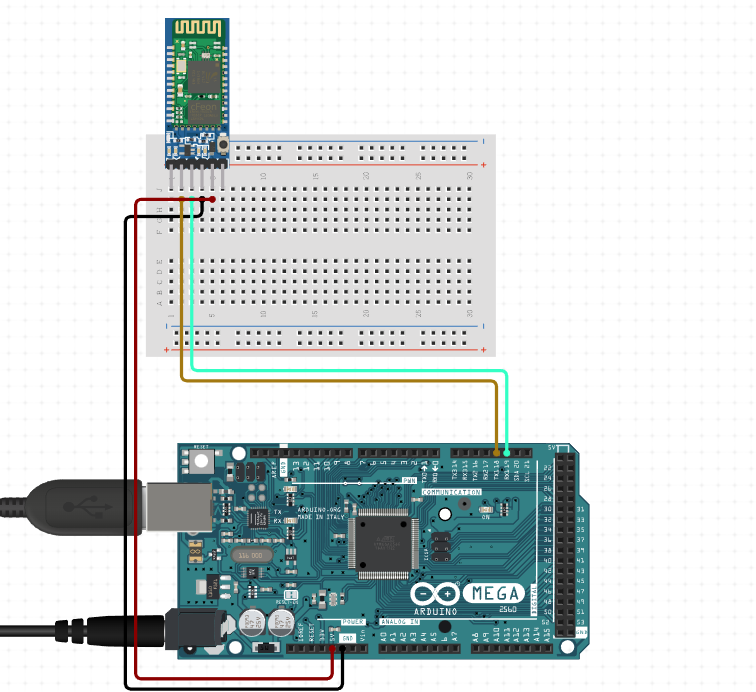
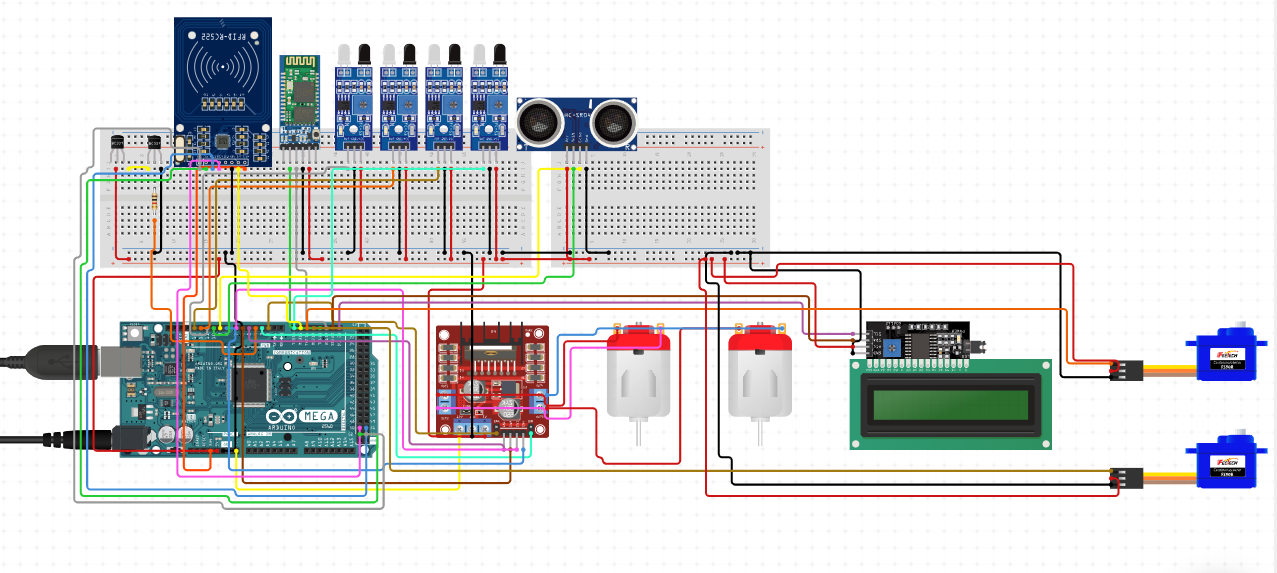
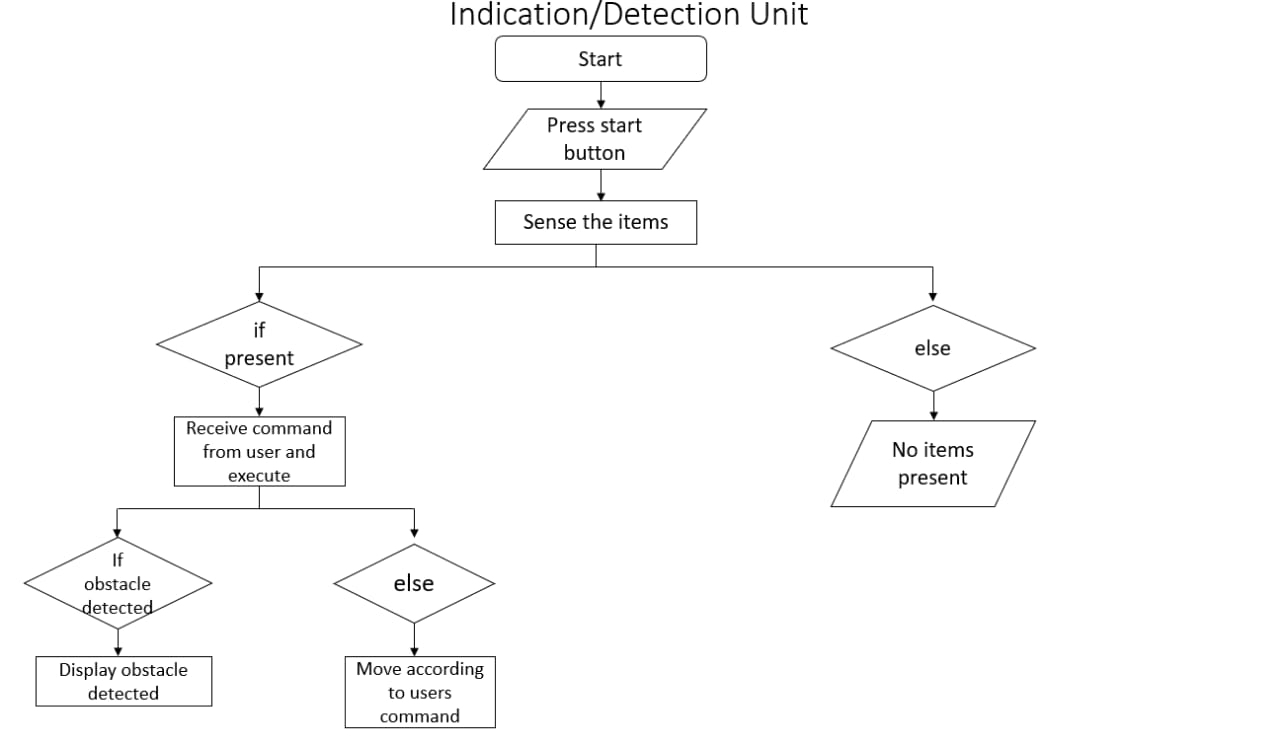
| Indication |
|---|
| Step 1:-Start. |
| Step 2:-Indicate ON/OFF condition. |
| step 3:-Read and Receive commands. |
| Step 4:-Indicate presence or absence of items. |
| Step 5:-Indicate delivery status. |
| Step 6:-Alert battery status. |
| Step 7:-Stop. |
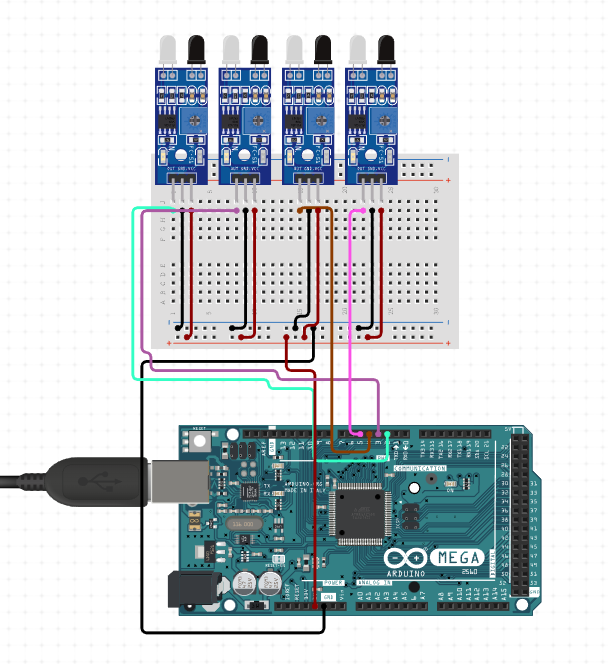
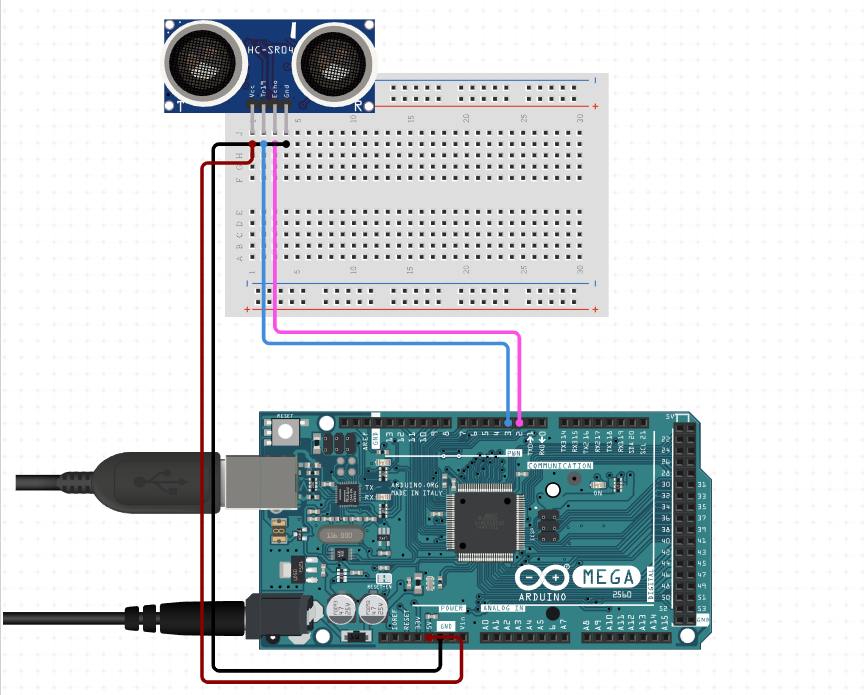
| Detection |
|---|
| Step 1:-Start. |
| Step 2:-Detect the presence of items. |
| Step 3:-Count the item. |
| Step 4:-Detect of obstacles. |
| Step 5:-if object found then alert the direction to be taken. |
| Step 6:-else move according to commands. |
| Step 7:-Stop. |
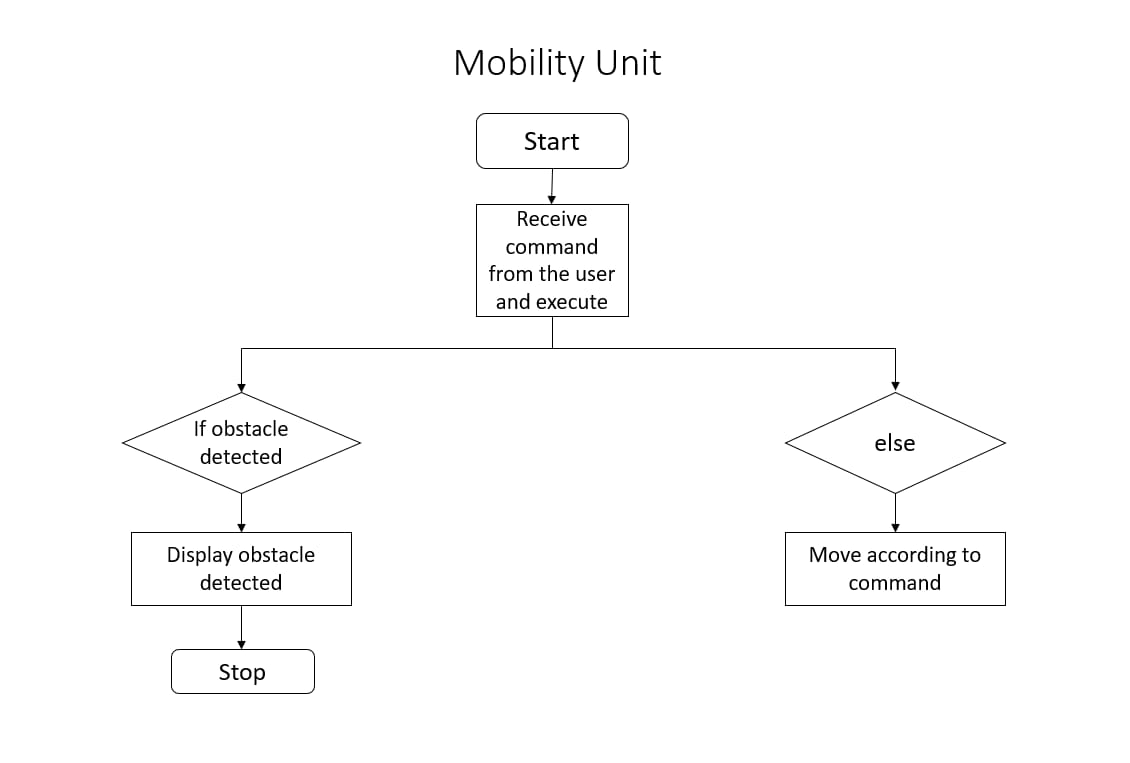
| Mobility |
|---|
| Step 1:-Start. |
| Step 2:-Receive commands from user. |
| Step 3:-Execute the given commands. |
| Step 4:-If obstacle detected stop. |
| Step 5:-Else move according to commands. |
| Step 6:-Stop. |
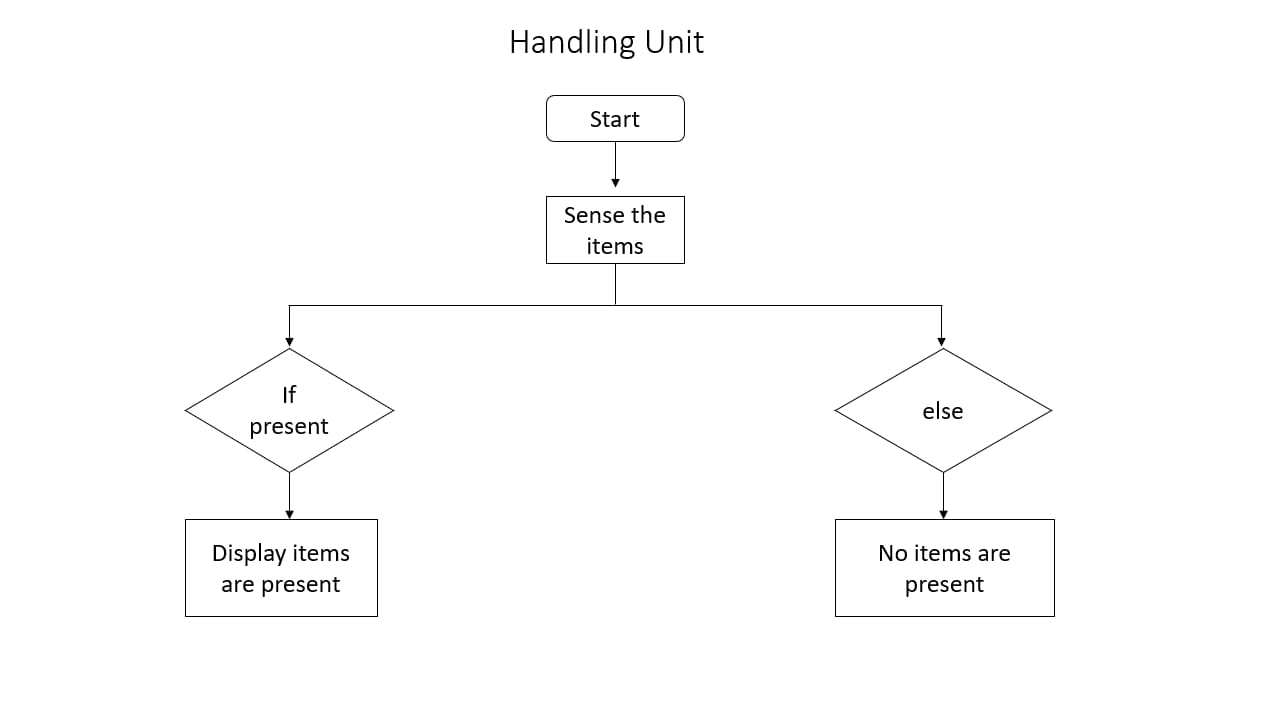
| Handling |
|---|
| Step 1:-Start. |
| Step 2:-Sense the items. |
| Step 3:-if items are present then count them. |
| Step 4:-else Indicate "no items present". |
| Step 5:-stop. |
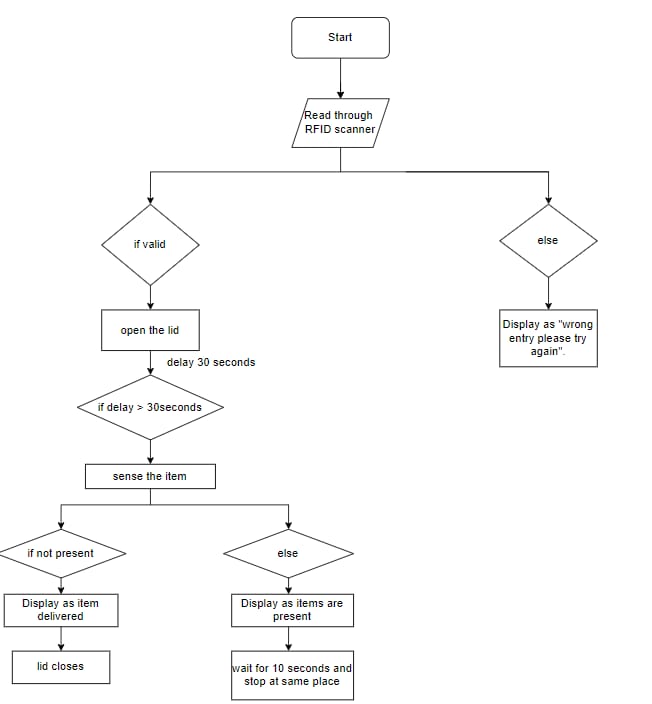
| Security |
|---|
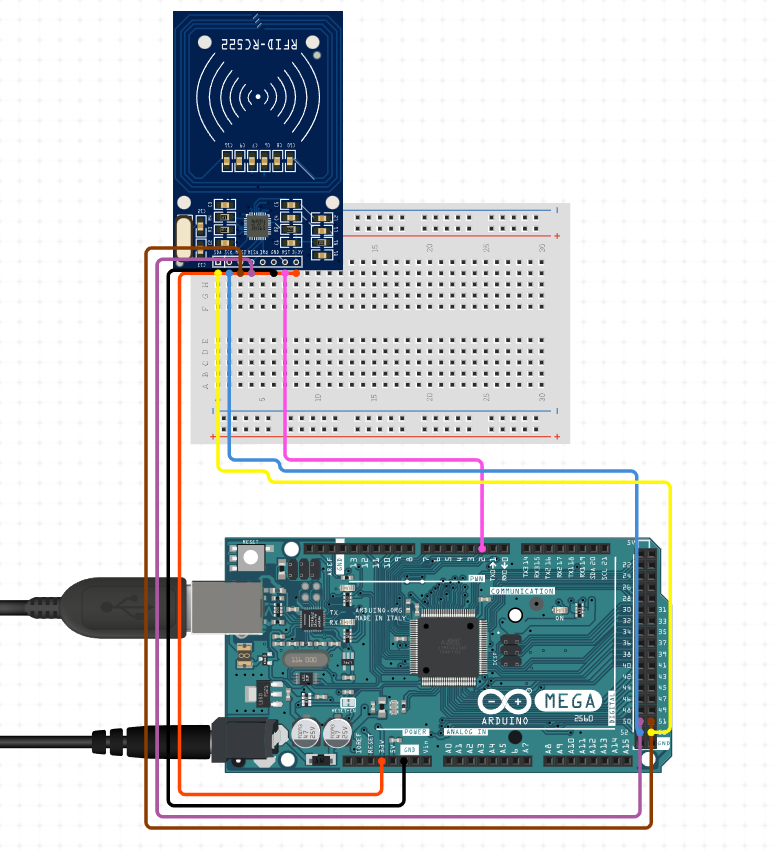
| Step 1:-Start. |
| Step 2:-Read through RFID scanner. |
| Step 3:-If valid Indicate "Bot Reached" and open the doors using servo. |
| Step 4:-delay of 30 seconds (to take out the item). |
| Step 5:-Beep after 30 seconds close the door using servo. |
| Step 6:-delay of 10 seconds(be at same place if delivery not received). |
| Step 7:-if delivery received and no scanning within 10seconds Beep and indicate "delivery done" and close the doors. |
| Step 8:-if scanned again within 10 seconds go to 'step 3' execute till 'step 6'. |
| Step 9:-If RFID not scanned properly Indicate "wrong entry try again". |
| Step 10:- Stop. |
-
Indication/Detection Unit:-
-
Mobility Unit:-
-
Handling Unit:-
 4. Security Unit:-
| SlNo | Material name | Description | quantity |
|---|---|---|---|
| 1 | Foam board | - | 6 |
| 2 | Acrylic board | - | 8 |
| 3 | Servo hinge | - | 2 |
| 4 | Door hinges | - | 4 |
| 5 | Microcontroller | Arduino mega | 1 |
| 6 | sensors | IR sensor,Ultrasonic sensor | 2 IR,1Ultrasonic |
| 7 | motors | DC motors | 2 |
| 8 | servo motors | 9G servo | 2 |
| 9 | jumper cables | male to male ,male to female,female to female wires | |
| 10 | nuts and bolts | - | as required for hinges and L joints |
| 11 | wheels | - | 4 |
| 12 | LCD display | 1602 (16x2) LCD Display with I2C/IIC interface - Blue Backlight | 1 |
| 13 | RFID scanner | RC522 RFID 13.56MHZ Reader Writer Module | 1 |