Repository navigation
Notchest 0.6.0

Notchest 0.6.0 brings a more colorful identity, a polished Mac installation window, and clearer language handling.
What's improved
- Aurora Orbit icon: vivid turquoise, violet and pink glass with a warm coral center, with dedicated artwork for every macOS icon size.
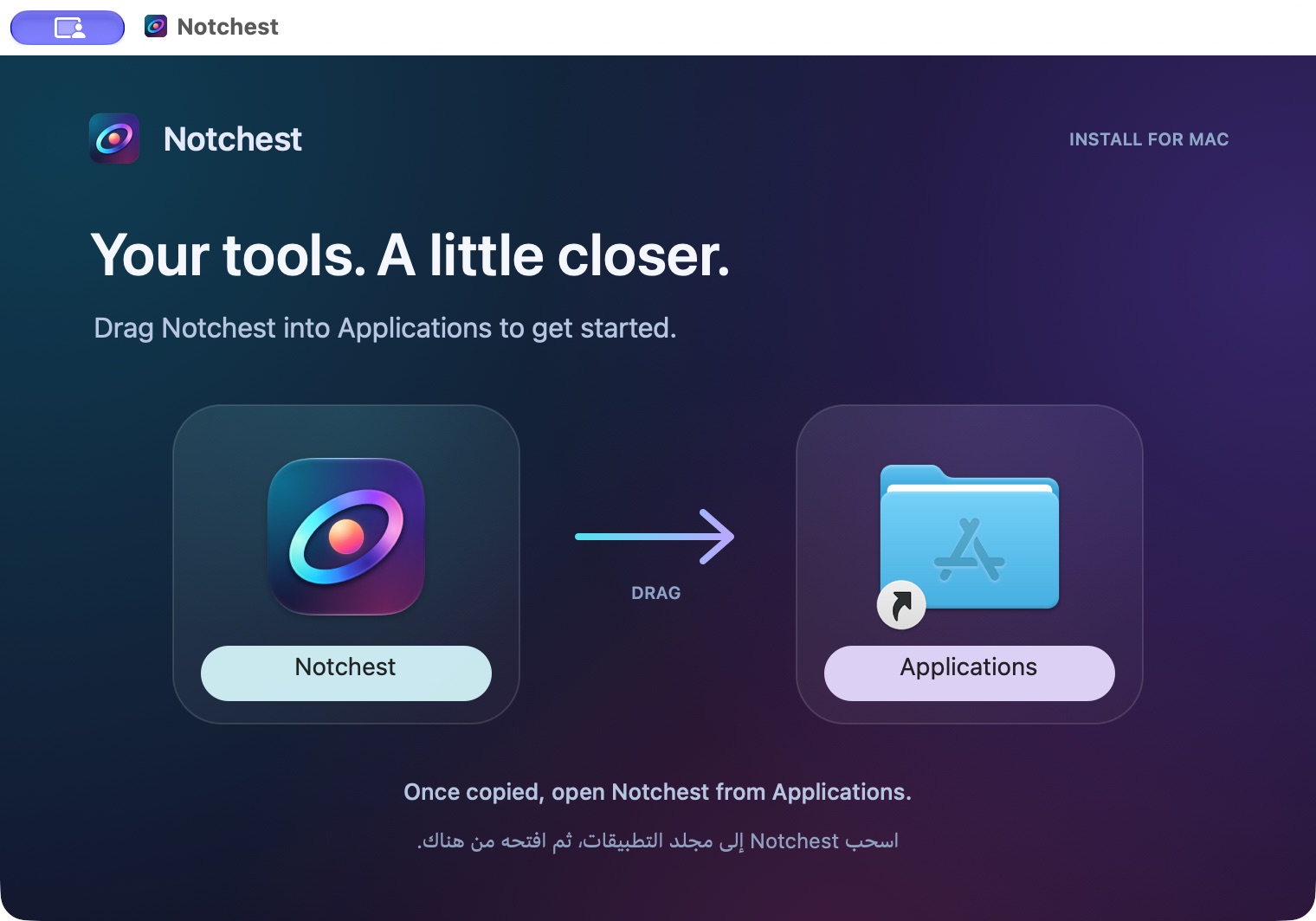
- A new installation experience: a Retina drag-to-Applications window with a matching background, clear direction arrow and English/Arabic instructions.
- Consistent interface language: service messages, weather, stocks, translation, notifications and developer-tool guidance follow the language selected in the app.
- Clearer live Codex limits: account limits stay visible when local usage logs are missing or paused.
- Developer tool fixes: find GitHub CLI installed in
~/.local/binwhen opening from Finder; Regex and text-count summaries now follow the app language. - More reliable packaging: the mounted DMG and extracted ZIP are checked before publication, including the app signature, executable permissions, install destination and package contents. A SHA-256 checksum file is included.
Install or update
Download Notchest-0.6.0.dmg, open it, and drag Notchest into Applications. If an older copy is running, quit it from the menu bar before replacing it, then open the new copy. Preferences stay under the same app identifier. A portable ZIP is also available.
The packaged build is for Apple Silicon. Source targets macOS 13+; Apple Translation needs macOS 15+, and native Liquid Glass navigation needs macOS 26+. Older-system and Intel validation remain planned.
If macOS blocks first launch
This development build uses ad-hoc signing and is not yet Developer-ID signed or Apple-notarized. If macOS says “Apple could not verify Notchest,” and you downloaded this official release and trust the source:
- Move the app to Applications and try opening it once.
- Open System Settings → Privacy & Security, then scroll to Security.
- Click Open Anyway beside Notchest and confirm Open. If the button is missing, try opening the app again first.
Apple’s official instructions.
بالعربية
يتضمن الإصدار 0.6.0 أيقونة Aurora Orbit بألوان نابضة، ونافذة تثبيت خاصة تدعم شاشات Retina، وتحسين رسائل الأدوات لتتبع لغة الواجهة المختارة، وإظهار حدود Codex الحية حتى عند إيقاف قراءة السجلات المحلية.
للتحديث: أنهِ النسخة القديمة من شريط القوائم، وافتح ملف DMG، واسحب Notchest إلى Applications واستبدل النسخة السابقة، ثم افتحه. يُستخدم معرّف التطبيق نفسه للحفاظ على الإعدادات. الحزمة مخصصة لـ Apple Silicon، وهي إصدار تطوير لم يُصدّق بعد من Apple.
إذا منع macOS أول تشغيل: بعد تنزيل النسخة الرسمية ونقلها إلى Applications، وإذا كنت تثق بالمصدر، حاول فتح التطبيق ثم انتقل إلى إعدادات النظام ← الخصوصية والأمان ← الأمان ← فتح على أي حال بجانب Notchest وأكّد الفتح. إذا لم يظهر الزر، أعد محاولة فتح التطبيق أولًا. تعليمات Apple.
SHA-256
dcc144961c7627df85acae7cdfa59bbbb6d54f54f9a110f4050f6d913bb69911  Notchest-0.6.0.dmg
478c63a4f5db76effafae0f42b9c709050dbd9cffa1b28163c11600d4445d6b3  Notchest-0.6.0.zip