Repository navigation
Home
N-WAVE (Nextflow Workflow Authoring and Visualization Environment) is a visual editor for Nextflow workflows. You connect nodes on a canvas (inputs, nf-core tools, operators, outputs), and N-WAVE writes the Nextflow script, runs it and shows the results.
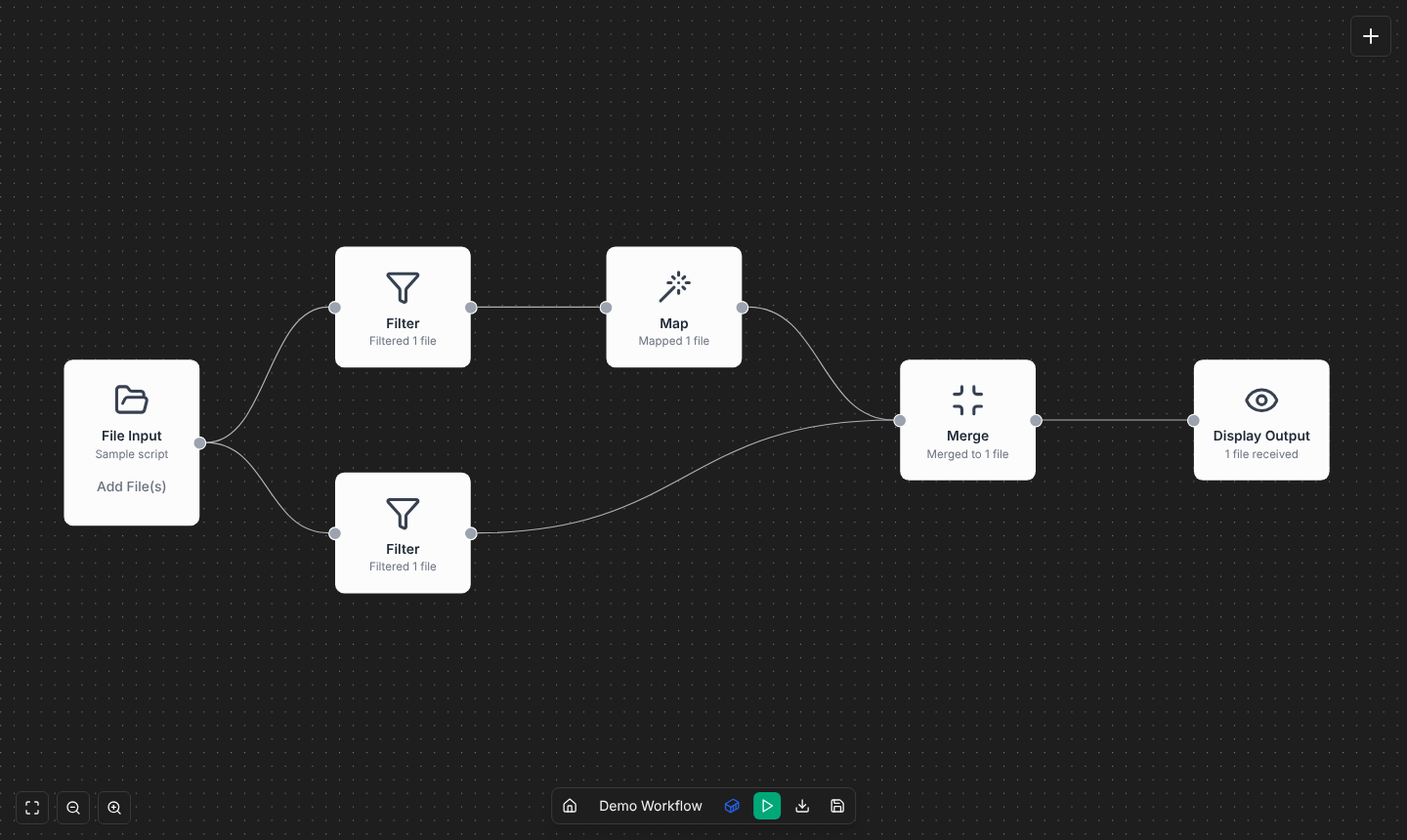
- Try it in the browser demo, no installation needed (building and exporting only), or install it with Docker to run workflows.
- Build your first workflow in 10 minutes: First workflow. Or open Demo 1 on the home page and follow its tutorial.
| Page | For |
|---|---|
| Building workflows | Adding and connecting nodes, the workflow check, templates, import, shortcuts |
| Node reference | What every node does and its settings |
| nf-core library | Installing and using nf-core modules, subworkflows and pipelines |
| Custom nodes and Node packs | Steps of your own, and sharing them |
| Running workflows | The run panel, settings, resources, resuming, where results are |
| Run profiles | Running on a SLURM cluster or AWS Batch |
| Exporting projects | Running a workflow without N-WAVE |
| Importing workflows | Opening Nextflow scripts and projects on the canvas |
| Troubleshooting | Failed runs, Docker, paths, the first slow run |
| How N-WAVE explains things | What each of N-WAVE's explanations is based on, how sure it is and its limits |
Examples: Running the nf-core/rnaseq pipeline (Demo 2) · RNA-seq rebuilt from nodes (Demo 3)
-
Help in N-WAVE: what N-WAVE does, the node colors, the canvas, and a glossary of every
term (process, channel, tuple,
meta, samplesheet, …) in a sentence or two. Open it from the home page, the canvas's ? button, or the ⓘ buttons next to the terms. Online: Help in the demo. - README: overview, configuration, security and architecture.
- CONTRIBUTING.md: developing N-WAVE, its checks and releases.
- Issues: report a bug or ask for a feature.
These pages are edited in the repository's
wiki/ folder, together with the code
they describe.