Repository navigation

What's new
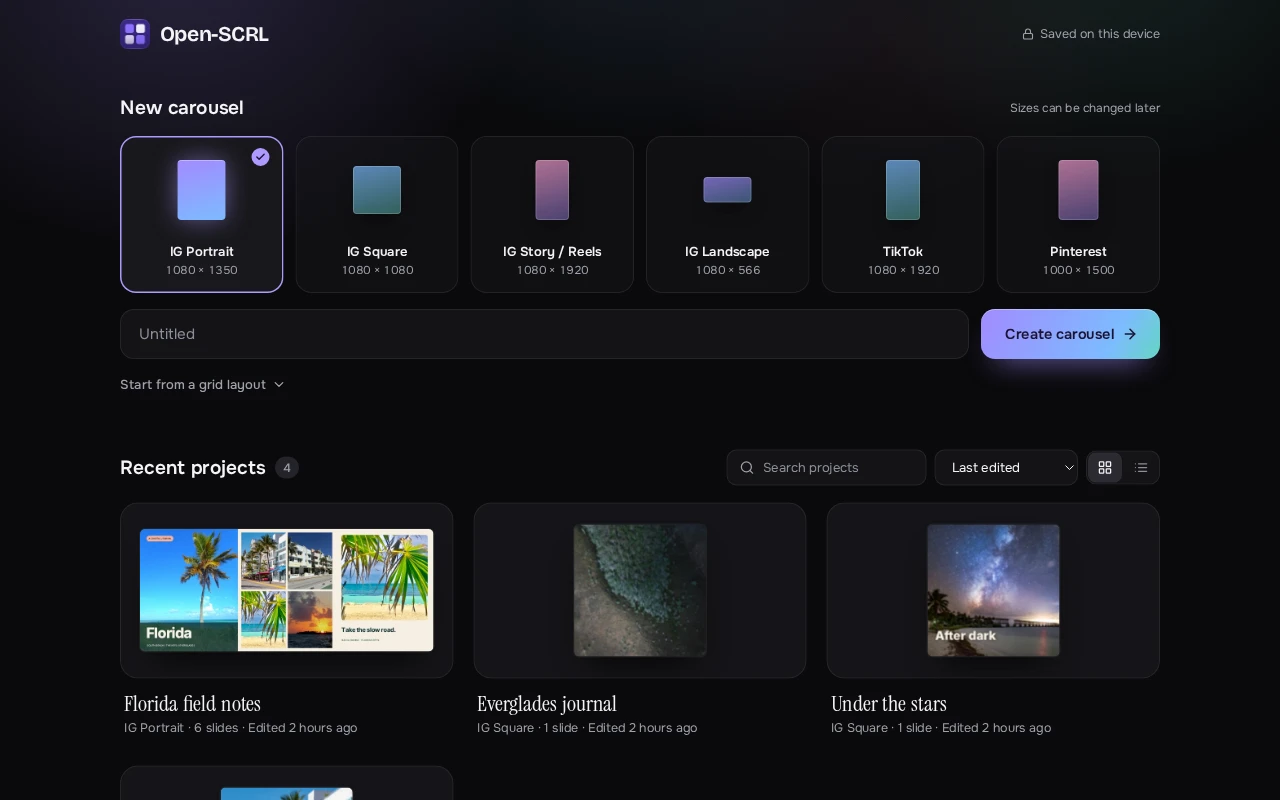
Open-SCRL for the web gets a new look on desktop and phones, a home screen that shows your carousels at a glance, and a much more capable export.
A new look
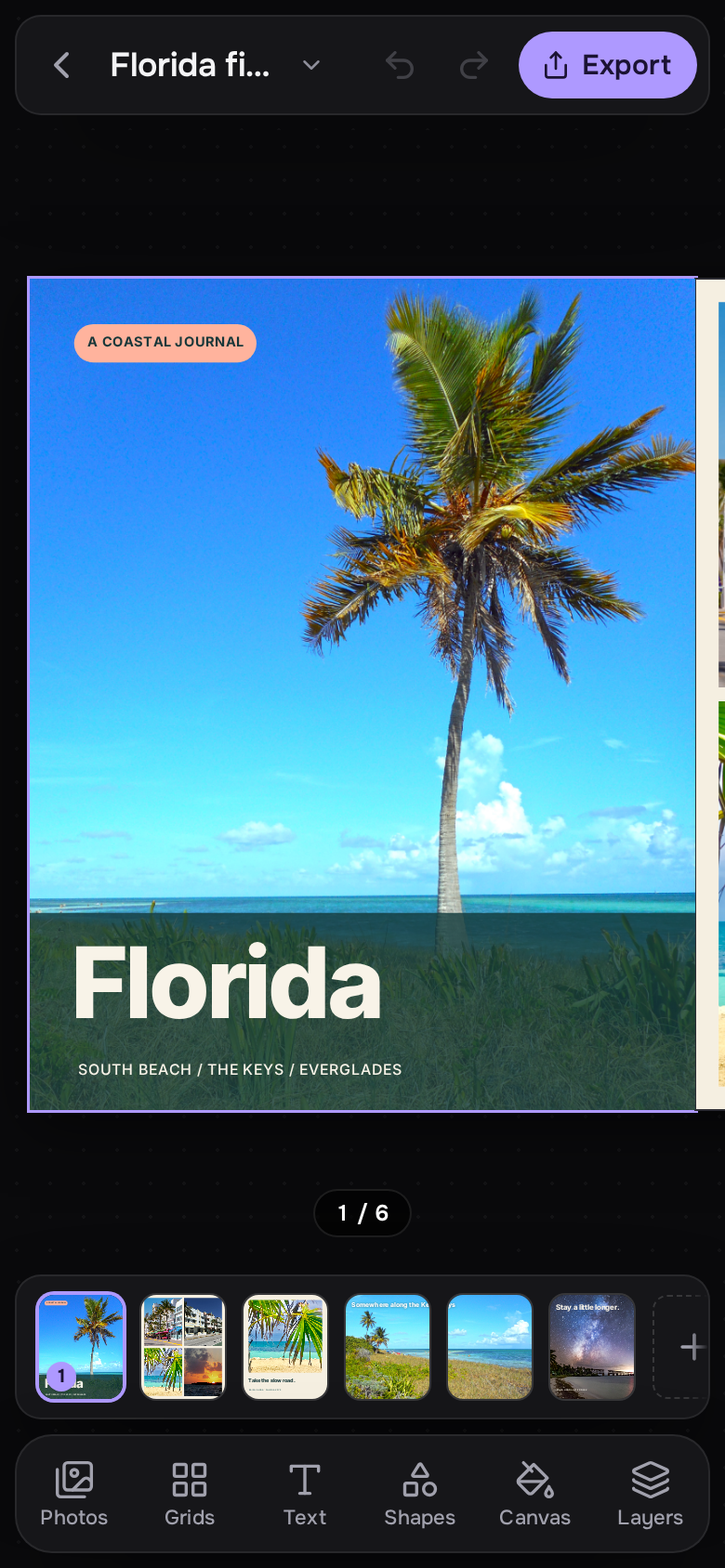
- A calm dark design with floating tool and Properties cards, a slide timeline, and a lilac, blue and teal palette taken from the Mac app's icon, which is now the web app's logo and install icon too.
- Cleaner type throughout, with project names set in Instrument Serif.
- The app opens straight onto a dark screen, with no white flash or loading text.
- The Library panel glides open and closed, and the canvas slides over smoothly instead of jumping.
Home screen
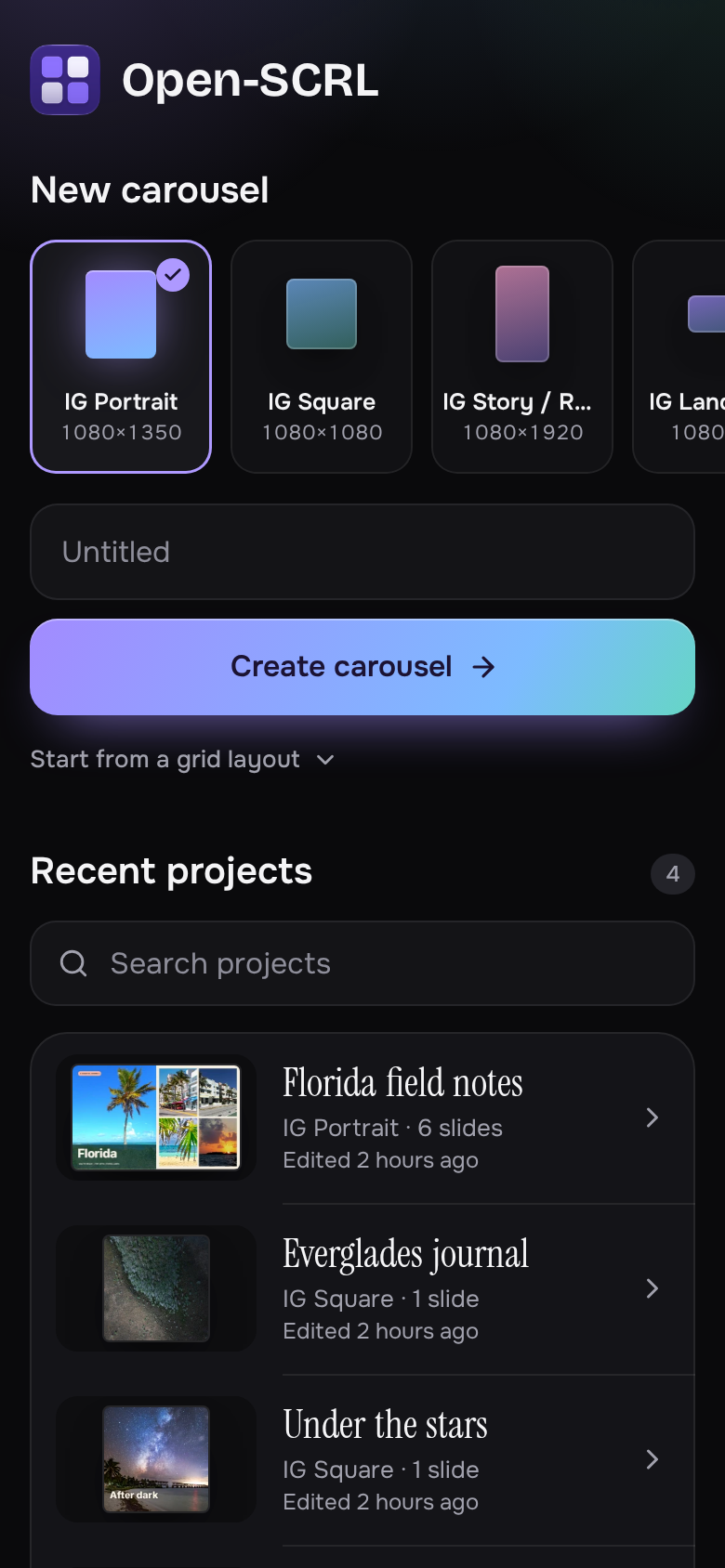
- Pick a size, name your carousel and create it from one row, or start from one of eight photo grid layouts.
- Recent projects show each carousel as a strip of its opening slides, so you can spot the one you want.
- Search, sort, and grid or list views for larger libraries.
Export
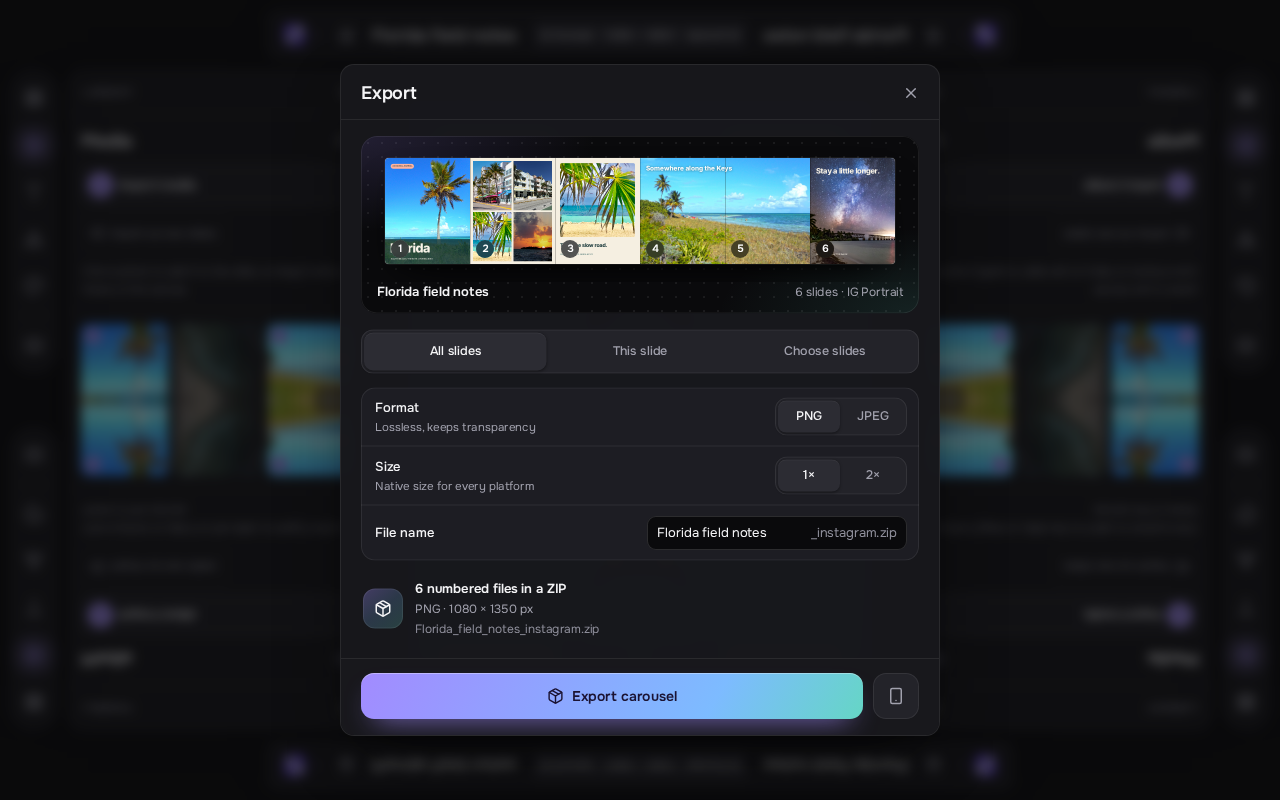
- See your whole carousel as one panorama before exporting, with photos lining up across the seams.
- Export every slide, the current slide, or tap slides in the panorama to choose them; files keep their original numbers.
- Choose PNG or JPEG, original or double size, and JPEG quality. Keep animated slides as MP4 or export them as still images.
- Rename the download, follow progress, and cancel an export at any time.
On your phone
- A touch-first home screen and editor: tool sheets, pinch to zoom, two fingers to scale and rotate, double-tap text to type in place, and the tools beside the canvas when you turn the phone sideways.
- Photo and text selection is more reliable, including after moving a layer across slides.
Reliability
- App updates wait until saving, imports, exports and in-progress edits have finished, so an update never interrupts your work.
- Importing photos works when the app is opened from another device on your network over a plain HTTP address.
Projects stay in your browser and nothing is uploaded. Web and Mac projects are stored separately.
Run it
Requires Node 22.12 or later.
git clone https://github.com/HeyPortal/open-scrl.git
cd open-scrl
npm install
npm run dev