Repository navigation
BitChord PlusPC v1.10.5 (Collaborative Playlists)

·
412 commits
to main
since this release
1ac262d
This commit was signed with the committer’s verified signature.
 Inventor365
Yuki
BitChord PlusPC v1.10.5 (versionCode = 46)
Collaborative playlists that work end to end — Android, Android Auto, Android TV, Wear OS, macOS (Apple Silicon & Intel), Windows, Linux & Web
This release replaces v1.10.1 and carries everything from 1.10.1 through 1.10.5.
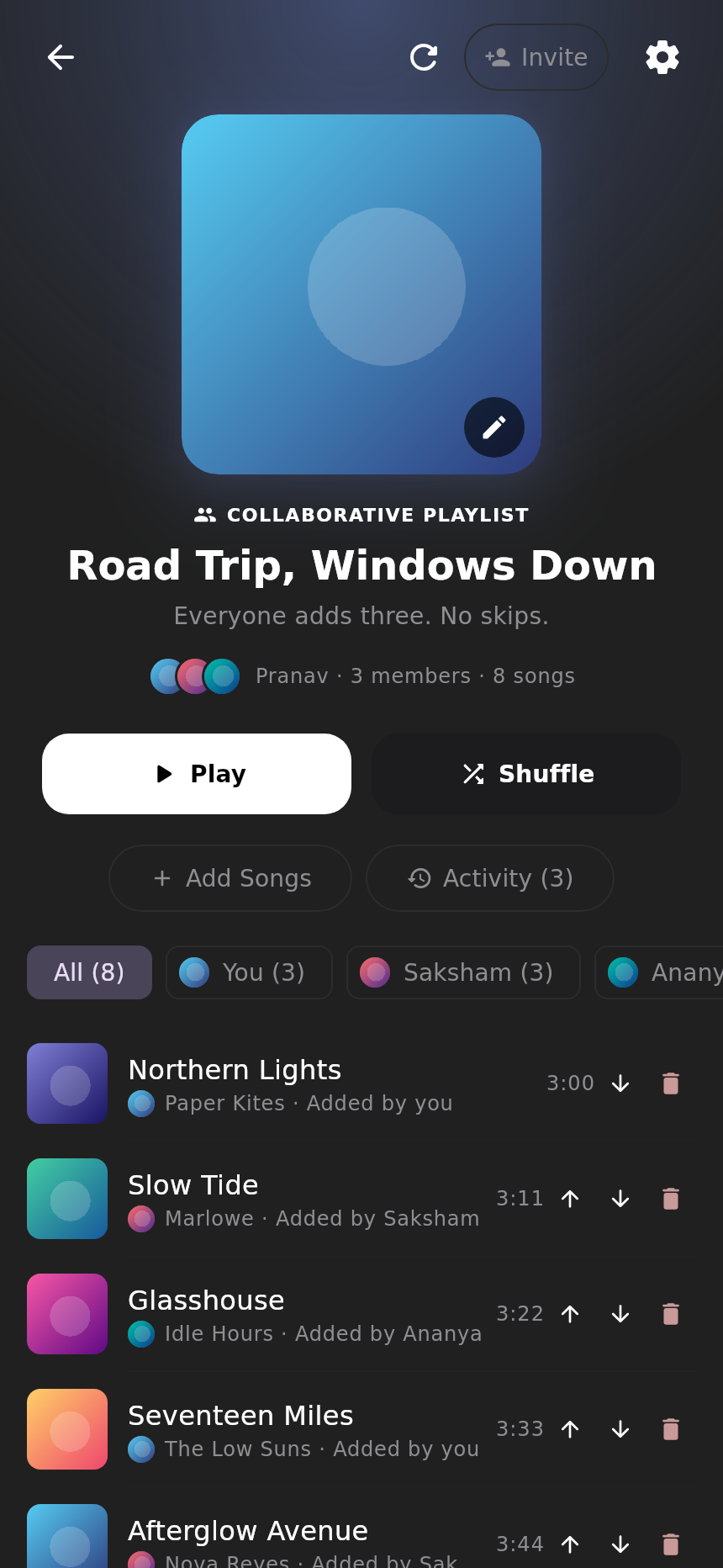
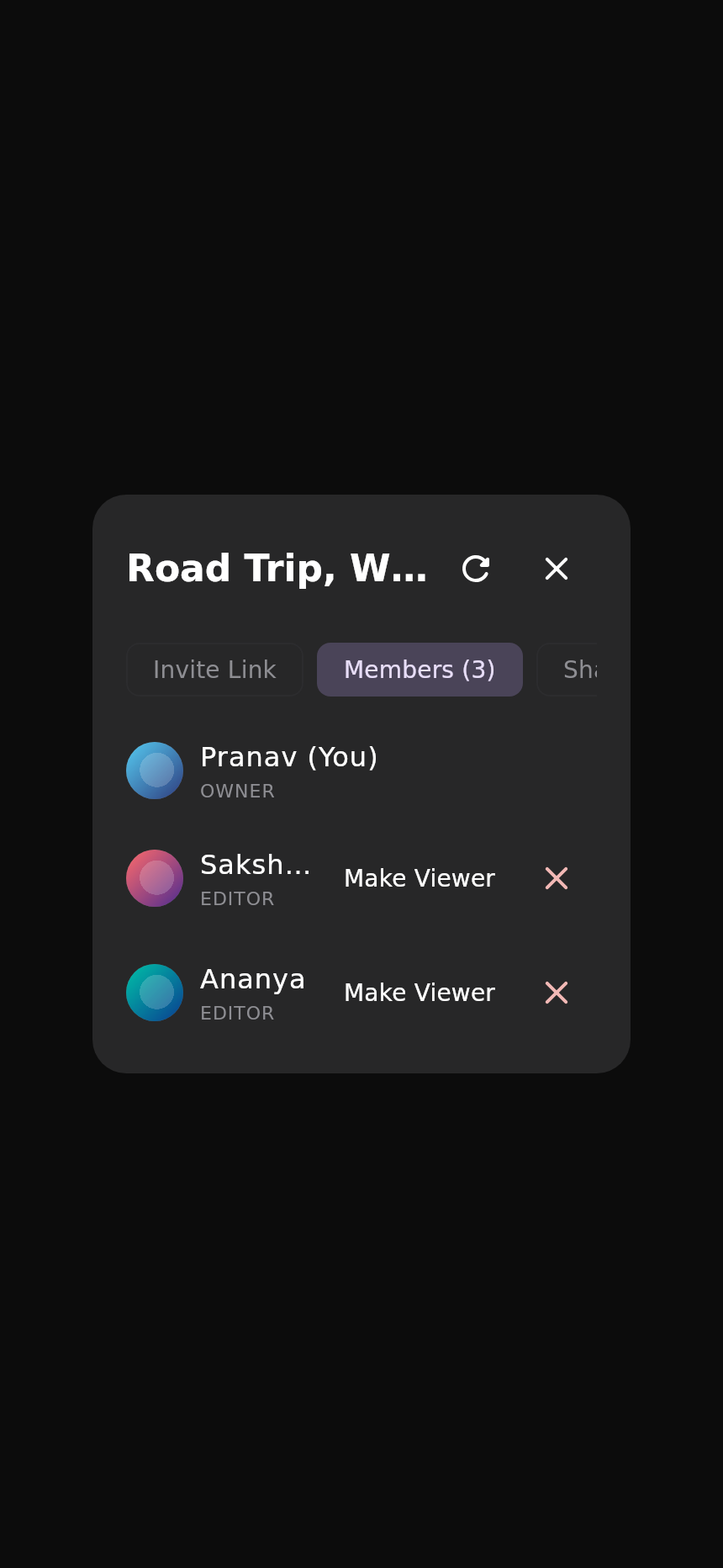
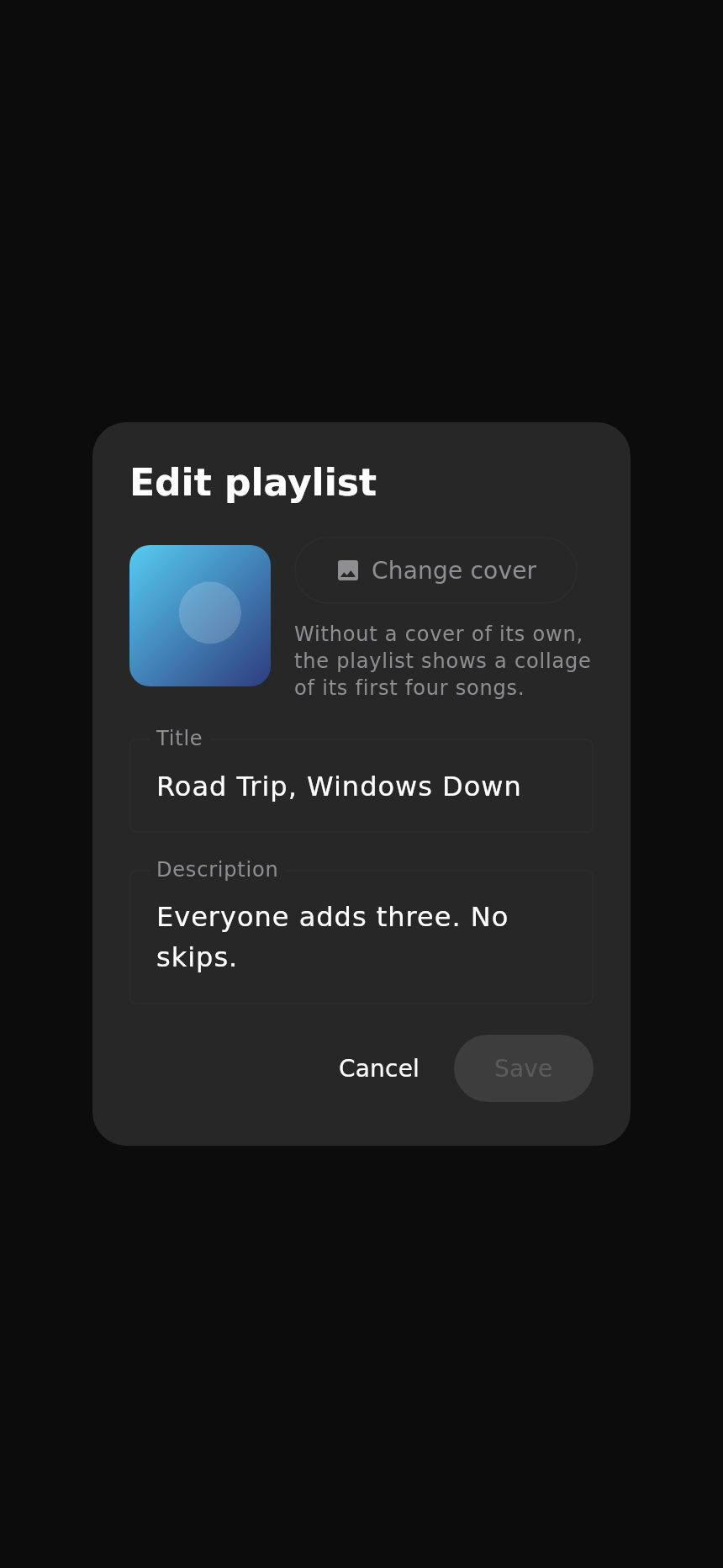
Collaborative playlists
Sign in once, collaborate everywhere
- Your existing BitChord Google / YouTube Music sign-in is all it takes. No separate login, no OAuth client ID, no server to set up.
- Playlists are real YouTube Music collaborative playlists, so a friend can join from BitChord or from YouTube Music itself with the same
music.youtube.com/playlist?list=…&jct=…link. - A self-hosted collaboration server remains available under Advanced for those who want one.
Joining works
- Accepting an invite no longer fails with a raw
HTTP 401dialog. YouTube Music gives that answer both to an account that is already a collaborator and while a new link is still taking effect; BitChord now checks whether you actually have access and retries, instead of giving up on the first refusal. - Opening a link you have already joined — from a second device, or after a reinstall — lets you straight in.
- When a join really is refused, you are told why in a sentence.
Make any playlist collaborative, with every song
- Make Collaborative now reads the whole source playlist, however long, rather than only the part that was on screen.
- Songs beyond the first fifty could be dropped silently while the new playlist was still being set up on YouTube Music's side. Every batch is now confirmed, and a song YouTube Music will not accept costs only that song — and is named.
- Converting a playlist you converted before adds whatever the shared copy is missing.
- Long collaborative playlists are listed in full.
Faster and clearer
- Creating a collaborative playlist opens it immediately instead of after 15–25 seconds; its invite link is prepared in the background.
- Copy Invite Link is instant once the link exists.
- In Add Songs, song titles are readable on the dark theme, tapping
+shows progress then a check (with haptics on phones), and the song appears in the playlist straight away. - The owner can edit the playlist's title, description and cover. Until a cover is set, YouTube Music shows a collage of the first four songs.
- The Invite / Members / Sharing tabs no longer wrap on narrow screens, and the member count follows who has actually joined.
- Open
music.youtube.complaylist and invite links directly in BitChord on Android.
Android
- Playback controls on more phones: BitChord now asks for the notification permission the first time something plays (it used to ask only at the first download). On Android 13+ several vendor skins build the lock-screen player and status-bar "island" from the media notification, which they hide from an app without that permission.
- Signed with the permanent BitChord PlusPC certificate (
SHA-256: d6d9c697c070a5ca5f4e172a13b6263fe2f3a35fff5d110596509126320c3bb2); installs overv1.10.xin place.
macOS
- The
.dmg,.pkgand.zipare now built on macOS (hdiutil,pkgbuild,codesign). Earlier macOS packages were assembled on Linux by rewriting an older disk image and did not install; they should not be used. - The app is ad-hoc signed and not notarized by Apple, so macOS asks for confirmation the first time:
- Open the
.dmgand drag BitChord to Applications (or run the.pkg). - Open BitChord once. macOS will refuse.
- Go to System Settings → Privacy & Security, scroll to the message about BitChord and choose Open Anyway.
- Or, in Terminal:
xattr -dr com.apple.quarantine /Applications/BitChord.app
- Open the
- Pick
x64for Intel Macs. For Apple Silicon (M1 and later) pickarm64when it is listed below; thex64build also runs there through Rosetta. - Every macOS package in this release was installed and launched on a Mac before publishing.
Downloads
- Android phone & Auto:
BitChord-v1.10.5.apk(universal) or thearm64-v8a/armeabi-v7a/x86_64build - Android TV / Fire TV:
BitChordTV-v1.10.5.apkor the per-ABI builds - Wear OS:
BitChordWear-v1.10.5.apk(also bundled in the phone app) - macOS:
BitChord-1.10.5-macos-x64.dmg/.pkg/.zip(Intel, and Apple Silicon through Rosetta);-macos-arm64builds are added as soon as GitHub's Apple Silicon runners produce them - Windows:
BitChord-1.10.5-windows-x64-setup.exe,.msi,-portable.zip - Linux:
BitChord-1.10.5-linux-x86_64.AppImage,-linux-amd64.deb,-linux-x86_64.rpm
Full history: CHANGELOG.md