Repository navigation
BitChord PlusPC v1.10.6 (Collaborative Playlists)

·
411 commits
to main
since this release
e361e0b
This commit was signed with the committer’s verified signature.
 Inventor365
Yuki
BitChord PlusPC v1.10.6 (versionCode = 47)
Collaborative playlists that work end to end — Android, Android Auto, Android TV, Wear OS, macOS (Apple Silicon & Intel), Windows, Linux & Web
This release replaces v1.10.1 and carries everything from 1.10.1 through 1.10.6.
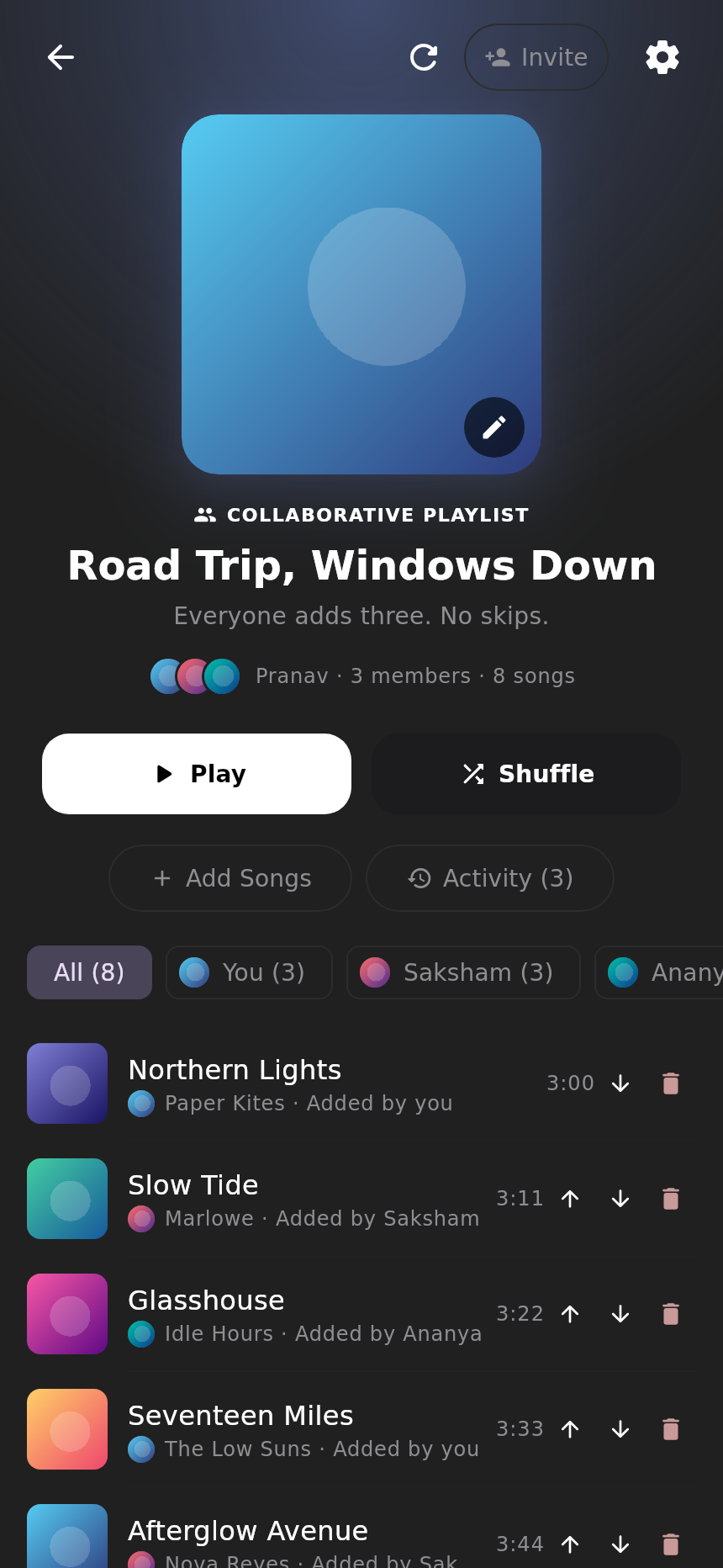
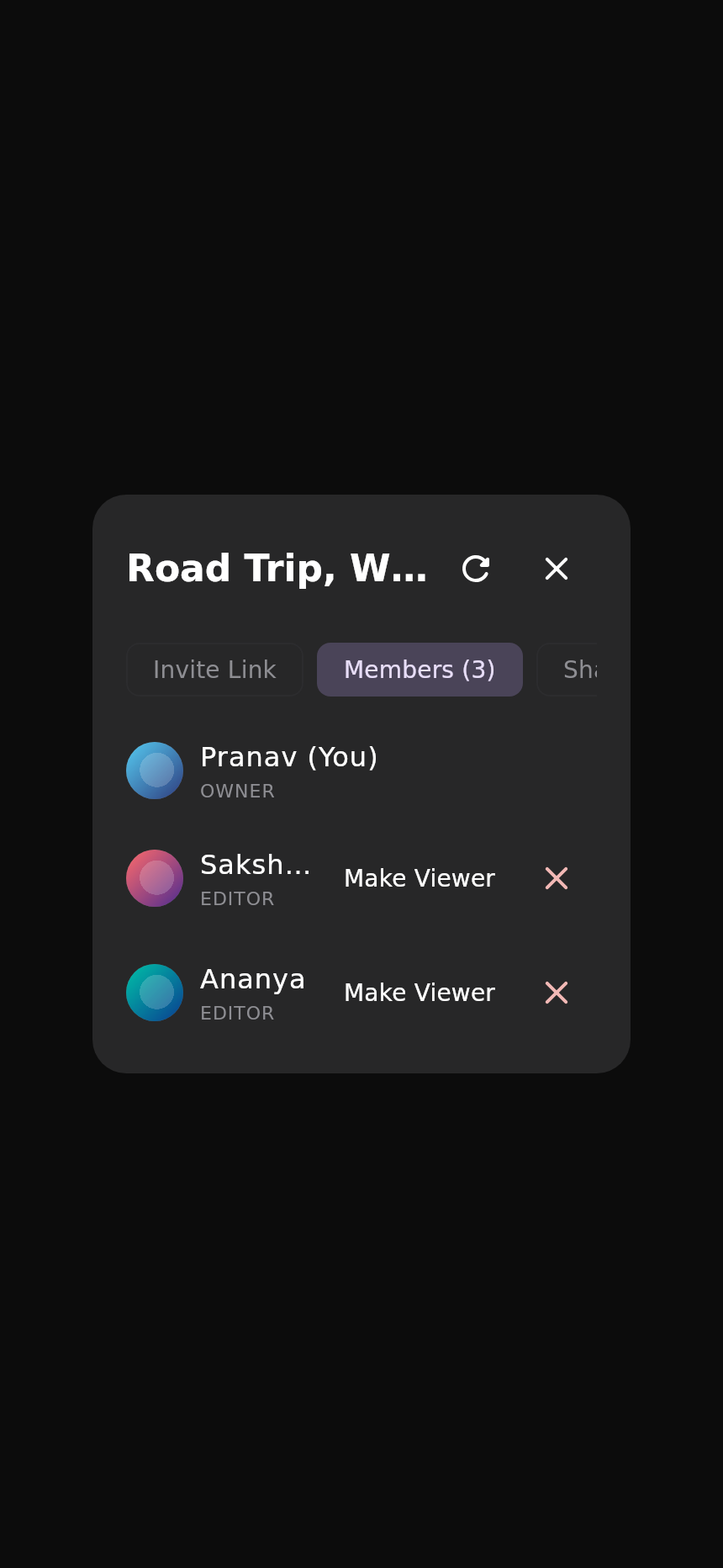
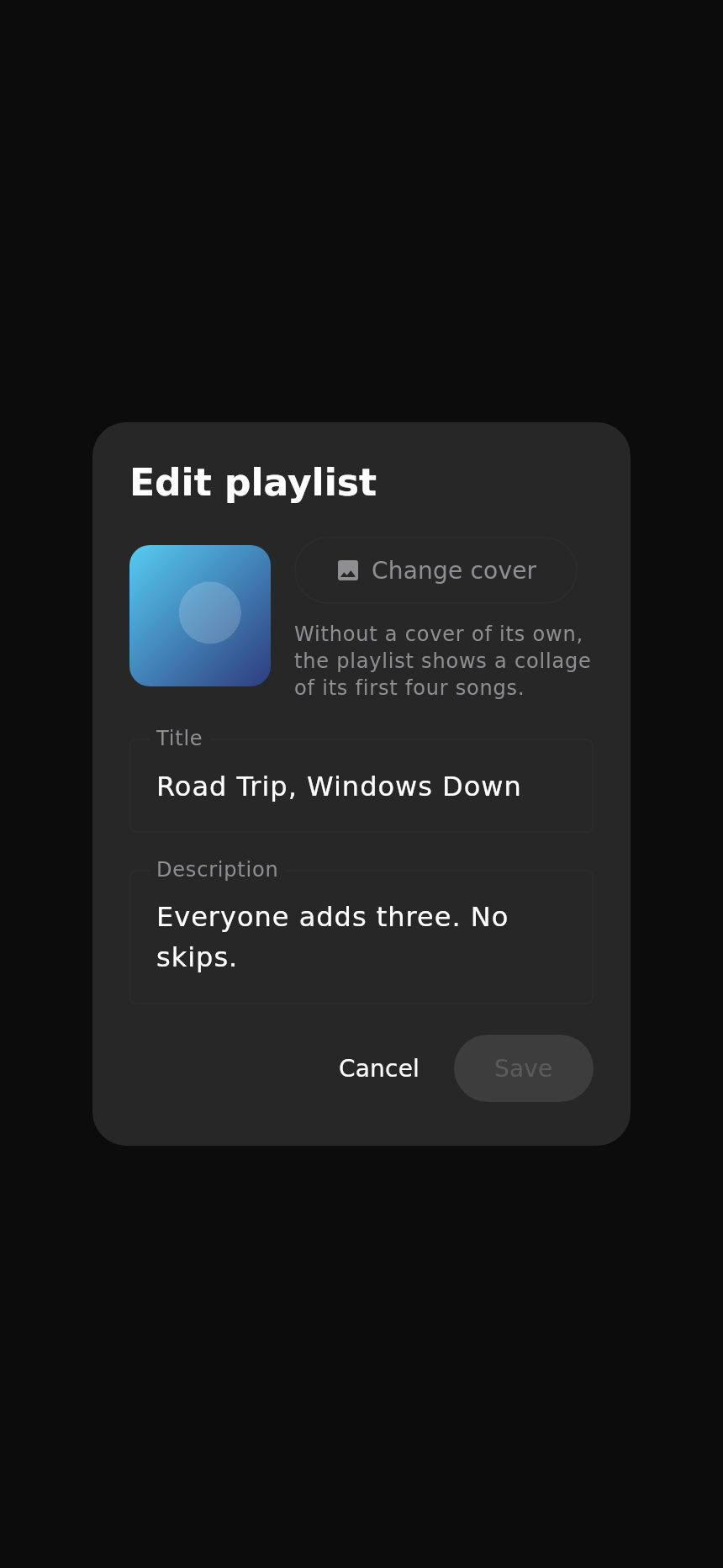
Collaborative playlists
Sign in once, collaborate everywhere
- Your existing BitChord Google / YouTube Music sign-in is all it takes. No separate login, no OAuth client ID, no server to set up.
- Playlists are real YouTube Music collaborative playlists, so a friend can join from BitChord or from YouTube Music itself with the same
music.youtube.com/playlist?list=…&jct=…link. - A self-hosted collaboration server remains available under Advanced for those who want one.
Joining works
- Accepting an invite no longer fails with a raw
HTTP 401dialog. YouTube Music gives that answer both to an account that is already a collaborator and while a new link is still taking effect; BitChord now checks whether you actually have access and retries, instead of giving up on the first refusal. - Opening a link you have already joined — from a second device, or after a reinstall — lets you straight in.
- When a join really is refused, you are told why in a sentence.
- Any Google account can join. An account that has never used YouTube has no YouTube channel, and YouTube Music refuses those as collaborators. BitChord now sets the channel up automatically while joining; where YouTube insists on its own setup screen, BitChord says so and takes you there.
Make any playlist collaborative, with every song
- Make Collaborative now reads the whole source playlist, however long, rather than only the part that was on screen.
- Songs beyond the first fifty could be dropped silently while the new playlist was still being set up on YouTube Music's side. Every batch is now confirmed, and a song YouTube Music will not accept costs only that song — and is named.
- Converting a playlist you converted before adds whatever the shared copy is missing.
- Long collaborative playlists are listed in full.
Faster and clearer
- Creating a collaborative playlist opens it immediately instead of after 15–25 seconds; its invite link is prepared in the background.
- Copy Invite Link is instant once the link exists.
- In Add Songs, song titles are readable on the dark theme, tapping
+shows progress then a check (with haptics on phones), and the song appears in the playlist straight away. - The owner can edit the playlist's title, description and cover. Until a cover is set, YouTube Music shows a collage of the first four songs.
- Removing a song, leaving a playlist and deleting one now ask first, with haptics and a confirmation afterwards, instead of happening the instant the icon is touched.
- The Invite / Members / Sharing tabs no longer wrap on narrow screens, and the member count follows who has actually joined.
- Open
music.youtube.complaylist and invite links directly in BitChord on Android.
Android
- Playback controls on more phones: BitChord now asks for the notification permission the first time something plays (it used to ask only at the first download). On Android 13+ several vendor skins build the lock-screen player and status-bar "island" from the media notification, which they hide from an app without that permission.
- Signed with the permanent BitChord PlusPC certificate (
SHA-256: d6d9c697c070a5ca5f4e172a13b6263fe2f3a35fff5d110596509126320c3bb2); installs overv1.10.xin place.
macOS
- The
.dmg,.pkgand.zipare now built on macOS (hdiutil,pkgbuild,codesign). Earlier macOS packages were assembled on Linux by rewriting an older disk image and did not install; they should not be used. - The app is ad-hoc signed and not notarized by Apple, so macOS asks for confirmation the first time:
- Open the
.dmgand drag BitChord to Applications (or run the.pkg). - Open BitChord once. macOS will refuse.
- Go to System Settings → Privacy & Security, scroll to the message about BitChord and choose Open Anyway.
- Or, in Terminal:
xattr -dr com.apple.quarantine /Applications/BitChord.app
- Open the
- Pick
arm64for Apple Silicon (M1 and later) andx64for Intel Macs. - Every macOS package in this release was installed and launched on a Mac before publishing.
Downloads
- Android phone & Auto:
BitChord-v1.10.6.apk(universal) or thearm64-v8a/armeabi-v7a/x86_64build - Android TV / Fire TV:
BitChordTV-v1.10.6.apkor the per-ABI builds - Wear OS:
BitChordWear-v1.10.6.apk(also bundled in the phone app) - macOS:
BitChord-1.10.6-macos-arm64.dmg/.pkg/.zip(Apple Silicon),BitChord-1.10.6-macos-x64.dmg/.pkg/.zip(Intel) - Windows:
BitChord-1.10.6-windows-x64-setup.exe,.msi,-portable.zip - Linux:
BitChord-1.10.6-linux-x86_64.AppImage,-linux-amd64.deb,-linux-x86_64.rpm
Full history: CHANGELOG.md