Repository navigation
Sonara v2.0.0

4e99a07  Inventor365
Yuki
Sonara v2.0.0 (versionCode = 48)
BitChord PlusPC is now Sonara — Android, Android Auto, Android TV, Wear OS, macOS (Apple Silicon & Intel), Windows, Linux & Web
A new name
Sonara is the app that was BitChord PlusPC, a fork of kushagrasinghx/BitChord. It now has its own name, mark and roadmap, and is developed by Pranav (@Inventor365). The player core, lyrics and streaming it is built on are the work of Kushagra Singh and the BitChord contributors, used under the GPL-3.0 with thanks.
Updating from BitChord PlusPC keeps everything. Same application id, same signing certificate: on Android, Windows and Linux this installs over v1.10.x in place, with your library, downloads, settings and sign-in intact. Existing bitchord:// invite and party links keep working.
What's new
- A new mark and a livelier welcome: the first screen draws the Sonara arcs in and lets them breathe.
- Home greets you by the time of day and by name, under the mark in its own red, with a soft glow at the head of the page. Shelf headings are larger, and Show all is a pill you can actually hit.
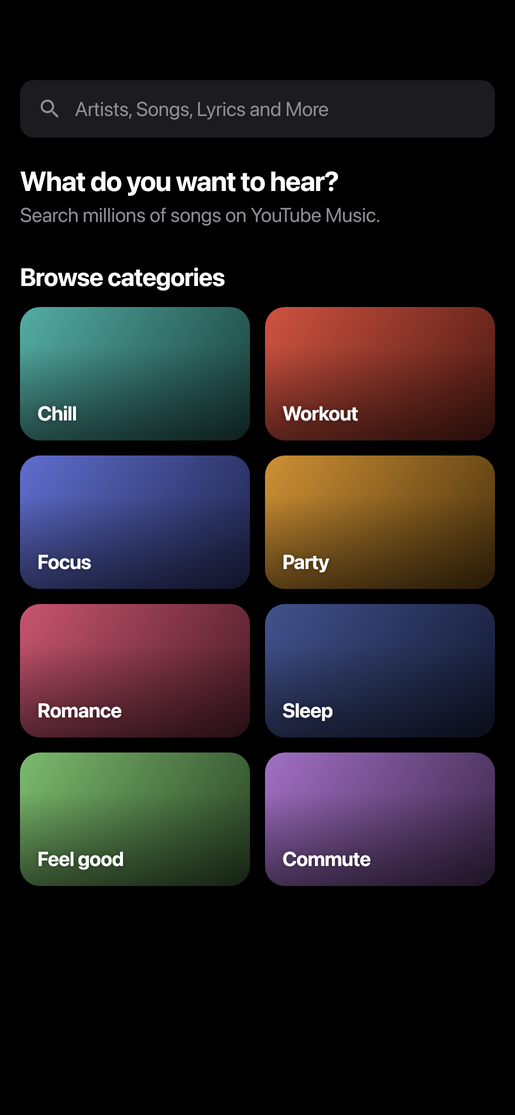
- Search opens on a question rather than a blank page — What do you want to hear? — with a grid of mood and genre categories to browse (tap one to open it in Explore). Result sections have clearer headings.
- Settings leads with your account card (picture, name, address) and gives every category a coloured icon tile, so a row is found by colour before it is read. The foot of the page is signed with the Sonara mark and credits the BitChord project it is built on.
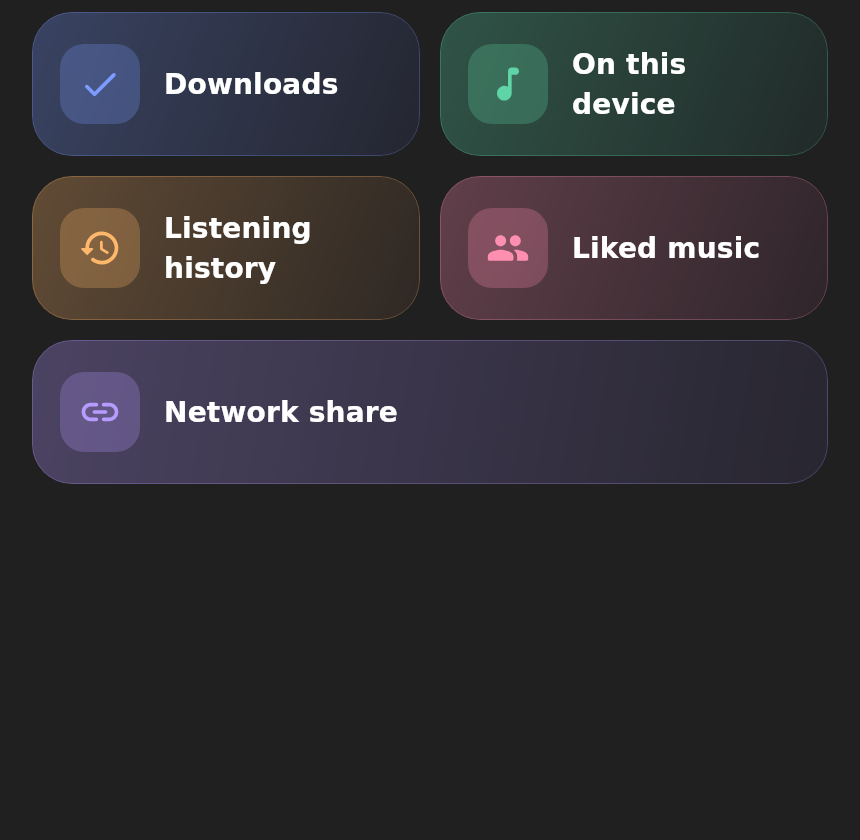
- Library: the folder list is now a grid of tinted cards that ease in and give under the finger.
- Motion you can feel: shelf, top-pick and mood cards respond to touch throughout the app, on 60, 90 and 120 Hz displays alike (Settings → Appearance keeps the high-refresh switch).
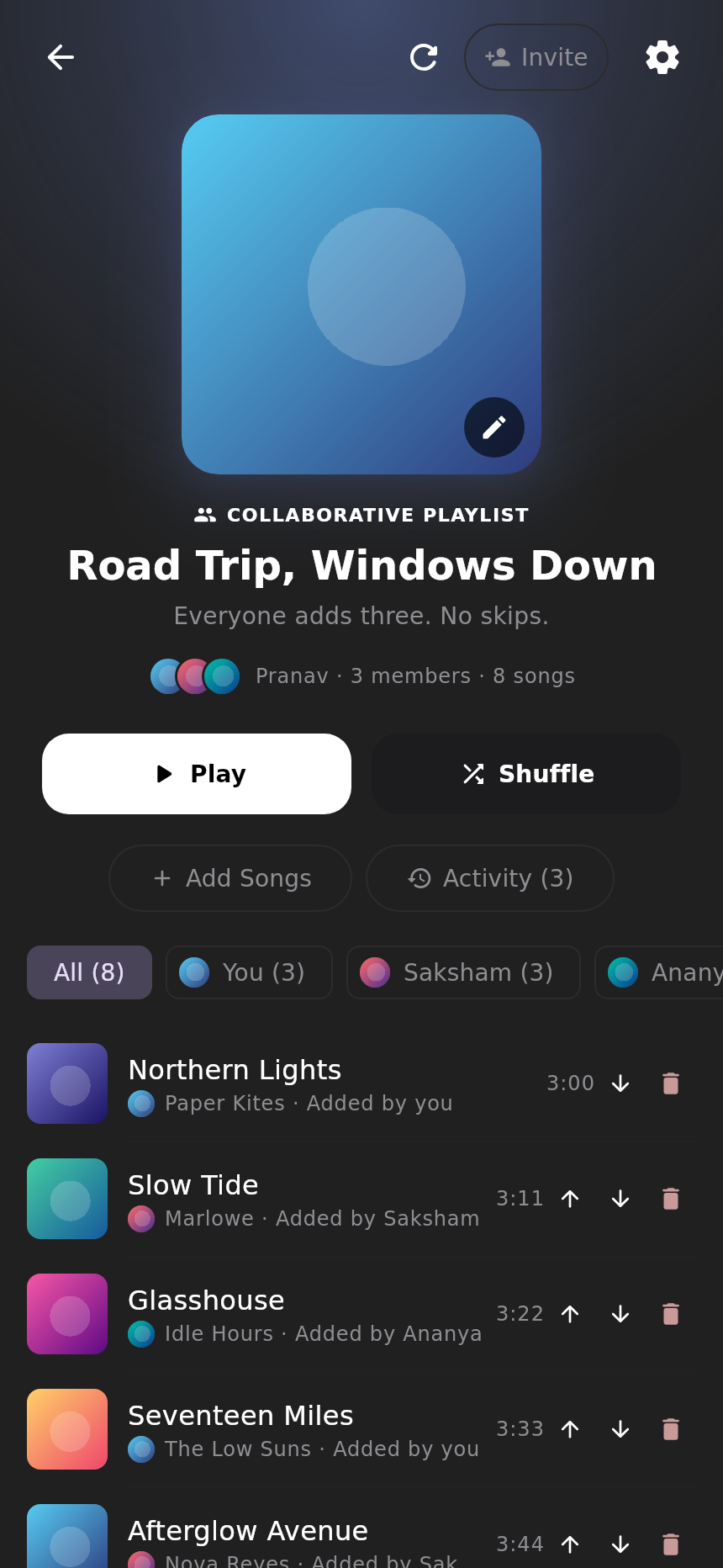
- Collaborative playlists
- The page glows in the playlist's own colour, the cover sits on a soft shadow, and rows slide into place as songs are added, removed or moved.
- Any Google account can join: one that has never used YouTube is given its YouTube channel automatically.
- Removing a song, leaving a playlist and deleting one ask first, with haptics and a confirmation.
- Everything from 1.10.x: reliable invite joins, conversion that carries every song, title / description / cover editing, instant adds.
- Discord: the card shows the album when there is no audio-format line to show.
macOS
The .dmg, .pkg and .zip are built on macOS and each is installed and launched on a Mac before release. The app is ad-hoc signed and not notarized by Apple, so macOS asks once:
- Open the
.dmgand drag Sonara to Applications (or run the.pkg). - Open Sonara once; macOS will refuse.
- System Settings → Privacy & Security → Open Anyway. (Or in Terminal:
xattr -dr com.apple.quarantine /Applications/Sonara.app.)
Sonara installs as its own app on macOS; an older BitChord.app can be moved to the Bin afterwards. Pick arm64 for Apple Silicon and x64 for Intel.
Downloads
- Android phone & Auto:
Sonara-v2.0.0.apk(universal) or thearm64-v8a/armeabi-v7a/x86_64build - Android TV / Fire TV:
SonaraTV-v2.0.0.apkor the per-ABI builds - Wear OS:
SonaraWear-v2.0.0.apk(also bundled in the phone app) - macOS:
Sonara-2.0.0-macos-arm64.dmg/.pkg/.zip,Sonara-2.0.0-macos-x64.dmg/.pkg/.zip - Windows:
Sonara-2.0.0-windows-x64-setup.exe,.msi,-portable.zip - Linux:
Sonara-2.0.0-linux-x86_64.AppImage,-linux-amd64.deb,-linux-x86_64.rpm
Signed with the permanent release certificate (SHA-256: d6d9c697c070a5ca5f4e172a13b6263fe2f3a35fff5d110596509126320c3bb2).
Full history: CHANGELOG.md