1. Initial Setup
This page is up to date to the latest version.
Previous versions may differ, but the core concept is still the same.
Modules are just used to encapsulate the logic.
- Add LockOnTargetComponent to your character.
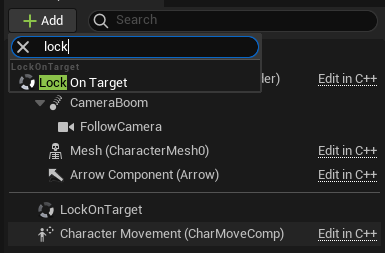
- Set
TargetHandlerImplementationto DefaultTargetHandler.
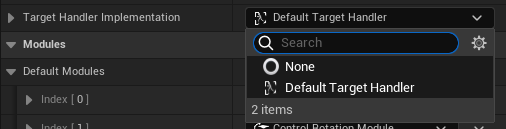
- Input setup. Input Overview.
- Target capturing and releasing:
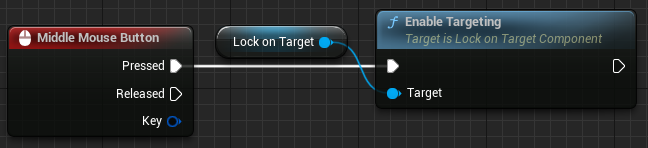
- Target switching with an axis input:
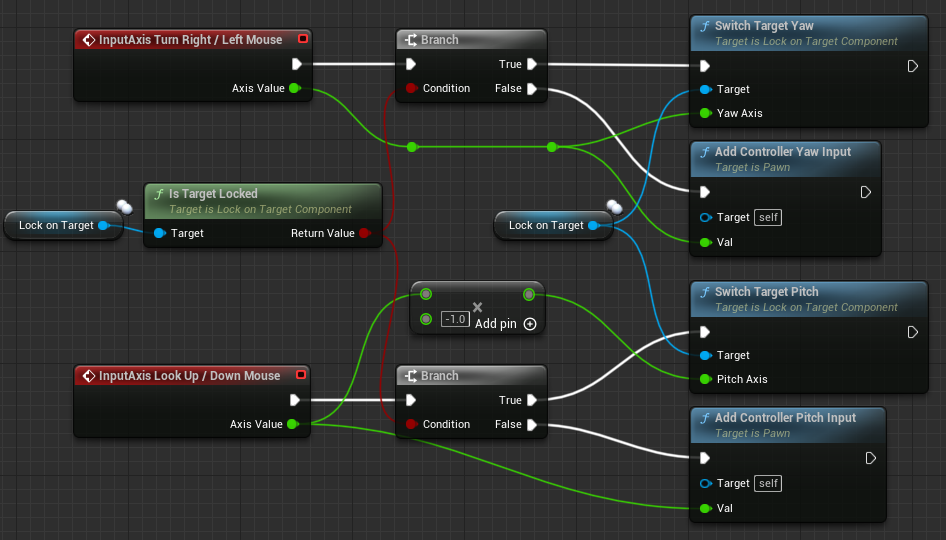
Note that the raw input is processed in the component, you don't need to setup any EnhancedInput features.
Perhaps in future updates the input will be processed via EnhancedInput.
- Make sure to set
UsePawnControlRotationto true in either SpringArmComponent or CameraComponent.
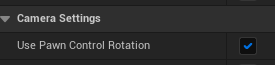
It's recommended to use
EnableCameraLagin SpringArmComponent.
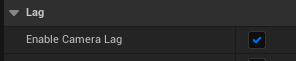
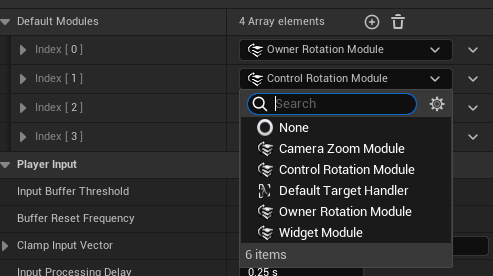
- Add ControlRotationModule to
DefaultModules.
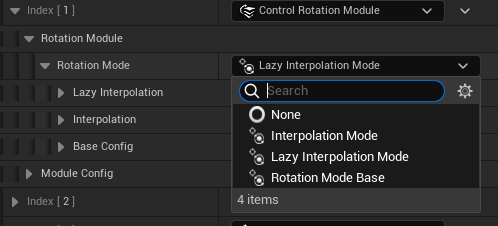
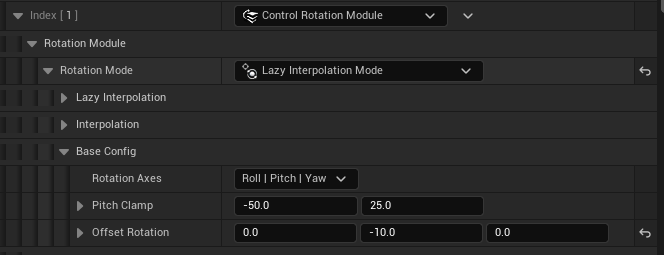
- Expand ControlRotationModule and set
RotationModeto LazyInterpolationMode.
- (Optional) If you want to move the Target from the center of the screen.
- Change the pitch value in
OffsetRotationto -10.f.
- Change
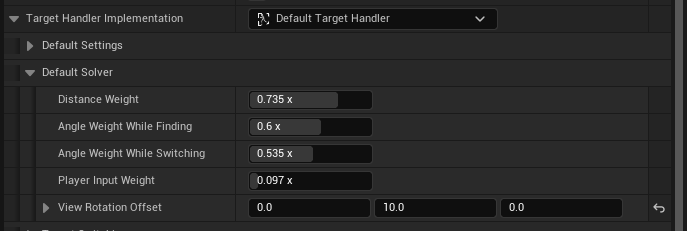
ViewRotationOffsetin DefaultTargetHandler->DefaultSolver to the opposite value.
- Add WidgetModule to
DefaultModules.

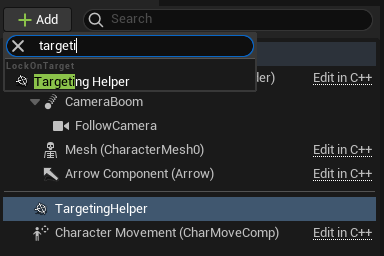
- Add TargetingHelperComponent to the desired AActor.
- Select the desired mesh in
MeshName. Socket location will be calculated within that mesh. If None, then the root component will be used.

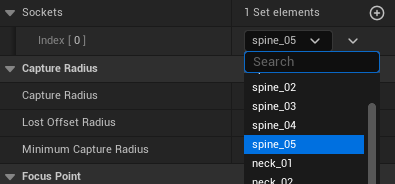
- Select the desired sockets in
Sockets. They are used to divide the Target into logical parts that can captured.
Note: FocusLocation should be used in camera systems.
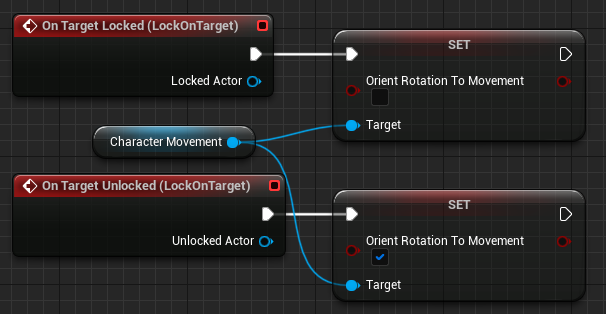
There are many ways to achieve this behavior. The easiest one will be demonstrated below. For a multiplayer game you may want to extend UCharacterMovementComponent, all necessary information is provided by LockOnTargetComponent. This is not done in the plugin, cause otherwise the plugin would be very complicated and impose restrictions (inheritence from a custom Character).
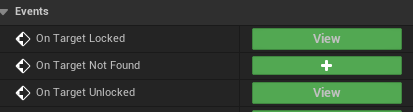
- Add OnTargetLocked/Unlocked events from LockOnTargetComponent:
- Disable
bOrientRotationToMovementin CharacterMovementComponent if used.
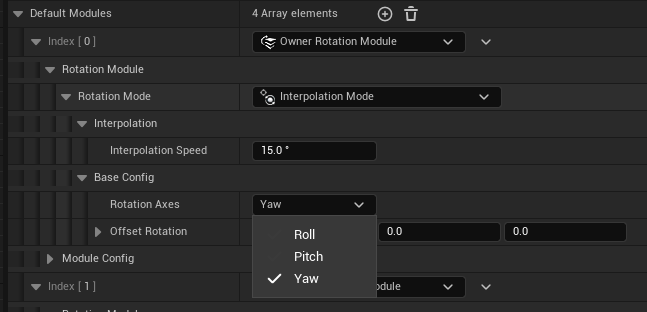
- Add OwnerRotationModule to
DefaultModulesand setRotationModeto InterpolationMode. SetRotationAxesto Yaw.
Be sure to read this before packaging your project.