FAQ_Login_Managers
- Disable auto-login and logout
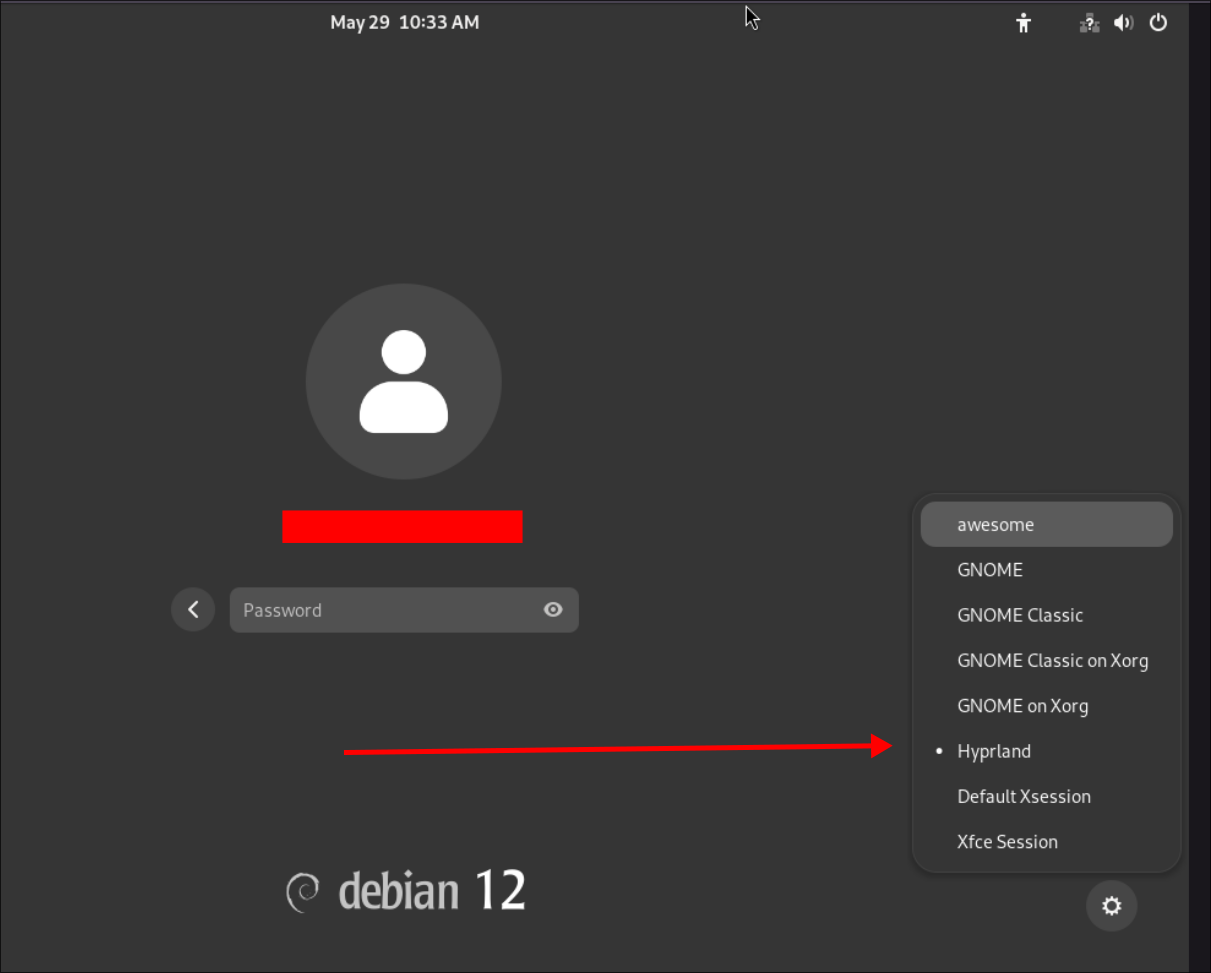
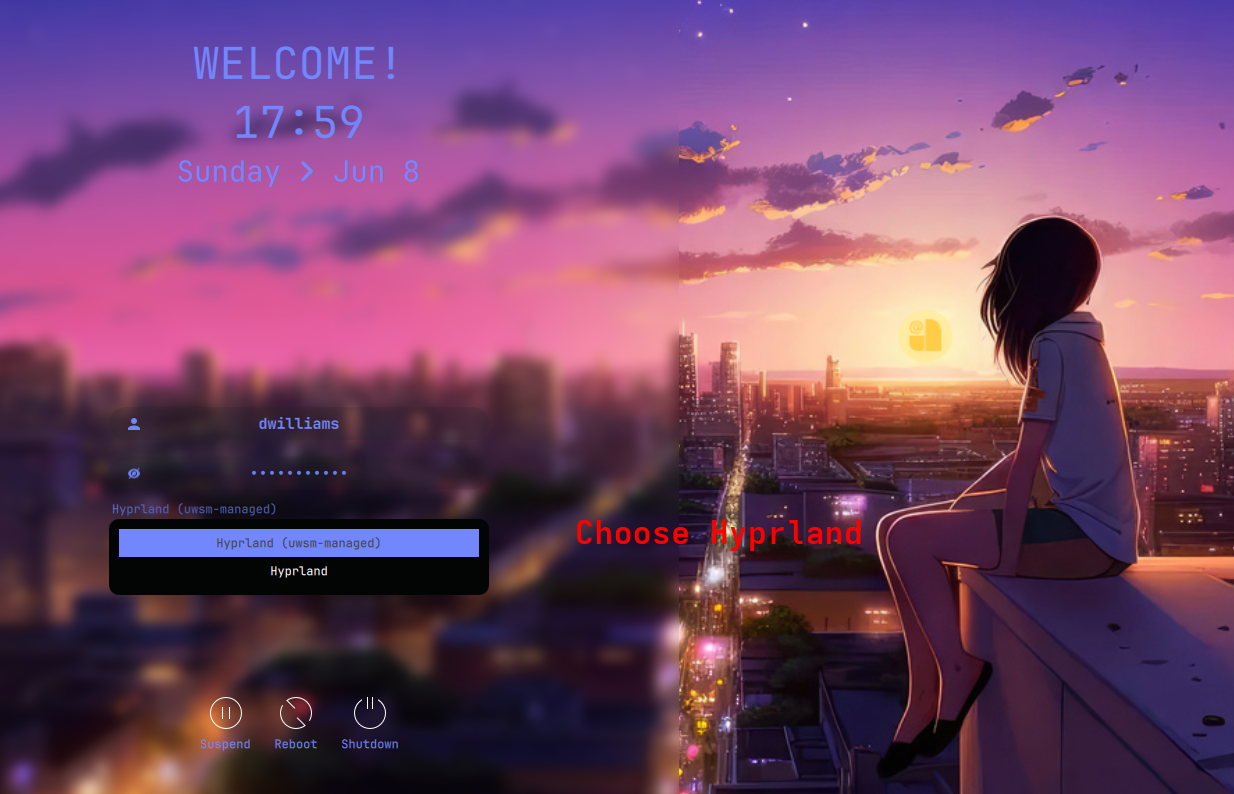
- Choose Hyprland (NOT Hyprland-systemd) with either GDM or SDDM as shown below. If you don't have Hyprland in the option, Hyprland may not be installed properly. Check the install logs in the Distro-Hyprland/install-logs directory. Rerun the install script
./install.shfrom the Distro-Hyprland install script you used to install Kool's Dots e.g for Arch go to Arch-Hyprland/install-logs, or Debian-Hyprland/install-logs
- Check logs. Probably Hyprland or any other packages was not installed properly. Or if you are using a VM, See above
- You can also try to ran Hyprland manually. CTRL ALT F2 or F3, login as user. Once logged in, type Hyprland. If command not found, check installation log or you can re-run the install.sh script if some packages weren't installed. Check the Distro-Hyprland/install-logs directory to see what packages failed to install. E.g. For arch go to Arch-Hyprland/install-logs, or Debian-Hyprland/install-logs.