Repository navigation
U2cRumble 1.0.2

A new window; the flashing core is unchanged.
- New dark interface with a guided four-step flow: connect the cable, back up, install, pair again.
- The window draws the controller and shows its live state (cable, update mode, Bluetooth, dongle), the firmware it found and how many backups are stored.
- A custom confirmation dialog replaces the system message box, and the security notice now sits inside the install card, right under the button, so it is obvious why Install starts disabled.
- The app has its own icon, a dark title bar on Windows 11 and a crash handler that writes the error to the log.
- The README explains what to do when Windows shows "Windows protected your PC" and how to check the SHA-256 of the file.
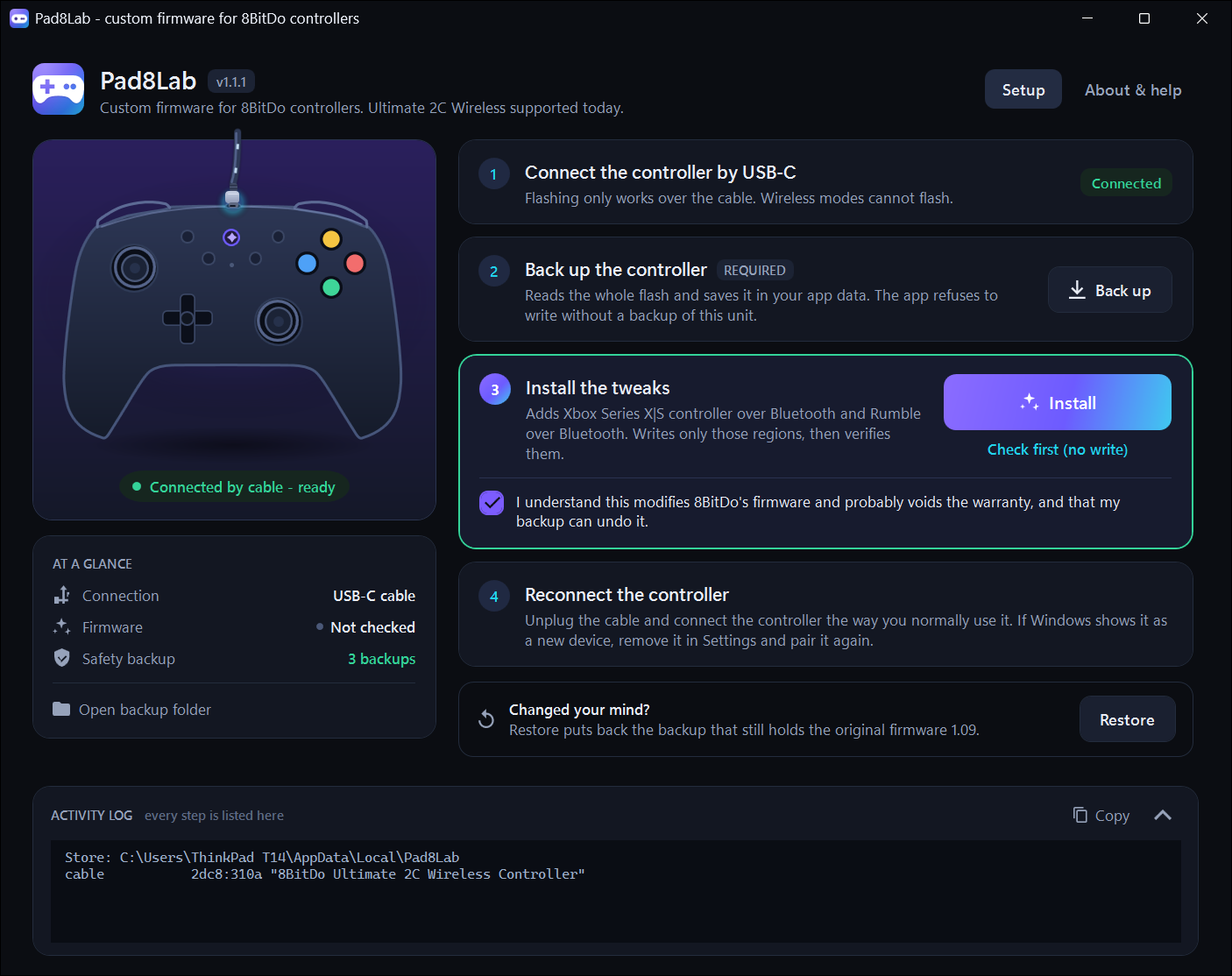
The flashing core is unchanged: same 819 bytes, same read-back verification, still validated byte for byte against the reference image.
Flashing requires the USB-C cable; after one flash the controller works over Bluetooth on any Windows PC.
Keep your backup. Restore puts back the newest backup that still holds the original firmware 1.09.