Repository navigation
Bible
The Bible workspace finds passages and sends verses to the screens.
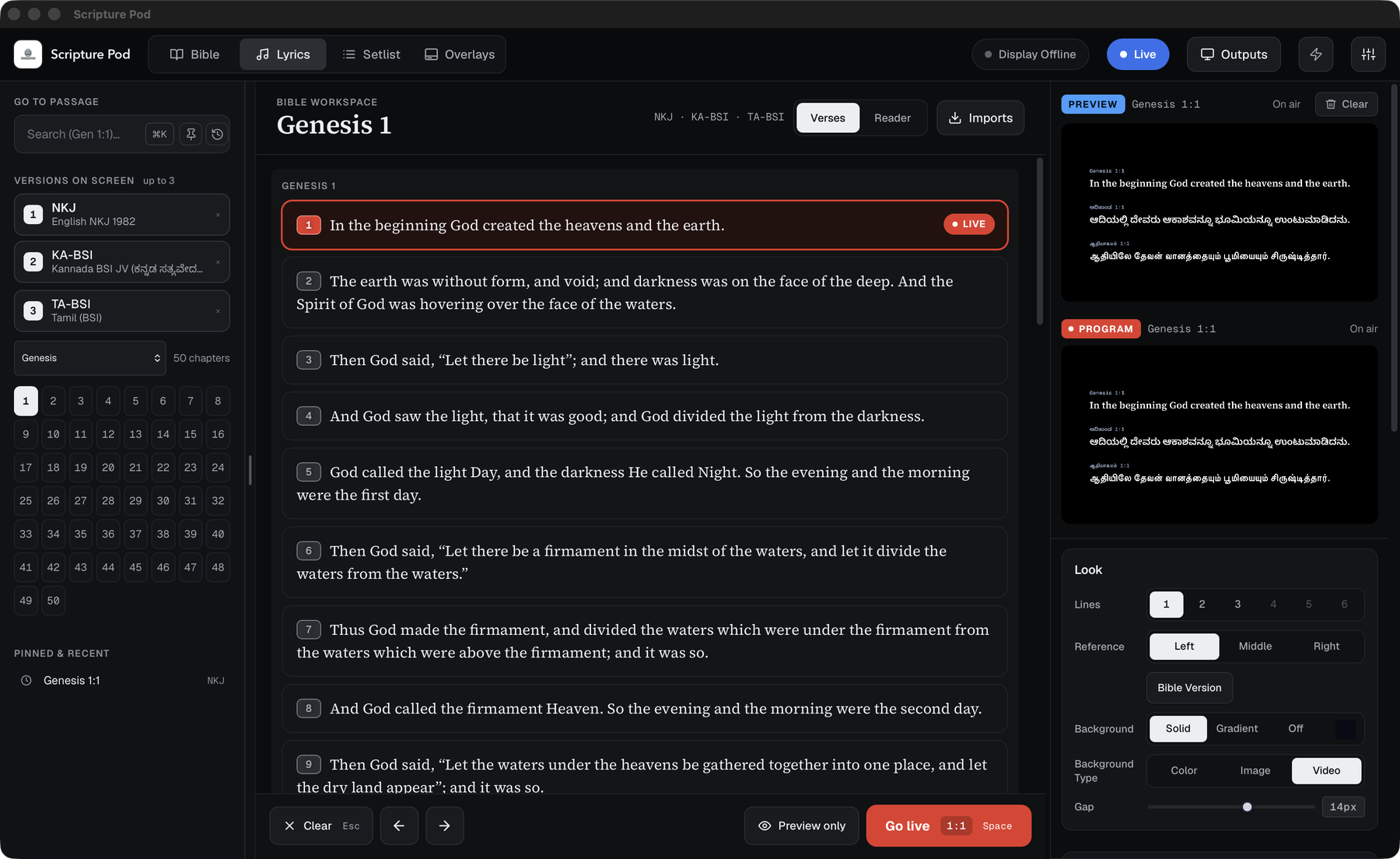
-
Go to passage (top left): type a reference like
Gen 1:1. Pin the current reference with the pin button; the clock button lists pinned and recent references. -
Command palette (
⌘K/Ctrl+K): searches passages by reference or by words in the verse, as well as songs and commands. - Pick a book and chapter from the lists and the chapter grid.
| Key | Action |
|---|---|
↑ ↓
|
Previous / next verse |
← →
|
Previous / next chapter |
Space / Enter
|
Go live |
Versions on screen shows up to three Bible versions at once, for example English, Kannada and Tamil. Click a version to add it or take it off, and drag to reorder. The first one is the primary version the library browses.
Tick One version at a time to show a single version and switch between your chosen versions. A button beside the tick shows the current version and the next one, for example NKJ → TA-BSI. Click it, or press V, to switch. The verse on the live display changes to that version.
The option starts on the first version in your list when you turn it on.
Switch between Verses (one card per verse) and Reader (a continuous chapter) at the top of the workspace.
Full screen or lower third, fonts, colours and backgrounds are set in the Look card and in Settings. Verses are full screen unless you turn on the lower third for verses in Settings, Bible.
The bundled Bibles are English NKJV, Kannada BSI and Tamil BSI. More can be added from the Imports menu (I or ⌘I).