Repository navigation
v1.5.1 | The Texty Texty

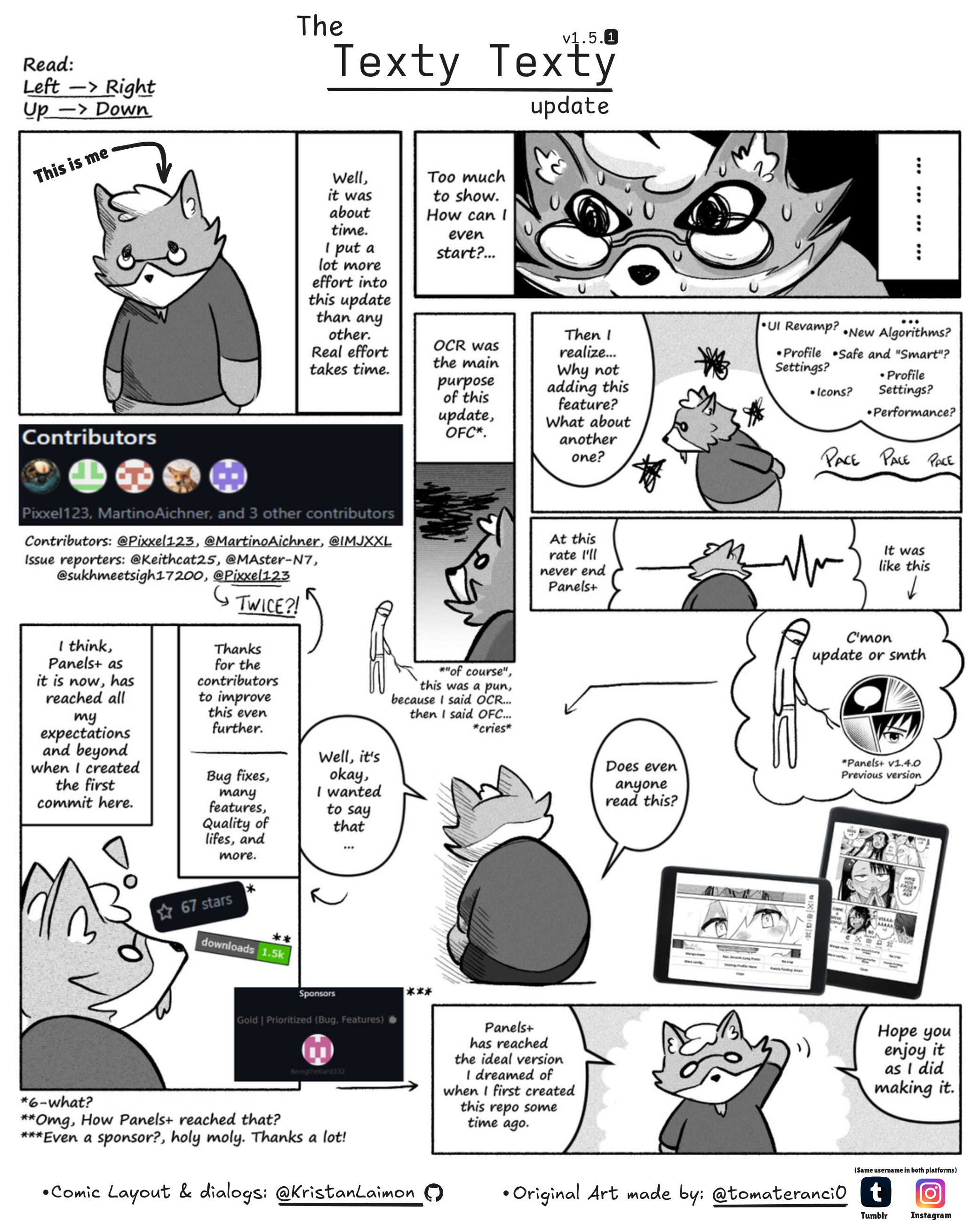
| Comic in HD here. |
Art made by: @tomateranci0 (Tumblr) | @tomateranci0 (Instagram) | 
|
Comic layout & dialogs: By me @KristanLaimon |
Hello, Panels+ users. This update is mainly about taking OCR support to the next level and finally removing the [Experimental] tag.
Panels+ now features significantly improved, faster, and more reliable native OCR support. Whether you're reading a PDF with an embedded text layer or a manga made entirely of images, Panels+ can now recognize text directly from the page.
This release also brings a redesigned configuration menu, improved panel detection algorithms, new quality-of-life features, and several bug fixes. Let's get into what's new.
Main Features
1. Significantly Improved OCR
No PDF text layer required. Just images, and it works
Panels+ can recognize words directly from images and send them to your dictionary for lookup, far better than before. No preprocessing, no embedded text layer, and no extra steps required
| Native OCR — Images Only | Force PDF Text Layer |
|---|---|
ocr_showcase.mp4 |
pdf_users_option.mp4 |
| Native OCR: Recognizes text directly from manga images with no embedded text layer. | PDF text-layer option: Uses the PDF's existing text layer instead of native OCR (opt-in). |
These improvements applies for all supported formats: .CBZ, .CBR, .PDF, .EPUB, .MOBI, .KEPUB.
As long as you have the appropriate Tesseract language model installed in KOReader, you can use OCR with different languages
- English: For English manga and comics.
- Spanish: For Spanish-translated manga.
- Other languages: Depending on the Tesseract language models installed on your device.
- etc...
Simply select the appropriate OCR language model in the Panels+ configuration menu.
Panels+ includes OCR models fine-tuned for manga & comics, for English and Spanish (You can read more about this at the very end of these release notes):
Why only English and Spanish? you may ask. Those are the only languages I dominate myself so I can test the quality of those models natively. I don't feel confident to train italian, russian, chinese, etc -> models if I don't know how to read them in first place, probably they could be made with AI tools, but I don't like slop translations/lang related features. Despite that, I don't ignore the possibility to gradually add them in the future.
2. Redesigned Panels+ Configuration Menu
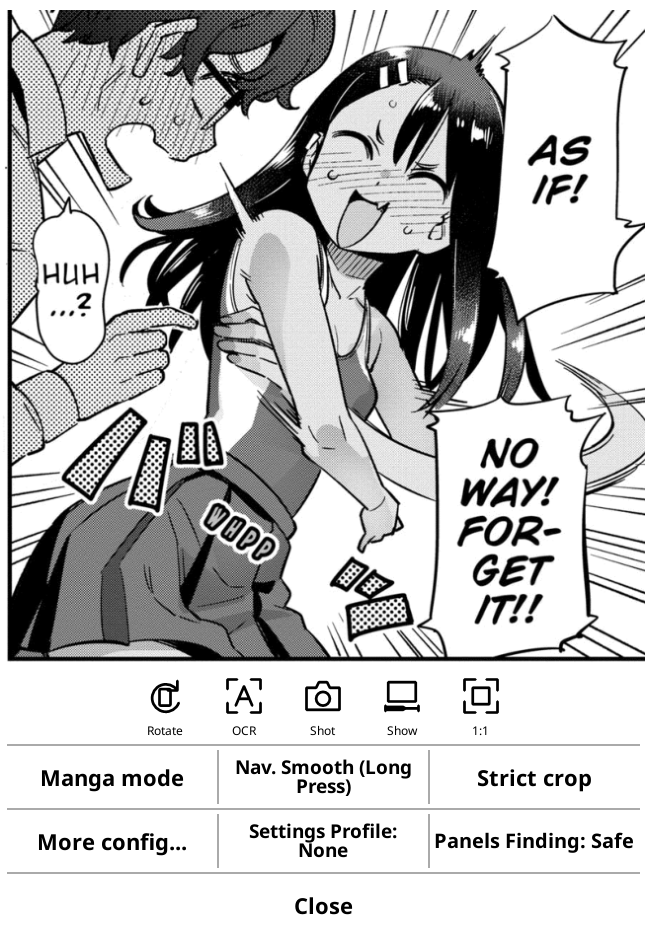
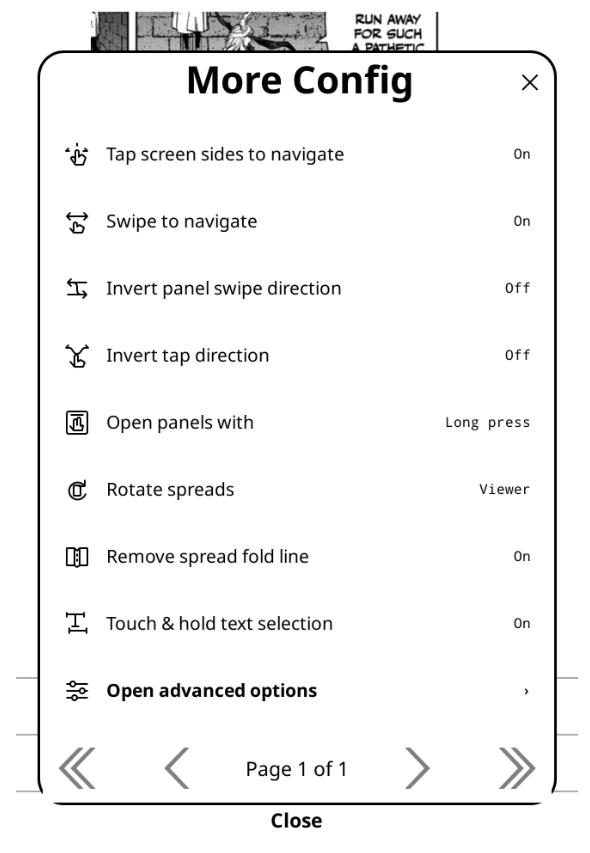
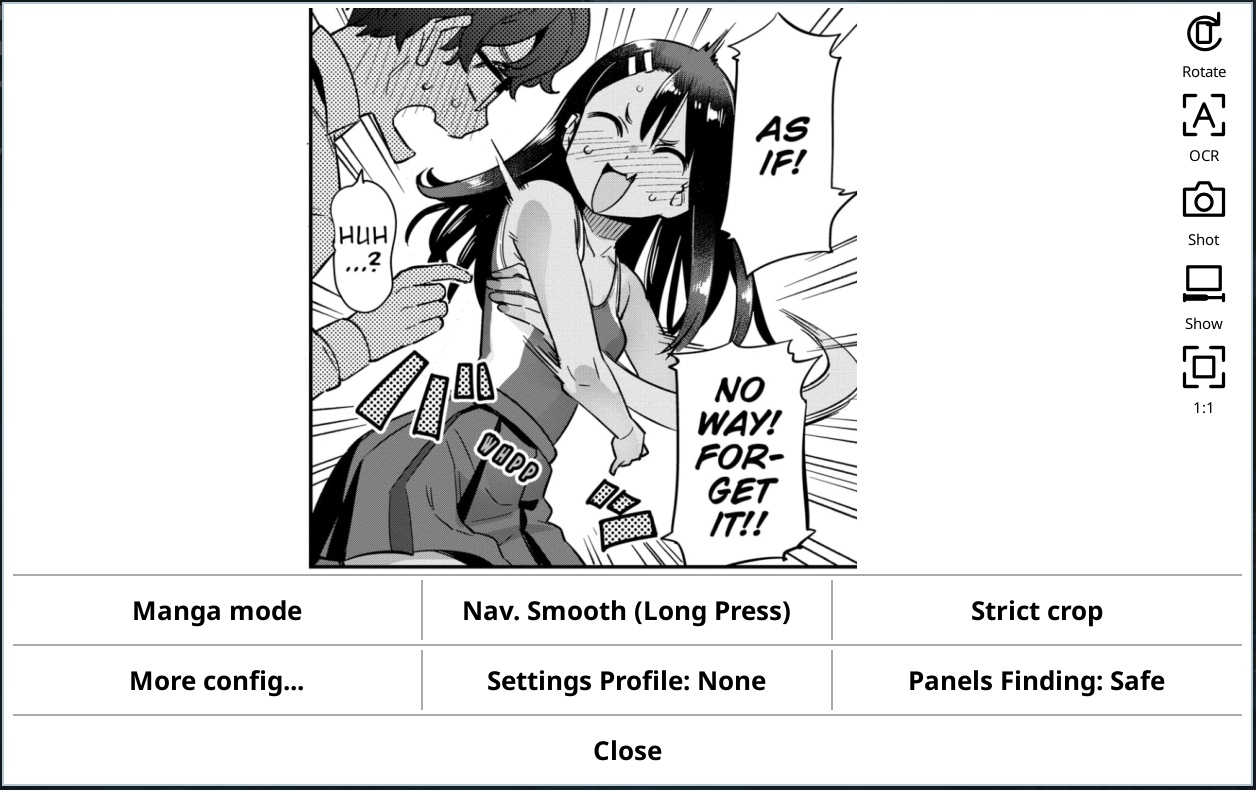
With so many new configuration options introduced in this release, the old menu was starting to feel a little overcrowded.
To address this, I've redesigned the Panels+ configuration interface to make it cleaner, easier to navigate, and more comfortable to use (I hope so).
- Improved navigation: Less clutter and fewer unnecessary buttons.
- Responsive interface: Buttons automatically adjust their layout depending on whether your device is in portrait or landscape orientation.
- Iconofied: Added icons for settings in "More Config..." button.
The goal was simple: more features without sacrificing usability.
3. Improved Panel Detection Algorithms — Introducing Smart(er)
| Safe mode (Default) | Smart mode (Opt-in config) |
|---|---|
safe_mode.mp4 |
smart_mode.mp4 |
|
Safe Mode: Prioritizes stability It's the previous version (v1.4.0) improved but kept the phylosophy to keep panels together if neccesary. As you can see in the demo, it takes the entire panel as one single panel, it has sense since almost all the panels are connected by the main character in that page. |
Smart Mode: Prioritizes to find every panel possible It's an alternative algorithm (an aggresive overhaul of Safe Mode) to find every panel, even those that are interconnected a little by a character or bubble dialog. if the bubble dialog is really in the middle of 2 panels, it fallsback to Safe Mode behavior for that panel, thanks to this is capable to recognize panels that Safe mode prefer not to show you. But, due to the aggresive nature of it, sometimes it could find false positives, some blank panels, but looks cool though. Optional to set. By default Panels+ uses Safe Mode. As you can see in the demo, it finds all the panels taking into account that is a hard layout manga page. |
4. Smooth Transitions "ease" styles
better_smooth_transitions.mp4
This is a small addition to Smooth transition. It looks way better on android + desktop/linux devices, not that great in e-ink based ones like Kindle, but still available. I took inspiration from CSS transitions values. In case you're frontend dev, I've added the CSS equivalent just to make clearer how it works.
| Style | Timing | Description | CSS equivalent |
|---|---|---|---|
linear |
Progress changes evenly throughout the transition. | Steady movement without deliberate acceleration or deceleration. | linear |
ease (default) |
Starts slowly, accelerates early, then slows down toward the destination. | A quick movement with a gentle landing; the acceleration and deceleration are not symmetrical. | cubic-bezier(0.25, 0.1, 0.25, 1) |
ease-in |
Starts slowly and accelerates toward the end. | Builds momentum as it approaches the next panel. | cubic-bezier(0.42, 0, 1, 1) |
ease-out |
Starts quickly and decelerates toward the end. | Responds quickly, then settles gently onto the next panel. | cubic-bezier(0, 0, 0.58, 1) |
ease-in-out |
Accelerates through the first half and decelerates through the second half. | A balanced slow start and slow finish, with faster movement in the middle. | cubic-bezier(0.42, 0, 0.58, 1) |
| Classic | Uses linear timing with the earlier fixed-zoom camera pan. | Slides between panels at the destination's zoom instead of gradually zooming in or out. | No direct CSS equivalent: Classic changes the rendering approach, not just the timing curve. |
5. Profile Settings
profile_settings.mp4
I realized there are combos of "settings" that worked better together specifically, but I needed to remember them every time i wanted to switch a group of settings.
Why not creating stored profile settings?. Create them, edit them, break them, or never use them.
By default Panels+ includes some recommended Profiles by me, for e-readers and android/desktop. You'll see them the first time you download this update, otherwise, use the option: "Add defaults" to add them.You can found this option in the button "Profile Setting: ####" at the end of options. It's not in the video because I'm too lazy to update it just to add that new button in the showcase.
Probably there are other little features related to those, but it will make this release too "texty". Discover them by your own!.
Secondary Features & Quality-of-Life Improvements
1. New Two-Finger Tap Gesture | Made by @Pixxel123
Panels+ now supports an alternative activation gesture: double-finger tap. Previously, the plugin relied on long-press interactions a l w a y s, which could conflict with gestures used by other KOReader plugins of yours.
With this new option, you can choose a different way to trigger Panels+ without interfering with your existing setup. Completely optional and configurable.
| Demo (Recorded) | How to configure it |
|---|---|
double-tap-showcase.mp4 |
two_finger_config.mp4 |
| Testing it with two-fingers. Can't be made in desktop/android for obvious reasons, only clicks there. | Configure path |
2 & 3. Auto-Rotate Double-Page Spreads & Remove Fold Lines | Made by @Pixxel123
Panels+ now supports automatic rotation for double-page illustrations, alongside a feature to remove those annoying black fold lines that some manga scans have in the middle. Added double-page spread automatic orientation, and return to your previous orientation when you move to a normal page. No need to manually rotate your device every time.
You can configure this behavior to work:
- Off: No automatic rotation.
- Panel Viewer only: Rotates double-page illustrations when using Panels+.
- While reading: Rotates your screen directly in KOReader's normal reading view.
- Both: Enables rotation in both cases.
- Rotation direction: clockwise, counter-clockwise, or follow KOReader's default orientation.
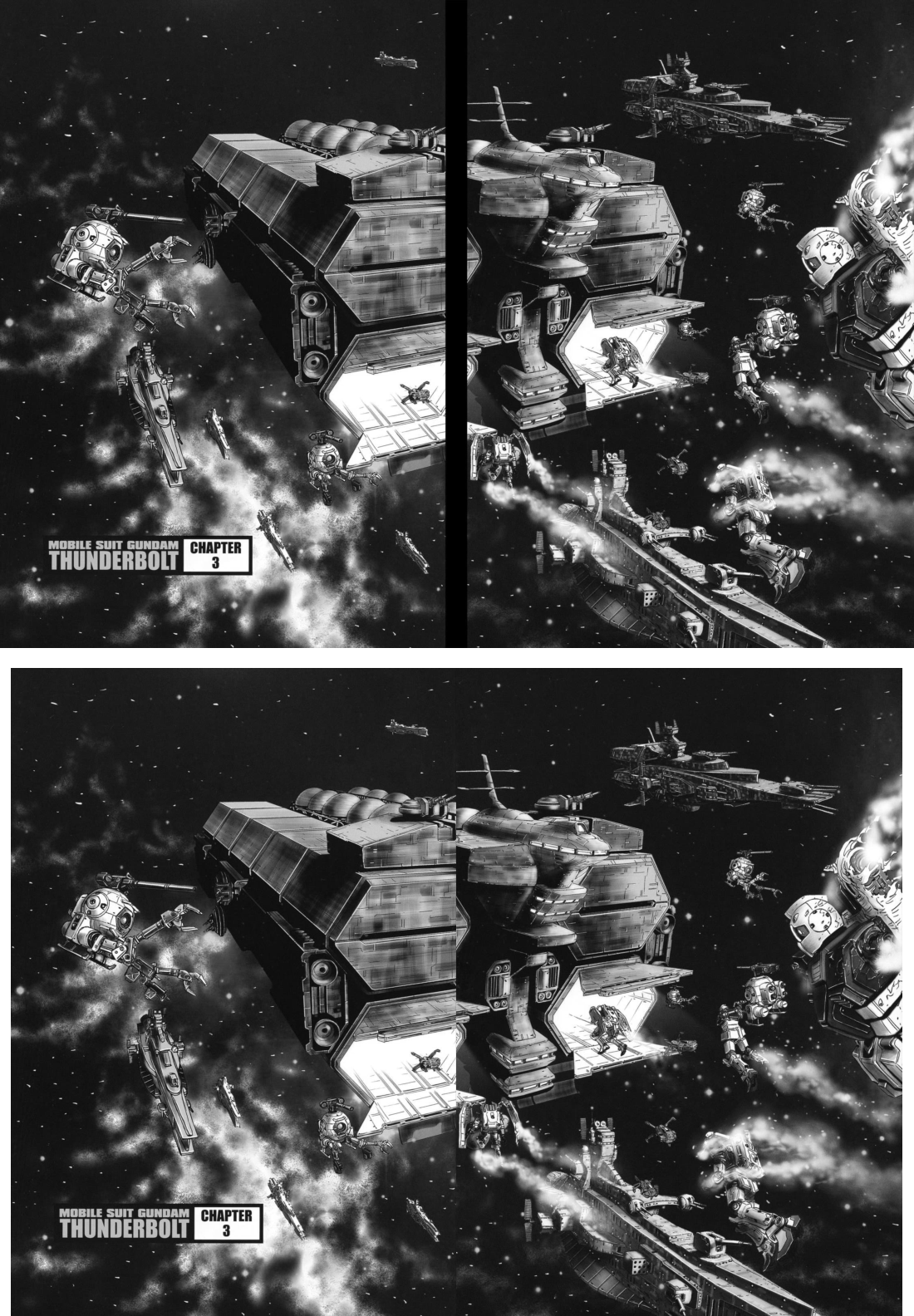
Example of the black fold strip between two manga pages.
This works directly while reading or inside Panels+ Panel Viewer. Fold removal is enabled by default, but you can disable it whenever you want.
NOTE: This feature works with double-page illustrations stored as a single wide page/image. It doesn't combine two separate physical pages into one illustration (yet). Also, if the original manga scan lost some artwork at the fold, removing the black strip obviously won't magically recover it.
All of these features are configurable from the Panels+ menu, under the rotation settings in "More Panel Viewer Settings".
If you use KCC to pre-process your mangas/comics, this won't be an issue for you at all.
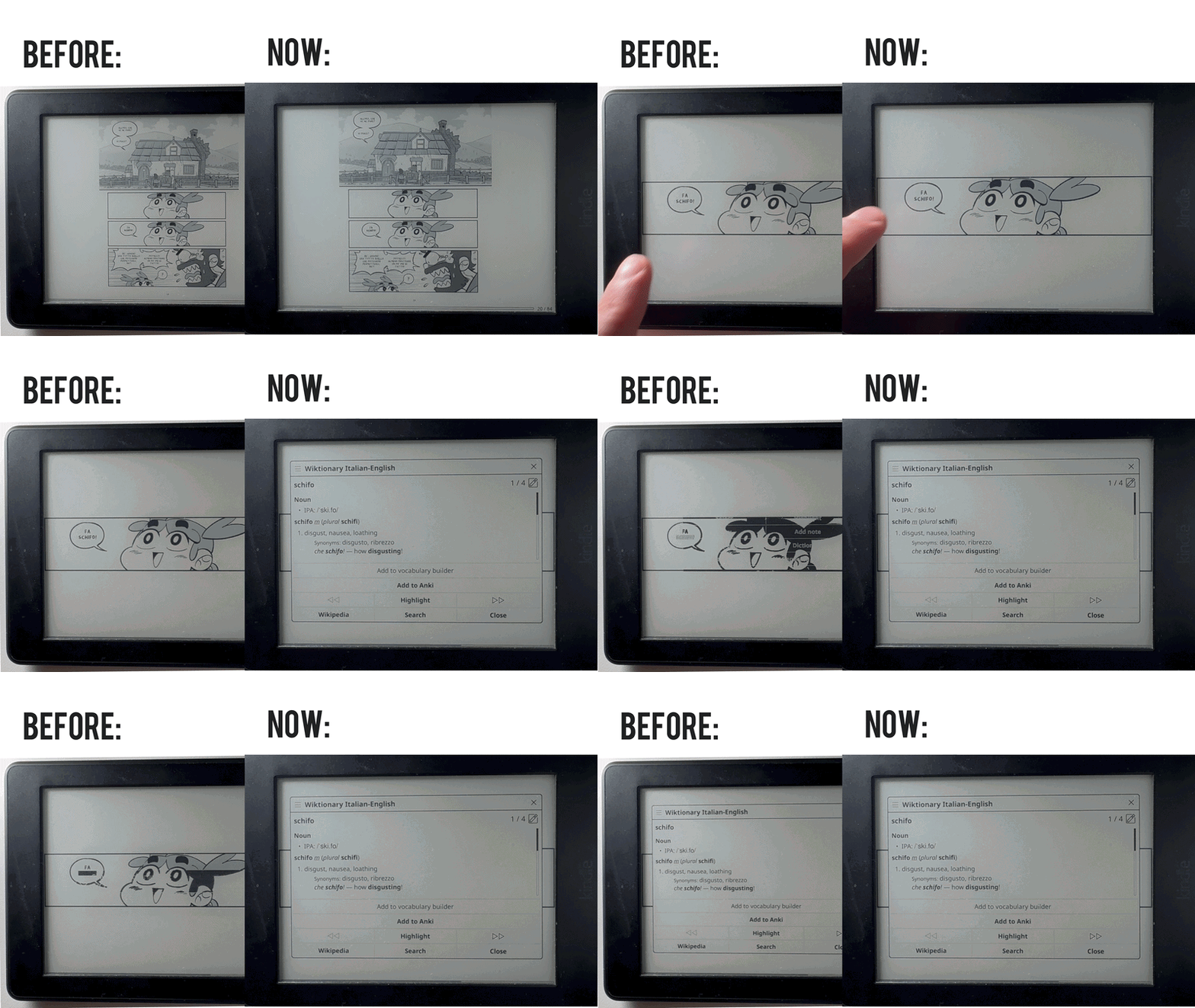
4. Better PDF Text-Layer OCR Support | Made by @MartinoAichner
He made the first OCR improvement which I based my following work until make the current OCR support today. OCR Recognition improved for PDF documents containing embedded text layers.
These changes help Panels+ handle text-based PDF content more reliably, improving the overall dictionary lookup experience.
| Demonstration provided by @MartinoAichner | How to configure it |
|---|---|
|
pdf_preference_native_text_layer.mp4 |
| Demo. What else can I say? | Configure path |
5. Simplified Chinese Translation added | Translated by @IMJXXL

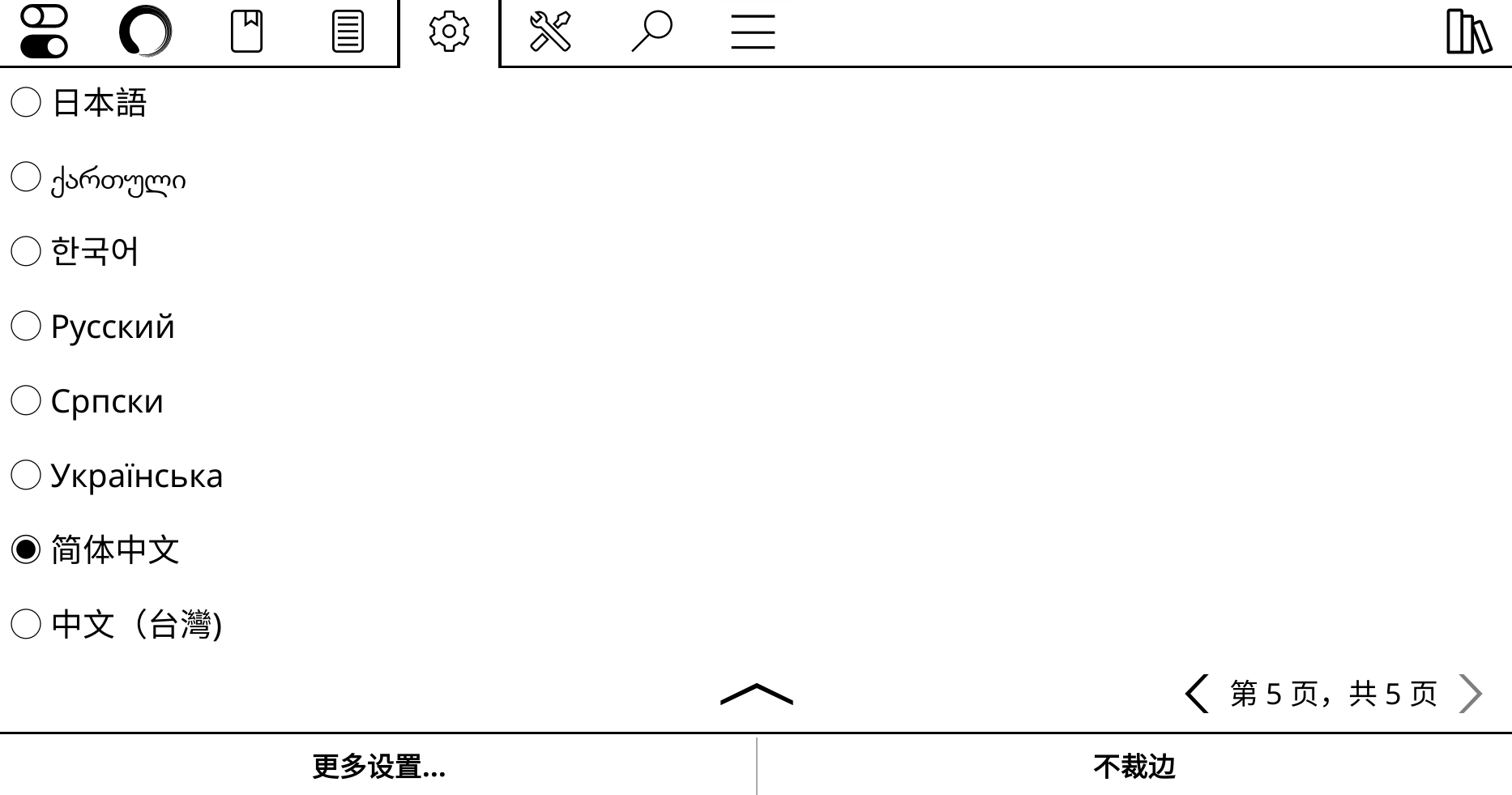
You can access this by simply changing your KOReader language.
And many overall bug fixes here and there.
New Contributors
Thanks to everyone who made their first contribution to Panels+:
- @Pixxel123 — Made their first contribution in Pull Request #7.
- @MartinoAichner — Made their first contribution in Pull Request #9.
- @IMJXXL — Contributed a Simplified Chinese translation.
- @TomateRan — Artist who made the art cover for this release, also a developer sometimes.
Panels+ downloading
Starting from now, Panels+ comes in two different builds/flavors, allowing you to choose the one that best fits your needs.
| Vanilla / Standard Build | OCR-Embedded Build | |
|---|---|---|
| Description | The classic Panels+ experience, with all the improvements introduced in this update. | Everything from the standard build, plus two specially fine-tuned OCR models designed for manga lettering. |
| Installation size | Lightweight (~192KB) | Little larger, due to the included OCR models (~4.09MB) |
| Native OCR | ✅ Supported | ✅ Supported |
| Included OCR models | None (uses your existing KOReader Tesseract models) | ✅ English and Spanish, fine-tuned for manga lettering |
| OCR accuracy | Standard Tesseract recognition | Approximately 10–15% better accuracy compared to generic Tesseract models for Spanish and English OCR models only. |
| Custom OCR models | ✅ Supported | ✅ Supported |
| Default OCR language | Depends on your installed models and configuration | English |
| Switch OCR models | ✅ Supported | ✅ Supported |
| New features & QOL improvements | ✅ All included | ✅ All included |
| Download | panels_plus.koplugin.zip |
panelsplus_with_ocrmodels.koplugin.zip |
Which version should I choose?
Choose Vanilla if you prefer a lightweight installation and already have your preferred OCR models.
Choose OCR-Embedded if you want the additional manga-optimized English and Spanish OCR models included out of the box.
Both versions are available in the Assets / Downloads section below.
If you enjoy Panels+, consider giving the repository a ⭐ on GitHub. It helps more people discover this project.
v1.5.1: This release patch fixes an error with OCR Model Selection, that, for some reason it wasn't recognizing your hand-installed teserract OCR models.


