In this project, we are going to design an Arduino sonar project using Ultrasonic Sensor for detection.
This Arduino sonar project aims to achieve a sonar system prototype based on an Arduino board that detects stationary and moving objects. The sonar system has different performance specifications, and it is also available in a variety of sizes.
Sonar.mp4
We need two software to complete this Arduino radar project. One is Arduino IDE, and the other is Processing IDE. Download both Software from the below links.
Processing application is visual arts-based software for learning to code. After downloading, extract the Zip file, and you will get the processing application (.exe file).
-
Arduino
-
Servo
-
Ultrasonic Sensor
-
Jumper Wires
-
BreadBoard (Optional)
-
Laptop
-
Cabels
-
Power Source (Optional, as Laptop Can power teh Arduino)
In this project, we are using two codes:
Arduino Code (Arduino_radar_server_arduino):
Sends sensor readings for every degree moved by the servo values sent to serial port to be picked up by Processing
Processing Code (Arduino_radar_client_processing):
Maps out an area of what the HC-SR04 sees from a top down view. Takes and displays 2 readings, one left to right and one right to left. Displays an average of the 2 readings
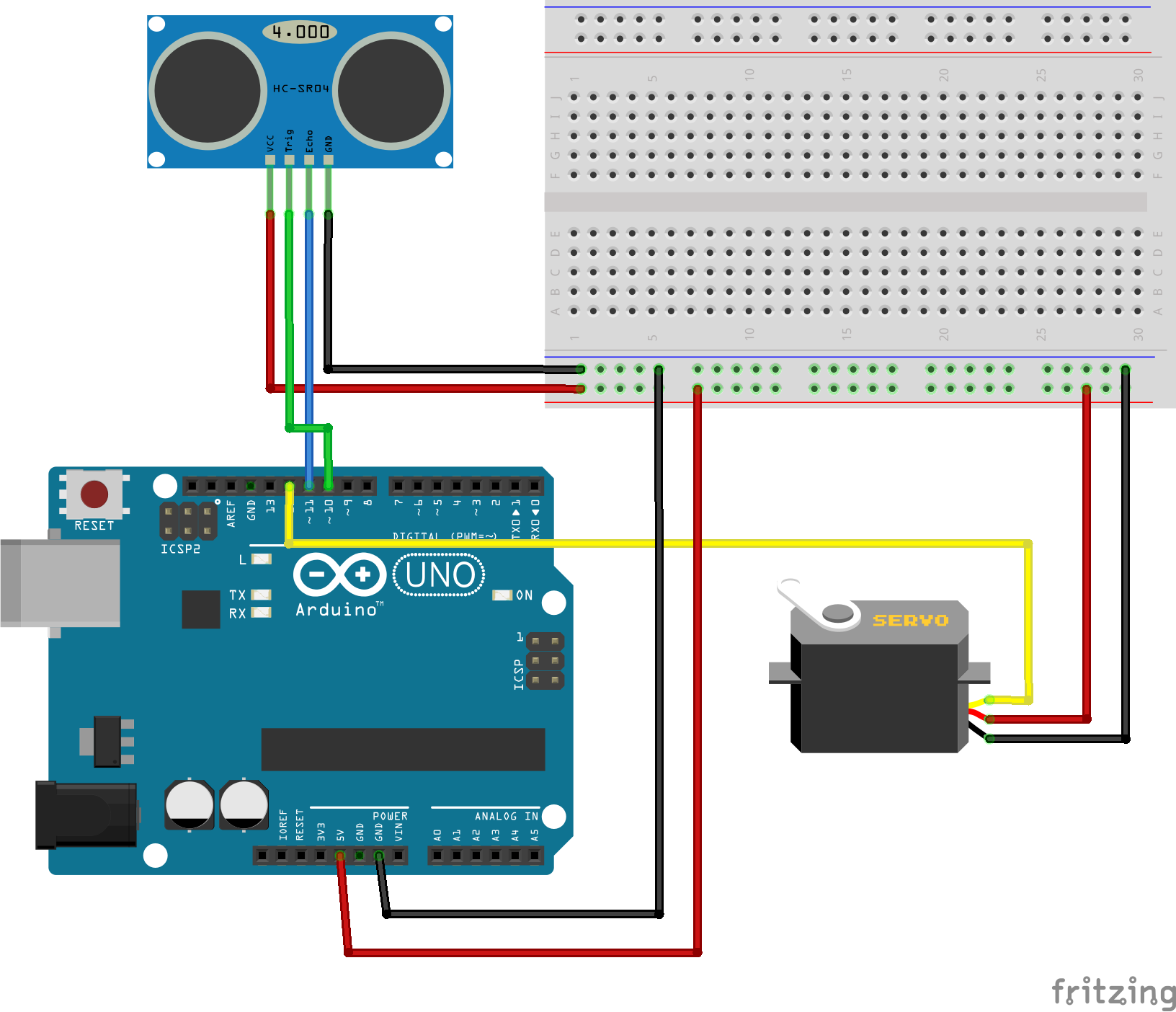
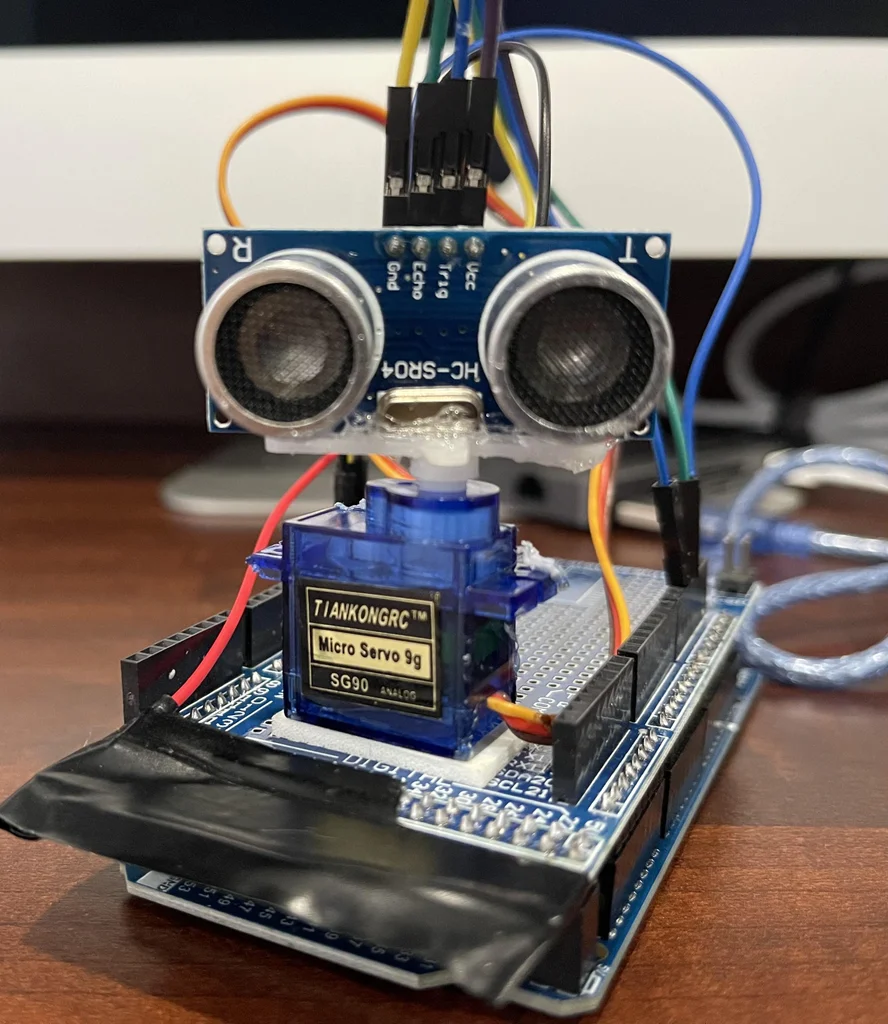
After uploading the code, the servo motors start running from 0 to 180 degrees and again back to 0 degrees. An ultrasonic sensor also rotates along with the servo as it is mounted on the motor.
Now, open the processing application. In the code, update the COM port number where your Arduino board is connected.
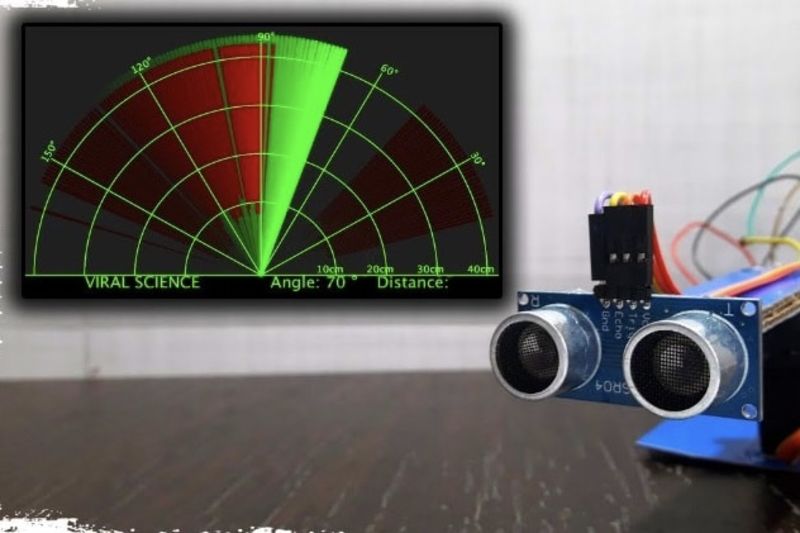
You will see a new window. This is the graphical representation of data from the Ultrasonic Sensor is represented in a radar type display.
If an ultrasonic sensor detects any object within its range, you can see the same on the graphical representation.
Halfway:
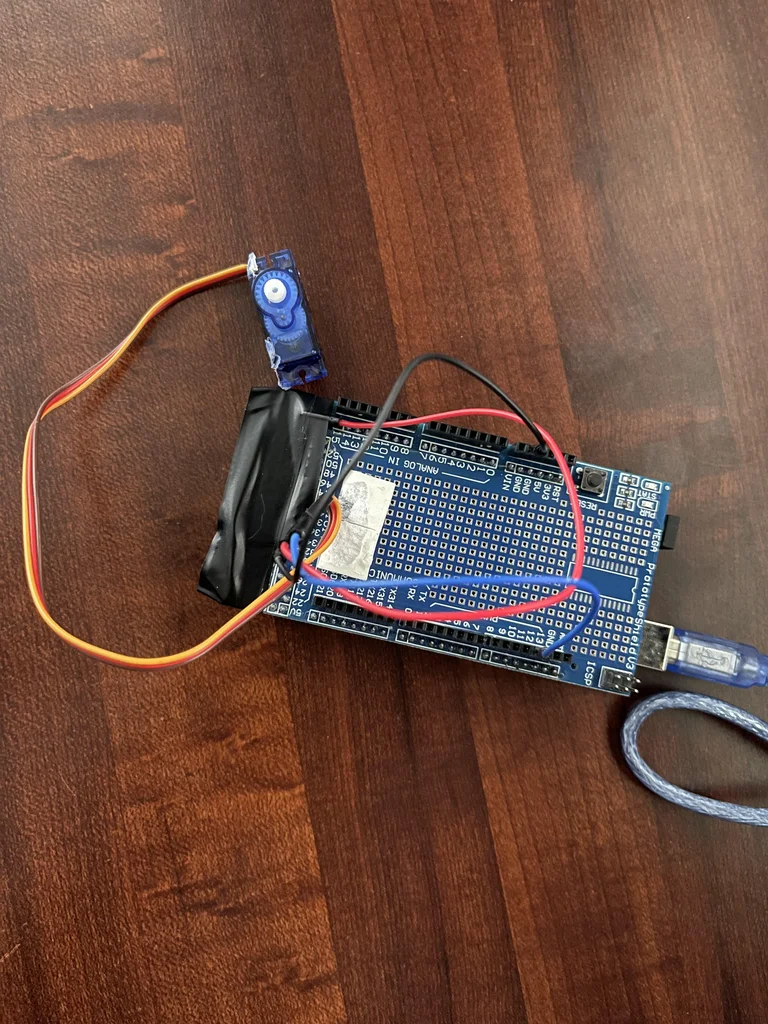
Intial Setup:
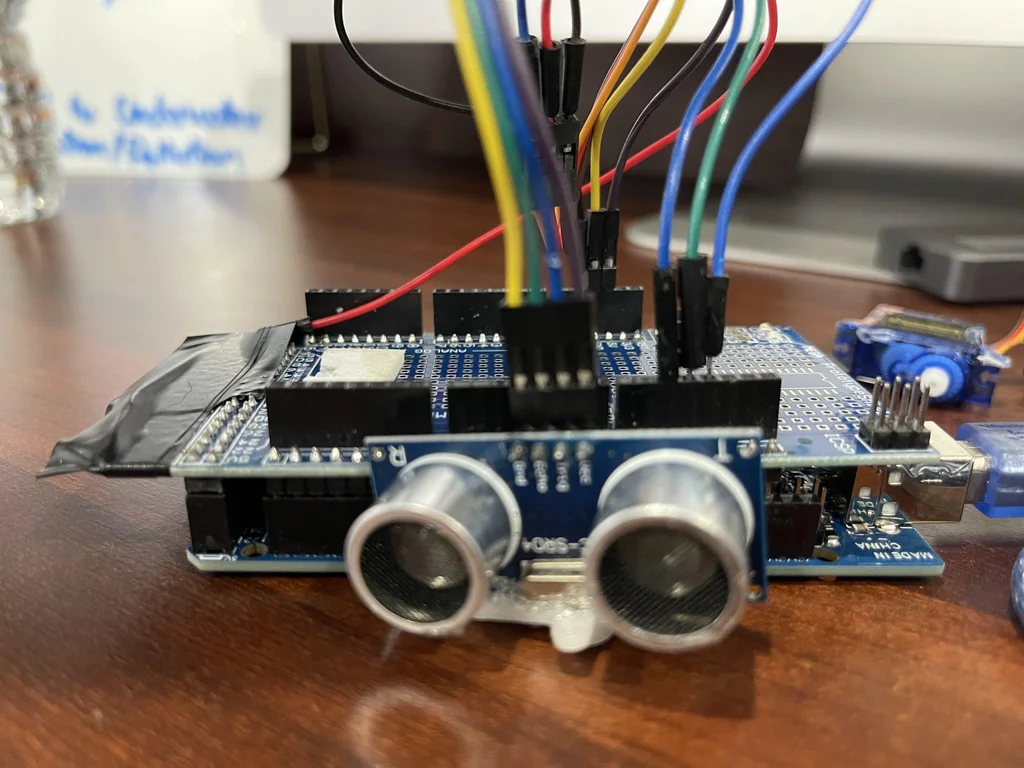
Final Setup:
Video:
Hardware.mp4
For Hardware I (Indian) ordered it from: Robu & Amazon
Project was
created on 3rd of December'18
uploaded on 28th of December'22