Repository navigation
v0.1.11 — settings and column colours

Settings, colours, and a crash fix
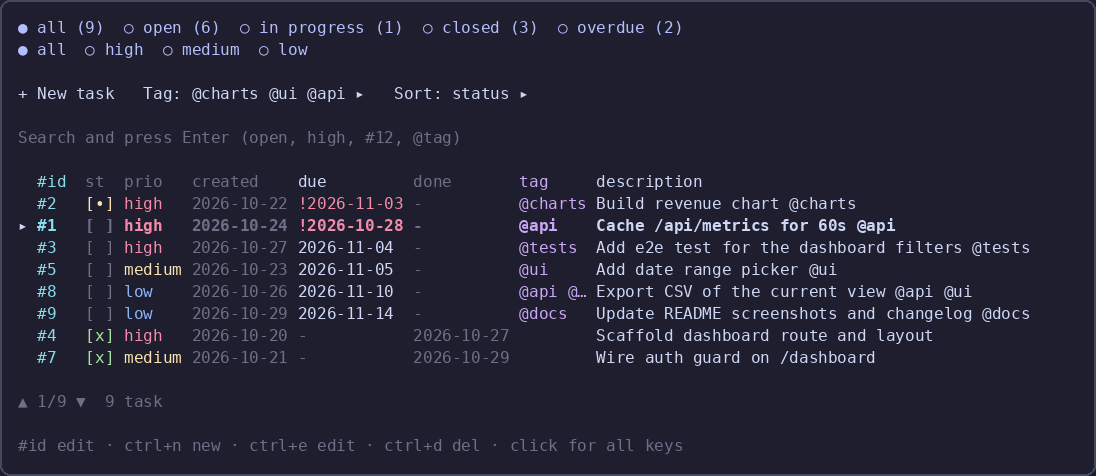
/todo settings opens a dialog that works on a draft: Save writes it, Cancel/Esc drops it. Each row cycles its value on click, Reset to defaults restores everything (keeping the target), and Export JSON / Import JSON move the whole set through a file.
Settings live in ~/.config/opencode/todo-md.json (global) and <project>/.opencode/todo-md.json (project wins); Save to chooses which file Save writes.
New in 0.1.11
- 17 settings: padding, palette, hidden columns (created/done/tag), description width, strip width and collapse threshold, completed tasks in the strip, coloured strip header, rows per page, start filter and sort, delete mode, renumber after done, auto-create TODO.md, Save to
Settings ▸in the todo dialog opens the settings directly- Per-column colours, from the theme (
theme) or the Catppuccin palette used in the screenshots (fixed) - Configurable inner padding
- Fix a crash at render time:
visibleColumnusedsettingsfrom outside its scope, whichbun buildcannot catch
Install
{ "plugins": ["opencode-todo-md"] }The TUI half (sidebar strip and /todo) loads at TUI startup: restart opencode, or run /reload.
60 unit tests. MIT.