Repository navigation
v0.1.12 — settings and compact help

Settings, compact help, honest docs
/todo settings has 17 options, saved to ~/.config/opencode/todo-md.json or to the project's
.opencode/todo-md.json. The dialog works on a draft: Save writes, Cancel/Esc discards, Reset to
defaults restores, Export/Import JSON move the whole set through a file. Values are right-aligned and the dialog
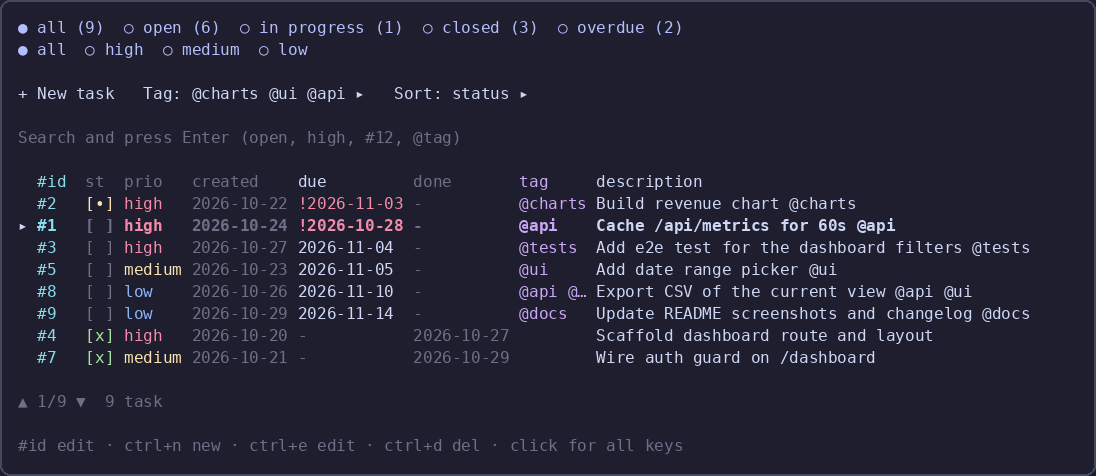
uses the same colours as the screenshot. It also opens from the Settings ▸ row in the todo panel.
Shortcut bar is one compact line at the bottom; clicking it opens the full key list. The showHints setting turns
it off, and ctrl+d twice deletes is back in the hint.
Help cannot lie any more: the key list is generated from SHORTCUTS, and a test compares it against the bindings
actually registered in the panel, both directions. Titles are short enough that nothing overflows the dialog.
Install
{ "plugins": ["opencode-todo-md"] }The TUI half (sidebar strip and /todo) loads at TUI startup: restart opencode, or run /reload.
61 unit tests. MIT.