
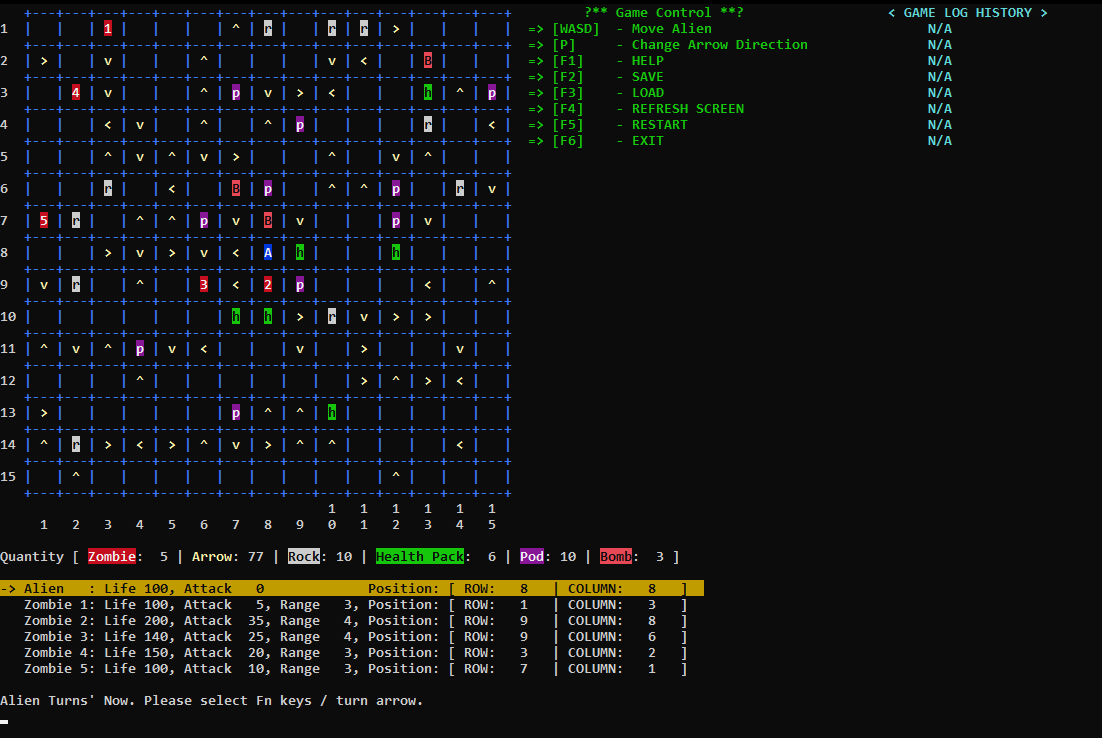
Alien vs. Zombie is basically a role-play game that needs the path-planning and strategy of the players. In this game, players must defeat all the zombies that are hunting for the alien itself in order to achieve victory for this game. Therefore, set a trail and prepare the way to protect the alien from those zombies as every way matters!
There are some mysterious game objects such as rocks, arrow power, pod attack power and others that can help the alien become stronger in order to attack the zombies.
YouTube link to our Video Demo_Part 1 and Video Demo_Part 2.
g++ firstPart.cpp -o firstPart
ATTENTION: RUN USING EXECUTABLE FILE IN FILE EXPLORER NOT JUST RUNNING USING VSCODE.
g++ main.cpp -o main -lwinmm
- Alien (A) was initialized to 100 life and 0 attack.
- Health pack (h) can help to add 20 life to alien.
- Pod attack (p) will attack the nearest zombie with 10 damage.
- Bomb attack (B) will deduct 20 life to alien / zombie if either of them step on it.
- Rock (r) will hide any power object / empty space beneath it.
- Arrow power [^v<>] will change the direction of alien movement and add 20 attack to the alien.
- Zombies' life and attack [Maximum number is 9] will be set to randomized.
- Users need to choose 'y' -YES / 'n'-NO For edit the settings of the game.
- If users press 'n', then the setting of game will remain as default.
- If users press 'y', then user need to input number of zombie which does not more than 9 zombies.
- Users need to input the row and column of the game map with specific rules such as only odd number accepted / minimum number for row and column is 5 / Maximum number of row and column is due to users' Windows display size.
- Game Map will auto generated with an alien at center of game map randomly placement of game objects / zombies.
- The maxmimum life for the alien will be always initialized 100 and 0 attack. The zombies' life / health / attack range will be randomize.
- Users can using [WASD] key on keyboard to control the movement of the alien.
- Users can press [P] key to change the direction of game object: [Arrow] to change the next movement of the alien.
- Users can press [F1] key to call out help function if users face any doubts.
- Users can press [F2] key to save the progress of current game by key in prefer filename with filename extension [.txt].
- Users can press [F3] key to load the saved game progress by key in the filename without filename extension [.txt].
- Users can press [F4] key to refresh the screen when users face any game map layout problem.
- Users can press [F5] key to restart the game with current settings of the game which is same number of row / column / quantity zombies.
- Users can press [F6] key to exit the game.
- If users accidentally exit the game, this game will also autosave your latest progress of your game.
- Users can press 'y' in the start page of this game when AutoSync dialog box pop out.
- Low Kai Yan 1211101699
- Nicholas Tiow Kai Bo 1211102398