-
Download
*-neofetch.txtfiles from this repo -
Run Neofetch with arguments (see below)
or
-
Modify your
~/.config/neofetch/config.confto make changes permanent
neofetch --ascii --source "/path/to/ibm-tp-v-neofetch.txt" --ascii_colors '7' '1' '2' '4'
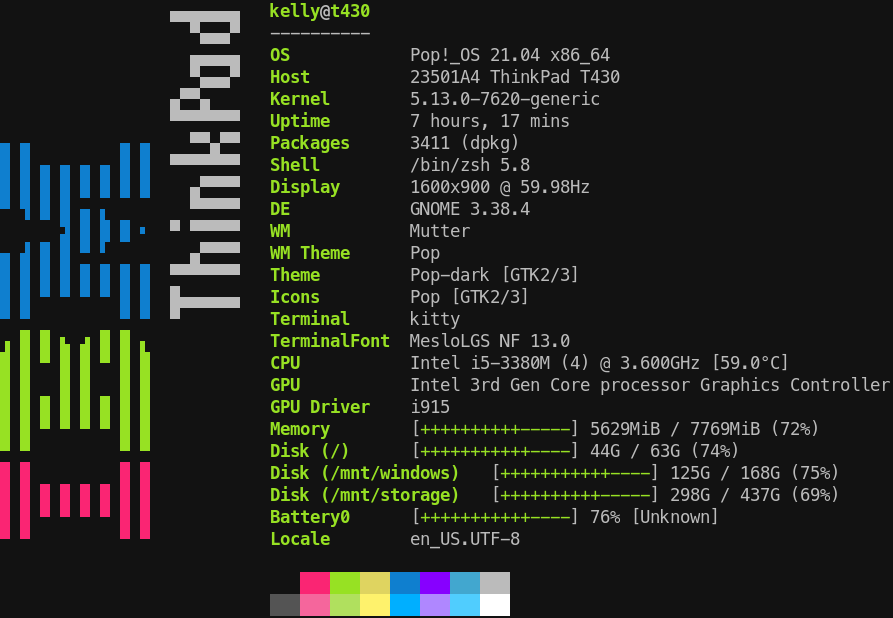
neofetch --ascii --source "/path/to/ibm-tp-h-neofetch.txt" --ascii_colors '7' '1' '2' '4'

Notes:
- There are some Unicode symbols in use beyond the classic 8-bit ASCII code page (notably, Block Elements), so make sure your terminal and font support Unicode (I use kitty with Molokai color theme and MesloLGS NF font).
- These are not proper ANSI images, they use Neofetch ASCII file format which is quite color-limited. This will change when Neofetch implements ANSI escape codes.