Repository navigation
Meraline 1.10.0

Download Meraline-1.10.0.dmg, open it, and drag Meraline into your Applications folder. Meraline needs macOS 26 or later. Installed copies update themselves.
What's new
Ask
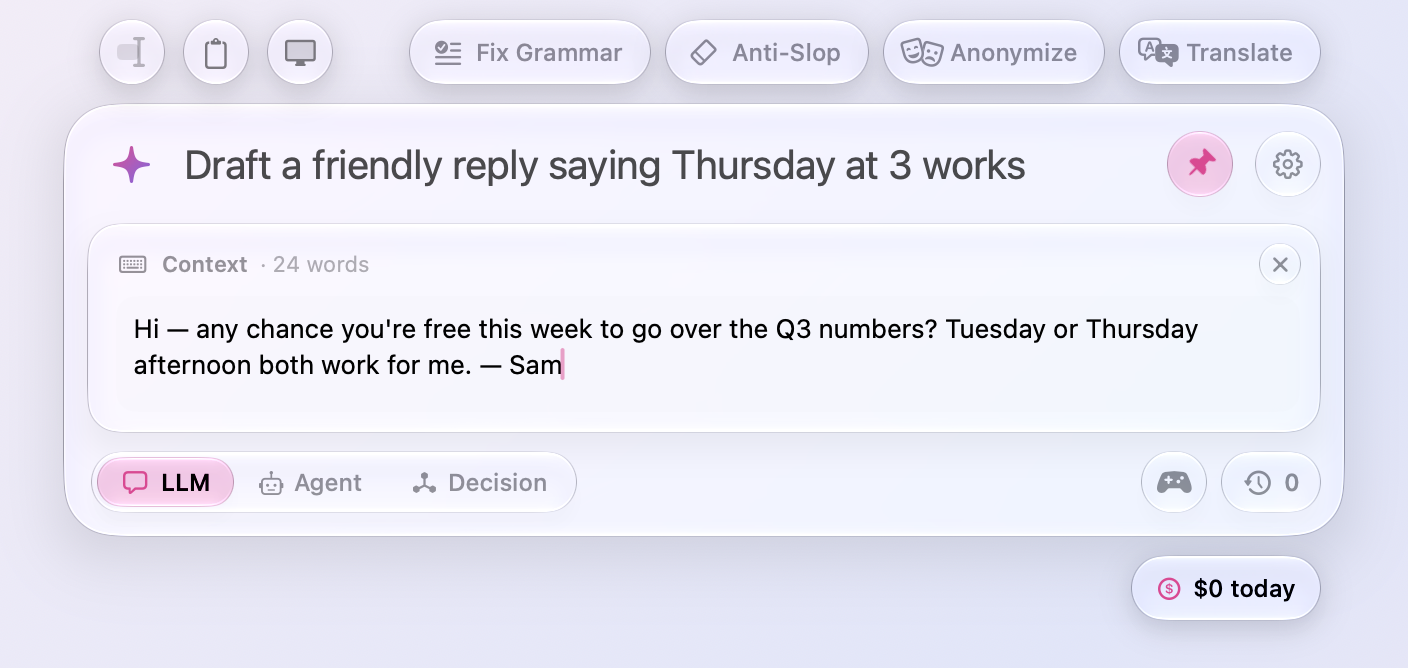
- The Context card takes the keyboard. Tab, Decision's Write It, and Add Text in the sparkle's panel open the card under the input with the cursor in it, so you can paste or type at once; the cursor used to stay in the input. Tab in the card goes back to the input.
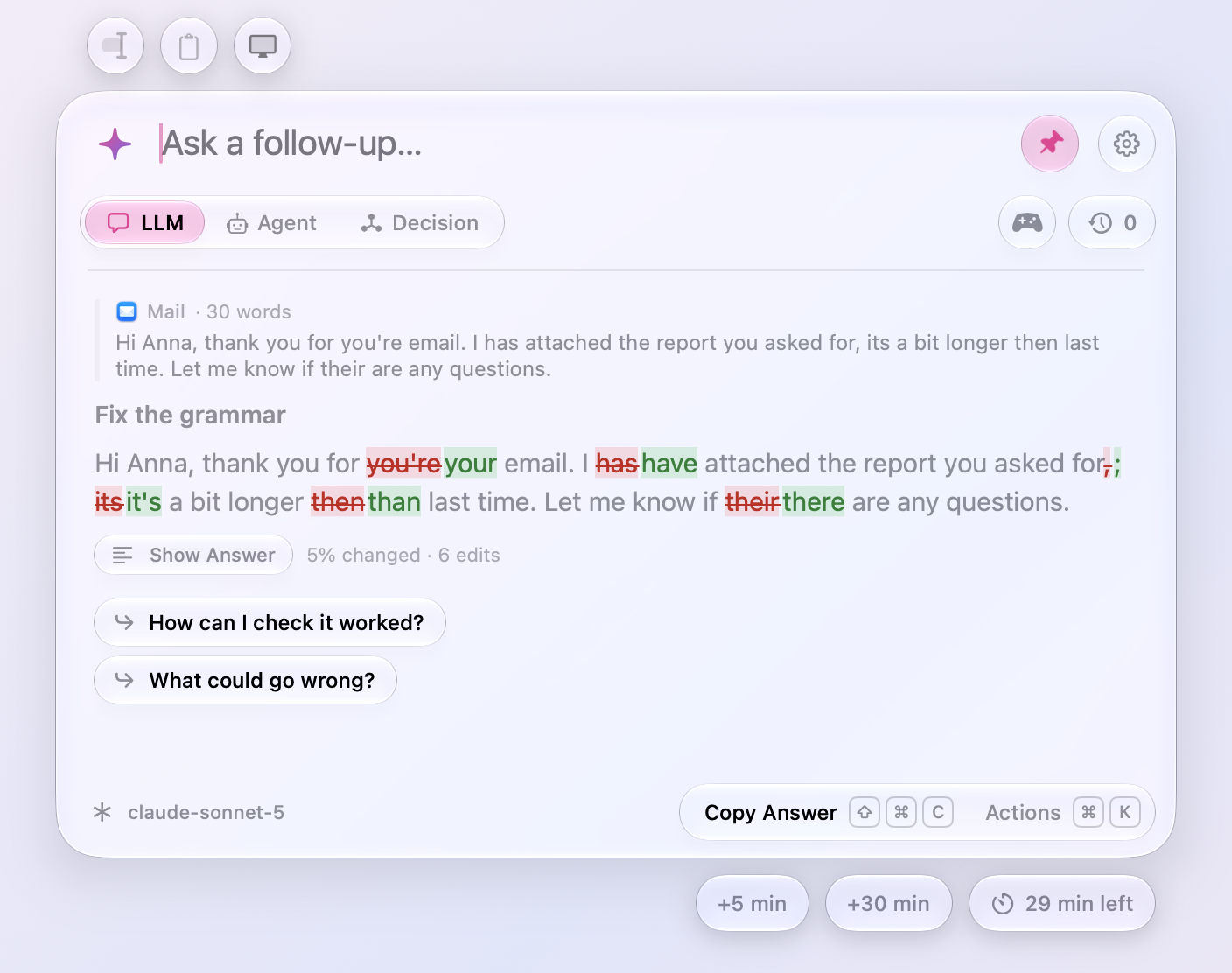
- What changed stands out. In Show What Changed, the text that stayed as it was is now gray, and the words that went and came sit on deeper red and green, so three edits in a long page are found at a glance instead of hunted for among white text. The strike through what went stays.
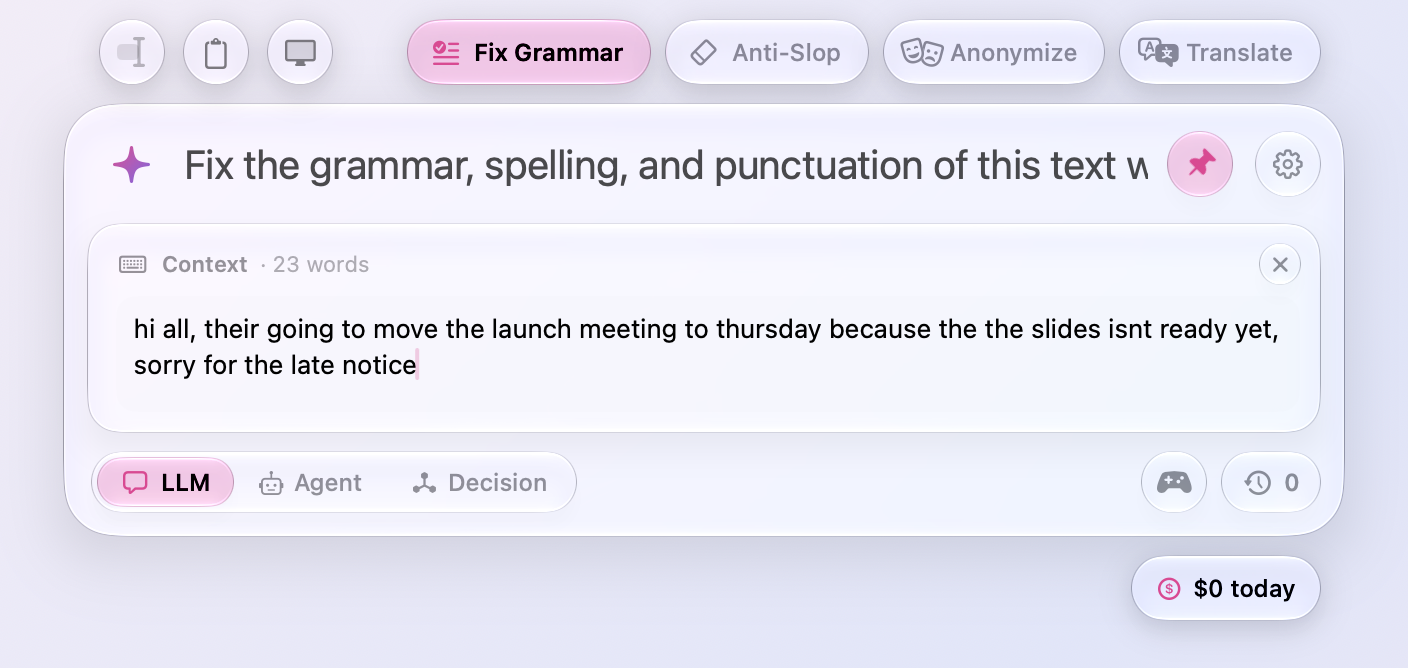
- Presets open the Context card. Click Fix Grammar, Anti-Slop, Find Bugs, or any other preset with nothing to work on yet, and the Context card opens under the input with the cursor in it, ready for the text. With text selected or copied, or a file or picture attached, the preset fills the input as before. The default presets now end as sentences rather than a colon, since the text comes on the card, not after them.
Decision
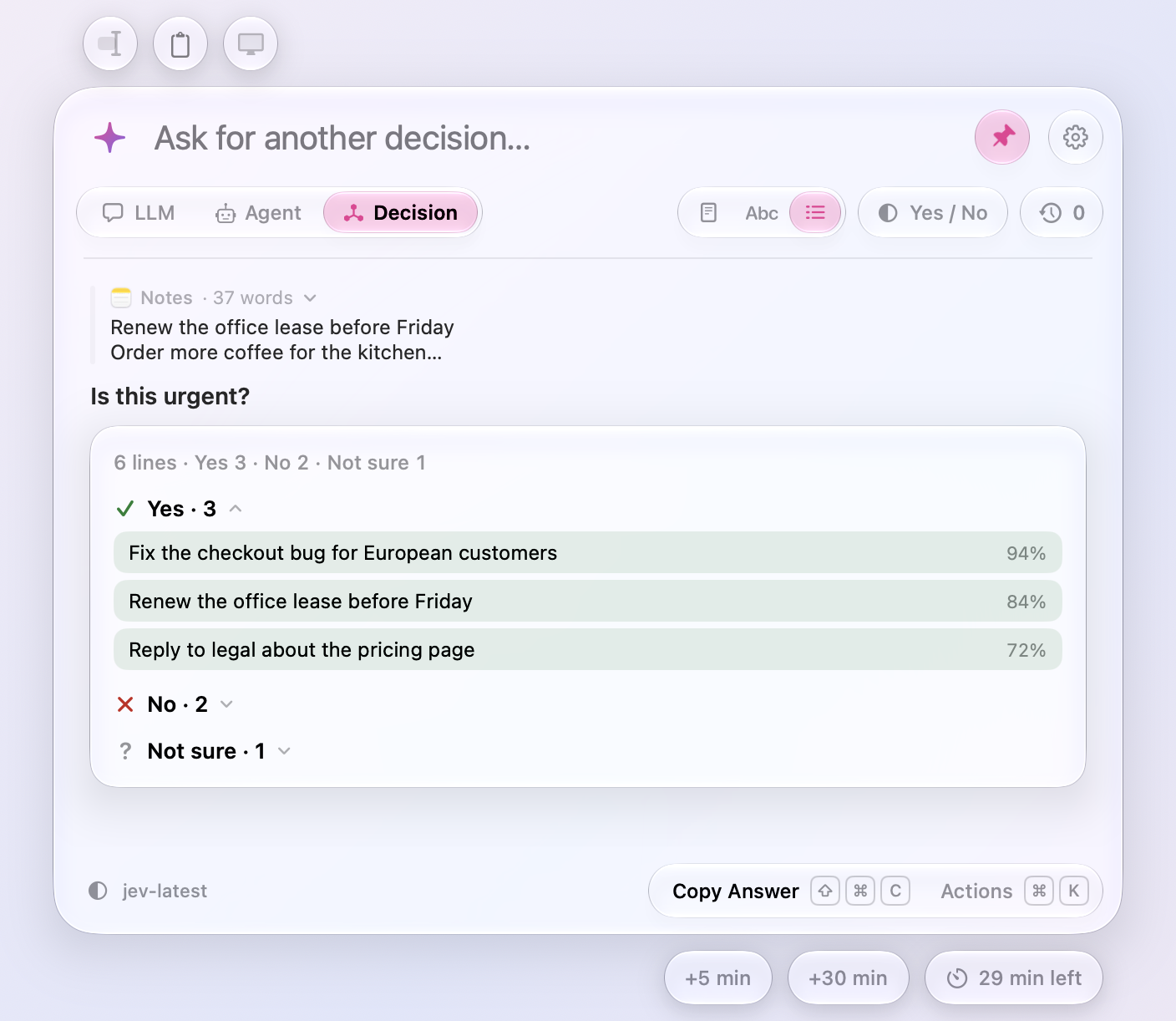
- The surest first. When Jev decides about each word or line, each answer lists its words or lines surest first, so the clearest calls lead and the near misses sit at the bottom. Copy Answer lists them the same way.
- Answers fold. Each answer's words or lines now sit folded under its header, the count beside it, so a long text's decisions read as a short summary first. Click a header to open its words or lines, and again to fold them back.
- Decision models through OpenRouter. Settings › Decision Models has OpenRouter beside TypeSafe, on the key you use for OpenRouter’s LLMs, pasted once for both. Pick TypeSafe’s Jev, Liquid’s D1, Upstage’s Solar Decide, Together’s Tev1, or Jared Palmer’s Kev, every decision model OpenRouter serves, and Settings › Usage counts what each answer cost as OpenRouter reports it.
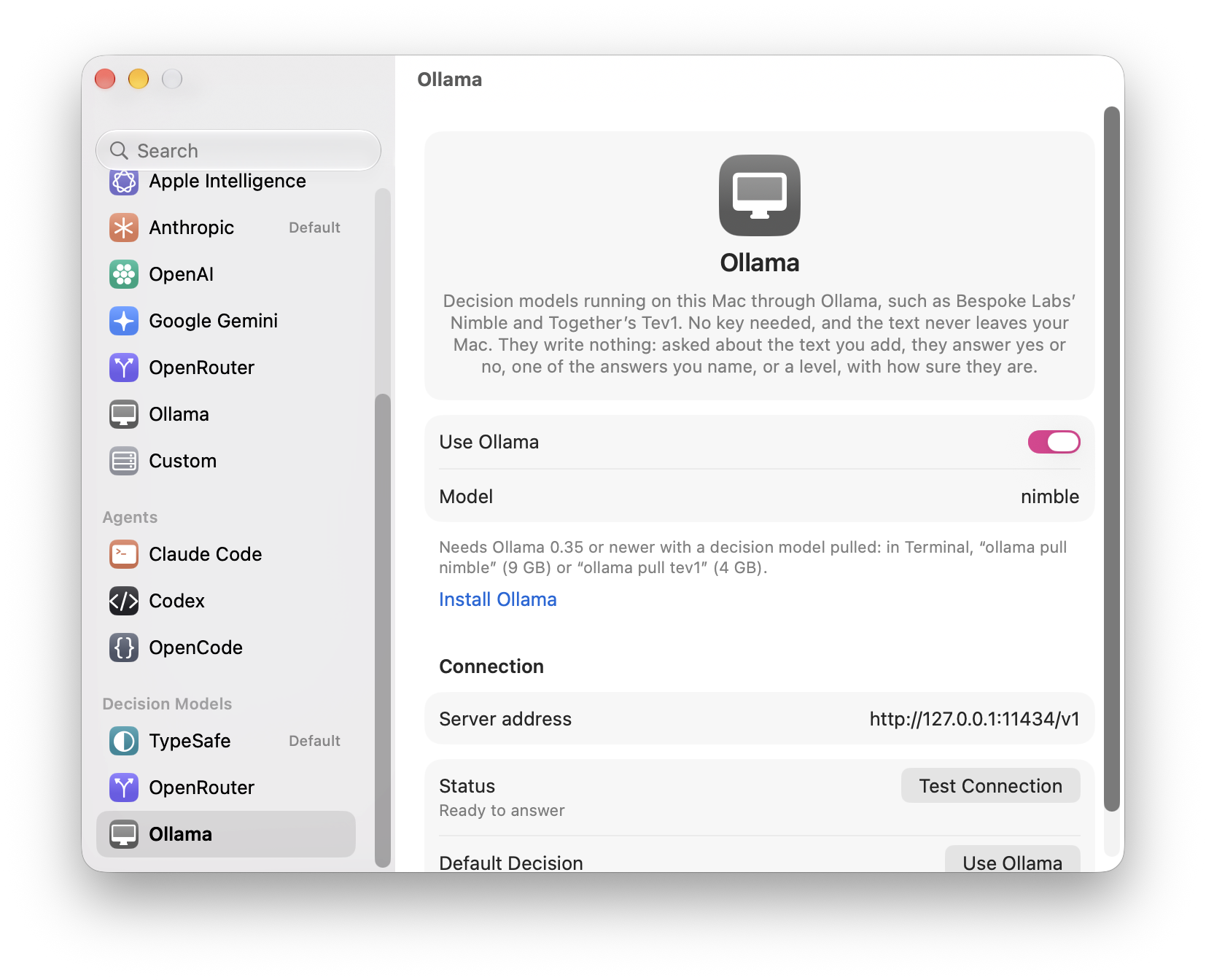
- Decisions on this Mac. Settings › Decision Models has Ollama too: turn it on, and Bespoke Labs’ Nimble or Together’s Tev1 decides on your Mac, with no key and nothing leaving it, as Ollama’s LLMs answer. It takes Ollama 0.35 or newer and a model pulled in Terminal, “ollama pull nimble” (9 GB) or “ollama pull tev1” (4 GB, or “tev1:0.8b” for a small one). A decision about each word or line goes eight at a time, since Ollama’s models read a request in prompts of 2,050 tokens, and Settings › Usage counts them as free.
Fixes
- Shadows fade out instead of ending in a line. The window keeps room for its shadows now: under the card, under the time-left and cost capsules below it, beside the presets, and around a panel of actions, where the shadow was cut off at the window's edge.
All files, and how to verify them
| File | What it is | SHA-256 |
|---|---|---|
Meraline-1.10.0.dmg |
The installer | 92b927797cb7f382daccb57c200d44b3f6f8fdf6a0b06ff8473b4ee756f9f5b2 |
Meraline-1.10.0.zip |
The archive Sparkle installs as an update | 64eecfdc1a2951fca3bec50cfce20e135b3e7876d0bf7b60db2223e6cf9fc316 |
Meraline-1.10.0-dSYMs.zip |
Debug symbols, for reading crash reports | 5e560675c4eb4bf27fd40b01bb1086d320ef023aa7db1fee109113945511294b |
appcast.xml is the update feed that installed copies check once a day.
Every file was built by GitHub Actions from tag v1.10.0 and carries a signed provenance attestation:
gh attestation verify Meraline-1.10.0.dmg --repo Meldiron/meraline